> ## Documentation Index
> Fetch the complete documentation index at: https://moengage.com/docs/llms.txt
> Use this file to discover all available pages before exploring further.
# SDK Installation
> Download and import the MoEngage Unity package into your project using the Unity Editor.
Connect your IDE to the [MoEngage docs MCP server](/docs/developer-guide/connect-your-ide-to-moengage-docs) for accurate, context-aware SDK guidance inside your development environment. Your assistant searches this documentation directly, helping you move through the integration with confidence.
The MoEngage Unity package requires Unity 6.4 (Hub version 6000.4.1f1) or above.
## Build Environment Requirements
Ensure your build environment meets the following minimum requirements before integrating the SDK.
| Requirement | Minimum Version |
| ----------- | --------------- |
| AGP | 8.10.0 |
| Gradle | 8.13 |
| Min SDK | 25 |
| Target SDK | 35 or 36 |
## External Dependency Manager
The plugin uses the [External Dependency Manager](https://github.com/googlesamples/unity-jar-resolver) by Google for Unity (EDM4U) (formerly Play Services Resolver / Jar Resolver). Make sure to include it in your project before proceeding with the SDK Integration.
## Add MoEngage Package
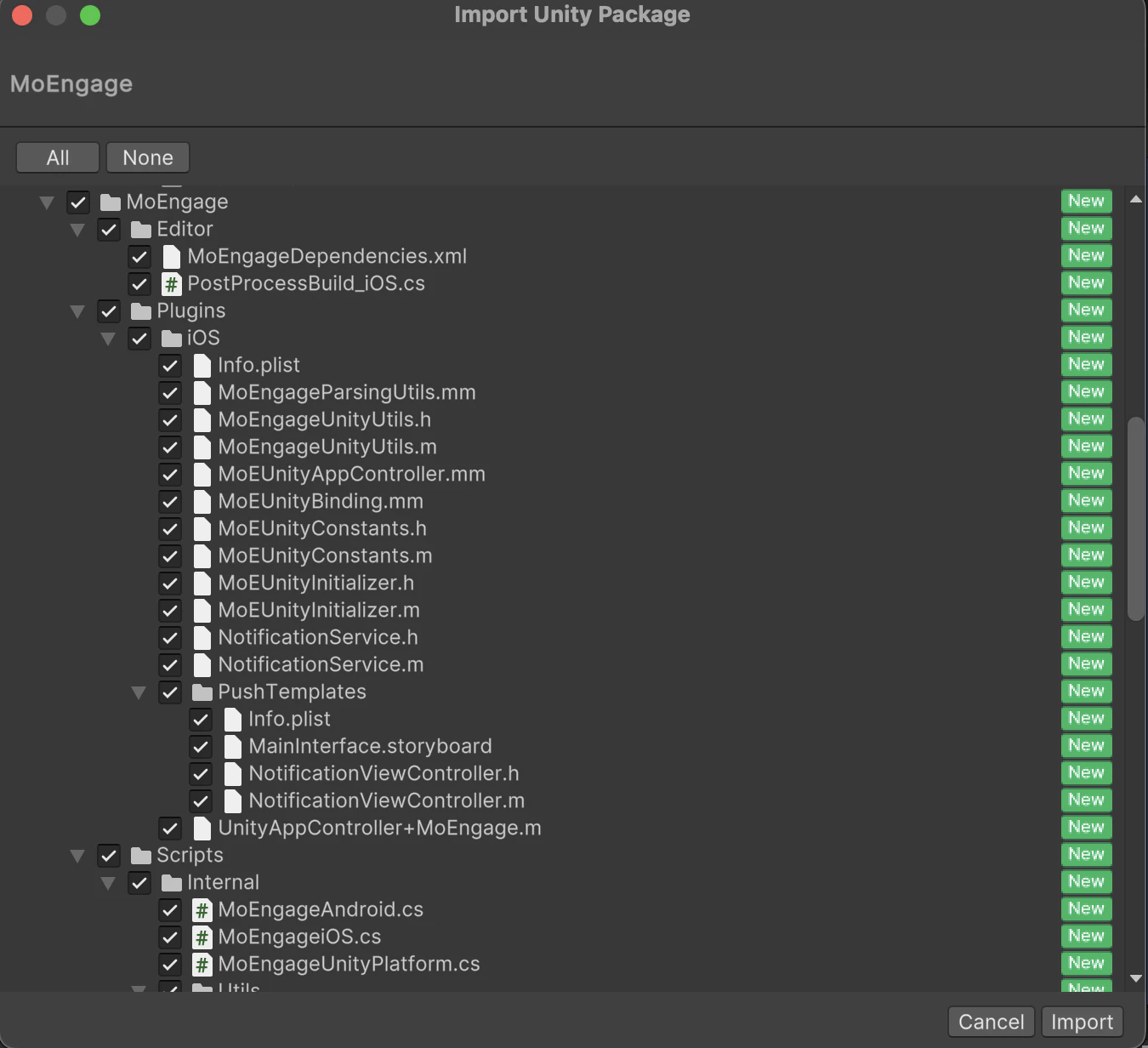
To integrate the MoEngage Unity SDK, first, download the Unity packages from [here](https://github.com/moengage/MoEngage-Unity-SDK/releases). Then go to Unity Editor, navigate to `Assets > Import Package > Custom Package` , and import the `MoEngage.unitypackage`. Select all the files as shown below and click `Import`:
 Once the plugin is integrated, head over to the SDK Initialization doc for setting up the Unity Project.