> ## Documentation Index
> Fetch the complete documentation index at: https://moengage.com/docs/llms.txt
> Use this file to discover all available pages before exploring further.
# Trustpilot
> MoEngage を Trustpilot と統合して、レビュー依頼を送信し、商品レビューでメッセージをパーソナライズします。
## はじめに
[Trustpilot](https://www.trustpilot.com/) は、顧客がフィードバックを共有でき、企業がレビューを管理して返信できるオンラインレビュープラットフォームです。
このページでは、次の内容についてステップバイステップで説明します。
* Trustpilot の Create Invitation API を使用したレビュー依頼の作成
* Trustpilot の Product Reviews API を使用した商品レビューによるメッセージのパーソナライズ
## 統合
**前提条件**
Trustpilot アカウントと Trustpilot の認証キーにアクセスできることを確認してください。
TrustPilot と統合するには、[optilyz API](https://www.optilyz.com/doc/api/) を使用して受信者データを MoEngage の Connectors に送信します。
### Trustpilot API の認証情報を取得する
1. 認証情報を使用して [Trustpilot にログイン](https://app.contentful.com/login) します。
2. Trustpilot ダッシュボードで Integrations > Developers > APIs に移動し、API キーとシークレットを作成または取得します。API キーをまだお持ちでない場合は、新しく作成します。
1. Application Name > Create Application に移動します。
2. API キーとシークレットをコピーします。これらは Content API リクエストの認証に使用されます。
### Trustpilot のレビュー依頼を送信する
#### ステップ 1: MoEngage で OAuth 設定を作成する
MoEngage の Content API を使用して Trustpilot の認証エンドポイントにリクエストを送信し、アクセストークンを取得します。MoEngage ダッシュボードで、次の手順を実行します。
1. Settings >> Authorisation configuration に移動します。
2. Add new config をクリックします。
3. 詳細を入力します。
1. OAuth Name: TrustPilot
2. Grant Type: Client Credentials
3. Token type: Opaque
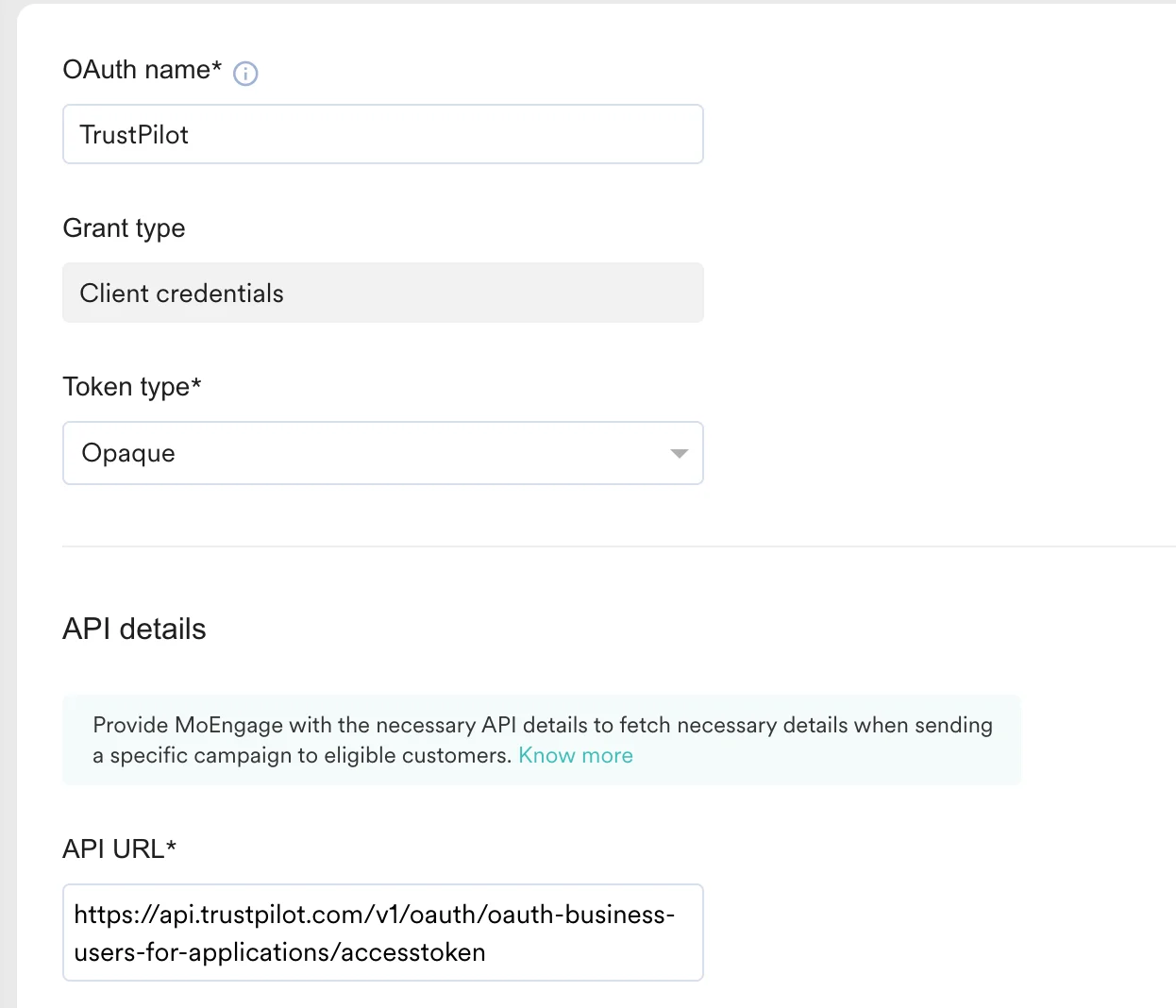 4. API URL: `https://api.trustpilot.com/v1/oauth/oauth-business-users-for-applications/accesstoken`
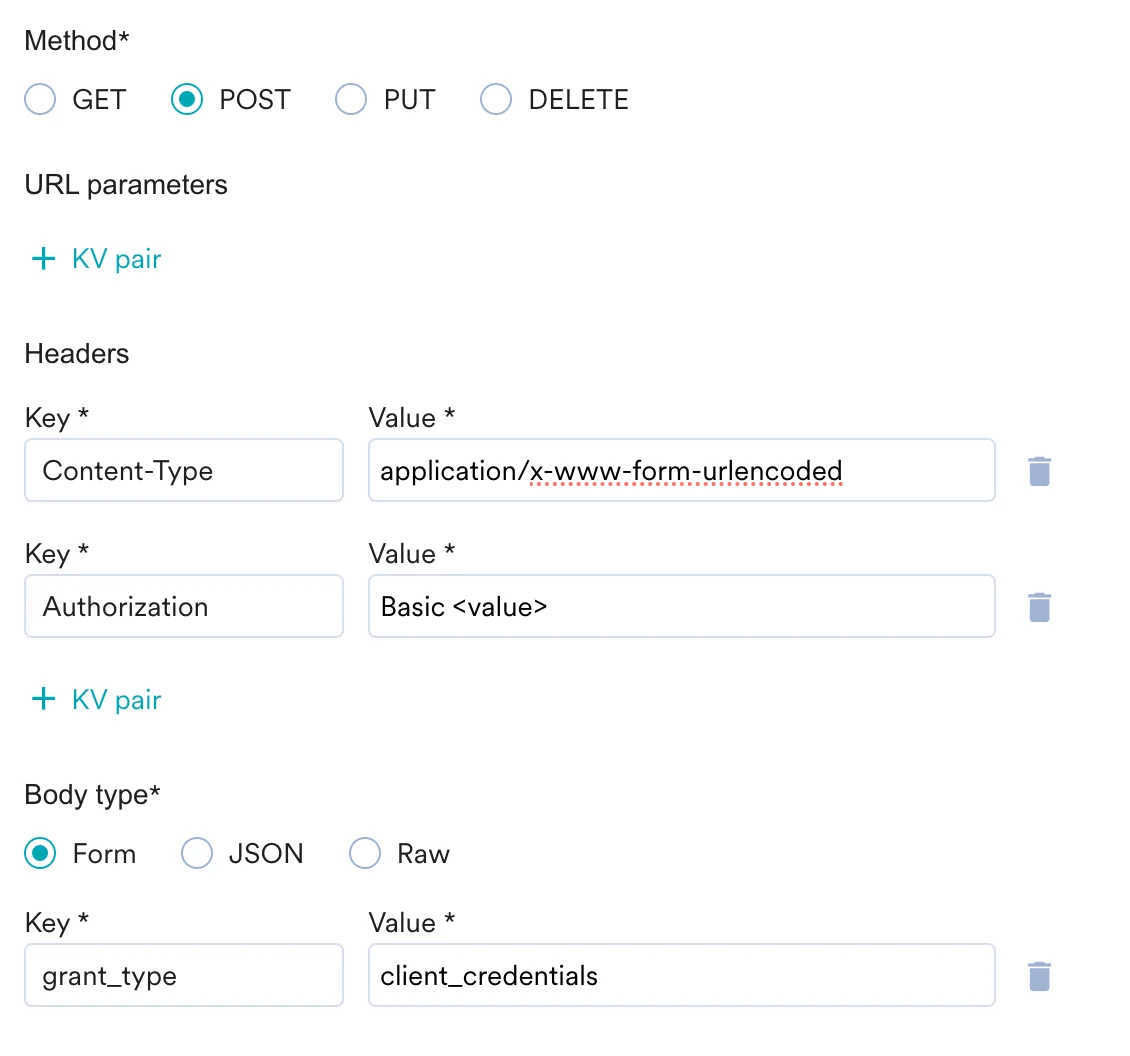
5. Method: Post
6. Headers:
4. API URL: `https://api.trustpilot.com/v1/oauth/oauth-business-users-for-applications/accesstoken`
5. Method: Post
6. Headers:
Content-Type: `application/x-www-form-urlencoded`
Authorization: Basic `{{'API_KEY:API_SECRET' | base64_encode}}`
7. Request Body: form を選択し、次のキーと値を追加します。
grant\_type: client\_credentials
 4. Send Test and Continue をクリックします。
5. 接続を保存します。
#### ステップ 2: MoEngage で Connector キャンペーンを作成する
MoEngage で Connector キャンペーンを作成するには、次の手順を実行します。
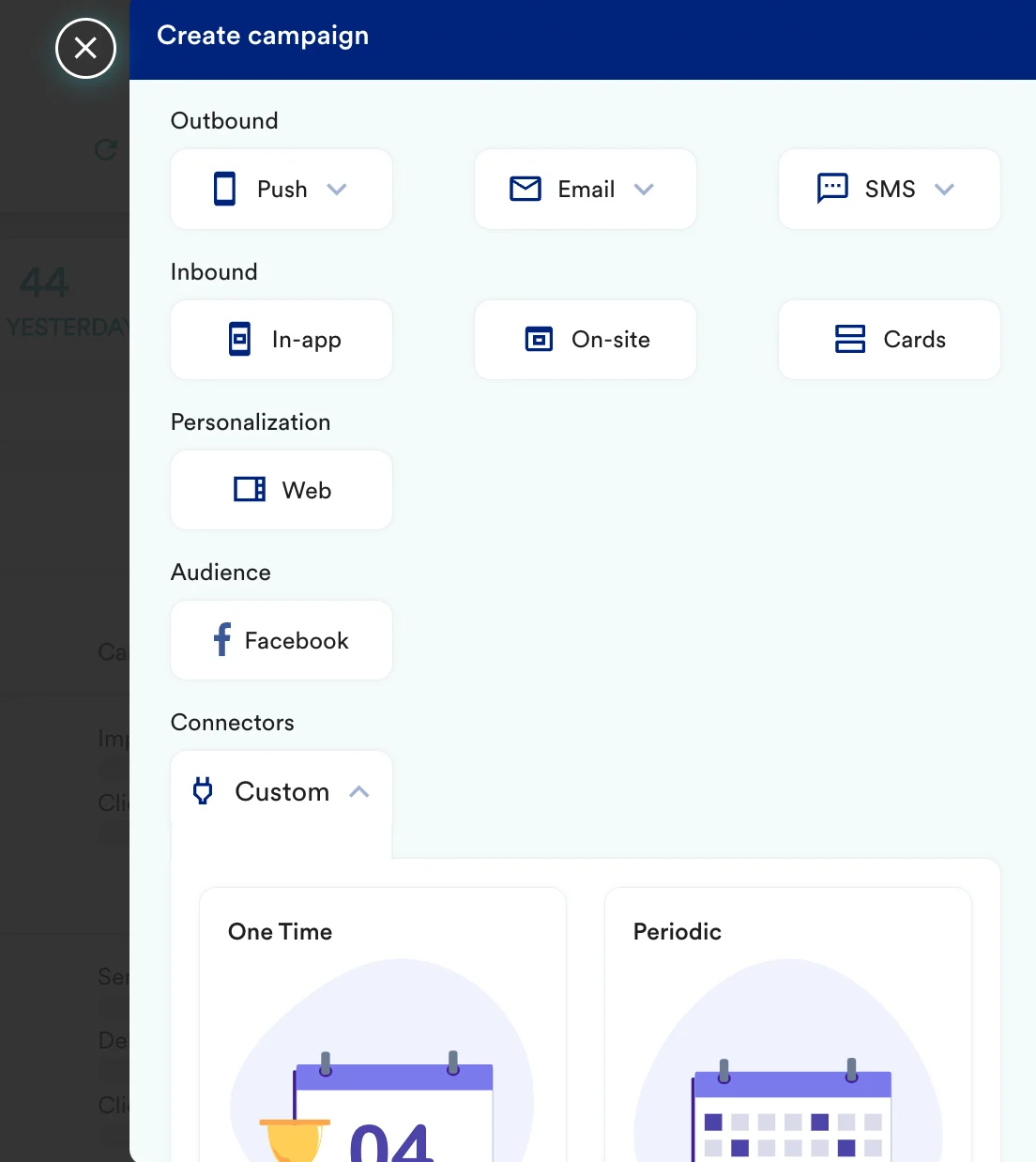
1. Create Campaign >> Connectors >> Custom に移動します。
4. Send Test and Continue をクリックします。
5. 接続を保存します。
#### ステップ 2: MoEngage で Connector キャンペーンを作成する
MoEngage で Connector キャンペーンを作成するには、次の手順を実行します。
1. Create Campaign >> Connectors >> Custom に移動します。
 2. キャンペーンのステップ 2 で、次を選択します。
| キー | 値 |
| - | - |
| Method | POST |
| Webhook URL | `https://invitations-api.trustpilot.com/v1/private/business-units/%7BbusinessUnitId%7D/email-invitations` |
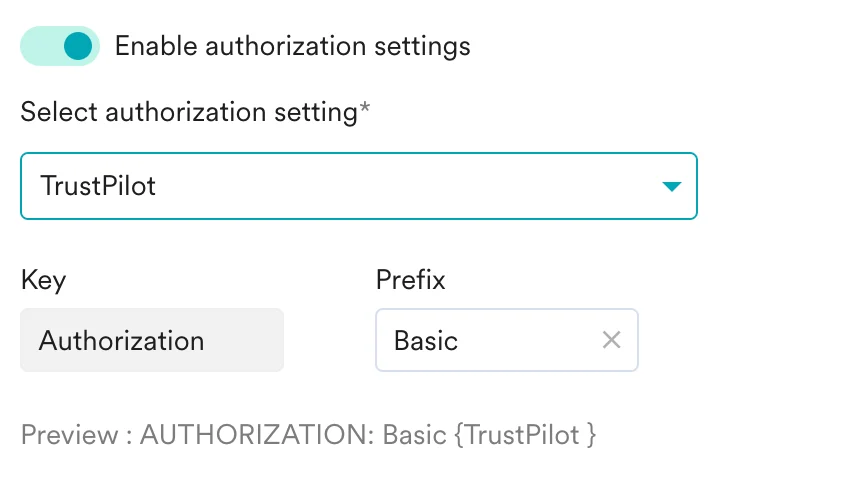
| Headers | OAuth トグルを有効にして trustpilot を選択します。また、Auth Prefix として Basic を選択します。
2. キャンペーンのステップ 2 で、次を選択します。
| キー | 値 |
| - | - |
| Method | POST |
| Webhook URL | `https://invitations-api.trustpilot.com/v1/private/business-units/%7BbusinessUnitId%7D/email-invitations` |
| Headers | OAuth トグルを有効にして trustpilot を選択します。また、Auth Prefix として Basic を選択します。
 |
3. [TrustPilot documentation](https://developers.trustpilot.com/invitation-api) に従ってリクエストボディを入力します。
4. 設定をテストします。この時点で、キャンペーンはテストと送信の準備ができているはずです。Create Connector Campaign のステップ 2 で利用可能なテスト機能を使用して、Connector の設定をテストすることもできます。
|
3. [TrustPilot documentation](https://developers.trustpilot.com/invitation-api) に従ってリクエストボディを入力します。
4. 設定をテストします。この時点で、キャンペーンはテストと送信の準備ができているはずです。Create Connector Campaign のステップ 2 で利用可能なテスト機能を使用して、Connector の設定をテストすることもできます。
 5. キャンペーンを公開します。
## 商品レビューのインサイトでメッセージをパーソナライズする
TrustPilot の商品レビューをキャンペーンで使用する場合は、[MoEngage Content API](https://www.moengage.com/docs/user-guide/campaigns-and-channels/getting-started/campaign-content/content-apis#step-2-use-content-apis-in-campaigns) を使用して [Trustpilot の Get product reviews summary エンドポイント](https://developers.trustpilot.com/product-reviews-api#get-product-reviews-summary) を呼び出すことができます。
5. キャンペーンを公開します。
## 商品レビューのインサイトでメッセージをパーソナライズする
TrustPilot の商品レビューをキャンペーンで使用する場合は、[MoEngage Content API](https://www.moengage.com/docs/user-guide/campaigns-and-channels/getting-started/campaign-content/content-apis#step-2-use-content-apis-in-campaigns) を使用して [Trustpilot の Get product reviews summary エンドポイント](https://developers.trustpilot.com/product-reviews-api#get-product-reviews-summary) を呼び出すことができます。