> ## Documentation Index
> Fetch the complete documentation index at: https://moengage.com/docs/llms.txt
> Use this file to discover all available pages before exploring further.
# Notification Content Extension が実装されていない場合に iOS プッシュ通知(SDK バージョン 8.x.x)でプッシュテンプレートの問題を回避するには
> MoEngage プロジェクトに Notification Content Extension を実装して、SDK 8.x.x での iOS プッシュテンプレートの問題(カルーセル、色、フォント)を修正します。
## 問題
Notification Content Extension が実装されていない場合、プッシュテンプレート(カルーセル画像、背景色、フォントの色など)がプッシュ通知で正しく表示されません。
## 手順
次の手順を実行します。
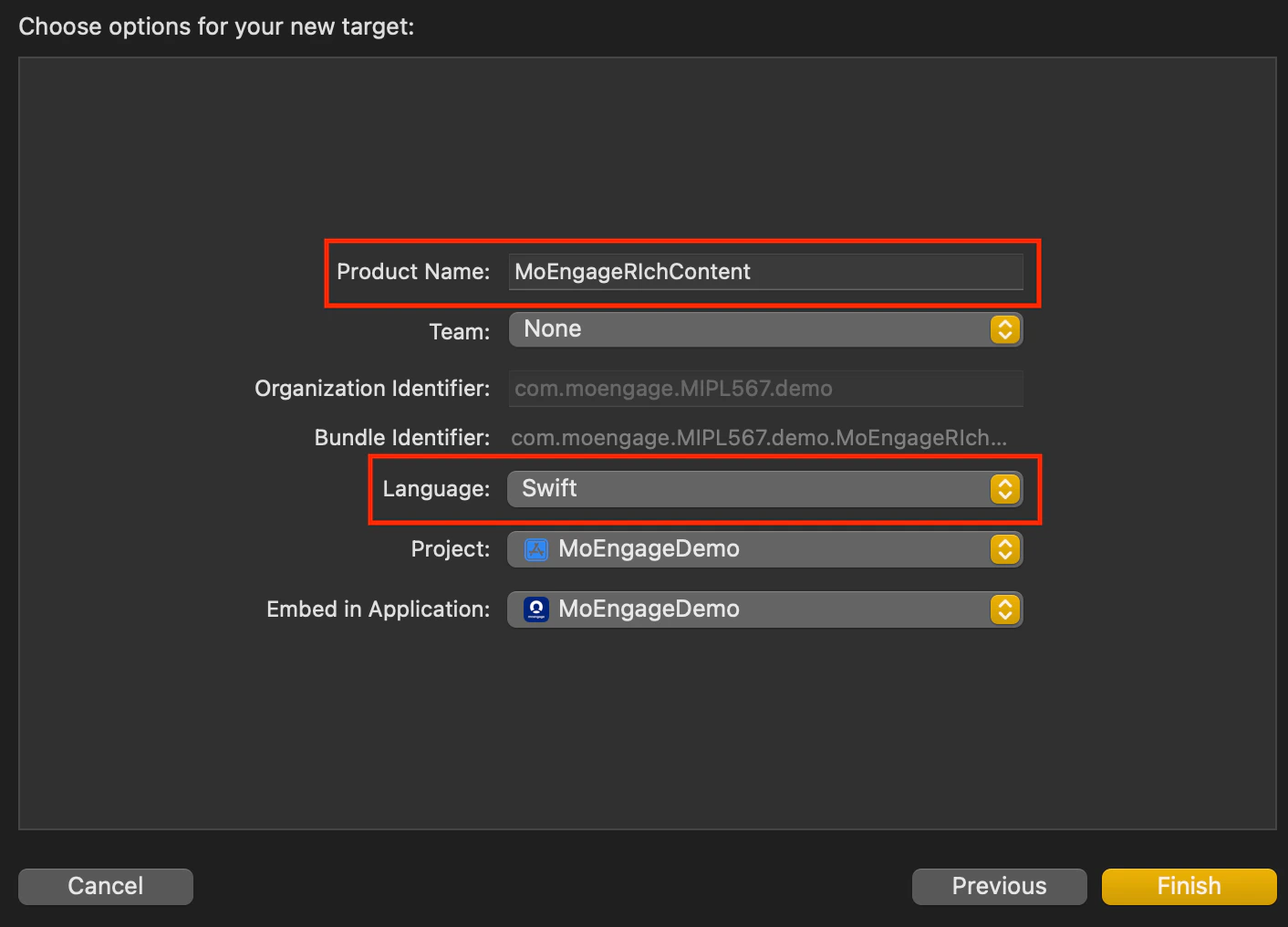
1. Notification Content Extension ターゲットを作成します。
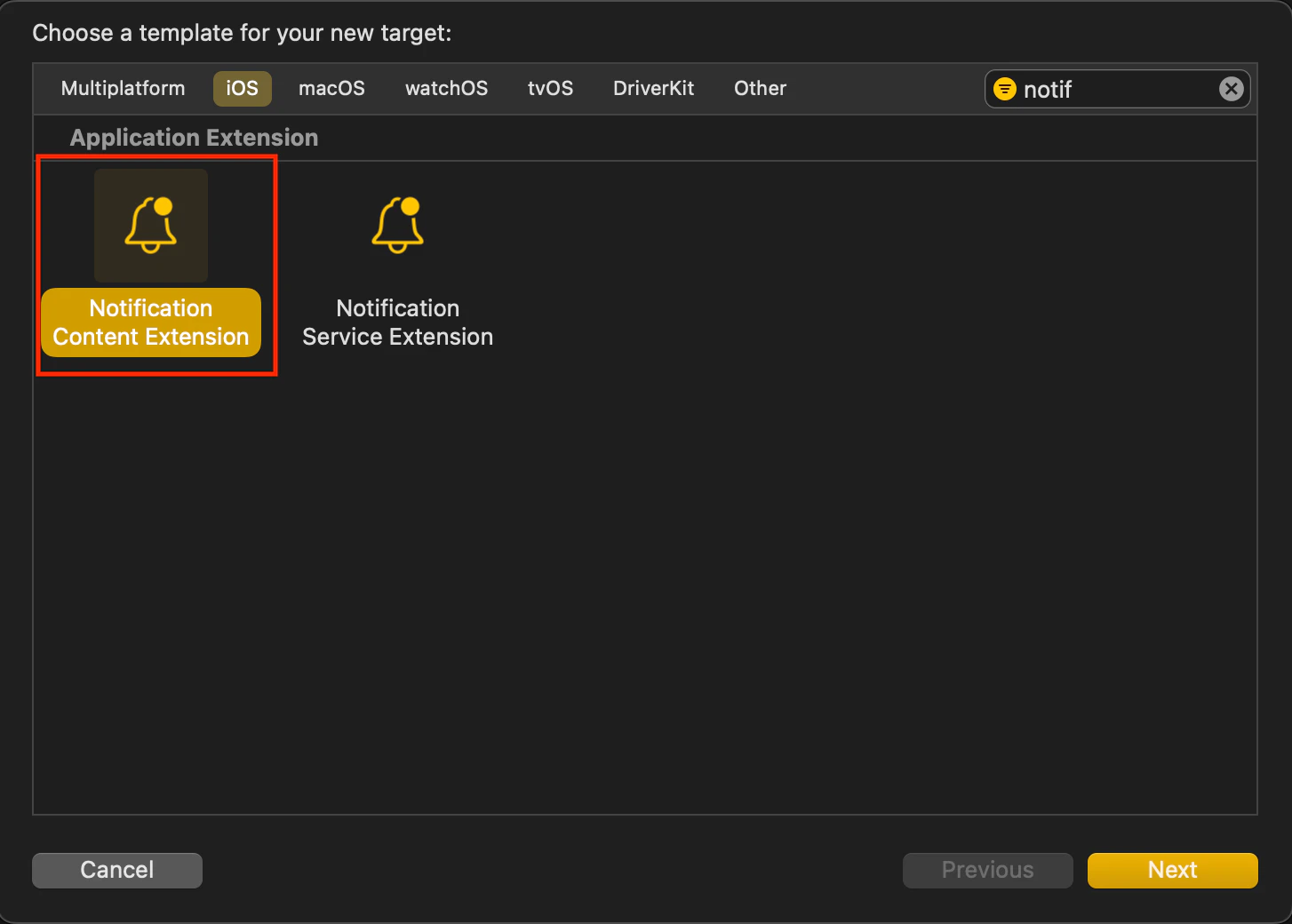 * *Extension ターゲットに名前を付けます。* Extension ターゲットの名前を選択します。**Swift** は Objective-C プロジェクトでもシームレスに動作するため、言語として推奨されます。
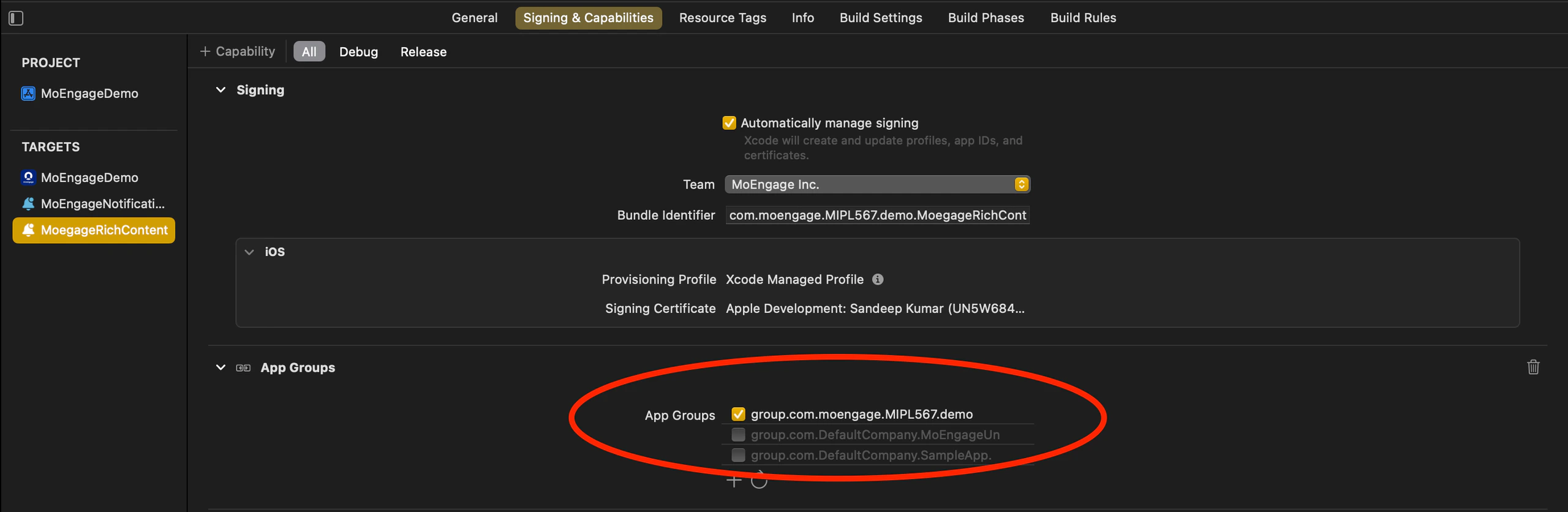
 * Notification Content Extension の **Signing & Capabilities** 設定に **AppGroupId** を追加します。
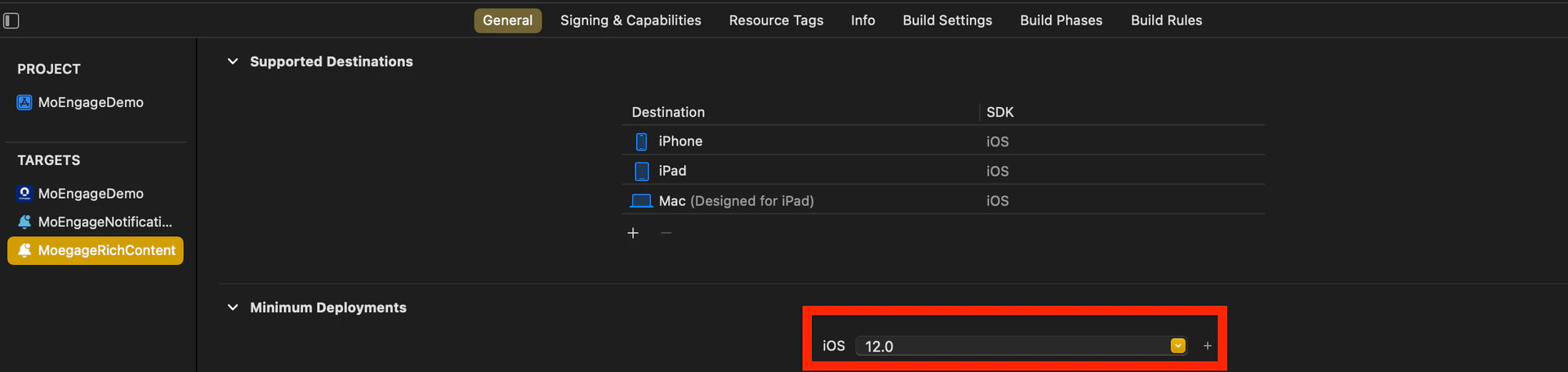
  * Notification Content Extension の最小デプロイ iOS バージョンをメインアプリの iOS バージョンに合わせて設定します。
 2. *MORichNotification フレームワークを Notification Content Extension ターゲットに統合します。*
* podfile で Notification Content Extension を別のターゲットとして追加し、**MORichNotification** フレームワークをインストールします。
```swift Swift theme={null}
target 'MoEngageDemo' do
use_frameworks!
pod 'MoEngage-iOS-SDK'
end
target 'MoEngageNotificationService' do
use_frameworks! #use use_frameworks only if included in main target as in above scenario
pod 'MoEngageRichNotification'
end
target 'MoegageRichContent" do
use_frameworks! #use use_frameworks only if included in main target as in above scenario
pod 'MoEngageRichNotification'
end
```
3. **NotificationViewController.swift** ファイルのコード変更。
```swift Swift theme={null}
import UIKit
import UserNotifications
import UserNotificationsUI
import MoEngageRichNotification
class NotificationViewController: UIViewController, UNNotificationContentExtension {
@IBOutlet var label: UILabel?
override func viewDidLoad() {
super.viewDidLoad()
MORichNotification.setAppGroupID("group.com.XXXXXXXXXXXXXXXX")
}
func didReceive(_ notification: UNNotification) {
if #available(iOSApplicationExtension 12.0, *) {
MORichNotification.addPushTemplate(toController: self, withNotification: notification)
} else {
// Fallback on earlier versions
}
}
}
```
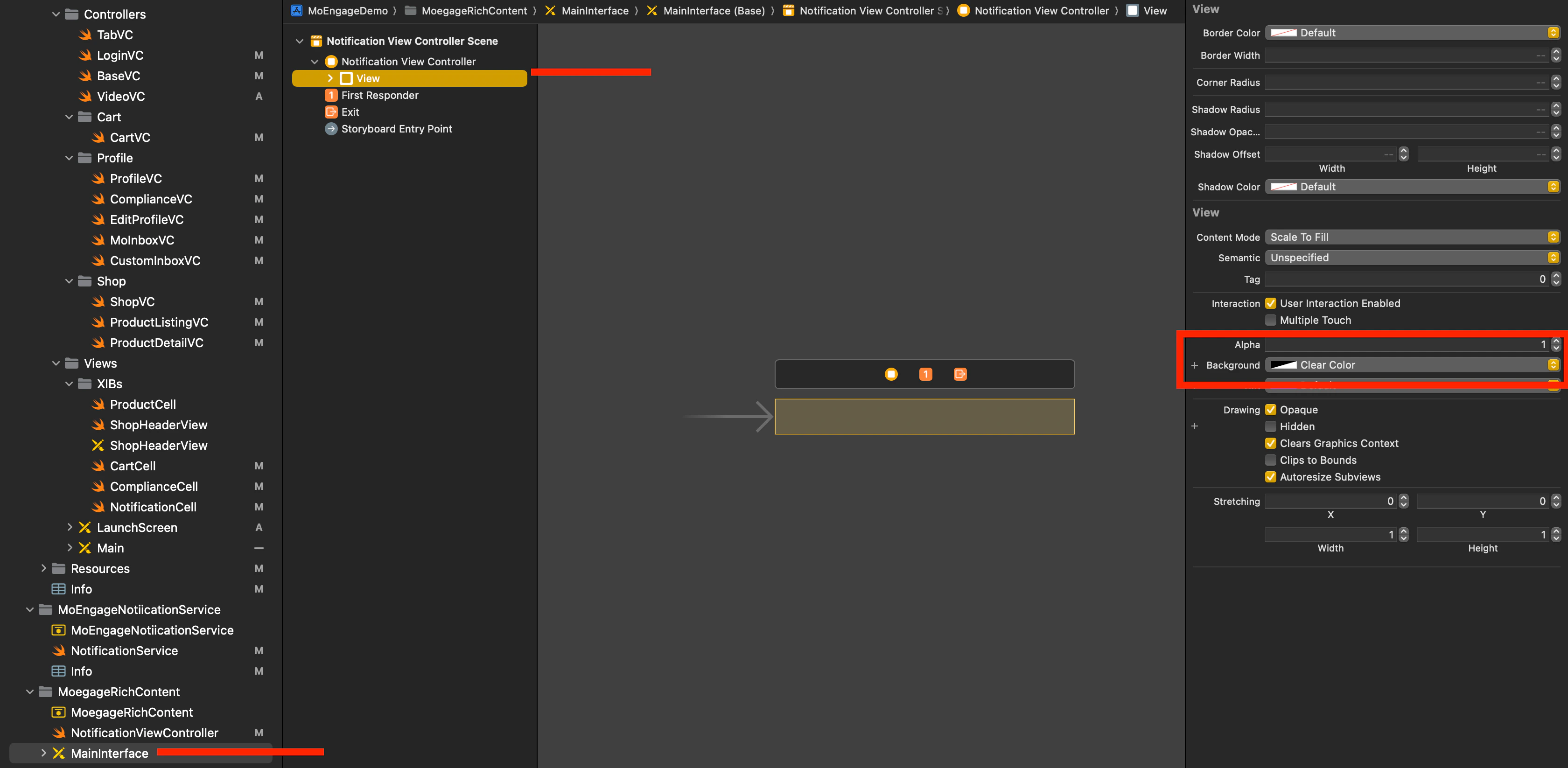
4. Content Extension で **MainInterface.storyboard** を選択し、デフォルトのラベルを削除して、View の背景色を透明(clear)に設定します。
2. *MORichNotification フレームワークを Notification Content Extension ターゲットに統合します。*
* podfile で Notification Content Extension を別のターゲットとして追加し、**MORichNotification** フレームワークをインストールします。
```swift Swift theme={null}
target 'MoEngageDemo' do
use_frameworks!
pod 'MoEngage-iOS-SDK'
end
target 'MoEngageNotificationService' do
use_frameworks! #use use_frameworks only if included in main target as in above scenario
pod 'MoEngageRichNotification'
end
target 'MoegageRichContent" do
use_frameworks! #use use_frameworks only if included in main target as in above scenario
pod 'MoEngageRichNotification'
end
```
3. **NotificationViewController.swift** ファイルのコード変更。
```swift Swift theme={null}
import UIKit
import UserNotifications
import UserNotificationsUI
import MoEngageRichNotification
class NotificationViewController: UIViewController, UNNotificationContentExtension {
@IBOutlet var label: UILabel?
override func viewDidLoad() {
super.viewDidLoad()
MORichNotification.setAppGroupID("group.com.XXXXXXXXXXXXXXXX")
}
func didReceive(_ notification: UNNotification) {
if #available(iOSApplicationExtension 12.0, *) {
MORichNotification.addPushTemplate(toController: self, withNotification: notification)
} else {
// Fallback on earlier versions
}
}
}
```
4. Content Extension で **MainInterface.storyboard** を選択し、デフォルトのラベルを削除して、View の背景色を透明(clear)に設定します。
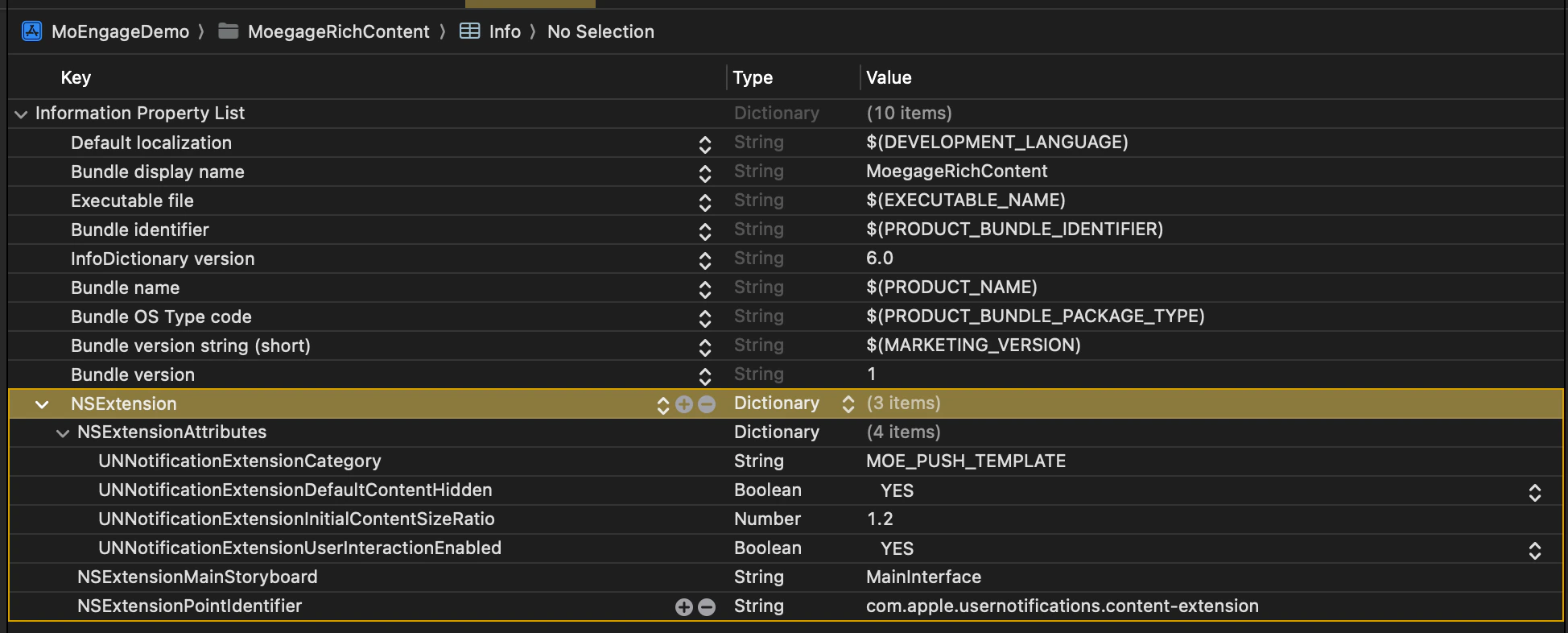
 5. Info.plist の変更:
```swift Swift theme={null}
NSExtensionAttributes
UNNotificationExtensionCategory
MOE_PUSH_TEMPLATE
UNNotificationExtensionDefaultContentHidden
UNNotificationExtensionInitialContentSizeRatio
1.2
UNNotificationExtensionUserInteractionEnabled
```
5. Info.plist の変更:
```swift Swift theme={null}
NSExtensionAttributes
UNNotificationExtensionCategory
MOE_PUSH_TEMPLATE
UNNotificationExtensionDefaultContentHidden
UNNotificationExtensionInitialContentSizeRatio
1.2
UNNotificationExtensionUserInteractionEnabled
```
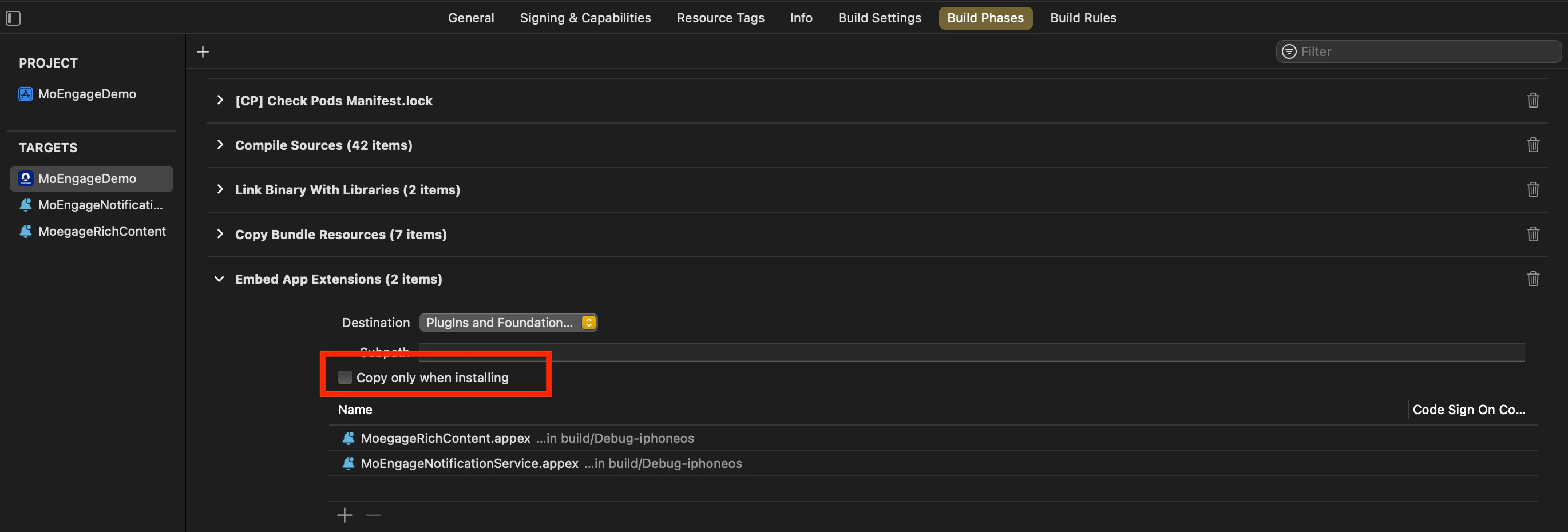
 6. *メインアプリターゲットの Build Phases を確認します。*
* Embed App Extensions/Embed Foundation Extensions で、**Copy only when installing** が選択されていないことを確認します。
6. *メインアプリターゲットの Build Phases を確認します。*
* Embed App Extensions/Embed Foundation Extensions で、**Copy only when installing** が選択されていないことを確認します。
 7. *構成間で appGroupId を統一します。*
* プロジェクト内のすべてのスキームと構成(例:Debug/Release/QA/UAT)で **appGroupId** が一致していることを確認します。
8. *ビルド構成を揃えます。*
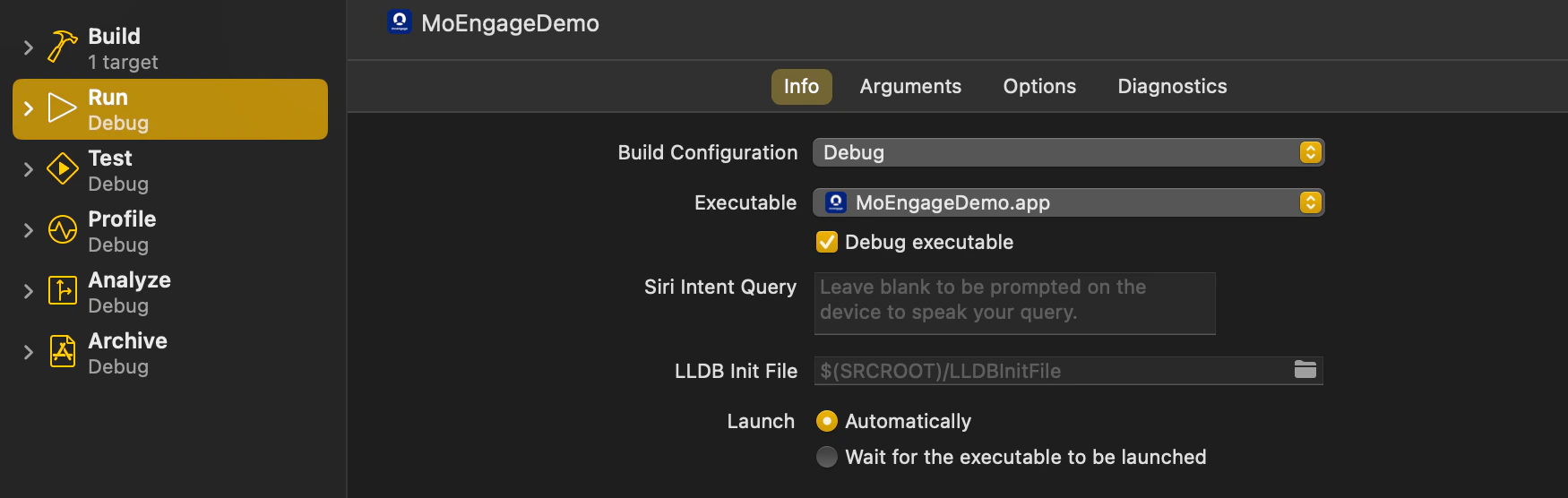
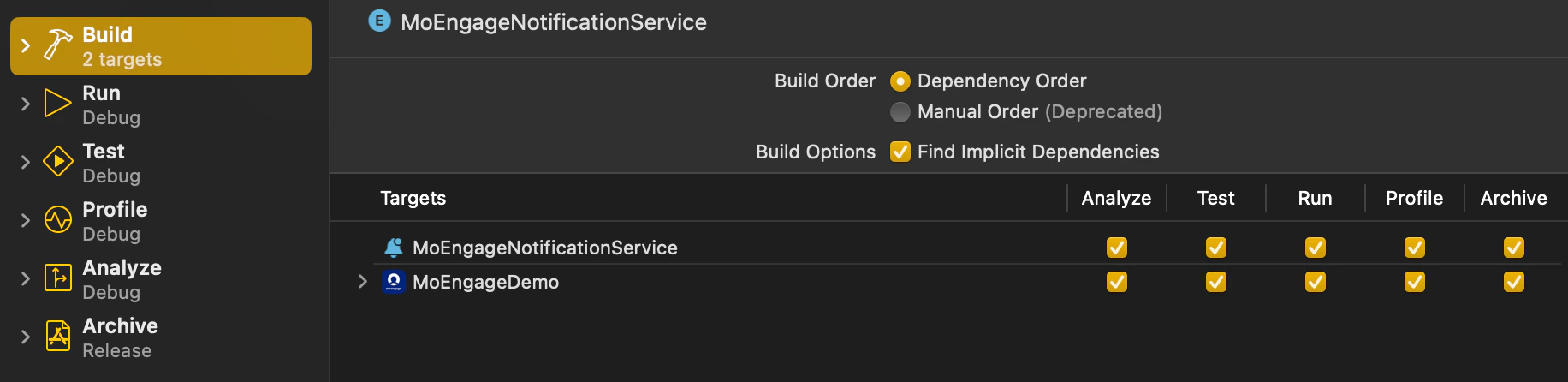
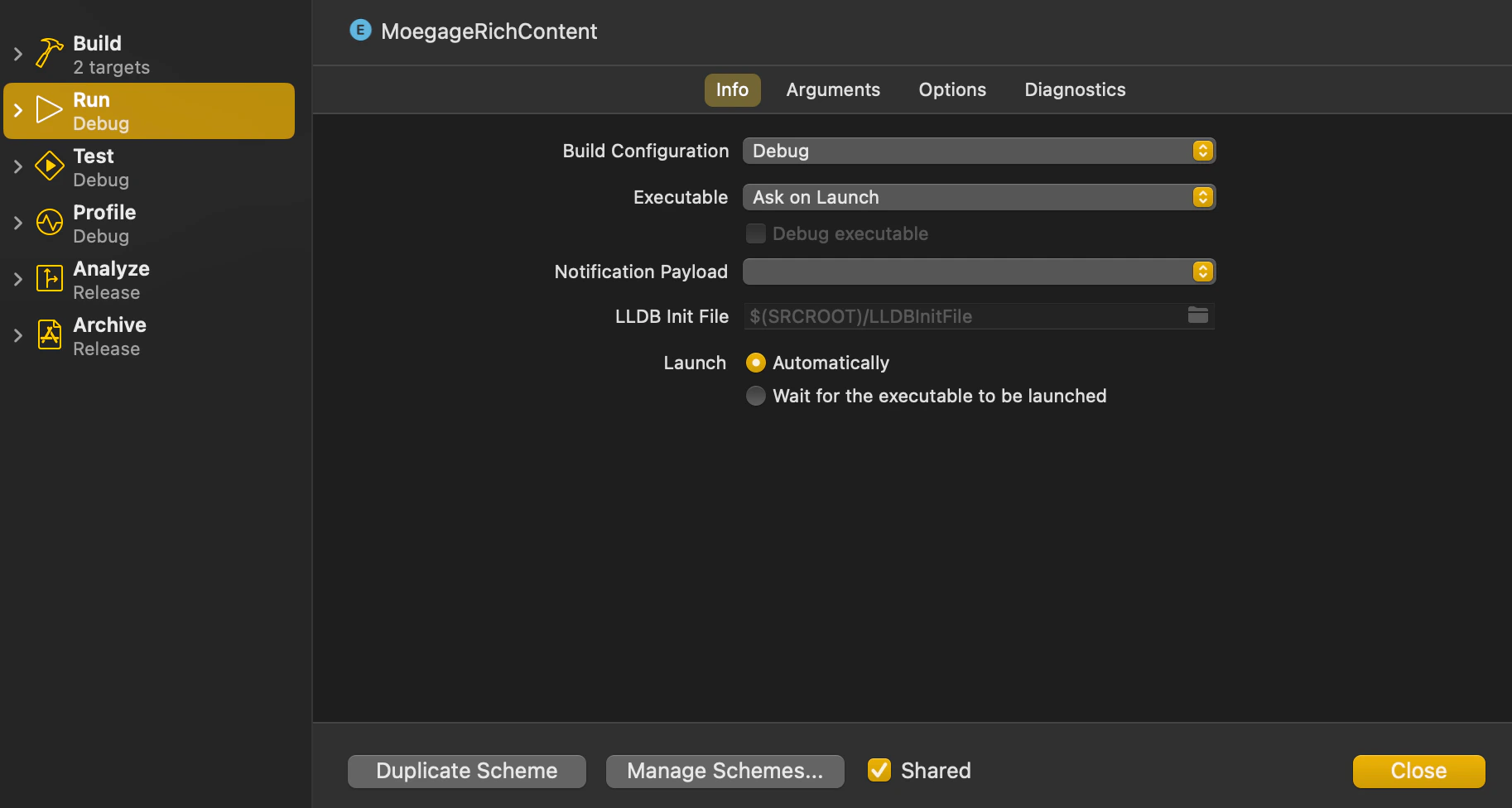
* プロジェクトを実行またはアーカイブする際は、メインターゲット、Notification Service Extension、Notification Content Extension ターゲットの Build Configuration が同じスキーム/構成を指していることを確認します。
7. *構成間で appGroupId を統一します。*
* プロジェクト内のすべてのスキームと構成(例:Debug/Release/QA/UAT)で **appGroupId** が一致していることを確認します。
8. *ビルド構成を揃えます。*
* プロジェクトを実行またはアーカイブする際は、メインターゲット、Notification Service Extension、Notification Content Extension ターゲットの Build Configuration が同じスキーム/構成を指していることを確認します。