> ## Documentation Index
> Fetch the complete documentation index at: https://moengage.com/docs/llms.txt
> Use this file to discover all available pages before exploring further.
# カスタムドメインの検証が失敗するのはなぜですか?
> DNS で MoEngage を指す正しい CNAME レコードを設定し、MoEngage の SMS 設定におけるカスタムドメインの検証エラーを解決します。
## 問題
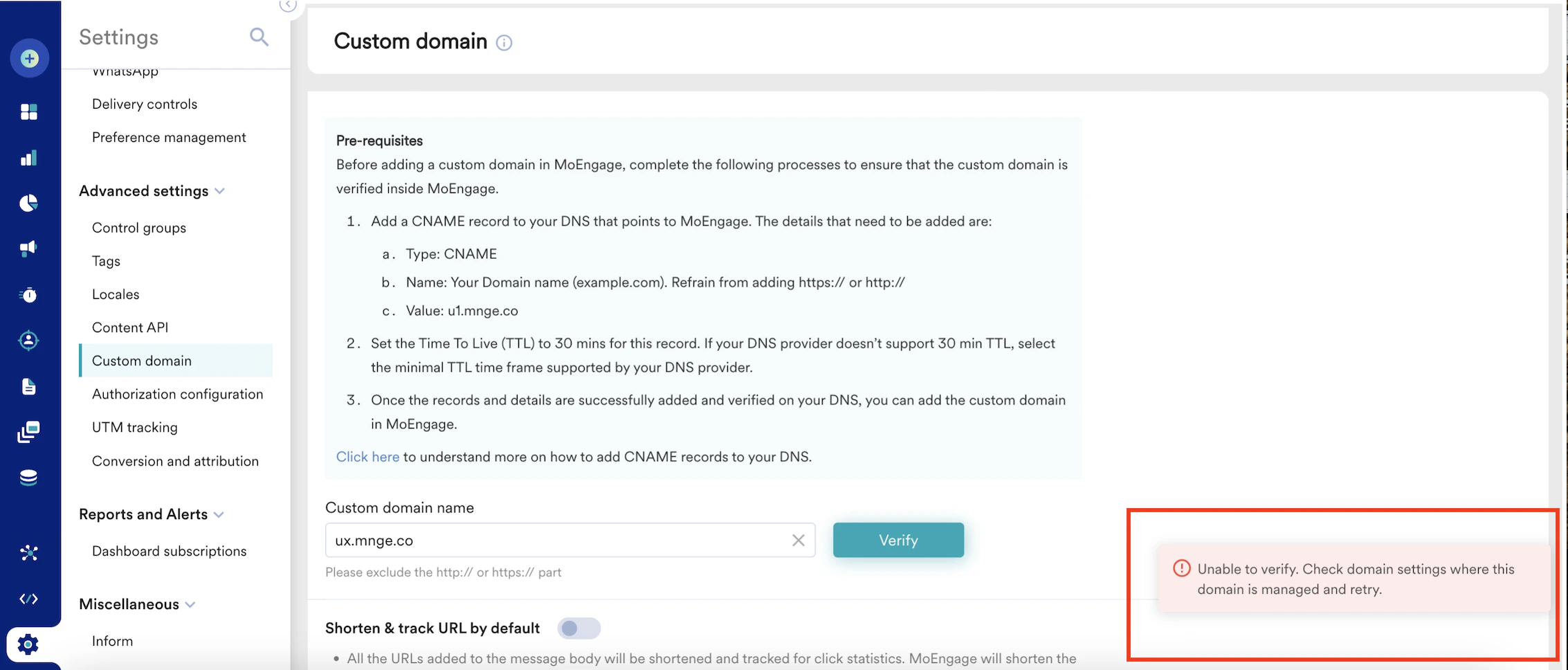
**Settings** > **Advanced settings** > **Custom domain** で追加したドメインを検証しようとすると、次のメッセージが表示されます。
Unable to verify. Check the domain settings where the domain is managed and retry.
 ## 解決方法
次の手順を実行します。
1. カスタムドメインとして追加するドメインを用意します。
2. ドメインに正しい Canonical Name(CNAME)値が設定されていることを確認します。
3. Domain Name System(DNS)設定に、MoEngage ドメインを指す CNAME レコードを追加します。
4. 使用しているクラスターに応じて適切な CNAME 値を使用します。
## 例
例えば、CNAME 値は ux.mnge.co です(X はクラスターを表します)。
## 解決方法
次の手順を実行します。
1. カスタムドメインとして追加するドメインを用意します。
2. ドメインに正しい Canonical Name(CNAME)値が設定されていることを確認します。
3. Domain Name System(DNS)設定に、MoEngage ドメインを指す CNAME レコードを追加します。
4. 使用しているクラスターに応じて適切な CNAME 値を使用します。
## 例
例えば、CNAME 値は ux.mnge.co です(X はクラスターを表します)。
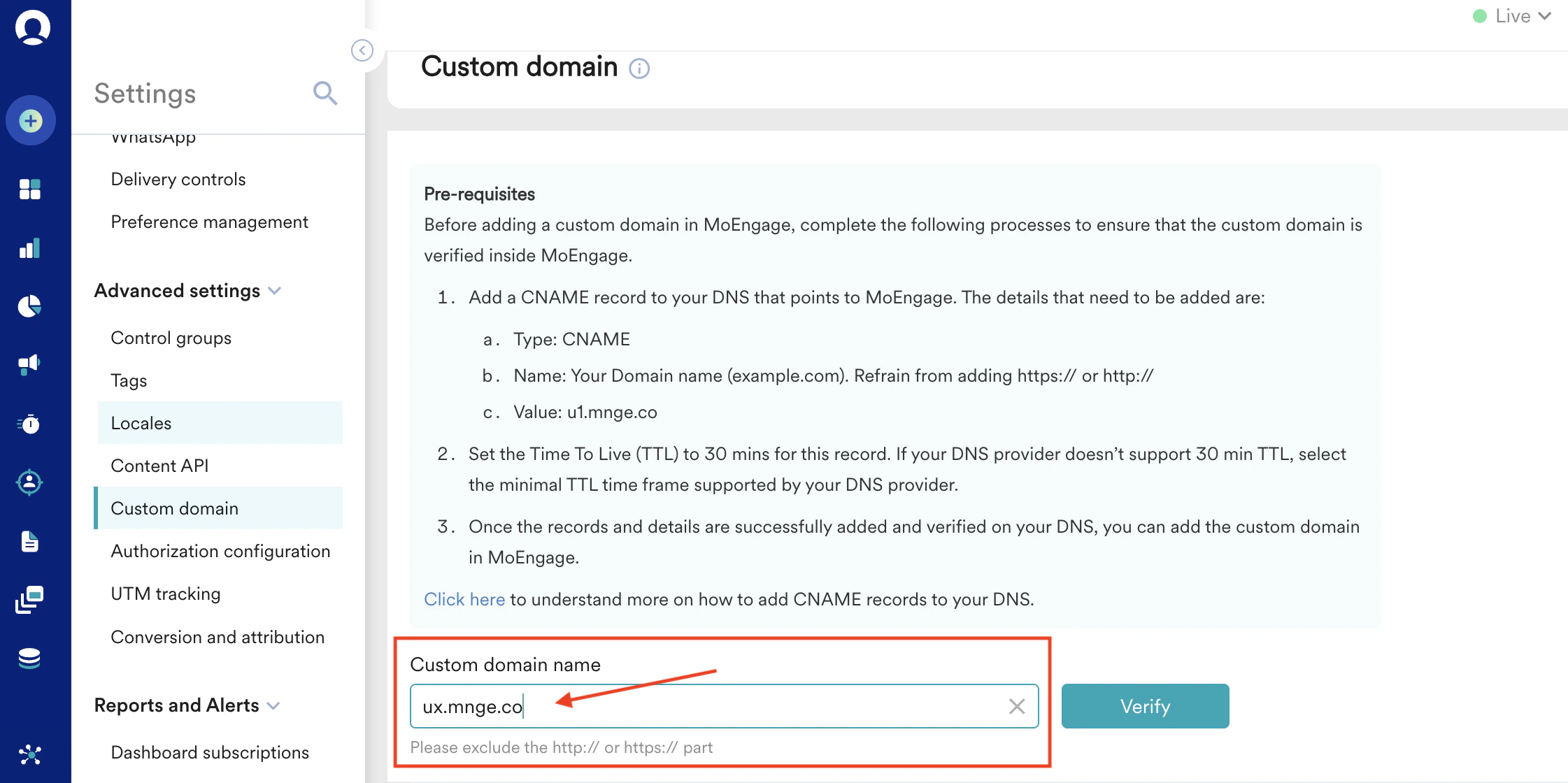 カスタムドメインの名前値を確認するには、nslookup などの方法や、[CNAME LOOKUP - MxToolbox](https://mxtoolbox.com/CNAMELookup.aspx) や [DNS Lookup](https://www.nslookup.io/) などの無料オンラインツールを使用できます。