> ## Documentation Index
> Fetch the complete documentation index at: https://moengage.com/docs/llms.txt
> Use this file to discover all available pages before exploring further.
# Inbound (Feed)
# Introduction
The MoEngage Events Stream integration allows you to send a continuous, real-time stream of your MoEngage engagement events directly into the Zeotap platform. After the data is in Zeotap, it is mapped to a standard catalog and can be used within Zeotap's activation modules, such as for building audiences or triggering journeys.
**Prerequisites**
This is a part of the Streams add-on. Please reach out to your dedicated MoEngage CSM (Customer Success Manager) to enable it for your account.
## Step 1: Add MoEngage as a Source on Zeotap
To send MoEngage campaign or event data to Zeotap, you must generate credentials in your Zeotap account and share them with the MoEngage team.
## Step 1.1: Get Your Zeotap Webhook and Write Key
To get the ZeoTap webhook and write key, perform the following steps:
1. In your Zeotap dashboard, navigate to **Integrate** > **Sources**.
2. Click **+ Create Source** in the upper-right corner.\
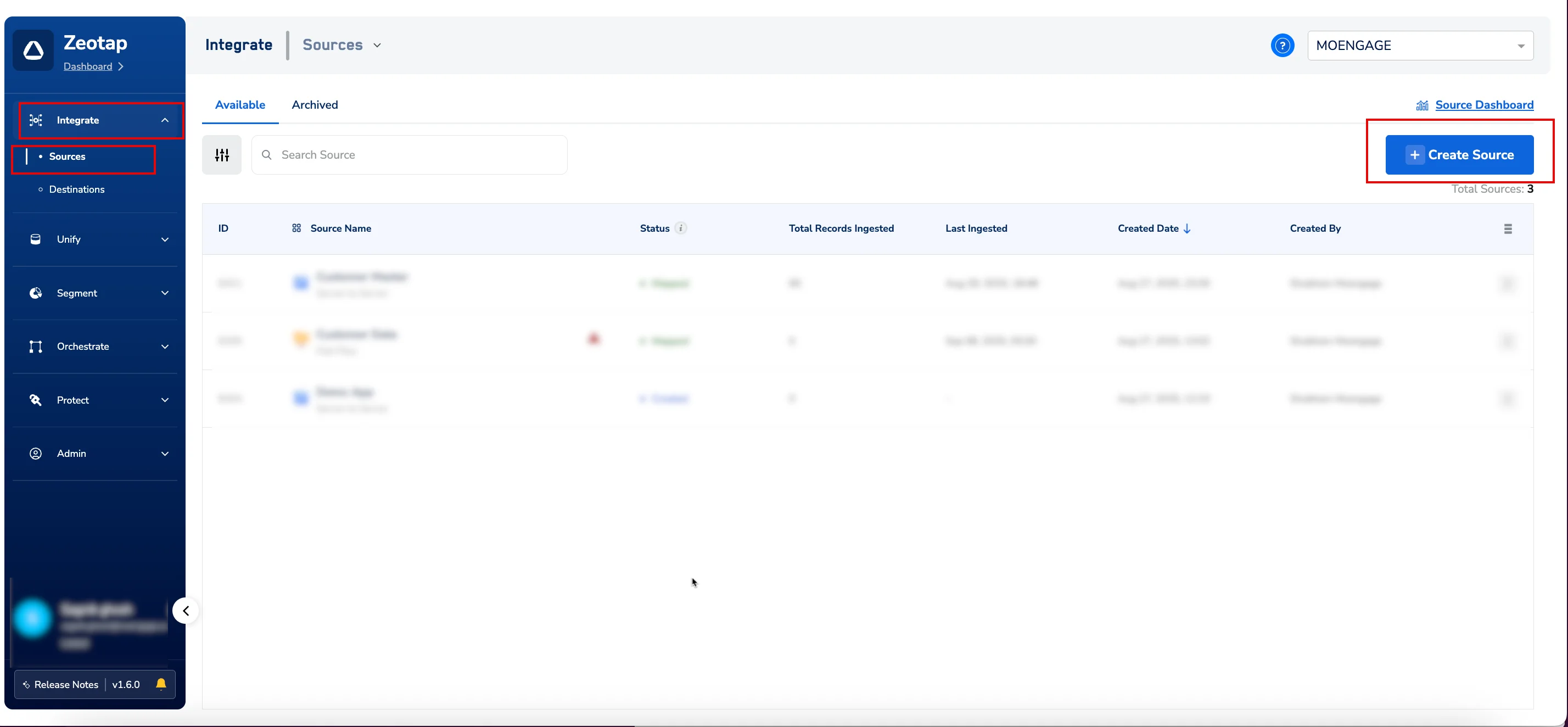 \
The **CREATE SOURCE** dialog box appears.
3. In the **Select Category** list, click **Customer Engagement Channels**.
\
The **CREATE SOURCE** dialog box appears.
3. In the **Select Category** list, click **Customer Engagement Channels**. 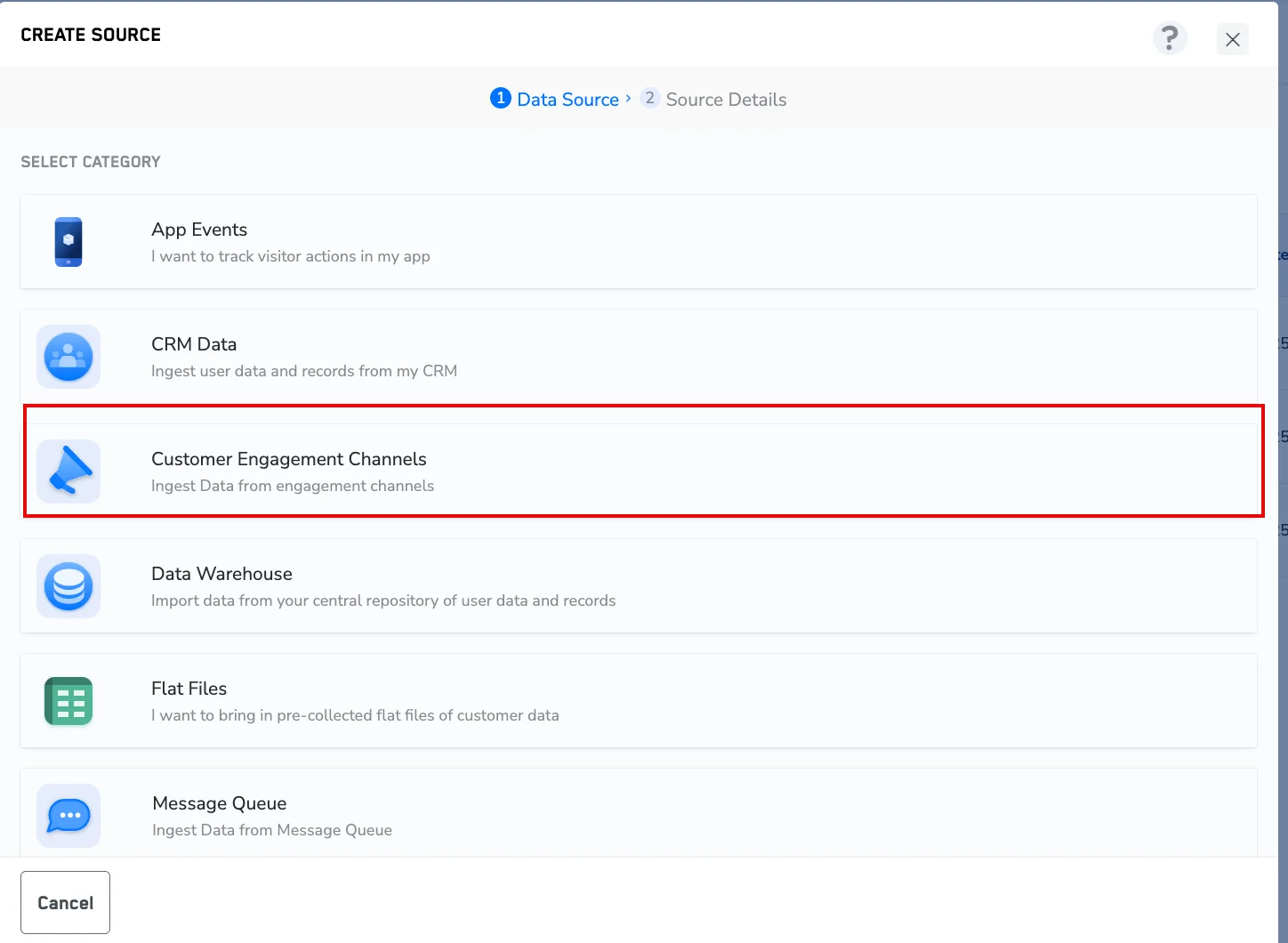 4. In the **SELECT DATA SOURCE** list, find and click **MoEngage Events stream**.\
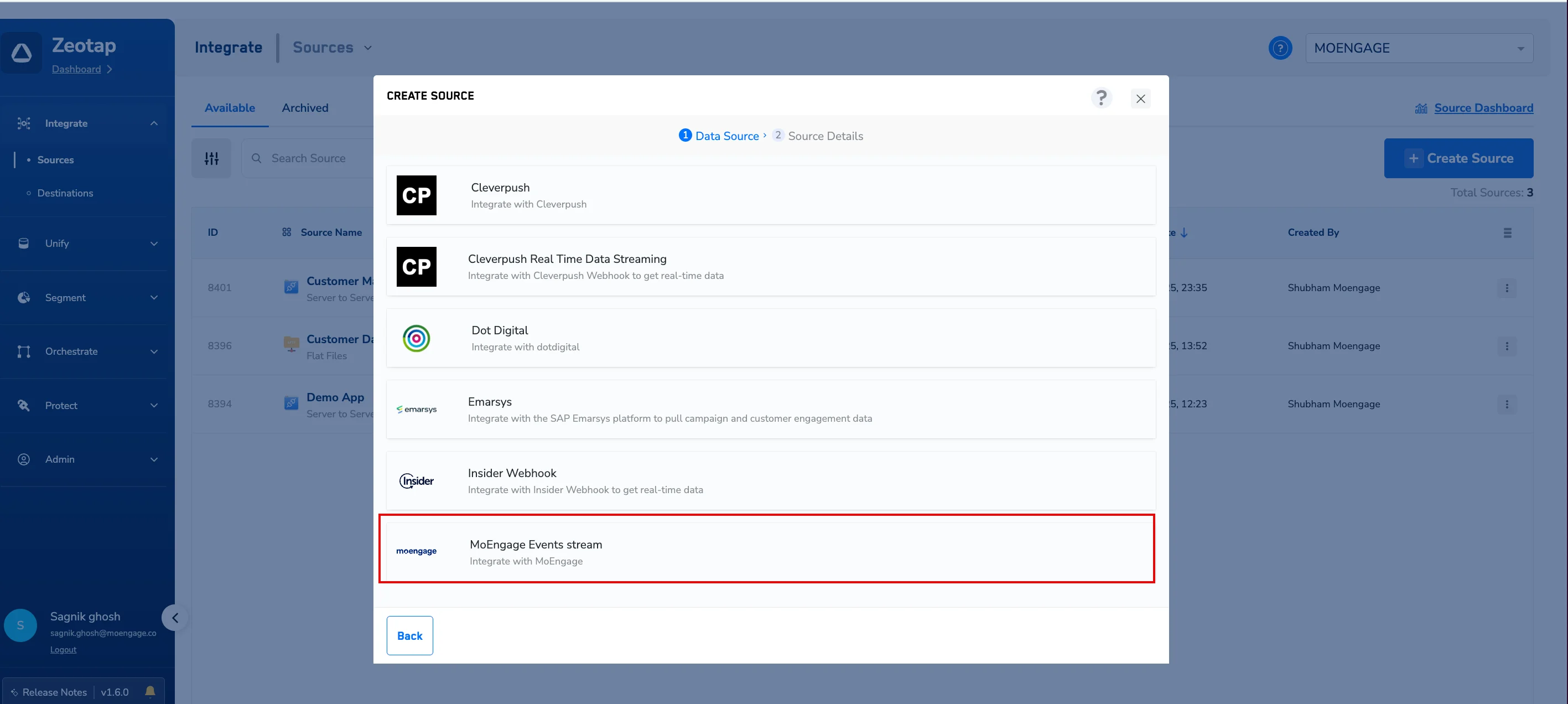 \
The **CREATE SOURCE** dialog box appears.
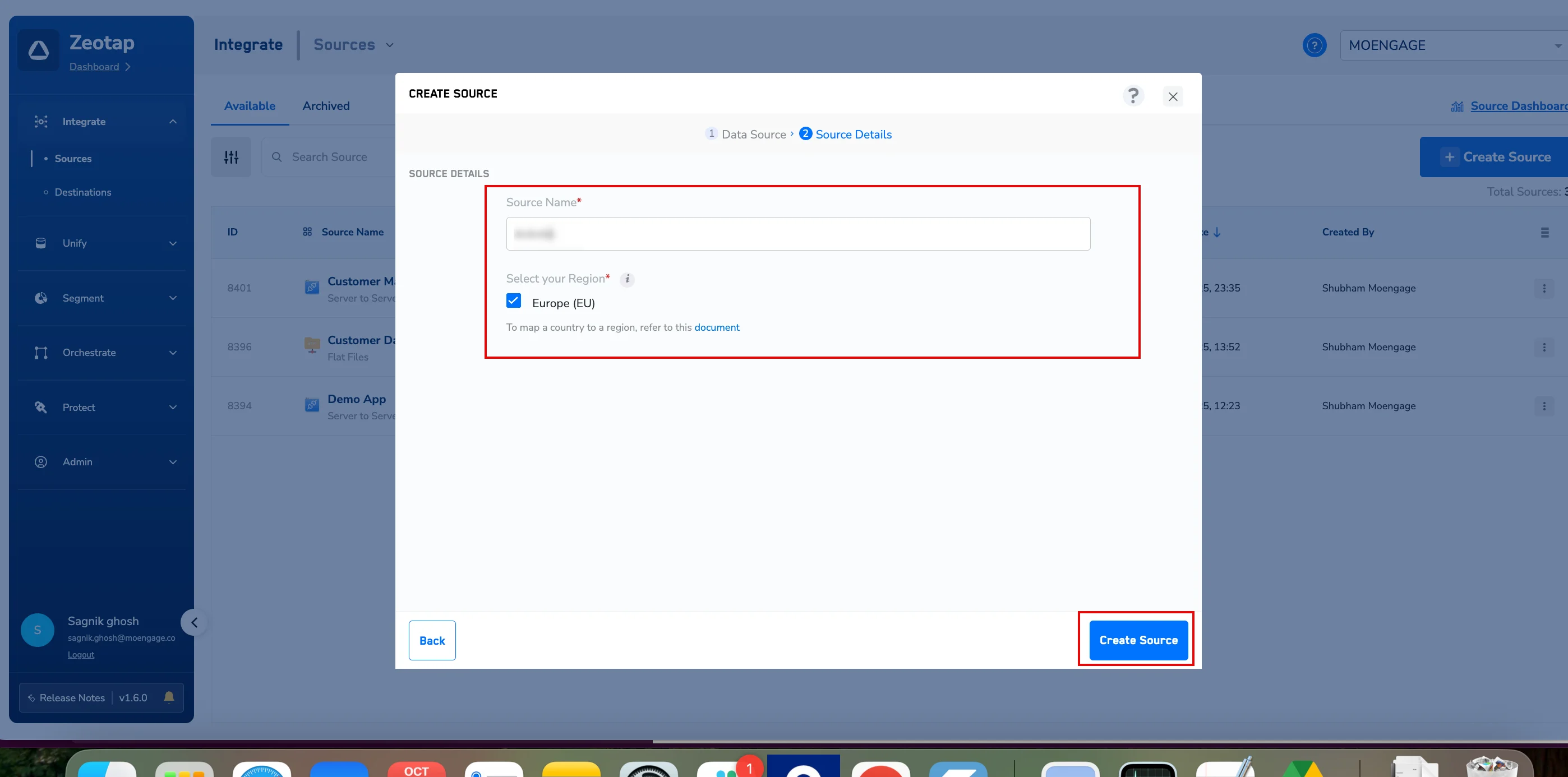
1. In the **Source Name** box, enter a descriptive name.
2. Under **Select your Region** , select and check the appropriate region for your account.
3. Click **Create Source**.\
\
The **CREATE SOURCE** dialog box appears.
1. In the **Source Name** box, enter a descriptive name.
2. Under **Select your Region** , select and check the appropriate region for your account.
3. Click **Create Source**.\
 \
You will navigate back to the**Sources** page.
5. Find and click the source name you created.
6. Click the **IMPLEMENTATION DETAILS** tab.
7. Under **Access Details** , copy the **API URL** (Webhook URL) and the **WRITE KEY** to provide to the MoEngage support team.
\
You will navigate back to the**Sources** page.
5. Find and click the source name you created.
6. Click the **IMPLEMENTATION DETAILS** tab.
7. Under **Access Details** , copy the **API URL** (Webhook URL) and the **WRITE KEY** to provide to the MoEngage support team.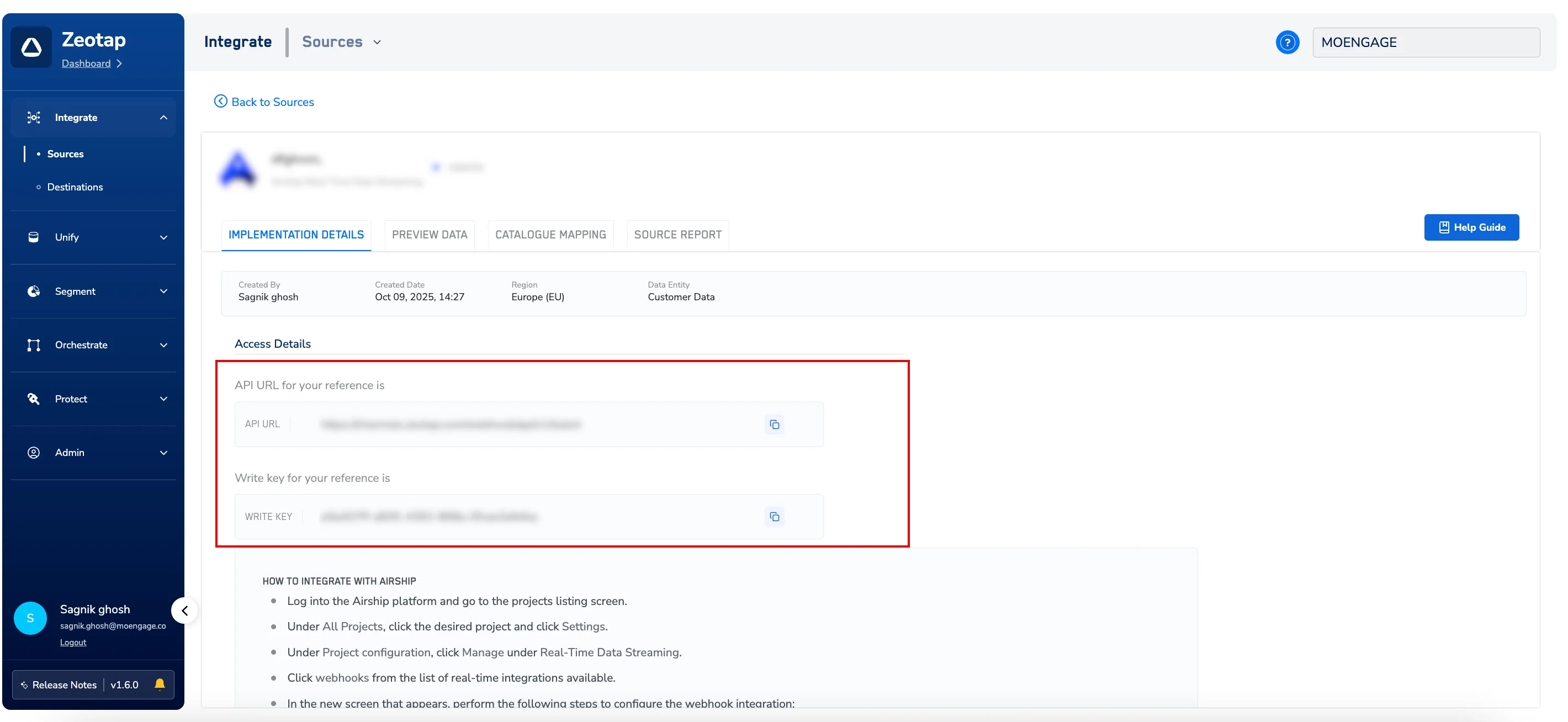 ## Step 1.2: Activate MoEngage Streams
After you have your ZeoTap **API URL** (Webhook URL) and the **WRITE KEY** , contact your MoEngage Customer Success Manager (CSM) to activate MoEngage Streams.
## Step 2: View Your Data in Zeotap
To preview the incoming data in real time, perform the following steps:
1. Log in to your Zeotap dashboard, navigate to**Integrate** > **Sources**.
2. On the **Sources** page, click the **PREVIEW DATA** tab.
3. Click the data source that you want to preview.
## Step 1.2: Activate MoEngage Streams
After you have your ZeoTap **API URL** (Webhook URL) and the **WRITE KEY** , contact your MoEngage Customer Success Manager (CSM) to activate MoEngage Streams.
## Step 2: View Your Data in Zeotap
To preview the incoming data in real time, perform the following steps:
1. Log in to your Zeotap dashboard, navigate to**Integrate** > **Sources**.
2. On the **Sources** page, click the **PREVIEW DATA** tab.
3. Click the data source that you want to preview.
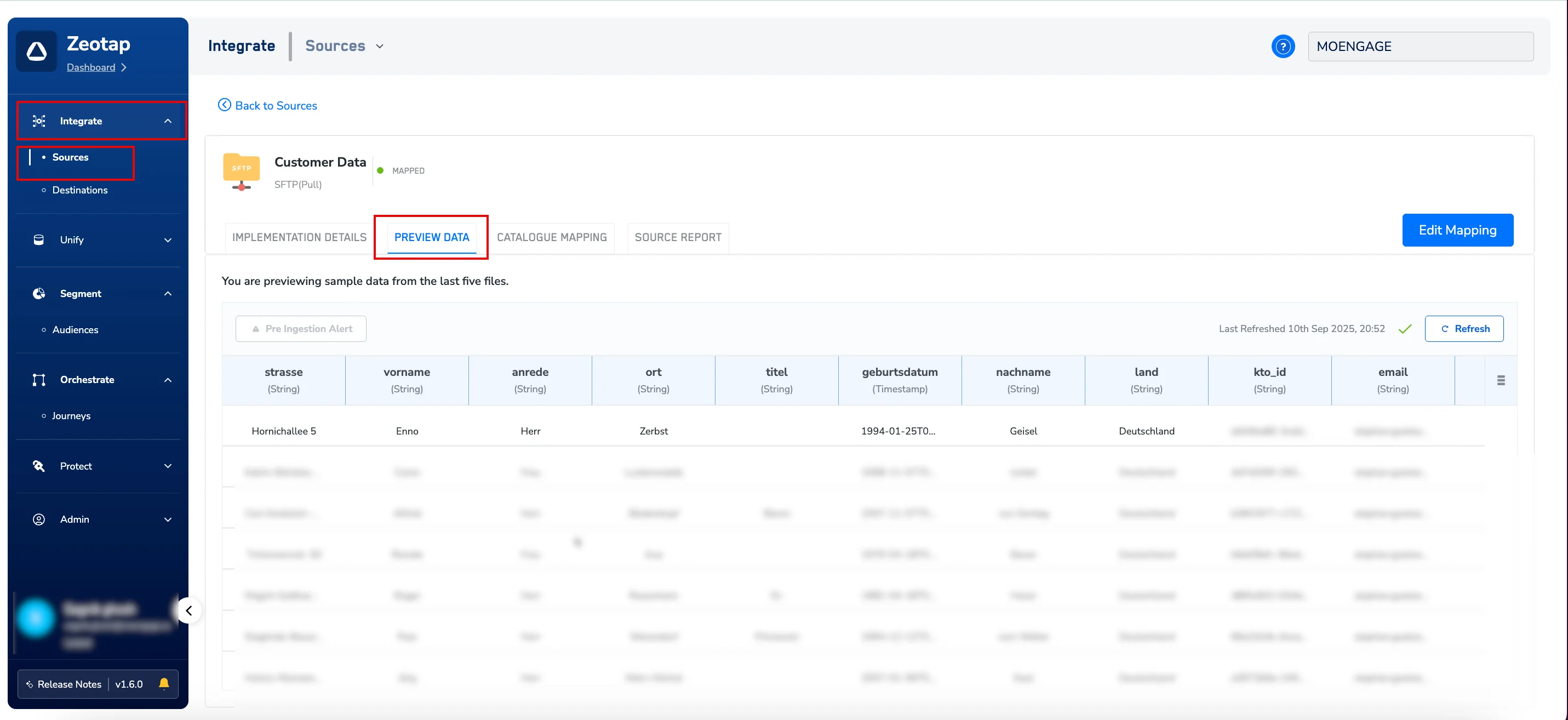 \
You can now view the latest events and attributes received from MoEngage. The view includes columns such as event\_name, uid, event\_type, and various flattened user and event attributes.
## Activation and Data Usage
This establishes a secure, server-to-server connection, ensuring your event data flows reliably and safely from MoEngage to Zeotap. You can now leverage this real-time, trusted data within Zeotap to build powerful audiences and trigger personalized journeys.
\
You can now view the latest events and attributes received from MoEngage. The view includes columns such as event\_name, uid, event\_type, and various flattened user and event attributes.
## Activation and Data Usage
This establishes a secure, server-to-server connection, ensuring your event data flows reliably and safely from MoEngage to Zeotap. You can now leverage this real-time, trusted data within Zeotap to build powerful audiences and trigger personalized journeys.