Introduction
Yotpo is a cloud-based content marketing platform for e-commerce businesses that enables users to collect user-generated content and use the content to build a brand and manage the customer experience.MoEngage × Yotpo
With the MoEngage and Yotpo integration, you can display star ratings, top reviews, user-generated content (UGC), and customer loyalty data dynamically using Content APIs inside MoEngage campaigns across various channels like emails and push.Integration
Set up a MoEngage Content API
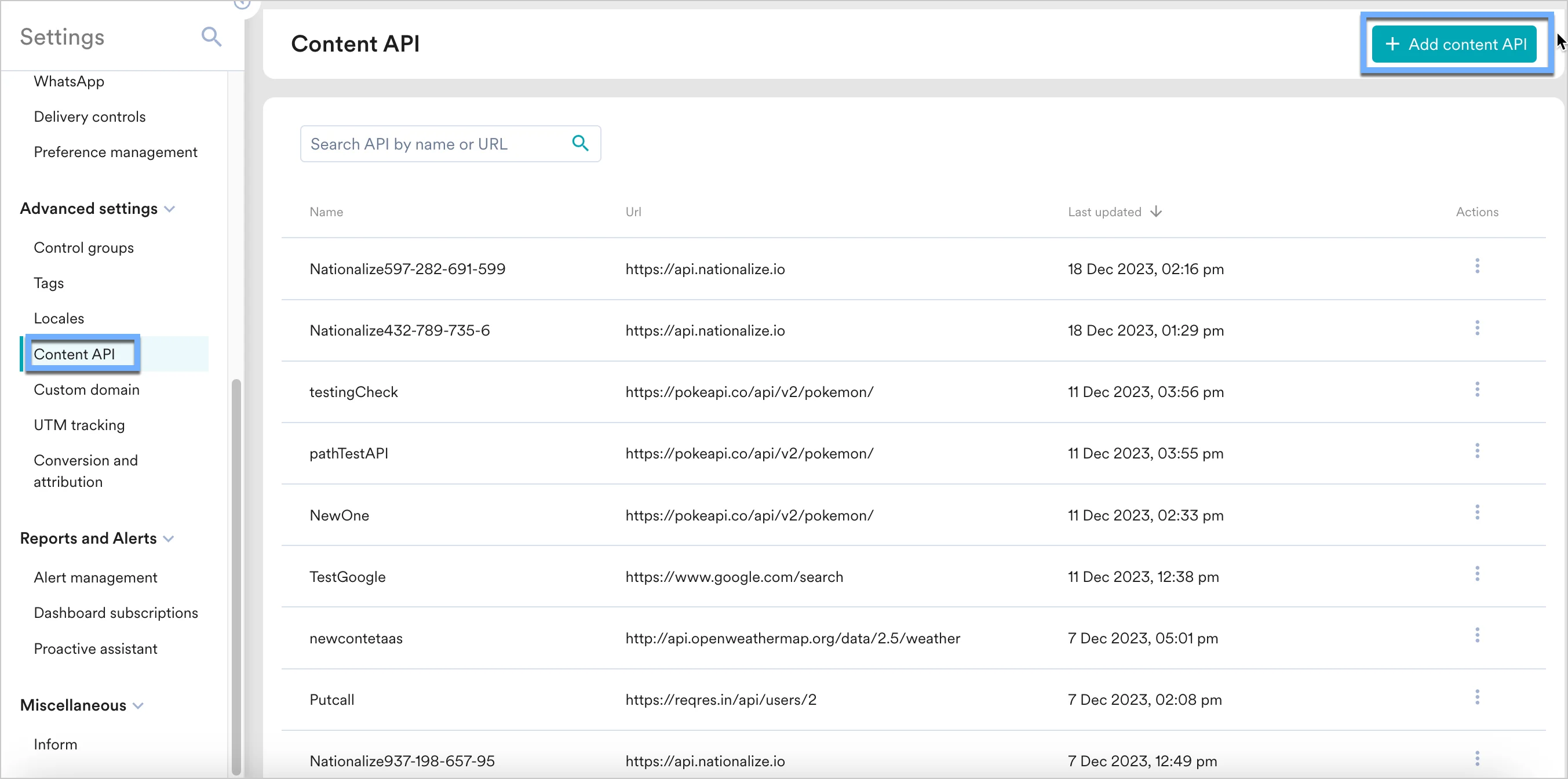
We will use Yotpo’s REST API to insert personalized content into your campaigns. This can be done by adding Yotpo’s Rest API endpoints in MoEngage Content APIs. Perform the following steps:- Navigate to Settings -> Advanced settings -> Content API. Click + Add content API at the top right corner of the Content API screen.
- Add your Yotpo API to the endpoint URL. Depending on your use case, the endpoint will change.
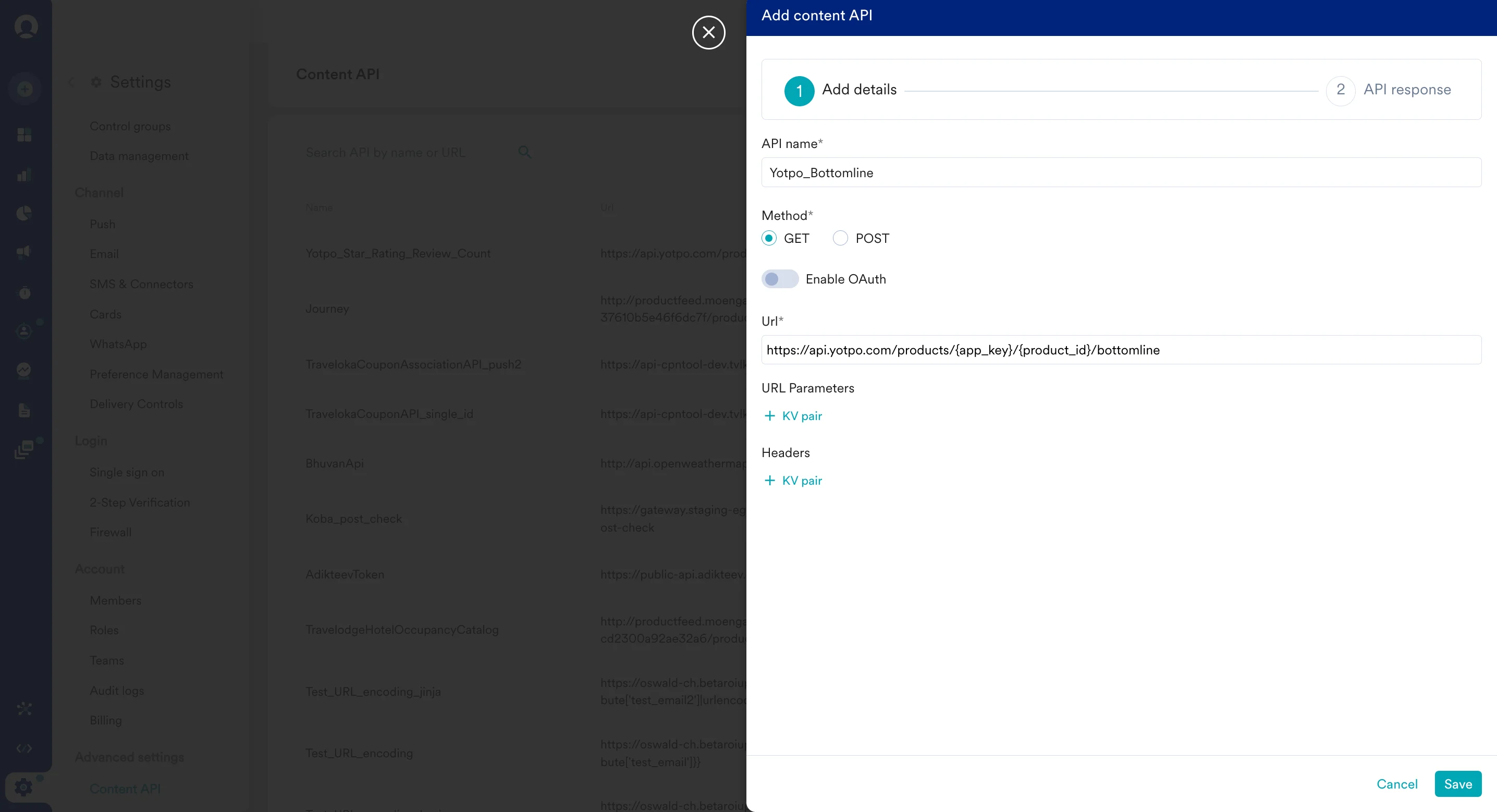
- Click on “Save” and then “Done” once you see a successful response.
- Note - You can also test your APIs. To test your APIs, from the Content API’s action menu, click on “Test”. You can your API response and validate it.
Display your customers’ loyalty points
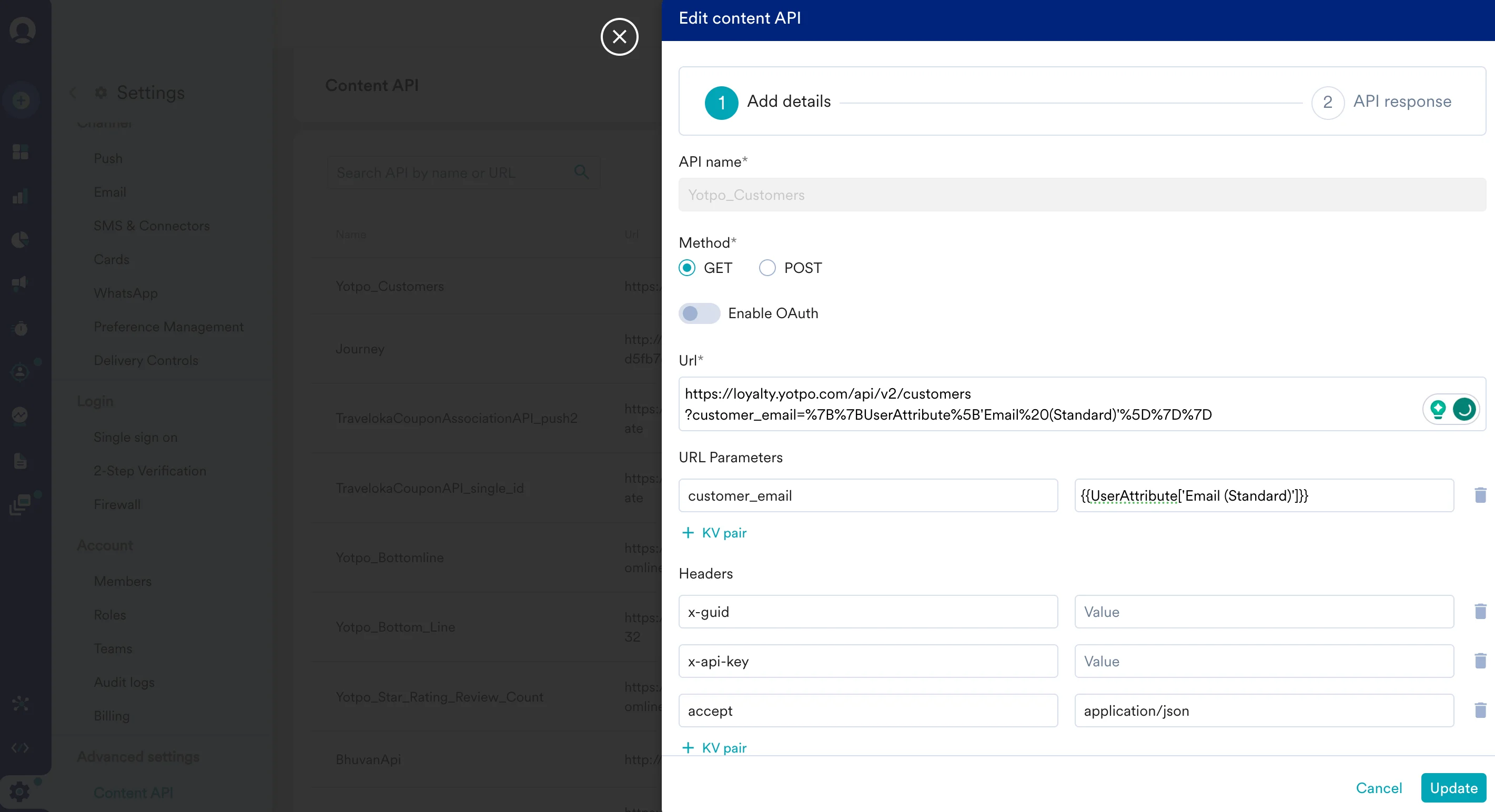
https://loyalty.yotpo.com/api/v2/customers
Under URL Parameters, add the following:
customer_email: Type @ to personalize and select the relevant user attribute from MoEngage.
x-guid: The Globally Unique Identifier found in the “Settings” section of your Yotpo loyalty admin. Know morex-api-key: Your account API key can be found in the “Settings” section of your Yotpo loyalty admin. Know more
- On step 2 on your campaign creation, enter @.
- In the pop up, you can select the Yotpo Bottom Line configured in Step 1.
- You can use MoEngage Templating Language to parse through the API response and use the content in your campaigns.
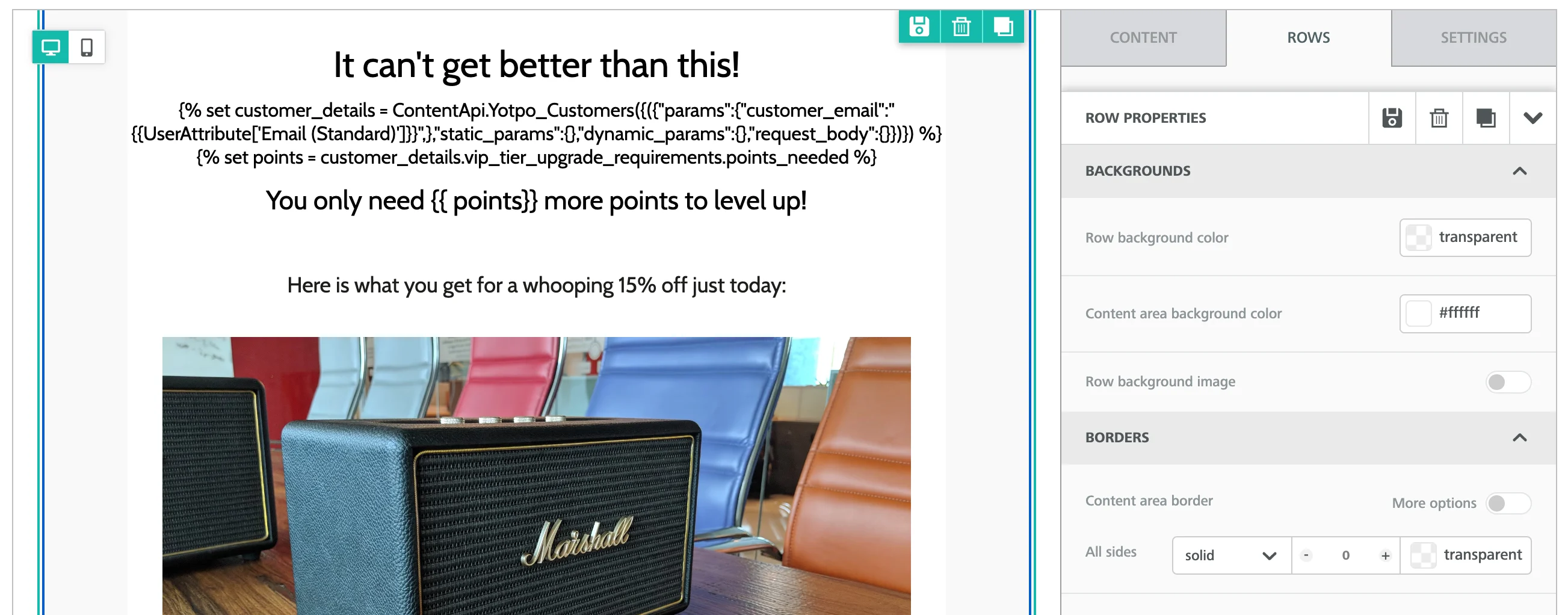
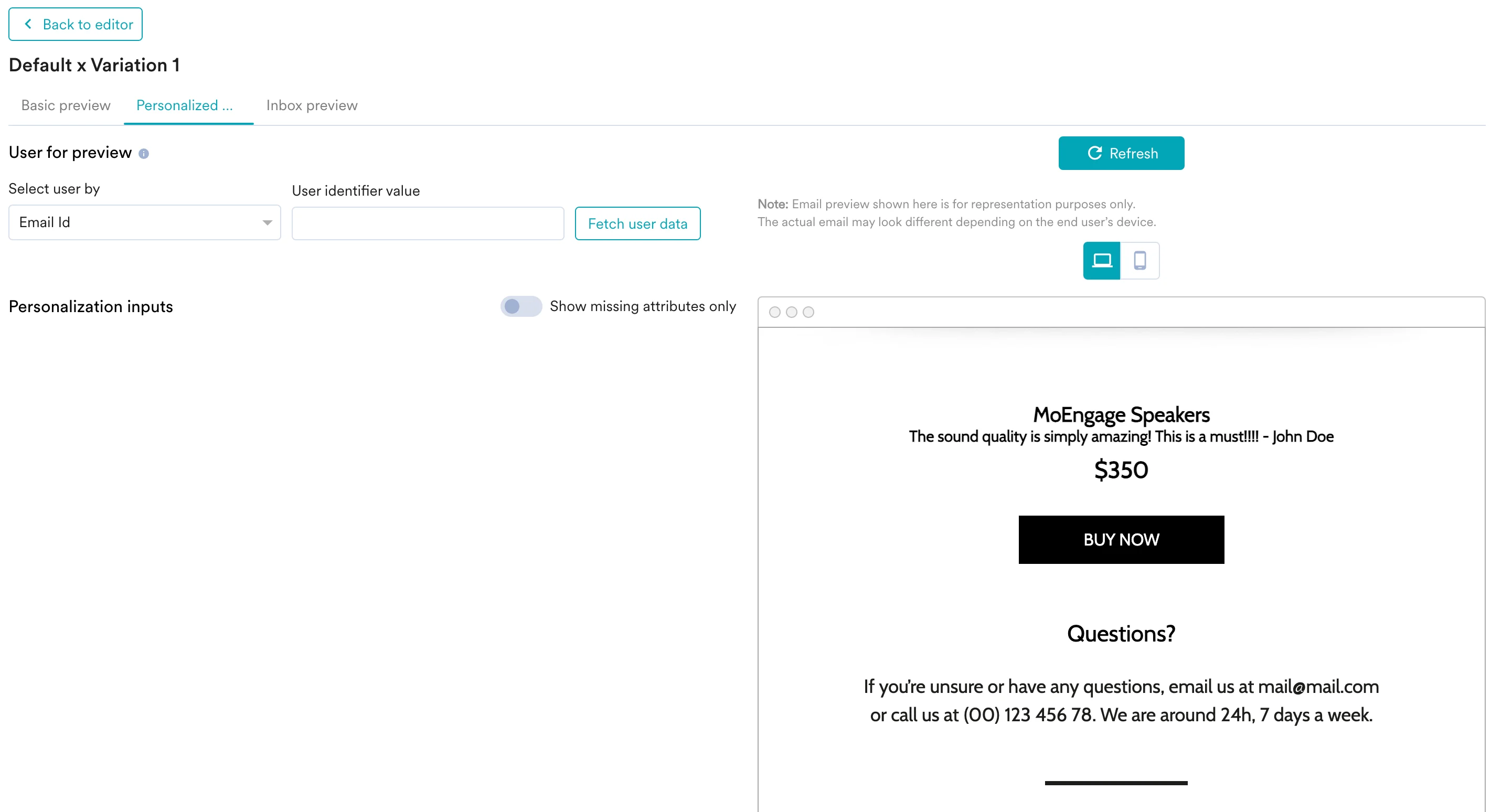
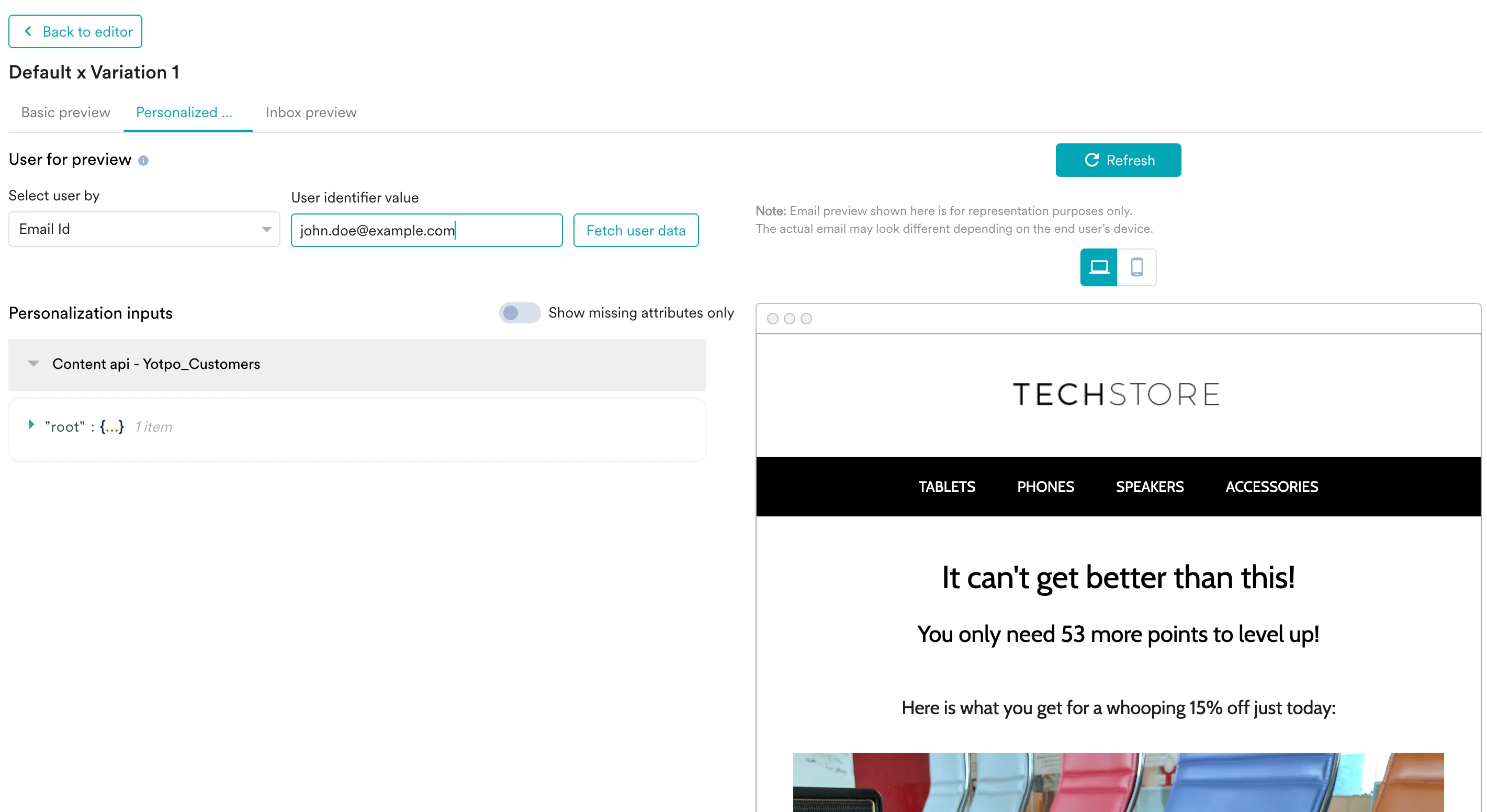
- You can click on the Preview tab to view your campaign in real-time personalization:
Display your product’s User Generated Content (UGC)
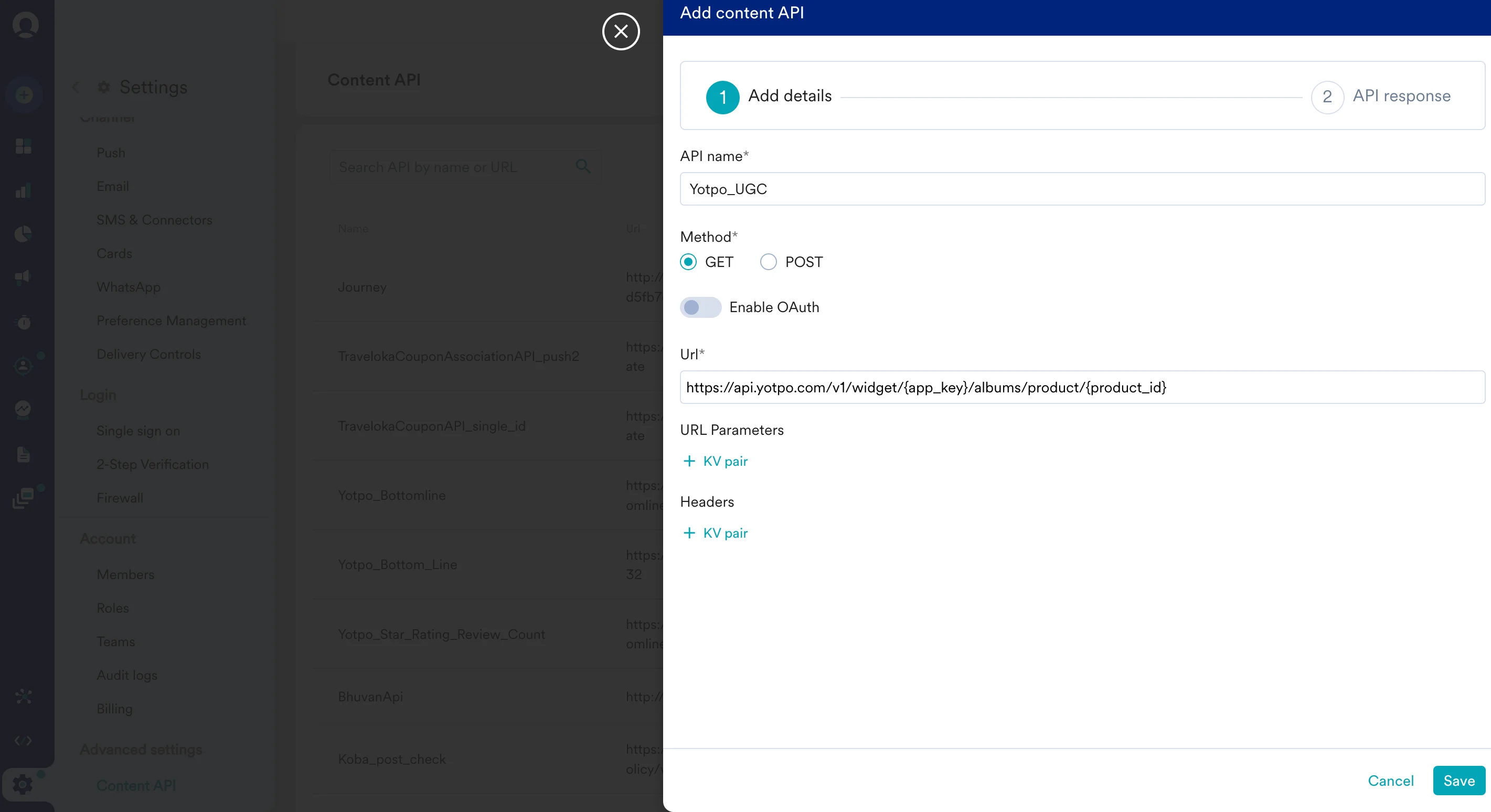
https://api.yotpo.com/v1/widget/{app_key}/albums/product/{product_id}
Replace {app_key} with your Yotpo reviews API key. You can get your product ID from your Yotpo Dashboard.
To use this API in your MoEngage campaigns,
- On step 2 on your campaign creation, enter @.
- In the pop up, you can select the Yotpo Bottom Line configured in Step 1.
- You can use MoEngage Templating Language to parse through the API response and use the content in your campaigns.
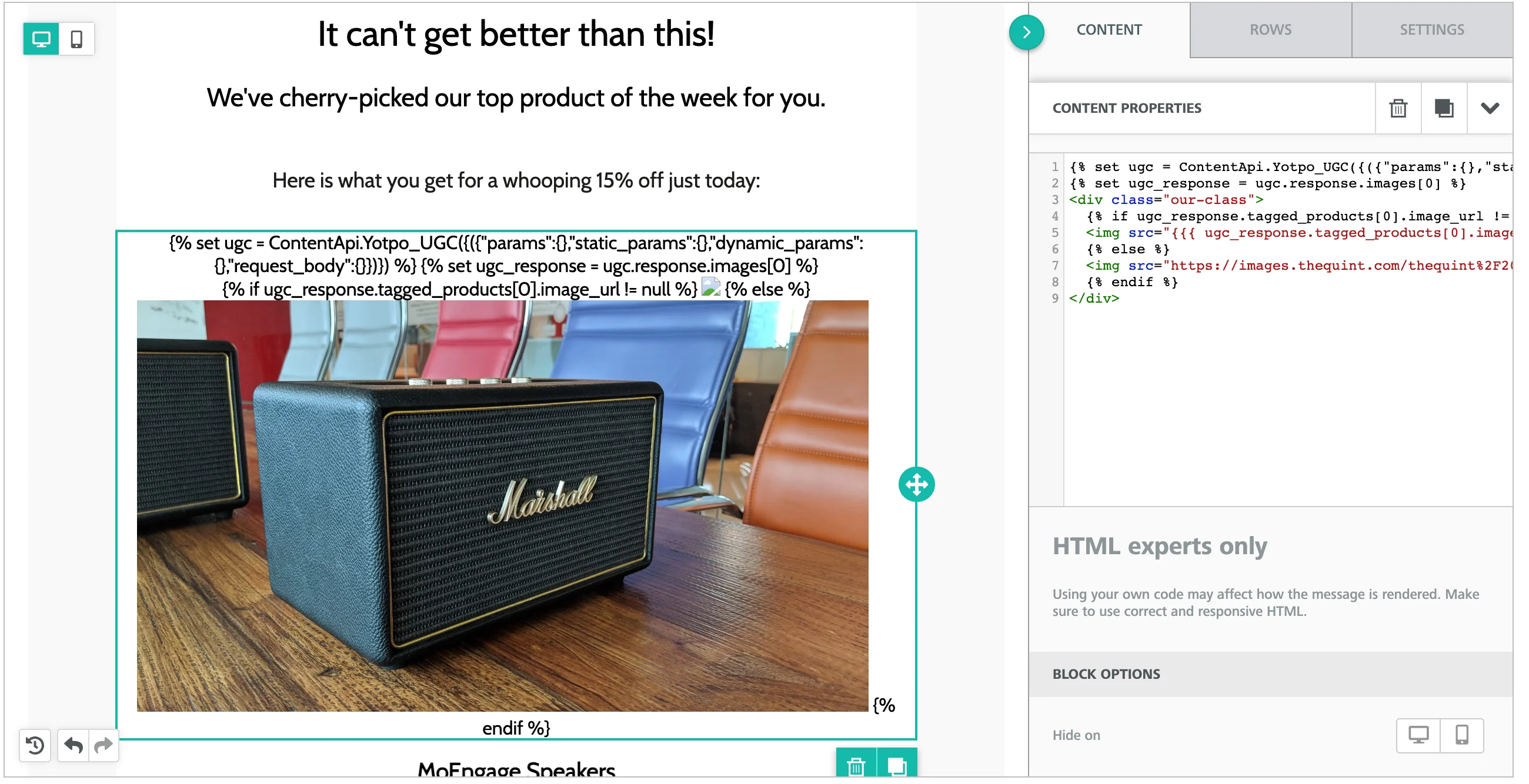
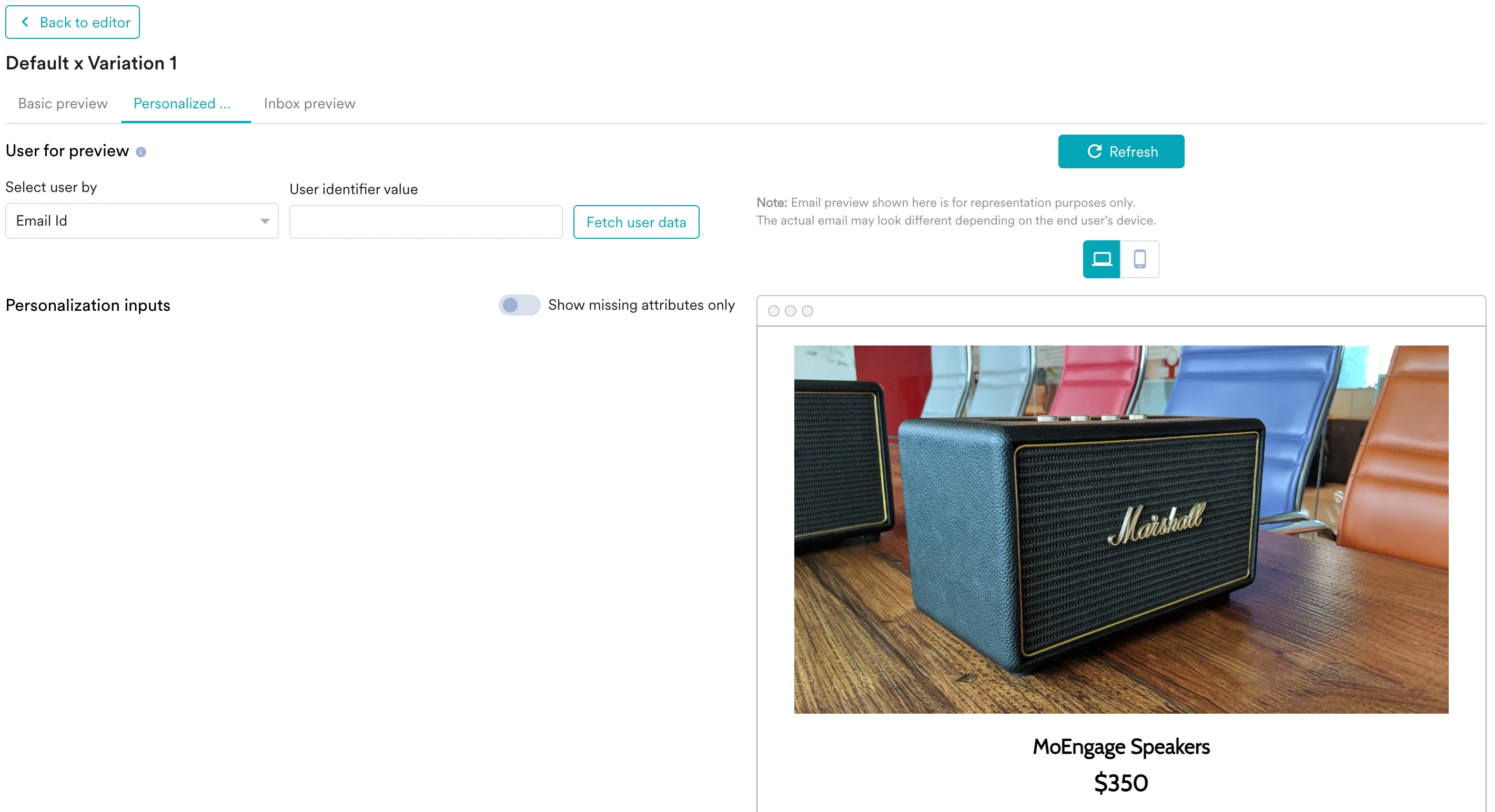
- You can click on the Preview tab to view your campaign in real-time personalization:
Display your product’s star rating and review count
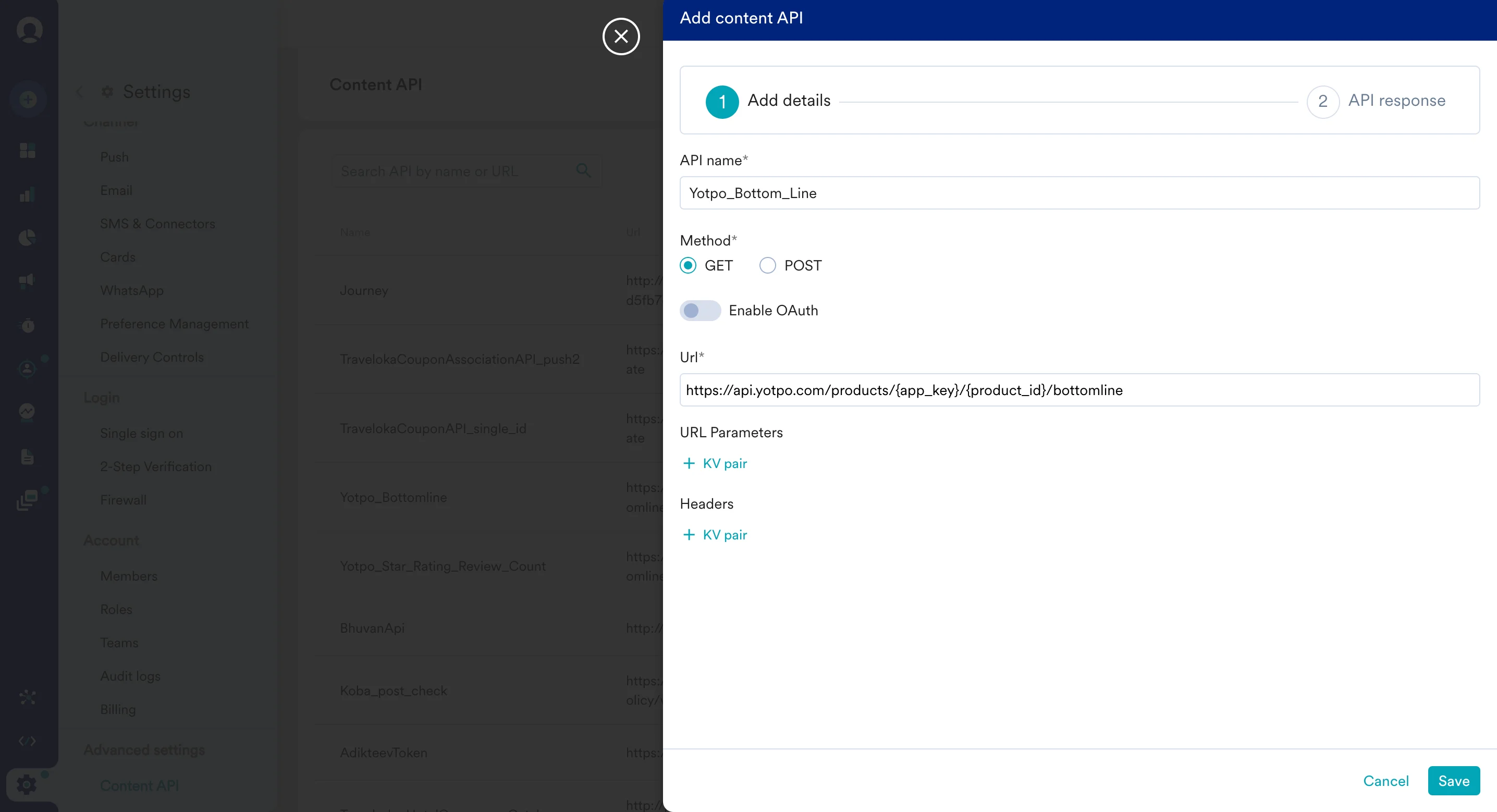
https://api.yotpo.com/products/{app_key}/{product_id}/bottomline
Replace {app_key} with your Yotpo reviews API key. You can get your product ID from your Yotpo Dashboard.
To use this API in your MoEngage campaigns,
- On step 2 on your campaign creation, enter @.
- In the pop up, you can select the Yotpo Bottom Line configured in Step 1.
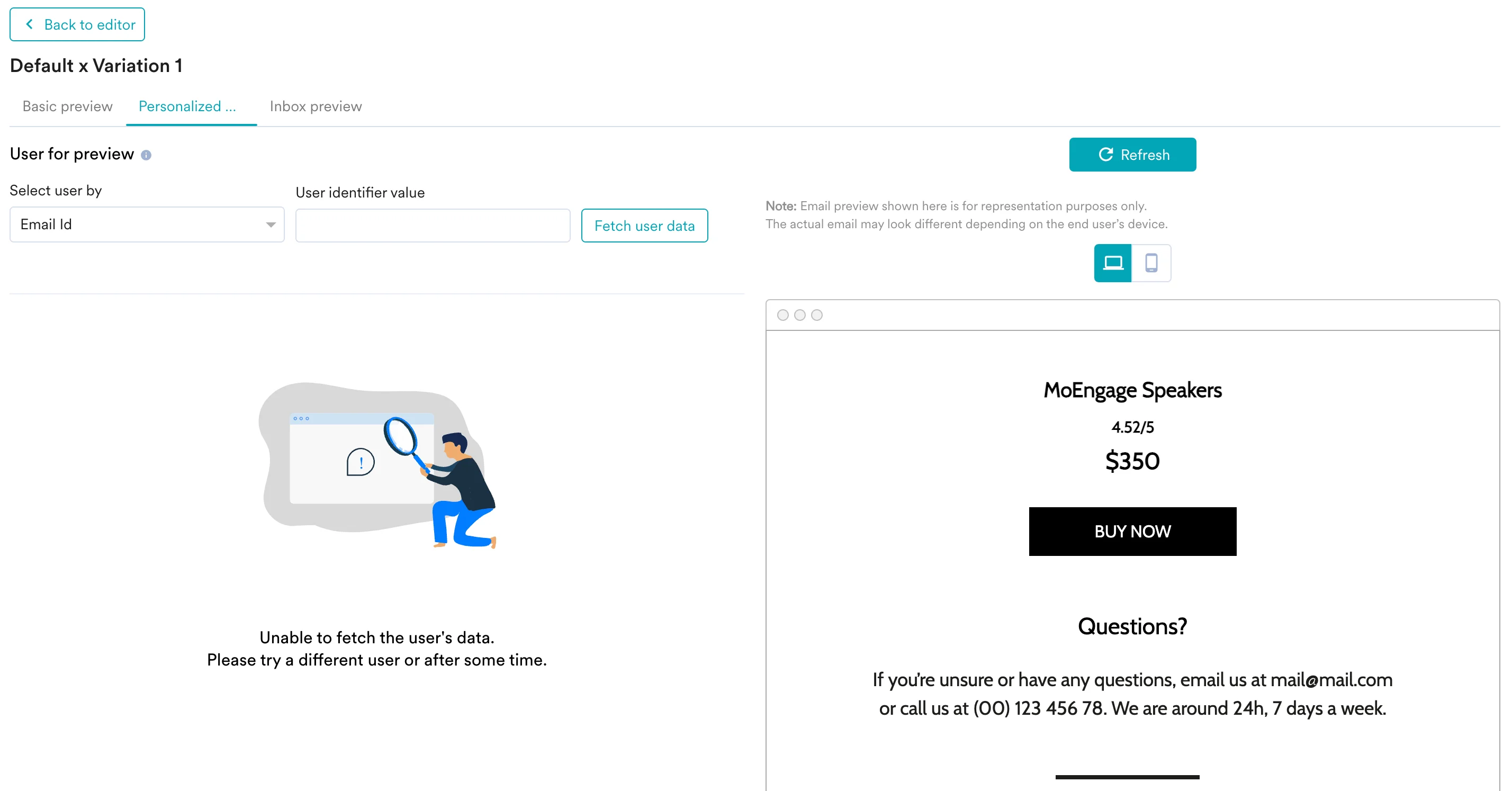
- You can use MoEngage Templating Language to parse through the API response and use the content in your campaigns.
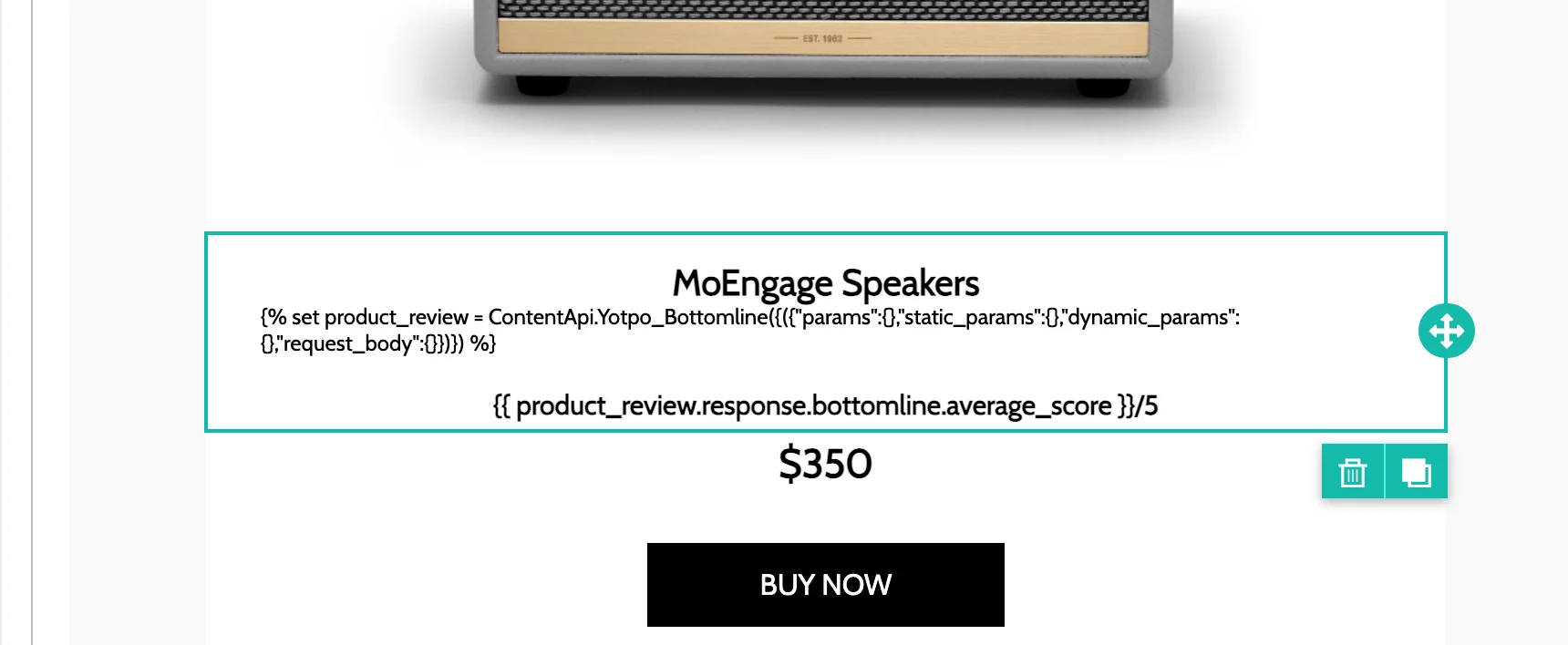
- You can click on the Preview tab to view your campaign in real-time personalization:
Display your product’s most recent 5-star review
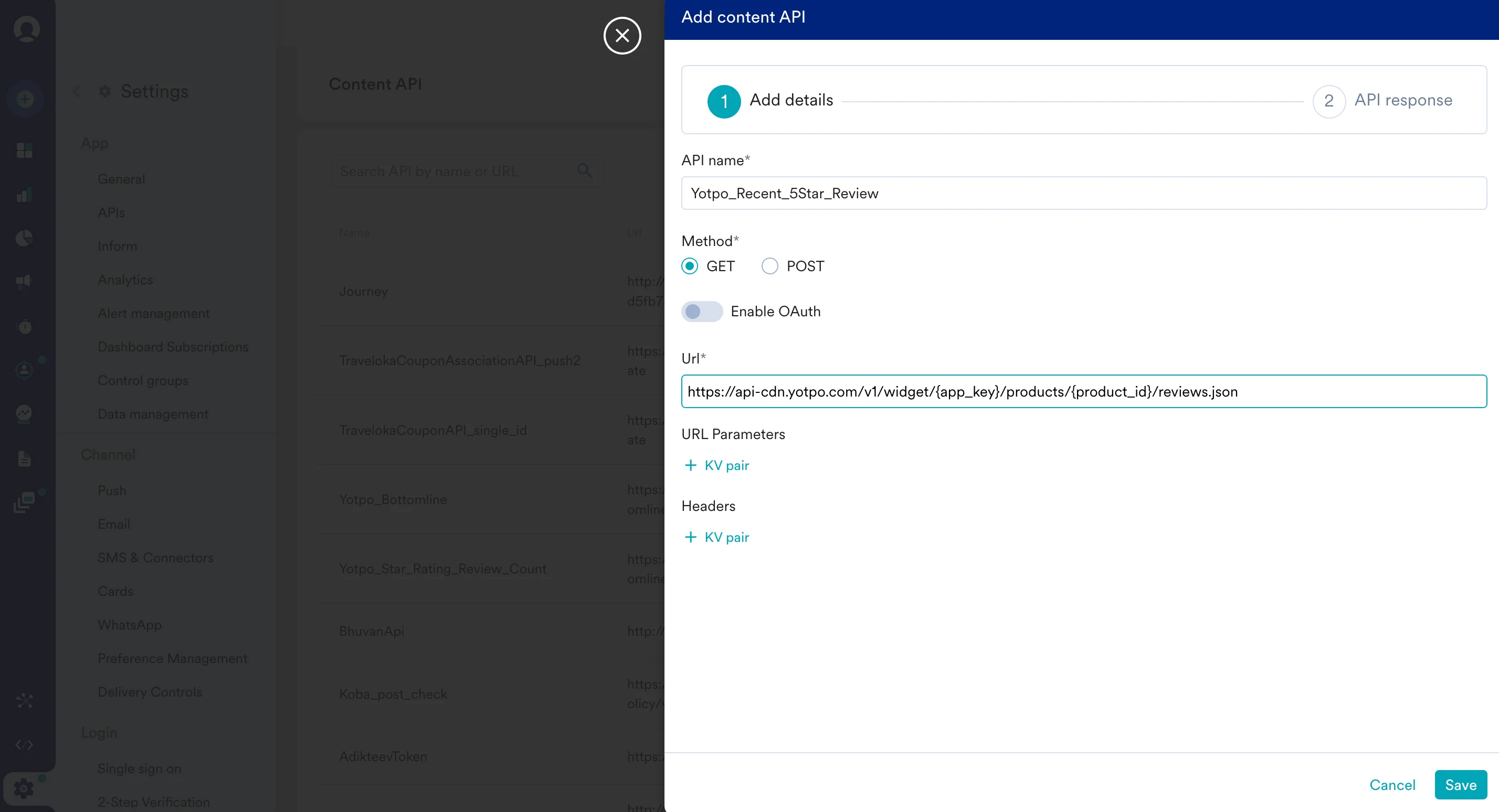
https://api.yotpo.com/v1/widget/{app_key}/products/{product_id}/reviews.json?per_page=50&star=5&sort=votes_up
Replace {app_key} with your Yotpo reviews API key. You can get your product ID from your Yotpo Dashboard.
To use this API in your MoEngage campaigns,
- On step 2 on your campaign creation, enter @.
- In the pop up, you can select the Yotpo Bottom Line configured in Step 1.
- You can use MoEngage Templating Language to parse through the API response and use the content in your campaigns.
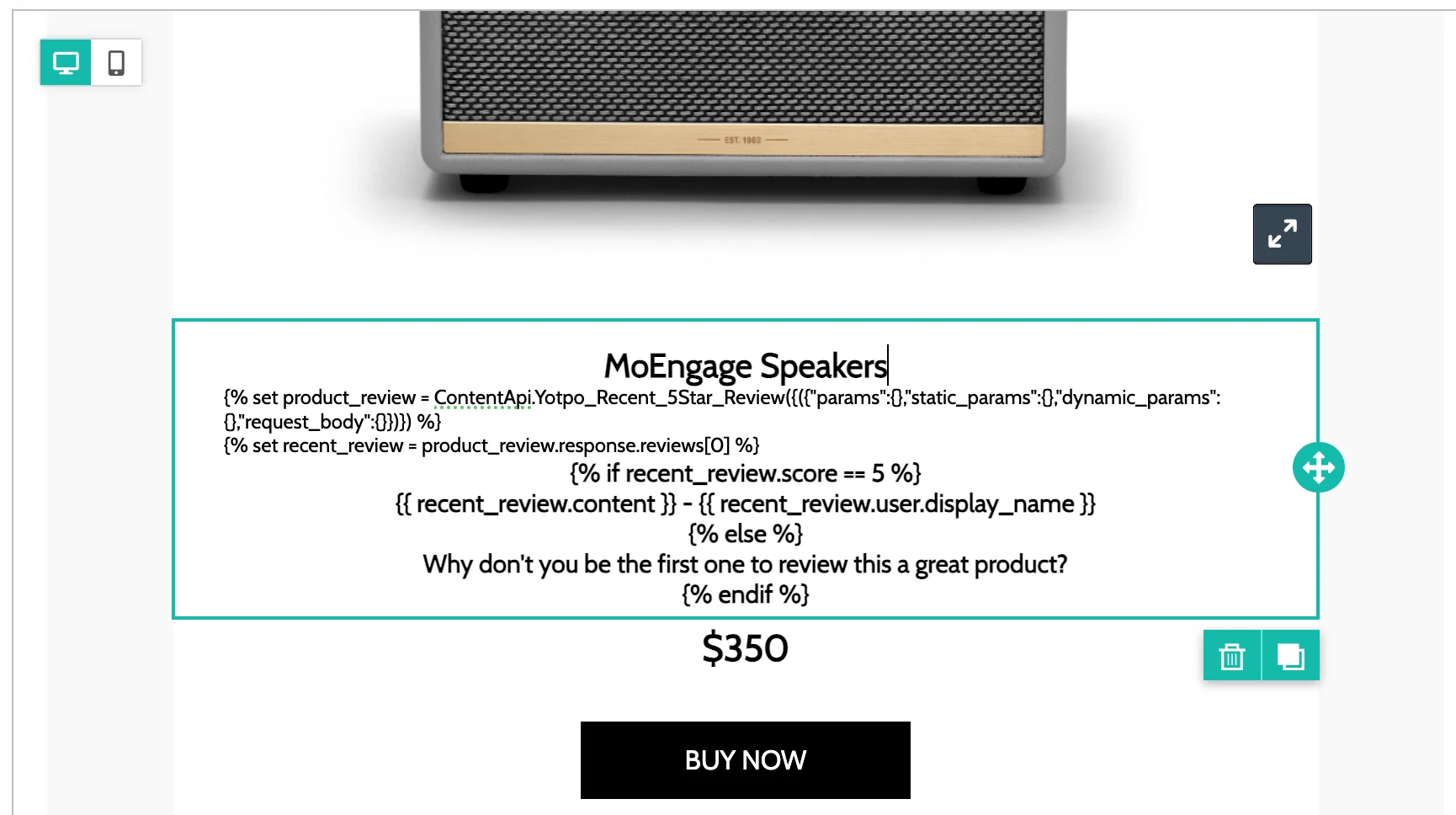
- You can click on the Preview tab to view your campaign in real-time personalization: