> ## Documentation Index
> Fetch the complete documentation index at: https://moengage.com/docs/llms.txt
> Use this file to discover all available pages before exploring further.
# Trifft
# Introduction
[TRIFFT](https://www.trifft.io/) delivers enterprise-grade loyalty to retailers with a ready-to-roll-out toolkit. It is an all-in-one solution that allows customers to launch a modern loyalty club solution within weeks.
# MoEngage × Trifft
TRIFFT is a Loyalty CRM software that helps customers to have a loyalty element to attract & retain members. With the MoEngage and Trifft integration, you can:
* Assign a coupon code to a member when they perform an action in your app
# Integration
**Prerequisites**
* You would need to know your Trifft API Token to use their Rest APIs.
## Assign a coupon code to a member via MoEngage
With MoEngage's Connector Campaigns, you can send an API call to Trifft to assign a coupon code to your users when they perform any action on your app or website.
To create a connector campaign on MoEngage,
1. Navigate to Create Campaign >> Connectors >> Custom and choose the delivery type most suitable to your needs. For this example, we will select "Event Triggered" and select the event as "Purchased". 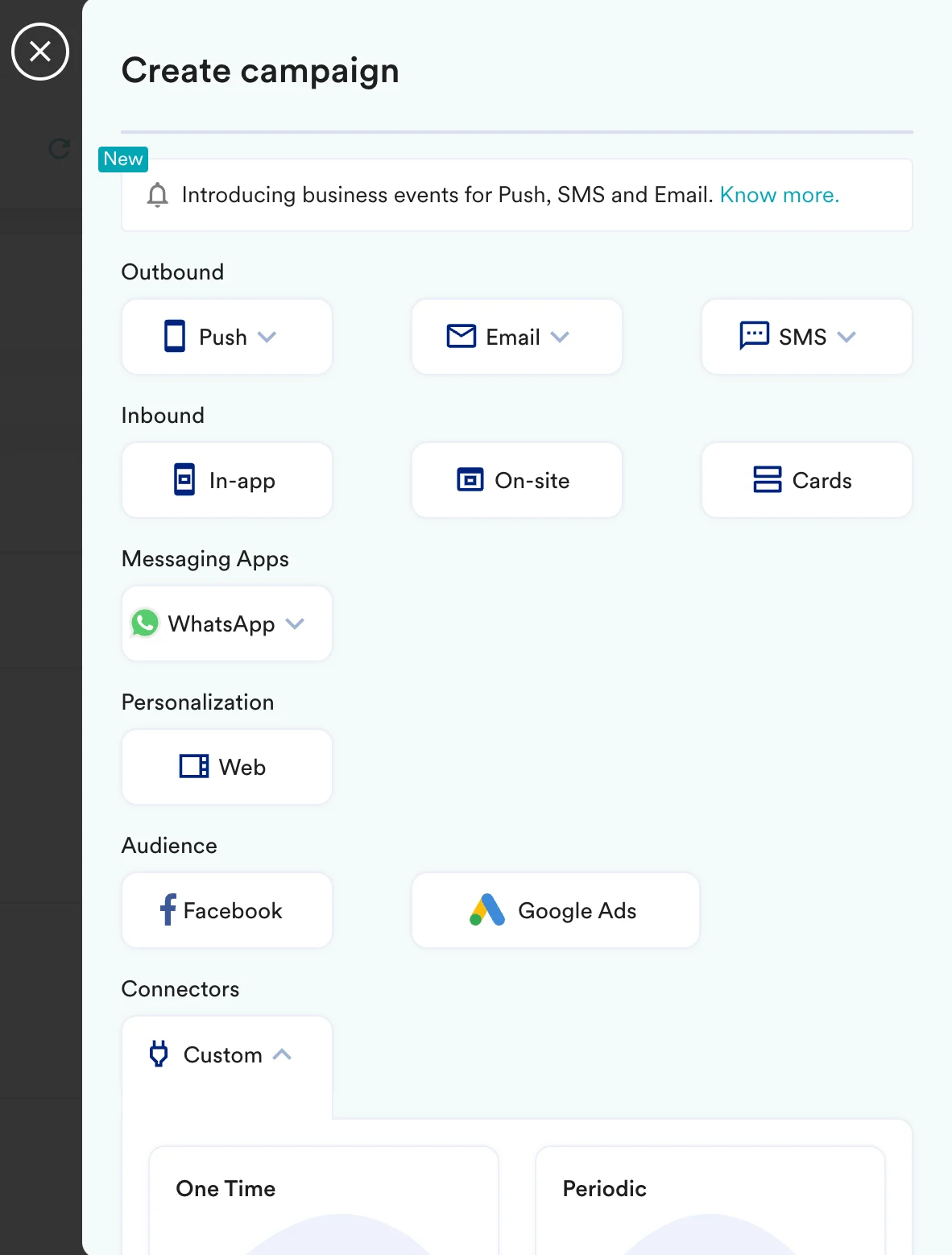 2. On step 2 of the campaign:
### Call the Trifft API
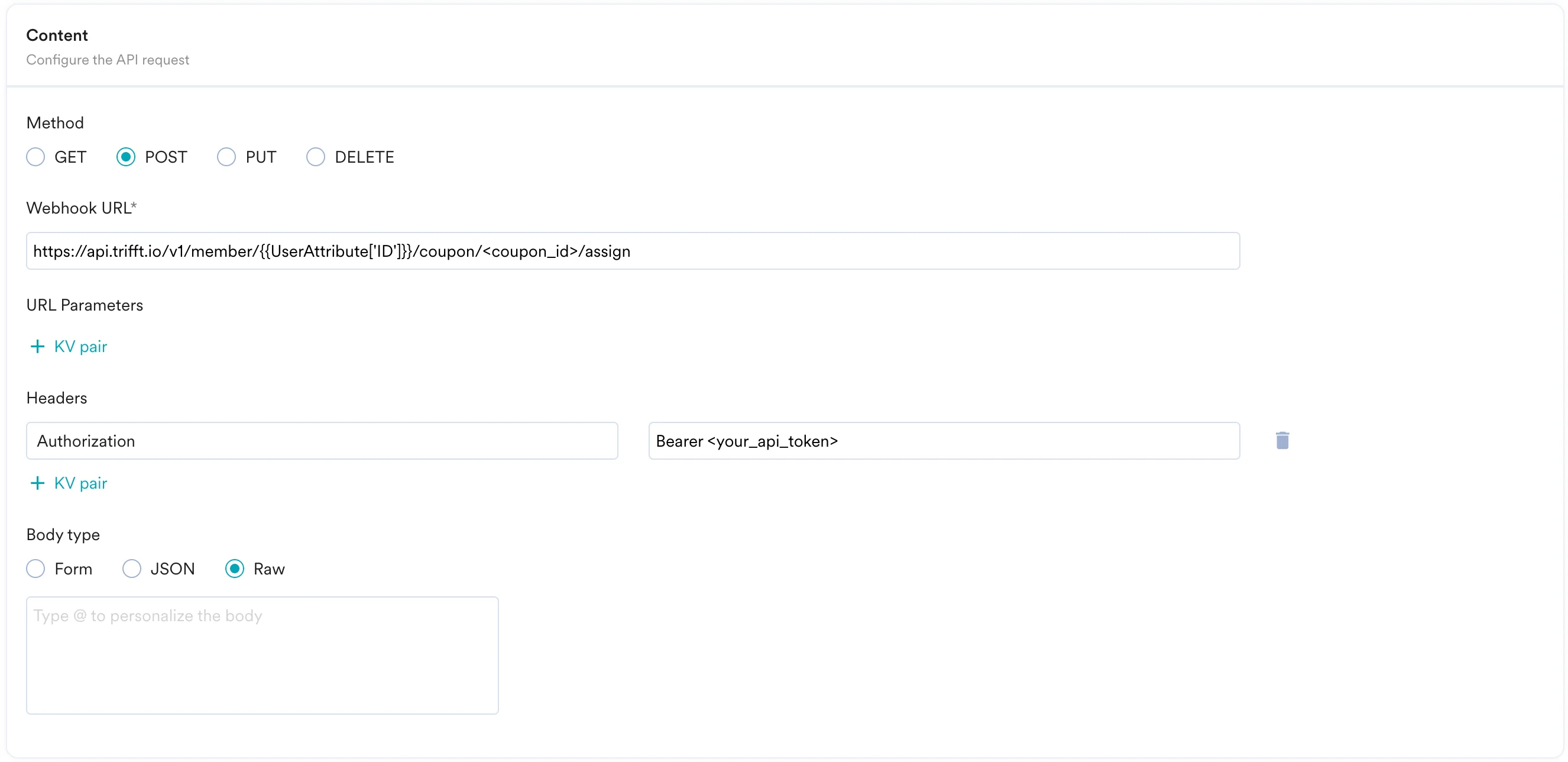
To assign a coupon to your member, use the `POST` method and configure the payload.
* Select the method as POST
* Headers
* `Authorization`: You need to add your API token here: `Bearer `
* `Content-Type`: `application/json`
* Add the endpoint as Webhook URL: `https://api.trifft.io/v1/member/{{ UserAttribute['Email (Standard)'] } }/coupon//assign` - Replace \ with the ID of the coupon you want to assign.
* Body:\
You can leave the body empty.
```json theme={null}
// leave it blank
```
2. On step 2 of the campaign:
### Call the Trifft API
To assign a coupon to your member, use the `POST` method and configure the payload.
* Select the method as POST
* Headers
* `Authorization`: You need to add your API token here: `Bearer `
* `Content-Type`: `application/json`
* Add the endpoint as Webhook URL: `https://api.trifft.io/v1/member/{{ UserAttribute['Email (Standard)'] } }/coupon//assign` - Replace \ with the ID of the coupon you want to assign.
* Body:\
You can leave the body empty.
```json theme={null}
// leave it blank
```
 * Refer to the [Trift API documentation](https://docs.trifft.io/reference/assign-a-coupon-to-a-member) for more information.
* You can test your campaign on this step.
* Once ready, you can go ahead and publish this campaign.
* Refer to the [Trift API documentation](https://docs.trifft.io/reference/assign-a-coupon-to-a-member) for more information.
* You can test your campaign on this step.
* Once ready, you can go ahead and publish this campaign.