> ## Documentation Index
> Fetch the complete documentation index at: https://moengage.com/docs/llms.txt
> Use this file to discover all available pages before exploring further.
# Trustsignal
# Introduction
Trustsignal Ventures Private Limited offers enterprise communication services including SMS, Email, RCS, and WhatsApp Business Messaging. With the MoEngage and Trustsignal SMS integration, you can communicate with your end users for the following:
* Bulk SMS communication of different categories, such as Promotional, Service Implicit, and Service Explicit
* Real-Time Delivery updates
# Integration
**Prerequisites**
* You must have an SMS account with the respective SMS Push API details from Trustsignal.
* You must have DLT-approved details. For example, if the region of your account is in India, you must have DLT-approved templates.
# Configure Trustsignal as a Custom SMS Connector
1. Log in to the MoEngage dashboard.
2. Navigate to **Settings** > **Channels** > **SMS**. 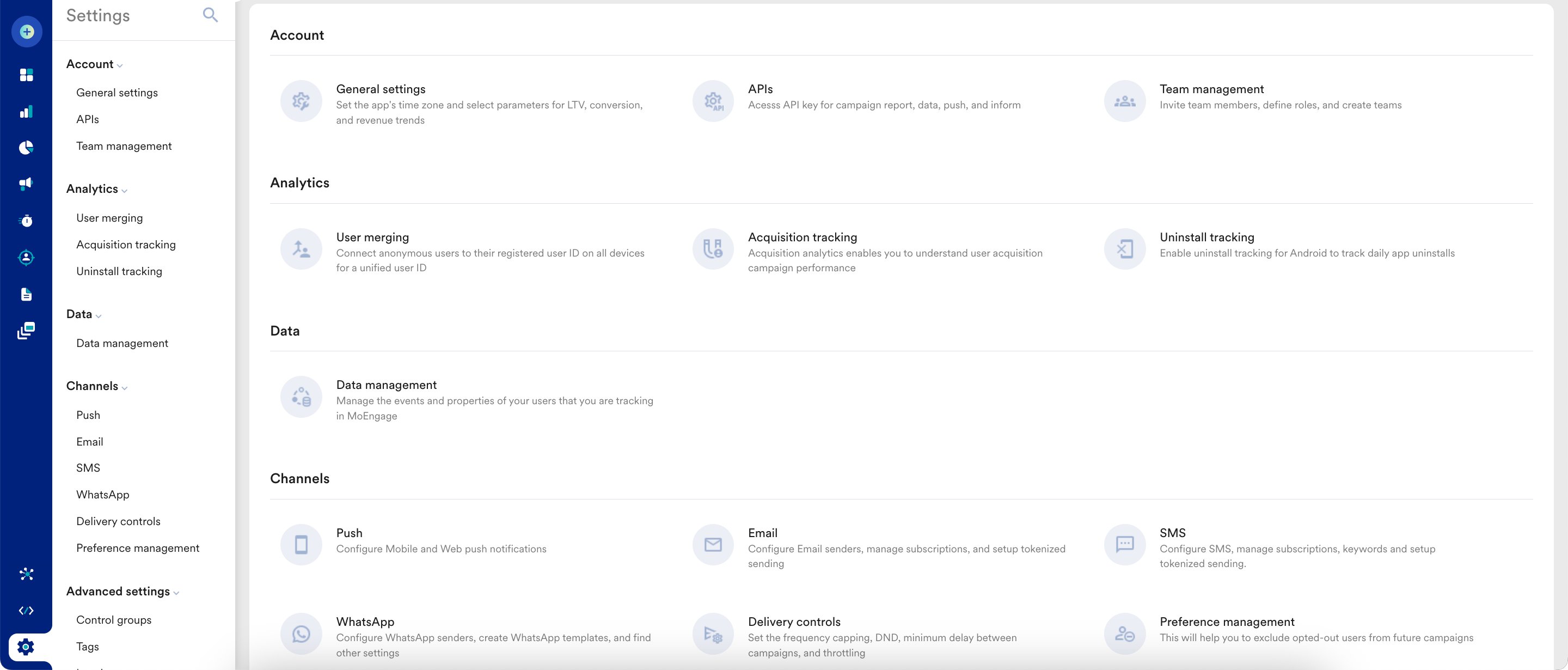 3. Click the **Sender Configuration** tab and then click the **SMS** tab.
 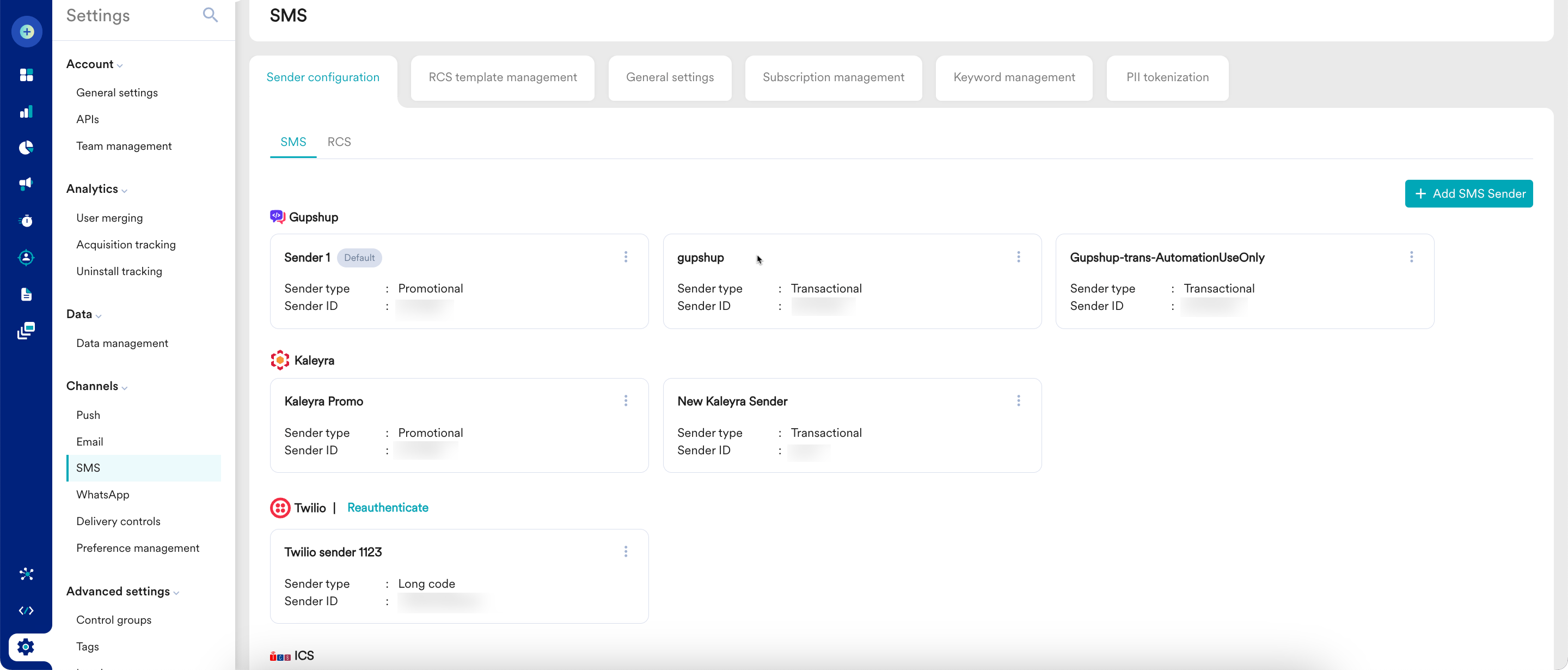 4. In the upper-right corner, click **+ Add SMS Sender**.
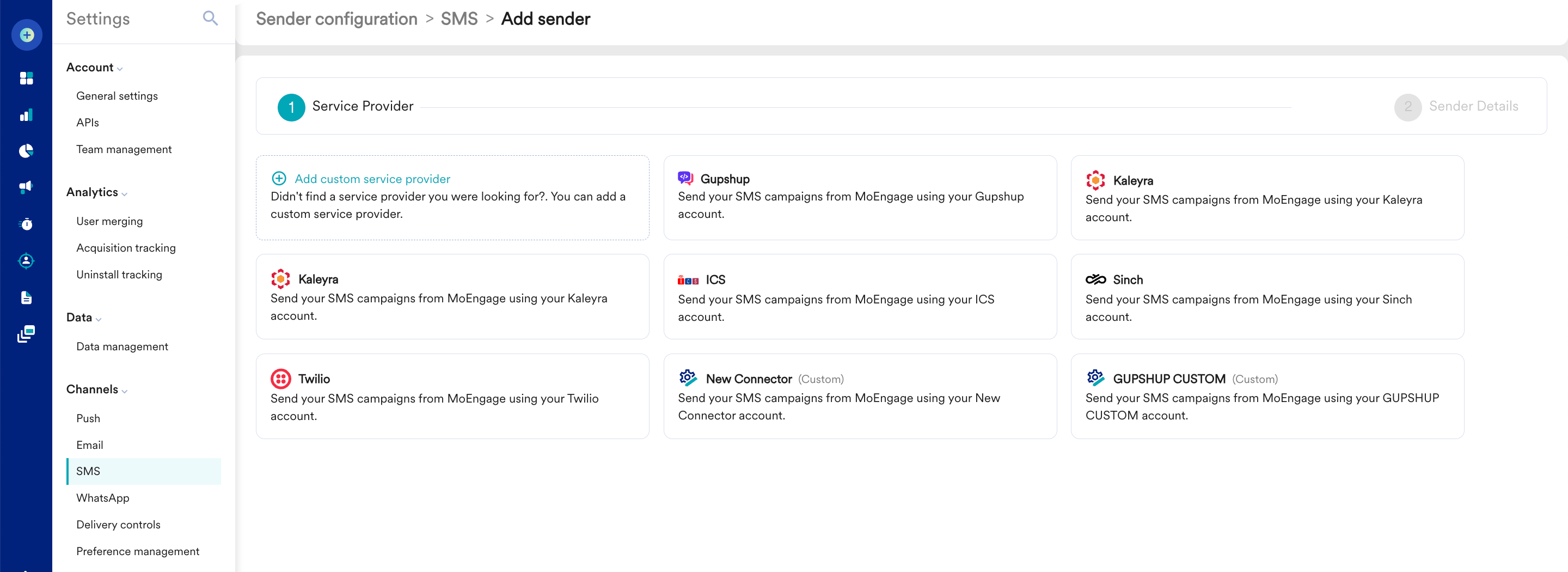
5. Click **+ Add custom service provider**.\\
4. In the upper-right corner, click **+ Add SMS Sender**.
5. Click **+ Add custom service provider**.\\
 Add the following details:
| Field | Description |
| ----------------- | --------------------------------------------------------------------------------------------------------------------------------------------------------------------------------------------------------------------------------------------------------------------------------------------------------------------------------------------------------------------------------------------------------------------------------------------------------------------------------------- |
| Sender Type | Based on your SMS account at Trustsignal, select the sender type. The Sender type can be:
Add the following details:
| Field | Description |
| ----------------- | --------------------------------------------------------------------------------------------------------------------------------------------------------------------------------------------------------------------------------------------------------------------------------------------------------------------------------------------------------------------------------------------------------------------------------------------------------------------------------------- |
| Sender Type | Based on your SMS account at Trustsignal, select the sender type. The Sender type can be: - **Promotional**: Choose this option when you want to use the sender to send information about your brand, promote deals, or engage with users.
- **Transactional** : Choose this option when you want to use the sender to send alerts about transactions, OTPs, security information, or any information that can be classified as transactional in nature.
|
| Connector Name | Enter the connector name for the SMS connector to uniquely identify it. Example: "Trustsignal" |
| Sender Name | Enter the sender name (DLT Approved Header). |
| API URL | Select the POST option. POST API: - Endpoint: [https://sms.trustsignal.io/v1/sms/moengage](https://sms.trustsignal.io/v1/sms/moengage)
- Enter the JSON payload structure supported by the POST endpoint.
|
| Parameter Details | Key value pair / JSON parameter details: - apikey=`******` \[Trustsignal user account APIKEY]
- sender\_id= \[DLT approved Header]
- to=`Moesms_destination` \[Mobile number on which SMS to be sent with 91]
- message=`Moesms_message` \[DLT approved message text]
- template\_id=`Moesms_dltTemplateId` \[DLT Template ID for message text]
- route=\[transcational/promotional]
|
| Headers | For the POST endpoint, enter the following key-value pairs: - Key: `Content-Type` \| Value: `application/json`
- Key: `Authorization` \| Value: `Bearer `
|
| Delivery tracking | For Delivery tracking, after saving the custom connector, edit it. Select the Map fields manually option and do the following mapping: - Unique sent ID field: `results[0].transaction_id`
- Unique delivery ID field \*: `transaction_id`
- Delivery status field \*: `status`
- Success values for delivery status \*: `delivered`
- Failure reason field \*: `error`
Share the SMS delivery tracking URL with Trustsignal for configuration. |
7. Body Type (Only for POST), select **Raw** and enter the entire JSON payload structure:
```json JSON theme={null}
{
"to": [
"Moesms_destination"
],
"route": "transactional",
"message": "Moesms_message",
"tempate_id": "Moesms_dltTemplateId",
"sender_id": "SENDERID"
}
```
8. Click **Save**. The settings have been added.
# Troubleshooting
If any issue occurs while sending a test message or saving the configuration, perform the following steps:
* [Raise a support request](/docs/user-guide/contact-support/raise-a-support-ticket-through-moengage-dashboard) to MoEngage to get your error code.
* Connect with the [Trustsignal support team](https://care@trustsignal.io) to get the issue resolved after you receive the error code from the MoEngage Support team.