

Introduction
AccuWeather is a media company that provides weather forecasting services worldwide. AccuWeather Enterprise Solutions include the most accurate, site-specific, customized severe weather warnings; short- and long-range forecasts; and applied weather information.MoEngage and AccuWeather
The MoEngage and AccuWeather integration lets you enrich and personalize your marketing campaigns and automate translations. You can fetch user location and weather updates on the fly and send personalized campaigns in real time. For example, an ecommerce brand can detect a high likelihood of rain at a user’s location and send a message that nudges them to buy an umbrella.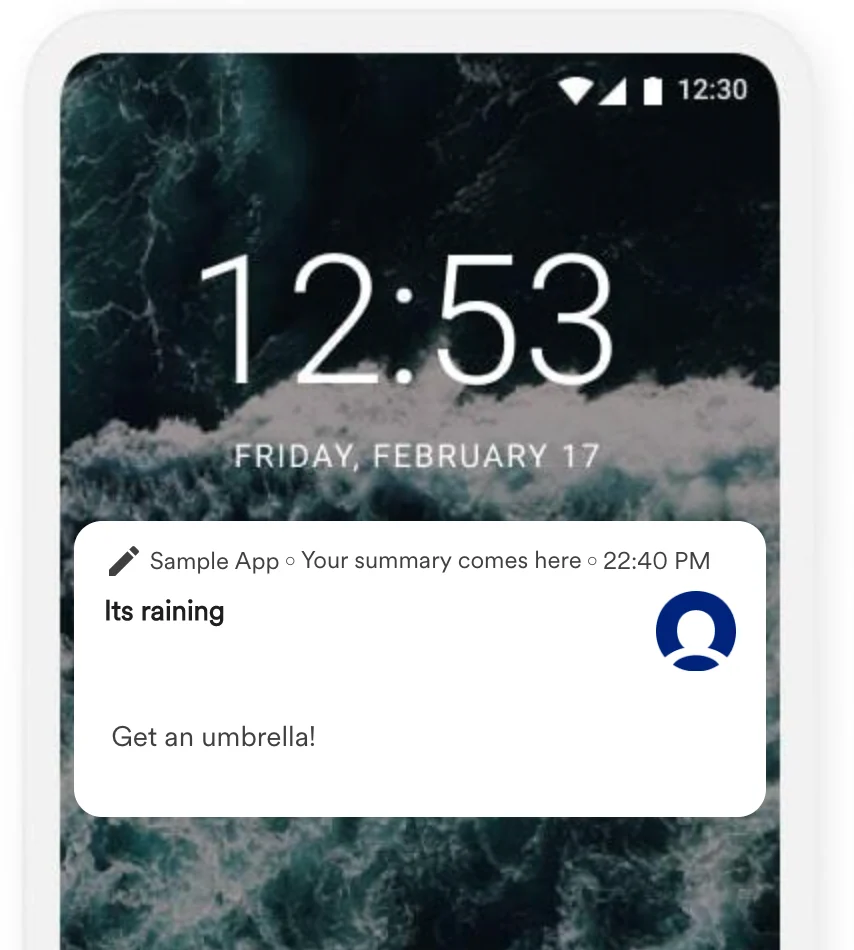
Integration
Prerequisites
- An AccuWeather account.
- Access to your AccuWeather API keys. Contact your AccuWeather account manager for compatible API keys. For more information, see AccuWeather API.
Available APIs
The following AccuWeather APIs can be used within your MoEngage campaigns:| API | Description |
|---|---|
| Locations | Get a location key for your desired location. Use the location key to retrieve weather data from the Forecast or Current Conditions API. |
| Forecast | Get forecast information for a specific location. |
| Current Conditions | Get current conditions data for a specific location. |
| Indices | Get daily index values for a specific location. Index availability varies by location. |
| Weather Alarms | Get weather alarms for a specific location. AccuWeather weather alarms are determined using daily forecasts; an alarm exists when the forecast meets or exceeds specific thresholds. |
| Alerts | Get severe weather alerts from official government meteorological agencies and leading global weather alert providers. |
| Imagery | Get radar and satellite images. |
| Tropical | Get the current position, past positions, and forecasts for tropical cyclones worldwide. |
| Translations | Get a list of available languages and translations for specific groups of phrases. |
Steps
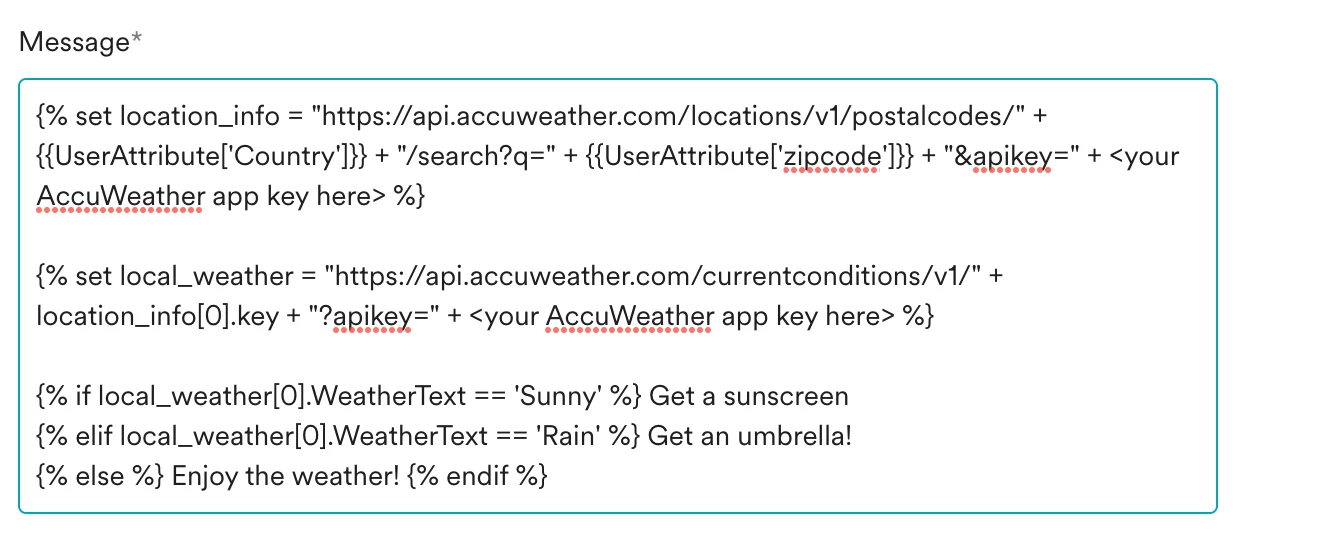
The example below shows three message variants based on the current weather conditions at the user’s ZIP code. We use AccuWeather’s Locations and Current Conditions APIs. You make two API calls — the first to get the user’s location and the second to get the current weather conditions at that location.- Go to step 2 of campaign creation.
- Call AccuWeather’s Locations API and store the location details in a new variable called
location_info. TheKeyis a useful variable as it is used in the next request. For more information, see the API response reference.If you do not capture azipcodeuser attribute, you can use the user’s city instead. - Call AccuWeather’s Current Conditions API using the
location_infovariable and store the result in a new variable calledlocal_weather. For more information, see the API response reference. - Define your campaign content based on the local weather. For example:
- If local weather is Sunny → “Get a sunscreen”.
- If local weather is Rain → “Get an umbrella”.
- Print the output in the template or use Personalized Previews to preview.
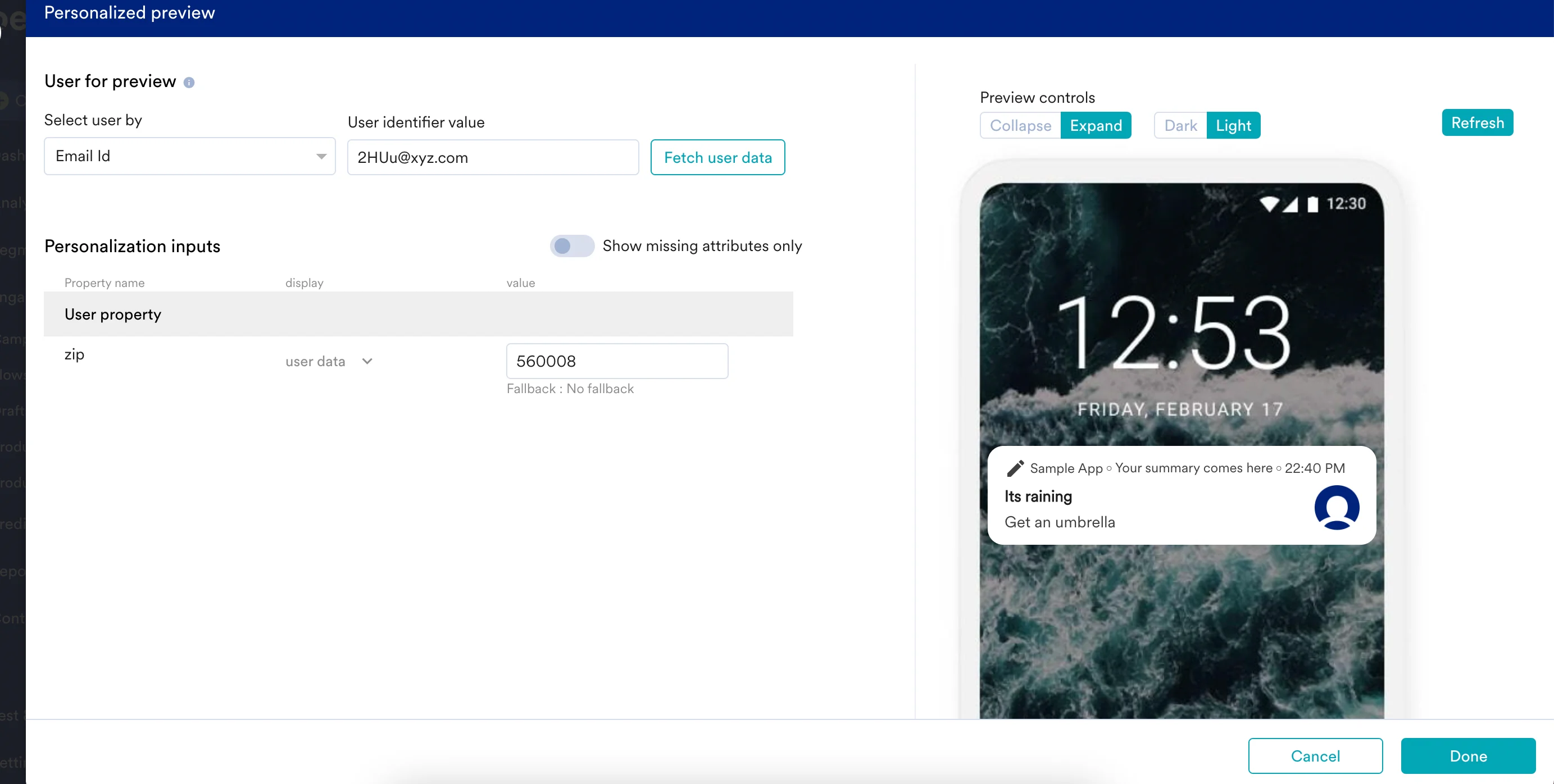
Rain for {{local_weather[0].WeatherText}}, the user receives the push message “It’s raining. Get an umbrella”.