> ## Documentation Index
> Fetch the complete documentation index at: https://moengage.com/docs/llms.txt
> Use this file to discover all available pages before exploring further.
# Trustpilot
> Integrate MoEngage with Trustpilot to send review invitations and personalize messages with product reviews.
## Introduction
[Trustpilot](https://www.trustpilot.com/) is an online review platform that enables customers to share feedback and allows you to manage and respond to reviews.
This page provides a step-by-step guide for:
* Creating review invitations using Trustpilot’s Create Invitation API
* Personalizing messages with product reviews through Trustpilot’s Product Reviews API
## Integration
**Prerequisites**
Ensure you have access to a Trustpilot account and a Trustpilot authentication key.
To integrate with TrustPilot, use the [optilyz API](https://www.optilyz.com/doc/api/) to send recipient data to the MoEngage connectors.
### Get your Trustpilot API credentials
1. [Log into Trustpilot](https://app.contentful.com/login) with your credentials.
2. Create or retrieve the API key and secret in the Trustpilot dashboard by going to Integrations > Developers > APIs. If you don’t already have an API key, create a new one:
1. Go to Application Name > Create Application
2. Copy your API key and secret, which will be used to authenticate your Content API requests
### Sending Trustpilot review invitations
#### Step 1: Create an OAuth config on MoEngage
Use MoEngage content APIs to make a request to Trustpilot’s Authentication endpoint to retrieve the Access Token. On your MoEngage dashboard:
1. Navigate to Settings >> Authorisation configuration
2. Click Add new config
3. Fill in the details:
1. OAuth Name: TrustPilot
2. Grant Type: Client Credentials
3. Token type: Opaque
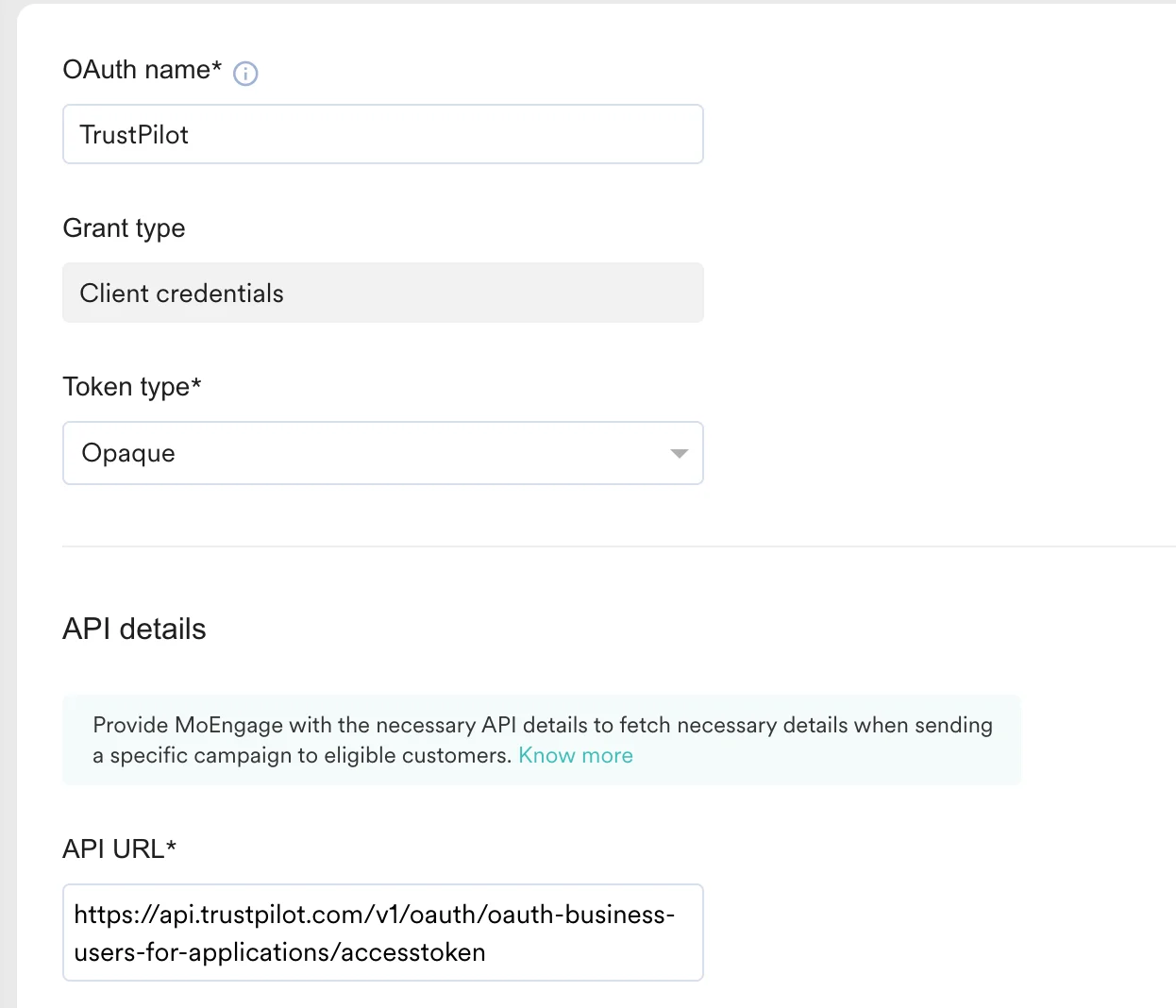 4. API URL: `https://api.trustpilot.com/v1/oauth/oauth-business-users-for-applications/accesstoken`
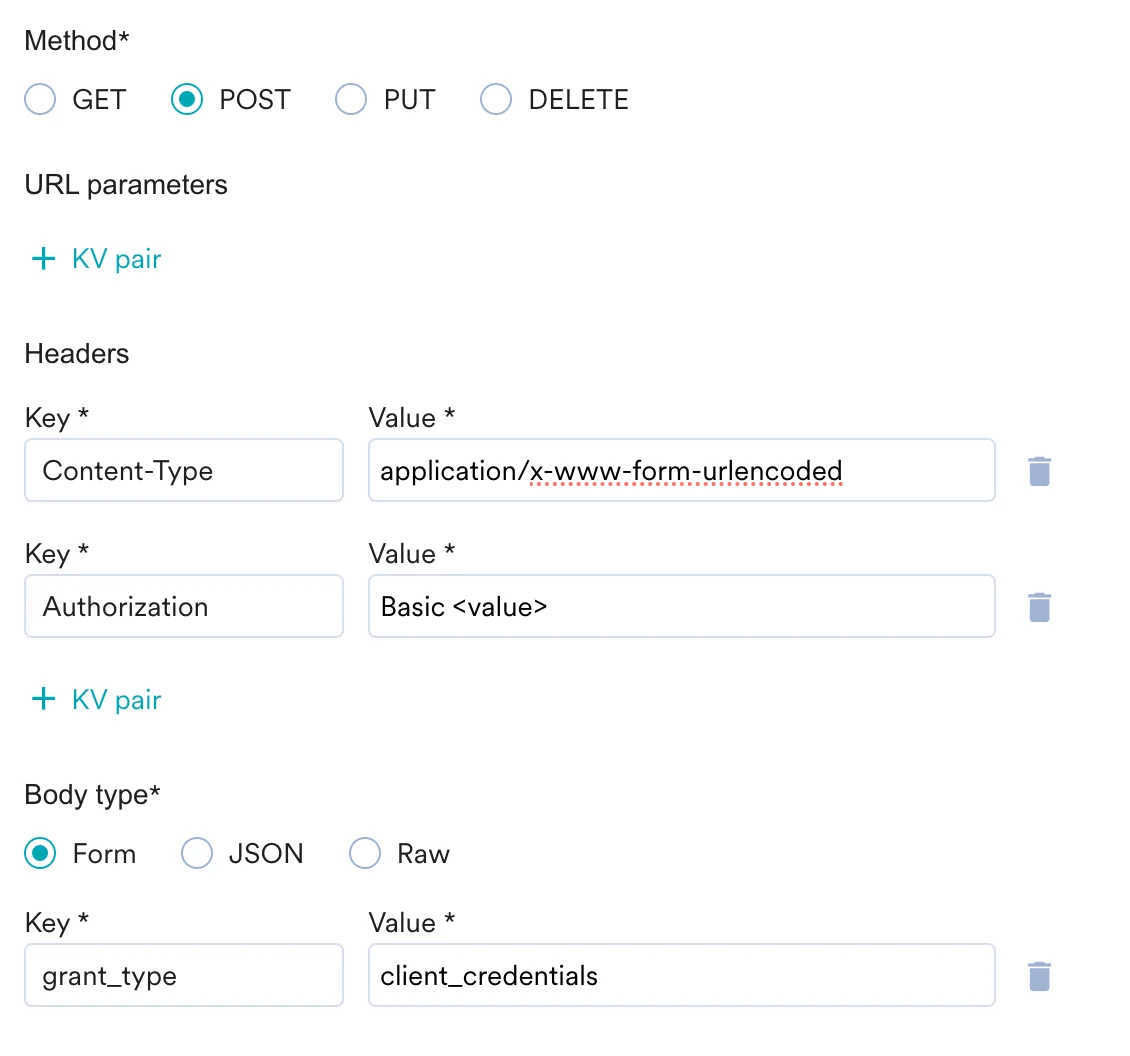
5. Method: Post
6. Headers:
4. API URL: `https://api.trustpilot.com/v1/oauth/oauth-business-users-for-applications/accesstoken`
5. Method: Post
6. Headers:
Content-Type: `application/x-www-form-urlencoded`
Authorization: Basic `{{'API_KEY:API_SECRET' | base64_encode}}`
7. Request Body: Select form and add the following Key value:
grant\_type: client\_credentials
 4. Click Send Test and Continue.
5. Save your connection
#### Step 2: Create a connector campaign on MoEngage
To create a connector campaign on MoEngage:
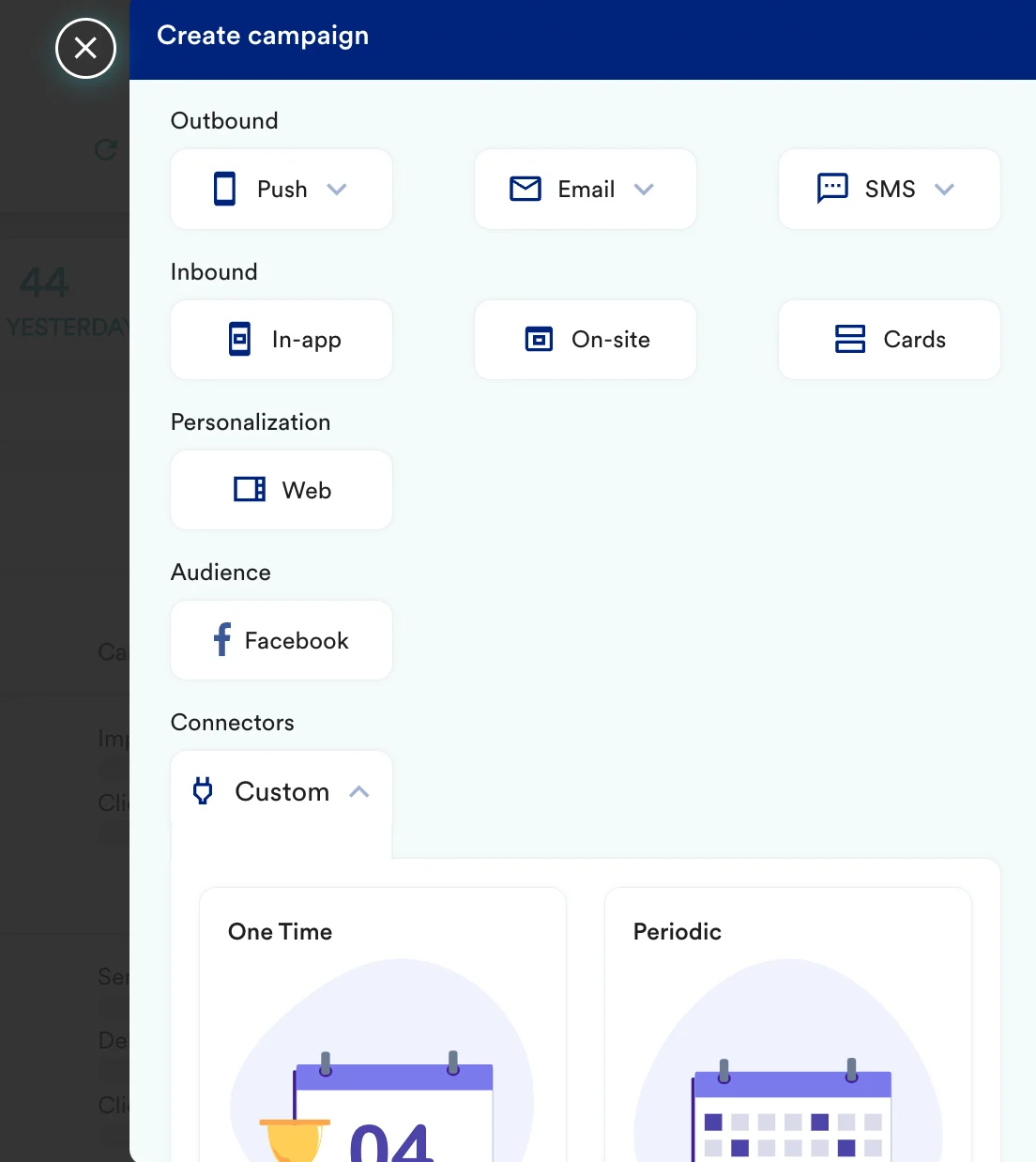
1. Navigate to Create Campaign >> Connectors >> Custom
4. Click Send Test and Continue.
5. Save your connection
#### Step 2: Create a connector campaign on MoEngage
To create a connector campaign on MoEngage:
1. Navigate to Create Campaign >> Connectors >> Custom
 2. On step 2 of the campaign, select:
| Key | Value |
| ----------- | ---------------------------------------------------------------------------------------------------------------------------------------------------------------------------------------------------------------------------------------------------------------------------------------------------------------------------------------------------------------------------------------------------------------------------------------------------------------------------------------------------------------------------------------------------------------------------------------------------------------------------------------------------------------------------------------------------------------------------------------------------------------------------------------------------------------------------------------------------------------------------------------------------------------------------------------------------------------------------------------------------------------------------------------------------------------------------------------------------------------------------------------------------------------------------------------------------------------------------------------------------------------------------------------------------------------------------------------------------------------------------------------------------------------------------------------------------------------------------------------------------------------------------------------------------- |
| Method | POST |
| Webhook URL | `https://invitations-api.trustpilot.com/v1/private/business-units/%7BbusinessUnitId%7D/email-invitations` |
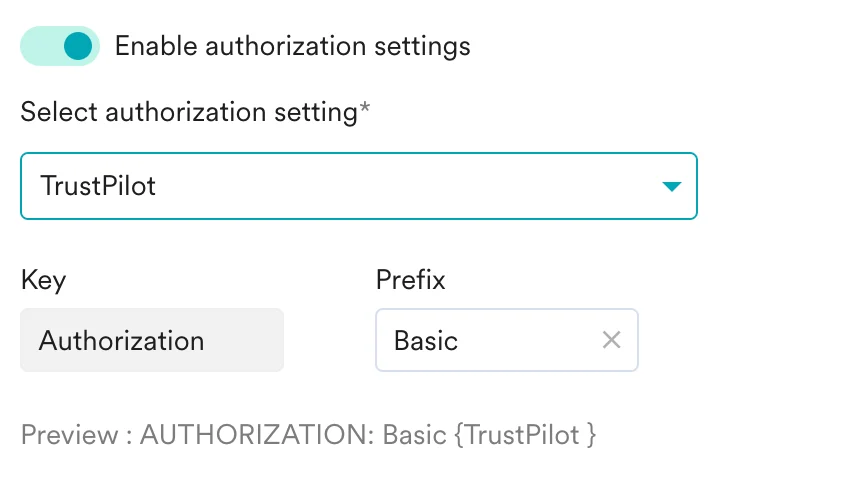
| Headers | Enable OAuth toggle and select trustpilot. And Select Auth Prefix as Basic
2. On step 2 of the campaign, select:
| Key | Value |
| ----------- | ---------------------------------------------------------------------------------------------------------------------------------------------------------------------------------------------------------------------------------------------------------------------------------------------------------------------------------------------------------------------------------------------------------------------------------------------------------------------------------------------------------------------------------------------------------------------------------------------------------------------------------------------------------------------------------------------------------------------------------------------------------------------------------------------------------------------------------------------------------------------------------------------------------------------------------------------------------------------------------------------------------------------------------------------------------------------------------------------------------------------------------------------------------------------------------------------------------------------------------------------------------------------------------------------------------------------------------------------------------------------------------------------------------------------------------------------------------------------------------------------------------------------------------------------------- |
| Method | POST |
| Webhook URL | `https://invitations-api.trustpilot.com/v1/private/business-units/%7BbusinessUnitId%7D/email-invitations` |
| Headers | Enable OAuth toggle and select trustpilot. And Select Auth Prefix as Basic
 |
3. Enter the request body as per the [TrustPilot documentation](https://developers.trustpilot.com/invitation-api).
4. Test your configuration: At this point, your campaign should be ready to test and send. You can also test your connector configuration using the Test functionality available on Step 2 of Create Connector Campaign.
|
3. Enter the request body as per the [TrustPilot documentation](https://developers.trustpilot.com/invitation-api).
4. Test your configuration: At this point, your campaign should be ready to test and send. You can also test your connector configuration using the Test functionality available on Step 2 of Create Connector Campaign.
 5. Now, publish your campaign.
## Personalizing messages with product review insights
If you want to use product reviews from TrustPilot in your campaigns, you can use [MoEngage Content API](https://www.moengage.com/docs/user-guide/campaigns-and-channels/getting-started/campaign-content/content-apis#step-2-use-content-apis-in-campaigns) to make a call to [Trustpilot’s Get product reviews summary endpoint](https://developers.trustpilot.com/product-reviews-api#get-product-reviews-summary).
5. Now, publish your campaign.
## Personalizing messages with product review insights
If you want to use product reviews from TrustPilot in your campaigns, you can use [MoEngage Content API](https://www.moengage.com/docs/user-guide/campaigns-and-channels/getting-started/campaign-content/content-apis#step-2-use-content-apis-in-campaigns) to make a call to [Trustpilot’s Get product reviews summary endpoint](https://developers.trustpilot.com/product-reviews-api#get-product-reviews-summary).