> ## Documentation Index
> Fetch the complete documentation index at: https://moengage.com/docs/llms.txt
> Use this file to discover all available pages before exploring further.
# How to Use Gamification to Engage the Users
# Overview
After acquiring the user, the next step is to retain them. To retain the users, it is imperative to create engagement hooks that drive them to keep using the brand’s app and eventually convert. This is where gamification templates such as "Spin the Wheel" play a vital role to provide:
* Enhanced user experience
* Improved engagement metrics
* Uplift in conversion
In this article, we will use Flows and gamification templates to create an end-to-end engagement journey for the user.
# Expected Result
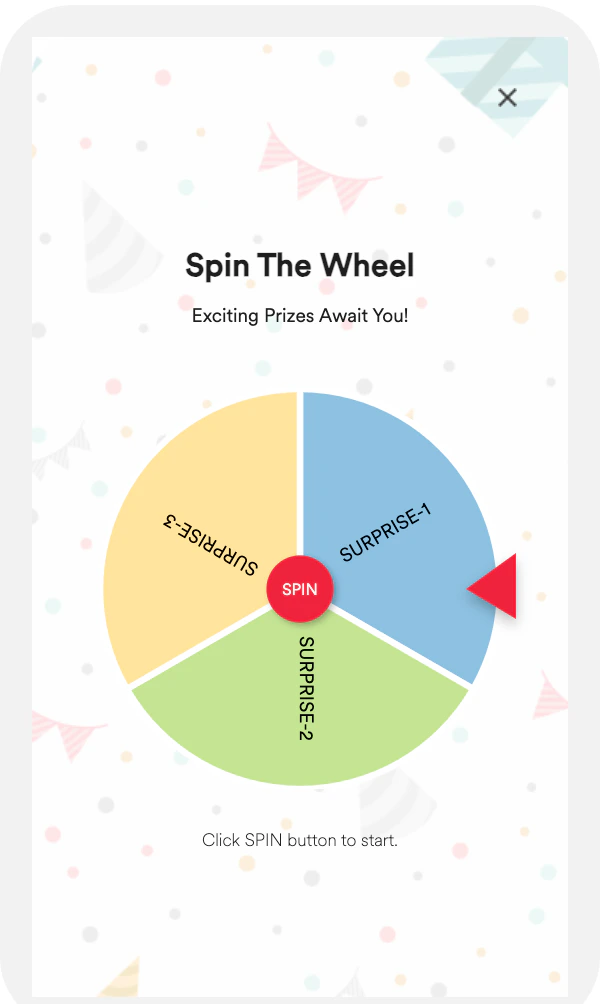
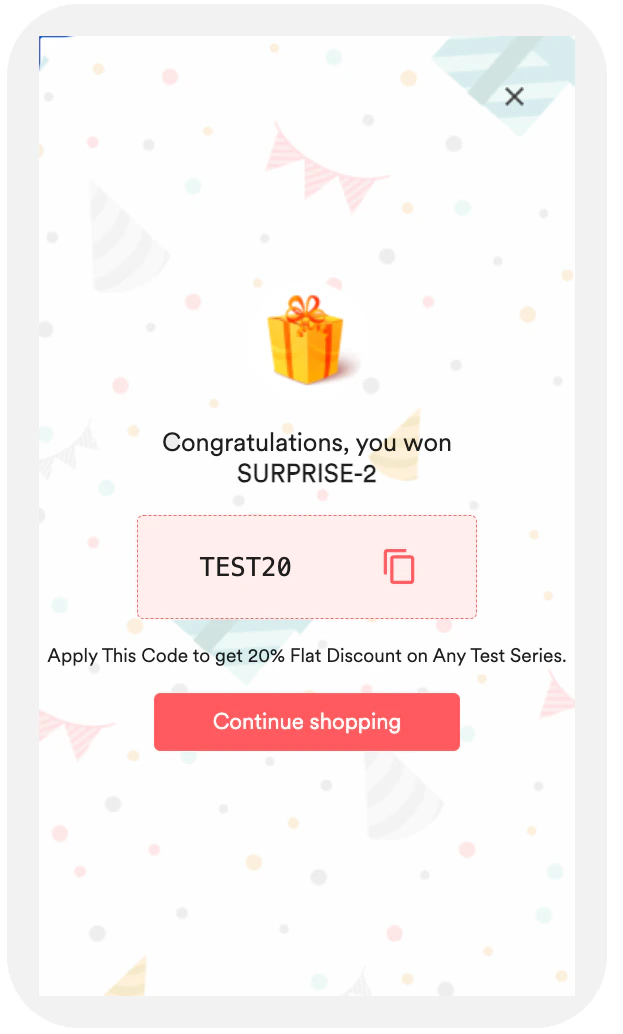
Users will see an option to spin the wheel and win something.
| | |
| -------------------------------------------------------------------------------------------------------------------------------------------------------------------------------------------------------------------------------------------------------------------------------------------------------------------------------------------------------------------------------------------------------------------------------------------------------------------------------------------------------------------------------------------------------------------------------------------------------------------------------------------------------------------------------------------------------------------------------------------------------------------------------------------------------------------------------------------------------------------------------------------------------------------------------------------------------------------------------------------------------------------------------------------------------------------------------------------------------------------------------------------------------------------------------------------------------------------------------------------------------------------------------------------------------------------------------------------------------------------------------- | ------------------------------------------------------------------------------------------------------------------------------------------------------------------------------------------------------------------------------------------------------------------------------------------------------------------------------------------------------------------------------------------------------------------------------------------------------------------------------------------------------------------------------------------------------------------------------------------------------------------------------------------------------------------------------------------------------------------------------------------------------------------------------------------------------------------------------------------------------------------------------------------------------------------------------------------------------------------------------------------------------------------------------------------------------------------------------------------------------------------------------------------------------------------------------------------------------------------------------------------------------------------------------------------------------------------------------------------------------------------------------- |
|  |
|  |
# Create a Flow
In this section, let us create a flow.
## Add Flow Details
1. Navigate to **Engage** > **Flows** and click **+ Create Flow** or navigate to the sidebar, click **+ Create new**, and then click **Flow**.
2. Click **+ Start with a blank canvas** to start building your flow for the use case. You are taken to the first step “Details and goals”.
3. Enter the following details:
* **Flow name**: Enter a flow name. For example, "Gamification Flow".
* **Flow tags**: Select the required flow tags.
4. Click **Next** to move the second step “When will users enter the flow”. This step helps you define when to allow the user by mentioning the trigger conditions.
5. Under **Users enter the flow** section, select **On event trigger**.
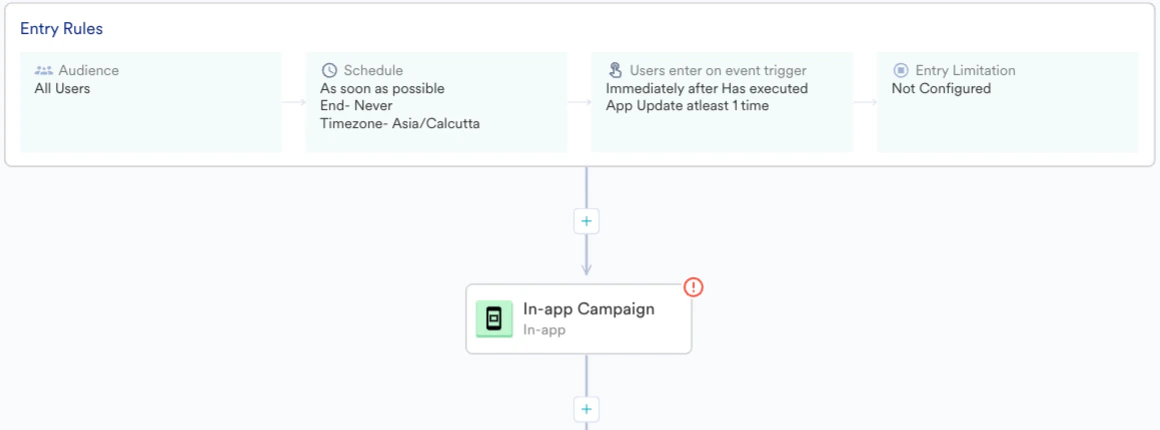
6. In the **IF user** section, select the event “App Update”, which gets triggered when a user updates the app.
7. In the **THEN enter the user** section, select the **Immediately** option.
8. In the **Flow schedule** section, define a start time and an end time to the flow if required. By default, the flow will start “As soon as possible” and will never end.
9. Turn the **Limit user entry into this flow** toggle on to define the maximum time a user can enter the flow.\
Defining such limits helps us control users from re-entering the flow repeatedly and thus avoid spamming them too much, which in turn provides a better user experience.
|
# Create a Flow
In this section, let us create a flow.
## Add Flow Details
1. Navigate to **Engage** > **Flows** and click **+ Create Flow** or navigate to the sidebar, click **+ Create new**, and then click **Flow**.
2. Click **+ Start with a blank canvas** to start building your flow for the use case. You are taken to the first step “Details and goals”.
3. Enter the following details:
* **Flow name**: Enter a flow name. For example, "Gamification Flow".
* **Flow tags**: Select the required flow tags.
4. Click **Next** to move the second step “When will users enter the flow”. This step helps you define when to allow the user by mentioning the trigger conditions.
5. Under **Users enter the flow** section, select **On event trigger**.
6. In the **IF user** section, select the event “App Update”, which gets triggered when a user updates the app.
7. In the **THEN enter the user** section, select the **Immediately** option.
8. In the **Flow schedule** section, define a start time and an end time to the flow if required. By default, the flow will start “As soon as possible” and will never end.
9. Turn the **Limit user entry into this flow** toggle on to define the maximum time a user can enter the flow.\
Defining such limits helps us control users from re-entering the flow repeatedly and thus avoid spamming them too much, which in turn provides a better user experience. 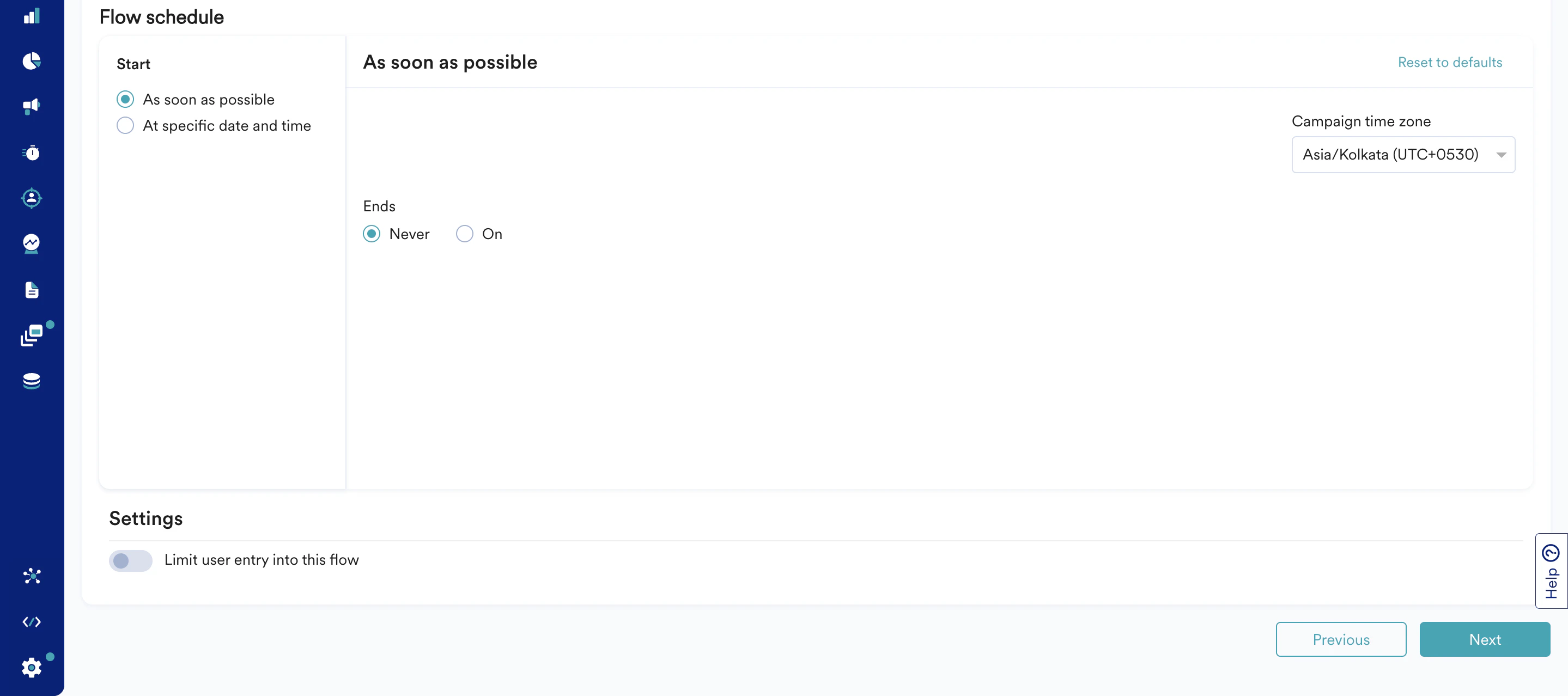 10. Click **Next** to move to the third step “Who will enter the flow”. This is where you select the target audience for your Flow.
11. In the **Audience** section, select **All users**. For a user to be eligible to enter an event-triggered flow, they must be part of the target audience before they do the required event.
12. Click **Next** to move to the canvas section where you can define the Flow structure that you want the user to move through.
## Define Flow Structure
In this section, let us create a multi-step journey to engage the users. The following is only an example and can be modified depending on your requirement.
1. Click the **+** icon. A drawer is displayed.
2. Under **Actions**, select **In-app**.
10. Click **Next** to move to the third step “Who will enter the flow”. This is where you select the target audience for your Flow.
11. In the **Audience** section, select **All users**. For a user to be eligible to enter an event-triggered flow, they must be part of the target audience before they do the required event.
12. Click **Next** to move to the canvas section where you can define the Flow structure that you want the user to move through.
## Define Flow Structure
In this section, let us create a multi-step journey to engage the users. The following is only an example and can be modified depending on your requirement.
1. Click the **+** icon. A drawer is displayed.
2. Under **Actions**, select **In-app**.
 3. Select an In-app template type. For example, Fullscreen - Spin The Wheel.
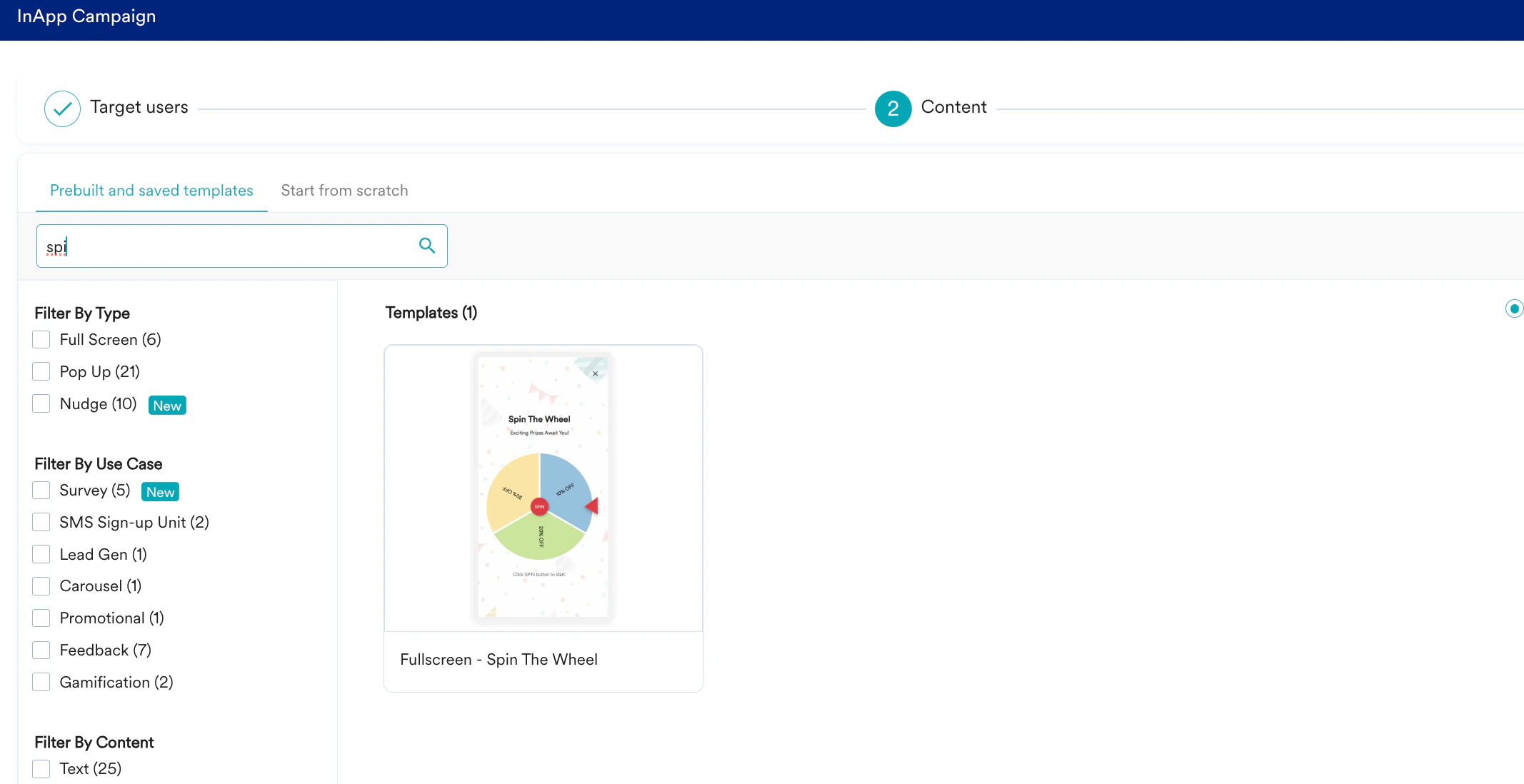 4. Modify the readymade HTML code and add conversion details.
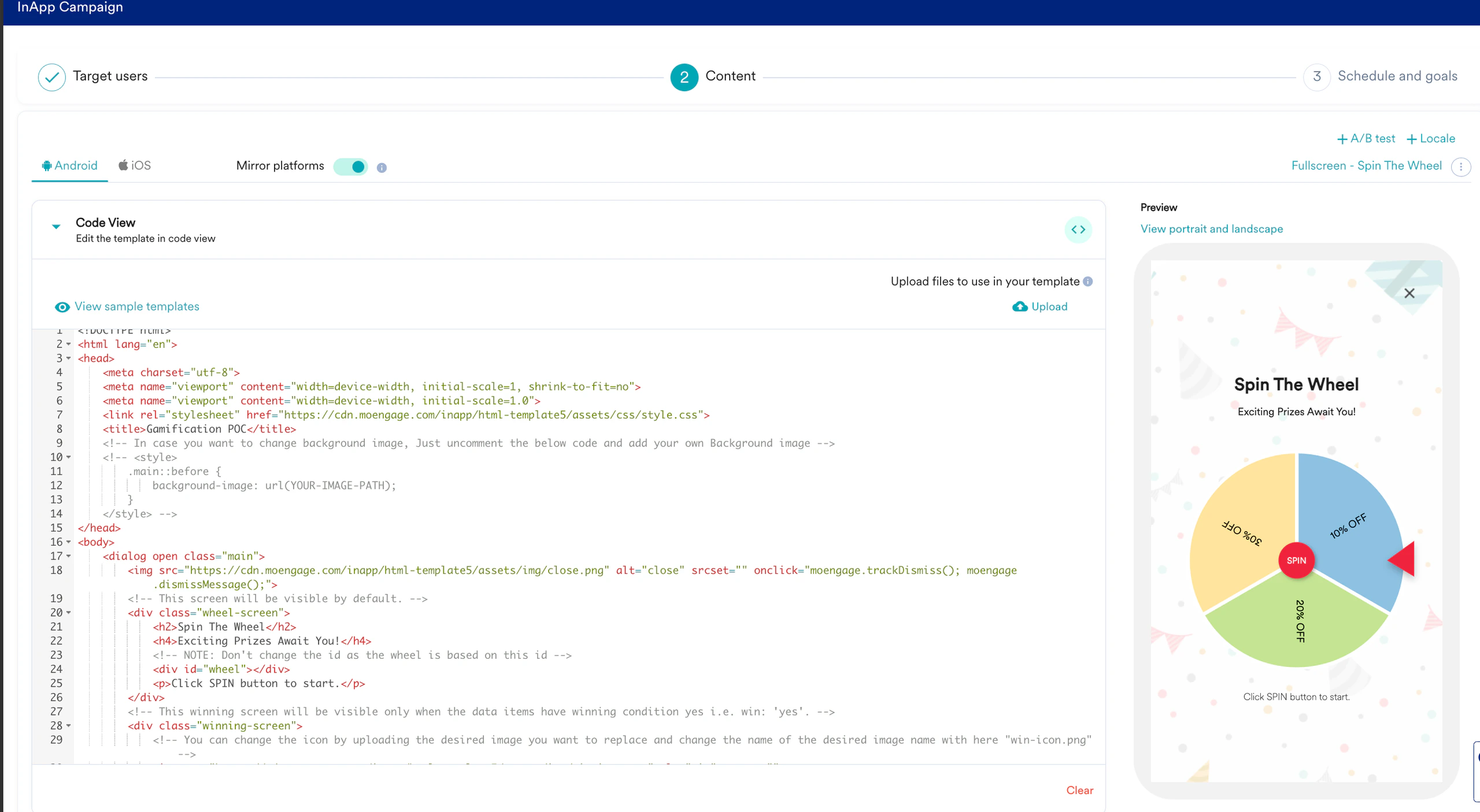 5. You can modify the HTML code to rename the actions on the wheel, change look and feel, and add more actions on the wheel.
6. After the gamification In-app is done, depending upon the user action, cascade the flow.
5. You can modify the HTML code to rename the actions on the wheel, change look and feel, and add more actions on the wheel.
6. After the gamification In-app is done, depending upon the user action, cascade the flow.
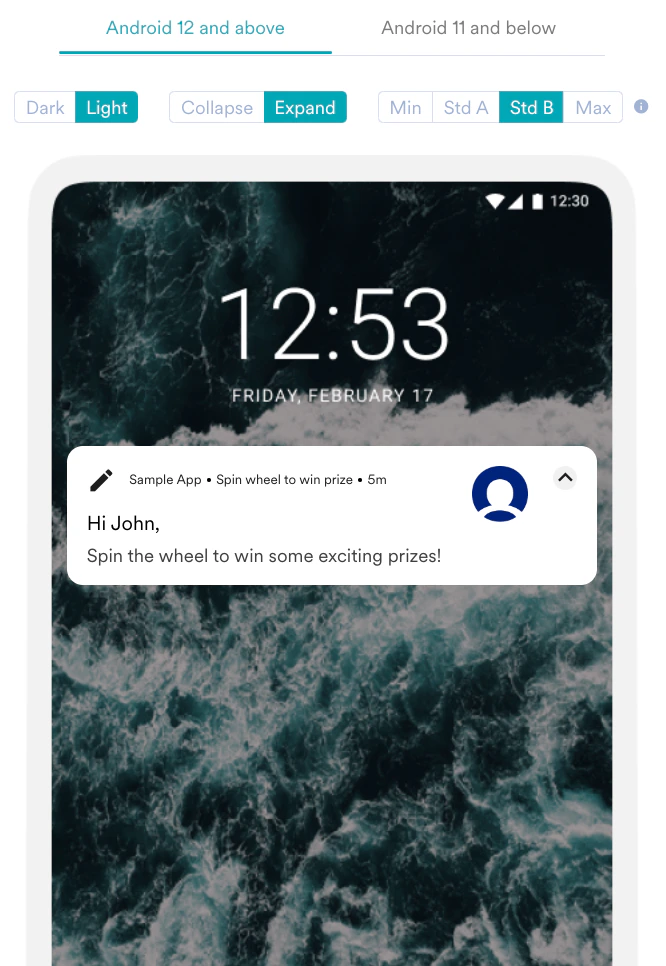
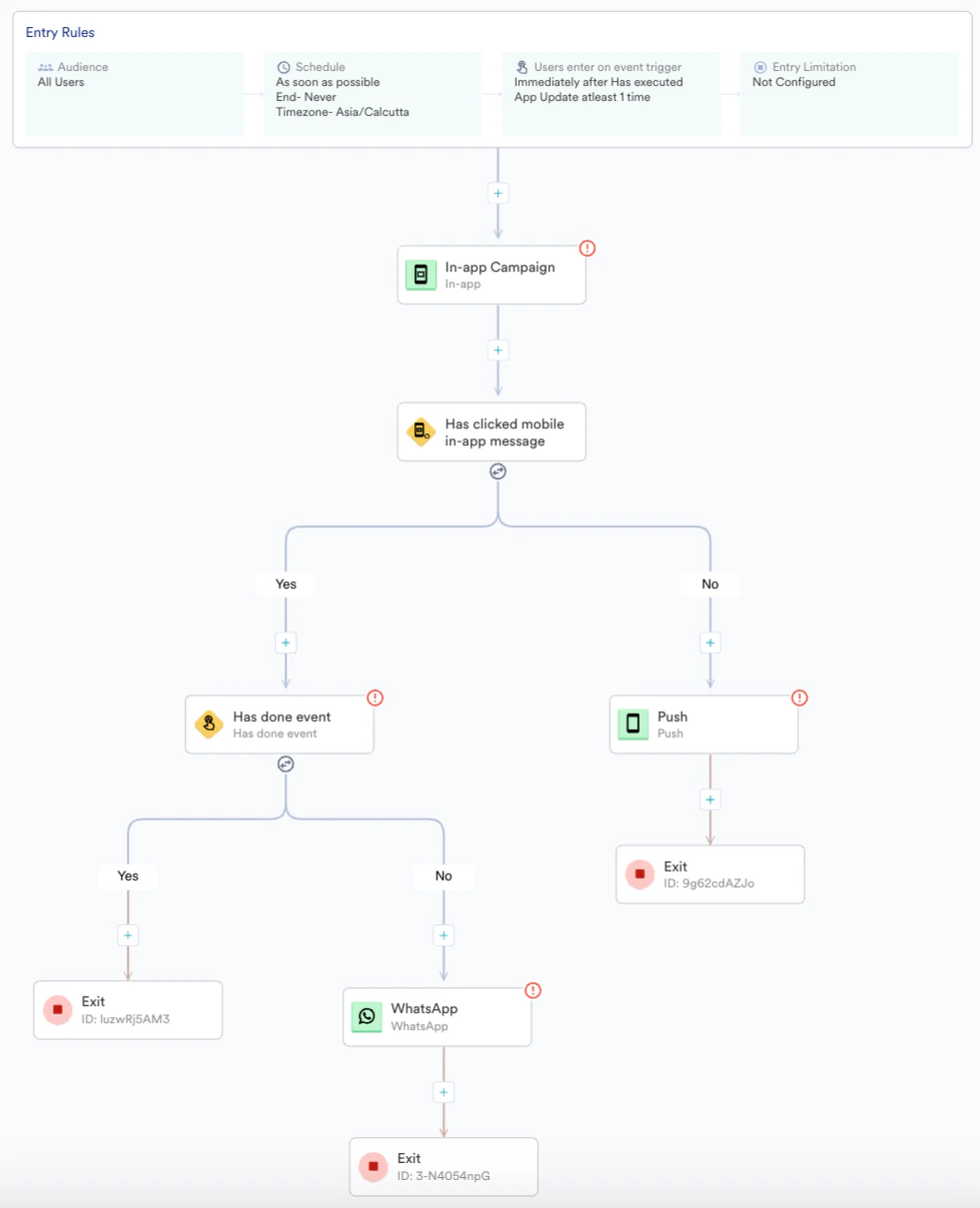 For example, if the user has clicked the In-app or not. If not, send the user a nudge by a Push campaign. If the click has happened, check for the conversion goal event and further send campaigns through different channels to nudge, spin the wheel, and convert.
 7. After the flow is ready with all the communications added for all channels, click **Publish** to make the flow live.
# Conclusion
In this use case, we created a multi-step and multi-channel journey to engage the users by adding a gamification campaign. We used Flows and gamification templates to create an end-to-end engagement journey for the user.
7. After the flow is ready with all the communications added for all channels, click **Publish** to make the flow live.
# Conclusion
In this use case, we created a multi-step and multi-channel journey to engage the users by adding a gamification campaign. We used Flows and gamification templates to create an end-to-end engagement journey for the user.