> ## Documentation Index
> Fetch the complete documentation index at: https://moengage.com/docs/llms.txt
> Use this file to discover all available pages before exploring further.
# Segment Users Based on the Links Clicked in Your Email Campaign
# Introduction
As marketers, we want to know which links users are clicking after we send email campaigns. Segmenting users based on links clicked in your email campaign allows us to send personalized communication to the target audience based on their interests and engage them accordingly.
#### Advantages of segmenting users based on the links clicked in Email campaigns
* **Personalized follow-up**: By understanding which links users clicked, you can tailor subsequent emails to their specific interests and needs, making them more relevant and engaging.
* **Improved engagement**: Knowing what resonates with your audience allows you to create more targeted content and offers, leading to higher open rates, click-through rates, and overall engagement.
* **Increased conversion rates**: Personalized emails based on user behavior are more likely to convert because they address specific needs and interests, making users more receptive to your offers.
* **Enhanced customer understanding**: Tracking link clicks provides valuable insights into user behavior and preferences, allowing you to refine your marketing strategies and create more effective campaigns.
* **Better resource allocation**: Segmenting based on link clicks helps you focus your marketing efforts on the most engaged users, maximizing your ROI and ensuring you're reaching the right people with the right message.
We will achieve this use case by segmenting users based on the links they click in an Email campaign where you seek their feedback through a customer satisfaction survey. In this survey, users have the following options:
* **Good** or **OK:** Upon selecting this option, users will be sent an email thanking them and recommending their next purchase based on their purchase history.
* **Bad**: Upon selecting this option, users will be targeted using IVR or the support team to explore the reason for their feedback.
# Expected Result
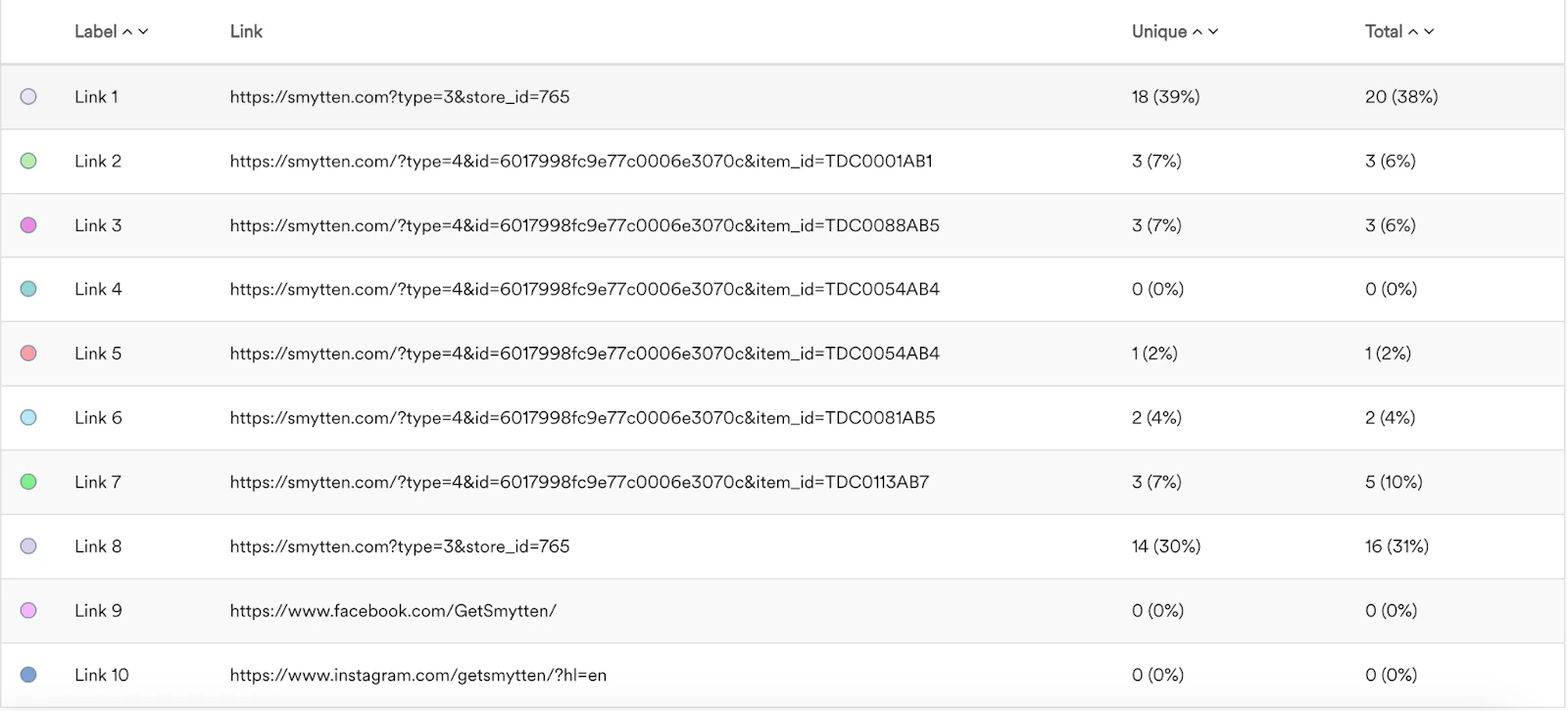
You can see the number of clicks made by users on different links from the feedback survey.\\
 * Email partner must be configured. For more information on configuring an email partner, refer [here](/user-guide/campaigns-and-channels/email/getting-started-with-email/configure-email-channel).
* An email campaign with a feedback survey must be conducted. For more information on creating an Email campaign, refer [here](/user-guide/campaigns-and-channels/email/create/create-an-email-campaign).
* Email partner must be configured. For more information on configuring an email partner, refer [here](/user-guide/campaigns-and-channels/email/getting-started-with-email/configure-email-channel).
* An email campaign with a feedback survey must be conducted. For more information on creating an Email campaign, refer [here](/user-guide/campaigns-and-channels/email/create/create-an-email-campaign).
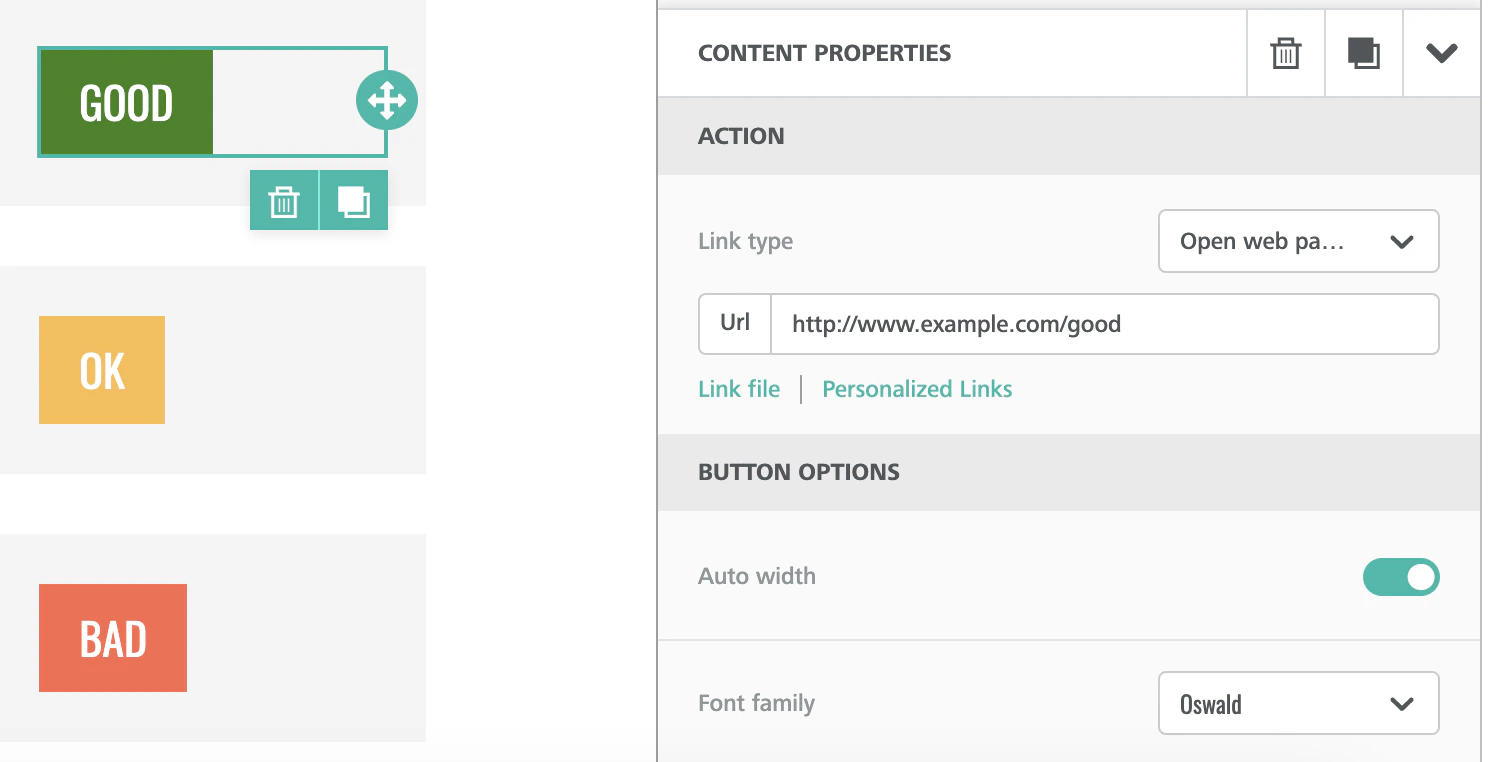 * Here, Good is associated with [http://www.example.com/good](http://www.example.com/good). Similarly, OK and Bad are associated with different links, which will be unique identifiers.
* After running the Email campaign, you must have at least 48 hours of buffer time to let users engage with your communication and take action. Post this, you can segment users based on their responses.
* An event must be available in MoEngage to track the user action of engaging with the email. In this example, we will use the *Email Clicked* event. To understand how to track events, refer to the [Developer Guide](/developer-guide/introduction).
# Create a Segment Based on User Response
1. On the left navigation menu in the MoEngage dashboard, click **Segments**, and then click **Create segment**. For more information on creating segments, refer [here](/user-guide/segment/segment-operations/create-segments).
* Here, Good is associated with [http://www.example.com/good](http://www.example.com/good). Similarly, OK and Bad are associated with different links, which will be unique identifiers.
* After running the Email campaign, you must have at least 48 hours of buffer time to let users engage with your communication and take action. Post this, you can segment users based on their responses.
* An event must be available in MoEngage to track the user action of engaging with the email. In this example, we will use the *Email Clicked* event. To understand how to track events, refer to the [Developer Guide](/developer-guide/introduction).
# Create a Segment Based on User Response
1. On the left navigation menu in the MoEngage dashboard, click **Segments**, and then click **Create segment**. For more information on creating segments, refer [here](/user-guide/segment/segment-operations/create-segments).
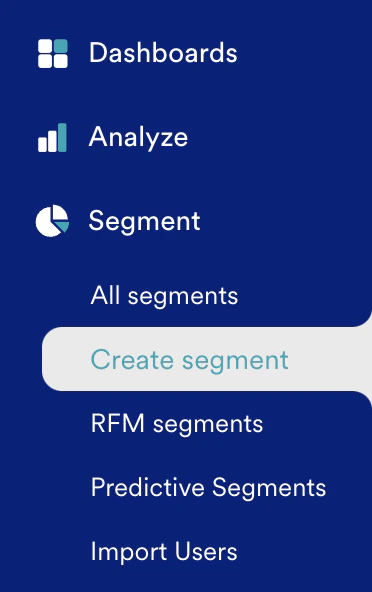 2. On the Create segment page, click the **Filter users by** option and then click the **User behavior** tab.
3. To segment users, select those who have clicked the email. The following image shows a sample segment to track users who clicked your email:
2. On the Create segment page, click the **Filter users by** option and then click the **User behavior** tab.
3. To segment users, select those who have clicked the email. The following image shows a sample segment to track users who clicked your email:
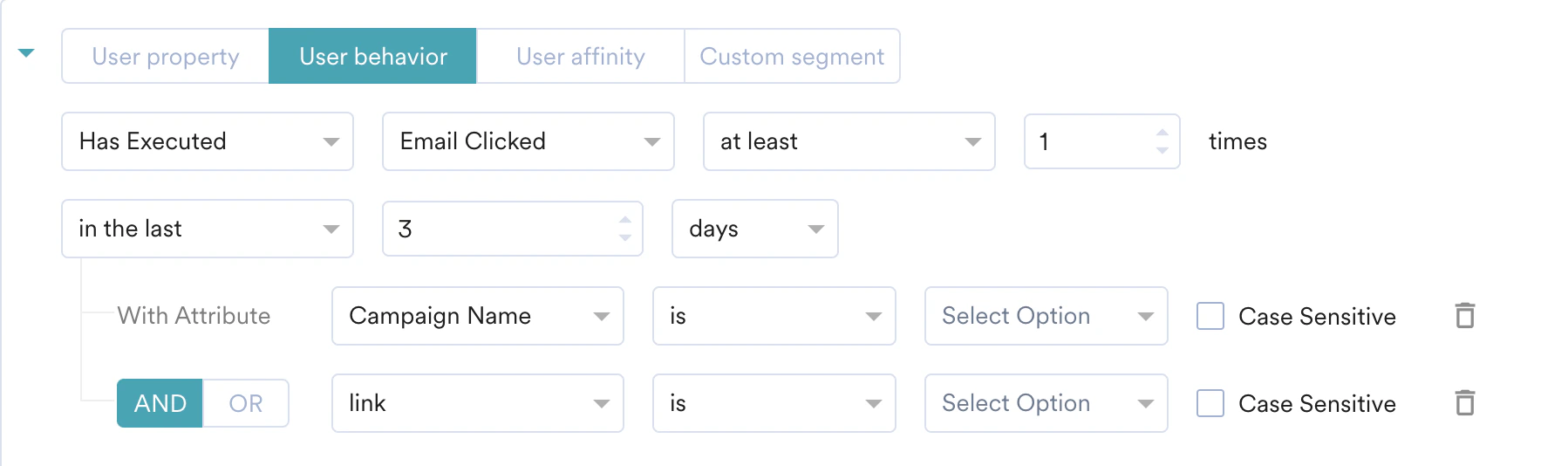 1. The *Email Clicked* event is captured when a user clicks an email.
2. The *Campaign Name* is the unique identifier that identifies the origin of the clicks.
3. The *link* will help us with the exact click option.
4. In the **+ Actions list**, you can create a campaign or custom segment using the segregation made so far.
# Retrieve Links Clicked by Users
1. On the left navigation menu in the MoEngage dashboard, click **Engage** and then select **Campaigns**.
2. On the All campaigns page, click any of the email campaigns listed.
3. On the Campaign analytics and info page, select the **Click analysis** tab, where you can track the links clicked by the user from your email campaign.
1. The *Email Clicked* event is captured when a user clicks an email.
2. The *Campaign Name* is the unique identifier that identifies the origin of the clicks.
3. The *link* will help us with the exact click option.
4. In the **+ Actions list**, you can create a campaign or custom segment using the segregation made so far.
# Retrieve Links Clicked by Users
1. On the left navigation menu in the MoEngage dashboard, click **Engage** and then select **Campaigns**.
2. On the All campaigns page, click any of the email campaigns listed.
3. On the Campaign analytics and info page, select the **Click analysis** tab, where you can track the links clicked by the user from your email campaign. 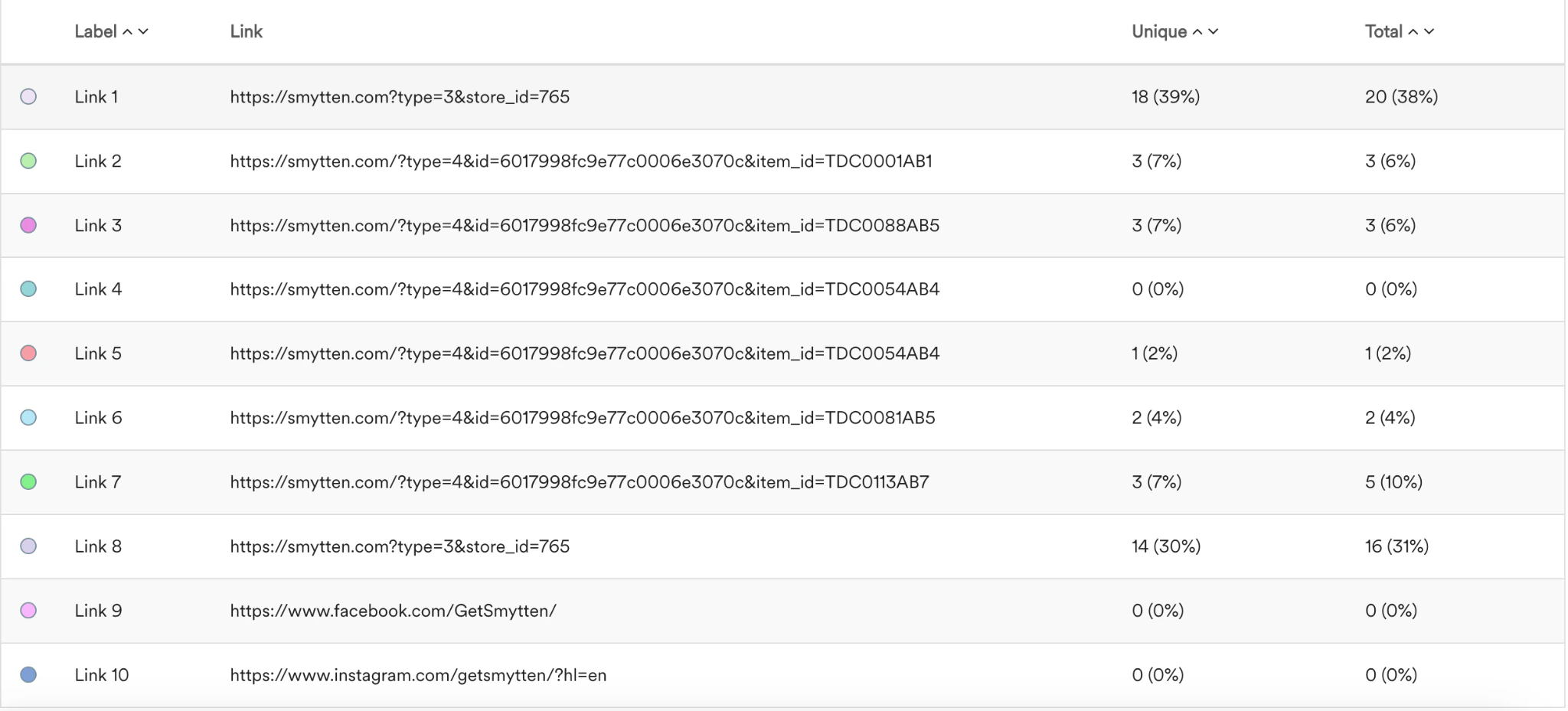 # Conclusion
In this use case, we learned how to segment users based on the links they click in an Email campaign where you seek their feedback through a customer satisfaction survey.
We can also use the created segment for campaign creation and analytics. With these segments, we can understand the user’s interest and analyze clicks to recommend products/services accordingly.
# Conclusion
In this use case, we learned how to segment users based on the links they click in an Email campaign where you seek their feedback through a customer satisfaction survey.
We can also use the created segment for campaign creation and analytics. With these segments, we can understand the user’s interest and analyze clicks to recommend products/services accordingly.