> ## Documentation Index
> Fetch the complete documentation index at: https://moengage.com/docs/llms.txt
> Use this file to discover all available pages before exploring further.
# What causes unexpected event sequences in user paths?
> Why User Path charts may show unexpected event sequences — learn about dropoff buckets, vertical event grouping, and ordering behavior.
## Problem
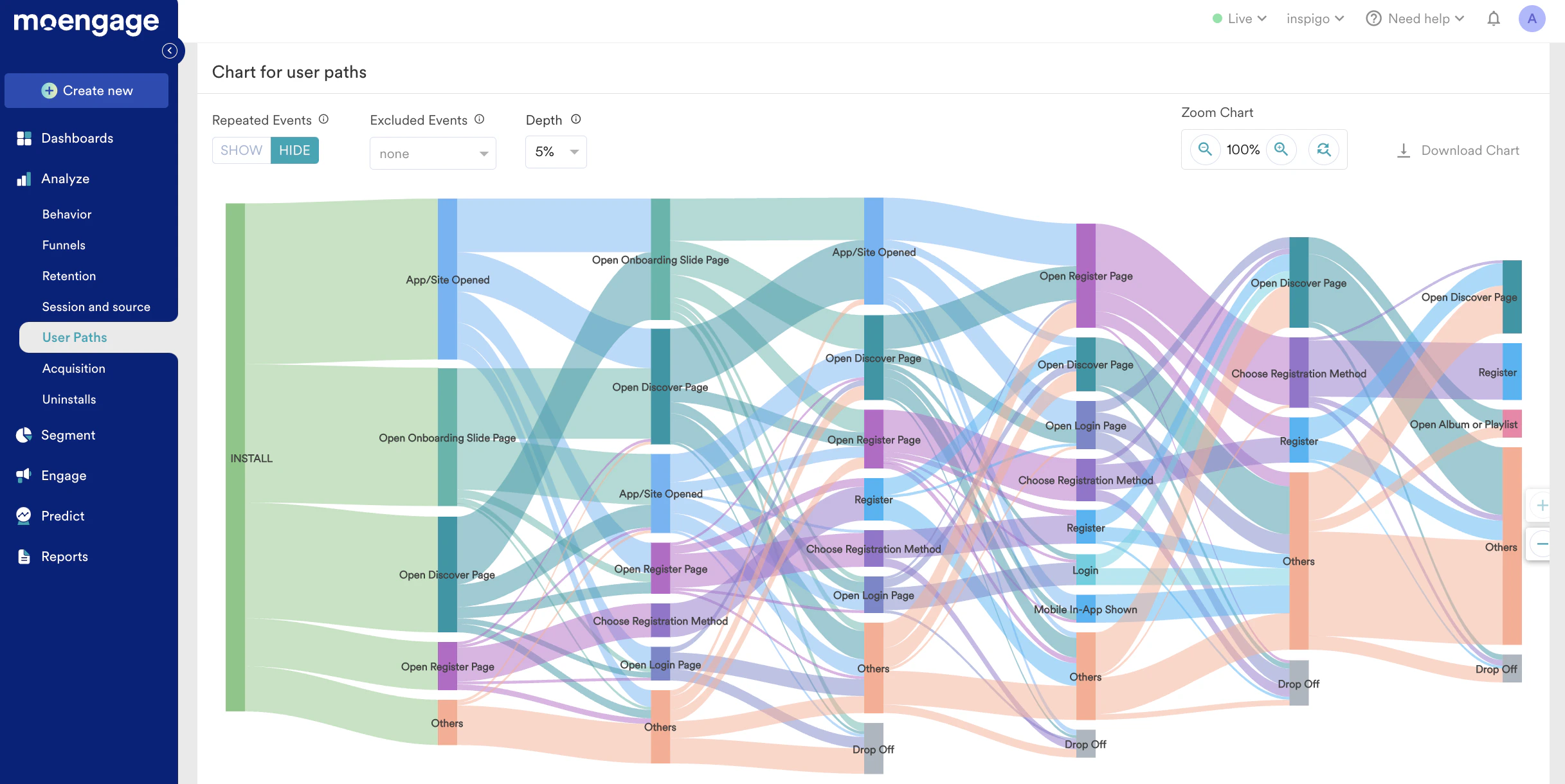
An unexpected sequence of events within the User Path charts is observed, where certain events are grouped together or appear out of chronological order. These discrepancies make the user experience confusing, leading to difficulty in accurately analyzing and understanding user steps.
 ## Solution
To address this issue, consider the following factors:
1. **Dropoff in User paths**
* The "Dropoff" represents an aggregated bucket or step in the **User paths** graph, typically appearing at the end of the path.
* Events within the same step are arranged vertically, but this ordering has no particular significance.
2. **Server-to-Server (S2S) Events**
* S2S events might not include a user\_time attribute, leading to the server time being used as a fallback.
3. **Impact of Server Time**
* When events are pushed or synced from the app, they may share the same server time if they occur in quick succession.
* This can cause multiple events to appear in the same step of the **User paths** graph, regardless of their actual sequence.
* The **User paths** and the display of events in the graph are influenced by the nature and timing of events, including S2S events.
* The vertical ordering of events within the same step has no specific significance.
* Events appearing in the same step do not necessarily indicate a break in their sequence or chronology.
## Solution
To address this issue, consider the following factors:
1. **Dropoff in User paths**
* The "Dropoff" represents an aggregated bucket or step in the **User paths** graph, typically appearing at the end of the path.
* Events within the same step are arranged vertically, but this ordering has no particular significance.
2. **Server-to-Server (S2S) Events**
* S2S events might not include a user\_time attribute, leading to the server time being used as a fallback.
3. **Impact of Server Time**
* When events are pushed or synced from the app, they may share the same server time if they occur in quick succession.
* This can cause multiple events to appear in the same step of the **User paths** graph, regardless of their actual sequence.
* The **User paths** and the display of events in the graph are influenced by the nature and timing of events, including S2S events.
* The vertical ordering of events within the same step has no specific significance.
* Events appearing in the same step do not necessarily indicate a break in their sequence or chronology.