> ## Documentation Index
> Fetch the complete documentation index at: https://moengage.com/docs/llms.txt
> Use this file to discover all available pages before exploring further.
# Personalize Content Using Content Blocks
> Reuse personalized content across multiple MoEngage campaigns with content blocks. Insert blocks by selection or label for consistent messaging.
# Overview
Before starting your journey with content blocks, you must create a content block. For more information, refer to [Content Blocks](/user-guide/content/content-blocks/content-blocks).
Content blocks allow marketers to reuse the same content across multiple campaigns.
# Channels That Support Personalization Using Content Blocks
You can add content blocks to the campaigns sent through the following channels:
| Channel | Supports Personalization? |
| -------------------------------------------------------------------------------------------------------------- | ------------------------- |
| [Push (Mobile and Web Push)](/user-guide/campaigns-and-channels/mobile-push/create/personalize-push-campaigns) | Yes |
| [Email](/user-guide/campaigns-and-channels/email/create/personalize-email-content) | Yes |
| [SMS](/user-guide/campaigns-and-channels/sms-mms-and-rcs/sms/personalize-sms-campaign) | Yes |
| [In-App](/user-guide/campaigns-and-channels/in-app-message/create/create-in-app-campaign) | Yes |
| [On-Site Messaging](/user-guide/campaigns-and-channels/on-site-message/create/personalization-of-osm-content) | Yes |
| Cards | Yes |
| [Whatsapp](/user-guide/campaigns-and-channels/whatsapp/create/personalize-whatsapp-campaign) | Yes |
| [Connectors](/user-guide/campaigns-and-channels/connectors/create/create-a-connector-campaign) | Yes |
| Facebook Audience | NA |
| Google Ads Audience | NA |
# Personalization Attributes Supported in Content Blocks
You can personalize the content block using the following personalization attributes:
| Personalization Type | Supported? | Additional Information |
| ------------------------ | ---------- | ----------------------------------------------------------------------------------------------------------------------------------------------------------------------------------------------------------------------------------------------------------------------------- |
| User attribute | Yes | - |
| Event attribute | Yes | You can use Jinja to personalize content based on event attributes. Ensure the event used for personalization is selected in the trigger criteria of the event-triggered campaign. This ensures the successful personalization of the campaign content using a content block. |
| Product sets | No | - |
| Content API | No | - |
| Content block | Yes | - |
| Auxiliary data | No | - |
| Campaign attribute | Yes | You can use Jinja to personalize content based on the campaign attributes. **Note**: This is currently available only for Email. |
| Business event attribute | Yes | You can use Jinja to personalize content based on the business event attributes. Ensure you select the same business event whose attribute you used to personalize the content block. **Note**: This is currently available only for Email, SMS, and Push. |
* Content blocks are not supported in the Inbox preview in Email campaigns.
* URLs that are added in content blocks and used in SMS cannot be tracked.
* You cannot archive content blocks used in active event-triggered and periodic campaigns because there is no option to stop these active campaigns. You can archive these content blocks only after the expiry of such campaigns.
# Ways to Use Content Blocks
When you create a personalization condition or logic using the plain text editor, it appears as a chip. To know more about Chip Actions, refer [here](/user-guide/campaigns-and-channels/getting-started/message-personalization/dynamic-content-personalization).
You can use your content blocks in two ways:
* [Select the desired content block](/user-guide/campaigns-and-channels/getting-started/message-personalization/personalize-content-using-content-blocks#select-the-desired-content-block)
* [Insert the block label of your content block directly](/user-guide/campaigns-and-channels/getting-started/message-personalization/personalize-content-using-content-blocks#insert-the-block-label-of-your-content-block-directly)
## Select the Desired Content Block
1. While creating content, type @.
2. On the Personalization pop-up, click the **Content blocks** tab.
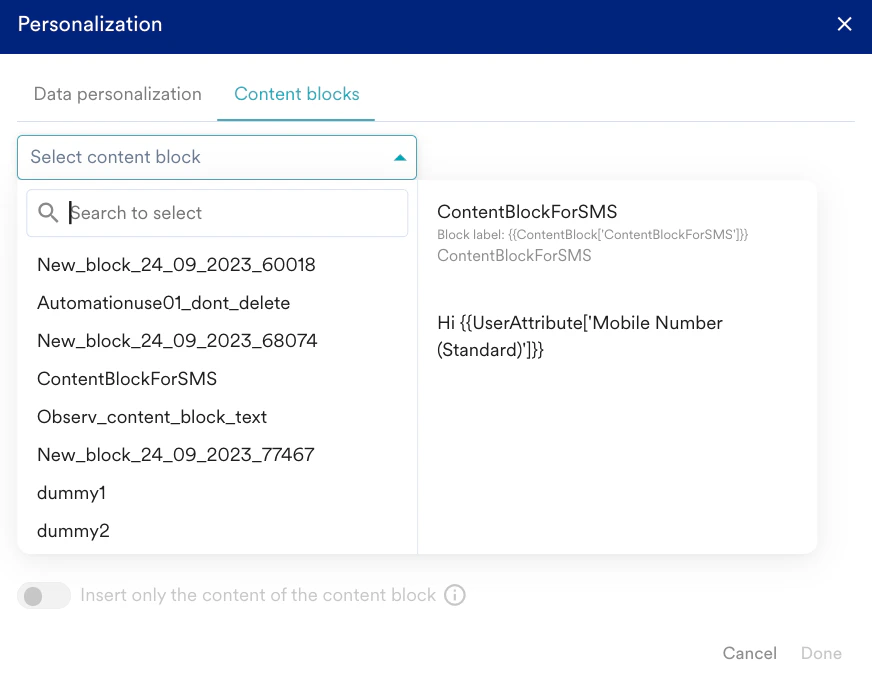 3. In the **Select content block** list, click the desired content block.
4. Turn the **Insert only the content of the content block** toggle on to insert only the content of the content block.
3. In the **Select content block** list, click the desired content block.
4. Turn the **Insert only the content of the content block** toggle on to insert only the content of the content block.
 This means that only the content will be inserted while detaching itself from the existing content block, and no future updates will be reflected.
5. Click **Done** to insert the content block.
1. While creating content, click **Text personalization**.
2. On the Inform personalization pop-up window, click the **Content block** tab.
This means that only the content will be inserted while detaching itself from the existing content block, and no future updates will be reflected.
5. Click **Done** to insert the content block.
1. While creating content, click **Text personalization**.
2. On the Inform personalization pop-up window, click the **Content block** tab.
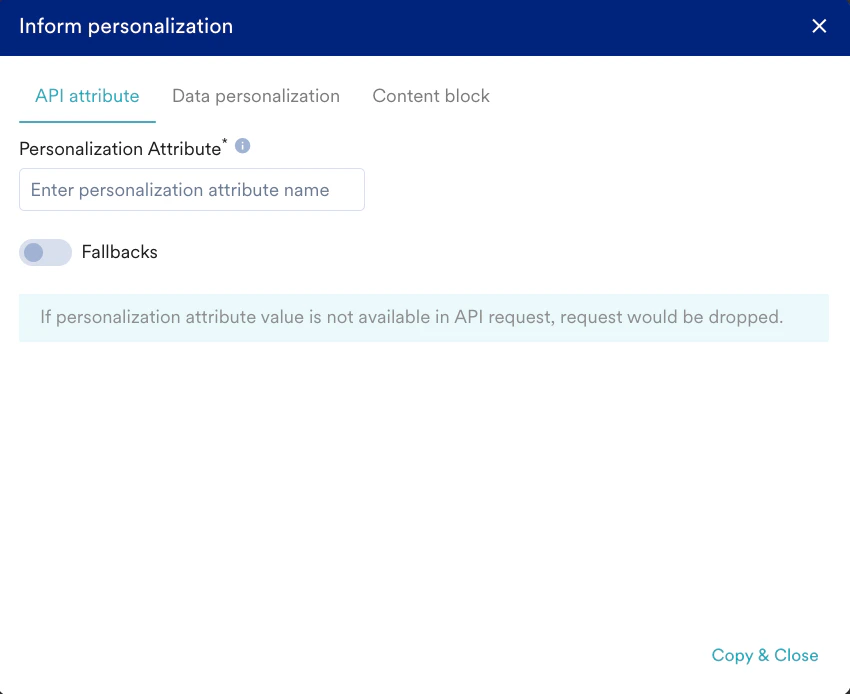 3. In the **Select content block** list, click the desired content block.
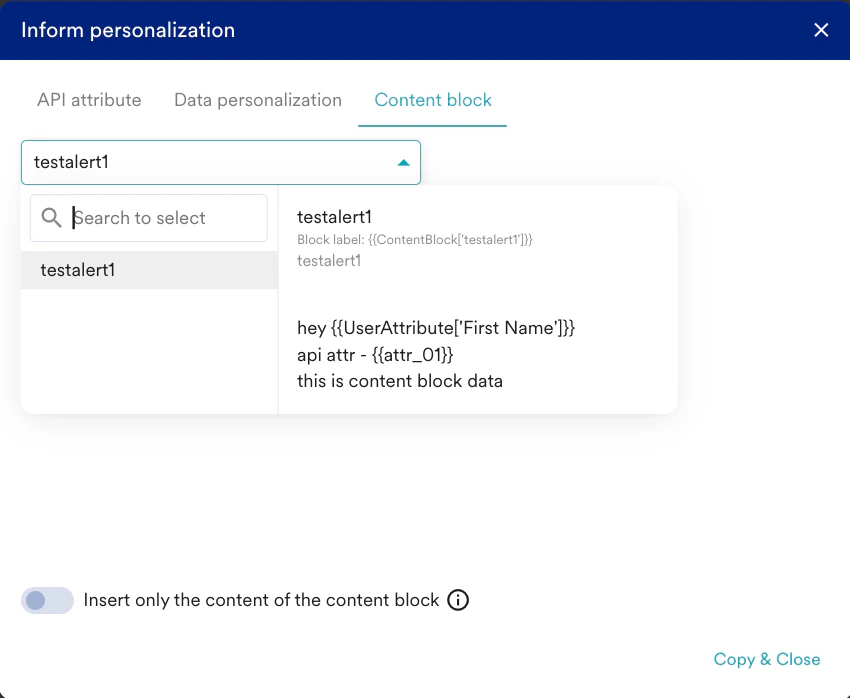 4. Turn the **Insert only the content of the content block** toggle on to insert only the content of the content block.
 This means that only the content will be inserted while detaching itself from the existing content block, and no future updates will be reflected.
5. Click **Copy & Close** to copy the personalized attribute to the clipboard.
6. Paste the copied value in the message editor using keyboard shortcuts.
## Insert the Block Label of Your Content Block Directly
1. Copy the *Block label* from your Content Block page.
This means that only the content will be inserted while detaching itself from the existing content block, and no future updates will be reflected.
5. Click **Copy & Close** to copy the personalized attribute to the clipboard.
6. Paste the copied value in the message editor using keyboard shortcuts.
## Insert the Block Label of Your Content Block Directly
1. Copy the *Block label* from your Content Block page.
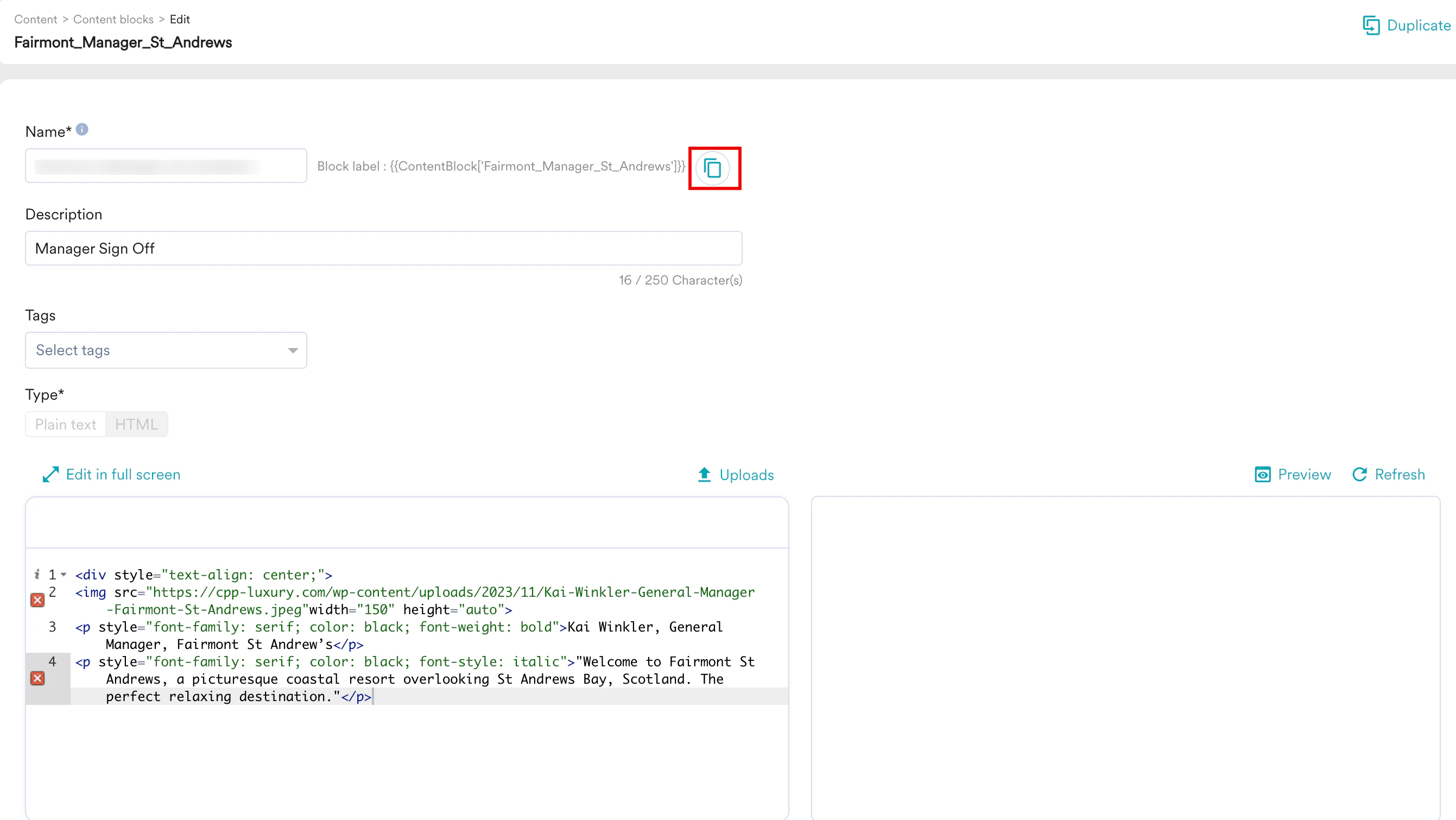 2. Paste the *Block label* into the campaign/template/another content block.