> ## Documentation Index
> Fetch the complete documentation index at: https://moengage.com/docs/llms.txt
> Use this file to discover all available pages before exploring further.
# Why Does the "No Active Device Present for the User" Error Occur?
> Fix the No Active Device Present error by configuring iOS push notification settings under APNS in your MoEngage workspace and restarting the session.
## Problem
When sending push notifications in iOS to a reachable user, the error "No active device present for the user" appears.
This error occurs when push notifications are not configured in your MoEngage workspace.
## Solution
Perform the following steps:
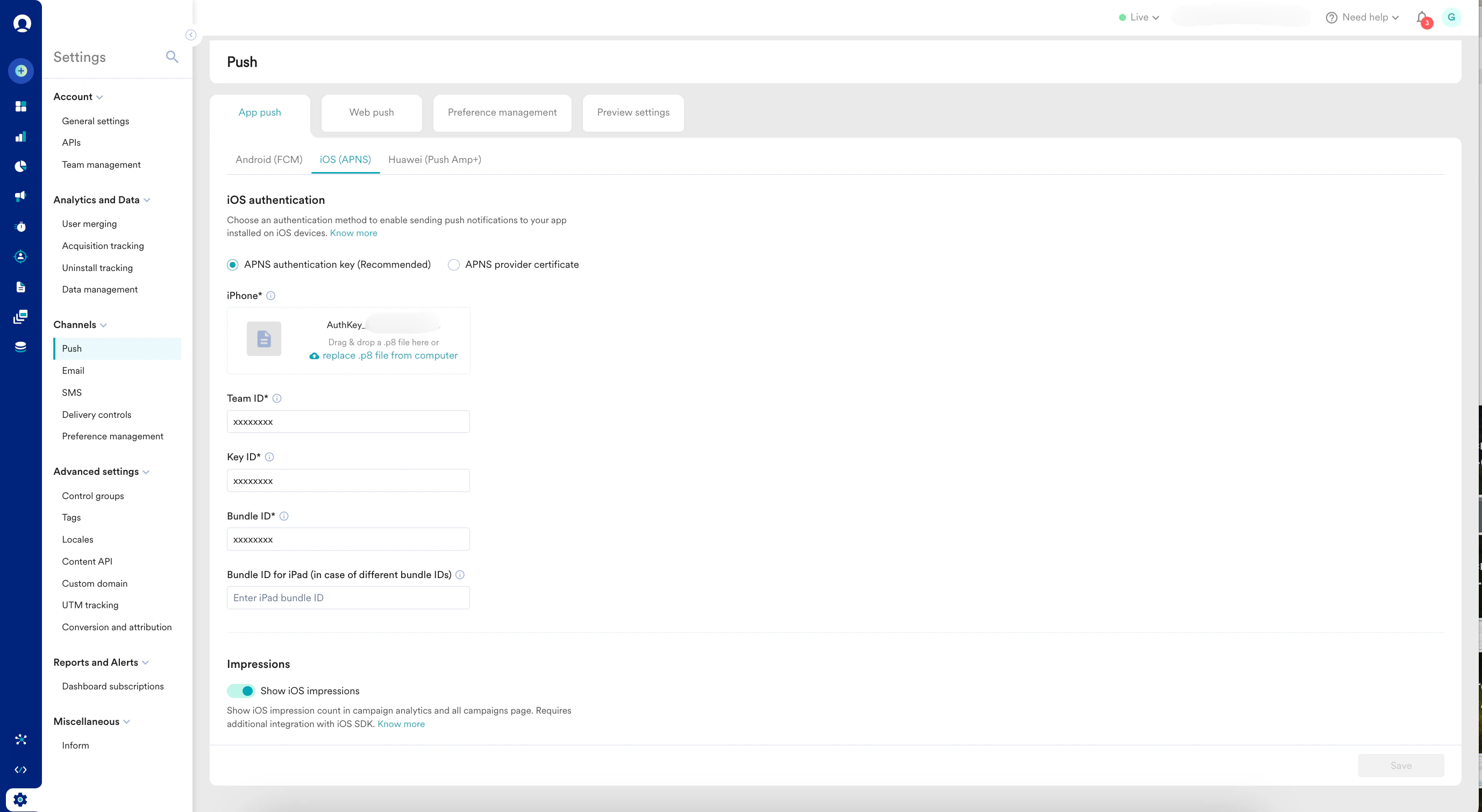
1. Configure push notifications in your MoEngage workspace at **Settings** > **Channels** > **Push** > **App push** > **iOS (APNS)**.
 2. After configuring, log out of your workspace and then log back in. Push notification services may take up to 30 minutes to start working.