> ## Documentation Index
> Fetch the complete documentation index at: https://moengage.com/docs/llms.txt
> Use this file to discover all available pages before exploring further.
# How to Create a Menu Element
> Add navigation menus to your MoEngage landing page using row, column, and text elements with clickable URLs. Includes step-by-step instructions.
Menu elements are currently not available in the editor. Follow the steps outlined to create menu elements on your landing page.
After choosing your desired template,
1. Access the editor by clicking the **+** icon on the left corner of the template.
2. Drag and drop the **Row** or **Column** element to the template.
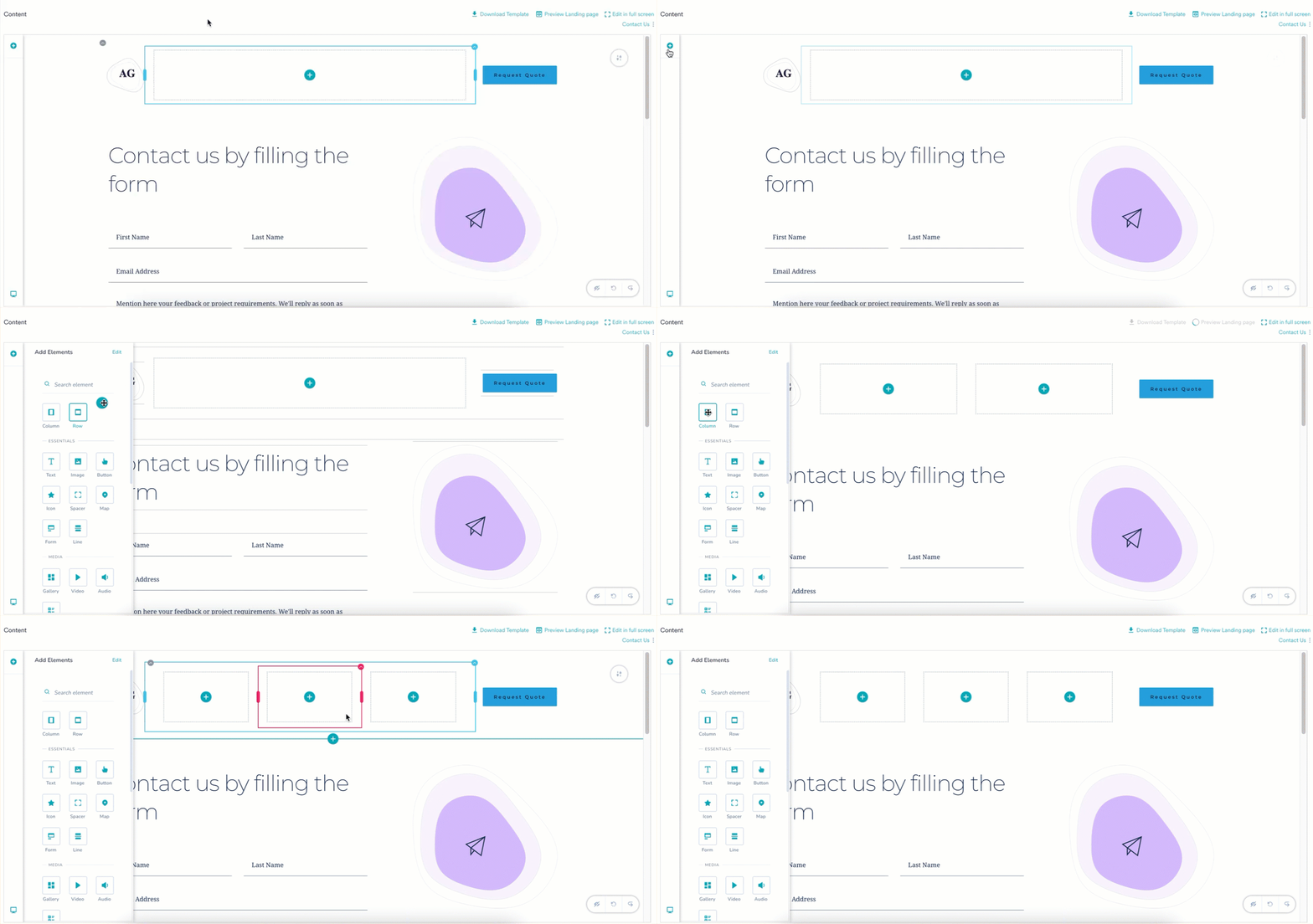 3. Drag and drop the **Text** element inside the row or column.
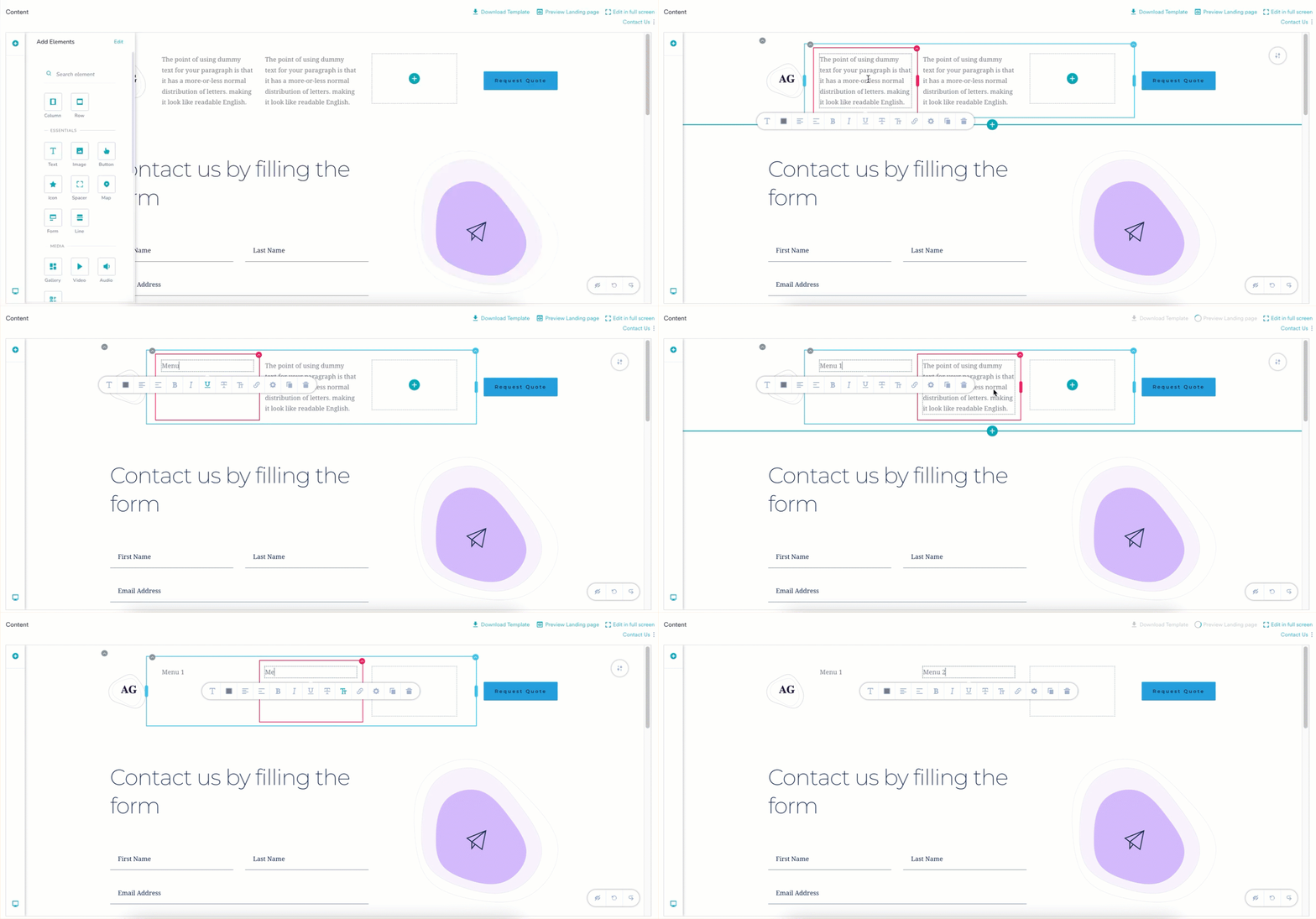
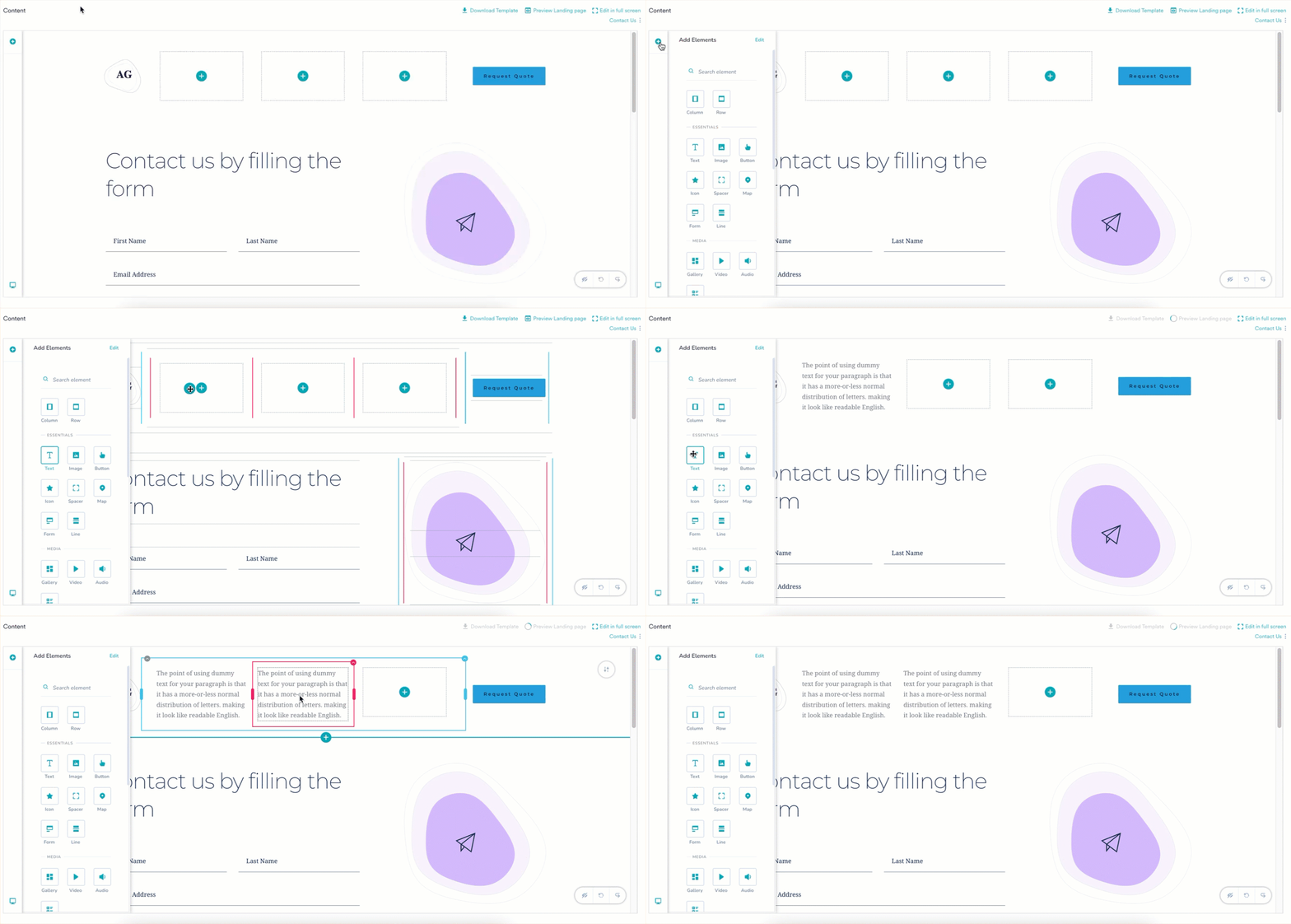 4. Rename the elements with the text of your choice.
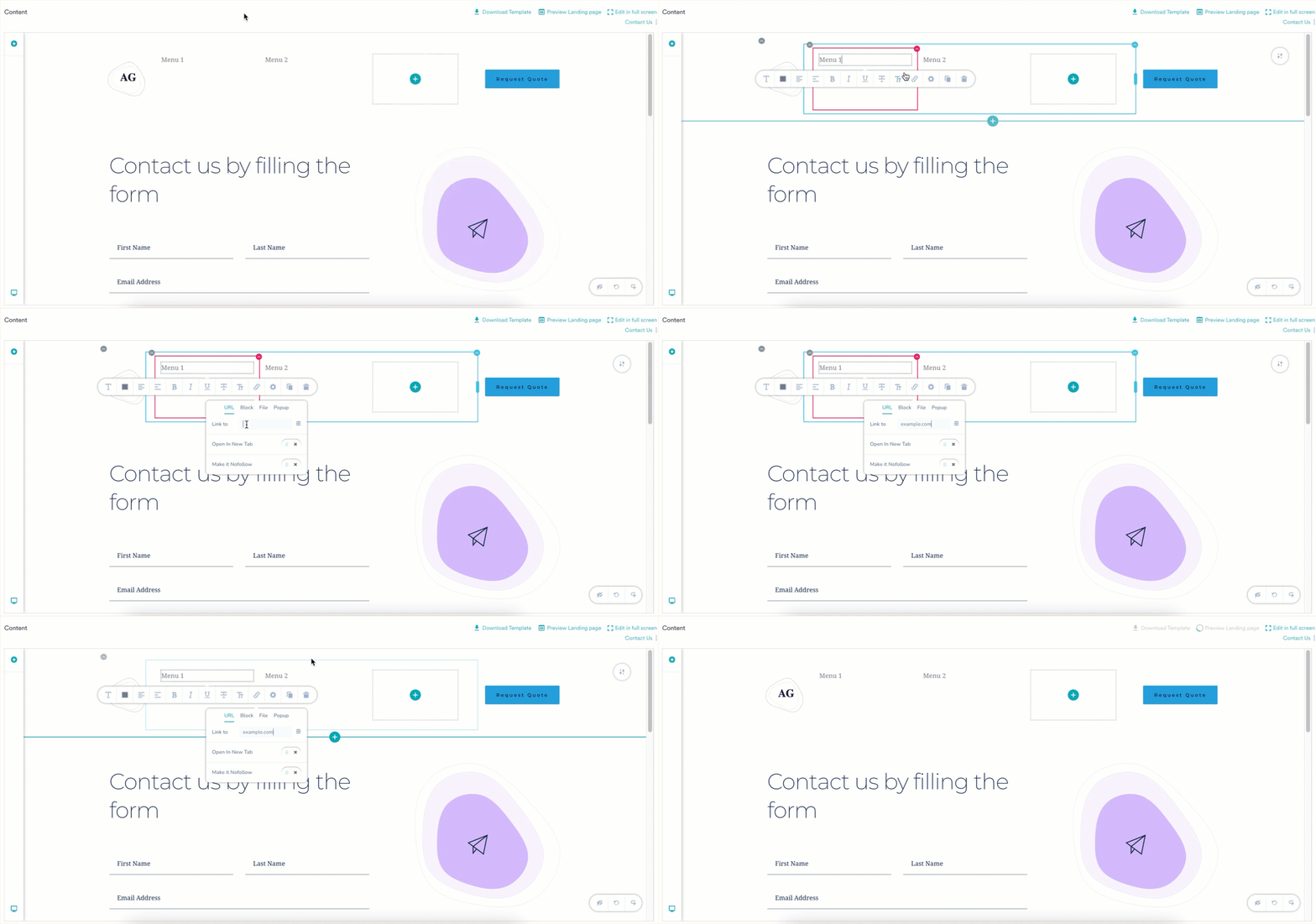
 5. To redirect upon clicking the menu, add a **URL** to the element.
1. Click the text field, the toolbar opens.
2. Click the link icon in the toolbar.
3. In the **Link to** field, add the URL you want the user to be redirected to.
5. To redirect upon clicking the menu, add a **URL** to the element.
1. Click the text field, the toolbar opens.
2. Click the link icon in the toolbar.
3. In the **Link to** field, add the URL you want the user to be redirected to.
 The menu element is now created. You can also add personalization to the menu element.\
For more information, refer to [Personalize](/user-guide/content/landing-pages/create/personalize-a-landing-page).
The menu element is now created. You can also add personalization to the menu element.\
For more information, refer to [Personalize](/user-guide/content/landing-pages/create/personalize-a-landing-page).