> ## Documentation Index
> Fetch the complete documentation index at: https://moengage.com/docs/llms.txt
> Use this file to discover all available pages before exploring further.
# How To Generate an Auth Token for the Data API?
> Generate an authentication token for the MoEngage Data API. Use your Workspace ID and API key with the provided script to create your auth token.
This article explains how to generate an Auth Token for the Data API using the provided script.
## Instructions
1. **Input required**:
* **Workspace ID (earlier app id)**
* **API key**
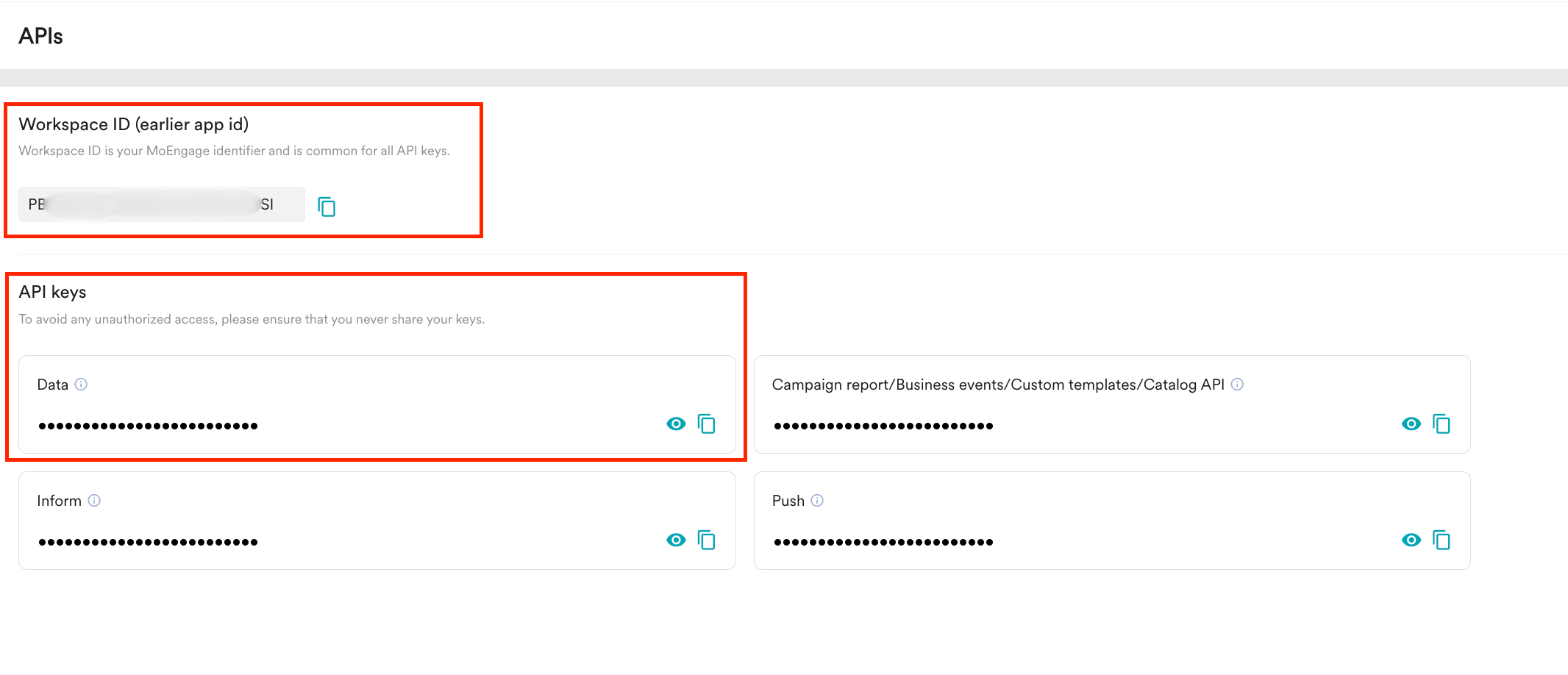
To find the Workspace ID and API key, go to **Settings** > **APIs** in the MoEngage dashboard.
 2. **Generate the Auth Token**:
Use the following script to generate the Auth Token for the specified app:
```python Python wrap theme={null}
import base64
import subprocess
app\_id = str(input("Enter the APP ID or Worskspace ID: ")).strip()
app\_key = str(input("Enter the secret key: ")).strip()
secret\_string = app\_id + ":" + app\_key
secret\_string\_bytes = secret\_string.encode("ascii")
base64\_bytes = base64.b64encode(secret\_string\_bytes)
base64\_string = base64\_bytes.decode("ascii")
subprocess.run("pbcopy", text=True, input=base64\_string)
print("Token copied to your clipboard")
```
Once executed, the Auth Token will be generated and automatically copied to the clipboard.
2. **Generate the Auth Token**:
Use the following script to generate the Auth Token for the specified app:
```python Python wrap theme={null}
import base64
import subprocess
app\_id = str(input("Enter the APP ID or Worskspace ID: ")).strip()
app\_key = str(input("Enter the secret key: ")).strip()
secret\_string = app\_id + ":" + app\_key
secret\_string\_bytes = secret\_string.encode("ascii")
base64\_bytes = base64.b64encode(secret\_string\_bytes)
base64\_string = base64\_bytes.decode("ascii")
subprocess.run("pbcopy", text=True, input=base64\_string)
print("Token copied to your clipboard")
```
Once executed, the Auth Token will be generated and automatically copied to the clipboard.