> ## Documentation Index
> Fetch the complete documentation index at: https://moengage.com/docs/llms.txt
> Use this file to discover all available pages before exploring further.
# Why Is the User Import Status Showing as 'Processing'?
> User import stuck in Processing status? This typically happens with multiple uploads hitting rate limits. Learn how to diagnose and fix it.
## Problem
The user import status is stuck in the **Processing** state, but no actual processing occurs.
## Solution
Perform the following steps:
1. **Check import details:**
* Log in to the MoEngage dashboard and review the import status details.
* Imports often show as **Processing** or **Pending.**
2. **Rate limits and multiple uploads:**
* This issue can occur if multiple files are uploaded within the same hour.
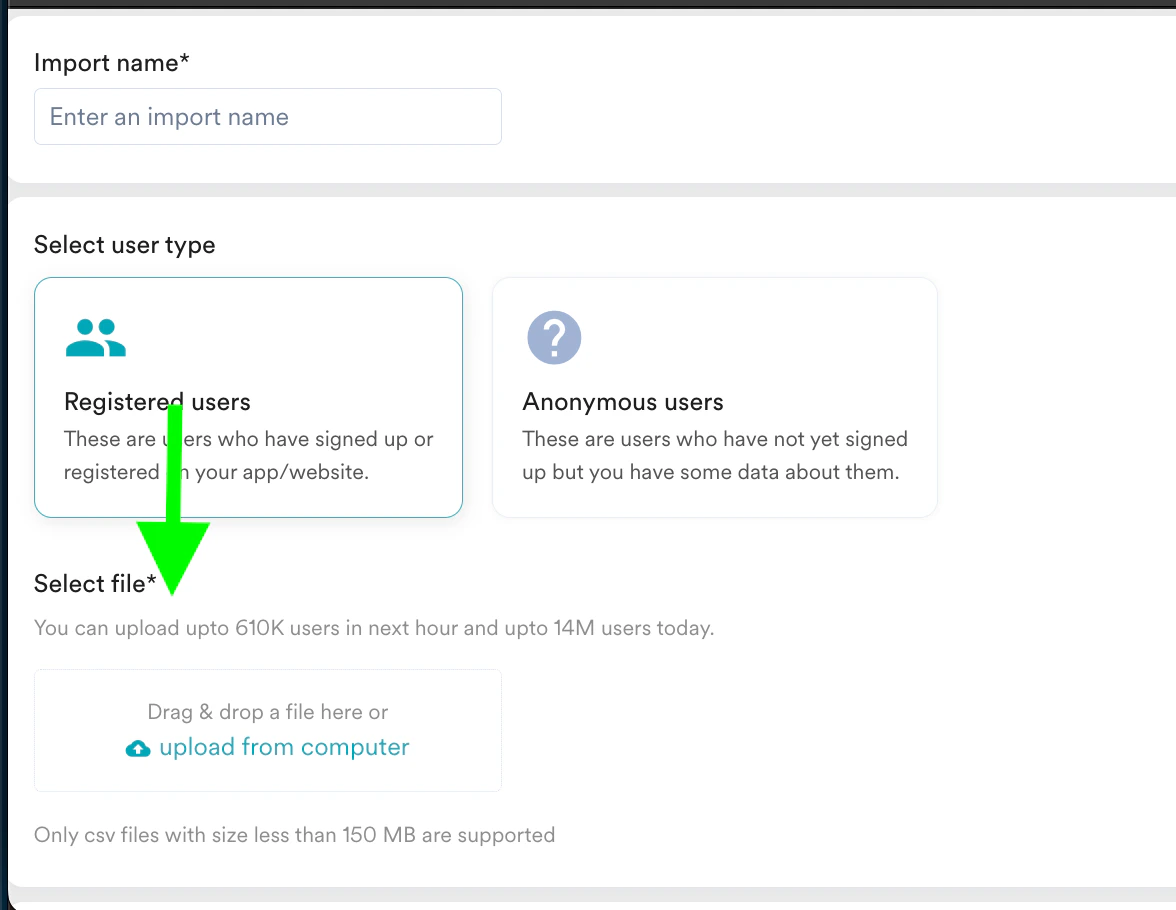
* Files are processed based on the available rate limits per hour and per day. These limits can be checked on the import page (If your rate limits have been upgraded, contact your account manager or customer success manager to confirm the rate limits).
 3. **Pending State:**
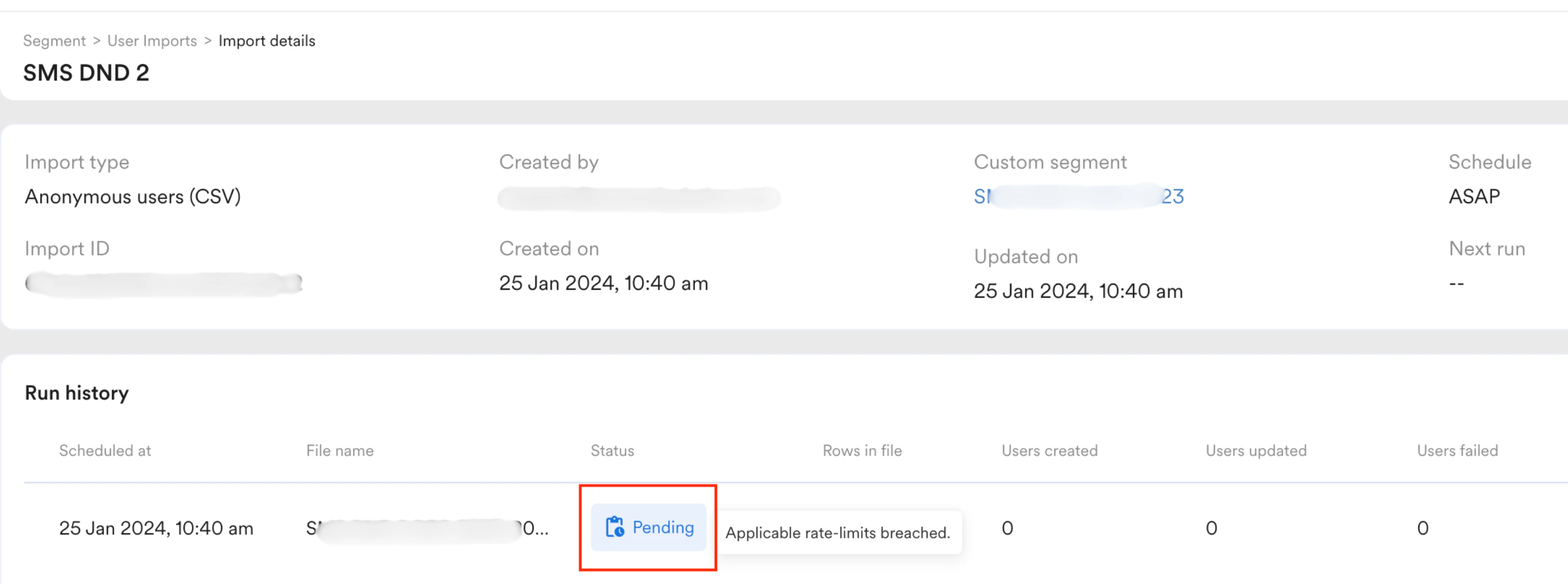
* If the file remains stuck in the **Processing** state, it is likely in a **Pending** state.
* The file will update once the rate limits are refreshed and processing resumes.
3. **Pending State:**
* If the file remains stuck in the **Processing** state, it is likely in a **Pending** state.
* The file will update once the rate limits are refreshed and processing resumes.
 4. **Check back later:**
* You can revisit the import page later to confirm the imports have been completed.
4. **Check back later:**
* You can revisit the import page later to confirm the imports have been completed.