> ## Documentation Index
> Fetch the complete documentation index at: https://moengage.com/docs/llms.txt
> Use this file to discover all available pages before exploring further.
# Configure Server-side Personalization Settings
> Configure server-side personalization API credentials in MoEngage, including Workspace ID and API Secret, through the dashboard settings.
In this article, we will learn how to easily configure server-side personalization on your MoEngage Dashboard through the **APIs** settings page.
# API Settings
To access the API settings, navigate to **MoEngage Dashboard -> Settings -> APIs**.
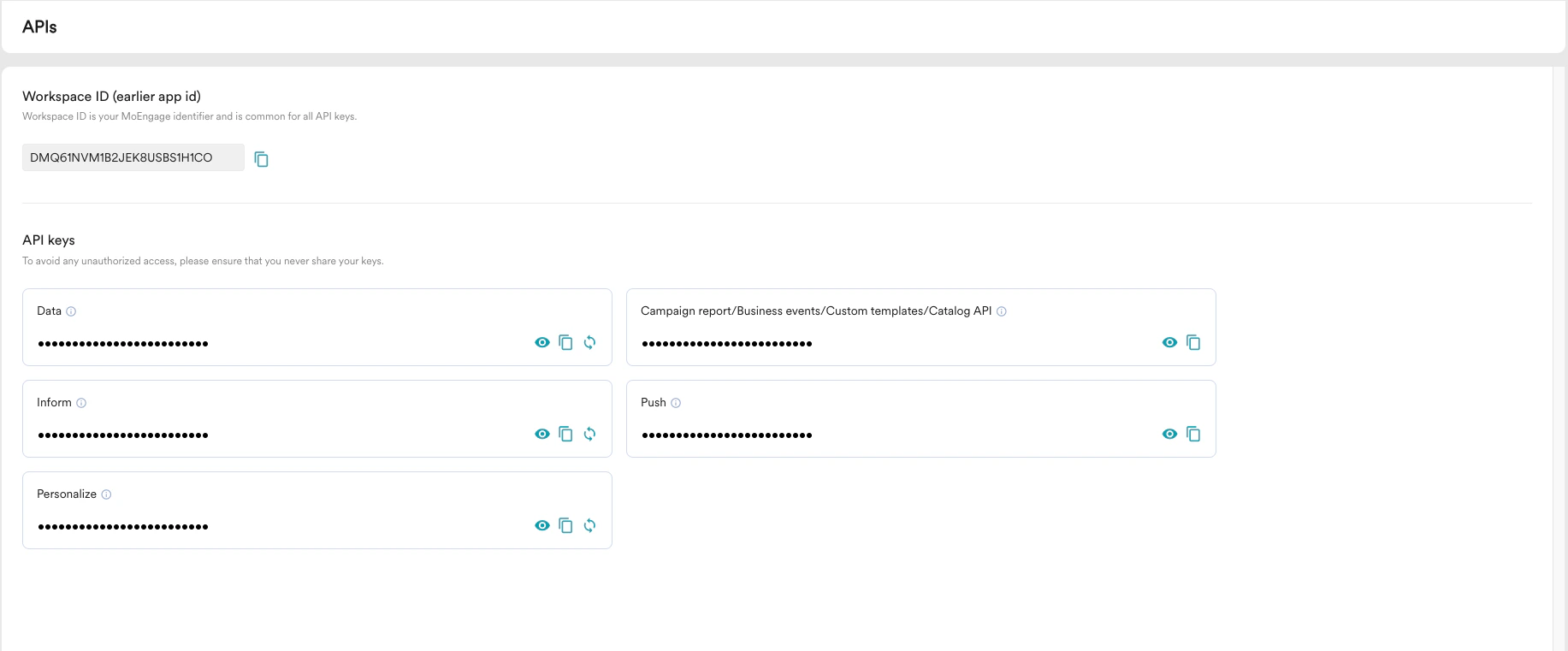 The following parameters are available:
* **Workspace ID** - When you create an account in MoEngage, you will be assigned a unique identifier called the Workspace ID. This value will be used for identifying your account and authenticating it.
* **API SECRET**- API SECRET is the authentication key provided along with your Workspace ID. You can regenerate the API SECRET by clicking on the Regenerate API Secret icon.
MoEngage does not recommend regenerating the key unless there is a security breach. Once you generate and save a different API SECRET, API calls using the older SECRET won't work.
The following parameters are available:
* **Workspace ID** - When you create an account in MoEngage, you will be assigned a unique identifier called the Workspace ID. This value will be used for identifying your account and authenticating it.
* **API SECRET**- API SECRET is the authentication key provided along with your Workspace ID. You can regenerate the API SECRET by clicking on the Regenerate API Secret icon.
MoEngage does not recommend regenerating the key unless there is a security breach. Once you generate and save a different API SECRET, API calls using the older SECRET won't work.