> ## Documentation Index
> Fetch the complete documentation index at: https://moengage.com/docs/llms.txt
> Use this file to discover all available pages before exploring further.
# Why Is the User Unable to Log in to the Dashboard?
> Resolve MoEngage dashboard login issues by verifying your data center URL, checking signup status, and contacting your account admin.
## Problem
Unable to log in to the MoEngage dashboard.
## Solution
Perform the following steps:
* Verify the data cluster URL. Ensure that the URL you are using to log in is correct. The following table lists the correct URL for each data center. You can contact your admin or Customer Success Manager (CSM) to confirm your data center.
| Data Center Name | Dashboard URL |
| ---------------- | ------------------------------------------------------------------------------------------------------------------------------- |
| DC-01 | [https://dashboard-01.moengage.com/v4/#/auth](https://dashboard-01.moengage.com/v4/#/auth) |
| DC-02 | [https://dashboard-02.moengage.com/v4/#/auth](https://dashboard-02.moengage.com/v4/#/auth) |
| DC-03 | [https://dashboard-03.moengage.com/v4/#/auth](https://dashboard-03.moengage.com/v4/#/auth) |
| DC-04 | [https://dashboard-04.moengage.com/v4/#/auth](https://dashboard-04.moengage.com/v4/#/auth) |
| DC-05 | [https://dashboard-05.moengage.com](https://dashboard-05.moengage.com)[v/4/#/auth](https://dashboard-04.moengage.com/v4/#/auth) |
| DC-06 | [https://dashboard-06.moengage.com](https://dashboard-06.moengage.com)[v/4/#/auth](https://dashboard-04.moengage.com/v4/#/auth) |
* Check if you have joined the dashboard. If you see the “Password or email incorrect” error and do not receive the password reset link, confirm whether you have signed up or joined the dashboard.
* Reach out to the admin of your account to check your status.
* If the status is Pending, check your email for a signup message from MoEngage and complete the process. 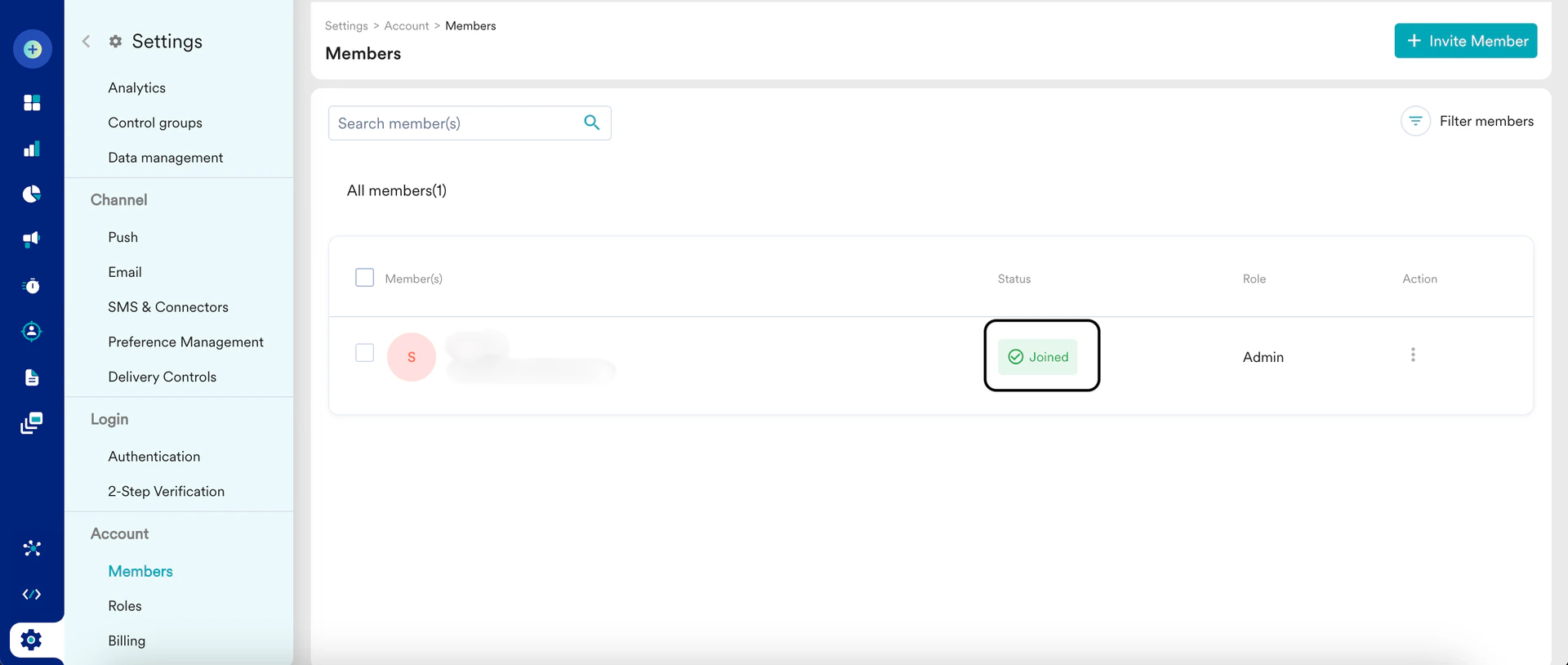 * Clear browser cache and cookies. If you are still unable to log in after resetting the password, try clearing your browser cache and cookies:
* Open the Login page.
* Right-click the page and click **Inspect**.
* On the **Applications** tab, go to the **Storage** section.
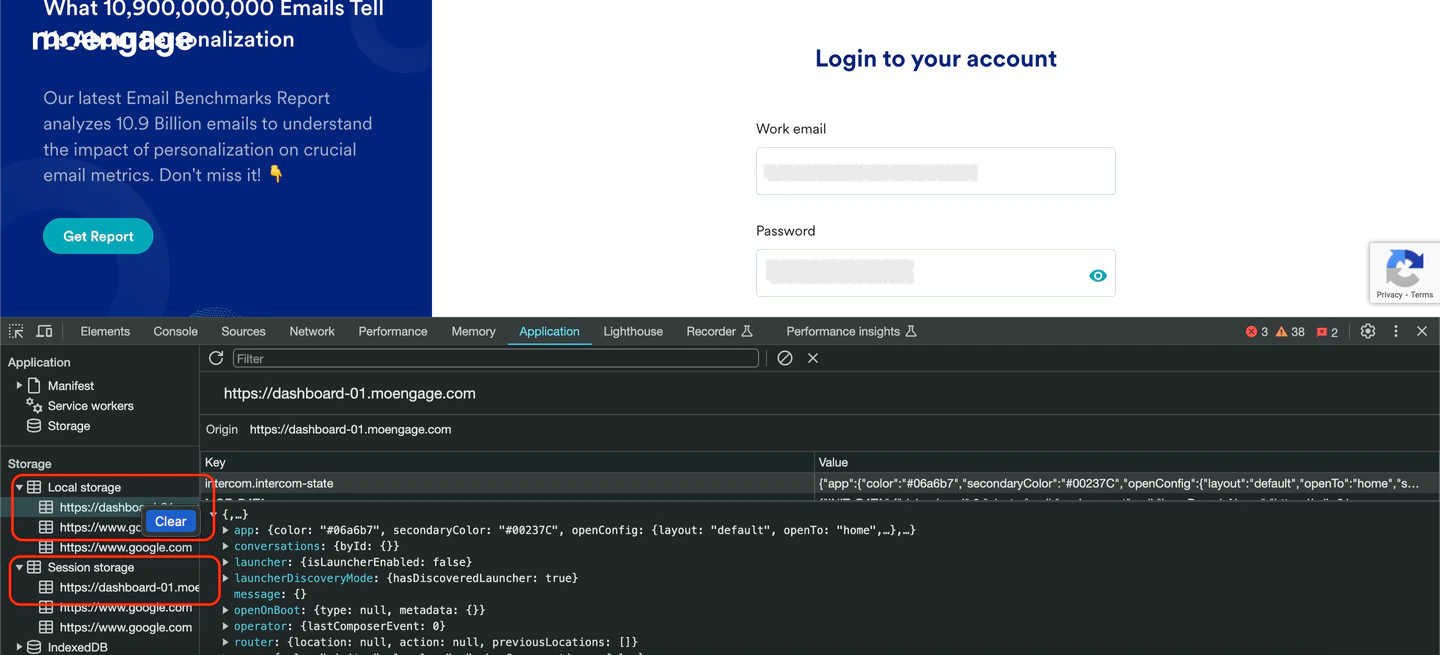
* Clear the **Local Storage** and **Session Storage**, as shown in the following screenshot.
* Clear browser cache and cookies. If you are still unable to log in after resetting the password, try clearing your browser cache and cookies:
* Open the Login page.
* Right-click the page and click **Inspect**.
* On the **Applications** tab, go to the **Storage** section.
* Clear the **Local Storage** and **Session Storage**, as shown in the following screenshot.