> ## Documentation Index
> Fetch the complete documentation index at: https://moengage.com/docs/llms.txt
> Use this file to discover all available pages before exploring further.
# MoEngage Access
> Control whether MoEngage support can access your workspace for troubleshooting. Enable or disable access and set time-limited permissions.
By default, the MoEngage Support Team can access your workspace (account). The *MoEngage Access* feature allows you to control MoEngage access to your workspace.
**Prerequisite**
To manage MoEngage access, you need a default Admin role or a custom role with the **Setup & manage** permission for the **Login Settings** component. For more information, refer to [Access Roles](/user-guide/settings/account/team-management/access-roles).
The following are examples of why the MoEnage users need access to your workspace:
* To diagnose and troubleshoot issues you face with your MoEngage workspace.
* Your issue is too complex to be understood without accessing your workspace.
* Your issue cannot be reproduced anywhere else.
* Visual analysis of the MoEngage workspace is needed and is not obtainable via any other method.
* Highly technical issues that need to be escalated through multiple levels of support.
- MoEngage users have read-only access to your workspace.
- The MoEngage user's actions and changes, such as user logins, data modifications, and configuration within your workspace, are recorded in the audit logs. For more information, refer to [Audit Logs](/user-guide/settings/account/audit-logs/audit-logs).
# Revoke Access from MoEngage Users
If you do not want to share access to your workspace with the entire MoEngage Support Team, you can revoke it. However, you can manually add the required MoEngage team members. To add MoEngage members to your workspace, refer [here](/user-guide/settings/account/team-management/manage-members).
To revoke access from MoEngage users, perform the following steps:
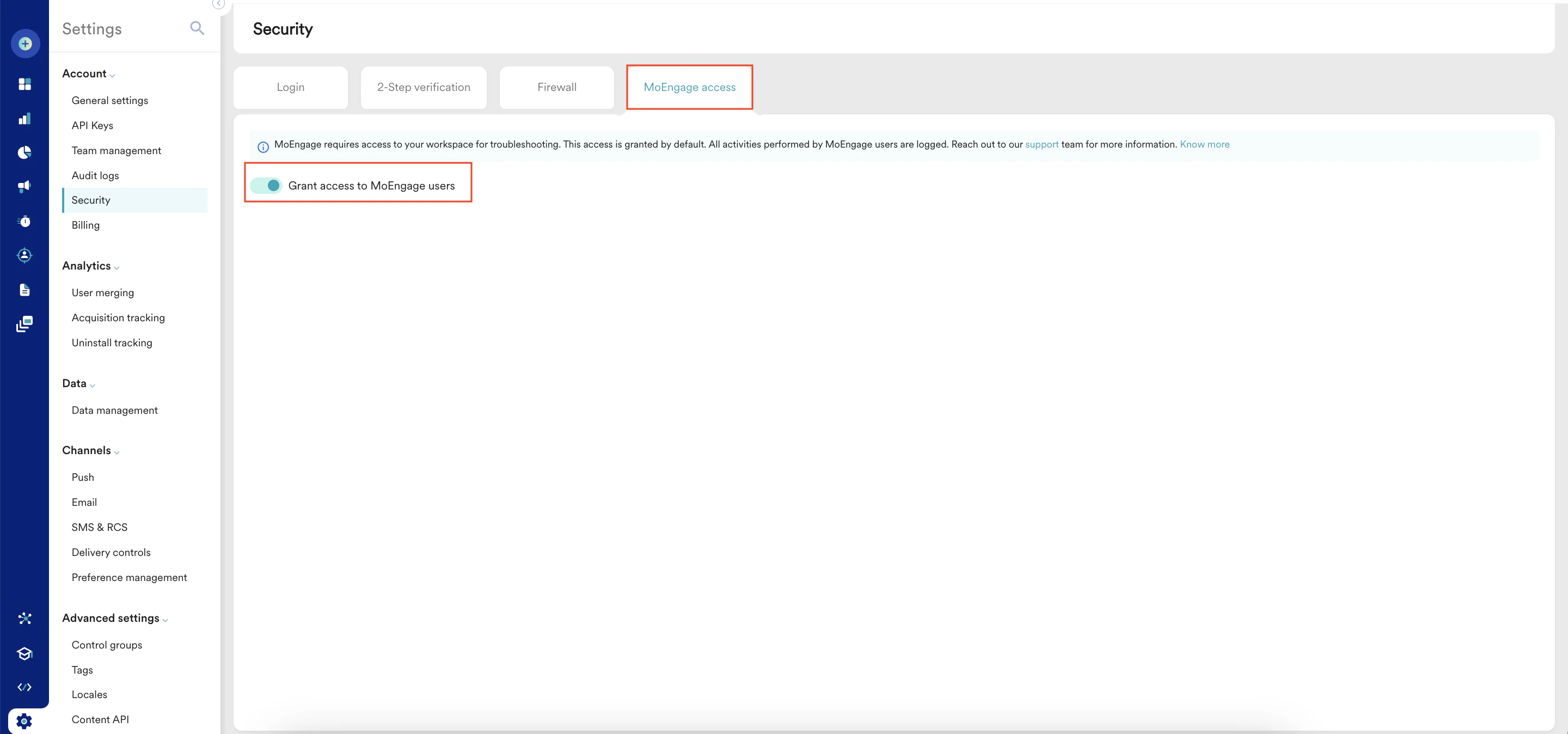
1. On the Security page, click the **MoEngage access** tab.
2. Turn the **Grant access to MoEngage users** toggle off.
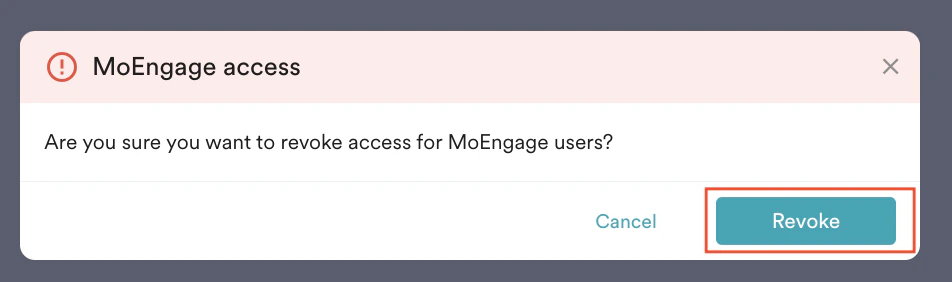
 The MoEngage access pop-up window appears, prompting confirmation to revoke access from MoEngage users.
3. Click **Revoke**.
The MoEngage access pop-up window appears, prompting confirmation to revoke access from MoEngage users.
3. Click **Revoke**.
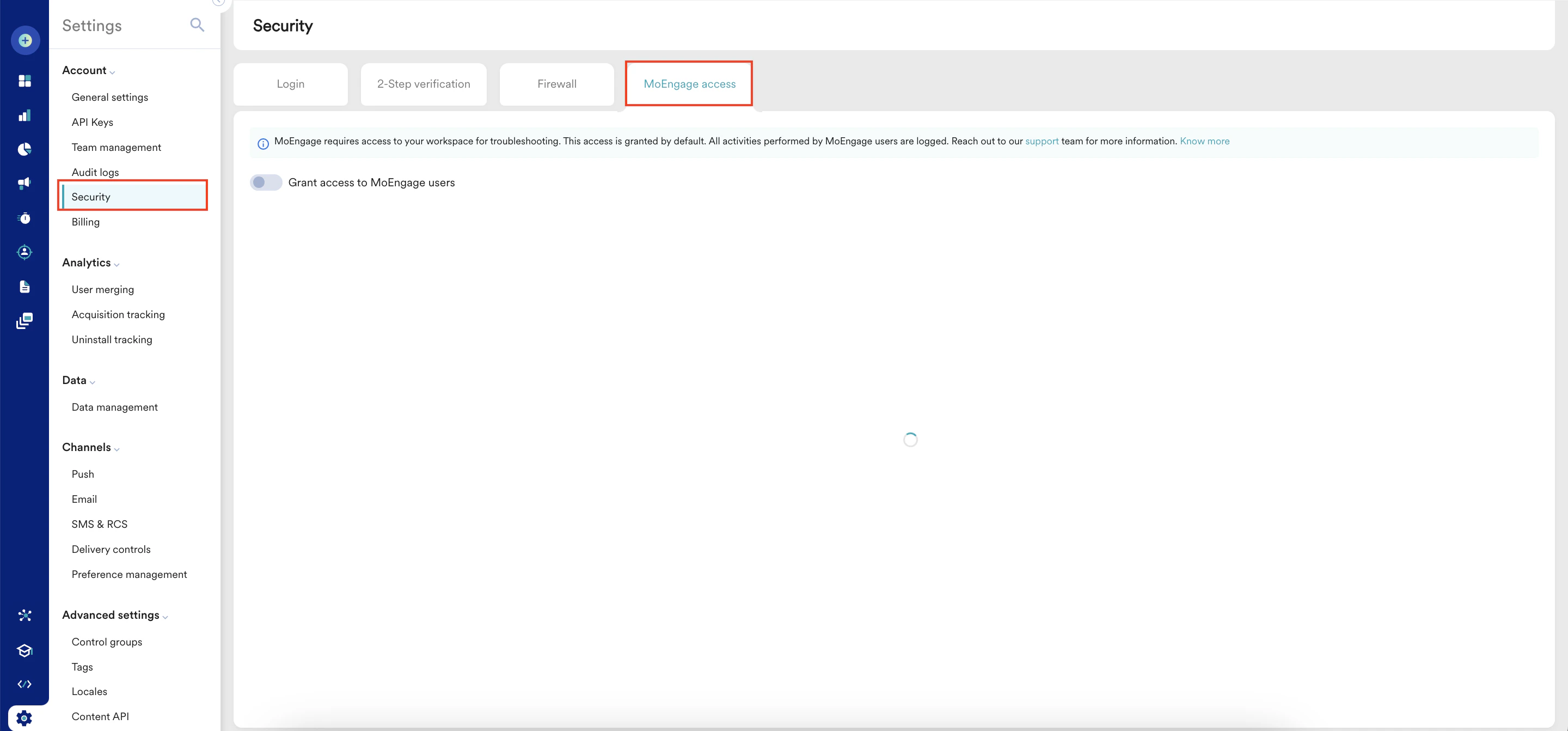
 You revoked access from MoEngage users successfully.
# Grant Access to MoEngage to Users
If you revoked the access from MoEngage users and want to grant it again, perform the following steps:
1. On the left navigation menu in the MoEngage dashboard, click **Settings** > **Account** > **Security**.
2. On the Security page, click the **MoEngage access** tab.
You revoked access from MoEngage users successfully.
# Grant Access to MoEngage to Users
If you revoked the access from MoEngage users and want to grant it again, perform the following steps:
1. On the left navigation menu in the MoEngage dashboard, click **Settings** > **Account** > **Security**.
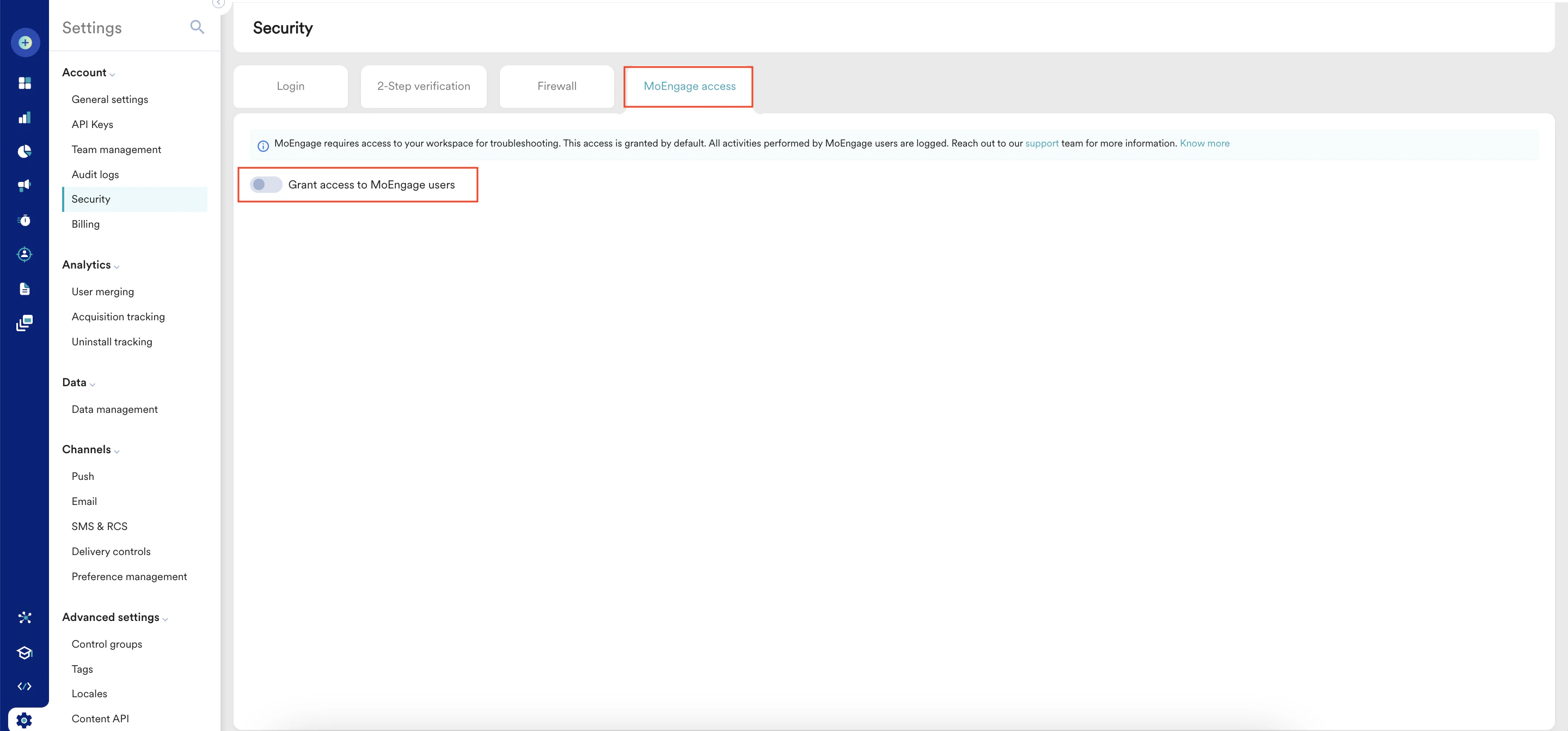
2. On the Security page, click the **MoEngage access** tab.
 3. Turn the **Grant access to MoEngage users** toggle on.
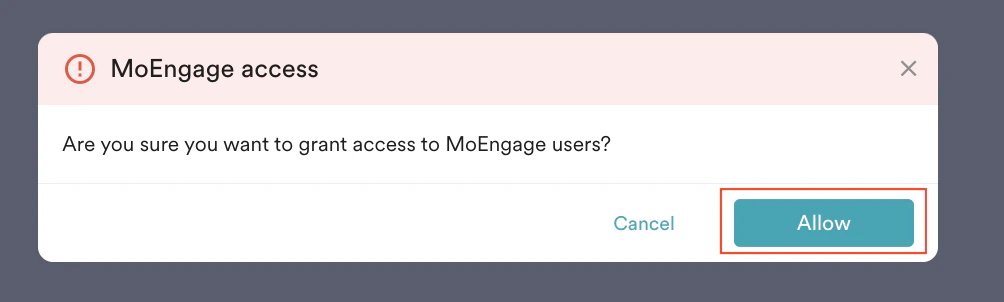
 The MoEngage access pop-up window appears, prompting confirmation to grant access to MoEngage users.
4. Click **Allow.**\\
The MoEngage access pop-up window appears, prompting confirmation to grant access to MoEngage users.
4. Click **Allow.**\\
 You granted access to MoEngage users successfully.
You can provide temporary access to MoEngage users only when you encounter an issue with the MoEngage workspace. You can revoke the access after the issue is resolved.
You granted access to MoEngage users successfully.
You can provide temporary access to MoEngage users only when you encounter an issue with the MoEngage workspace. You can revoke the access after the issue is resolved.