

Introduction
Olo is a restaurant technology platform for multi-unit restaurant brands. Through its self-service webhook framework, Olo emits near-real-time event data — including orders, guest sign-ups, and opt-in preferences — that you can stream directly into MoEngage to power personalized, lifecycle-driven campaigns.MoEngage × Olo
The integration of MoEngage and Olo enables restaurant brands to unify their guest data and activate it across every owned channel. With this integration, you can:- Ingest order events (placed, cancelled, picked up) as MoEngage behavioral events in near real time.
- Sync guest sign-up and opt-in data to create and enrich MoEngage user profiles.
- Capture loyalty check-ins and vendor-level events for advanced segmentation.
- Trigger personalized campaigns immediately after an order is placed or a guest churns.
Use Cases
Integrating Olo with MoEngage helps you solve the following use cases:- Re-order campaigns: Trigger personalized push or email campaigns when a guest’s last order crosses a defined recency threshold.
- New guest onboarding: Welcome guests who sign up via Olo ordering flows and deliver first-order incentive campaigns.
- Win-back lapsed guests: Identify users with no Order Placed events in 30+ days and serve re-engagement campaigns with relevant offers.
- Order milestone rewards: Detect guests reaching their 5th or 10th lifetime order and trigger loyalty reward messages automatically.
- Post-purchase feedback: Send automated review prompts or satisfaction surveys within minutes of an Order Picked Up event.
| Olo Event Type | Description |
|---|---|
UserSignedUp | Guest signs up via Olo. Profile attributes and subscription preferences are captured. |
OrderPlaced | Guest places an order. Basket contents, location, totals, and delivery method are captured. |
OrderCancelled | Guest cancels an order. Used in win-back flows and order analysis. |
OrderPickedUp | Guest collects their order. Triggers post-purchase flows. |
GuestOptIn | Guest updates their communication preferences. Email and SMS subscription state is captured. |
Before You BeginOlo allows only one Destination URL per brand environment. All event types are routed to the same MoEngage endpoint and differentiated using the
X-Olo-Event-Type header.PrerequisitesEnsure you have the following before proceeding:
- Brand Manager permission (or higher) with access to Dev Tools > Webhooks in the Olo Dashboard.
- Your MoEngage Workspace ID and Data API Key, available under Settings > Account > APIs.
Step 1: Get Your MoEngage Endpoint
MoEngage provides a dedicated webhook ingestion endpoint for this integration. You will use this URL as the Destination URL in the Olo webhook configuration. The MoEngage endpoint follows this format:Step 2: Configure the Webhook in the Olo Dashboard
To set up a webhook in Olo, perform the following steps:- In the Olo Dashboard, navigate to Dev Tools > Webhooks in the left navigation.
MFA must be enabled on your Olo account to access this section.
- Click Add Webhook in the top-right corner.

- In the Webhook Name field, enter a descriptive name, for example:
MoEngage {{Your Workspace Name}}. - In the Destination URL field, paste the MoEngage endpoint URL from Step 1.
- In the Developer Partner dropdown, select MoEngage from the list of approved partners.
- Under Headers, add an
Authorizationheader. To generate its value, use a Basic Auth Header Generator tool with your MoEngage Workspace ID as the username and your Data API Key as the password.- Navigate to Settings > Account > APIs in MoEngage to find your credentials.
- Copy the ID under Workspace ID (earlier app id).
- Copy the Data value under API keys.
- Your token combines both values. For example:
Basic Qk5CR1NNNUR4eHh4eHhWQ1hSRFJEWTdSOlFsWHVoTHVaeHh4eHh4QWQrQnBYUEotNw== - Note: Copy the token completely without extra spaces.
- Under the Order Events and User Events sections, enable the event types you want to forward to MoEngage.
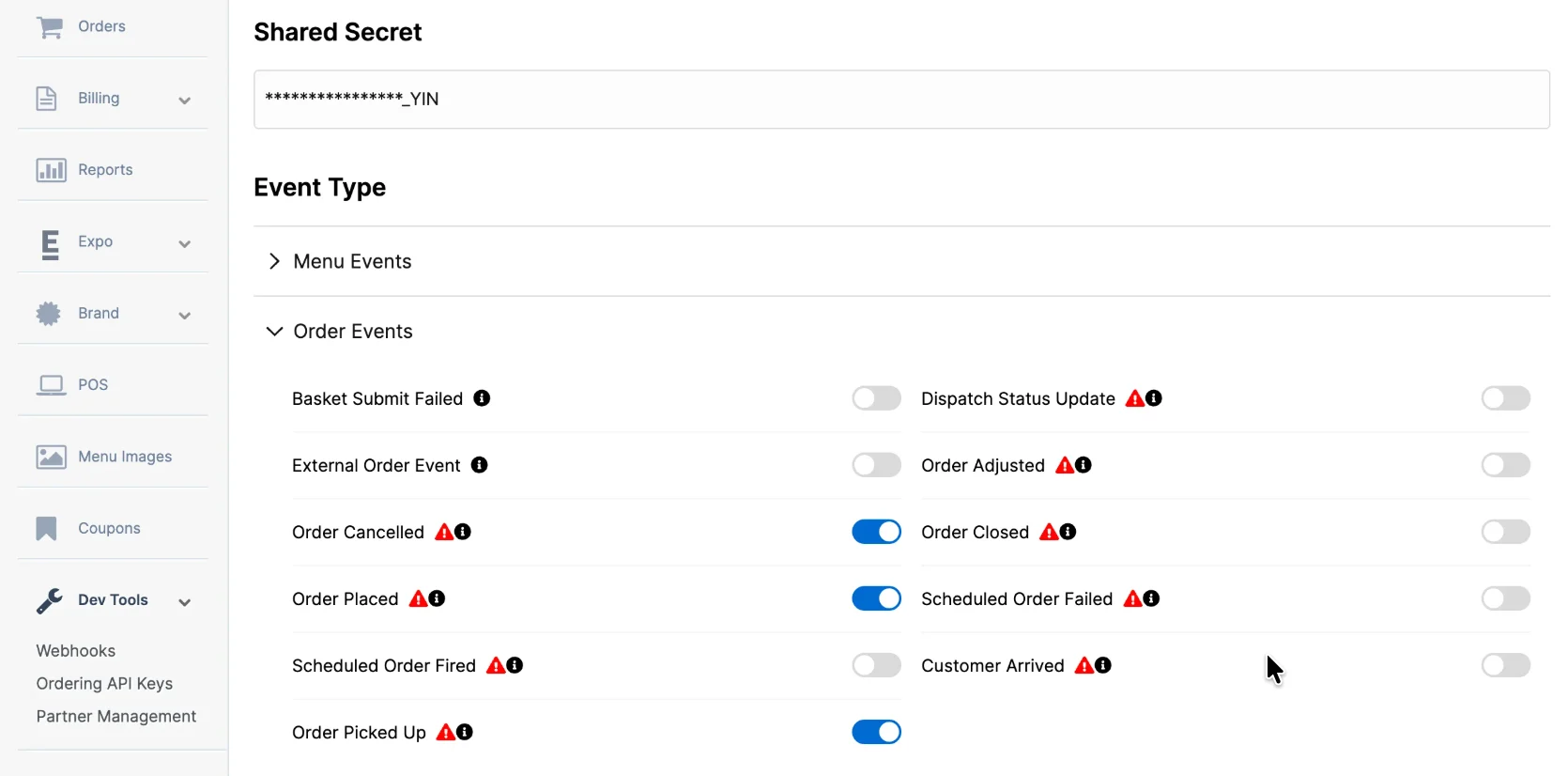
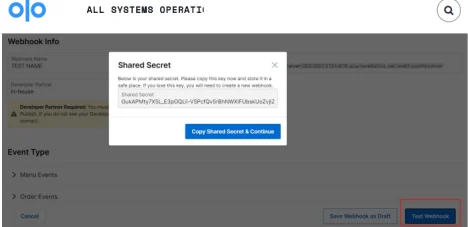
- After selecting events, click Test Webhook to send a test payload to your MoEngage endpoint.
- Once the test succeeds, click Publish Webhook to activate.
Unique Identifier (Customer ID)MoEngage uses Olo’s
customerId as the unique identifier. This value is immutable, ensuring accurate profile resolution and preventing duplicates. To use a different identifier, contact the MoEngage team before configuring your webhook.Rate Limits and Reliability
| Topic | Details |
|---|---|
| Rate Limits | MoEngage limits ingestion of Olo webhook data to a maximum of 500 requests per second (RPS) per workspace. If your workspace exceeds this limit, MoEngage returns an HTTP 429 (Too Many Requests) status code. |
| Retries | Olo’s built-in retry policy handles 429 and 5xx responses automatically, retrying up to 50 times over a 24-hour period before dropping the request. |
| Retry Exhaustion | If Olo exhausts all retry attempts, contact Olo Developer Support at [email protected] to replay the failed requests. |
| Deduplication | Olo guarantees at-least-once delivery, meaning the same event may be received more than once under retry conditions. MoEngage uses the X-Olo-Message-Id header to deduplicate incoming events automatically. |