

Introduction
Exotel is a full-stack customer engagement platform comprised of communication APIs, an omnichannel contact center & conversational AI platform in the cloud.MoEngage × Exotel
Use MoEngage Connector Campaigns to send out timely Voice Campaigns to your users.- Ensure you have access to your Exotel account.
- Ensure you have access to Exotel APIs.
Integration
Use MoEngage Connector Campaign to trigger Exotel APIs. Below is a tutorial on how to call the Call Campaign API on Exotel:Step 1: Get API Endpoints and specifications
Read the Exotel documentation to understand the endpoints for your use case.Step 2: Setup Connector Campaign on MoEngage
To create a connector campaign on MoEngage,- Navigate to Create Campaign >> Connectors >> Custom and choose the delivery type most suitable to your needs
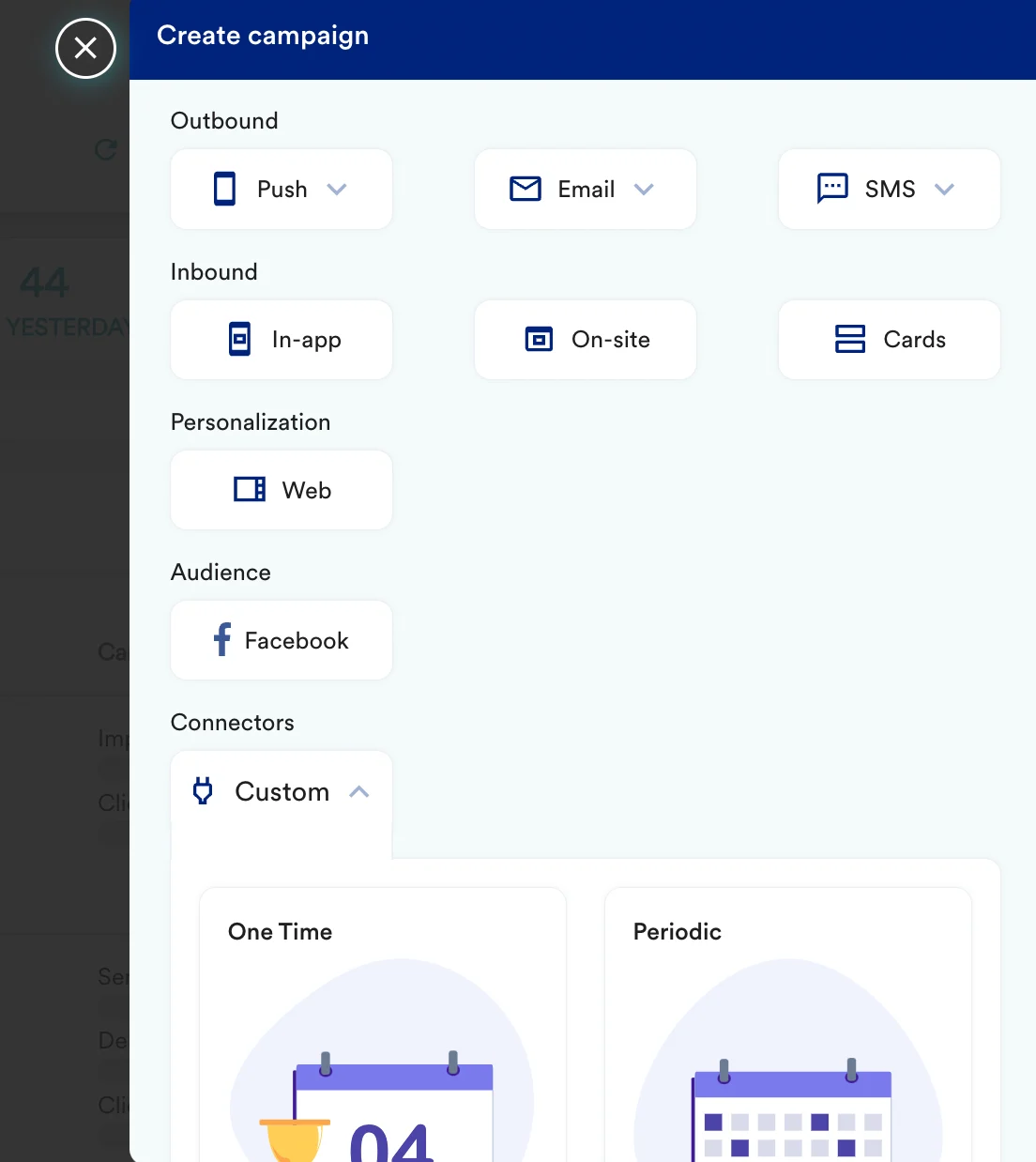
- On step 2 of the campaign
Call the Exotel API
To create a new Call Campaign on Exotel, use thePOST method and configure the payload.
- Select the method as POST
- Headers:
- For Basic Authentication, use your Exotel API key as the username and your API token as the password.
- Add the endpoint as Webhook URL:
https://<your_api_key>:<your_api_token><subdomain>/v2/accounts/<your_sid>/campaigns - Body:
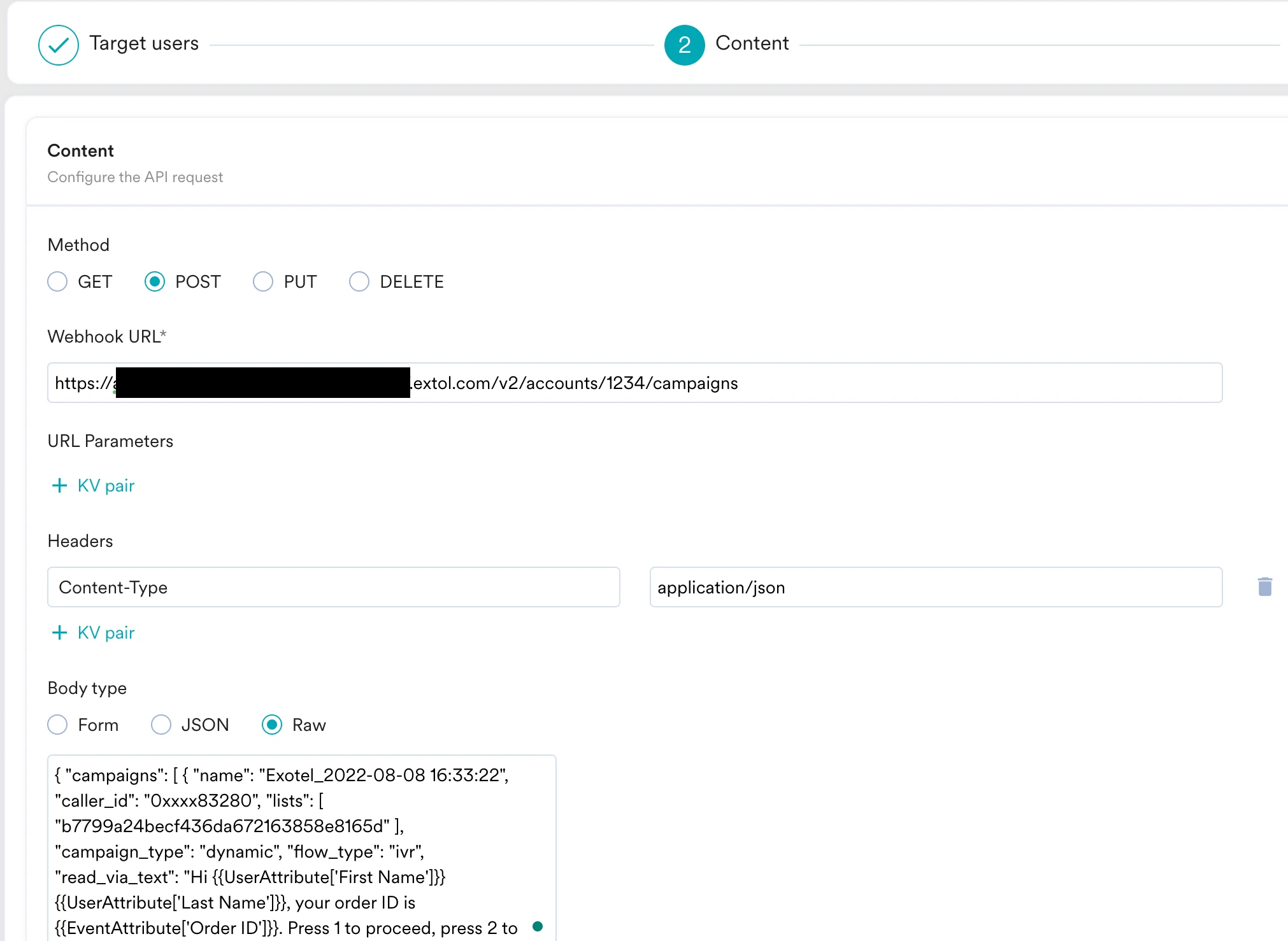
- Refer to the Exotel documentation for more information.
Preview your request
At this point, your campaign should be ready to test and send. You can also test your connector configuration using the Test functionality available in Step 2 of Create Connector Campaign. You can go ahead and Publish the campaign.