

Overview
The Map User Action feature allows you to categorize user-item interaction events into standard user events, enabling personalized recommendations based on user engagement. The Map User Action feature acts as a bridge between user engagement events and the attributes of the corresponding items from the catalog.User Activity Events
Tracking user events that include the item ID attribute is crucial for behavior-based recommendations. To ensure accurate interpretation of user behavior and personalized recommendations, MoEngage requires mapping app-specific event names to its standard events. MoEngage provides the following user action buckets:- Added to Cart
- Product Viewed
- Removed from Cart
- Added to Wishlist
- Removed from Wishlist
- Product Purchased
- Hotel Check In
- Hotel Check Out
- Order Failure
- Order Initiated
- Order Cancel
- Recommendation 1
- Recommendation 2
- Feedback
- Custom Event 1
- Custom Event 2
- Custom Event 3
- Custom Event 4
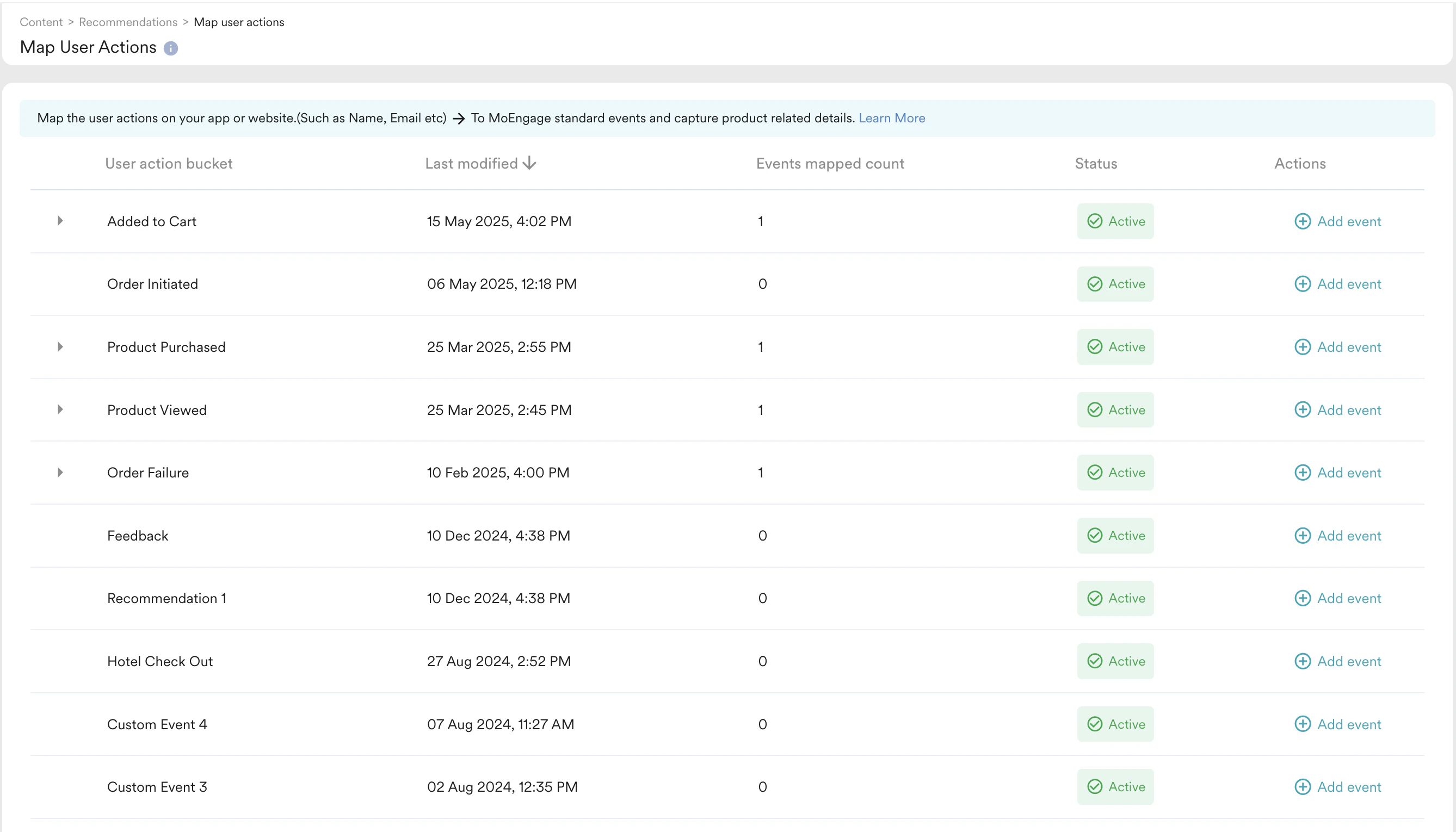
Mapping User Action Events
To map user events to MoEngage standard events, follow these steps:- Go to Content > Recommendations from the left navigation. The Recommendations page is displayed.
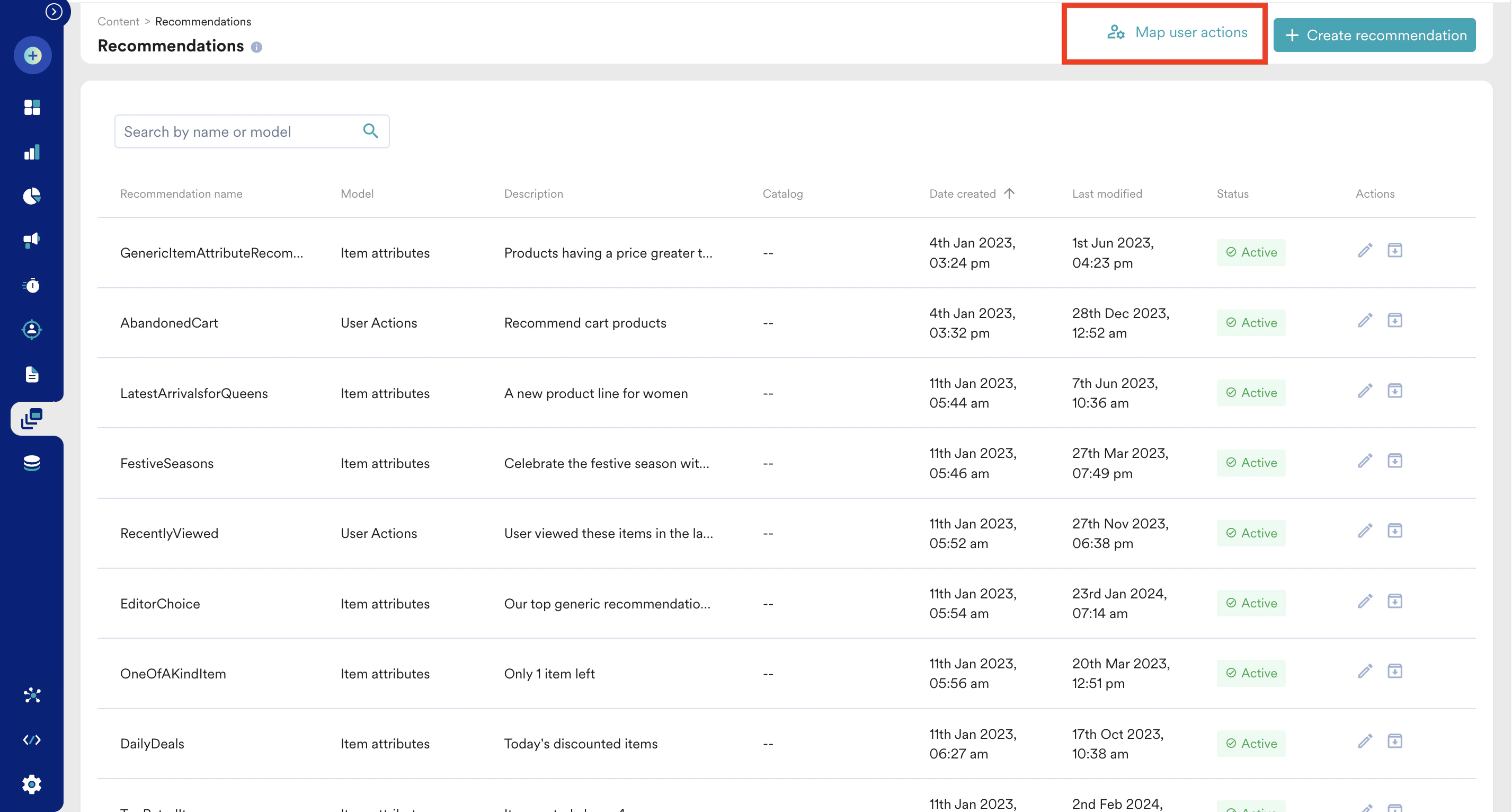
- Click Map user actions.
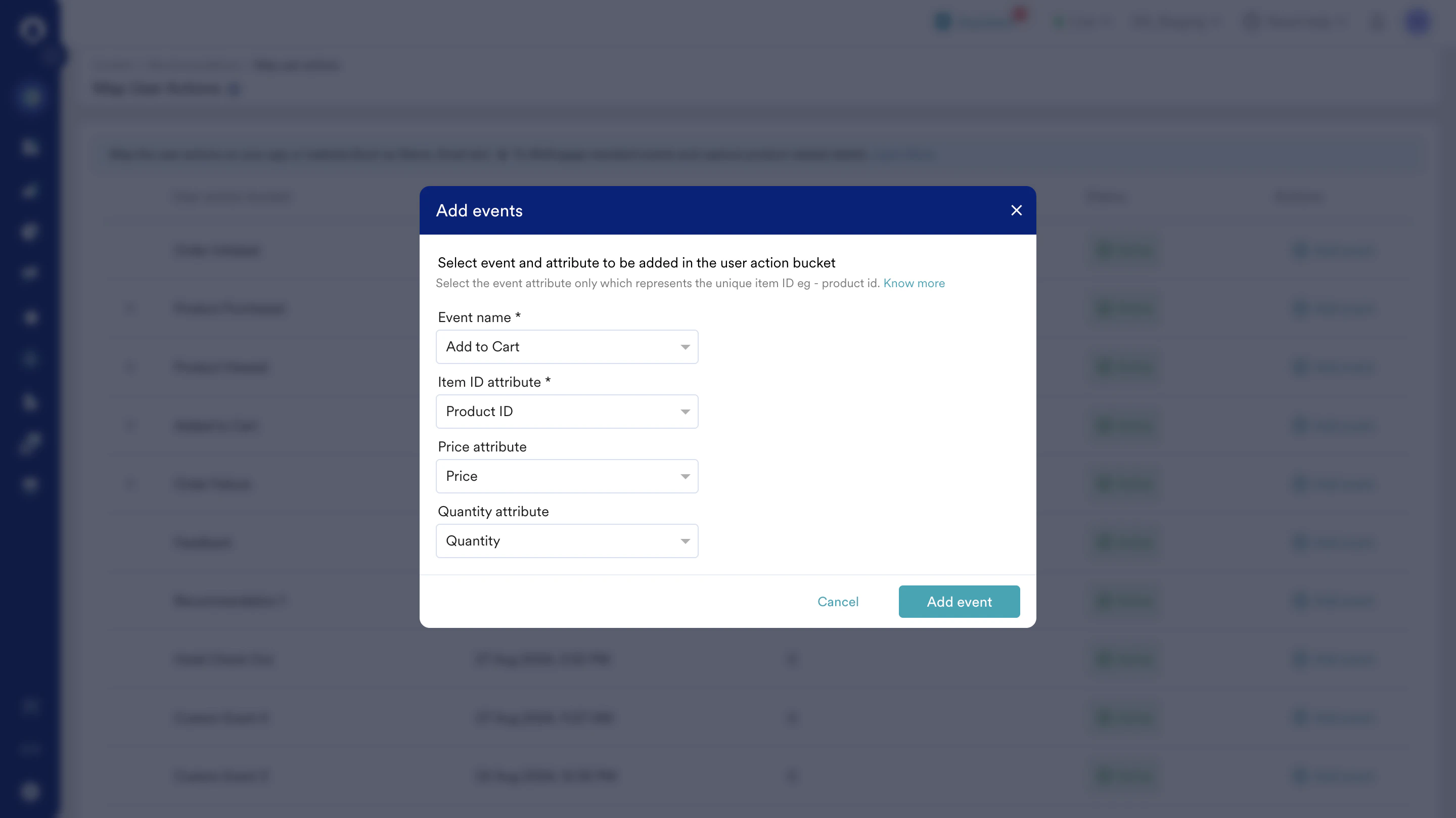
- Click the event drop-down list under a User Action bucket and choose the relevant action from the drop-down menu.
- Choose the right event, respective unique item ID attribute that represents the interaction with the specific item. You can also map the price and quantity attributes carrying the related information of the item at the time of interaction. For example:
- Choose an event “Add to Cart”.
- Select the event property “Product ID”.
- Select the event property “Price” of item interaction.
- MoEngage starts recording data for a mapped event from the moment you save the mapping — it does not backfill historical events from before that point. You can check when a mapping was saved by expanding its bucket.
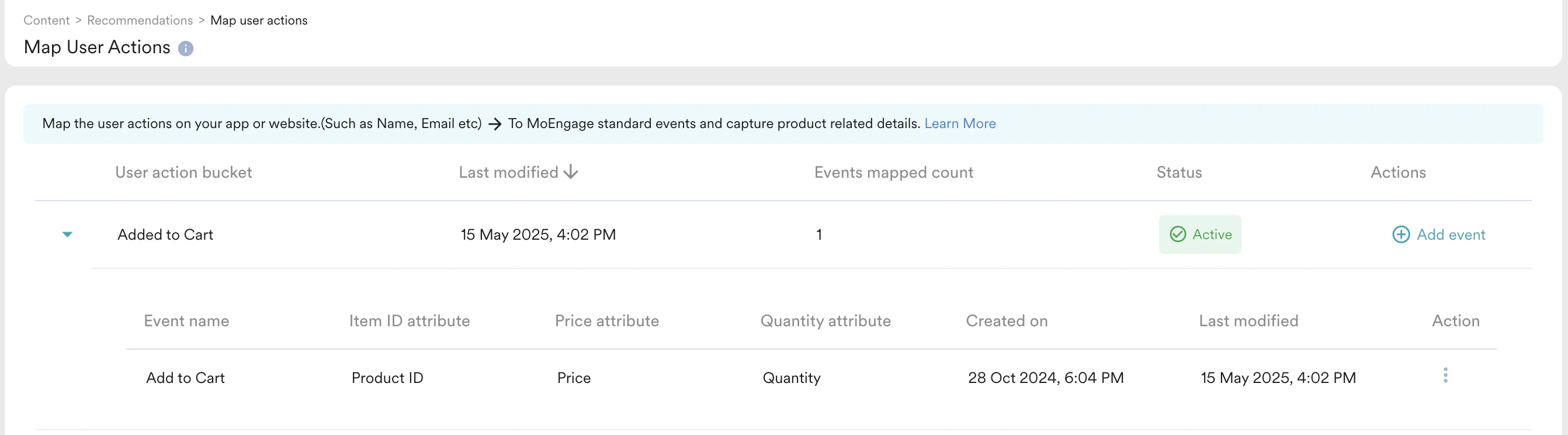
Item Mapping time is not available for the events mapped before February ‘24
How Events Match Catalog Items
MoEngage matches a mapped event to a catalog item by comparing the value of the event’s item ID attribute with the itemid in the catalog that the recommendation uses. You select this catalog when you create a recommendation, and all recommended items get their details from it. Keep at least one catalog that contains all your items.
The two values must be identical:
- Same casing.
- No extra spaces.
- Same format, either string or number.
id. For more information, refer to Catalogs.
When the values do not match, MoEngage cannot find the item in the catalog. Some items are dropped from the results, or the recommendation returns no results. To find the mismatched IDs, refer to Dropped Items and Troubleshoot Zero Results.
Troubleshoot Wrong Recommendations
If a recommendation returns items, but they are the wrong items, check the following:- The correct item ID attribute is mapped for each event in Map User Actions.
- The catalog contains the correct item
idfor every item. - Each event is mapped to the right user action bucket.