

Overview
By default, MoEngage generates and manages the encryption keys used to protect your Personally Identifiable Information (PII). Bring Your Own Key (BYOK) provides direct control over the master encryption key. This ensures that no one — including MoEngage — can access your users’ PII without involving your key.InformationBYOK is an add-on to PII Data Encryption. It requires manual enablement by the MoEngage team. To get started, contact your Customer Success Manager or MoEngage Support.
Both variants use the same underlying envelope encryption model: your master key protects a short-lived data key, which and turn encrypts the actual PII fields. For most enterprise and regulated customers, Cross-Account KMS is the recommended approach because it ensures the master key never leaves your AWS environment.
How It Works
MoEngage uses envelope encryption, which is the following two-layer model:- Data Key: A temporary AES-256-GCM key that encrypts your actual PII fields (for example, email address or phone number).
- Master Key: Your key, used to protect the Data Key. In Cross-Account KMS, this lives in your AWS account. In Customer-Provided Key, MoEngage stores this in MoEngage’s AWS KMS.
Data Ingestion
When user data arrives at MoEngage, the following process occurs:- MoEngage retrieves your master key from the appropriate KMS (AWS or MoEngage).
- The system generates a Data Key and encrypts the PII fields by using AES-256-GCM.
- MoEngage stores the encrypted PII and the encrypted Data Key together in the database.
- The system immediately discards the plaintext Data Key; it is never persisted.
Campaign Dispatch
When MoEngage sends a campaign that uses a PII field, the following process occurs:- MoEngage retrieves the encrypted PII and the encrypted Data Key from storage.
- MoEngage calls your master key (via KMS) to decrypt the Data Key.
- The Data Key decrypts the PII in memory only for the duration of message delivery.
- The system discards both the decrypted PII and Data Key immediately after sending the message.
Prerequisites
PrerequisitesBefore you get started, ensure you meet the following requirements:
- Enable PII Data Encryption for your workspace.
- Provide written acknowledgment that you cannot disable encryption once enabled and that historical data is not retroactively encrypted.
- For Customer-Provided Key: Prepare a 256-bit AES key encoded as a base64 string (exactly 32 bytes).
- For Cross-Account KMS, ensure you have:
- An active AWS account with access to AWS Key Management Service (KMS).
- Permission to create and manage Customer Managed Keys (CMK).
- A key configured as Symmetric, Encrypt/Decrypt usage, Origin: AWS_KMS, Multi-Region: Disabled, and State: Enabled.
Setting Up BYOK
To set up BYOK, follow the instructions for your chosen variant below.- Option A: Customer-Provided Key
- Option B: Cross-Account KMS
Option A: Customer-Provided Key
Step 1: Generate your key. To generate a 256-bit AES key encoded as a base64 string, use a tool such as OpenSSL. The key must represent exactly 32 bytes, as shown in the following example:- OpenSSL
- Raise a request with MoEngage Support.
- MoEngage SecOps will provide a secure upload link (via Tresorit).
- Alternatively, request MoEngage’s public key to share an encrypted version of your master key.
Enable PII Encryption from the MoEngage UI
To enable encryption for your attributes, perform the following steps:- On the sidebar menu in MoEngage, hover over the Settings menu item
 . The Settings Home menu appears.
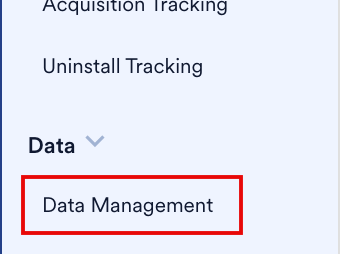
 - Click Data management.
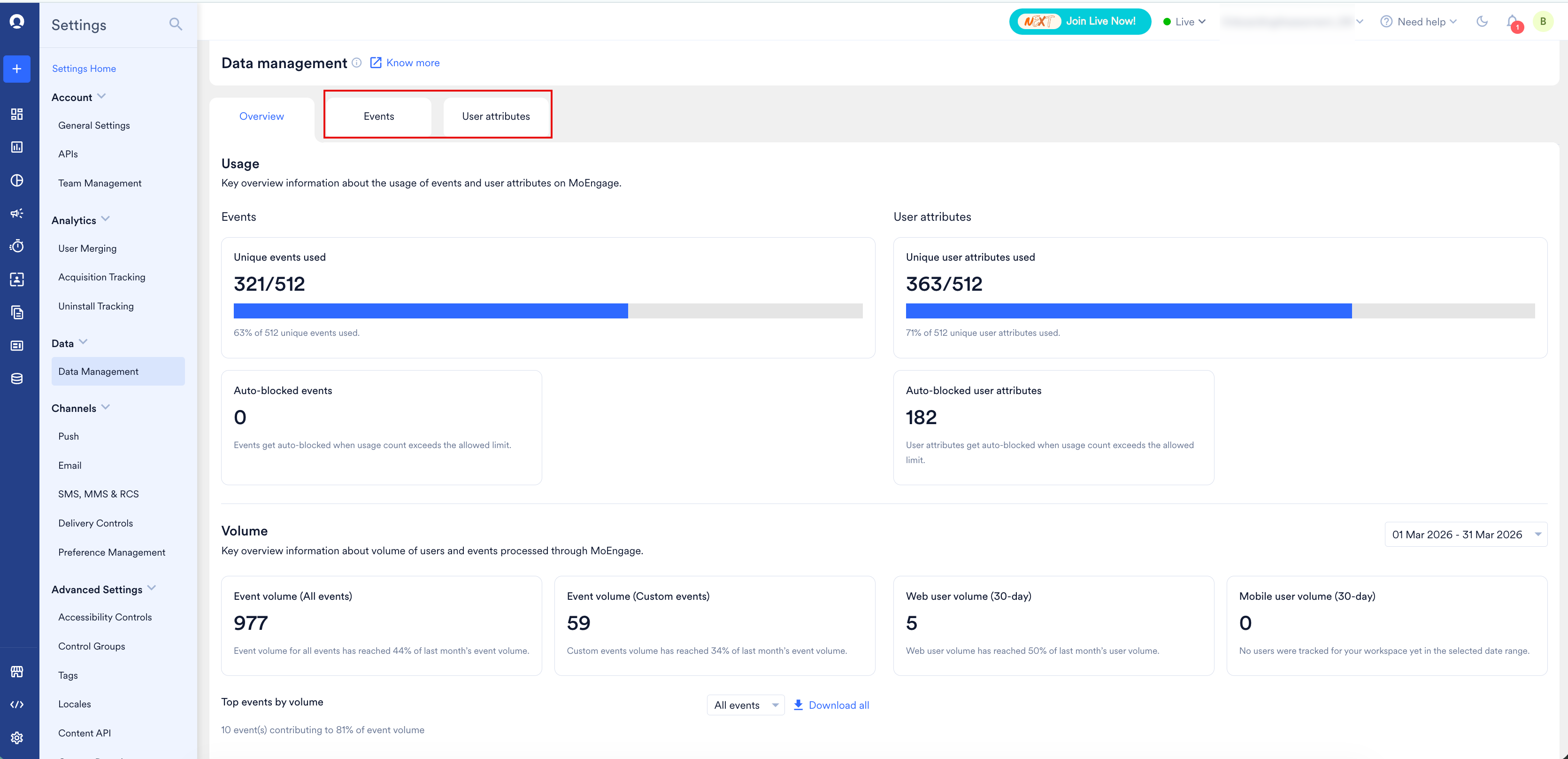
- Click the User attributes or Event tab.
- Locate the attribute, click the ellipsis (⋯) icon, and select Edit attribute.
- Turn on the Encrypt attribute toggle. This automatically enables the Mask attribute toggle on.
- Click Save and Continue.
Key Rotation
Key rotation is a manual process. To rotate your masteAWS Management Consoler key, raise a request with MoEngage Support and provide your new key or ARN. MoEngage will re-encrypt all stored Data Keys by using the new master key.BYOK vs. MoEngage-Managed Keys
The following table compares the features of the available variants:Limitations
The BYOK feature has the following limitations:- AWS KMS is the only supported provider; Google Cloud KMS and Azure Key Vault are not currently supported.
- Automated AWS KMS rotation schedules are not yet supported; rotation is a manual process.
- Applies to field-level encryption only; disk-level and database-level encryption are managed separately.
- BYOK is a workspace-wide setting; you cannot mix BYOK and MoEngage-managed keys in one workspace.
Frequently Asked Questions
Does MoEngage store my master key (Cross-Account KMS)?
Does MoEngage store my master key (Cross-Account KMS)?
No. Your master key never leaves your AWS account.
What happens if I revoke access?
What happens if I revoke access?
MoEngage will be unable to decrypt PII once the cache expires (30 minutes).
What encryption algorithm is used?
What encryption algorithm is used?
MoEngage uses AES-256-GCM.