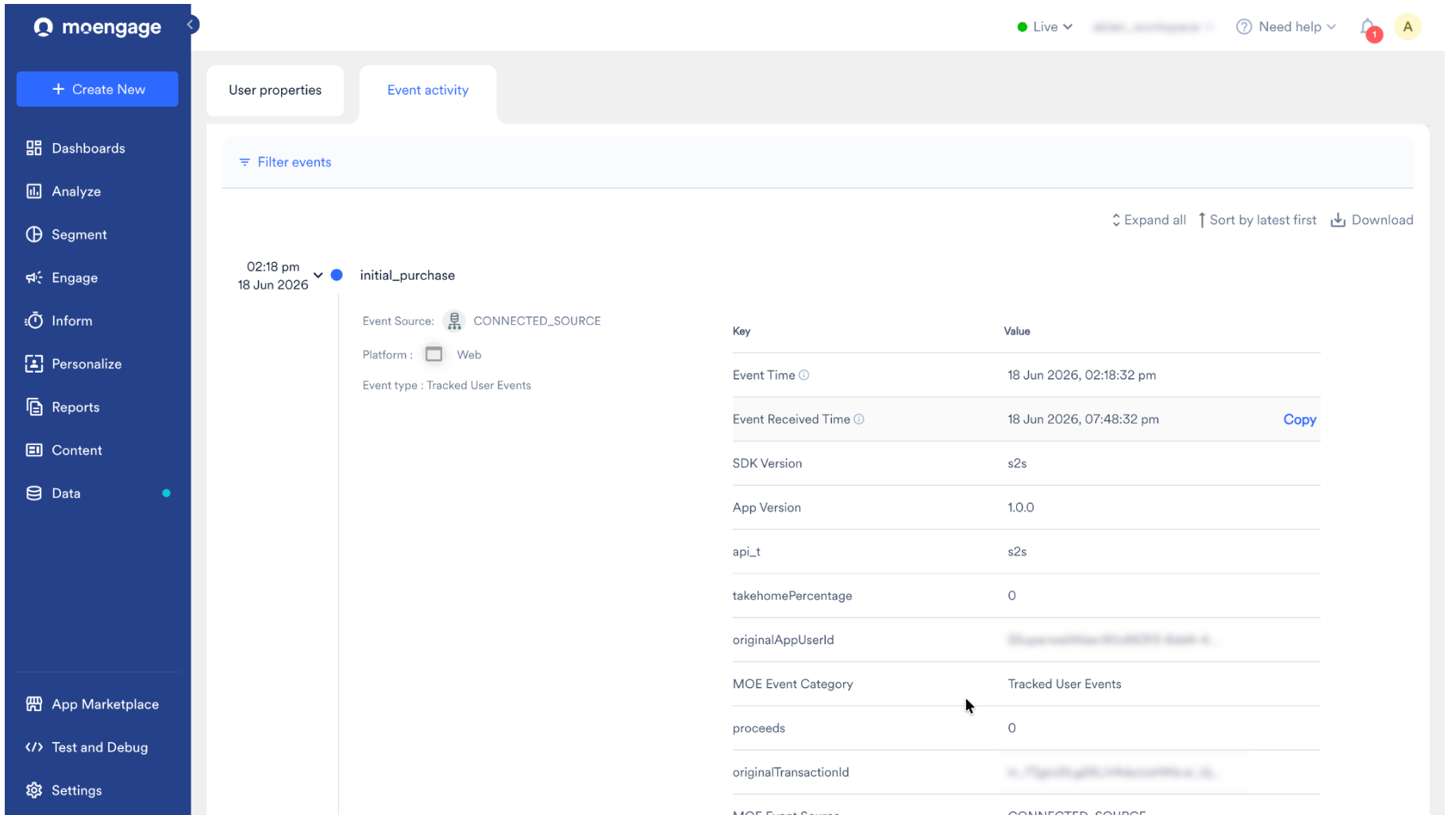
MoEngage × Superwall
By connecting Superwall and MoEngage, you can use live customer insights to build comprehensive user profiles and run personalized engagement strategies. This integration transfers subscription lifecycle data from Superwall to MoEngage, improving audience segmentation and maintaining data consistency across your marketing stack.Use Cases
Integrating Superwall with MoEngage helps you address the following use cases:- Recover lost sales: When a payment fails or a billing issue occurs (
billing_issue), automatically trigger a reminder or a payment-update link to help users restore their access. - Drive trial conversions: Identify users on a trial or introductory period and send timely content that highlights your app’s value to nudge them toward a full subscription.
- Win back churned users: When a user cancels or expires (
cancellation,expiration), trigger a personalized win-back offer. - Personalized onboarding and upselling: Send a thank-you message after an
initial_purchase, or target users who switch tiers (product_change) with tips for their new plan. - Proactive retention: Identify users who pause a subscription (
subscription_paused) and reach out with incentives before they leave.
Key Features
The Superwall integration delivers the following capabilities within MoEngage:- Complete subscription journey tracking: Track every milestone in the customer lifecycle, from initial purchases and renewals to cancellations, expirations, and trial periods.
- Unified cross-platform data: Whether your customers are on the App Store, Play Store, or Stripe, MoEngage normalizes the transaction data into one consistent format for your campaigns.
- Deep insight into user behavior: Understand how customers engage with your pricing by tracking events such as introductory offers, subscription pauses, and plan changes (upgrades or downgrades).
Integration
PrerequisitesEnsure you have admin access to your Superwall dashboard.
Step 1: Get Your MoEngage API Credentials
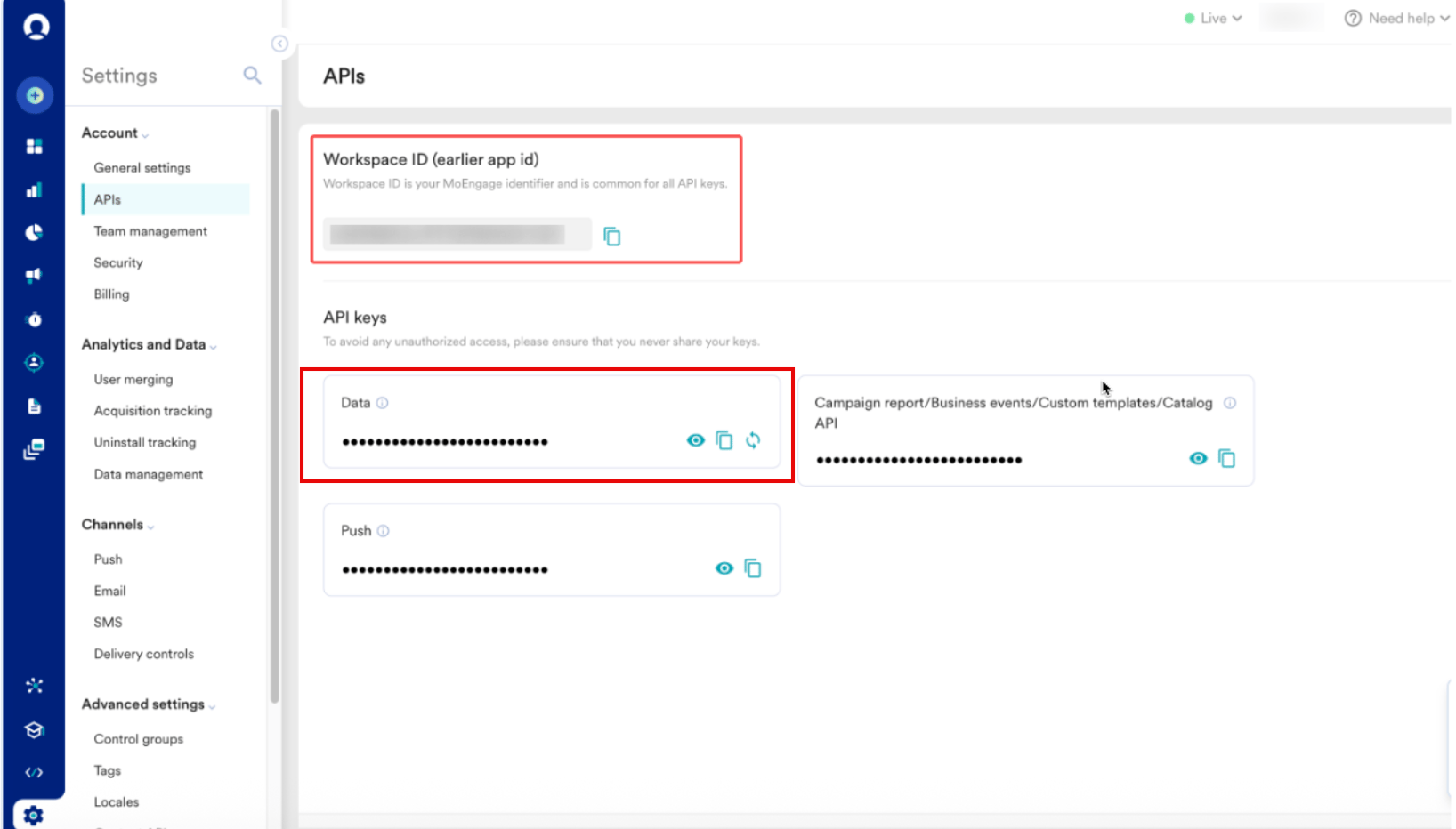
To get your MoEngage API credentials, perform the following steps:- On the left navigation menu in the MoEngage dashboard, click Settings > Account > APIs.
- On the APIs page, copy the following credentials:
- Workspace ID (earlier App ID).
- Data API Key: Found under the Data tile.
- Build your webhook URL by inserting your Workspace ID and Data API Key into the MoEngage endpoint, and replace
0Xwith your data center number (for example,api-01for DC-01). Use the following format:
Before you contact MoEngage Support for your unique ingestion endpoint, decide which customer identifier (for example,
originalAppUserId) you will map. Make sure it aligns with your current MoEngage identity configuration to avoid creating duplicate profiles during the subscription data sync.Step 2: Configure the Webhook in Superwall
To configure the webhook in Superwall, perform the following steps:- Log in to your Superwall dashboard.
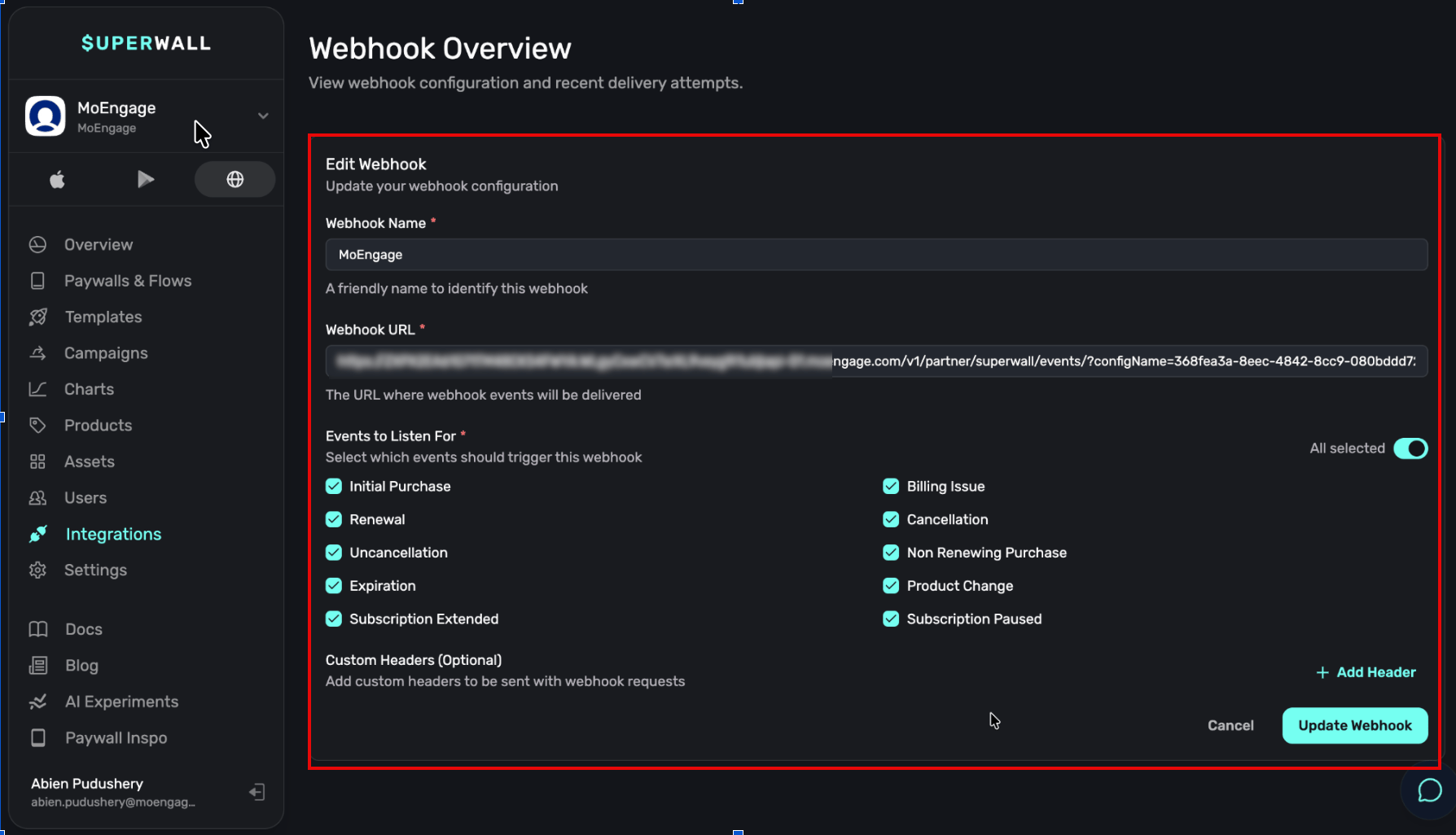
- Select your application, and then click Integrations in the left menu.
- Locate Webhooks, and click to add a new webhook.
- Enter the following settings:
- Click Update Webhook.
Step 3: Verify Data in MoEngage
Superwall webhooks fire only on real transactions (sandbox or production). iOS local StoreKit transactions do not fire webhooks; use the sandbox through TestFlight for testing. To verify the data in MoEngage, perform the following steps:- Generate a transaction in your app’s sandbox environment.
- In MoEngage, go to Segment > Search Users.
- Search for your test user by Customer ID.
initial_purchase or relevant event appears under the user’s event attributes.