

Use Cases
The following table describes what you can build with this integration:Prerequisites
- You need a Boomi Integration account with permission to create connections and deploy processes.
- To receive data from MoEngage, your Boomi account must include Services Enablement, which is available on the Professional Plus, Enterprise, and Enterprise Plus editions.
Push Data to MoEngage
Push users and events to MoEngage through a dedicated endpoint that you call from the HTTP Client connector. The endpoint is specific to your data: you define the payload you want to send, and MoEngage provisions an endpoint that matches it.Step 1: Request a Dedicated Endpoint
To request a dedicated endpoint, perform the following steps:- Contact your MoEngage Customer Success Manager (CSM) or MoEngage Support.
- Share the payload you want to send and the data you want to import as users or events. MoEngage uses these details to provision an endpoint that fits your payload.
- MoEngage shares the dedicated endpoint URL and the authentication credentials for you to use in Boomi.
Step 2: Build the Integration Flow
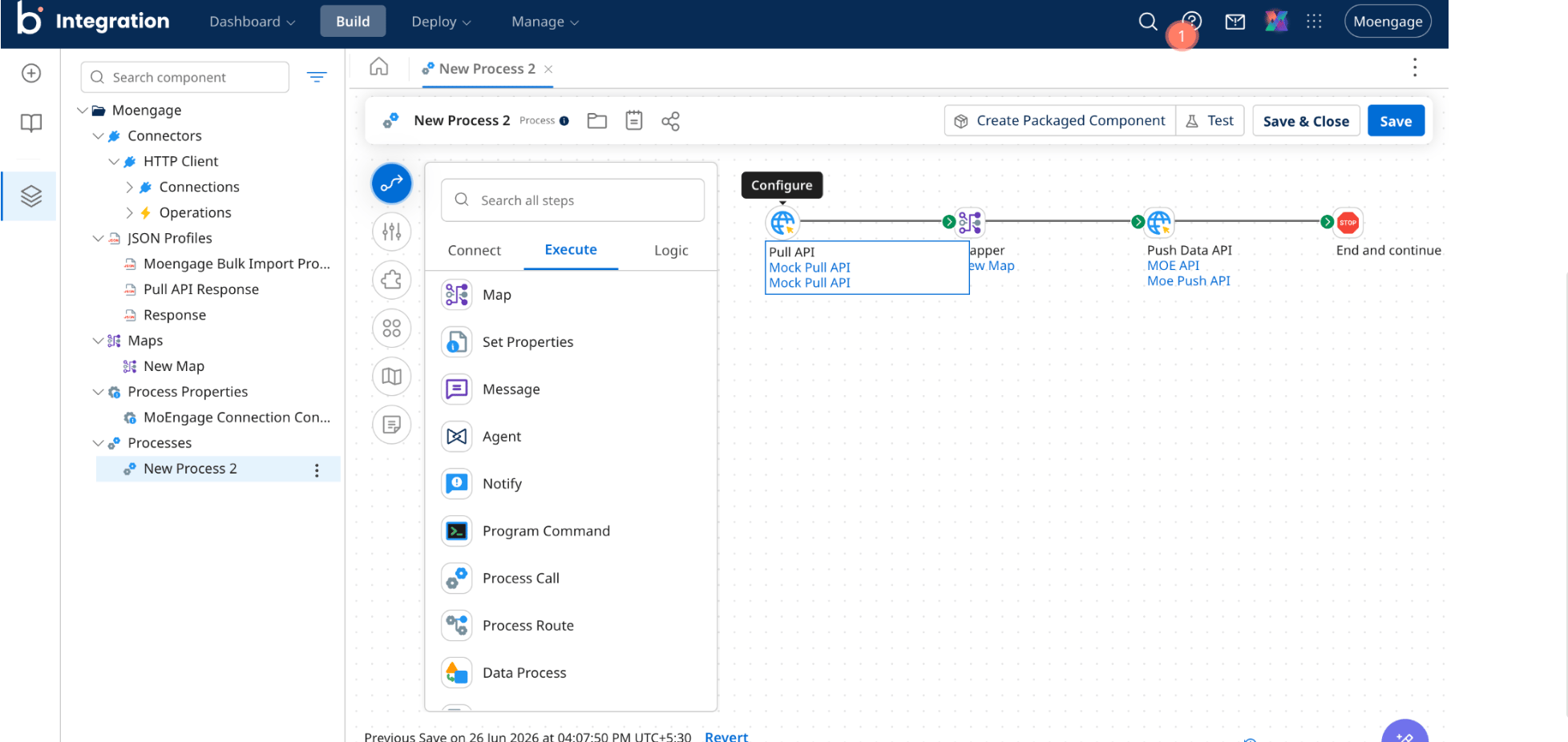
To send data from Boomi to the endpoint, perform the following steps:- Add an HTTP Client connector step, and create a connection that points to the MoEngage endpoint URL.
- In the connector operation, set the method to POST and add the authentication credentials MoEngage shared with you.
- Deploy the process, and then run it with a small batch of records.
Export Data from MoEngage
Streams is a paid add-on. Contact your CSM to enable it for your workspace.
Step 1: Build the Listener Endpoint in Boomi
To create an endpoint that receives MoEngage data, perform the following steps:- Create a process that starts with the Web Services Server connector.
- Configure a Web Services Server operation that accepts a JSON request.
- Deploy the process, and then copy the generated endpoint URL and the authentication credentials.