Introduction
Ventrata is a proven and versatile booking platform built for high volume tours and attractions. With contactless booking, payment and check-in solutions we can provide the perfect solution to all your booking needs.
MoEngage × Ventrata
With the MoEngage and Ventrata integration, you can send the booking related updates of your users to MoEngage to create a richer user profile and trigger hyper-personalised campaigns. With this integration, you can create events as soon as a booking is updated in Ventrata.
Integration
PrerequisitesEnsure you have access to your Ventrata Webhooks.
Step 1: Get your MoEngage endpoint
To get a dedicated endpoint for your integration, please contact the MoEngage Support team. In your request, you must specify the common identifier used to link user profiles between MoEngage and the partner platform.
For example, this is your email ID or the phone number of the user.
Step 2: Create webhook in Ventrata
You need to make an API call to create a webhook in Ventrata. Refer to Ventrata docs for more details.
Here, <Ventrata API key> is your API key issued to you by your supplier. Refer to the Ventrata doc for more details.
- Body:
{
   "event": "booking_update",
   "url": "<MoEngage endpoint>"
   "retryOnError": true,
   "useContactLanguage": true,
   "headers": {
      "Authorization": "Basic <API Token>",
      "Content-Type": application/json
   },
   "capabilities": ["octo/pricing"]
}
Here,
| Field | Description |
|---|
<MoEngage endpoint> | Enter the endpoint that you would have received in Step 1. |
<API Token> | Get your Basic Token by going to any online Basic Auth Header Generator tool. Enter - username as your
<Workspace ID> - password as
<Data API Key>
Workspace ID and Data API Key can be fetched from MoEngage Dashboard >> Settings >> APIs. |
Step 3: View data in MoEngage
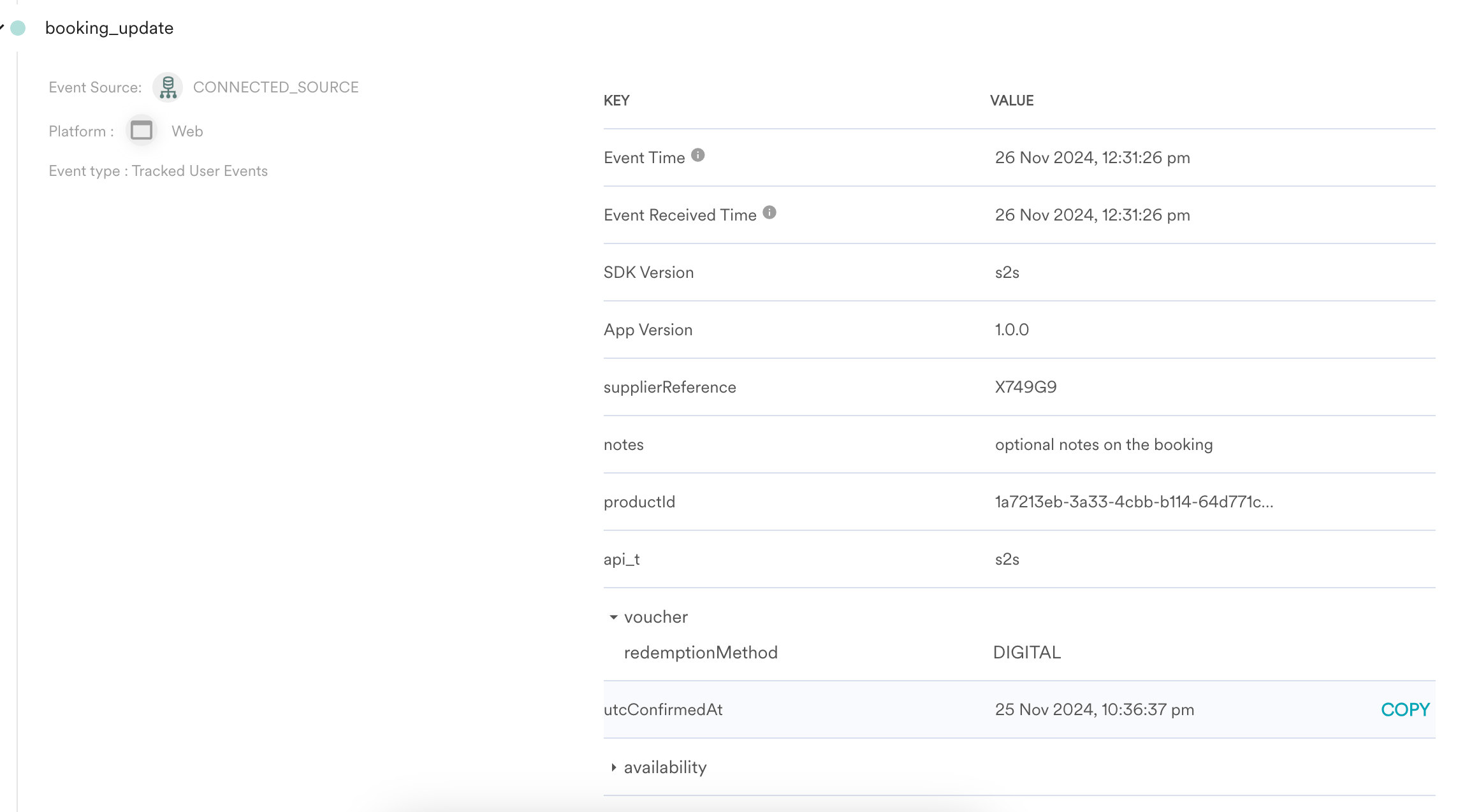
Once it is set, as soon as the event is triggered, the webhook will send an update to the MoEngage endpoint and data will start showing up on MoEngage as events. You can validate this from the user profile.
Event details
Details on the event created in MoEngage:
| Field | Description |
|---|
| Event Name | booking_update |
| uuid | booking uuid generated by Ventrata |
| resellerReference | reference id of the reseller |
| supplierReference | reference id of the supplier |
| status | status of the booking |
| utcExpiresAt | utc expiry date |
| utcConfirmedAt | utc confirmation date |
| productId | id of the product |
| optionId | DEFAULT |
| cancellable | is the product cancellable - True/False |
| cancellation | cancellation status of the booking |
| freesale | free product |
| notes | booking notes |
| availability | customer availability details - only available if the object support is enabled for your MoEngage account |
| deliveryMethods | List of applicable delivery methods- Voucher, Ticket |
| voucher | booking voucher details - only available if the object support is enabled for your MoEngage account |
| unitItems | details such as redemptionMethod, and delivery options - only available if the object support is enabled for your MoEngage account |

