

Introduction
Gupshup is a conversational messaging platform that enables businesses to build, deploy, and manage chatbots and other conversational experiences across various messaging channels such as SMS, WhatsApp, Facebook Messenger, and more.Configure RCS Connector (Service Provider)
Perform the following steps to configure Gupshup as a connector on the MoEngage dashboard:- On the left navigation menu in the MoEngage dashboard, go to Settings > Channels > SMS/RCS > Sender configuration.
- On the RCS tab, click + Add RCS Sender.
- Click the Gupshup tile.
- On the Sender Details page, add the following details:
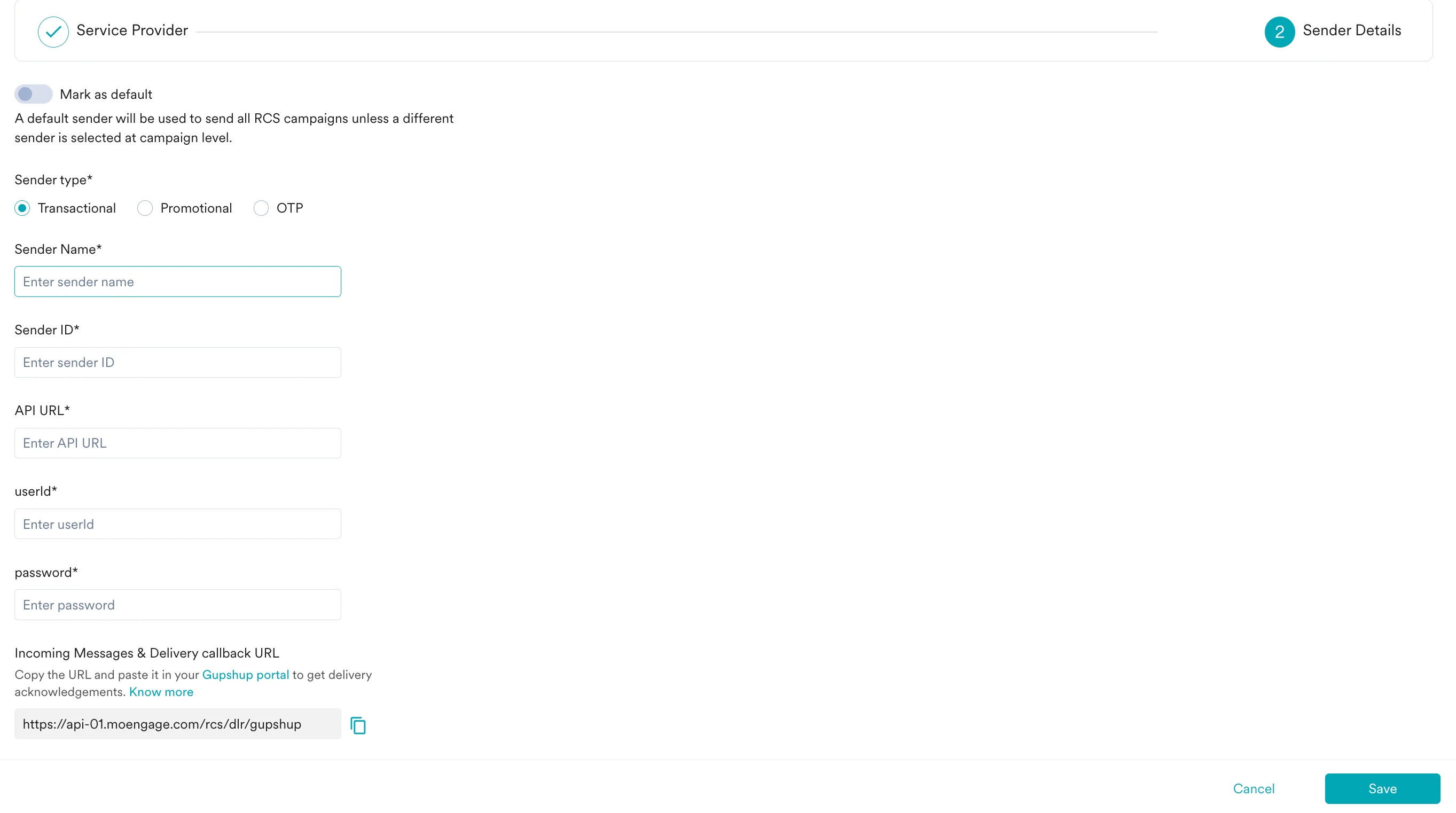
- Click Save to save this sender configuration.
- Incoming Messages & Delivery callback URL: Configuring delivery tracking allows you to monitor whether messages have been delivered to end users, and configuring incoming message URLs allows you to track messages’ responses so that you can act on them accordingly. Copy this URL from the MoEngage dashboard and email it to the Gupshup team so they can configure it.