

Introduction
Infobip is an omnichannel engagement platform that helps brands create meaningful relationships with their customers at scale and offers a broad range of solutions, messaging channels, and tools for advanced customer engagement, authentication, security, support, and retention.PrerequisitesEnsure you have access to your Infobip dashboard and have the API key for your Infobip account.
Configure Infobip as an RCS Connector (Service Provider)
Perform the following steps to configure Infobip as a connector on the MoEngage dashboard:- On the left navigation menu in the MoEngage dashboard, go to Settings > Channels > SMS/RCS > Sender configuration.
- On the RCS tab, click + Add RCS Sender.
- Click the Infobip tile.
-
On the Sender Details page, add the following details:\
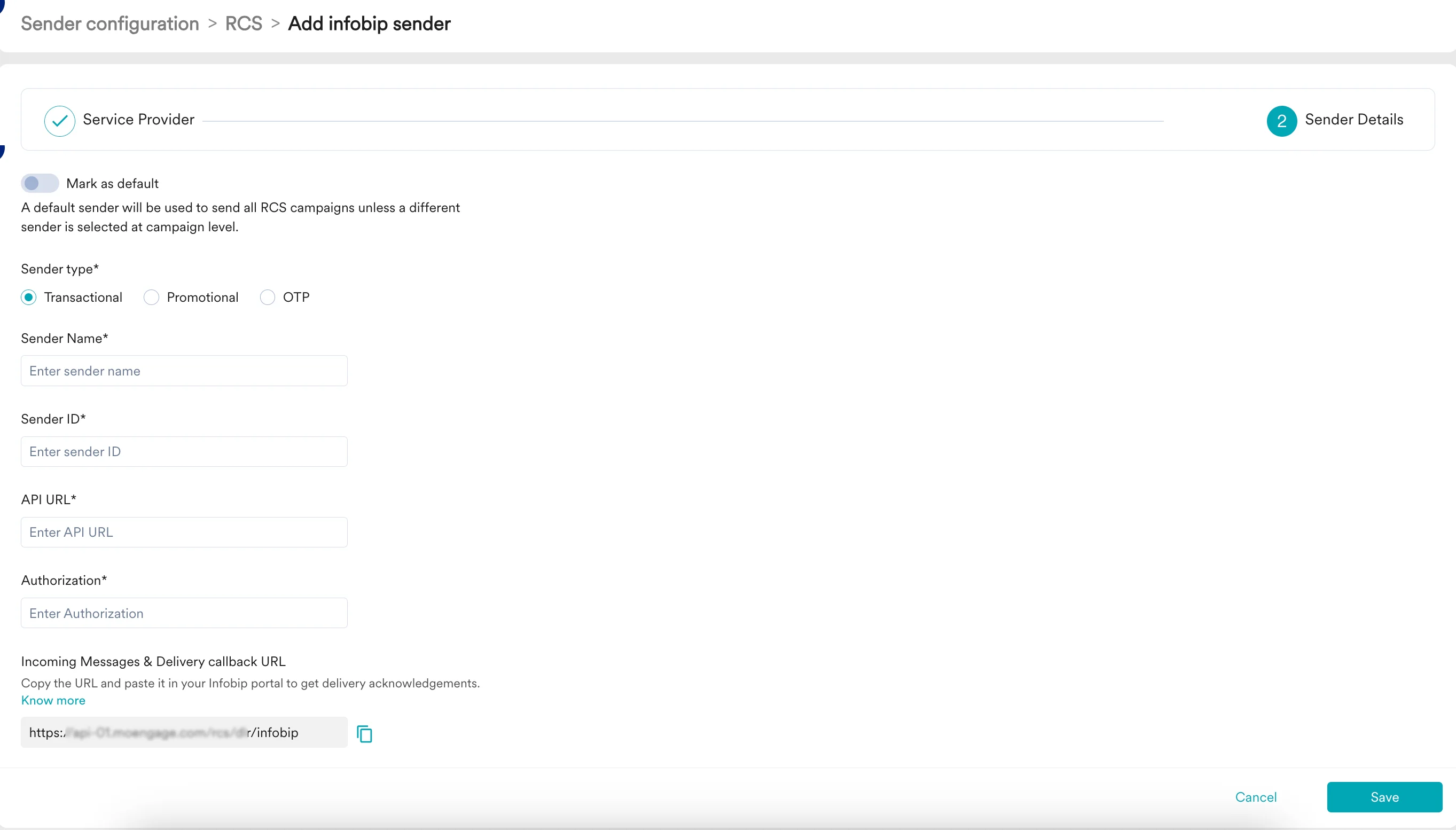
- Click Save to save this sender configuration.
- Incoming Messages and delivery callback URL: Configuring delivery tracking allows you to monitor whether messages have been delivered to end users, and configuring incoming message URLs allows you to track messages’ responses so that you can act on them accordingly. Copy this URL from the MoEngage dashboard and email it to the Infobip team so they can configure it.