

Overall Distribution
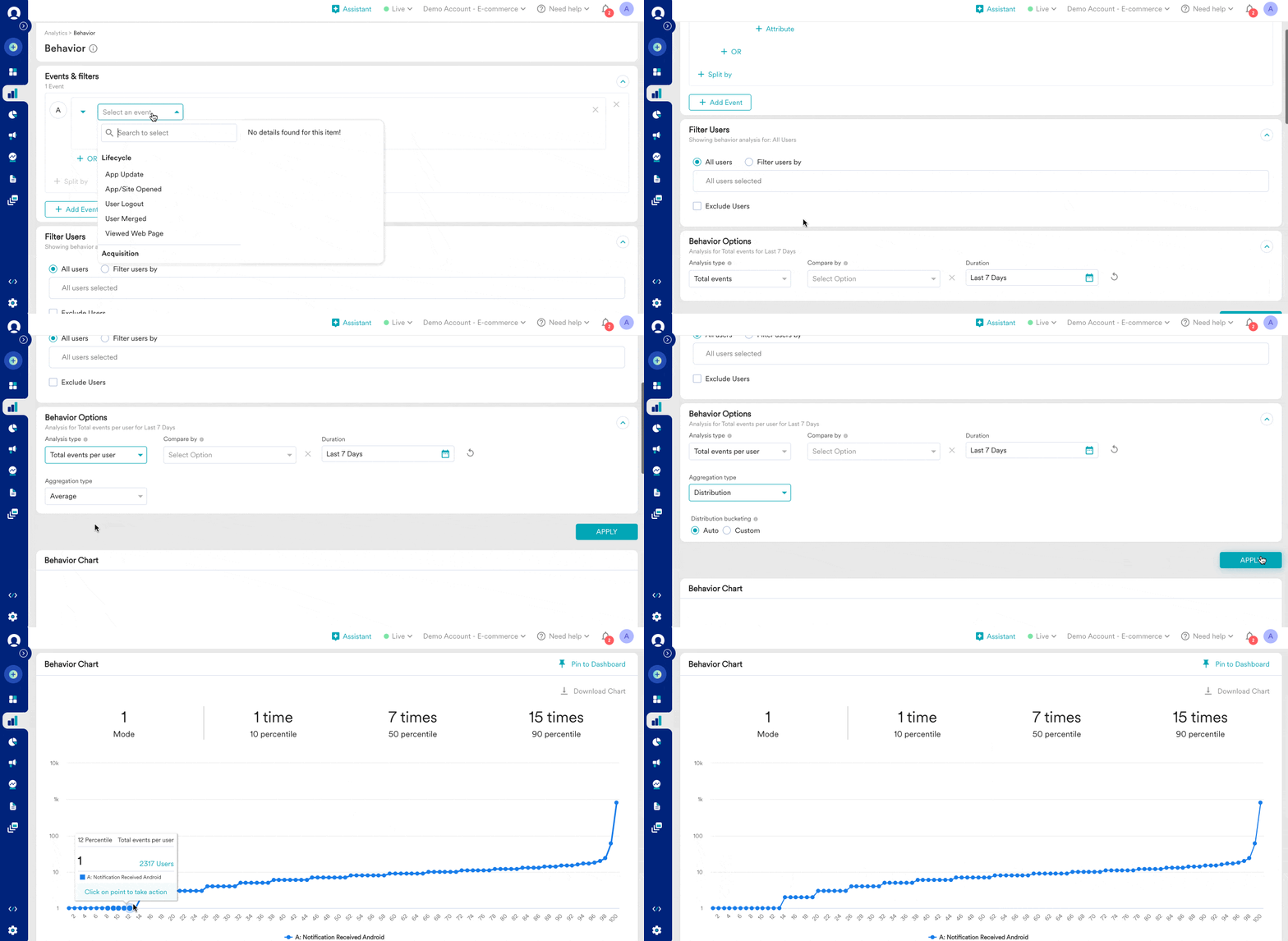
- Go to Analytics > Behaviour.
- Select Notification Received Android as an event.
- Select Total events per user as the Analysis type and Distribution as Aggregation type in Behavior Options and click on Apply button.
Custom Distribution
You can modify the distribution bucket based on your desired analysis and see how many users are receiving too many notifications or a specific number of notifications. You can see the user count for the selected bucket at the hourly, daily, weekly, or monthly level or you can see the user count for the selected bucket for the entire time duration.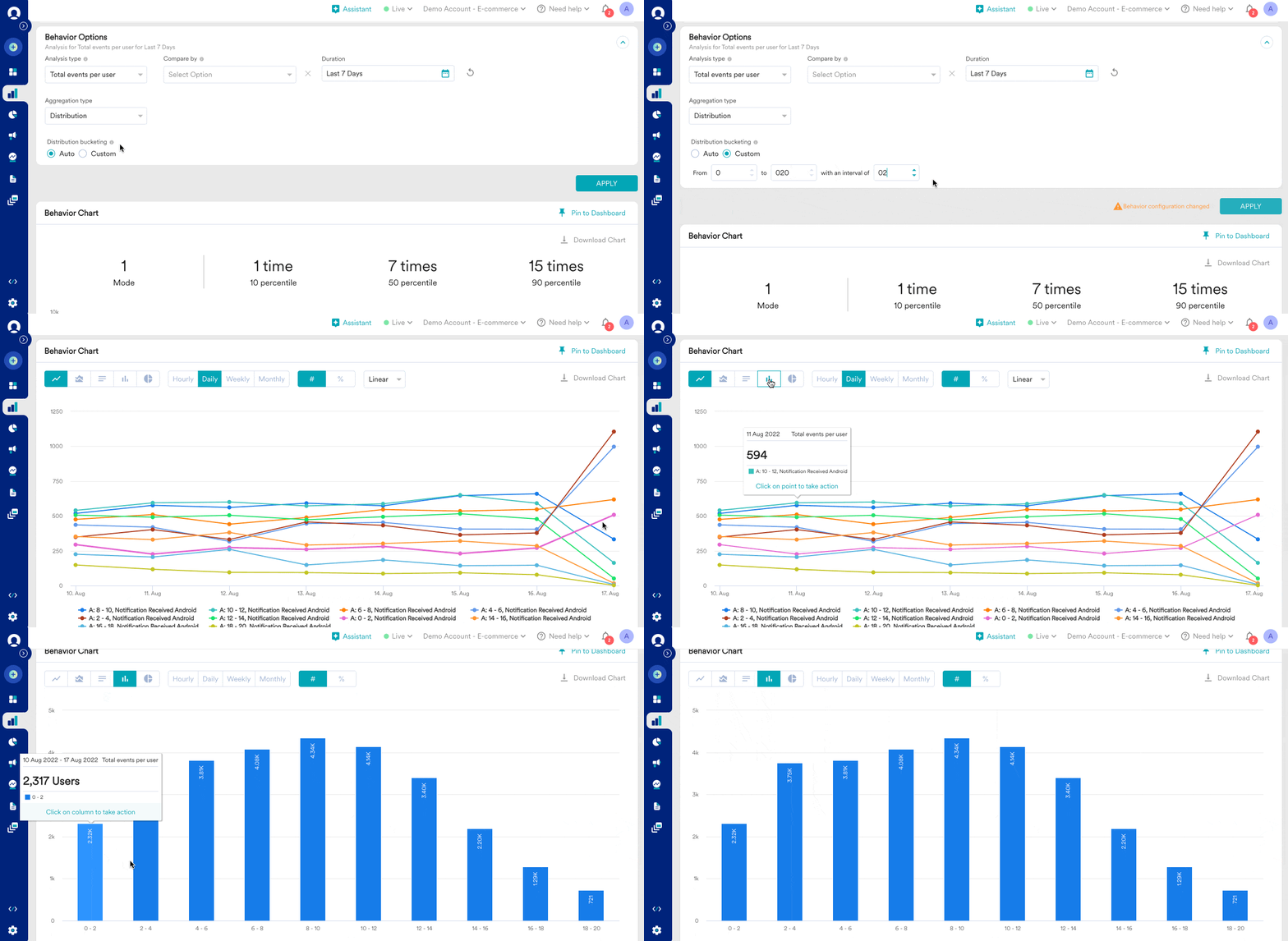
- Users receive more notifications and whether they are uninstalling.
- Users receive fewer notifications and whether they are engaging enough.
- Users receive an average number of notifications and whether they are converting.
- How many times do users open the app?
- How many users are repeat buyers?
- How many users open the app or buy too infrequently?
- What was the highest number of purchases per user for last month?