Overview

This article outlines the key differences between MoEngage’s two persistent message delivery solutions, designed to help marketers deliver timely, relevant messages to users:
  • Cards
  • Push Notification Center
While both ensure important messages remain accessible, they serve different purposes and offer different levels of customization.
CardsPush Notification Center
MoENgageCards.pngmoengagepushnotificationcentre.jpg
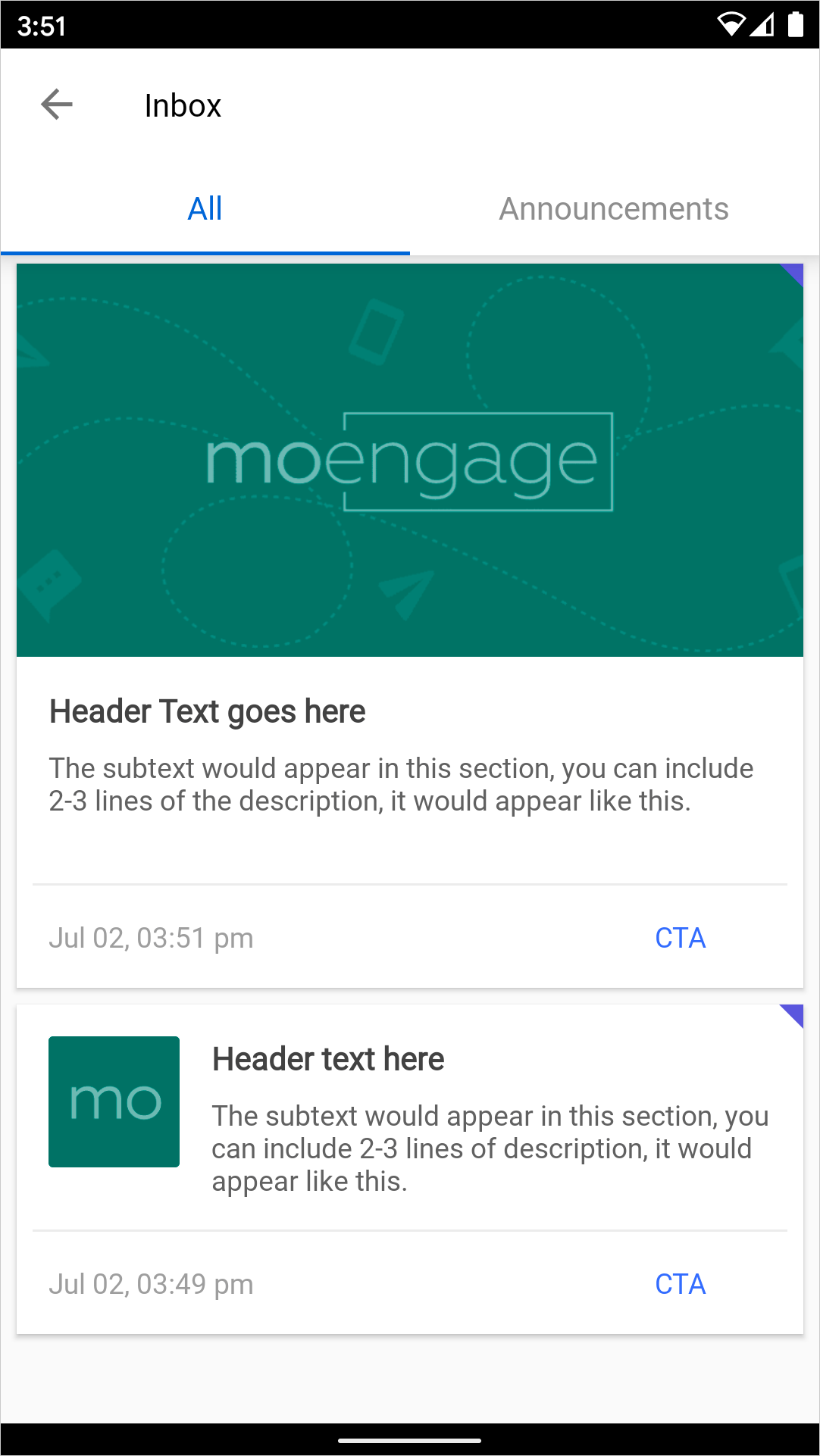
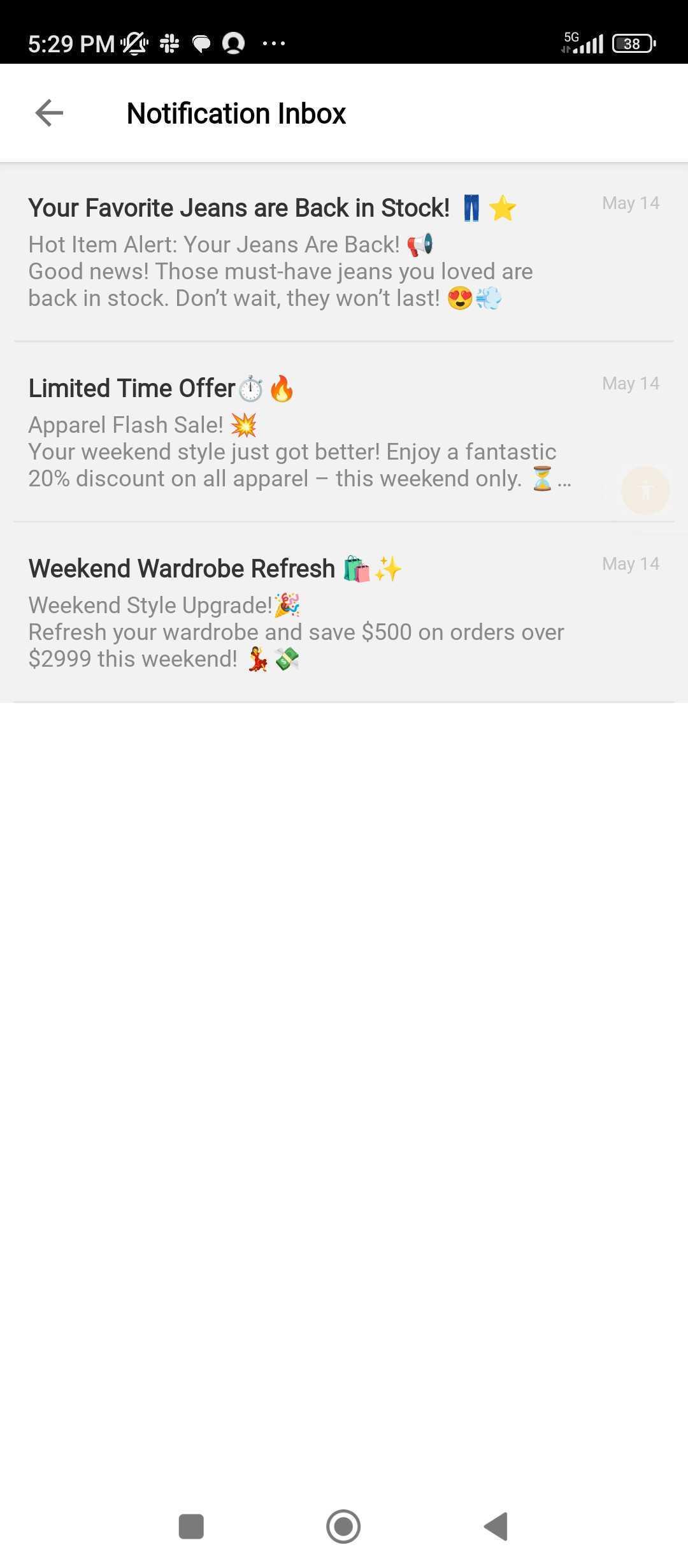
Provides a persistent, rich media inbox within your app, ideal for delivering engaging content feeds, carousels, or widgets. It ensures important information remains accessible even after initial engagement.Offers a history of push notifications, making important notifications visible even after they’ve been dismissed from the device’s notification drawer. This acts as a central repository for user-specific alerts.
  • Displays structured, personalised messages within a message feed.
  • A card, once delivered, remains a part of the user’s app experience for a long time.
  • Available in two formats:
    • MoEngage Cards Inbox: Pre-built feed with basic customization.
    • Self-Handled Cards Inbox: Custom feed developed by your team using MoEngage Cards payloads.
  • Stores a history of delivered push notifications within the application.
  • Keeps important notifications visible after dismissal from the device’s notification drawer.
  • Available in two formats:
    • MoEngage Push Notification Center: MoEngage’s inbox with basic customization.
    • Self-Handled Push Notification Center: Fully custom inbox built using MoEngage payloads.
You can use cards for:
  • Promotional campaigns
  • Loyalty program updates
  • Personalized recommendations
  • Gamification and contests
  • Service announcements
  • Transactional messages
You can use push notification center for:
  • Retaining a visible history of push notifications
  • Keeping critical alerts and updates accessible after dismissal
  • Delivering service notifications, reminders, contest enrollments, and promotional alerts

Capabilities

The following table compares the capabilities of the cards and the push notification center.
CardsPush Notification Center
Content TypeRich media cards that support text, images, icons, GIFs, and interactive Call-to-Actions (CTAs). This allows for highly visual and engaging content experiences.Primarily text-based push notifications. Media content (images, GIFs) is supported only when using the Self-Handled Push Notification Center by parsing the payload.
Delivery Mechanism
  • Delivered when the SDK syncs with the MoEngage server, or via your backend systems using the Public Fetch API.
  • This allows for flexible content updates and delivery independent of immediate push notifications.
  • Delivered instantly via
    • APNS (Apple Push Notification Service) for iOS and
    • FCM (Firebase Cloud Messaging) for Android
  • Delivered on next app open via the backup delivery mechanism if the primary delivery via APNS/FCM was unsuccessful.
ReachabilityAccessible to any user with a device where your app is installed and the MoEngage SDK with Cards module is integrated. Content is displayed to all app users.Accessible to any user with a device who is eligible and has opted in to receive push notifications from your app and has the MoEngage SDK with the Notification Center module integrated. Users must grant notification permissions.
Available Trigger Options
  • Bulk (one-time)
  • Trigger Based
    • Event-triggered
    • Flow triggered
  • Periodic
  • Bulk (one-time)
  • Trigger Based
    • Event-triggered
    • Device triggered
    • Location triggered
    • Business event triggered
    • Flow triggered
  • Periodic
  • Inform
Note: With Event Triggered Cards, the latest triggered card overwrites the existing card from the previous trigger from the same campaign (if any). Thus, only the latest card from that campaign would be visible to the user.
Content Retention
  • Messages are retained on multiple devices, uninstalls, and logouts.
  • Content can be updated and hidden if the campaign is updated.
  • Messages are saved locally on the devices that received them.
  • Messages are not retained across uninstalls, logouts, or data clearing.
  • Messages cannot be updated once delivered.
UI customization
  • MoEngage Cards Inbox: Basic customizations for Inbox layout. Supports predefined templates and card-level UI customization.
  • Self-Handled Cards Inbox: Full control over card design and placement.
  • MoEngage Push Notification Center: Basic customizations for Inbox layout.
  • Self-Handled Push Notification Center: Full control over push notification design and placement.
Media SupportAll rich media types, including images, icons, GIFs, and videos supported.
  • MoEngage Push Notification Center: Not supported
  • Self-Handled Push Notification Center: Supported via payload.
Interaction Tracking
  • MoEngage Cards Inbox: Automatically track deliveries, impressions, clicks, and deletes.
  • Self-handled Cards with SDK (Client Side): SDK functions are required to track impressions, clicks, and deletes.
  • Self-handled Cards with Fetch API (Server Side): Not supported.
  • MoEngage Push Notification Center: Auto-track deliveries, impressions, clicks, and deletes.
  • Self-Handled Push Notification Center:
    • Deliveries and deletes are auto-tracked.
    • Clicks require manual tracking via the SDK function.
Placement
  • MoEngage Cards Inbox: Full-page Activity or as an Embedded Fragment (Android only).
  • Self-Handled Cards Inbox: Custom placement within your app.
  • MoEngage Push Notification Center: Full-page Activity or as an Embedded Fragment (Android only).
  • Self-Handled Push Notification Center: Custom placement within your app.
Integration Effort
  • MoEngage Cards Inbox: It requires basic integration and the setting of UI customization values.
  • Self-handled Cards with SDK (Client Side): This requires building a custom UI and parsing the notification’s payload to populate it.
  • Self-handled Cards with Fetch API (Server Side): Requires building custom UI and parsing the notification’s payload to populate the UI.
  • MoEngage Push Notification Center: It requires basic integration and the setting of UI customization values.
  • Self-Handled Push Notification Center: Requires building custom UI and parsing the notification’s payload to populate the UI.
Ideal forTeams looking to engage users with rich, persistent in-app content (feeds, carousels, widgets).Teams requiring a notification history inbox inside the app.
Supported Campaign Features
  • Personalization: Attribute-based, Event-based
  • Card expiry option
    • Impression count based
    • Days since delivery
    • Days since impression
  • Personalization: Attribute-based, Event-based, Recommendations, and Content API
  • A/B testing
  • Locales
  • Notification Center Expiry Option - Days since delivery
Supported platforms
  • MoEngage Cards Inbox: Android (Native), iOS (Native), and Web (Native)
  • Self-handled Cards with SDK (Client Side): Android (Native), iOS (Native), Web (Native), React Native, Flutter.
  • Self-handled Cards with Fetch API (Server Side): Server-based and does not require an SDK.
  • MoEngage Push Notification Center: Android (Native), iOS (Native).
  • Self-Handled Push Notification Center: Android (Native), iOS (Native), React Native, Flutter.
MoEngage empowers you to deliver timely, relevant, and persistent messages that enhance your app’s customer experience. You can:
  • Choose Cards to engage users with rich, interactive content delivered within your app.
  • Opt for Push Notification Center to keep important alerts accessible after dismissal.
Select the solution that best supports your messaging strategy and user engagement goals.

Frequently Asked Questions

Because web browsers don’t support a Notification Center, MoEngage recommends using Cards for your web message inboxes. Cards are essential for inbox features in web apps.
You can use Cards to reach all app users, including those who have opted out or do not have a push token. Cards can reach users eligible for and opted into push notifications.
Yes, the MoEngage Cards inbox allows customization of images and background colors for notifications. Furthermore, you can also customize the title, message, and default action.
Yes, Cards retain messages across multiple devices, uninstalls, and logouts. However, if you use the Notification Center, messages are not retained across devices, uninstalls, or logouts.
You can use either Cards or the Notification Center, depending on your requirements.
  • Cards support attribute-based and event-based personalization.
  • Notification Center supports attribute-based, event-based, Recommendations, and Content API personalization.
Push Notification Center is currently supported on Android and iOS native, React Native, and Flutter platforms. It is not available for web apps. Use Cards for persistent message inboxes in web applications.

Related Information