

- Filter users who have spent more than $1000 in the last 30 days
- Filter the user who has purchased the fruit category for more than $200
- Filter the user who increased/decreased their spending by 10% for the fashion category.
- Filter the user who average spent per order increased by 15% with respect to last week.
Aggregation Operators
- Aggregation can be applied over a period of 30 days/4 weeks/ 720 hours/1 month as applicable. These limits can be modified, please connect with your CSMs for the same.
- Both Change and Percentage Change can be negative.
- Previous Period: The previous period is the same length of time immediately before the primary time range. This is the Base Period of the aggregation. Assume now is 5:15 PM 18 May 2022. If the primary period for the ‘last 3 days’ is: 15 May 2022 - 18 May 2022, then the base period is 12 May 2022 - 14 May 2022.
- Date Range: Date range available to aggregate the attribute value across filtered events for a user. The chosen date range is the Base Period of the aggregation.
Using Aggregation Operators
Use the + Aggregation button to add the aggregation functionality.Aggregation with Sum
Segment users who have placed an order at least 2 times in the last 2 weeks with a total purchase amount greater than 1000 dollars.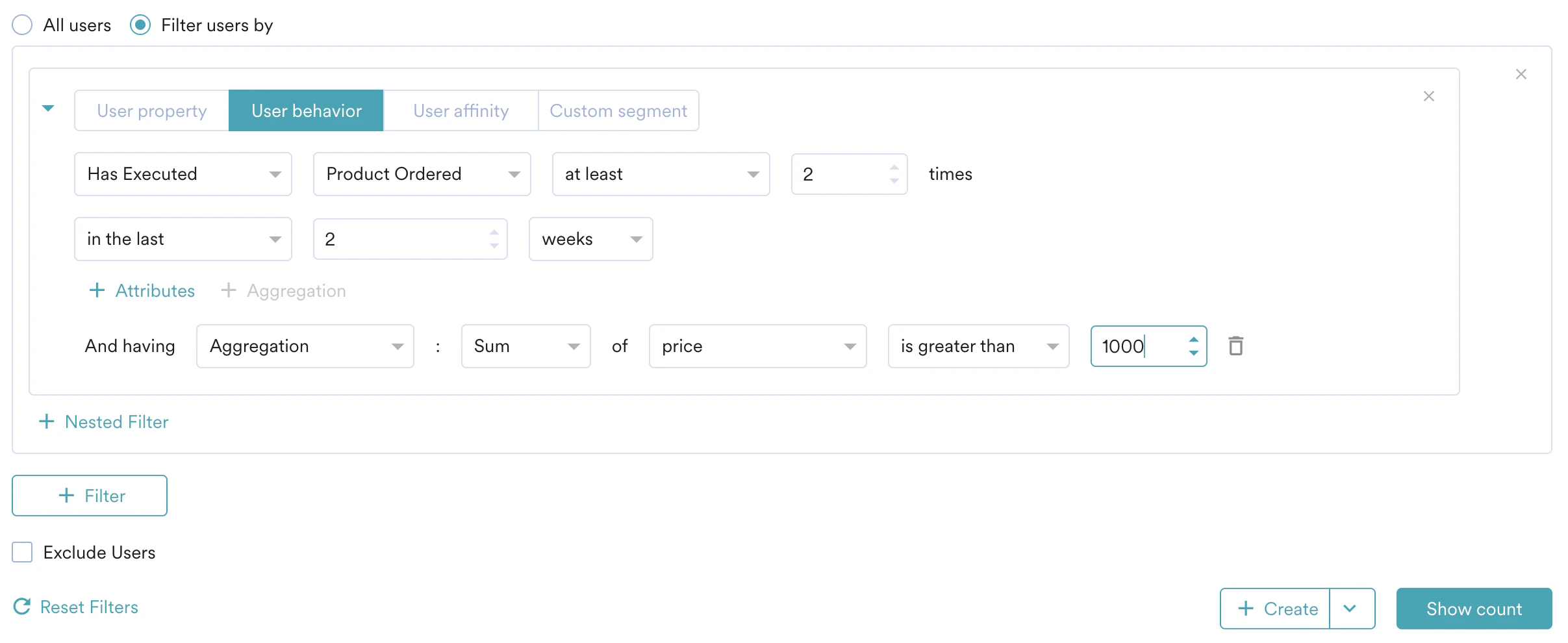
Change with respect to Date Range
Segment users who have purchased at least 1 once in the last 3 days and the total amount spent increased by at least 1000 dollars with respect to 24 Sep 2022 - 30 Sep 2022.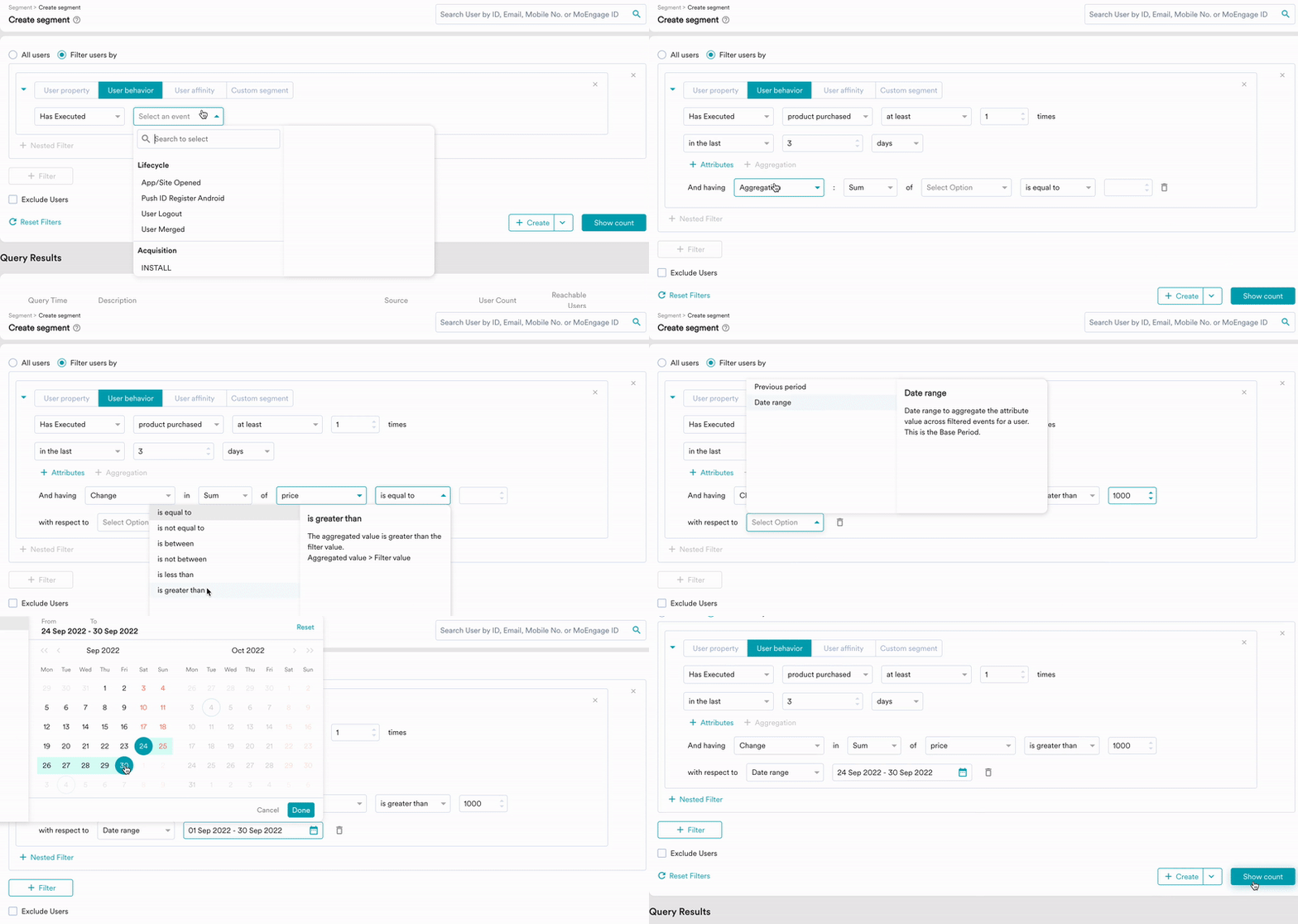
Percentage Change with respect to Previous Period
Segment users who have purchased at least 3 times in the 30 days and the average amount spent increased by at least 25% compared to the month before.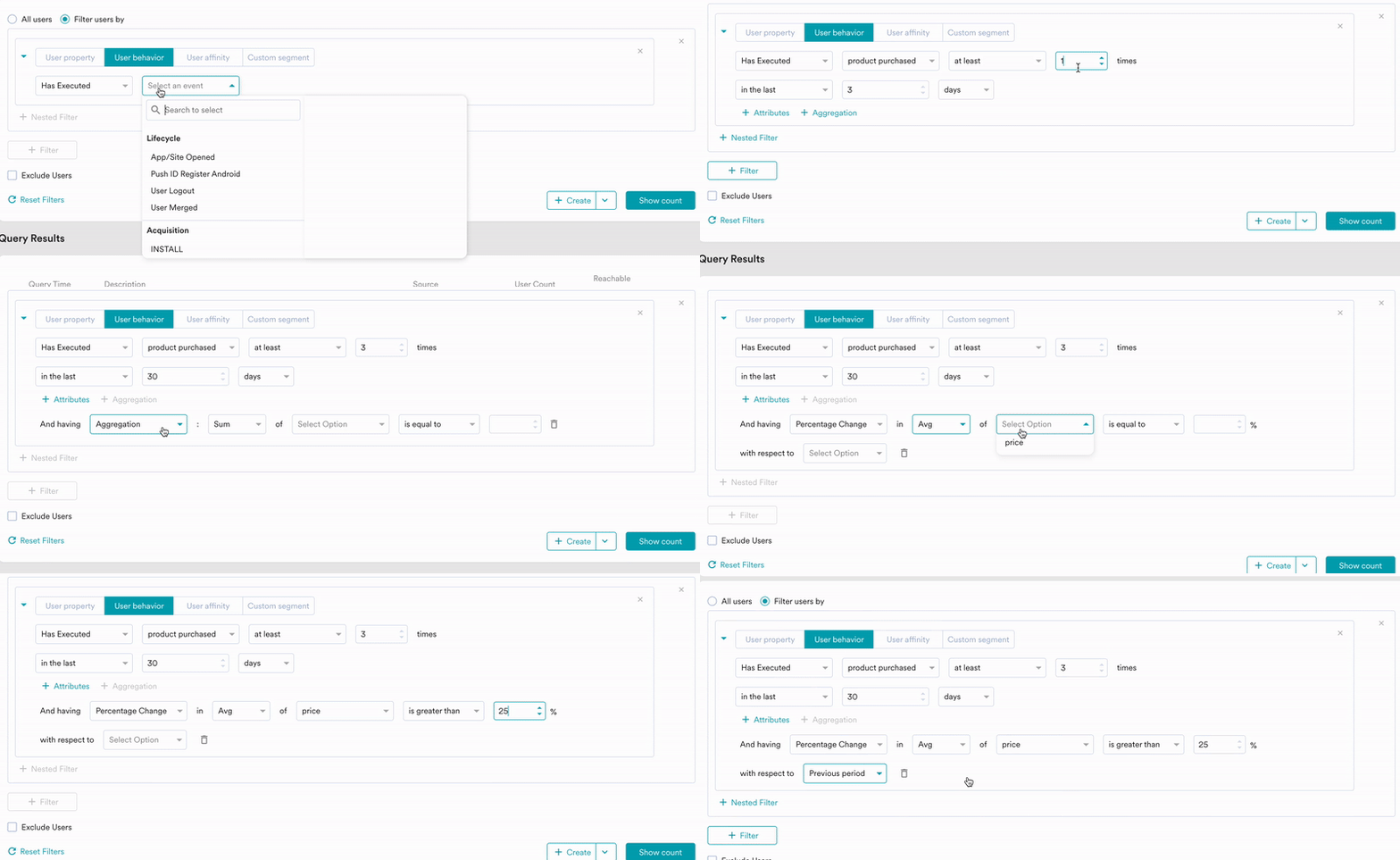
Things to Note
- Aggregation is available only on numerical attributes as sum, min, max, average, and median are numerical functions.
- Aggregation is available only in the User Behavior Section of Segmentation.
- Event retention and Aggregation:
- The previous period in aggregation cannot exceed the event retention period.
- Dates available under ‘Date range’ will not exceed the event retention period and the aggregation window.
- The median is the approximate 50th percentile of the selected attribute value.
- When filtered events are available for a user in the primary period but not the base period, this user is not counted in both Change and Percentage Change. For example, when there is no purchase event for a user in the base period, but it is present in the primary period, this user is not calculated for change and percentage change aggregation.
- Change and Percentage change are not available for the date filters: Before, After, In the last N hours/weeks/months**,** last week, this week, last month, and this month.