User and Platform reachability - Push Campaign
By using the Push channel in a campaign users can be reached on 3 types of devices i.e. Web, Android, and iOS. The push campaign will allow to reach users via push notifications and the reachable user count will be the number of users that are eligible to receive Push notifications.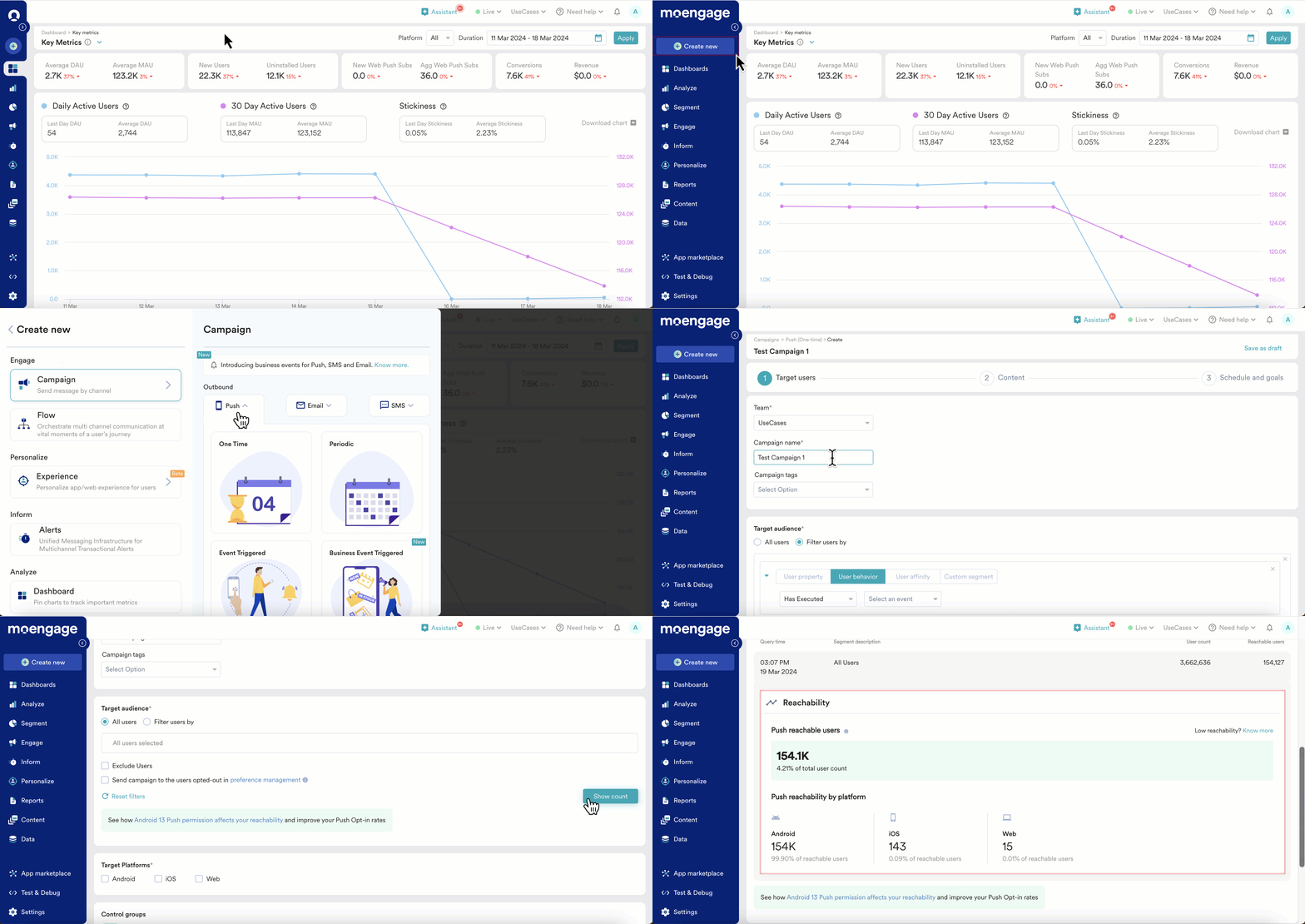
How is user reachability calculated for Push campaigns?
Push reachability is derived by the given parameters -- Users should have at least one active device.
- In the case of iOS, the app should be installed on the device, and the device should be opt-in for push notifications.
- In the case of Android, the app should be installed on the device, and the device should not be opt-out for push notifications.
- In the case of the Web, the user should have visited the website once and must Opt-in to the browser permission
- Push token for this device should exist.
- For reachability on the different iOS & Android, at least one active device for the respective platform should exist, and the device should have the app installed.
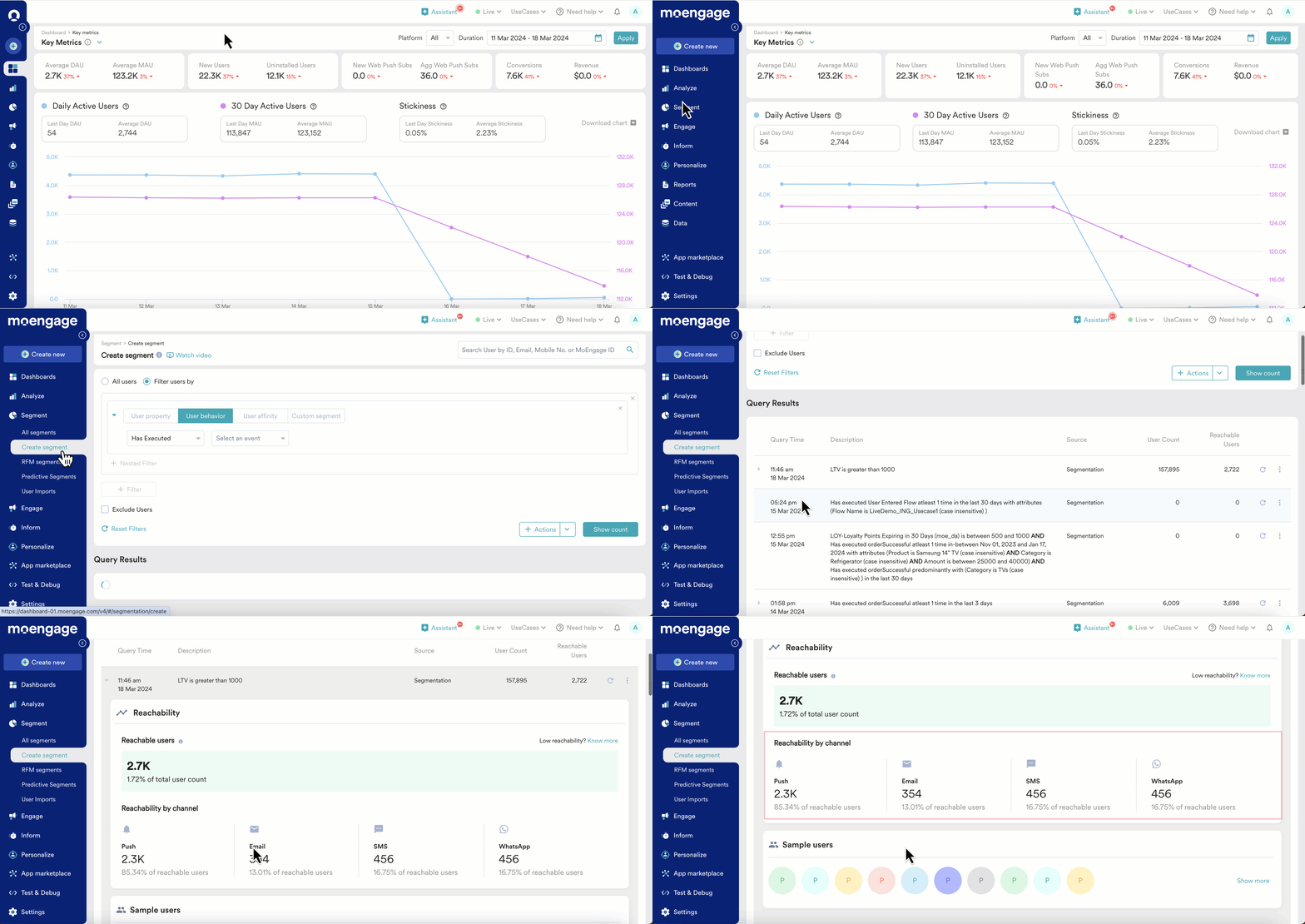
Reachable users across different channels:
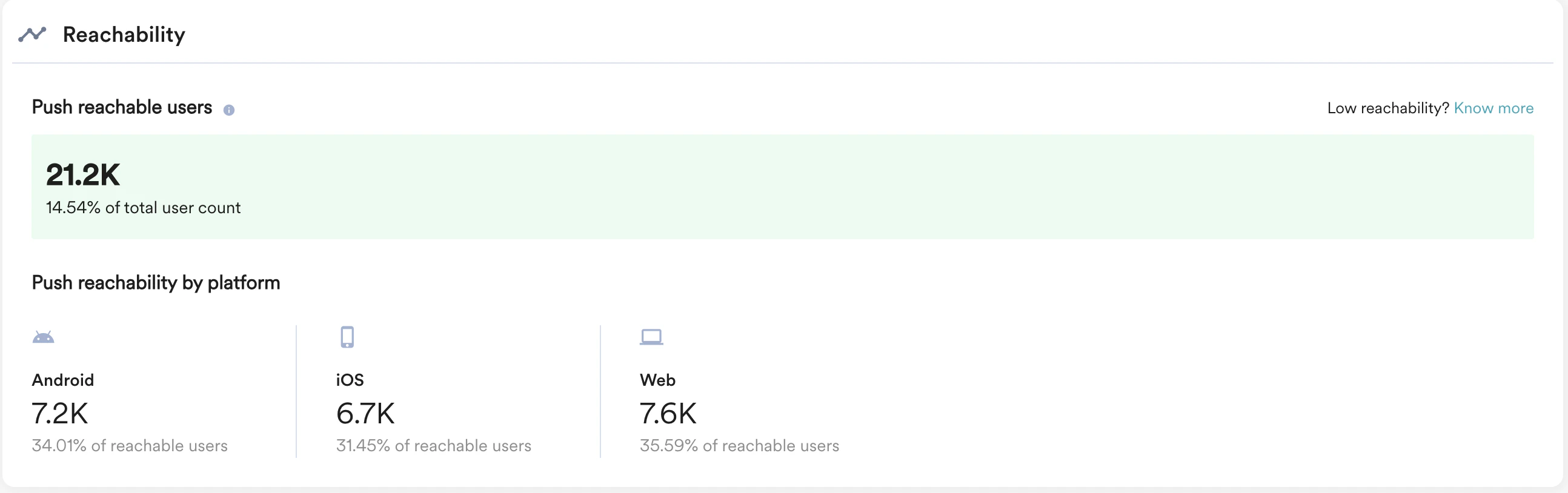
Push reachable users across different platforms:
How to analyze and find reasons for users’ non-reachability?
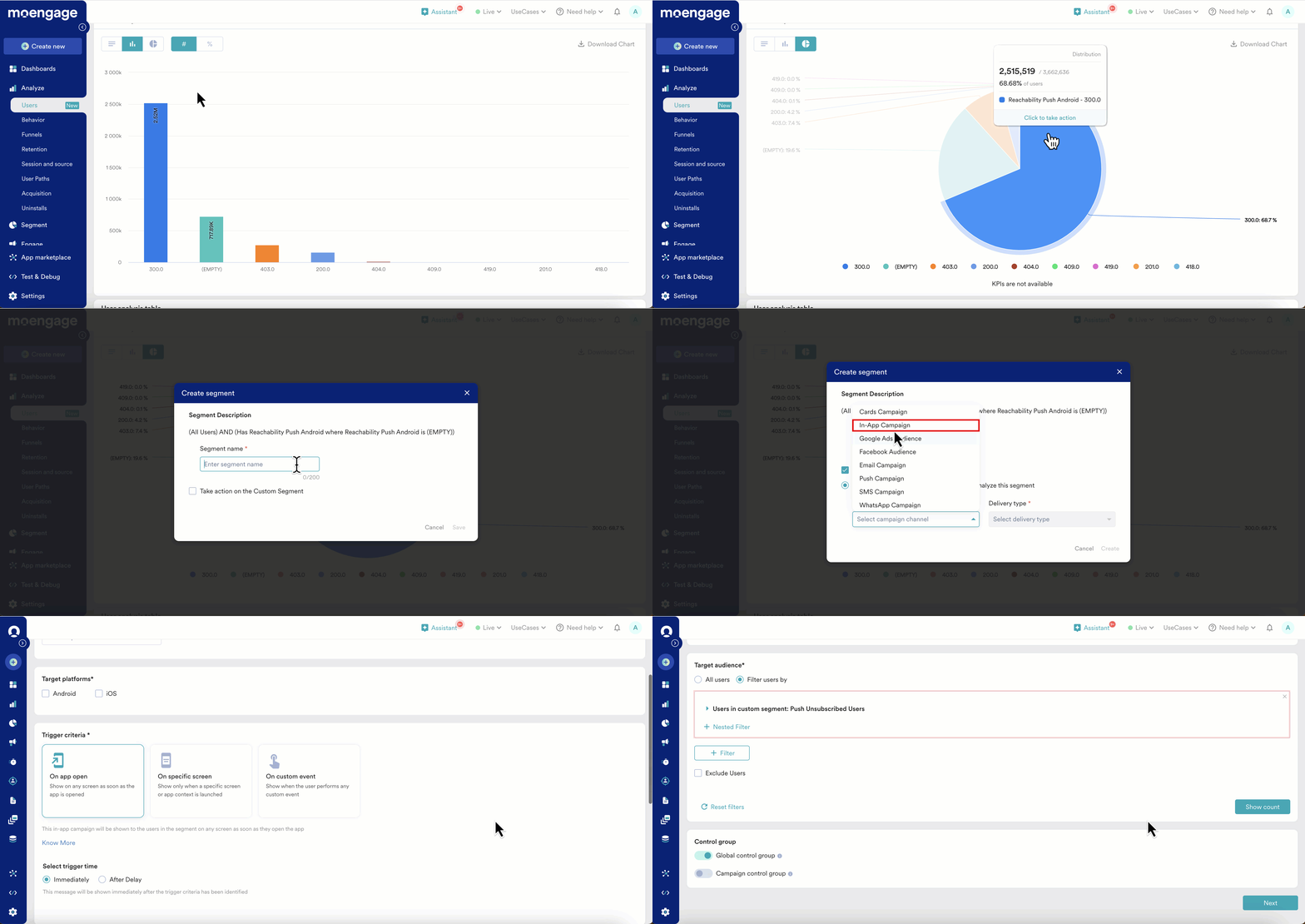
Step 1: Go to Analyse and select “Users” to do the user analysis Step 2: Select the user attribute in the User Properties section (either from Push reachability Android, Push reachability iOS or Push reachability web) Step 3: Below in the User Analysis Options select Analysis type as “Distribution” and click Apply button Step 4: Analyse the generated graph and look at the reasons for non-reachability for Push channel along with the distribution count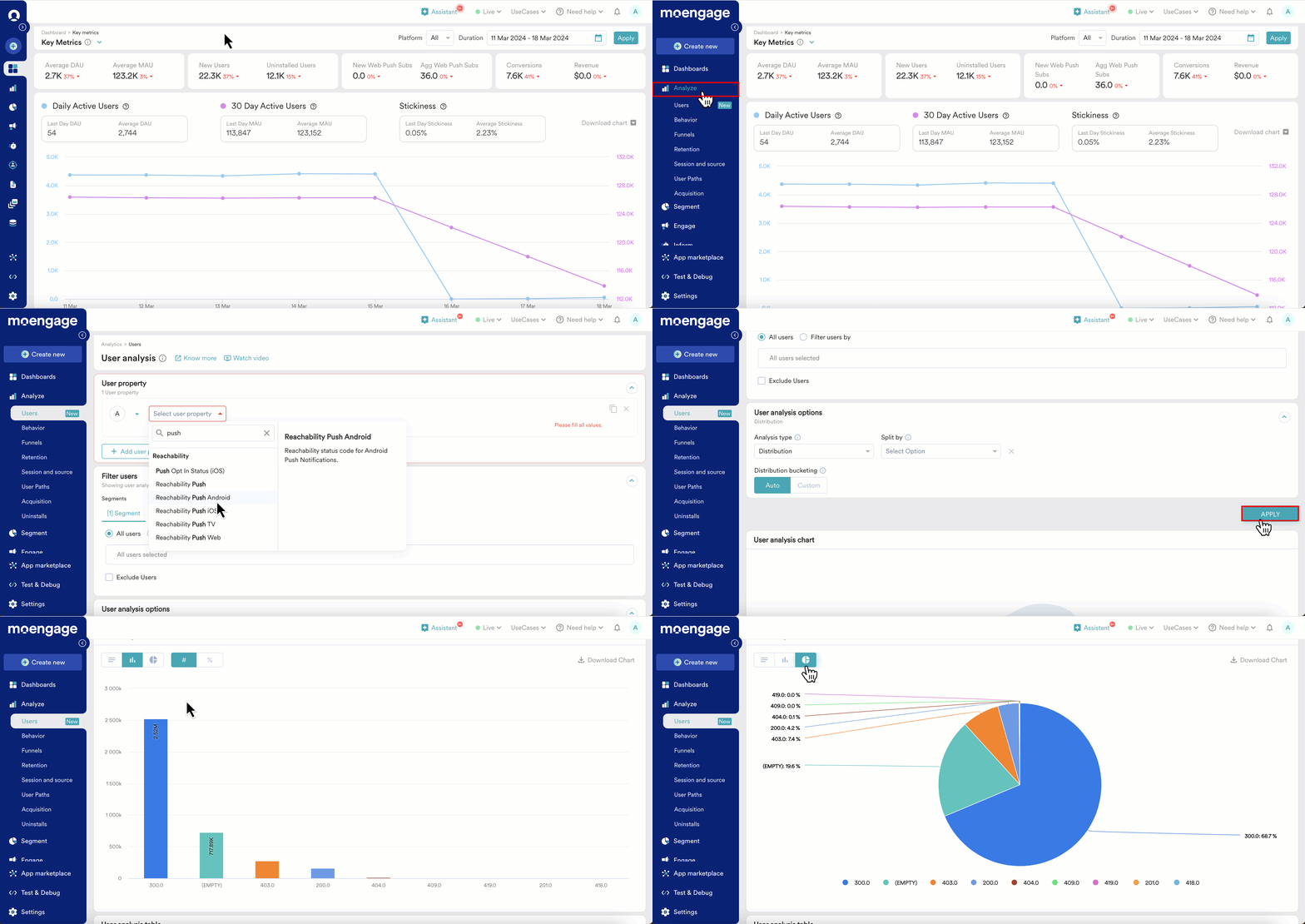
Potential solutions to solve users’ non-reachability problems
| Reachability Push Code (All devices) | Reachability Description | What could be a potential solution to solve this? | |
|---|---|---|---|
| 202 | Not reachable due to Opt-out. This is the reachability value for any user who has opted out of receiving push notifications on all of their Android devices. These users are no longer considered reachable and will not be targeted for campaigns. To exclude opted-out users and thereby have more accurate delivery reporting, please reach out to your Customer Success Account Manager. | Targeting inbound campaigns (In-Apps, Card, On-site) to lure the user to opt-in by redirecting to the permissions setting page. As user needs to modify the permission to be reachable. | |
| 300 | No device found User will not be reachable if the device is not found for the user. The reason for the device not being found is when just the user creation has happened but any device is not present for that user. Such type of user can be created in the following ways:
| Using outbound email, SMS or WhatsApp campaign target these users to install the app and sign up through any device using the same credentials. | |
| 403 | Not reachable due to App uninstalled Any user who is not reachable due to app being uninstalled | An outbound email, SMS or WhatsApp campaign can be targeted to these users using suitable content (Offer, FOMO, etc) to make them install the app again. | |
| 404 | Not reachable due to Push ID not found for the app Any user who is not reachable due to Push ID not found | Check this with your app development team if they have not opted for the MoEngage solution to generate a Push token. The problem could be with the calls made to FCM/APNS for token generation or authentication. | |
| 409 | Not reachable due to invalid push ID Any user who is not reachable due to an invalid push ID | ||
Example:
If you want to make all the push unsubscribed users to subscribe for your push notifications, you can do it in this way: Step 1: Select the section in the pie chart that denotes Push unsubscribed users Step 2: Create a segment or take action by choosing a Specific channel and Delivery type to target the Push unsubscribed users Step 3: Configure the content on the campaigns page