

Reachability
Reachability in different modules across MoEngage:Segmentation
Queries executed on the segmentation page (Create segment) show reachability for Push, Email, SMS, and WhatsApp channels and reachability across these 4 channels.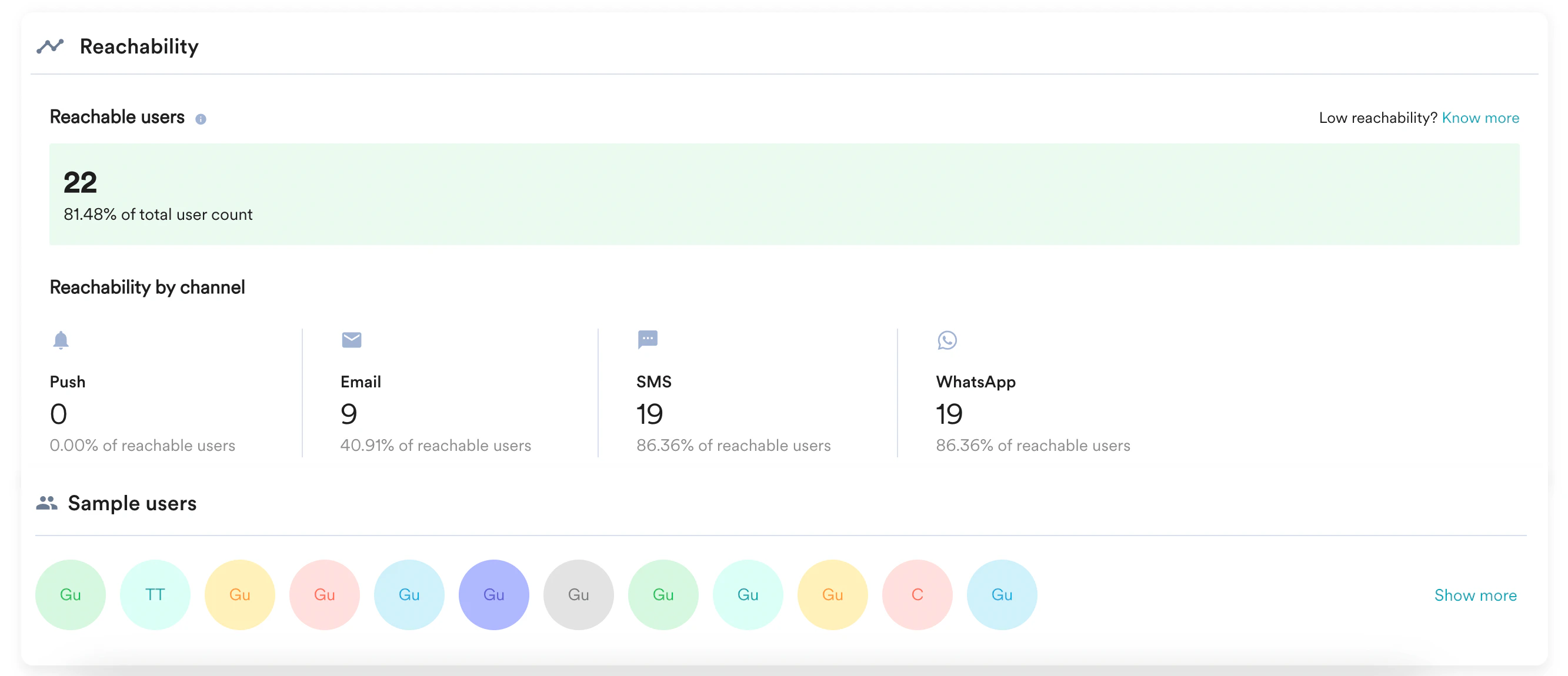
- Email ID is taken from Settings -> Channels -> Email -> General settings
- Mobile Number is taken from Settings -> Channels -> SMS -> General settings
Reachable Users Across Channels
The Reachable users count at the top of the Reachability card is the number of users in the segment who are reachable on at least one of the four channels. This count is a union of the individual channel reachabilities, not a sum:- A user who is reachable on more than one channel is counted once.
- The count is always equal to or higher than any individual channel count shown under Reachability by channel.
User Profile
The User Profile represents the reachability of a specific user for different channels and platforms.
- Email ID is taken from Settings -> Channels -> Email -> General settings
- Mobile Number is taken from Settings -> Channels -> SMS -> General settings
Campaign
Before sending a campaign, users need to be segmented. A segment can have all users or a desired group of users. All of these segmented users may not be reachable, as the required information or the required permissions are not available for the respective users.Here is the list of the outbound channels and the respective reachability -
Push
Queries executed on the Push campaign page show push reachability for Android, iOS, and Web reachability across these 3 platforms.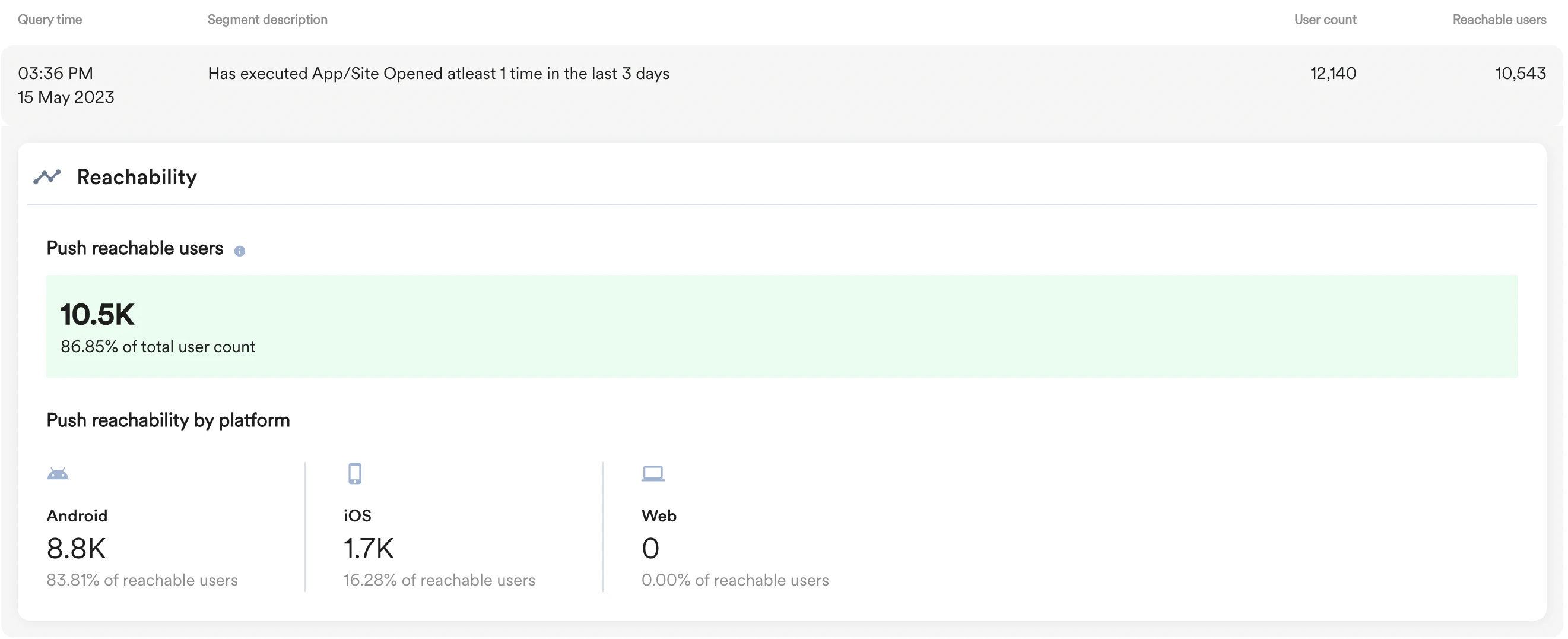
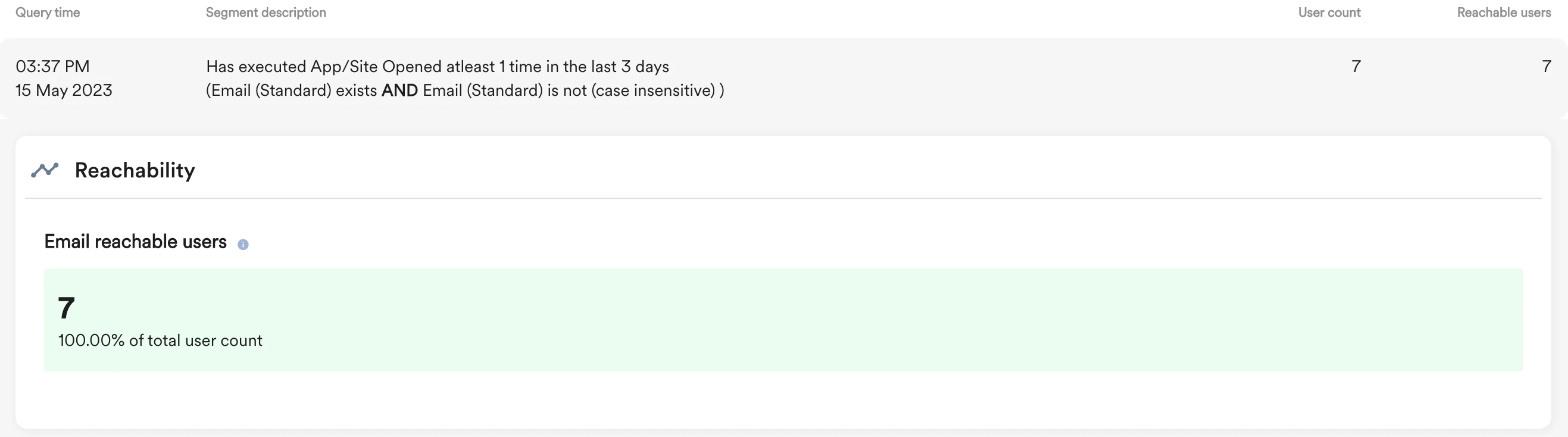
For reachability calculation, the email campaign uses the attribute specified on the campaign page under the User attribute with email address list.
SMS
Queries executed on the SMS campaign page show SMS reachability. For reachability calculation, the SMS campaign uses the attribute specified on the campaign page under the User attribute that stores user’s mobile numbers list.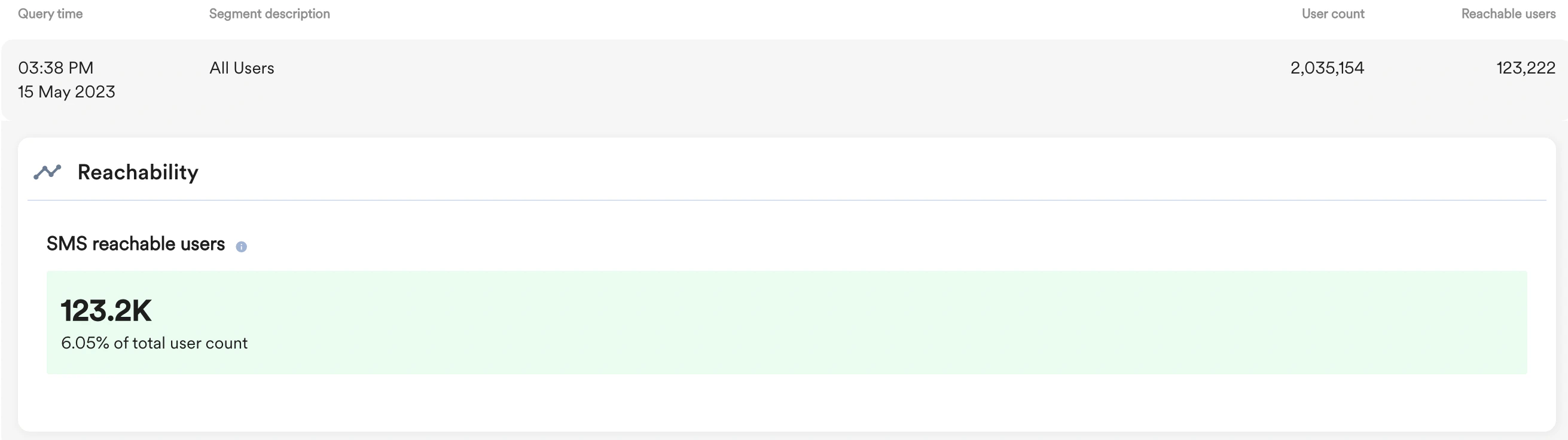
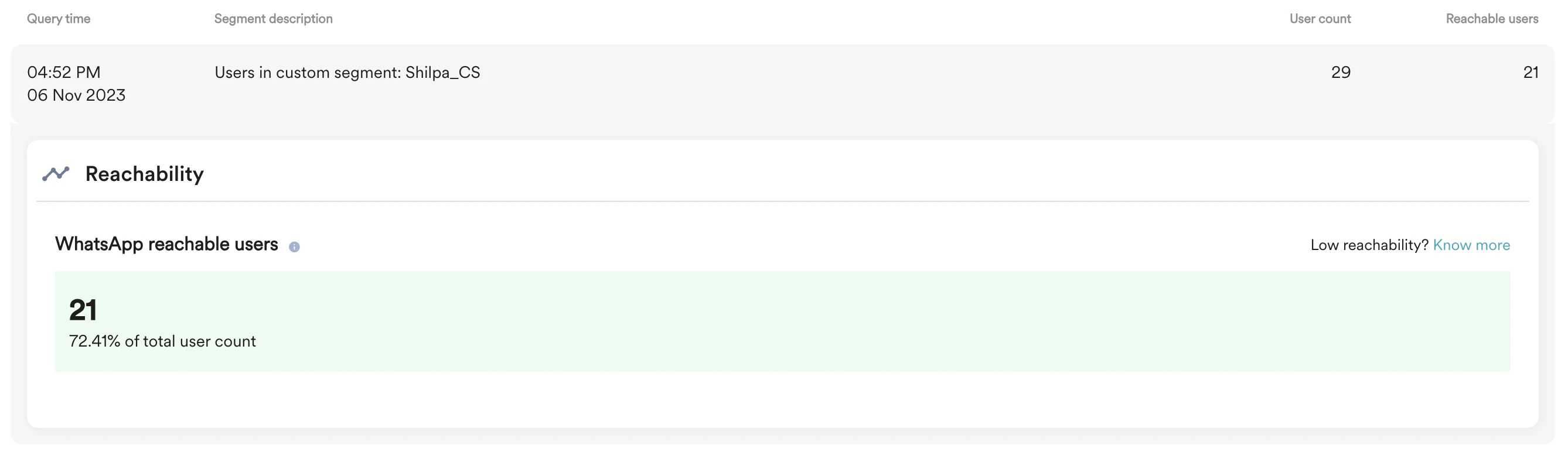
Differences Between Segmentation and Campaign Reachability
The reachable user count on the Create segment page can be higher than the count on a campaign page for the same segment. The following differences account for this:Why Reachable User Counts Differ Across Pages
Several pages on the MoEngage dashboard show a reachable or sent count. Each page counts something different, so the numbers for the same audience do not always match. The following table lists what each page measures and why its count can differ from the others.Which Count to Use
Open Analytics
Reachability can be calculated directly using the data present in the MoEngage warehouse. Using Open Analytics, you can derive reachability and get the required data around it. To learn about reachability using open analytics, click here.Reachability Calculation
Push
Push reachability is derived by the given parameters -- Users should have at least one active device.
- In the case of iOS, the app should be installed on the device.
- In the case of Android, the app should be installed on the device, and the device should not be opt-out for push notifications.
- In the case of the Web, the user should have visited the website once and must Opt-in to the browser permission
- Push token for this device should exist.
- For reachability on the different iOS & Android, at least one active device for the respective platform should exist, and the device should have the app installed.
- MoEngage also updates users’ reachability based on feedback from silent Push (run periodically if the setting is ON) or Push notifications.
User Opt-in preferences and Push Reachability
Users are explicitly asked for permission to be sent push notifications during the app’s installation on iOS, Android (13 and above), and Web. They can opt in and opt out of receiving push notifications by navigating to the device’s app settings and selecting their preference. The table below showcases the reachability and Opt-in states that are tracked using the following user attributes, as seen in the segmentation section of the MoEngage Dashboard:- Reachability Push Android
- Reachability Push iOS
- Reachability Push Web
| Reachability Push Code (All devices) | Legacy Reachability Description | New Reachability Description (Recommended) |
|---|---|---|
| 202 | Reachable but Opted-out. This is the reachability value for any user who has opted out of receiving push notifications on all of their mobile devices. These users are considered reachable but will not receive notifications on their devices. | Not reachable due to Opt-out. This is the reachability value for any user who has opted out of receiving push notifications on all of their devices. These users are no longer considered reachable and will not be targeted for campaigns. To exclude opted-out users and thereby have more accurate delivery reporting, please reach out to your Customer Success Account Manager. |
| 201 | Reachable and opted in This is the reachability value for any user who has opted in to receive push notifications on at least one of their devices. These users are considered reachable. | |
| 200 | Reachable and opt-in status unknown This is the reachability value for users whose opt-in or opt-out preferences are not being tracked by MoEngage yet because these users are on the older SDK version. These users are considered reachable and are attempted for sending push notifications, but some of these users may be opted-out and will not be able to see notifications. Note: Opt-in or opt-out tracking is supported on MoEngage Core SDK version 12.3.01 and above. | |
| 300 | No device found User will not be reachable if the device is not found for the user. The reason for device not found is when just the user creation has happened but any device is not present for that user. Such type of user can be created in following ways:
| |
| 403 | Not reachable due to App uninstalled Any user who is not reachable due to app being uninstalled | |
| 404 | Not reachable due to Push ID not found for the app Any user who is not reachable due to Push ID not found | |
| 409 | Not reachable due to invalid push ID Any user who is not reachable due to invalid push ID | |
- User email should exist
- User property Hard Bounce should be false
- User property Spam should be false
- User property Unsubscribe should be false
- User email contains ’@’
Segmentation and User profile consider the first four parameters to calculate email reachability.
SMS
The given parameters derive SMS reachability - Mobile Number should exist for the user to be reachable. There is no mobile number format validation used for reachability calculation. The system also validates the mobile number, the country code, and the format before sending the actual SMS campaign.- A mobile number should exist in MoEngage for the user to be reachable.
- The mobile number should have a valid account on WhatsApp.
- WhatsApp Opt-In status should be True