

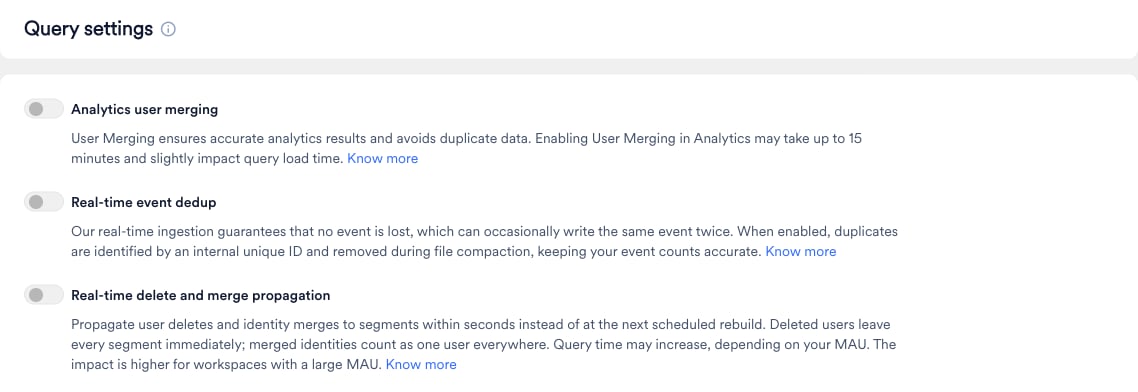
After you turn on a toggle, the change can take up to 15 minutes to take effect.
Analytics User Merging
MoEngage merges an anonymous user profile with the registered user profile after the user logs in, so each user has a single user ID across devices and sessions. For more information, refer to User Merging. When you turn on Analytics user merging, MoEngage Analytics applies the same merging logic, so the anonymous and logged-in activity of a user counts as one user in reports such as Behavior Analysis. It can slightly increase query load time.Segmentation has its own user merging logic. If Analytics user merging is turned off, Analytics treats anonymous and logged-in sessions as separate users, so user counts for the same criteria can differ between Segmentation queries and Analytics reports. Turn on Analytics user merging to align these counts.
Real-Time Event Deduplication
In rare cases, MoEngage can record the same event more than once. MoEngage prioritizes never losing your data, so occasionally an event is saved twice. When this happens, a user who performed an event once appears to have done it twice. Filters that count occurrences, such as has executed an event exactly a number of times, can then include or exclude users who don’t meet the condition. When you turn on Real-time event dedup, MoEngage finds and removes these duplicate copies. It identifies duplicates using an internal ID that MoEngage assigns to each event, which is separate fromevent_id and your event attributes, so genuine repeat events from your users are never removed. Duplicates are cleaned up during MoEngage’s regular data optimization process, and Segmentation counts each event only once.