If a user’s device is eligible to receive notification N1 (sent using One Time or Periodic Push campaign C1) at time 1:00 pm UTC and N2 (sent using One Time or Periodic Push campaign C2) at 1:15 pm UTC. If the Min Delay setting is OFF, the user device will receive a campaign as per their Frequency Capping status. If the Minimum Delay setting is ON (and set as 30 mins), the user device will not receive N2. Example 2
If a user’s device is eligible to receive notification N1 (sent using One Time or Periodic Push campaign C1) at time 1:00 pm UTC and N2 (sent using Event-Triggered campaign C2) at 1:15 pm UTC. If the Min Delay setting is OFF, the user device will receive a campaign as per their Frequency Capping status. If the Minimum Delay setting is ON (and set as 30 mins), the user device will not receive N2.
Configure and Setup Minimum delay
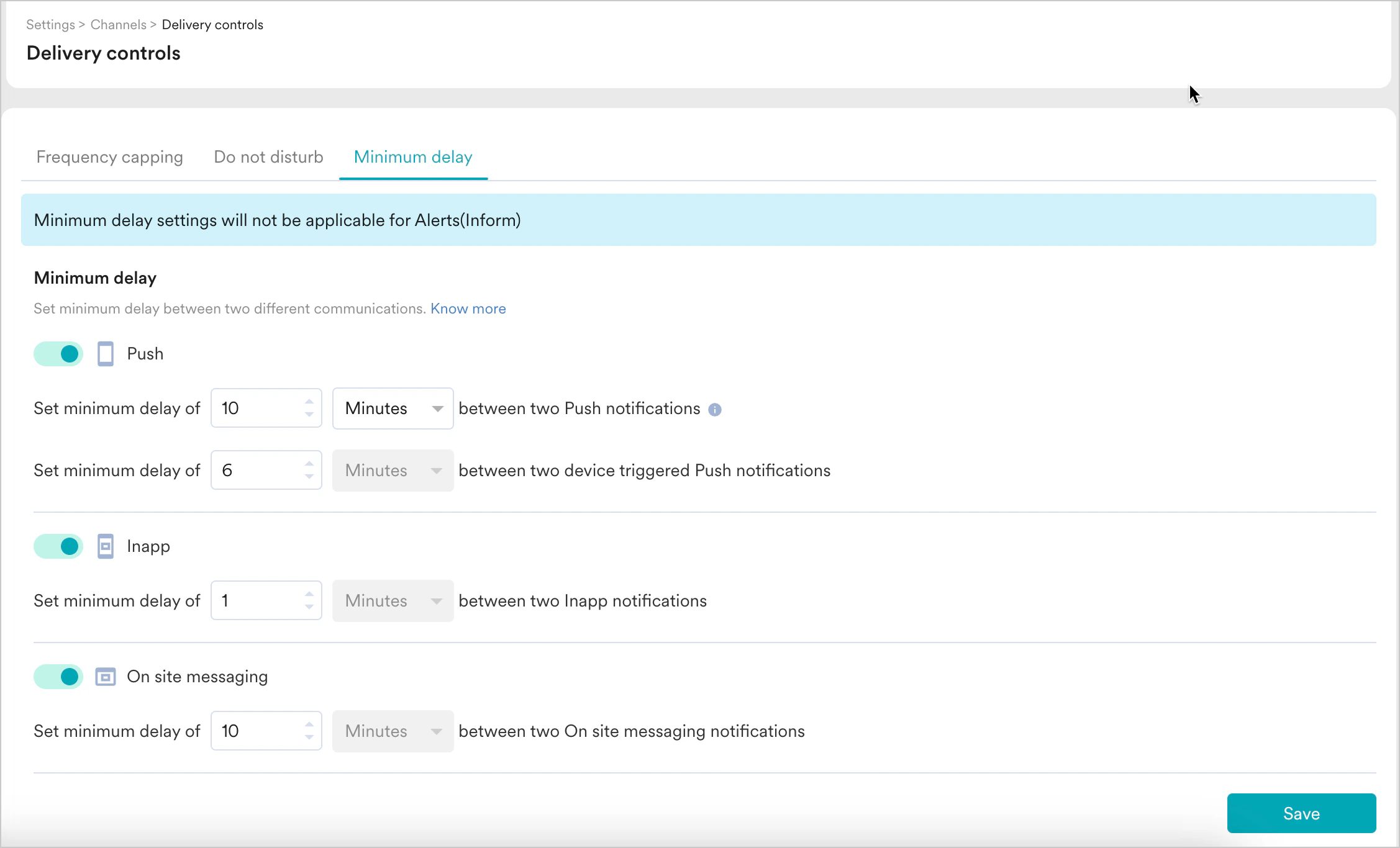
To enable minimum delay, go to the following navigation in the MoEngage Dashboard and set the delay to the desired duration to control the communication being sent out. Settings -> Channels -> Delivery Controls -> Minimum delay To enable minimum for a channel:- Turn the channel toggle on.
- Set the minimum delay to the desired time limit.
- Click Save.