ios/Runner.xcworkspace in Xcode before proceeding.
To migrate from an existing manual implementation to the integrator tool, follow the below steps:
Step 1: Prerequisites
Before proceeding, ensure the following are in place:- Ensure you are using MoEngage Flutter SDK version 10.6.0 or above to utilize the extension integrator tool.
- SDK initialization: Initialize the MoEngage SDK using file-based initialization.
- App Group configuration: Provide the
AppGroupNamekey (for example,group.com.organization.app) you are using with yoursdkConfig.appGroupID.
- App Group configuration: Provide the
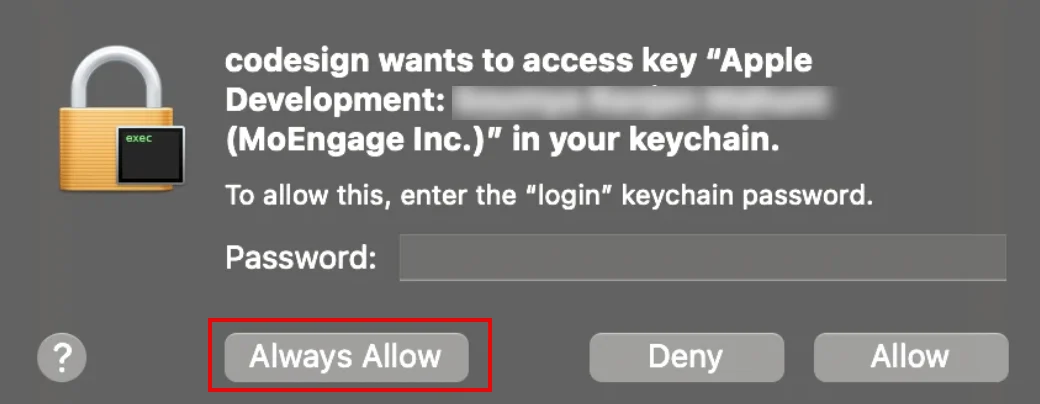
- After integration is complete, you may be prompted to access the keychain for code signing. Click Always Allow.
Step 2: Integrate MoEngageRichNotification
IntegrateMoEngageRichNotification if you need to support either of the following push notification features:
- Rich media — display images, GIFs, or video in the notification banner
- Rich push templates — render interactive notification layouts such as carousel
This step is mandatory if you have integrated the content extension.
- Swift Package Manager (SPM)
- CocoaPods
To install the
MoEngageRichNotification through SPM, perform the following steps:- Navigate to File > Add Package.
- Enter the repository URL:
https://github.com/moengage/apple-sdk.git
- Select the master branch or a specific version and select Add Package.
- Target the package to your application.
Step 3: Integrate the extension integrator tool
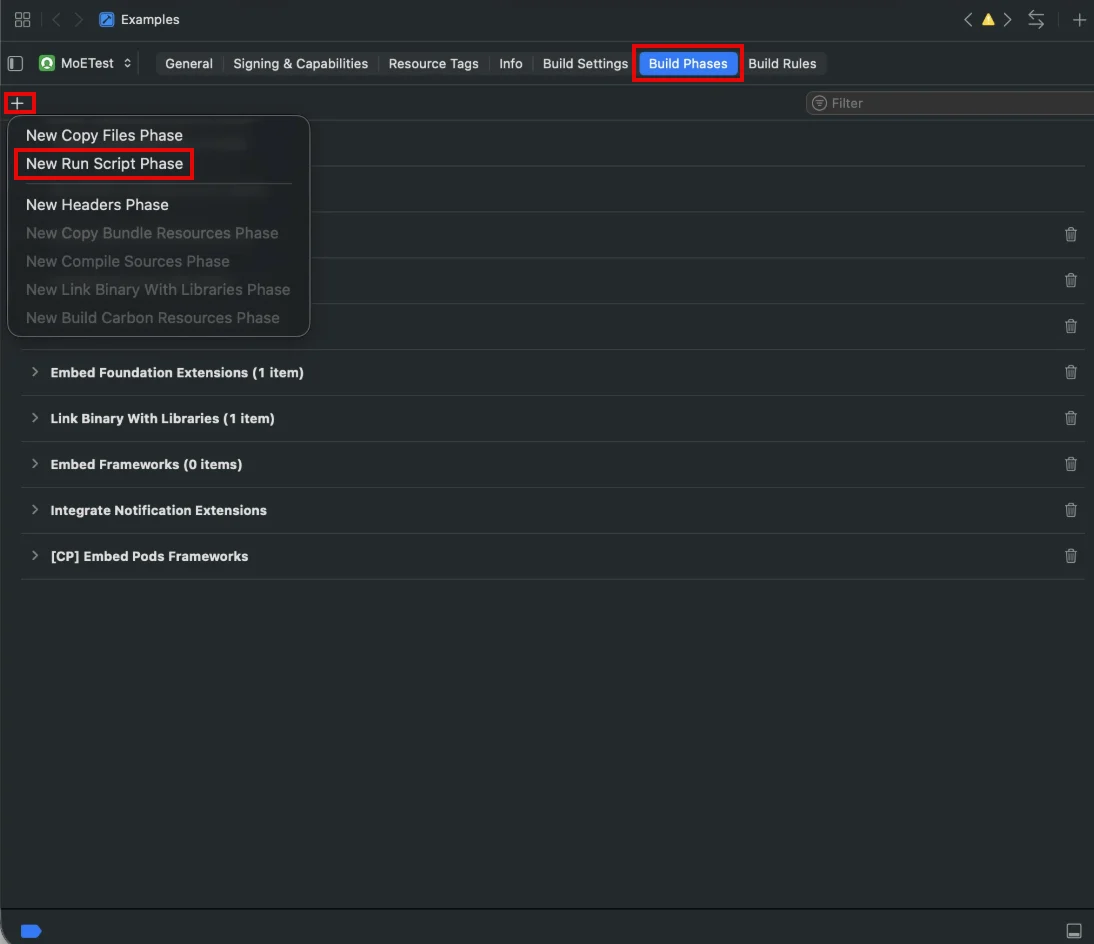
Automate the extension configuration by adding a custom script to your build process.- In Xcode, select your application target, go to Build Phases, and click + to add a New Run Script Phase.
If you have already added a script phase and configured the input files, you can simply update the run command as described in step 3 below.
- Add the following paths to the Input Files section:
$(BUILT_PRODUCTS_DIR)/$(INFOPLIST_PATH)$(INSTALL_DIR)/$(INFOPLIST_PATH)
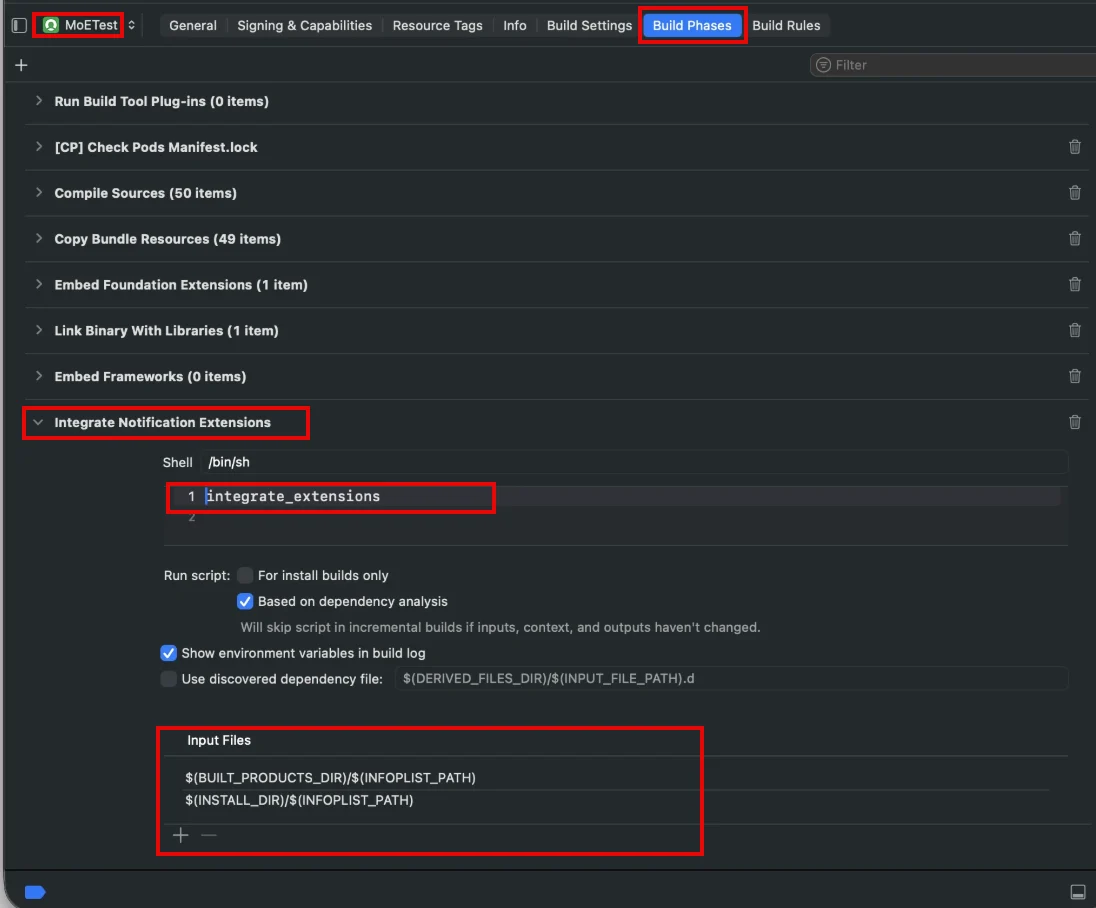
- In the shell script input box of the Run Script Phase added in step 1, enter the command relevant to your dependency manager, replacing
$OPTIONSwith your desired configuration:
- Swift Package Manager (SPM)
- CocoaPods
Swift Package Manager (SPM)
Available options
Replace$OPTIONS with one or more of the following:
Step 3: Remove existing extensions
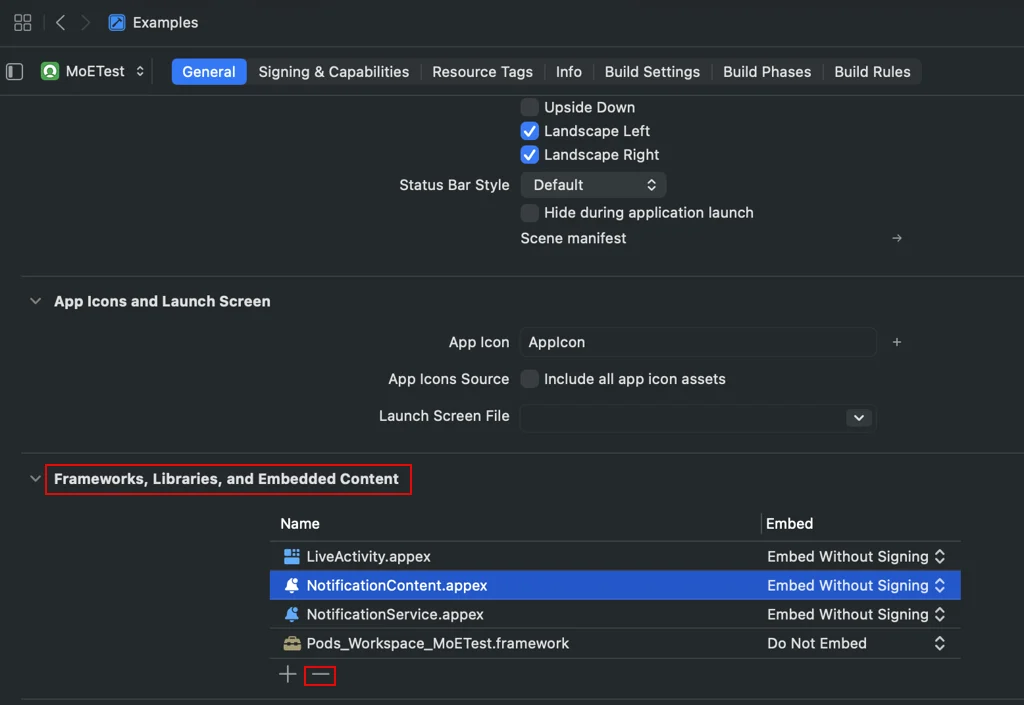
Remove existing service and content extensions added in Frameworks, Libraries and Embedded Content section.