

Introduction
Alot Solutions is a leading communication platform that enables businesses to engage customers via SMS, WhatsApp, Voice, Email, RCS, and Chatbot. It provides secure, scalable, and personalized engagement strategies that optimize campaigns, enhance customer service, and are trusted by enterprises of all sizes.PrerequisitesEnsure you have access to your Alot Solutions dashboard and have the API key for your Alot Solutions account.
Configure Alot Solutions as a Custom SMS Connector (Service Provider)
This section will help you set Alot Solutions as a Custom Connector on the MoEngage dashboard. Log in to the MoEngage dashboard and follow these steps:- Navigate to Settings -> Channel -> SMS -> Sender Configuration.
- Click + Add custom service provider in the upper-right corner.
- Add the following details in the Sender Details screen.
- Configure the Webhook by adding the following details:
- APIKey : Enter the API key from your Alot Solutions account.
- SenderId : Replace with the sender ID authorized for your campaigns.
- Channel : Use the correct route name (like “TRANS” or “PROMO”).
- PEID : Replace with your unique Entity ID provided by Alot Solutions.
- Send a test SMS to verify your configuration.
- Click Save to save the Sender Configuration.
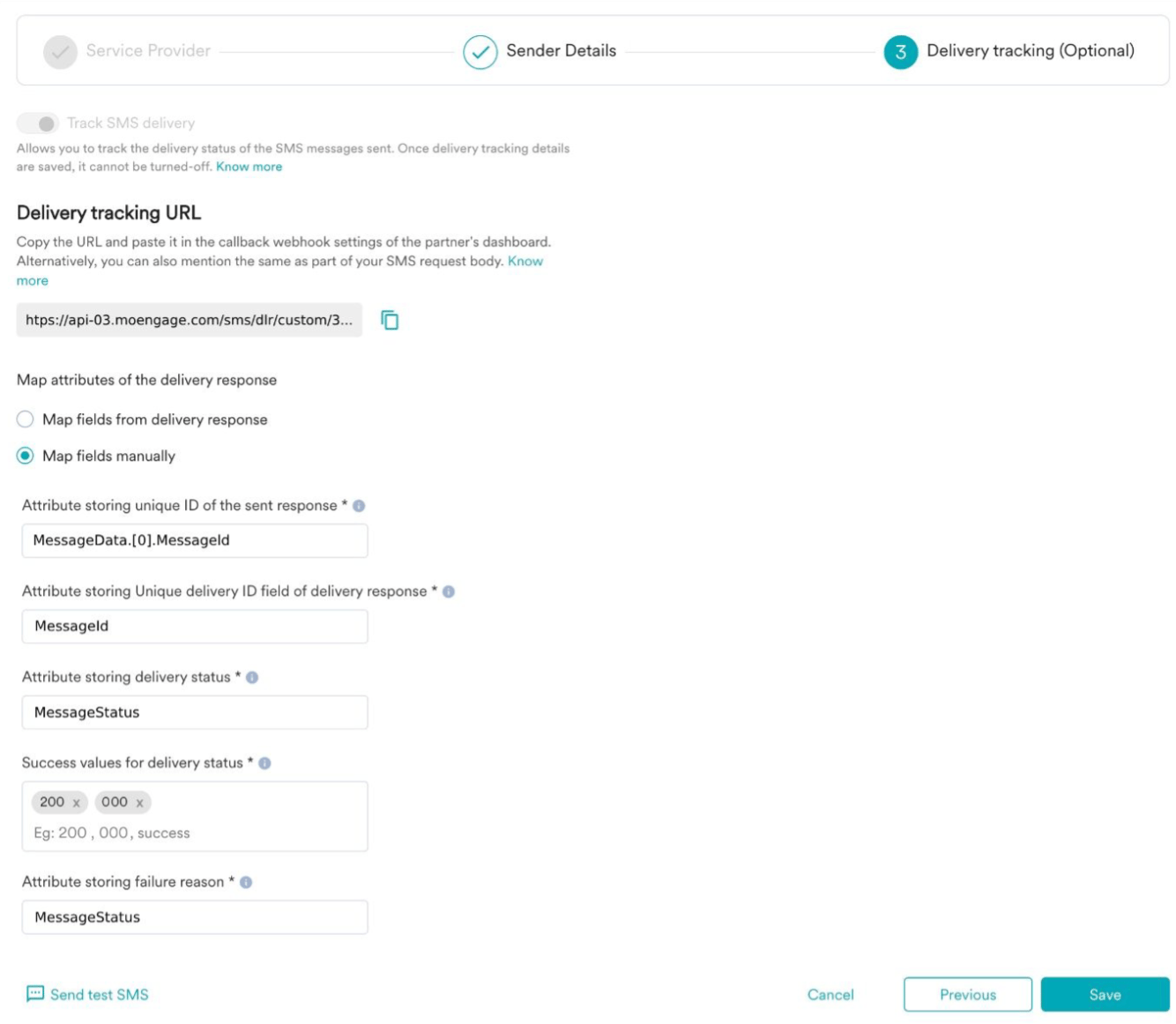
- You can configure delivery tracking after creating the sender in the MoEngage dashboard. For information about Delivery Tracking, refer to Delivery Tracking for Custom Connectors.
- You can map the attributes of the delivery tracking response manually or automatically.\
Next Steps
- Create an SMS campaign using the Getting Started for creating SMS campaign.
- Set the Frequency Capping for SMS.
- Set the Current Service Provider.
- Read more about campaign analytics.