

Problem
HTML in-app may fail when script tags are used on devices.Explanation
- Some HTML in-app includes the following script tag:
- The tag embeds JavaScript code to enable validation and other JavaScript functionalities.
- Publishing an HTML in‑app campaign containing this script tag will cause an exception when viewed in the app, as shown in the screenshot:
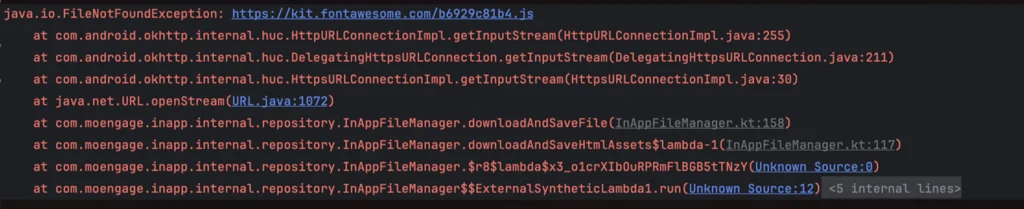
- The
FileNotFoundexception indicates that the JavaScript file URLhttps://kit.fontawesome.com/b6929c81b4.jsin the script tag is invalid, preventing the HTML in‑app from loading on the device.