Configure MoEngage Flow settings from the dashboard to control how your cross-channel user journeys behave, including entry rules and campaign options.
You can configure the following settings in flows:
Settings
Description
Campaign Tags
Select from the drop-down up to five campaign tags. For more information, refer to Campaign Tags.
Conversion Goal
Goal Name
Type the name of the goal to manage and identify the goal.
Event Name
Select from the drop-down the defined events based on which the goal is tracked. For more information, refer to Events and Attributes.
New Attribute
Click to add the defined attributes, conditions, and values to filter or drill down the goal being tracked. For more information, refer to Events and Attributes.
Track goal for
Define the time duration in hours from which the goal is tracked after the user receives the campaign. Goals can be tracked for a maximum of 10 days from user’s campaign impressions/clicks
Exit on conversion
Forcefully remove users from the flow as soon as they convert with the primary conversion goal if the exit on conversion toggle is enabled.
Messaging Control
Ignore DND Settings
Turn ON Ignore DND Settings Click to turn ON ignore DND settings to ensure that Do Not Disturb (DND) settings are not applied to the messages sent by the respective Flow. For example, messages will be sent at all times. Turn OFF Ignore DND Settings Disabling the setting to OFF ensures that Do Not Disturb (DND) settings are applied for the messages sent by the respective Flow. For example, messages are not sent during DND time. For more information, refer to Frequency Capping (FC) and Do Not Disturb (DND) for Flows.
Ignore frequency capping
Frequency Capping (FC) allows you to limit the number of messages sent to your users during a specific period. The limit is applied on a channel (push, email, connectors) level. For more information, refer to channel level Frequency capping. Turn ON Ignore_frequency capping_ Click to turn ON the Ignore frequency capping to ensure that all the channel level capping is ignored for the messages sent by the respective Flow. Turn OFF Ignore frequency capping Disabling the setting to OFF ensures all the channel level FC settings are applied to the Flow Messages. For more information, refer to Frequency Capping (FC) and Do Not Disturb (DND) for Flows.
Count for the frequency capping
When the Ignore frequency capping is enabled as ON, the marketers can decide if they want to count the channel message sent by the respective Flow for FC. This further controls messages to be sent by other Flows/Campaigns. For more information, refer to Frequency Capping (FC) and Do Not Disturb (DND) for Flows.
Enable DeDuplication
Deduplication is only applicable for Fixed time entry type Flows. When the Enable DeDuplication toggle is on, the marketers can prevent sending messages to the same channel identifiers, such as mobile number (in the case of SMS/WhatsApp) or Email ID (in the case of Emails), even if they are associated with different users for a period of 24 hours. In the case of Connectors, the Marketers should choose the user property on which deduplication should be done for all the connector stages that are added to the flow. For Example: Say there are User Profiles A and B with the same mobile number and Email that enters a Periodic flow. In a Periodic Flow, if the Marketer turns this on, only the first User Profile that entered the campaign stage (Email, SMS, and WhatsApp) will receive the campaign.
Preferences
Push
If you are using Preference Management settings to automatically exclude specific users from the campaigns. Click on Push to override the preference to include the opted-out users for delivering the flow action campaigns to the users.
SMS
Click on SMS to override the preference to include the opted-out users for delivering the flow action campaigns to the users.
WhatsApp
Click on WhatsApp to override the preference to include the opted-out users for delivering the flow action campaigns to the users.
Flows use the Frequency Capping and DND Settings set by Marketers on a channel level. For example:
Email messages sent using Flows are controlled based on the FC & DND setting for Emails.
Push messages sent using Flows are controlled based on the FC & DND setting for Push and so on.
WhatsApp messages sent using Flows are controlled based on the FC & DND setting for WhatsApp.
FC and DND settings are ignored when a default flow is created. You can open existing Flows and edit these settings. After editing, the settings are applied to all the messages sent thereafter.Enable Deduplication is only applicable for Periodic Flows and One-time Flows.
By Default, DeDuplication will be turned off.
DeDuplication happens before actually attempting to send the campaign. So after deduplicating, it is possible that the message was not sent out due to Failure reasons like Personalisation Failure, Frequency Capping, etc.
All the settings do not apply to Facebook Audience campaigns. If the setting is present in the Flow campaign, it will be bypassed for FB Audience.
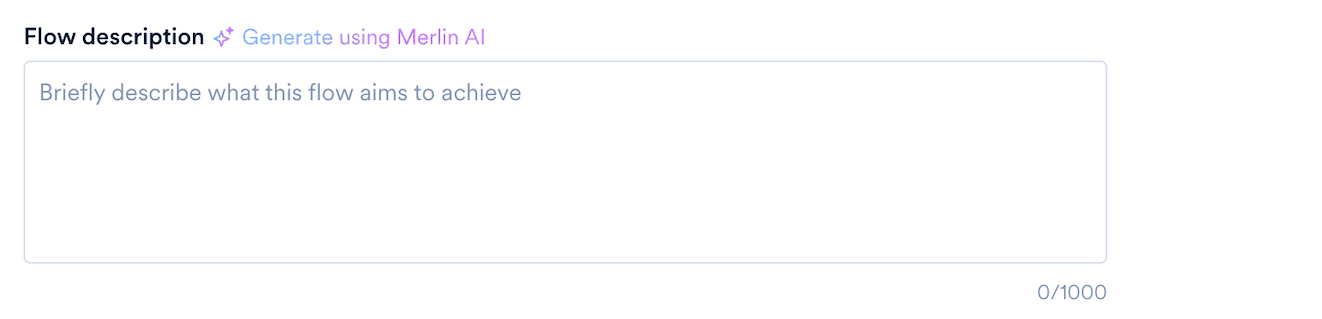
Flow settings hold a Flow description, a short summary of what the flow does. It appears here and in the Description column of the Attach flow dialog box when someone references this flow in Flows Assist.
Flow descriptions are a beta feature. To enable them for your account, contact your MoEngage Customer Success Manager (CSM) or the Support team.
Write the description yourself, or click Generate using Merlin AI to have one written from the flow, which works on a draft as well as on a published flow. The field holds up to 1,000 characters, and the description saves with the rest of the settings.For more information, refer to Add a Flow Description.
Assistant
Responses are generated using AI and may contain mistakes.