Availability of this feature depends on your MoEngage plan and may require a paid add-on. To check what’s available for your plan, refer to Plans and Pricing. To get this feature, contact your MoEngage Customer Success Manager (CSM) or the Support team.
NBA is available for all Enterprise clients by default. For other plans, this feature is available as an add-on option with BTS and MPC. To enable this feature, please contact your MoEngage Customer Success Manager (CSM) or the Support team.
How does NBA work?
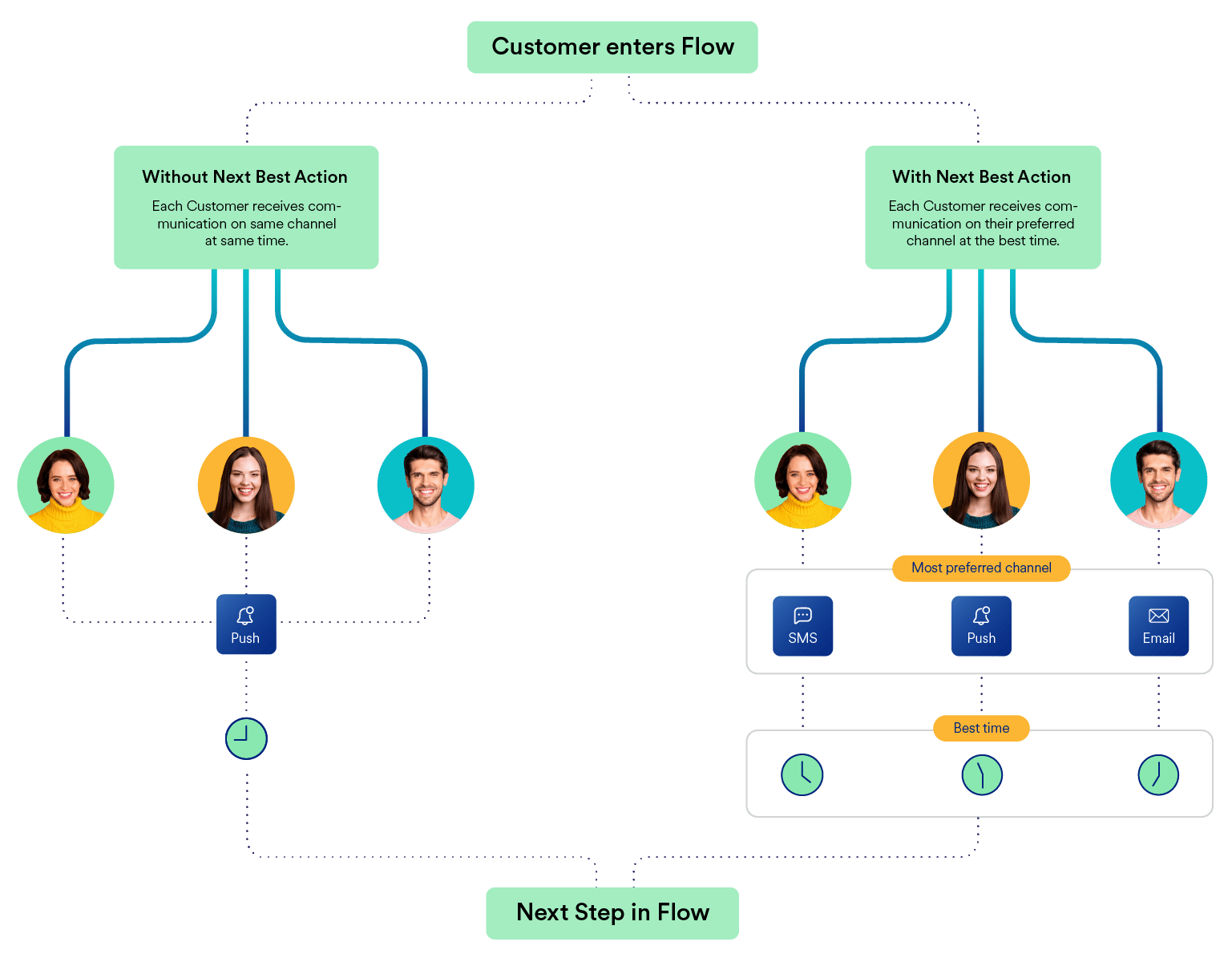
When a user enters the NBA stage, Merlin AI chooses the MPC based on the data from the user’s engagement trends for the past 60 days. The specified fallback channel is used if the MPC is unavailable for a user. Also, marketers can send the campaigns to the users at the best hour based on Merlin AI BTS information on the user. Merlin AI picks out the BTS for the user based on their activity for the past 60 days, and this information is available in the User Profile. MoEngage uses the BTS for every user who enters the NBA stage in the Flow. When this information is unavailable, we send the campaign at the default time (for users for whom BTS info is unavailable). Adding the NBA Stage To add NBA as a stage in a Flow, do the following:- Select NBA from the stages in the Flow.
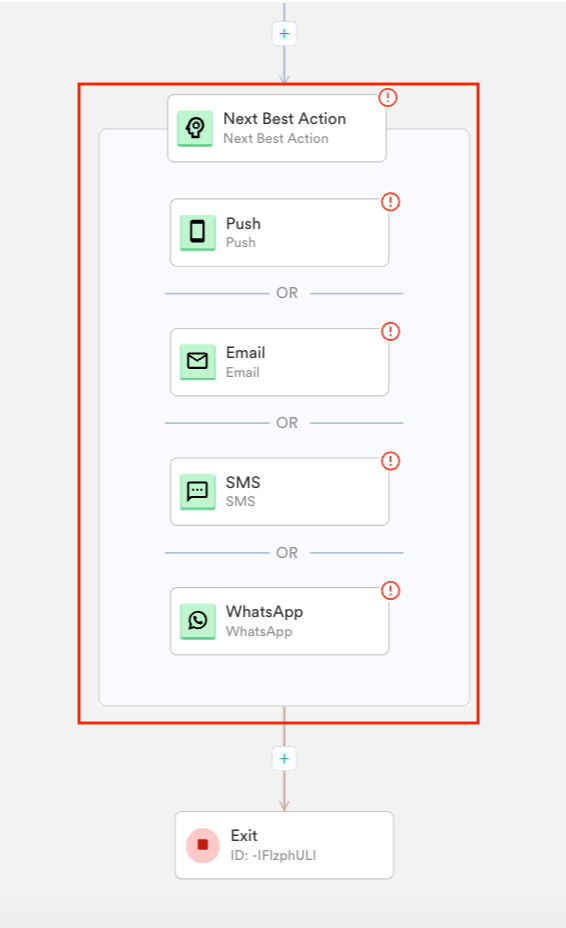
- As illustrated in the image below, the NBA screen pops up upon adding the NBA as a stage.
- Choose the Fallback channel in the dropdown. You can choose any one of the following channels as the Fallback channel:
- Push
- SMS
- Select the Send the notification at the best time to send (Merlin AI) checkbox to send the campaign at the BTS.
- If you choose to send at BTS, you can choose one of the following default times in case BTS is not available:
- Yes, Immediately - In case the BTS isn’t available, the campaign will be sent to the channel chosen immediately.
- Yes, at App’s best - If the BTS isn’t available, the campaign will be sent to the channel chosen at the App’s best time (when the app has the best collective engagement).
- No, Don’t send - If the BTS isn’t available, the campaign will not be sent.
- Click Done to add NBA as a stage.
Campaign Analytics
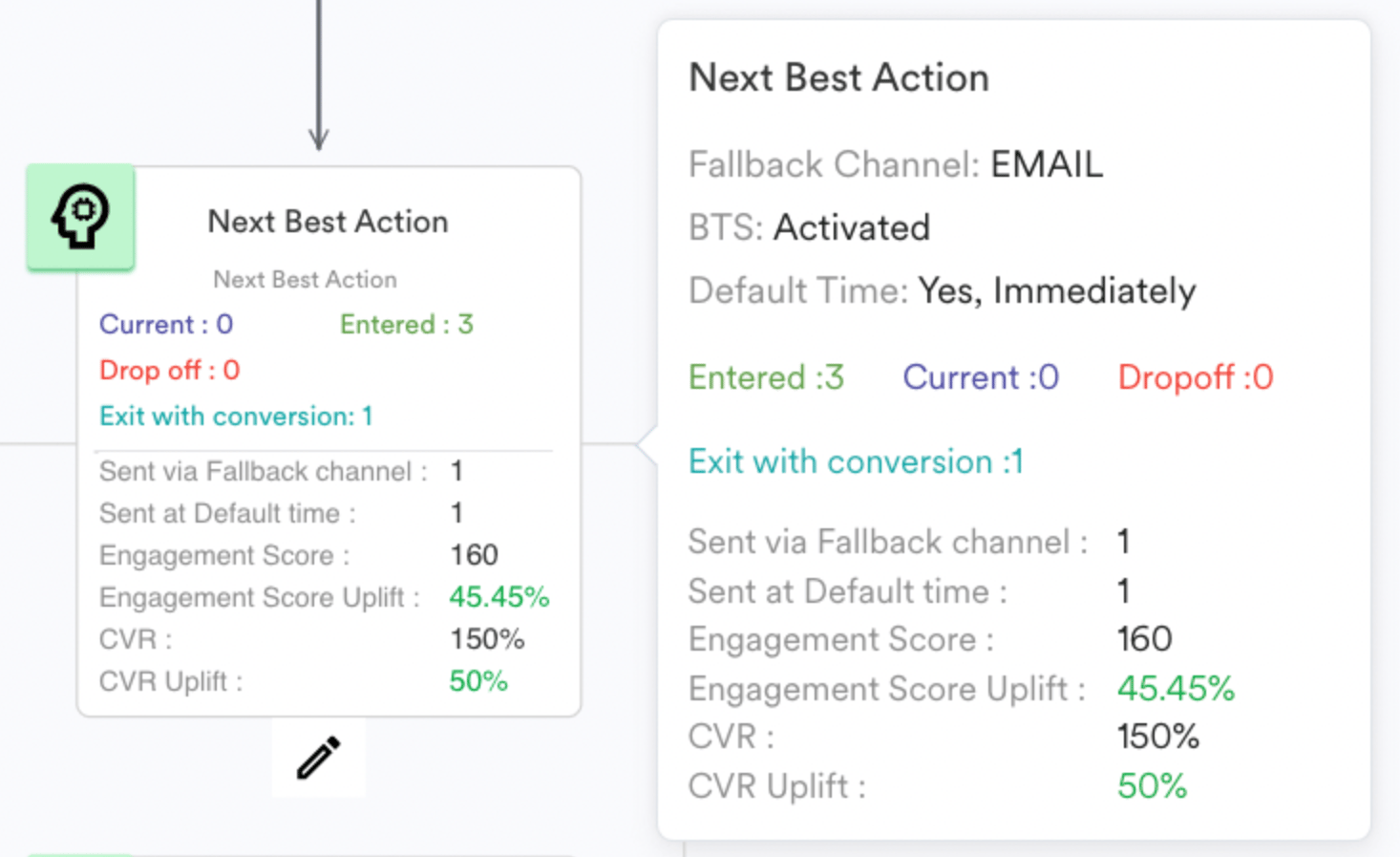
The following NBA specific information is available in the Flows Canvas for a published Flow for the NBA stage.- Number of users who have Entered and Exited
- Number of users who were reached through the FallBack Channel
- Engagement Score
- Engagement Score Uplift
- CVR
- CVR Uplift
- When BTS is activated, the number of users who had received communication at Default Time is also available.
Engagement Scores
The engagement scores are calculated differently when NBA alone is used without BTS and when NBA with BTS are used together, and they are detailed below. When NBA is used without BTS
Uplift Percentages
The formula for calculating uplift percentages for various scenarios is shown below.
Legend: Engagement Score - ES Default Score - DS
Uplift in ES (in % )= [(ES via NBA / ES via Default) - 1]*100
Uplift in CVR (in % )= [(CVR via NBA / CVR Default) - 1]*100
When NBA and BTS are used together
Uplift Percentages
The formulae for calculating uplift percentages for various scenarios are shown below.
Legend: Engagement Score - ES
Uplift in ES (in % )= [(ES via NBA and BTS/ ES via Default) - 1]*100
Uplift in CVR (in % )= [(CVR via NBA and BTS / CVR Default) - 1]*100
The image below shows a published Flow with an NBA stage. On Hover at the NBA stage, all of the metrics mentioned above are displayed. In the following Flow, 3 users have entered the NBA stage. Among the 3, 2 have their MPC defined as Email and BTS defined as 4-5 PM and 2-3 PM, respectively. While one user neither has MPC nor BTS.