

Problem
Issues occur while working with location-based push notifications.Solution
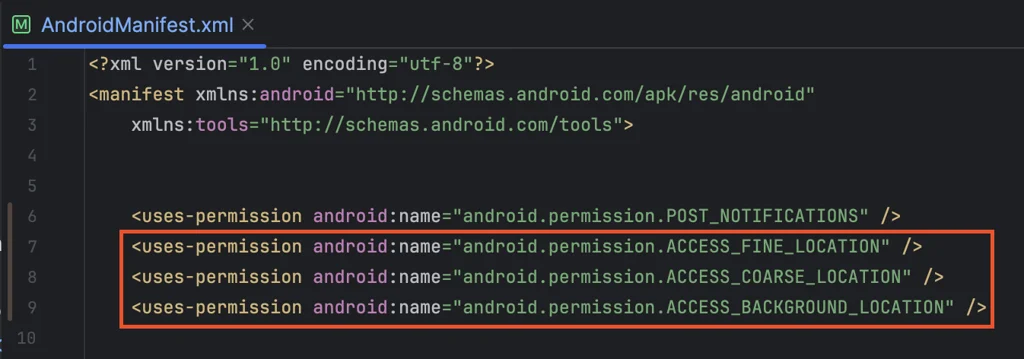
- Open the AndroidManifest.xml file and add the following dependency:
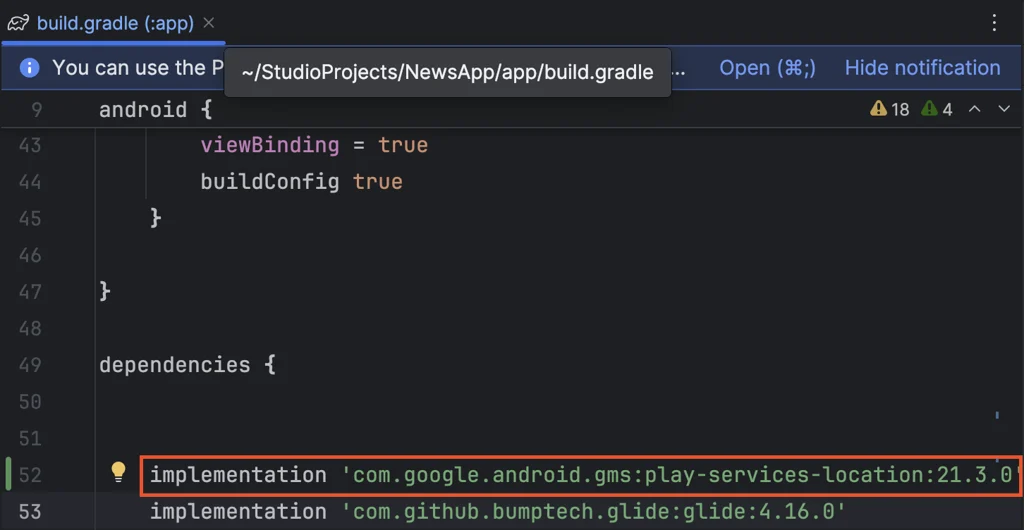
- Open the app level
build.gradlefile, and add the following dependency:
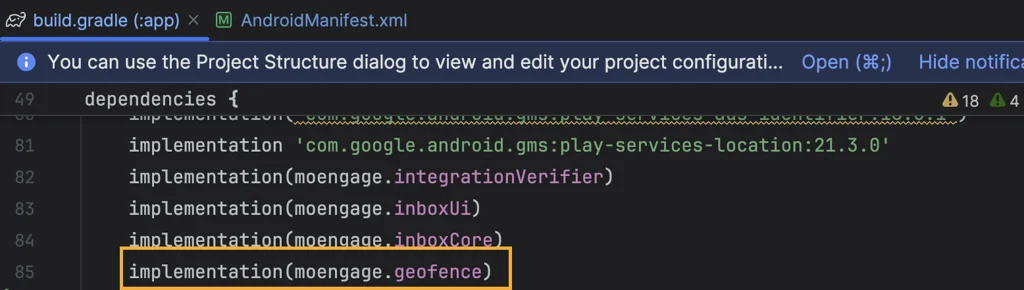
- Refer to the following sections in the Location Triggered documentation to create a location-triggered push campaign:
- Creating a Geofence.
- Users entering or exiting the Geofence.
- Users dwelling under the Geofence.
- After following the documentation and adding the necessary dependencies and permissions, opening the app on Android 14 and above devices displays the user’s permissions, as shown in the screenshot.
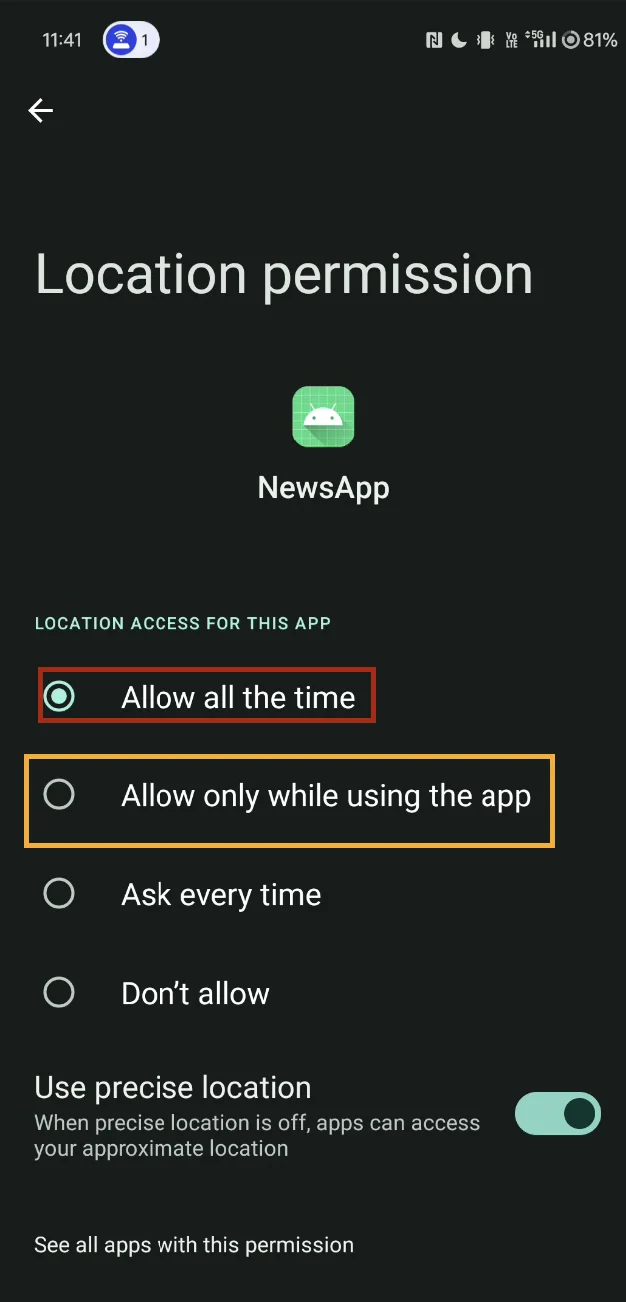
- Allow all the time
- Allow only while using the app: By default, Android 14 and above devices grant location access only while the app is active.
- On Android 14 and above devices, the default
"Allow only while using the app"location permission blocks geofence and location-triggered pushes when the app is closed or in the background. Change the location permission setting to"Allow all the time"so that location-triggered campaigns run in all states.