

Problem
Common issues with Push notifications, including failed delivery, screen navigation, deep linking, and rich landing, are occurring on iOS devices using Flutter, Objective-C, and MoEngage-iOS-SDK (Versions 7.x.x, 8.x.x, 9.x.x).Solution
Perform the following steps:- Firebase Proxy:
- If you are not using Firebase push notifications, then disable the Firebase proxy by adding the FirebaseAppDelegateProxyEnabled key in info.plist with the value Boolean = False/NO.
- Test the push notification. If successful, no further action is required. Otherwise, follow the steps below.
- If you are using Firebase push notifications, skip this step and proceed with the following steps.
- Disable MoEngage Proxy:
- Add MoEngageAppDelegateProxyEnabled key in info.plist with the value Boolean = false/NO
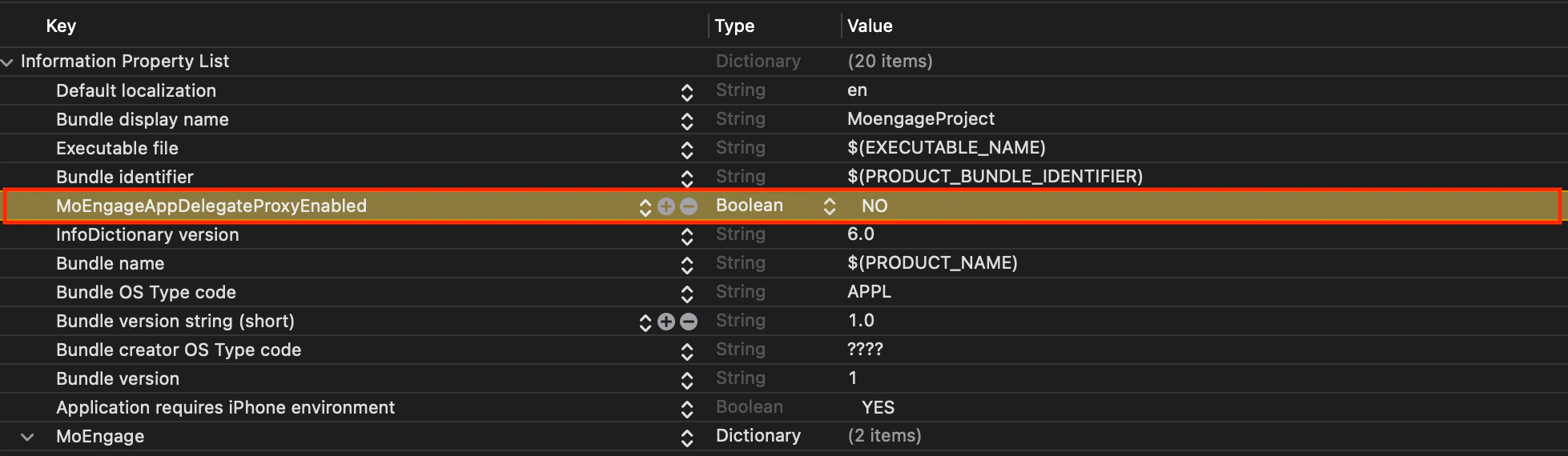
- Add MoEngageAppDelegateProxyEnabled key in info.plist with the value Boolean = false/NO
- Override didRegisterForRemoteNotificationsWithDeviceToken Function:
- Override the didRegisterForRemoteNotificationsWithDeviceToken function of the AppDelegate.m file.
Objective-C
- Override the didRegisterForRemoteNotificationsWithDeviceToken function of the AppDelegate.m file.
- Override UNUserNotificatoinCenterDelegate Functions:
- Override the UNUserNotificatoinCenterDelegate functions in the AppDelegate.m file.
Objective-C
- Override the UNUserNotificatoinCenterDelegate functions in the AppDelegate.m file.