

This feature is part of the Streams paid add-on. To check what’s available for your plan, refer to Plans and Pricing. To enable it for your account, contact your MoEngage Customer Success Manager (CSM) or the Support team.
Overview
You can export all user events and campaign events that MoEngage receives or generates by using S3 Exports. Analyze the exported data to learn about user behavior, campaign interactions, and customer preferences.How Does MoEngage Work with S3?
Amazon S3 is a highly scalable storage system offered by Amazon Web Services. Integrating your S3 buckets allows MoEngage to share periodic exports of your data in JSON format.Integration
Perform the following steps to configure your S3 integration:Step 1: Create an S3 Bucket
Even if you already have an S3 bucket, we recommend creating a new bucket specifically for MoEngage data transfers to enforce strict least-privilege security boundaries.- Open the AWS S3 console and sign in or create an AWS account.
- Select S3 from the Storage category.
- Click Create Bucket, type an identifiable name, and select your preferred physical region.
Step 2: Add an Export on the App Marketplace
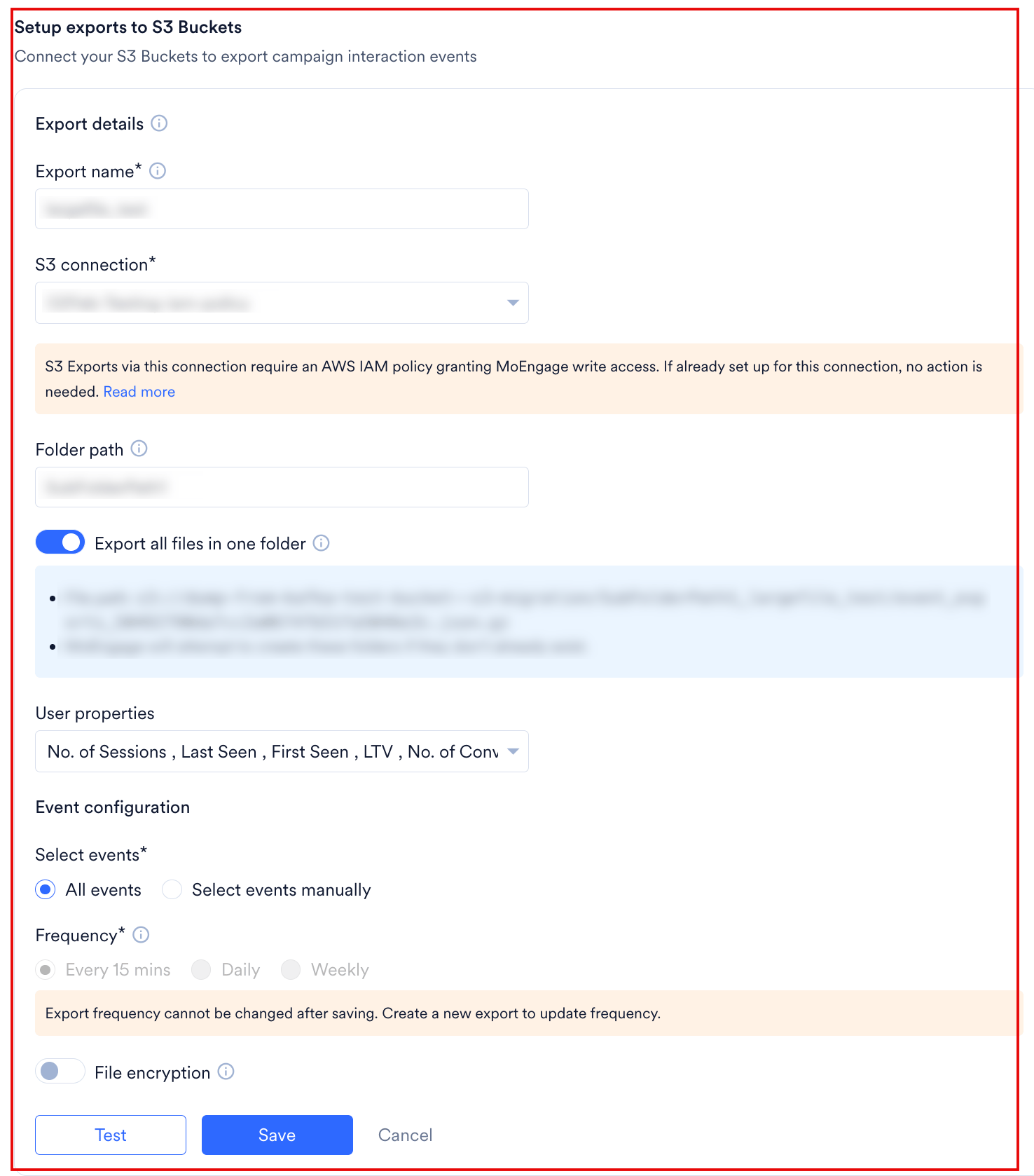
After you connect your S3 bucket in the App Marketplace, open the Amazon S3 page. Under the Setup exports to S3 section, click + Add export to open the Export details panel.- Configure the export by using the following parameters:
- Click Test.
MoEngage attempts to write a temporary placeholder file to verify your S3 bucket configuration, folder path, and write permissions. - When the test passes, click Save. MoEngage displays a confirmation popup that calls out the locked frequency. Review the message and click Save again to activate the export.
- To discard the configuration without saving, click Cancel.
Events and Attributes
With the MoEngage and S3 integration, you can export all events coming into MoEngage to your S3 buckets. By default, MoEngage tracks standard events and user properties through its SDKs. Read about our standard events and attributes here. You can also export any custom user-defined event you track in MoEngage.Data Export Format
- File format: JSON
- Compression type: GZip
- Export frequency: Every 15 mins, daily, or weekly
- Sample folder path:
- Date-partitioned:
s3://<your-bucket-name>/[<folder_path>_]<connection_name>/export_day=2025-10-28/event_exports_<UNIQUE_ID>.json.gz - Single folder:
s3://<your-bucket-name>/[<folder_path>]/<connection_name>/event_exports_<UNIQUE_ID>.json.gzMoEngage generates the<UNIQUE_ID>as a unique identifier for each export file.
- Date-partitioned:
Sample Export Data
Integrate AWS Key Management Service with Amazon S3
- Create an AWS Key Management Service (KMS) Customer Master Key (CMK) by using the AWS Management Console, AWS CLI, or AWS SDKs. Skip this step if your AWS KMS key is already generated.
- Enable the AWS KMS key for use with S3 by adding permissions to the AWS KMS key policy. The following example key policy allows the key to be used for S3 encryption:
- Configure the S3 bucket to use the AWS KMS key for encryption. You can do this while creating the bucket or by modifying the bucket properties.
- In the S3 Management Console, navigate to the bucket where you want to enable server-side encryption.
- Click the Properties tab and scroll down to the Default encryption section.
- Under Encryption, select Server-side encryption with AWS Key Management Service keys (SSE-KMS), then select the AWS KMS key you created from the drop-down menu. Use only your KMS key’s AWS KMS ARN.
- Click Save to apply the encryption configuration to the bucket. S3 automatically encrypts your objects by using the AWS KMS key you integrated.
- Provide MoEngage with the AWS KMS Key ARN so that MoEngage can whitelist it.
Why is whitelisting the KMS key ARN necessary?
- The AWS KMS Key ARN (Amazon Resource Name) uniquely identifies the KMS key that you want to grant access to, which is why MoEngage requires it for whitelisting.
- Whitelisting a KMS key ARN specifies that only authorized entities or services with access to that specific key can perform encryption or decryption operations.
- Whitelisting the KMS key ARN adds an extra security layer by ensuring that only authorized resources can interact with the key, which reduces the risk of data breaches or unauthorized access.
- By specifying the KMS key ARN in the whitelist, you get granular control over which resources can access and use the key, improving the overall security of your key management and encryption processes.
Export Failure Policy
MoEngage pauses an export that keeps failing. While it is paused, MoEngage collects the events the export would have delivered, and you replay them after you fix the problem.When MoEngage Pauses an Export
MoEngage will retry an export multiple times before marking it as failed. The export will be paused if multiple scheduled exports fail, depending on your chosen export frequency:
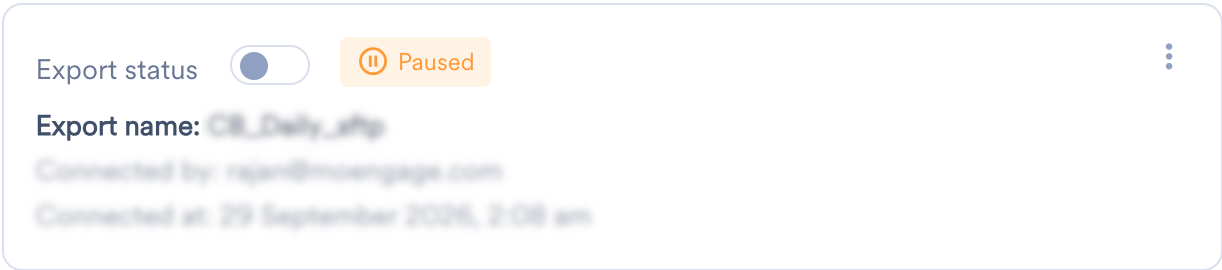
When MoEngage pauses an export, it alerts you and shows the export as Paused on the App Marketplace.
What Happens While an Export Is Paused
Resume an Export
Find the Failure Reason
On the App Marketplace, click the Integrate tab, and then hover over the Paused label on the export. MoEngage names the reason for the failure, such as a missing write permission on the destination bucket, and tells you how to fix it.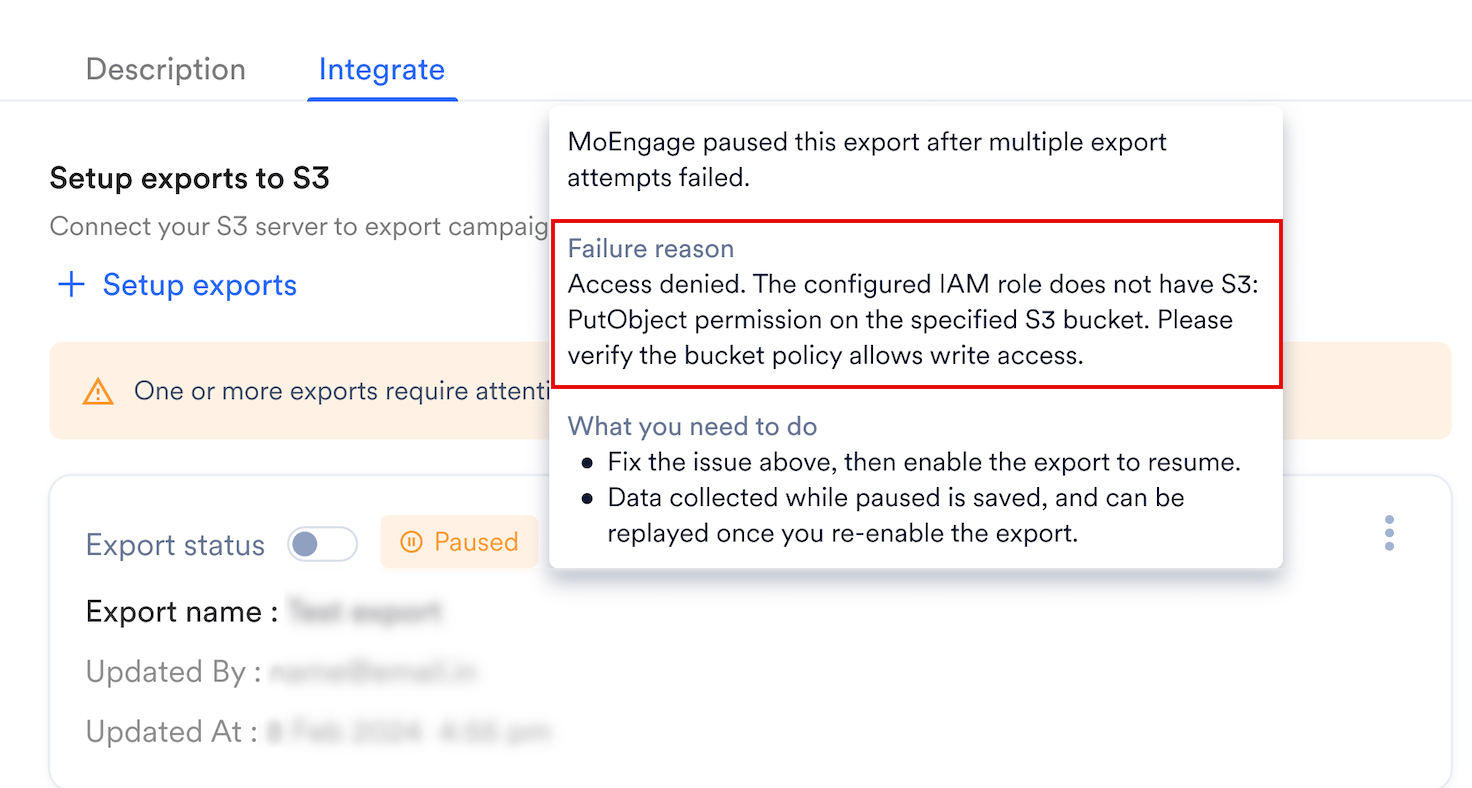
Enable the Export
Fix the cause at your end, and then turn on Export status for the export. Do this as soon as you can, because the 7-day window keeps moving while the export stays paused. When you enable the export, MoEngage stops collecting and sets aside what it has: the last 7 days of paused data, or all of it if the pause was shorter. This is the data you can replay. It stays fixed from then on, and does not reduce further even if you wait to replay it.Replay Paused Data
Request a Replay
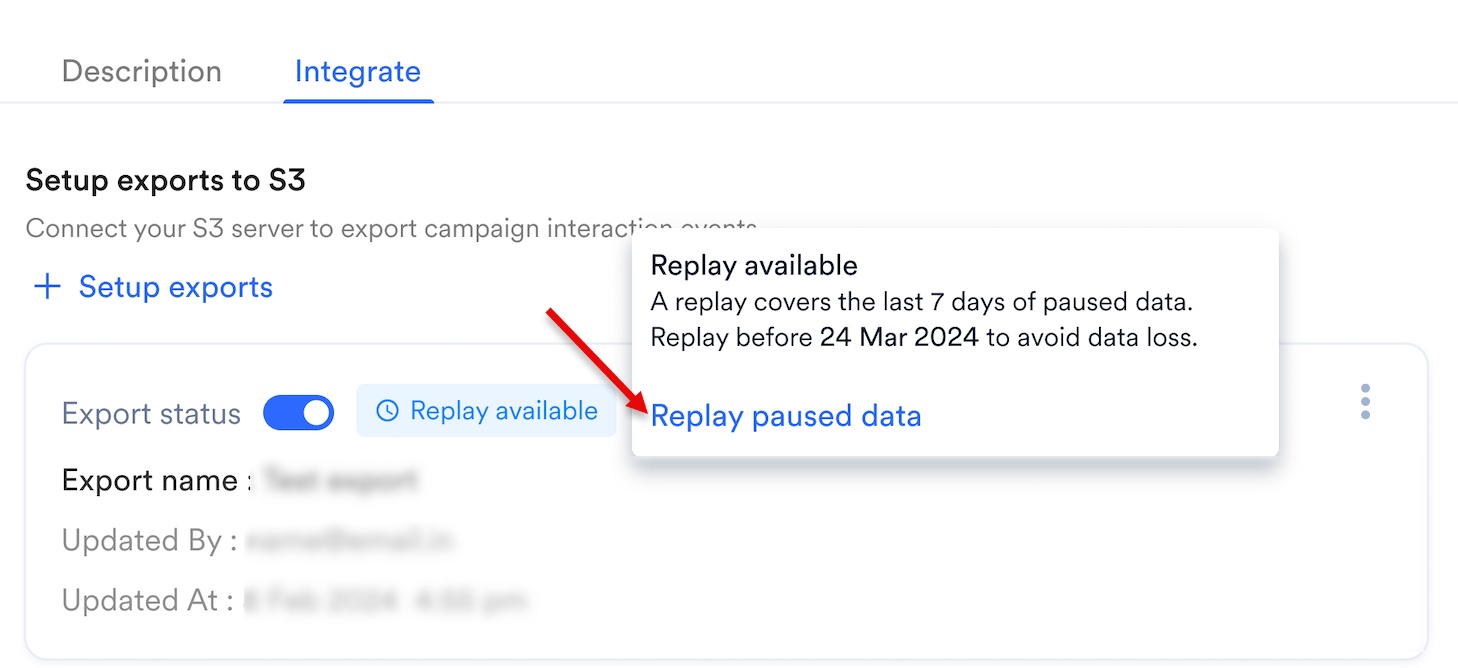
MoEngage saves the data it collected while the export was paused. An export with data waiting shows a Replay available label on the Integrate tab. To replay, perform the following steps:- Hover over the Replay available label, or open the kebab menu on the export.
-
Click Replay paused data.
-
In the Replay paused data dialog box, click Confirm.
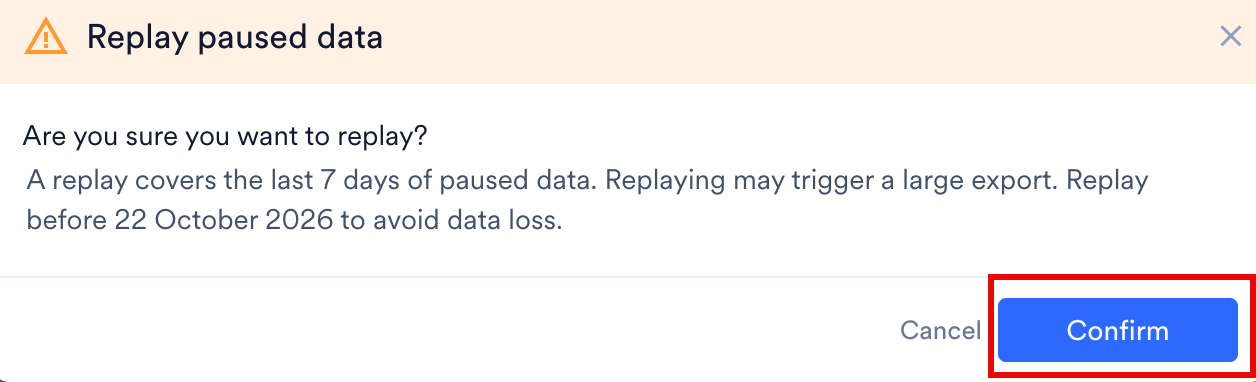
Replay before the export pauses again. If it pauses a second time before you replay, MoEngage adds the new paused data to the data still waiting from the first pause. The combined data is then trimmed back to the most recent 7 days, so if the two pauses are more than 7 days apart, the older data is lost.For example, your export pauses on day 1. You enable it but do not replay. It pauses again on day 20. Since that is 19 days later, the day 1 data falls outside the 7 day window and is gone, even though its 30 day replay window had not expired. If the second pause had happened within 7 days of the first, the day 1 data would still be included.
Replay Results
When the replay finishes, MoEngage emails the user who requested it with one of the following results:
You can run only one replay per export at a time.
Avoid Duplicate Data
Every replay sends the whole collection again, because MoEngage does not deduplicate. If you replay more than once, deduplicate at your end on theevent_uuid field, which is unique for each event. For the fields in the export, refer to the Data Export Glossary.
Export Paused Alerts
MoEngage alerts you when it pauses an export, so you can fix the issue and replay the data collected while the export was paused. MoEngage subscribes workspace admins to the Data Exports system alert by default, and adds the user who creates or updates an export. To subscribe or unsubscribe anyone else, go to the Alert Management page. Subscribing or unsubscribing changes notifications only for that person, and does not affect anyone else’s subscription.Frequently Asked Questions
What does the Replay available label mean?
What does the Replay available label mean?
MoEngage is holding data it collected while the export was paused. Hover over the label or open the kebab menu, and then click Replay paused data.
My export was paused for three weeks. Why can I replay only part of it?
My export was paused for three weeks. Why can I replay only part of it?
MoEngage keeps only the most recent 7 days of paused data, so a three-week pause leaves only the last 7 days to replay.
Why did my replay come back as Partially Successful?
Why did my replay come back as Partially Successful?
MoEngage delivered some of the data and not the rest, usually because the destination rejected part of it. Fix the cause and replay again. The next replay sends the whole collection, not only the part that failed.
Can I run two replays at the same time?
Can I run two replays at the same time?
No. You can run only one replay per export at a time. Wait for the result email before you request another.
I replayed twice and I see duplicate rows. Why?
I replayed twice and I see duplicate rows. Why?
Every replay sends the whole collection again, because MoEngage does not deduplicate. Deduplicate at your end on the
event_uuid field, which is unique for each event.How soon will I start getting data in my S3 bucket?
How soon will I start getting data in my S3 bucket?
It typically takes up to 30 minutes for MoEngage to set up the automated data exports for your account and for data to appear in your bucket.
Can I export additional events at a later time?
Can I export additional events at a later time?
Yes. If you need to export new events later, edit your export configuration on the App Marketplace and add the new events.
Can I change my existing S3 export frequency?
Can I change my existing S3 export frequency?
No. You cannot modify the frequency of an Amazon S3 export after creation. To change the export frequency (for example, from Daily to Weekly), create a new S3 export with the desired frequency settings. Ensure your storage bucket is prepared to receive data from the new file path generated by the new configuration.
What happens when I change my export frequency?
What happens when I change my export frequency?
If you move from a more frequent export to a less frequent export, you might experience temporary data duplication when you first make the change. If you move from a less frequent export to a more frequent export, there is a rare possibility of data loss in high-volume cases.
Can I export historical data using automated data exports?
Can I export historical data using automated data exports?
Currently, you cannot export data from before you configured automated data exports. After you configure exports, MoEngage begins exporting data for each event from the time you enabled them.
Is there any pricing involved for automated data exports?
Is there any pricing involved for automated data exports?
If automated data exports are not covered in your billing plan and you want to enable them later, contact your Customer Success Manager to include them. Based on the monthly volume of data MoEngage places in your S3 bucket, additional charges may apply.
Does data exports guarantee the latest user properties?
Does data exports guarantee the latest user properties?
No. Data exports primarily exports your events in near real-time, and MoEngage updates user properties asynchronously. Because of this, MoEngage cannot currently guarantee the latest user property values in exported files.