Adapt or Die: How the Resilient Marketer Survives 2026
Read Report
close-icon

Introducing A First-of-the-kind Single Source Of Truth For All Your Engagement Efforts

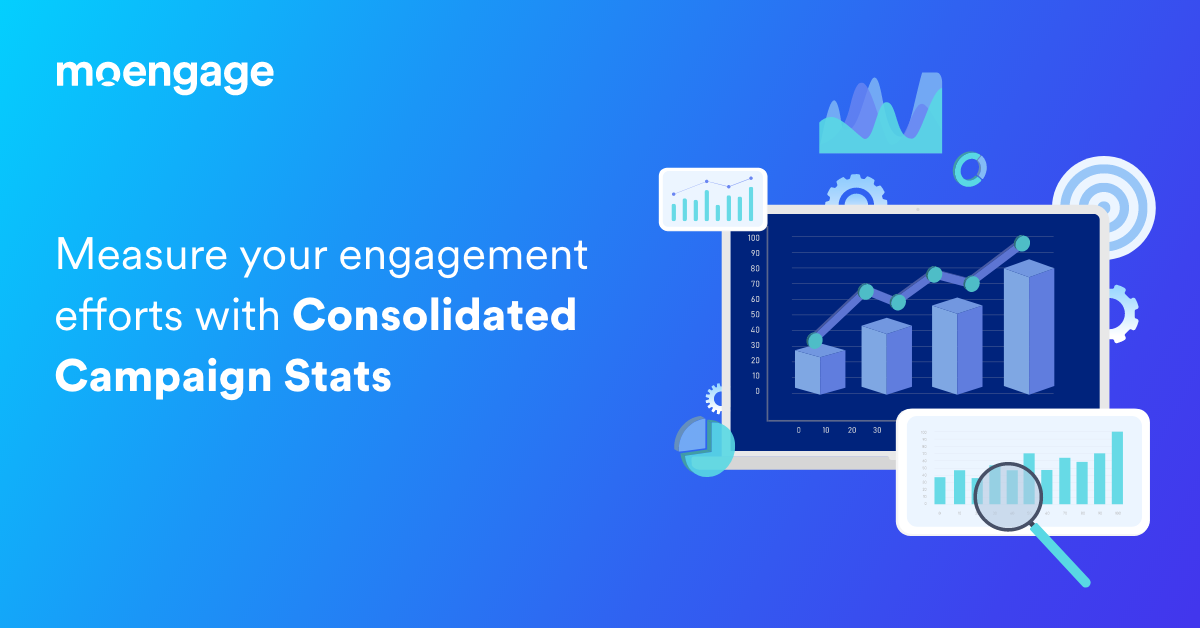
Consolidated Campaign Stats is an industry-first feature that provides a detailed overview of your campaigns and impact on key business metrics.
  • UPDATED: 28 November 2023
  • 5 minread
Introducing A First-of-the-kind Single Source Of Truth For All Your Engagement Efforts
Reading Time: 5 minutes

In Norse mythology, Heimdall (or Heimdallr) is an all-seeing, all-hearing god. Experts believe his name originates from the phrase ‘the one who illuminates the world.’ And, that’s the most fitting way to describe MoEngage’s latest feature, Consolidated Campaign Stats!

This first-of-the-kind feature by MoEngage acts as a single source of truth for all your Customer Engagement efforts – from a campaign to a customer to an organizational level.

Why did we build Consolidated Campaign Stats?

Marketing, product, and growth folks who are in charge of Customer Engagement require three types of campaign insights to optimize their efforts for maximum efficiency:

  1. Consolidated impact of each campaign on key engagement, retention, and business metrics such as revenue, CLV, MAU, WAU, DAU, and so on
  2. The detailed performance of a particular communication channel across campaigns over time
  3. Aggregated campaign performance across multiple communication channels such as Emails, Mobile Push Notifications, SMS, Website Push Notifications, In-app Messages, Social Media, and Messaging platforms like WhatsApp or Facebook Messenger

However, different teams within the same organization are comfortable with having their own dashboards. This makes consolidating all the information into a single view requires effort and time. Data architects design systems that source data from multiple sources to a single visualization platform like Tableau or PowerBI. Before the data is visualized, the team runs multiple queries in parallel to get a fraction of the three types of insights as above.

After speaking to multiple marketing, product, and growth stakeholders, MoEngage’s product team rolled up their sleeves and started working to solve this challenge that persists in brands across all verticals and geographies.

How can Consolidated Campaign Stats help you?

MoEngage’s one-of-a-kind, unified dashboard, called Consolidated Campaign Stats, helps insights-led marketers and product owners:

  1. Evaluate the aggregated performance of their Customer Engagement efforts
  2. Measure the overall efficacy of one particular communication channel at different time periods, like months of the year, days of the week, time of the day, and so on
  3. Compare the effectiveness of different communication channels and identify the best-performing ones for each campaign

Importance of Consolidated Campaign Stats and common use-cases

Chances are you’ve found yourself asking questions like:

  • How is the performance of my engagement campaigns across all communication channels?
  • Which communication channel is working the best for my brand?
  • How do different communication channels compare against each other?
  • How do the key metrics of individual communication channels change over time?
  • What are my top and bottom-performing campaigns sent via a particular communication channel?

Consolidated Campaign Stats will now answer these and more!

Campaign Insights are needed to diagnose low-performing campaigns and identify potential red flags. For example, if a particular campaign has had low open rates in the past 15 days, you could analyze the customer segment and maybe find a large percentage of Apple Mail users, which would impact email open rates.

Another important insight you can derive from this dashboard is finding the best-performing time to send out your campaigns – the hour of the day, day of the week, and week of the month. This will help you bring more predictability into your Customer Engagement efforts and plan your future campaigns better.

The insights available in Consolidated Campaign Stats will help you pick the most effective communication channels for your engagement campaigns.

Here are a few other ways you can use Consolidated Campaign Stats

1. Shopping (E-commerce/Retail/D2C)

  • Identify the best day in a week to send out promotional offers through Emails
  • Pick between Email and Push Notification as the primary communication channel for upcoming seasonal sale

2. Media & Entertainment (OTT Streaming)
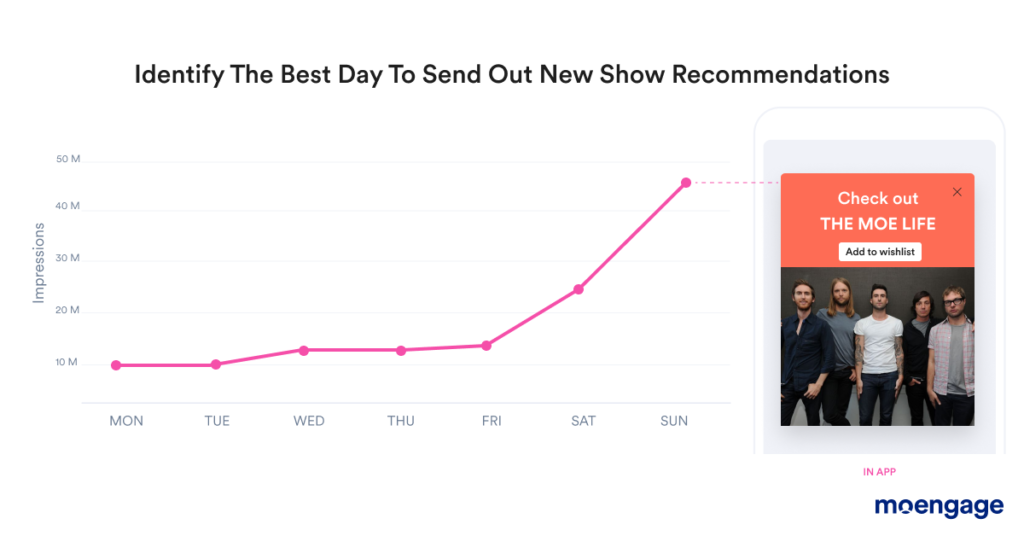
Consolidated Campaign Stats for Media & Entertainment (OTT)
  • Identify the most effective time to send TV show recommendations (could be evenings for one customer cohort, while afternoon for others)
  • Find out the peak hours of content consumption on your mobile app
  • Understand the best frequency to send out subscription renewal emails to your existing customers

3. Banking and Fintech

  • Pick the most optimum communication channel to showcase the value of premium credit cards to new customers
  • Find the best day of the month to send out monthly bill reminders

4. Travel & Hospitality
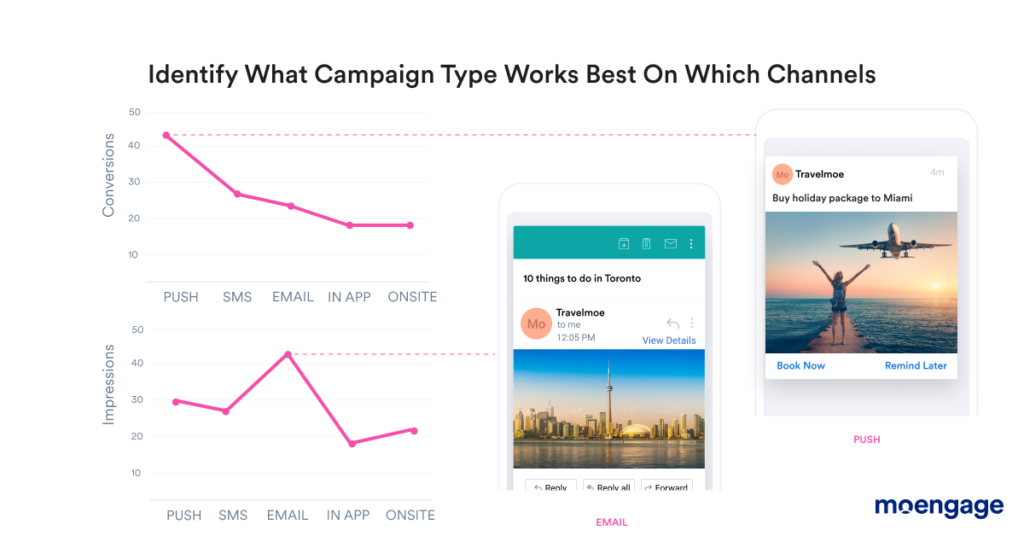
Consolidated Campaign Stats for Travel & Hospitality
  • Identify the months in a year when tourism spikes and offer discounts on travel packages to convert more customers
  • Understand which channel is working best for a particular marketing campaign, for example, Holiday Packages may get better traction on Push Notifications while an article like ‘10 things to do in Toronto’ may get more clicks on Email

5. Health and Fitness
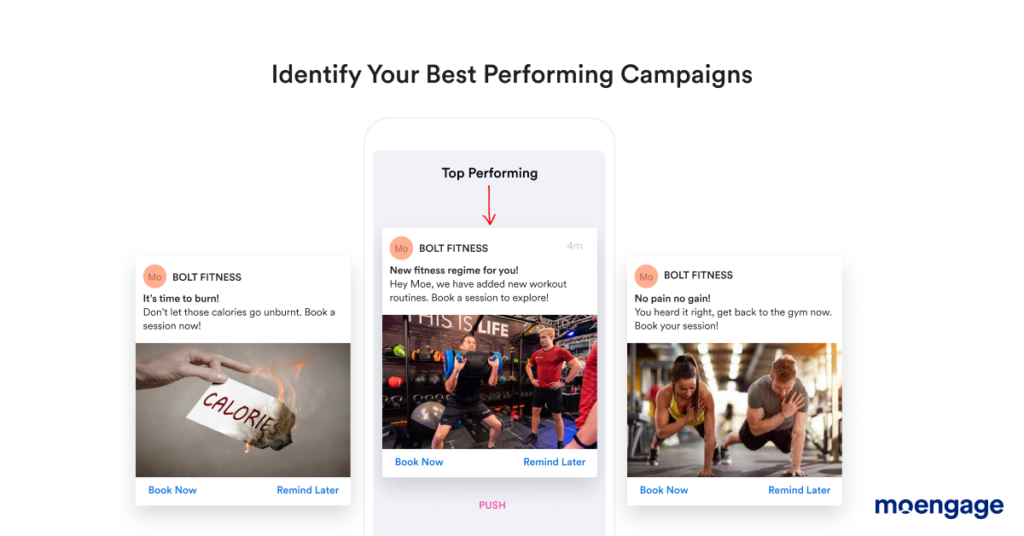
Consolidated Campaign Stats for Healthcare & Fitness
  • Identify best-performing campaigns that are leading to customers booking more workout sessions
  • Understand the best frequency to send out membership renewal emails to your existing customers

What insights do you get from Consolidated Campaign Stats?

The dashboard is divided into three parts: KPIs, Channel Performance, and Overall Performance. MoEngage customers can get the following insights from this feature:

1. KPI or Key Performance Indicators

KPIs are the aggregate counts of the primary metrics that capture the overall performance of your Customer Engagement efforts. These are the consolidated stats for all the campaigns you’ve run across all the different communication channels like Emails, Mobile Push Notifications, SMS, Website Push Notifications, In-app Messages, Social Media, and Messaging platforms like Whatsapp or Facebook Messenger.
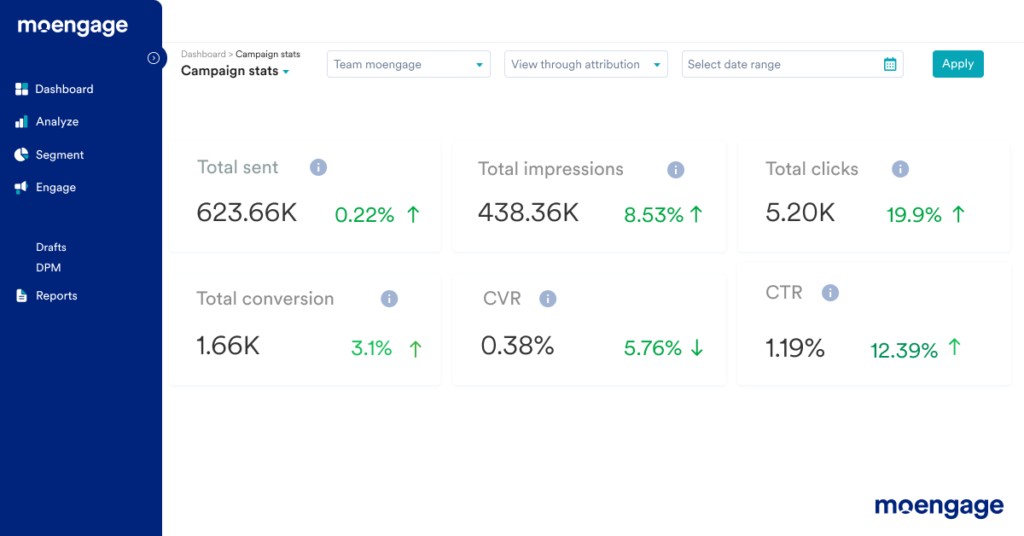
Dashboard to view Key Performance Indicators

2. Overall Performance

The Overall Performance section of the dashboard puts together all the data of your channels in one view. You can use this section to compare key metrics such as sent, impressions, clicks, click-through rates, conversions, and conversion rates across all your communication channels. You can also compare the performance of all your channels for different time frames like hourly, daily, weekly, or monthly.
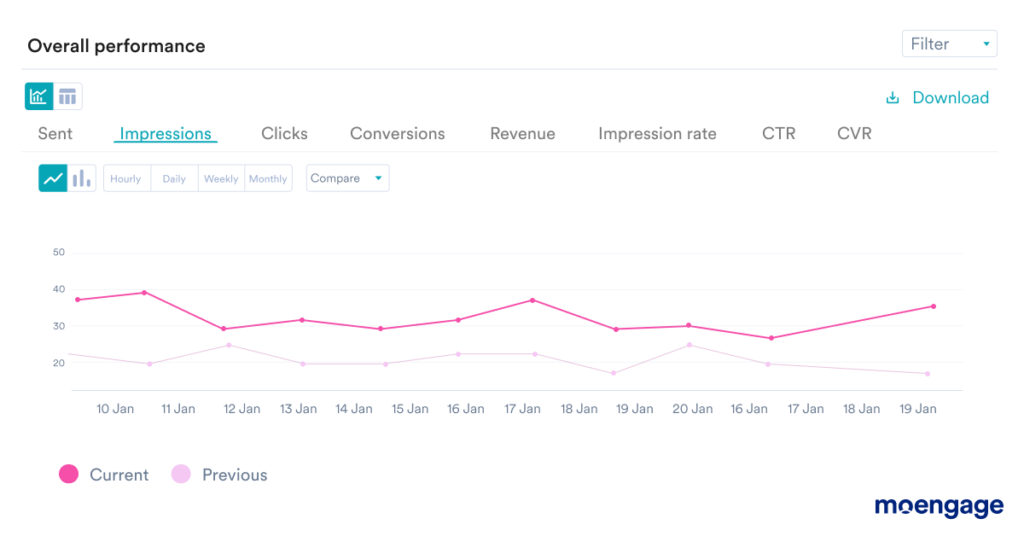
Dashboard to view Overall Performance

3. Channel Performance

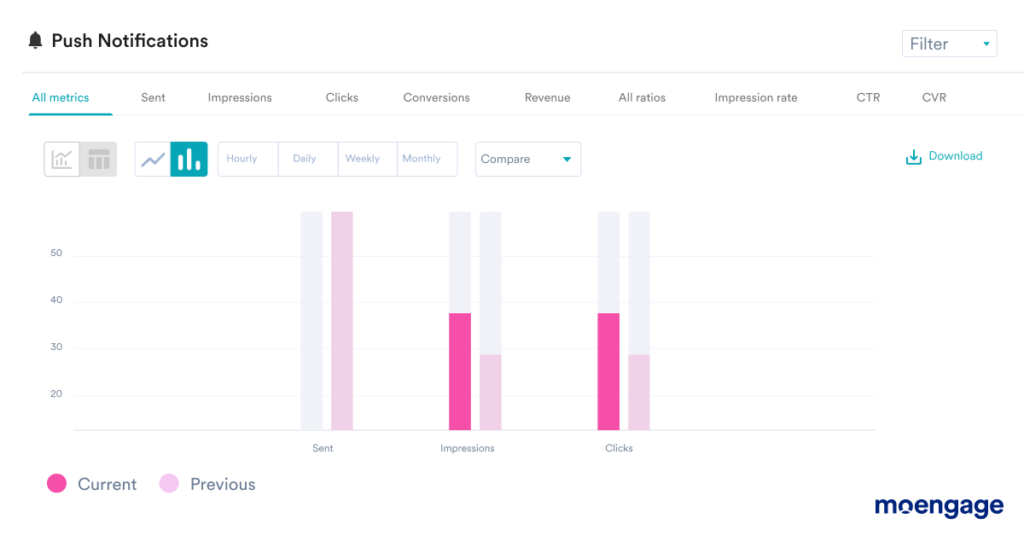
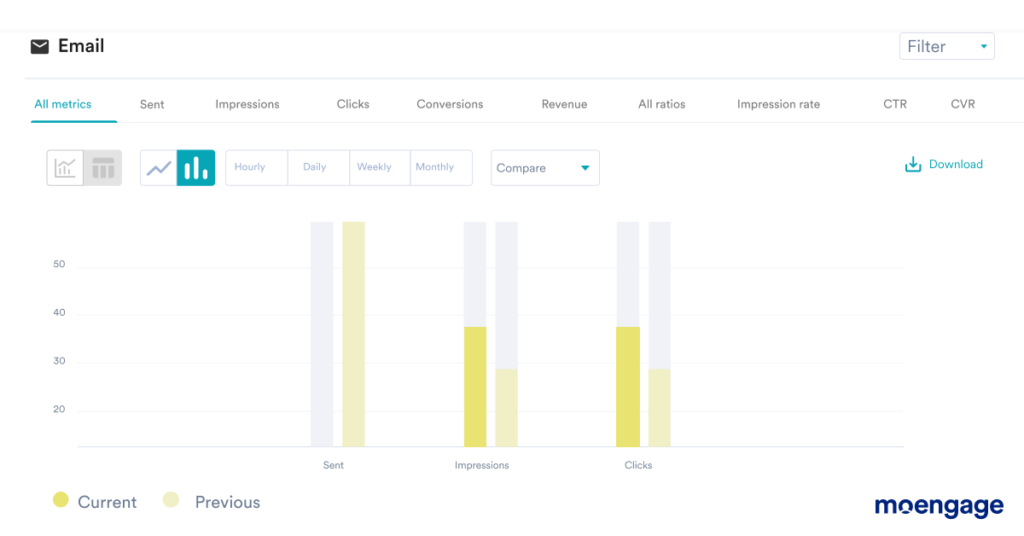
The Channel Performance section provides a consolidated analysis of all your campaign’s stats for every available communication channel. Every channel is showcased using one card, and all metrics for specific channels can be analyzed using a line chart at an hourly, daily, weekly, or monthly granularity.
How can you get started?

If you’re an existing MoEngage customer, you can reach out to your favorite Account Manager or drop an email to us here to enable this new feature. If you’re not an existing customer but wish to give Consolidated Campaign Stats a try, you can connect with our team here.

More and more consumer brands have realized that being customer-centric is key to engaging and retaining customers in the long run. This means moving from a campaign-driven approach to a data-driven approach to Customer Engagement becomes a top priority going forward. With the launch of Consolidated Campaign Stats, we are one more step closer to our aim of enabling marketing, product, and growth functions to adopt an insights-led approach to their Customer Engagement strategy.

Further Reading

[Product Updates] All the Latest Feature Announcements and Updates From October 2021

  • UPDATED: 26 December 2022
  • 2 minread
[Product Updates] All the Latest Feature Announcements and Updates From October 2021
Reading Time: 2 minutes

The holiday season is here 🎁

At MoEngage, we’re excited to share three new product updates that can help engage and delight your customers at scale during this peak time.

Custom HTML In-App Templates

html in-app template | MoEngage

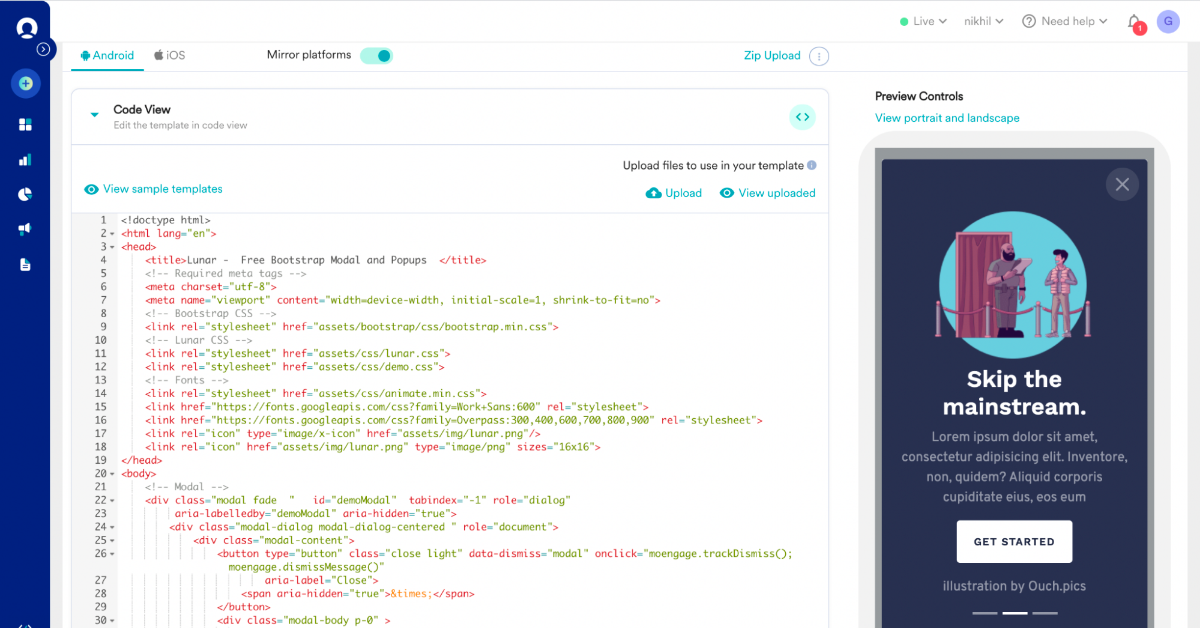
Customized and tailored In-App messages enhance the overall experience and help your audience get the most value from your mobile app. Leverage In-App messages to run surveys, lead gen, spin the wheel campaigns.  Here are some key features about Custom HTML In-App Templates:

  • Supports Landscape and Portrait modes.
  • Supports for Tablets and TV Os with In-App messaging campaigns.
  • Upload custom HTML Templates: Create In-App templates and upload them as a ZIP file or paste your HTML while creating In-App campaigns.

With custom HTML In-App templates, you have more options of layouts and customization tools to choose from. Take a look at some templates here.

Read More

[New] Data Management

Data Management | MoEngage

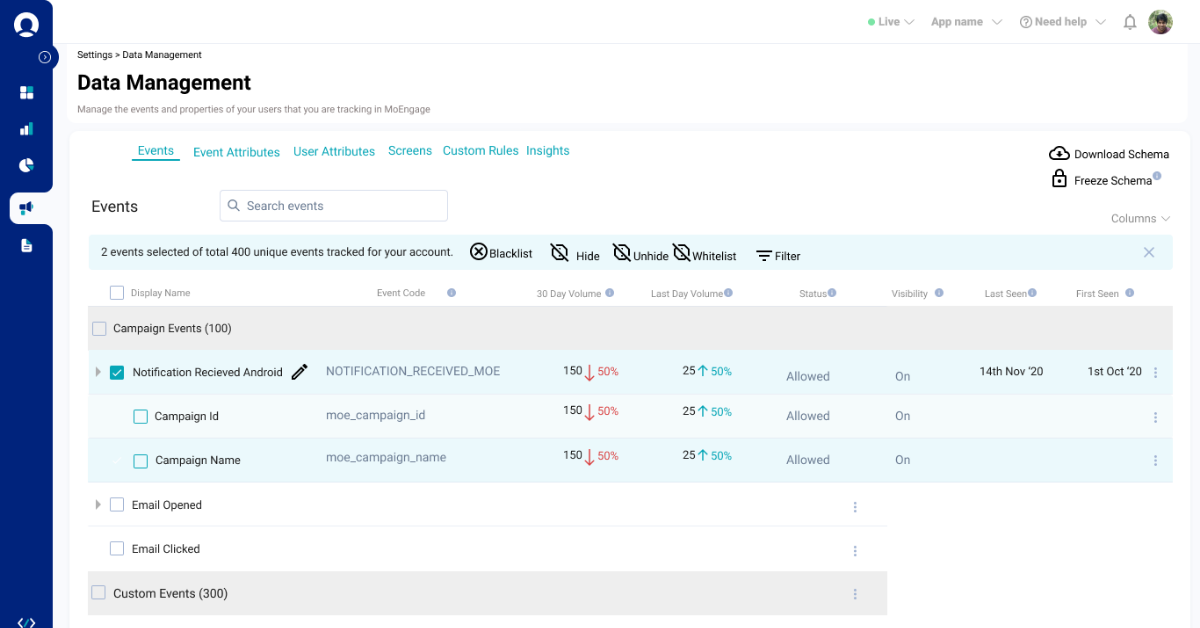
Think of all the data that comes in from your website, social media, emails, mobile app, and more such channels. The volume, diversity, and speed of this data make it valuable. A robust data management strategy and a tool that supports that vision has become critical for consumer brands.  With Data Management on MoEngage, you now have a central location to store and manage your data through an easy-to-use user interface, i.e., events, event properties, and customer properties.

With Data Management, you can:

  • View all the events, event attributes, and customer attributes on one central dashboard.
  • Add or edit display names for events and customer attributes, enabling your marketers to understand your events and attributes better while creating campaigns.
  • Block unnecessary events, event attributes, and customer attributes.
  • Hide unnecessary data from your drop-downs so that your teams do not create segments/campaigns with incorrect data.
  • Mark the allowed data types of your event and customer attributes to make the appropriate operators available during segmentation and analytics. Once you have defined the allowed data type of your attributes, the MoEngage platform will typecast the incoming data to the specified data type.
Read More

Twilio and MoEngage integration for SMS marketing

Twillio-MoEngage

You can now integrate Twilio as your desired SMS provider on MoEngage. Here’s a detailed walkthrough of how you can get started on the integration.

Configure Twilio

That’s all for this month’s updates. If you’d like to know more about these features or want to get started using them, drop us a note at [email protected]. And if you’re new to MoEngage, schedule a personalized walkthrough of our platform.

[Product Updates] New Features and Updates From September 2021

  • UPDATED: 26 December 2022
  • 3 minread
[Product Updates] New Features and Updates From September 2021
Reading Time: 3 minutes

September has been an important month for us at MoEngage. We introduced tons of new features during our customer connect, MoEngage NEXT to help you craft delightful experiences for your customers and foster deeper bonds.

We’ve included AI-driven predictions and segmentation capabilities to empower your teams to make data-driven decisions. We also want to make sure it’s easier to use these new features on our platform. That’s why we announced an overhaul to our UI and much more.

AI-powered Predictions

Go beyond past actions, current interests, and forecast your customers’ future preferences with MoEngage Predictions. Leverage ML and AI capabilities to accurately forecast customer actions and offer the most relevant product or service recommendations. Delight billions of customers and win trust using MoEngage Predictions.

Read More

Affinity Segments

Affinity Segments helps you group customers based on dominant preferences beyond their past behavior and transactions. Build segments based on their brand/category affinity, lifestyle, time, or usage to match your products to the most receptive set of customers. Create promotional strategies that appeal to customers’ emotions and be the brand they can relate to.

Read More

Reach out at the right moment with the ‘Best Time to Send’ feature

Best Time to Send and Most Preferred Channel | MoEngage

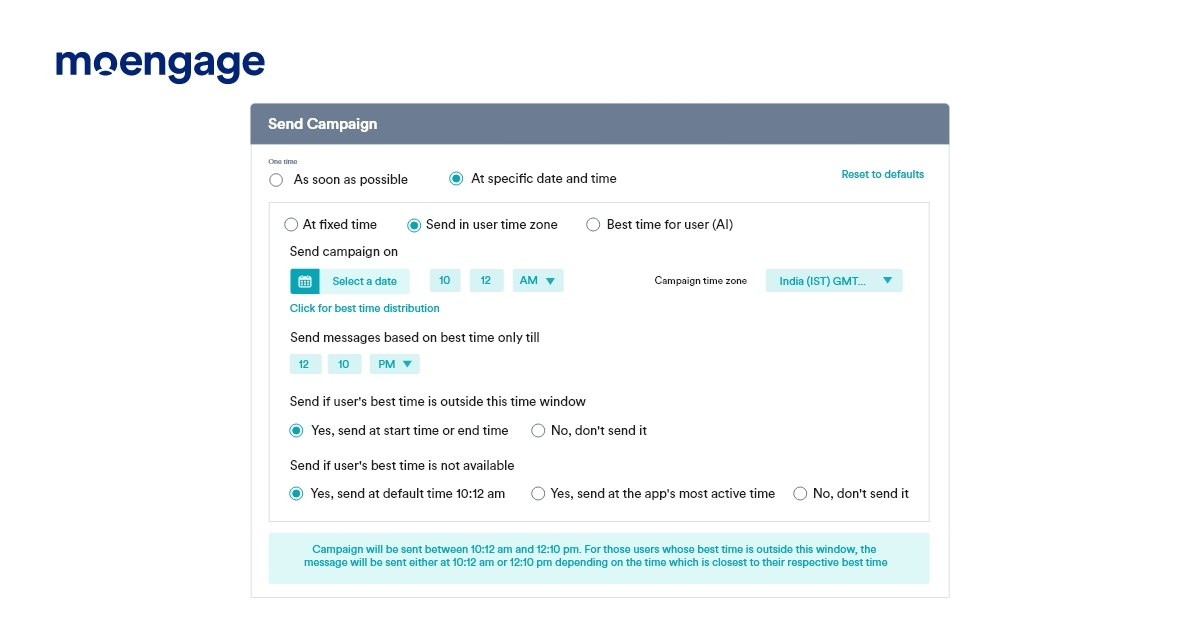
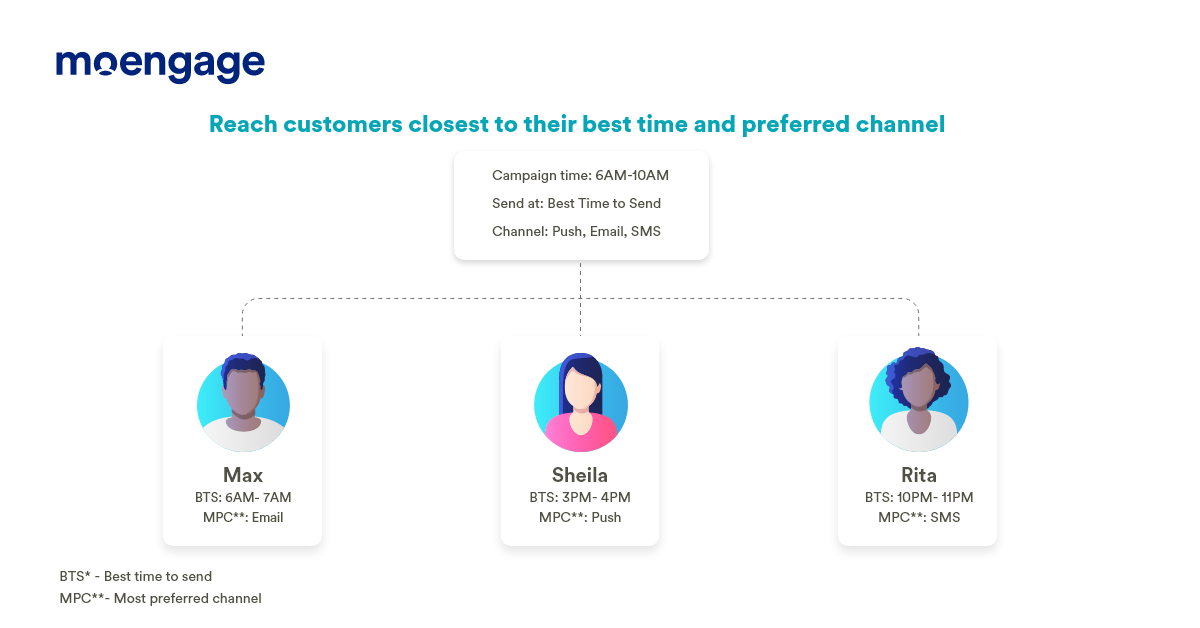
Eliminate the guesswork to decide the right send time for your campaigns. We’ve introduced the “Best Time to Send” capability that learns from your customer’s activity over time to identify the perfect timing. Our AI engine, Sherpa, also adapts to changing customer behavior and continuously updates the “Best Time to Send.”

Read More

Engage customers on their most preferred channel

Best Time to Send and Most Preferred Channel | MoEngage

Reach out to your customers through their preferred channel instead of sending communication across all touchpoints.  Sherpa, our AI engine, looks at past engagement preferences and tags the information with the customer profile. This means you can easily re-group your customers based on their most receptive channels. Sharpen your campaign efficiency and engage with your customers at the right time.

Read More

Did you notice our brand new UI?

Campaign creation is now consistent

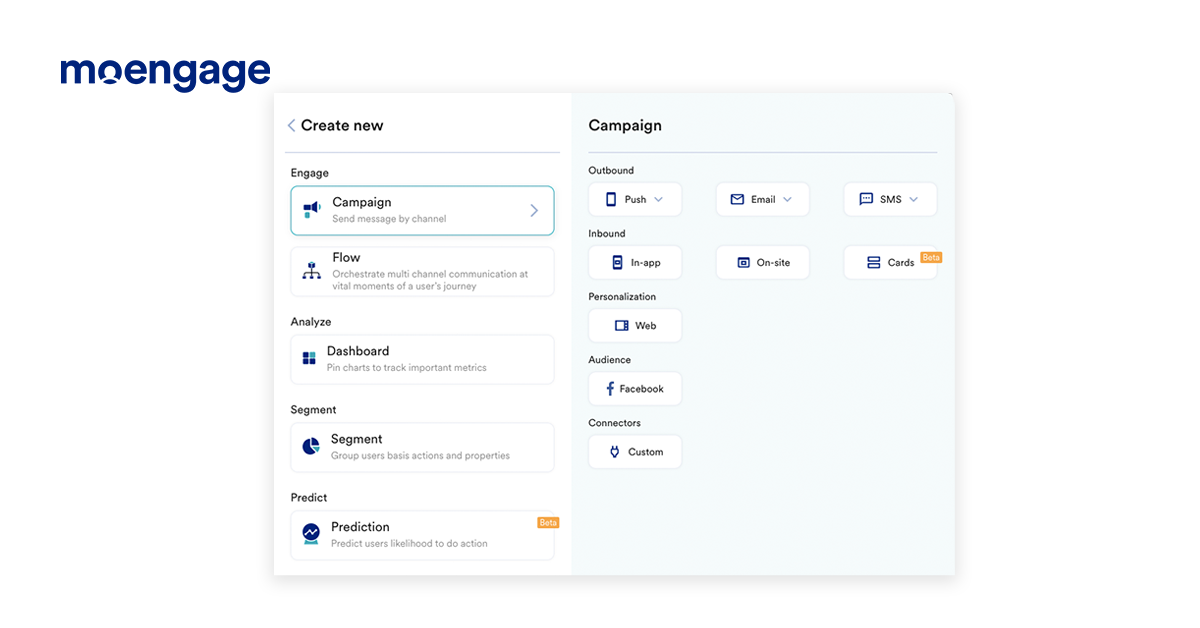
We want to ensure you’re able to execute your engagement strategies faster. We also wanted to ensure consistency across all channels of the MoEngage platform. This means that how you design your email campaigns will be the same as how you create your SMS or push campaigns. Plus, we’ve made changes to our UI to make it more intuitive and easy to use. Give it a try, and let us know what you think about the new MoEngage experience.

Read More

Before you go, take a look at a brand new way to build customer journeys with MoEngage Flows 2.0

MoEngage Flows 2.0 is here

If you’d like to know more about these features or want to get started using them, drop us a note at [email protected]. And if you’re new to MoEngage, schedule a personalized walkthrough of our platform.

[UI Revamp] We’ve Got A Great New Look

  • UPDATED: 02 July 2023
  • 4 minread
[UI Revamp] We’ve Got A Great New Look
Reading Time: 4 minutes

σχέδιο. That’s the word ‘design’ in Greek, pronounced ‘schedio’. And why are you reading about this random piece of information? That’s because our latest update is all about ‘σχέδιο’. We’ve redesigned the entire MoEngage experience to make it easier and faster for you to craft engagement campaigns for your customers.

Why the redesign?

Over a year ago, we revamped our brand and website. Today, we’re taking the next step by rolling out this new visual identity inside the product. Along the way, we put our ears to the ground and listened to you. Some of you said that the platform was simple and easy to use, and others pointed out a lack of uniformity across channels. This arose because we built different platforms progressively, not all at the same time. Nonetheless, we heard you!

Around the same time, our engineers told us we were on a technology that was slow and tedious—and that there were better alternatives out there. Immediately, we started the research, found a great alternative, and started the mammoth task of migrating to a new technology.

So—that is how our redesign began—and that leads us to today! You wanted better, so we’re giving you better than better. We’re giving you the best in the industry.

How will this benefit me?

The MoEngage platform is now more intuitive than ever. We’ve filled any usability gaps you may have been encountering, to make every interaction seamless. We’ve structured and categorized all processes to make navigation clearer. More importantly, we’ve switched our backend from the Angular Javascript library to React—so the backend is more scalable, configurable, and delivers better performance and load time.

Alright. Tell me what’s changed

Uniformity across campaign creation

We’ve changed the user interface for creating campaigns. You’ll now notice consistency across all channels of the MoEngage platform. This means that the way you design your email campaigns will be the same as the way you design your SMS or push campaigns.

Campaign creation is now consistent
All the campaigns you create are now synchronous

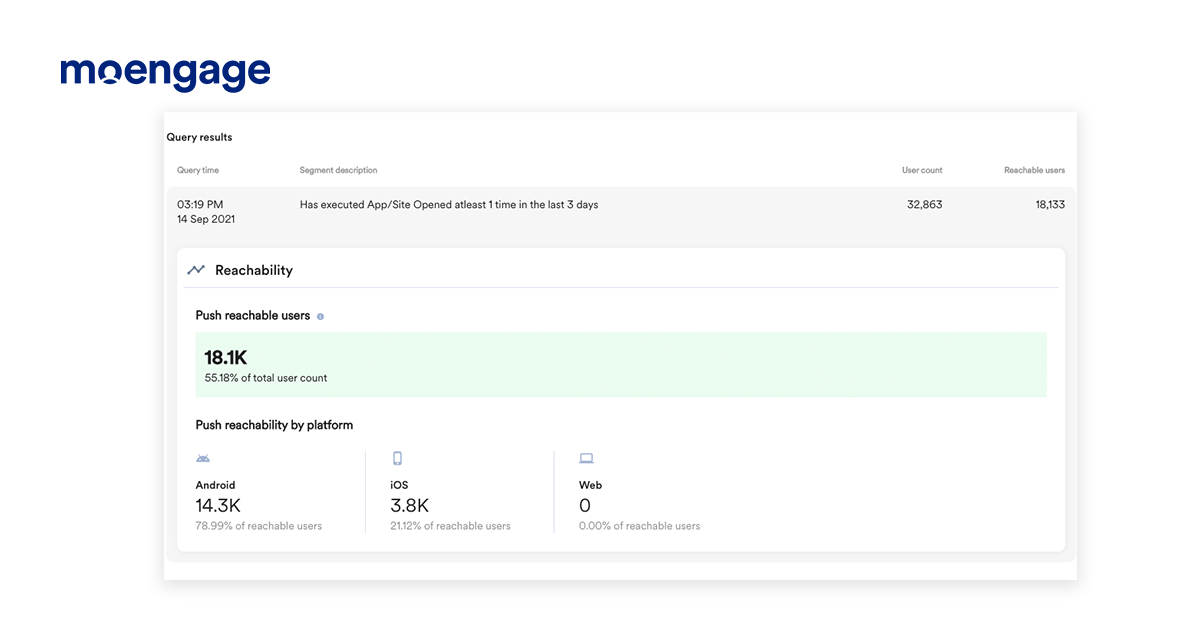
Count your reachable users

For any segment of users, you can get a count of the number of users reachable via email, push, and SMS. For push campaigns, it will be displayed when you click on the ‘Show count’ button during campaign creation. This handy tidbit will help you decide which channel to send your campaigns over.

Count the number of users reachable
Find out how many customers can be reached with your campaigns

Test campaigns without the back-and-forth

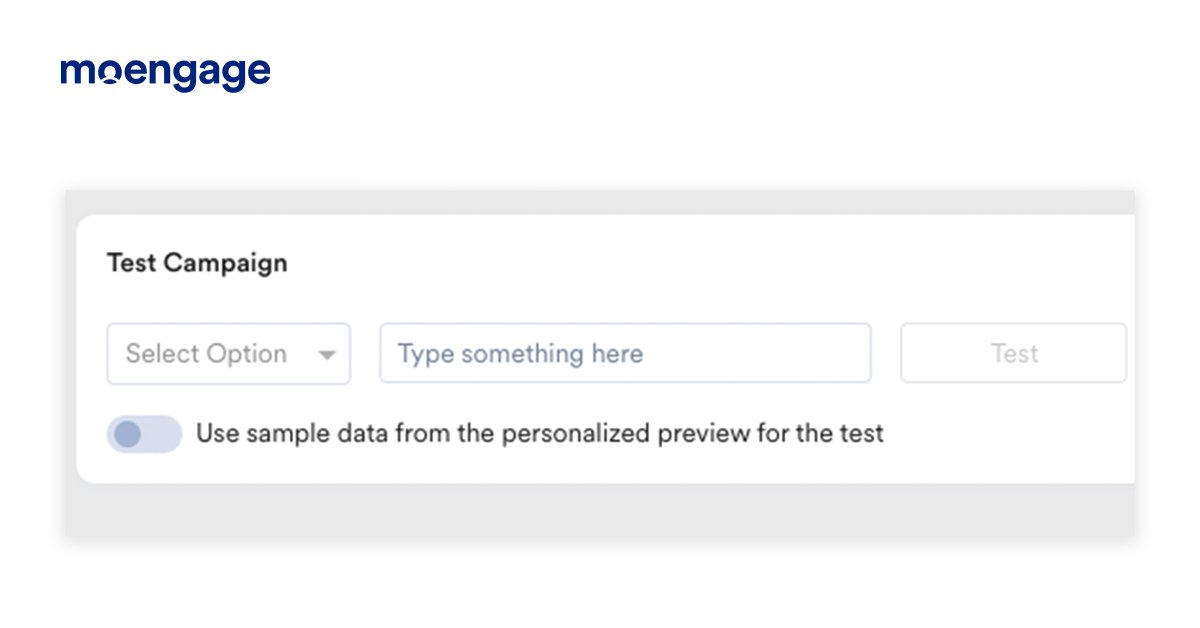
Earlier, the facility to test your campaigns was present in Step 3 of campaign creation. With this new update, we’ve moved the ‘test campaign’ facility to Step 2 of campaign creation, so that you don’t have to go back and forth to test and make changes.

Test campaigns easily
Test campaigns without the back-and-forth

TRY IT NOW

Okay. Now tell me about the channels

Here’s what’s changed with Email:

  1. CC and BCC fields are now displayed separately. You don’t have to worry about BCC’ing the wrong person now!
  2. You can navigate to the next step using the new navigation bar on top.
  3. Attachments have been moved to a separate section.
  4. All email details are now in a collapsible menu, giving you more space to design your email.
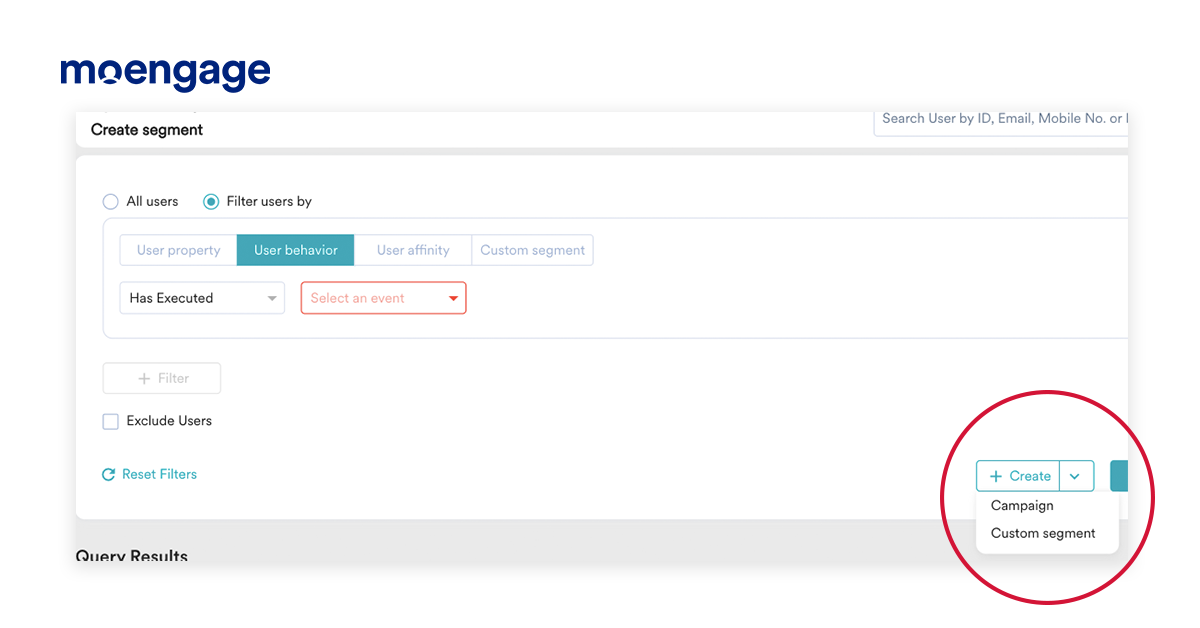
  5. You can now create email campaigns right when you’re creating segments. Woohoo!
Segment-based campaign creation
Create your campaigns as soon as you create a segment

And here’s what’s changed in Push:

  1. You can now copy and paste your message between platforms with just one click. So if you’ve written up the content for your push message in Android, you can instantly copy-paste it into the iOS tab.
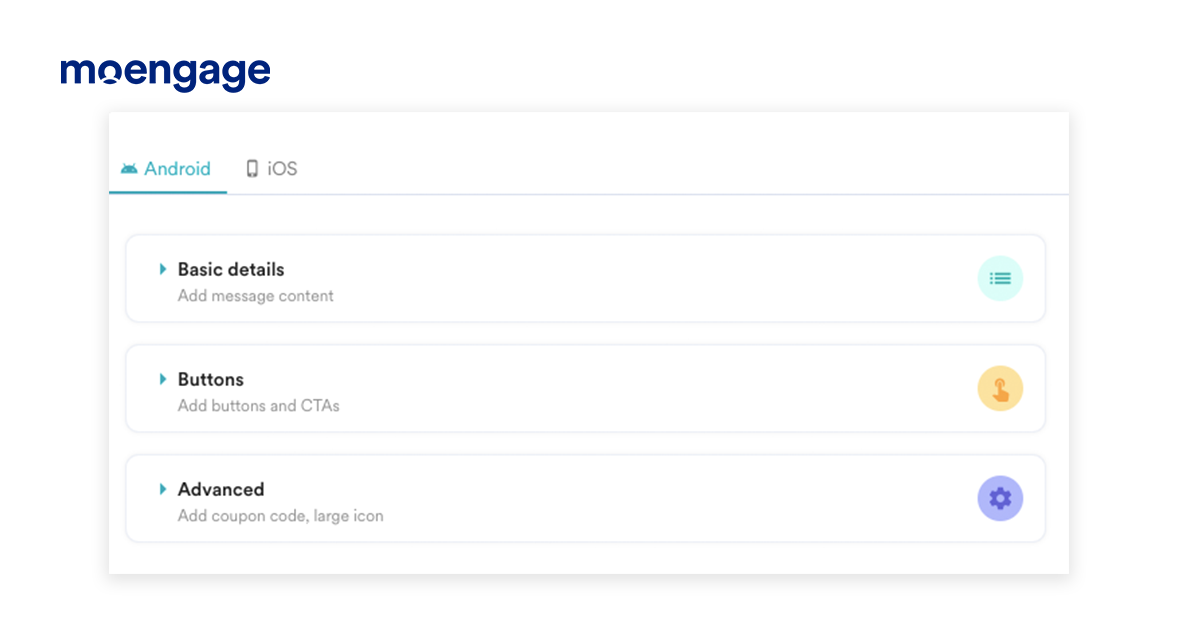
  2. All the information you need to create campaigns is now available in vertical, collapsible tabs for quick discovery. All mandatory fields have been grouped together so you don’t have to switch between tabs.
  3. Get field validations in-step without needing to click on the ‘Next’ button.
  4. Conversion goals are now optional, which means you can make a campaign live without adding conversion goals.
Concise dropdown menu for push campaign creation
Get all the information you need at one place

And we haven’t forgotten about SMS

  1. You can now define start and end times for event-triggered SMS campaigns.
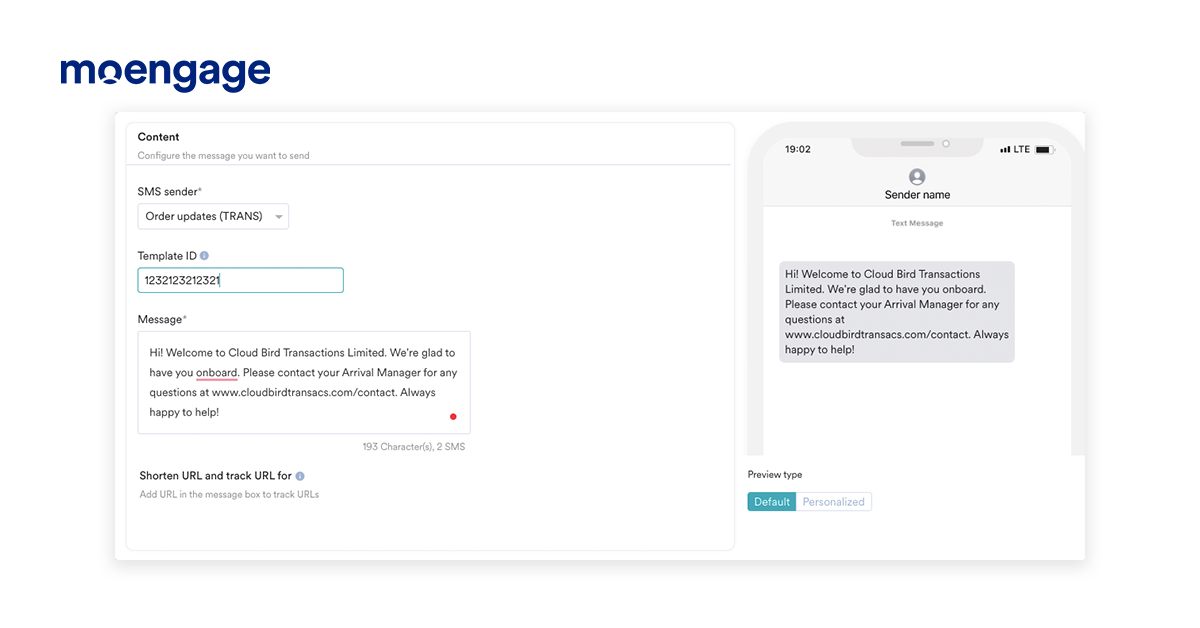
  2. Previews are now available for SMS too!
  3. Conversion goals are optional for SMS as well, which means you can make a campaign live without adding conversion goals.
  4. URLs are auto-detected for shortening and tracking.
Get previews of your SMS
Find out what your SMS looks like before you hit send

TRY IT NOW

[Product Update] Email Previews and a Spam Checker

  • UPDATED: 08 January 2024
  • 3 minread
[Product Update] Email Previews and a Spam Checker
Reading Time: 3 minutes

How many times have you opened up a file or email on your phone, only to realize that it’s too small or too misaligned for your screen? You’d then have to zoom in, pinch out, or worse—change the auto-rotate settings to consume that content horizontally. It’s annoying, isn’t it? Device compatibility has been an issue forever (or at least, since the internet was born). That’s why we’re excited to announce that this won’t be an issue anymore—if you’re using MoEngage. We’re introducing a new preview feature and a spam checker.

What’s so exciting about the preview?

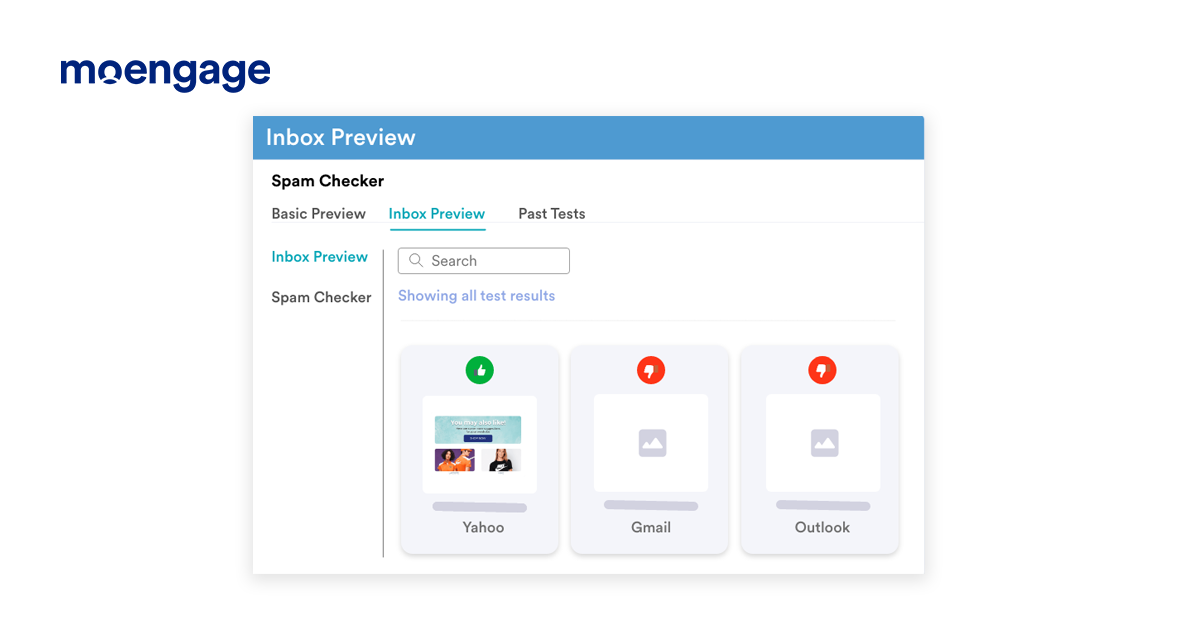
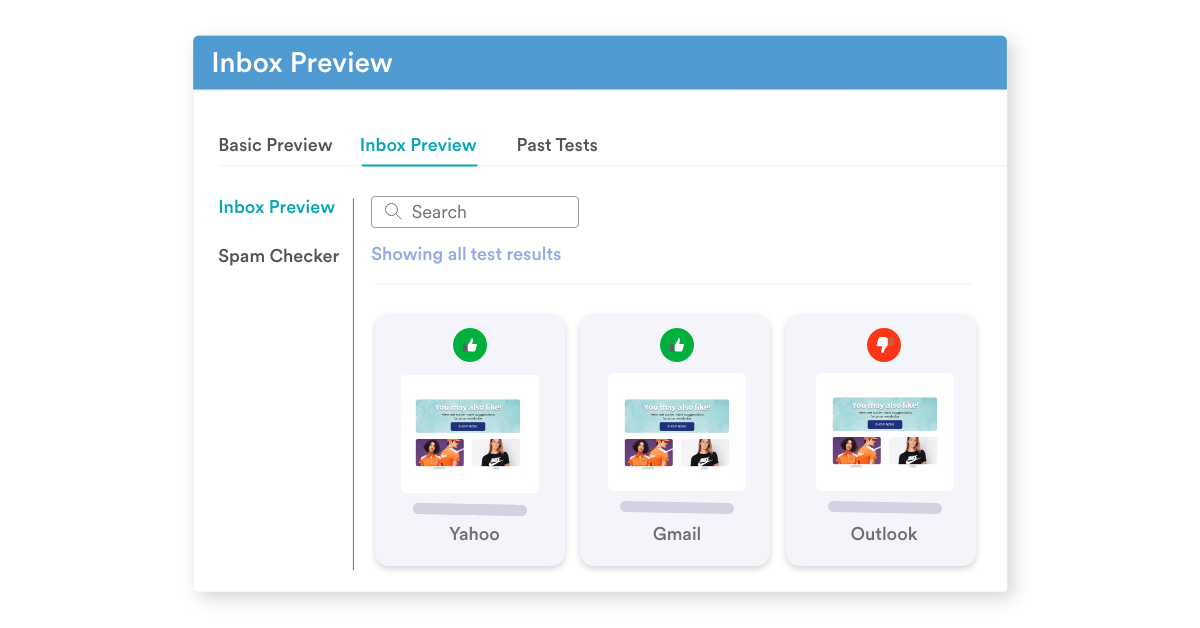
The new Previews update allows you to preview your emails across 72 devices before you hit send. That’s right—seventy-two devices over iOS, Android, Windows, and macOS. This way, you know that your customers won’t have to zoom in or pinch out or change auto-rotate settings before they read your email. All 72 versions of your email (across different devices and operating systems) will appear in one place.

Preview your emails across devices and browsers
Preview your emails across 72 browsers and devices

You can filter out the device or operating system of your choice or click-through into an option to look at the preview in more detail. Alternatively, you can leave a ‘thumbs up’ or ‘thumbs down’ rating on each option for your teammates to check. Then, you can export all previews into a single pdf or zip file.

But…why?

So that you don’t have to buy 72 devices to check if your email looks okay or broken or use a separate email preview software or try virtual machines that hog up your precious RAM. This update makes it super easy for you to test your emails across browsers and devices with just one click. Yes, it is that easy. Test it now

And that’s not all!

We’ve got another update for you.

Email is important, blah blah <insert a clip about why email is essential>. You must be used to this by now. We’re just going to skip ahead to the exciting bit—the update!

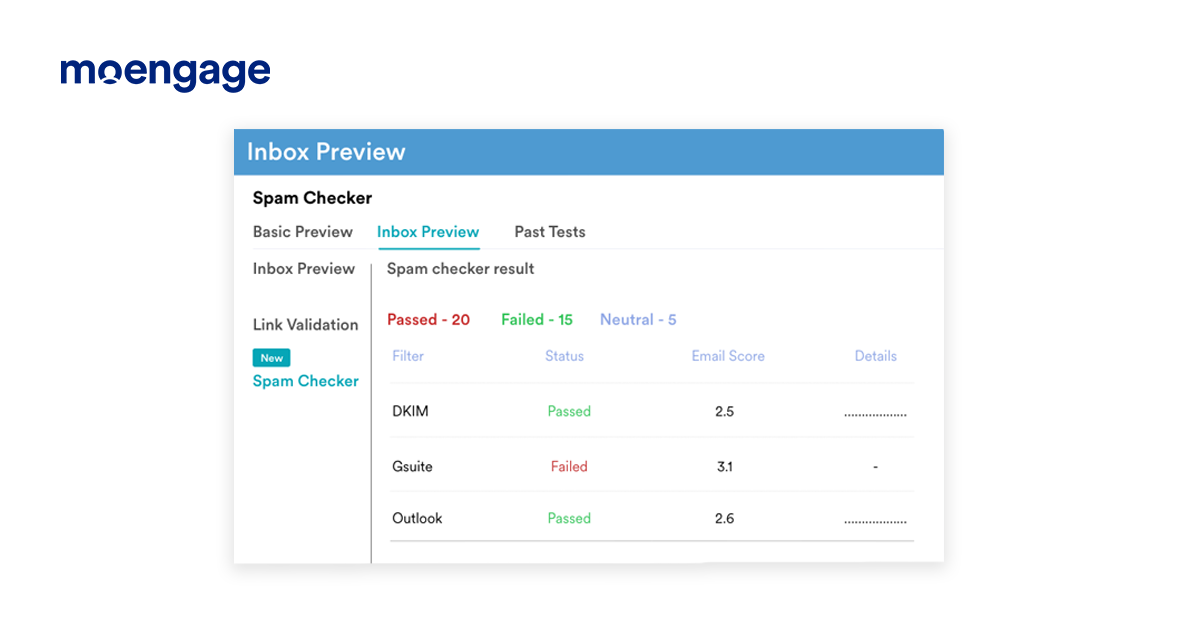
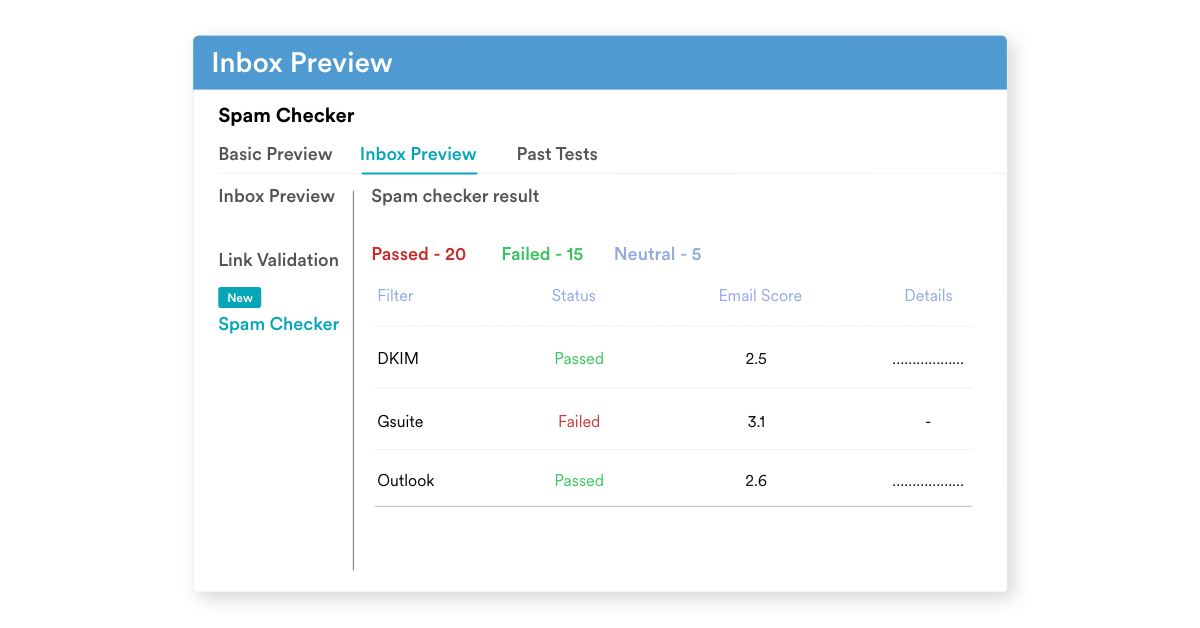
You can now click on ‘Spam Checker’ in the email creation sidebar to check the spam score of your email. This will tell you how likely you are to be labeled as a promotion—or worse, spam. (Spam is where emails go to die).

Wait, why would my email go to spam?

We’ve written about this in detail, but here’s the gist: your emails need to pass the anti-spam checks that email providers set up. These checks are triggered by certain content in your email, which can easily be missed. That’s why we’re launching this new ‘spam checker’ update, which will scan your email to point out anything that might send you towards the spam box, like:

  1. Blacklisted URLs hidden somewhere
  2. Misleading subject lines that do more harm than good
  3. Spelling or grammar issues
  4. Image-heavy email content (which mail providers do not like)
  5. Spam trigger words, subject lines that are too long or short, or a sender address that has been blacklisted.
Check if your emails might be sent to spam
Get notified of anything that might send your emails to spam

Wow! But how?

We’ve partnered with Email on Acid to bring you both these updates. Don’t worry—there’s no setup required from your end. You don’t even need a separate Email on Acid account. These updates will be enabled for you by default. You get ten free tests per month with the Growth plan, 15 free tests if you’re on the Enterprise plan—you can upgrade for more at any time!

TAKE IT FOR A SPIN


[New Feature] Introducing Predictions

Anticipate your customer needs and proactively engage them!

  • UPDATED: 20 March 2023
  • 4 minread
[New Feature] Introducing Predictions
Reading Time: 4 minutes

Today’s consumers expect a seamless experience across touchpoints, and a business needs to be both prompt and proactive in its approach to delight its customers. Brands with an eye towards the future boost their data and analytics capabilities and harness AI-powered analytical capabilities to connect more closely with their customers, anticipate intent, identify CX issues and opportunities in real-time. We have launched yet another AI-powered feature that can help marketers and product owners do just this!

Say hello to MoEngage Predictions powered by AI Sherpa. 

👉Predictive marketing can increase your ROI by 500%! Learn how

What’s MoEngage Predictions?

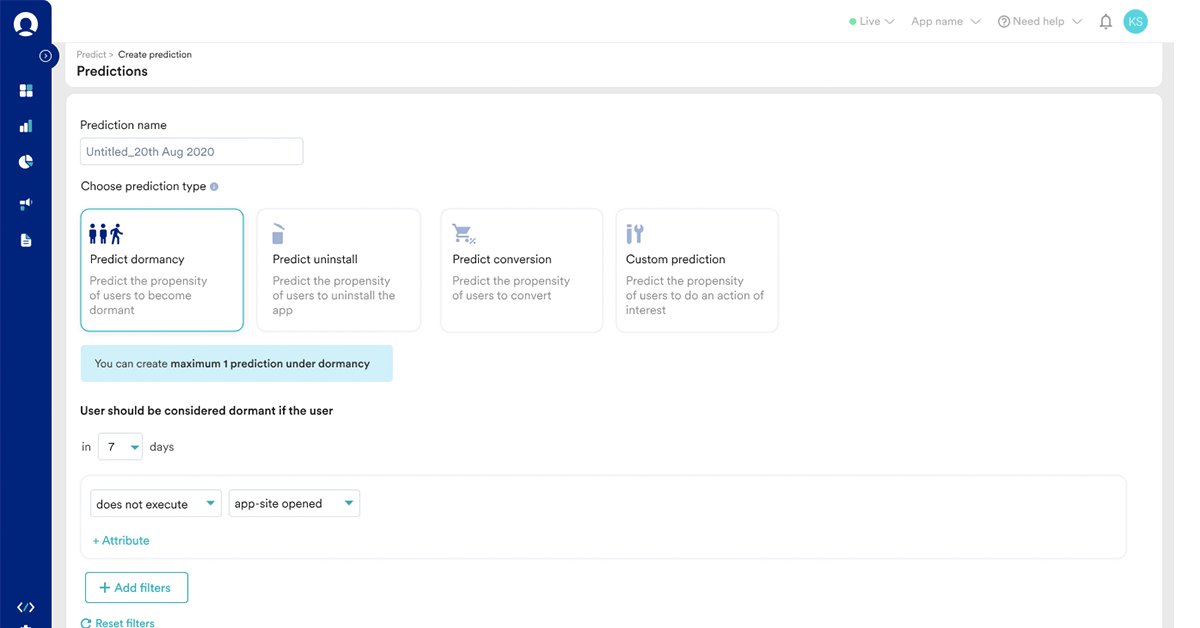
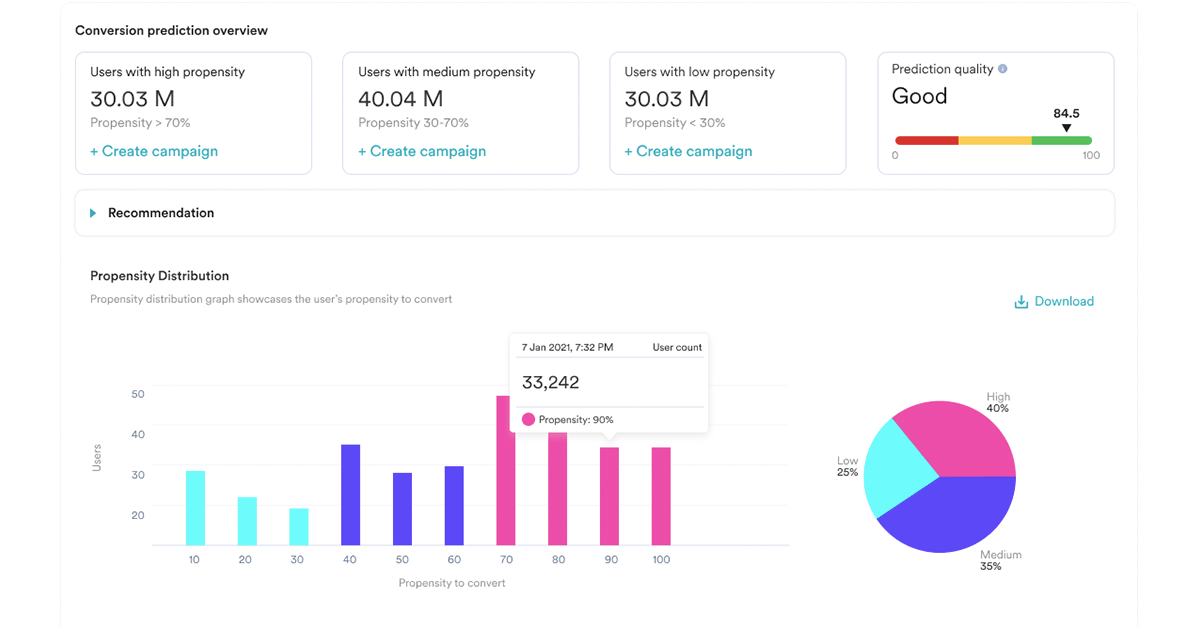
To help you go beyond past actions, current interests and understand your customers’ future actions – we built Predictions. Predictions leverages ML and AI capabilities that allow you to transform your past data into future insights through an easy and intuitive dashboard on MoEngage. With Predictions, you can accurately forecast customer actions. For example, you can identify customers willing to purchase or those who might uninstall your mobile app or become dormant. Armed with these insights, you can create highly relevant campaigns to nudge customers towards the desired action.

In-built prediction models

Predictions | MoEngage

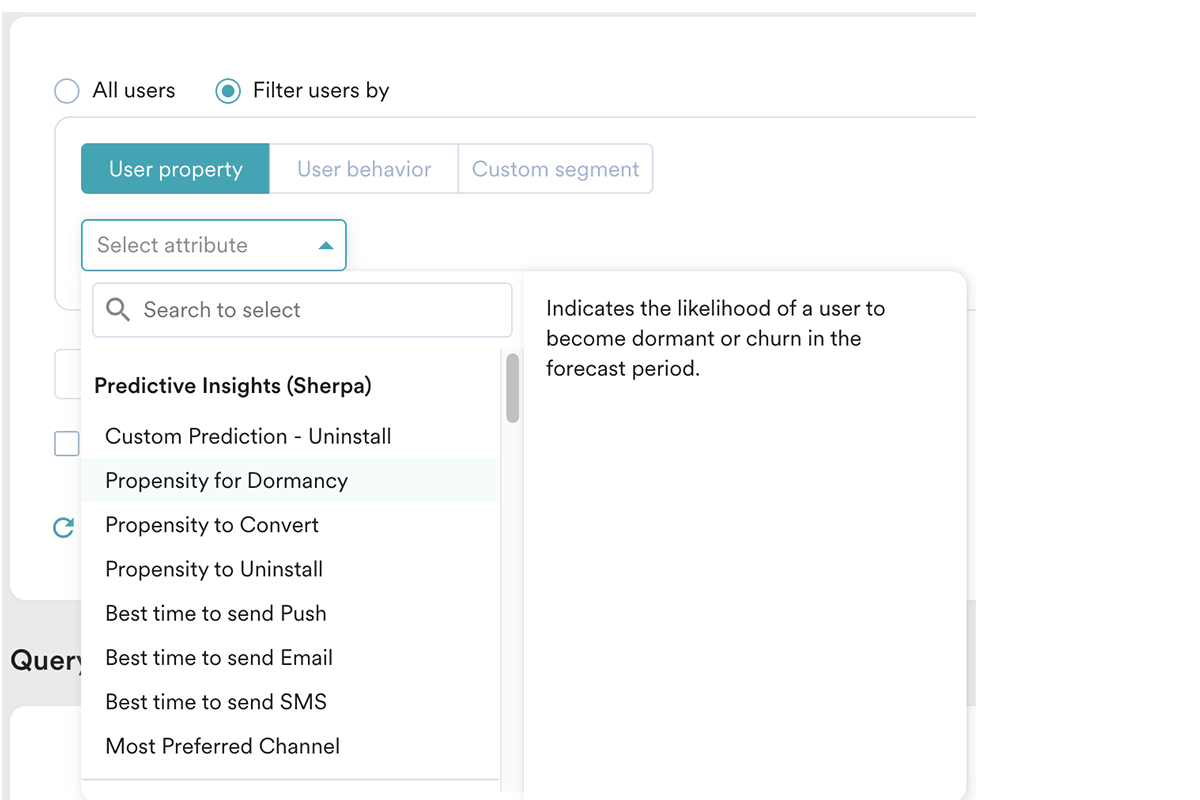
MoEngage Predictions comes with three in-built prediction models accessible with the click of a button.

  • Dormancy: Predict customers who will not open your app or website in the next seven days.
  • Uninstalls: Predict customers who are going to uninstall your App in the next two weeks.
  • Conversions: Predict customers who are going to purchase in the next seven days.

You can set up custom predictions too!

With MoEngage Predictions, you can also build custom predictions for use-cases that are relevant to your business. For example, you can predict customers who could:

  • Re-install your app in the next 30 days.
  • Respond to your notifications.
  • Purchase the upcoming holiday sale!

Brands across industries and sectors can leverage Predictions to fine-tune their marketing strategy. For example, based on millions of data points collected in the past, banks can decide which credit card is suitable for their customers, whether to offer a loan or choose not to disturb a customer who has been paying the installments on time!

Similarly, retail or e-commerce brands can save customers at risk of churning by sending them retention offers. On the other hand, they can also stop sending too many messages to customers who already have a high propensity to convert.

Brands in the media and entertainment space can predict customers who would watch a movie or read an article from a specific category and craft a personalized experience for them on your mobile app or website.

Predictions | MoEngage

Actionable predictions

Just like the MoEngage Analytics suite, Predictions is actionable. You can create campaigns right from the Predictions page. There’s no need to switch back or toggle to the campaigns tab on your dashboard! Once you generate the prediction results, they will be saved as user properties helping you segment and create meaningful campaigns on the go.

Fun Fact: Billy Bean (made famous by Brad Pitt in the movie Moneyball) used predictive analytics to dramatically improve his low-performing Major League Baseball Team, the Oakland A’s. Despite its low budget, it is one of the best-performing teams today.

Easy to get started

The best part about MoEngage Predictions—it can be up and running in just a few minutes without any help from data scientists, engineers, or analysts from your team. Once you’ve set it up, our AI Sherpa uses all available data points and generates a propensity score for every customer in the segment. The customers are classified into high, medium, and low propensity buckets in less than 24 hours.

Predictions | MoEngage

We at MoEngage believe that predictive analytics is the new competitive advantage to help businesses leapfrog others to the top. Predictions will take care of some of the biggest business challenges for you. This means you’ve got more time to spend on the strategic aspects of engagement.

Are you ready to leverage the power of  AI to predict your customers’ behavior and delight them?

If you’re new to MoEngage, request a demo of the platform and this feature. If you are an existing MoEngage customer, please reach out to your account manager to get started with Predictions!

[New Feature] Introducing Affinity Segments on MoEngage

Improve relevance to boost customer loyalty and to witness higher conversions

  • UPDATED: 12 July 2023
  • 4 minread
[New Feature] Introducing Affinity Segments on MoEngage
Reading Time: 4 minutes

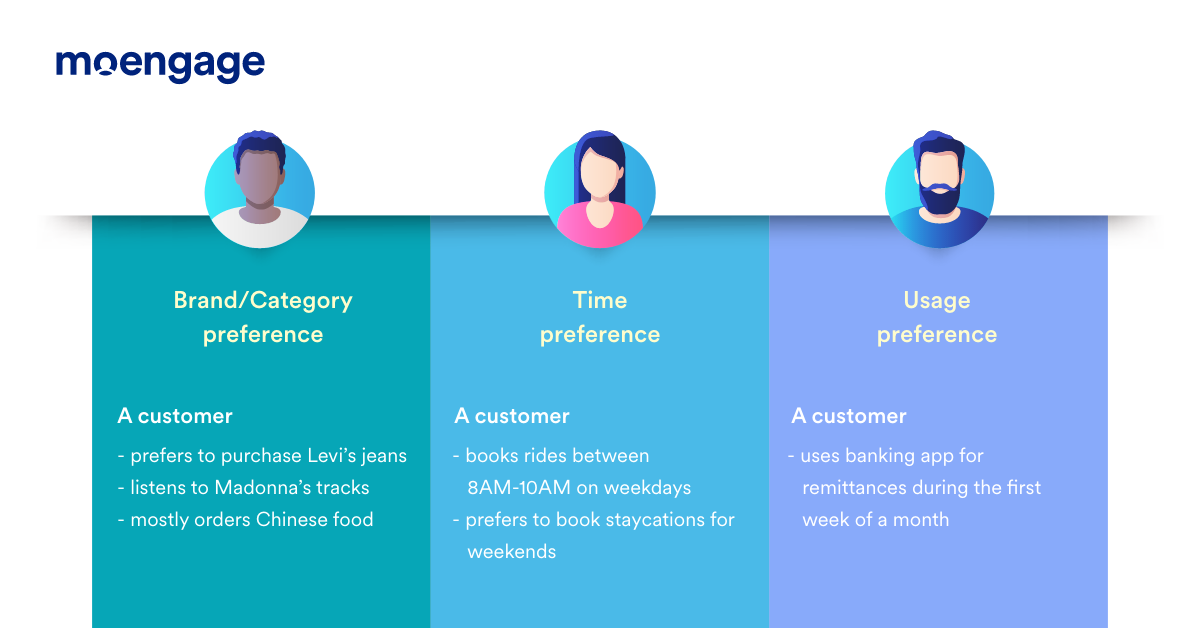
Customer engagement has come a long way from spray and pray messages to highly contextual 1:1 communication.  Effective user segmentation has helped companies understand their customers better and tailor their messaging and offerings based on their needs and preferences. The most common segmentation models group customers based on their geographic, demographic, or behavioral traits. While these are great starting points to understand your customers, companies need to adopt a longer view of the customer’s context and analyze the overall interests, preferences, affinities, and lifestyle to understand the consumer’s overall identity.

Let’s look at the various aspects of customer affinities that can help you engage consumers better.

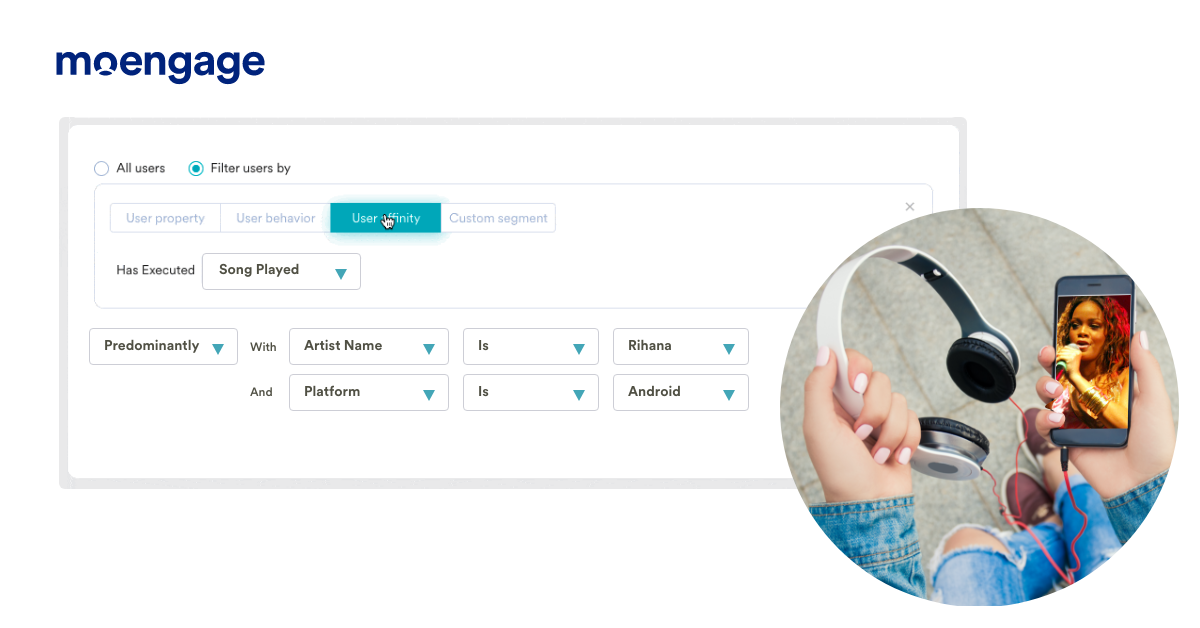
Affinity Segmentation | MoEngage

Grouping customers based on dominant preferences around brand/category, time, or usage help you to establish an effective match between products and the most receptive set of customers. This serves as a stepping stone for your company to create promotional strategies that appeal to customers’ emotions and be the brand they can relate to.

Affinity Segmentation | MoEngage

While brands realize the need for affinity-based segmentation, most engagement tools do not support this natively. Therefore, marketing teams need to rely on integration with other tools. This makes the process cumbersome and frustrating.

Create highly responsive customer groups using Affinity Segments

Today, a staggering 91% of customers say they are more likely to shop with brands that provide offers and relevant recommendations.

Brands see the pressing need for affinity-based segmentation. However, most engagement tools do not offer this capability within the platforms. Marketers rely on integration with third-party tools to enable deeper segmentation for their engagement strategy. This means teams need to toggle between multiple dashboards and screens, making the process cumbersome and frustrating.

Not anymore! I am excited to present MoEngage Affinity Segments that enable you to create highly responsive customer groups in a matter of seconds. We’ve combined AI-powered segmentation with real-time customer analytics and cross-channel journey builder to help you craft winning customer engagement.

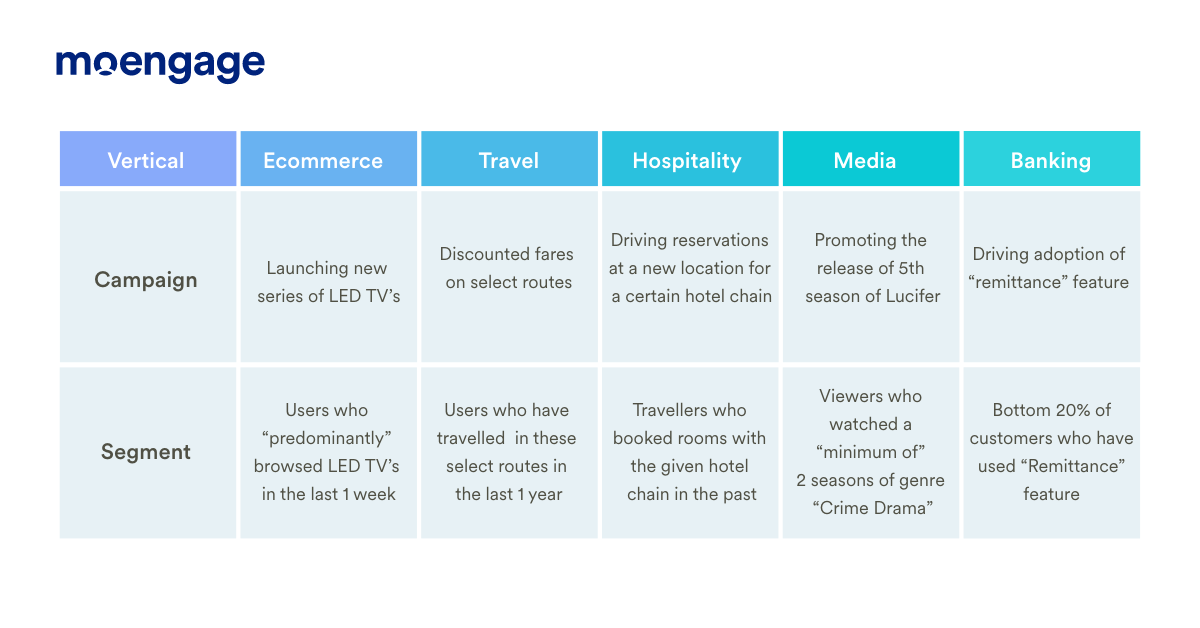
Armed with MoEngage Affinity Segments, you can narrow down your segments to the most relevant user groups. Here are some examples of how Affinity Segments could help your brand:

Affinity Segmentation | MoEngage

Leveraging Affinity Segments for your brand

MoEngage offers 3 filters to support your unique communication needs:

  • Predominantly
  • Minimum of
  • Top Users and Bottom Users

Predominantly

The “Predominantly” filter allows you to identify buyers who have performed a given action more often than others.  Let’s take a look at an example. Consider User A, who is an avid reader. A has purchased  15 books using an e-commerce app. Of these, 6 are thrillers, 5 are biographies, and 4 are history. User A’s predominant attribute/genre is ‘Thrillers,’ even though it is marginally higher than their preference for “Biographies.” With this information readily available, the e-commerce app can tailor emails to User A with books from the “Thrillers” and “Biographies” categories.

Affinity Segmentation | MoEngage


Minimum of

The “Minimum of ” filter allows segmentation of customers based on the % of times they choose an attribute or perform an action. For example, a grocery delivery platform is looking at promoting a new range of home care products.  They decide to segment and engage all the customers who have bought products from home care at least 5 times in the last 6 months.

The “Minimum of” filter gives you the flexibility to define a threshold a user needs to meet to qualify for the segment. Setting a higher threshold would imply a better response rate as the audience has shown a higher propensity towards certain attributes. Also, remember, this might mean that the target segment size might reduce significantly, but you’ll be assured that this is the most relevant audience for the campaign.

Top Users and Bottom Users

This filter allows you to identify the top and bottom customers from any segment. Here’s an example:

A delivery app wants to run a referral campaign to generate leads. They want to reach out to their best customers based on the total number of purchases done. They can use the “Top users” filter to target the top 10% customers for the referral campaign.

Teams can also use the “Bottom users” filter to engage the bottom 20% of these customers with an activation campaign to drive repeats.

Conclusion

Affinity segmentation helps you to:

  • Improve engagements: Your customers see only what is relevant, which enhances their likelihood of responding to your communication.
  • Build long-term loyalty: Using affinity-driven customer segments, you can refine your communication strategy and add more relevance to your messaging. Customers find your brand engaging and stick around for longer.

If you are an existing MoEngage customer, you can access Affinity Segments on your dashboard. If you are not a customer yet, you can book a demo to know more.

How We Are Addressing An Ongoing Anomaly in Email Open Count and Open Rates

  • UPDATED: 11 July 2023
  • 3 minread
How We Are Addressing An Ongoing Anomaly in Email Open Count and Open Rates
Reading Time: 3 minutes

At MoEngage we believe in open and transparent communication around ongoing issues that affect our customers. This article pertains to an anomaly we’ve recently seen with email open counts and open rates.

A quick summary

In June 2021, some of MoEngage’s customers reported an anomaly in email open rates. The MoEngage team collected the feedback and dived deep to investigate. We found that email open rates were inflated because of changes made by Google on their email client, Gmail. This particular change we’re talking about relates to the way image downloading works.

We have identified a fix and have rolled it out for all of our customers. With this change, MoEngage and its customers will be able to track open rates more accurately by removing some of the erroneous open counts from campaigns created going forward.

The impact of this anomaly is different for each customer, with the error ranging from 10-20%. This means that after we fix this anomaly, your open rates for new campaigns would be lower in comparison to campaigns run earlier. But this is not a cause for concern – these rates are accurate.

A detailed overview of the anomaly

To understand this anomaly better, let’s first take a look at how MoEngage tracks email opens.

How does MoEngage track email opens?

MoEngage uses an independent “email open” event tracking mechanism using an image pixel. Our platform inserts a unique one-pixel image that gets downloaded whenever your customer opens your email. Then, MoEngage is notified of this action.

Open rates for all emails are recorded at MoEngage using this mechanism.

So, what changed?

When we diagnosed this issue, we found that some of the opens recorded were triggered by Google’s Image Proxy Server. These false “email open” events led to an unexpected spike in the open rates reported.

The Image Proxy Server is operated by Google to make messages more safe and secure by checking images in an email for known viruses or malware. This prevents customer engagement platforms such as MoEngage to track certain attributes of the “email open” event. These include the location and the device used to open the email, among others. Google’s Image Proxy only allows email service providers to know IF the email was opened.

Google Image Proxy uses a variety of user agents such as “Mozilla/5.0 (Windows NT 5.1; rv:11.0) Gecko Firefox/11.0 (via ggpht.com GoogleImageProxy)”. This contains the part “via ggpht.com GoogleImageProxy” to confirm that Google Image Proxy was used to trigger the email. Usually, this is accepted to be a genuine “email open” action.

Our investigation revealed that most of the false opens recorded on MoEngage were triggered by the IP addresses belonging to Google, but not in the general format used by the Image Proxy Server.

These opens were recorded from the user agent “Mozilla/5.0 (Windows NT 10.0; Win64; x64) AppleWebKit/537.36 (KHTML, like Gecko) Chrome/42.0.2311.135 Safari/537.36 Edge/12.246 Mozilla/5.0”. This faulty user agent led to a spike in the reported email open rates.

We concluded that this faulty user agent, belonging to Google, was triggering the one-pixel image inserted by MoEngage. The trigger happened within seconds of email delivery, even before your customer opened your email!

Our investigation also revealed that a majority of the opens triggered from this faulty user agent were recorded within five seconds of email delivery. Since this isn’t an ideal user behavior and all the events were recorded from the same IP address, we concluded this to be bot-like behavior.

How is MoEngage fixing this?

MoEngage is providing a two-part solution to the problem.

Firstly, we are going to block the “email open” events recorded from the identified faulty user agent. This ensures your email campaign reports only show genuine opens by your customers and not by bots. Please note, this might lead to a slight dip in the open rates you see on the MoEngage dashboard.

Secondly, we have reason to believe that there might be other faulty user agents similar to the one we’ve identified. To tackle this, we plan to apply controls in the firewall that prevent similar bots from intervening in our tracking process and causing further anomalies.

How will you be impacted?

With this change, we will be able to track email open rates more accurately. As a MoEngage customer, you may end up seeing slightly lower email open rates on the MoEngage platform. However, please note, this does not mean your customers are now opening your emails less frequently than before. This is an accurate representation of your true email open rates.

Please note: the change in email open rate will only be visible after the fix is done on your account. For more questions around this, please feel free to get in touch with our Support team.

[Product Updates] Here’s What Our Team Has Built for You

  • UPDATED: 17 July 2023
  • 3 minread
[Product Updates] Here’s What Our Team Has Built for You
Reading Time: 3 minutes

At MoEngage, we aim to become the world’s most trusted customer engagement platform for enterprises and scaling businesses. We’ve just added new features and product updates that will take us a step closer to that goal – some of these were built based on your feedback.

Inbox Preview

MoEngage Inbox Previews

How will your email appear in the inboxes on Gmail, Apple Mail, or Yahoo! Mail? How about on mobile phones or tablets? You’ll agree that one of the most frustrating user experiences is to receive an email that doesn’t render well on your device.

Different email clients display HTML differently. With MoEngage’s Inbox Preview, you can now test your email content across devices and email clients. See how your emails will appear, adjust formatting and messages to perfect email engagement for your brand.

Read more

Spam Checker

MoEngage Spam Checker

Every email that lands in the Spam folder is a lost business opportunity for your brand. Therefore, it is crucial to spam-check your email campaigns and stay on top of the ever-changing algorithms. The Spam Checker on MoEngage will predict the likelihood of your campaign hitting the Spam folder instead of the Inbox.

This feature scans through your email campaigns and detects factors that could cause Spam delivery, such as:

  • Blacklisted URLs in the email or its content
  • Subject lines that are too long, too short, or misleading
  • Image-heavy emails
  • Spelling and grammar
  • Missing unsubscribe link in the footer
  • Blacklisted sender email address
Understand how Spam Checker works

Campaign Approval Workflows in SMS

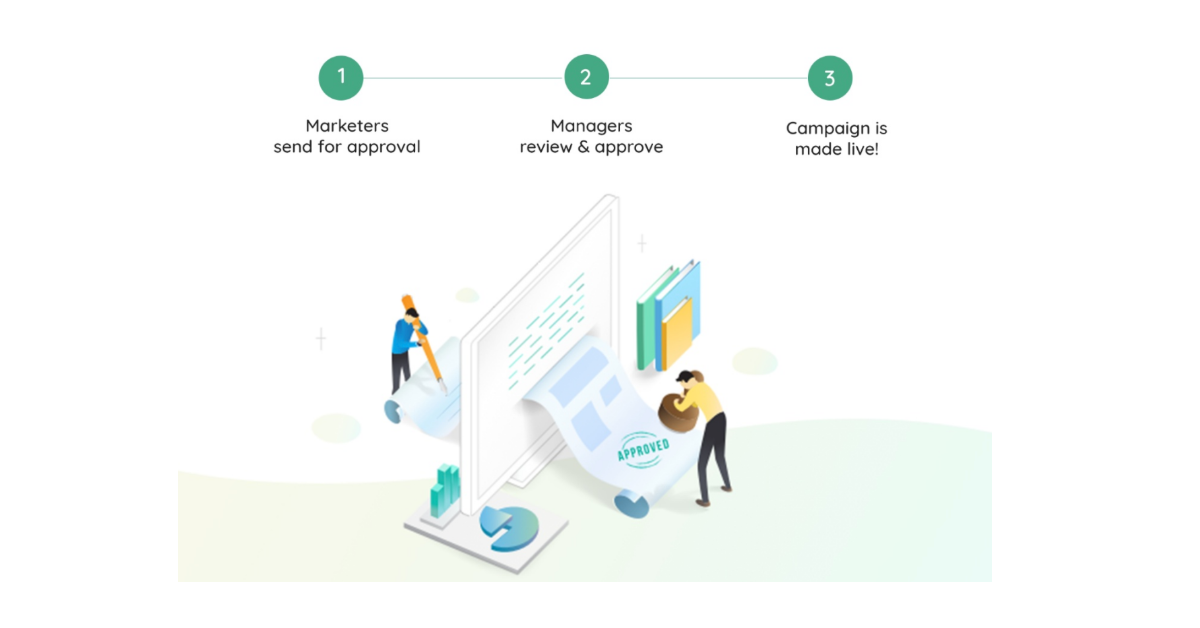
Campaign Approval Workflows is now available in SMS too. This means, your teams can publish SMS campaigns only after approval from Managers/Admins of the same team.

MoEngage Campaign Approval Workflows

With Campaign Approval Workflows you can ensure a smooth campaign workflow right from planning, creation, approvals, and execution. No more email threads, Slack messages, and Skype calls for feedback on SMS campaigns. Everything can be in one place on a single dashboard.

Read more

Custom positioning of “View in the browser”(VIB) link

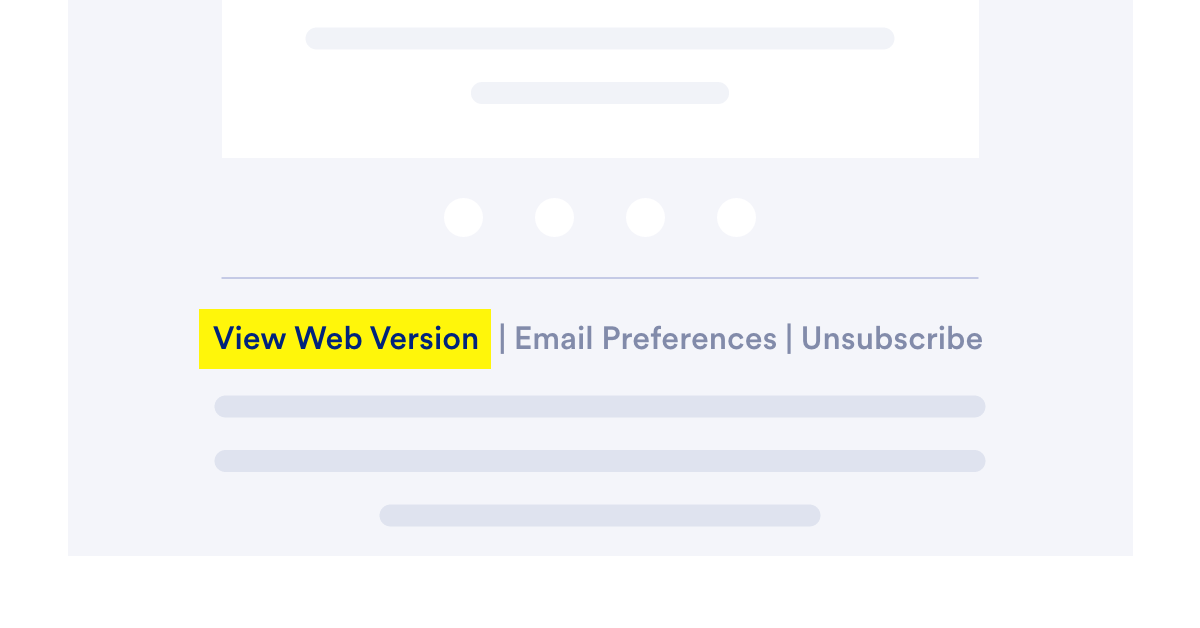
You’ll agree that one of the most frustrating user experiences is to receive an email that doesn’t render well on your device. A poor experience is one of the top reasons to lose email subscribers. The “View in the browser” link can help you solve these challenges. However, how do you ensure customers can access this link for an optimum experience?

The placement of the “View in the browser” link in your email comes down to two key factors—email design best practices and consumer behavior. With our latest update, you can now place the VIB link in your email (footer, header, or body) based on what’s right for your audience.

For example, in the image below, a “View Web Version” link is included in the footer which has all the important information, like unsubscribe links and terms of use that don’t directly relate to your emails.

MoEngage Custom VIB link

Read more about VIB links

That’s not all – we have more lined up for you in our upcoming MoEngage NEXT, a premier virtual summit for MoEngage customers and the community.

MoEngage Next

After an overwhelming response early this year, we’re delighted to be back with MoEngage NEXT this September.

If you are a marketer, product leader, or founder tasked with engagement-led growth, tune in to hear from top leaders, discover new trends, get a sneak peek into what we’re building, and more. Save your spot now!

P.S. For more product updates, keep following this space here or drop us a note at [email protected]  if you have any questions.

[Product Updates] Here’s What Our Team Has Been Building for You!

  • UPDATED: 17 July 2023
  • 3 minread
[Product Updates] Here’s What Our Team Has Been Building for You!
Reading Time: 3 minutes

Welcome to the MoEngage product updates blog! Get monthly updates about new features and tools you can now take advantage of. Learn about new use cases, benefits, tips, and more. This month, we’ve extended our A/B testing capability to In-Apps, included new filters to DPM, introduced campaign analytics for On-site & Web Personalization, and enabled user reachability counts for SMS & Email channels. We have also included Campaign Tags to help you add more meaning to your campaign titles and filter them easily. Take a look at short notes about these updates.

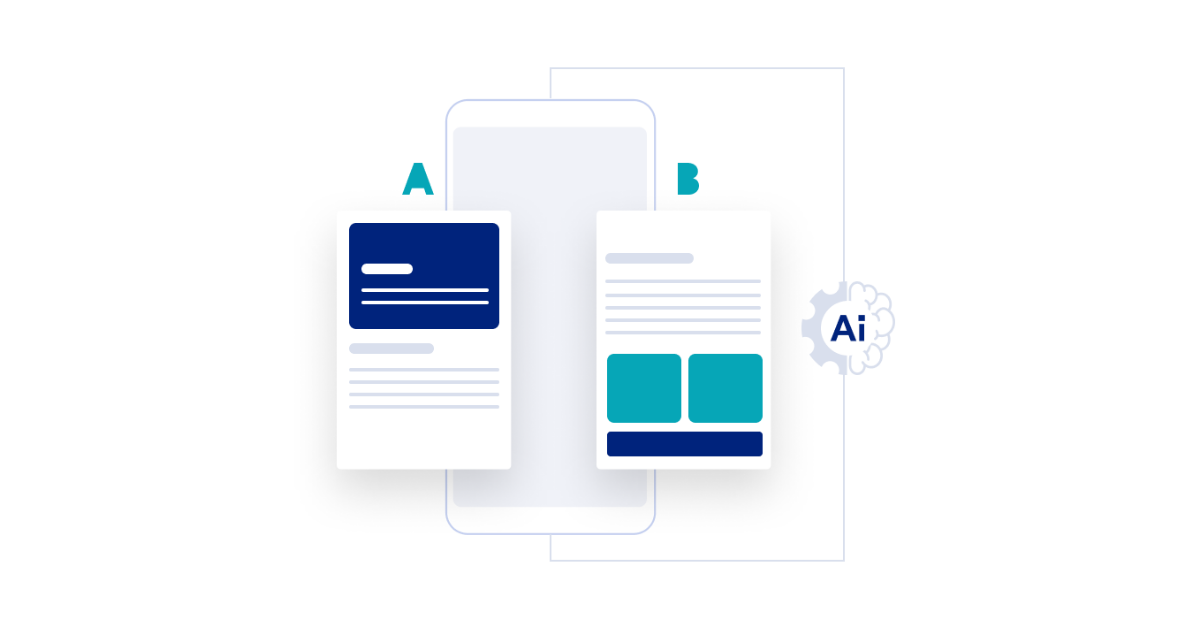
Leverage Dynamic A/B Testing for In-App Campaigns

Leverage Dynamic A/B Testing for In-App Campaigns

Test the efficacy of your In-App campaigns for different templates, images, text, or CTAs by leveraging the new A/B Testing feature for In-Apps. Better yet, you can use our AI Engine, Sherpa, to automatically figure out the winning in-app variant and optimize your campaign for more conversions!

READ MORE

Filter Product Sets Based on Product Attributes

Filter Product Sets based on Product Attributes | MoEngage

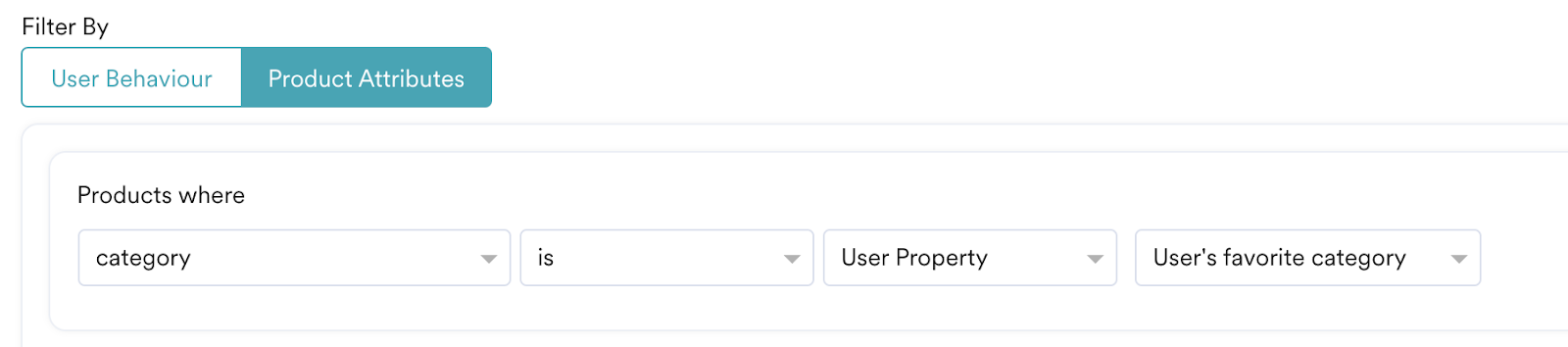
Until now, you can create product sets based on user attributes to send personalized recommendations! This new update to DPM enables marketers and product owners to also create product sets by filtering products from a catalog using product attributes like price range, category, discount range, and so on or dynamic variables like users’ favorite category!

For example, create a product set where the price ranges between 10$ to 100$. Or, create a product set where the product category is the same as users’ favorite category!

SMS and Email Reachability With Segmentation

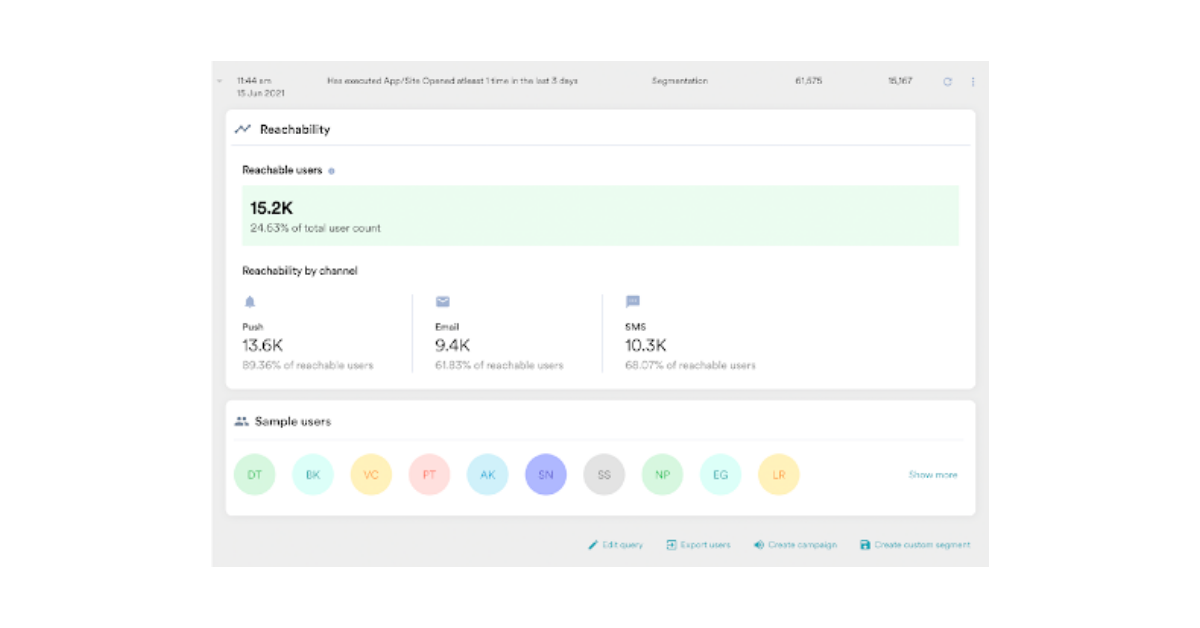
Reachability SMS

Marketers can now get a count of users who are reachable via SMS and Email channels along with the Push channel for any targeted segment. This reachability count will help you choose the right channel to communicate with your users!

READ MORE

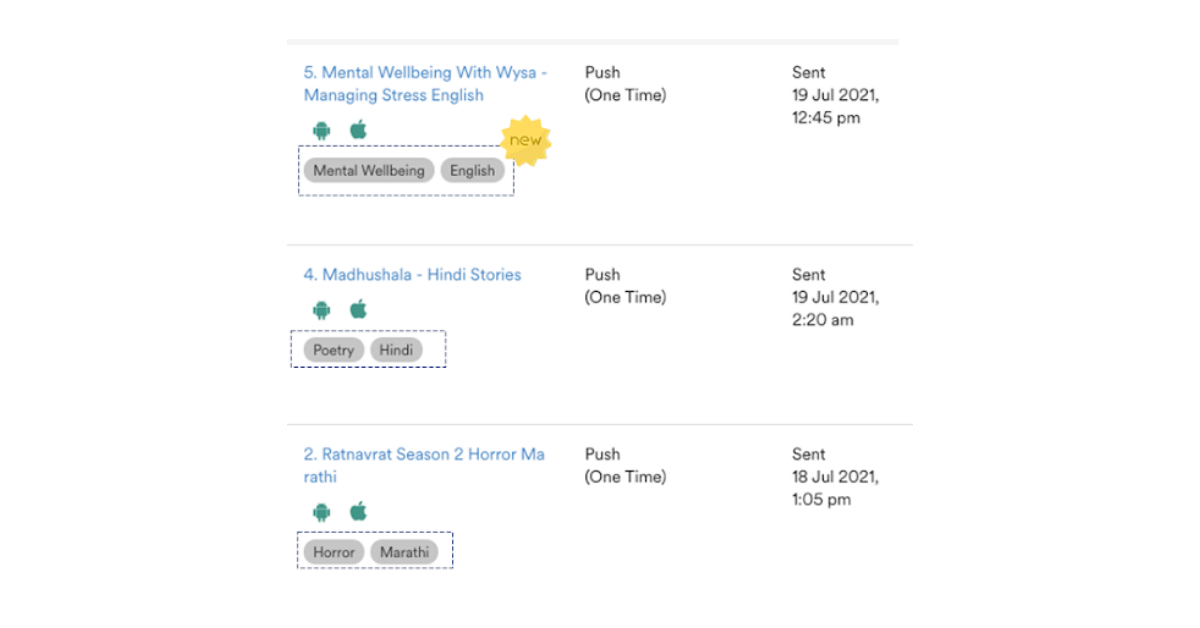
Start Tagging Campaigns With Campaign Tags

Start Tagging Campaigns With Campaign Tags

Campaign tags allow you to add that little label to your campaigns, giving them more context and making it easier for you to find them. Tags can be anything – descriptive names, campaigns themes such as on-boarding, retention, country, all users, etc.  Additionally, you can also group tags into categories. For example, during your annual sale, you want to send out multiple campaigns with the tags as  Electronics Sale, Home Decor Sale, etc. You can create an Annual Sale category and add tags for individual campaigns sent out on that day!

READ MORE

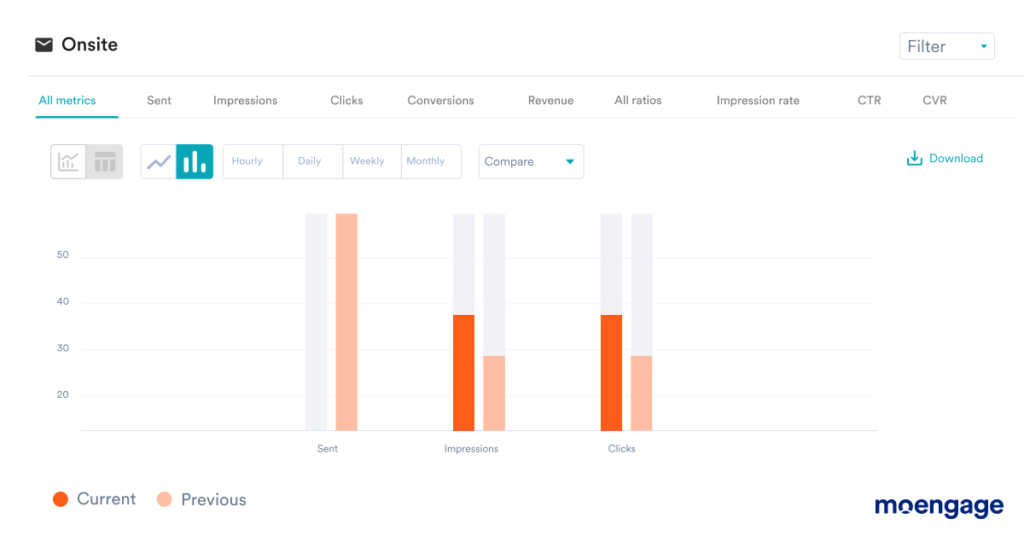
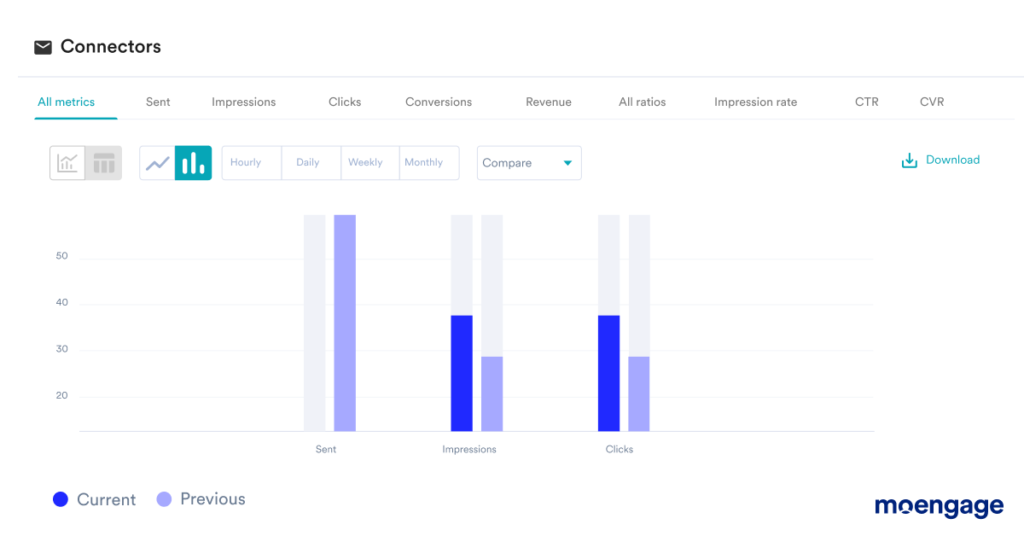
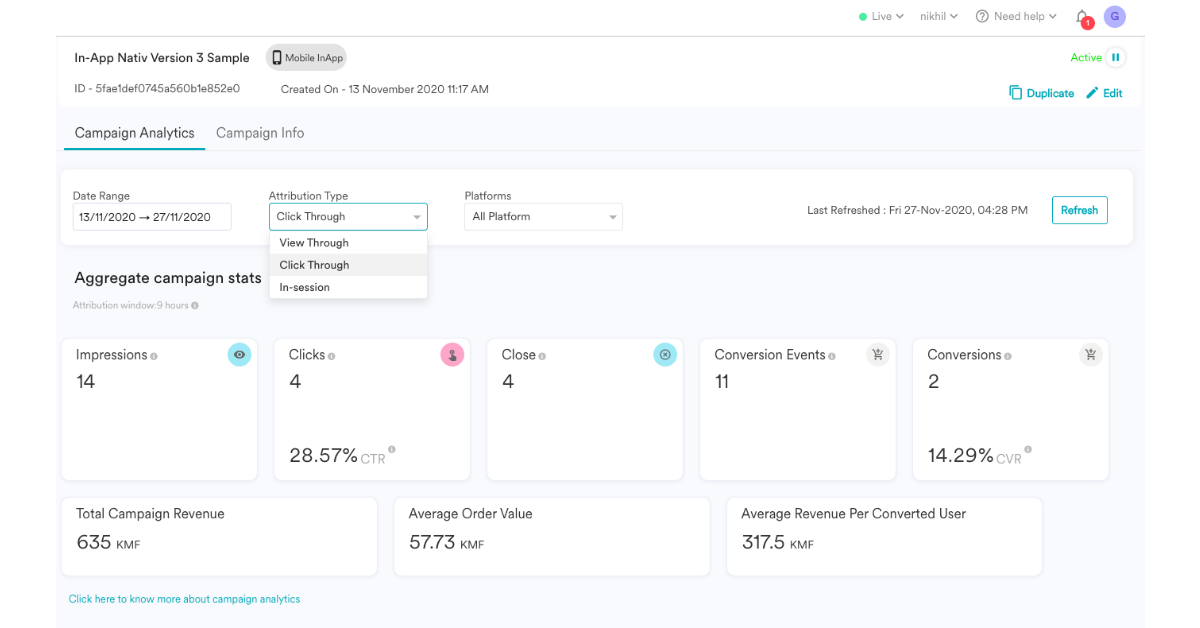
Campaign Analytics for On-site Messaging and Web Personalization

Campaign Analytics for On-site Messaging and Web Personalization

We now have campaign analytics for both on-site messaging and web personalization channels too. Gain insights into the performance of your campaigns – clicks, conversions, CTRs, CVRs, attributions along with revenue too!

READ MORE

For regular product updates, follow us here or drop us a note at [email protected] if you have any questions.

MoEngage

© Copyright 2026 MoEngage. All Rights Reserved.