


How to Migrate From Salesforce Marketing Cloud (SFMC) to MoEngage for Enterprise Customer Engagement
It’s not a small project to migrate from Salesforce Marketing Cloud for enterprise customer engagement. Your business may have years of customer data, Data Extensions, SQL queries, Journey Builder journeys, AMPscript templates, triggered sends, transactional alerts, and integrations connected to SFMC.
So it’s understandable if your first reaction is, “Are we really going to rebuild all of that?”
The answer is: not necessarily.
A successful migration from SFMC to MoEngage is about deciding what to move, what to rebuild, and what to retire.
The right customer engagement platform migration strategy protects your existing campaigns while gradually moving customer engagement to a platform designed for unified, real-time, cross-channel experiences.
Here’s the approach we use with enterprise B2C teams: the four phases, what migrates vs. what gets rebuilt, how to protect deliverability, how to avoid paying for two platforms, and what to check before you sign anything.
Key Takeaways
- Migrate in four phases, with no big-bang cutover. Map your data model, pilot one channel, move channel by channel, then run both platforms until your SFMC contract ends.
- Most teams are live in MoEngage in about 2 months. Rebuild your logic for MoEngage (Flows, Jinja, profile-and-event data) instead of copying SFMC one-for-one.
- Protect your sender reputation, and don’t pay twice. Warm up gradually and load suppression and consent data first. MoUpgrade credits cover your MoEngage license while SFMC is still active.
Why are Enterprise Marketers Migrating From SFMC?
Salesforce Marketing Cloud can support large and sophisticated marketing programs. But as those programs grow, many teams find themselves dealing with increasing operational complexity.
If you’ve lived in Salesforce Marketing Cloud for years, you know it better than your own commute. You know which Data Extension feeds which journey. You know which AMPscript block nobody dares to touch. And you know the sinking feeling when a “quick” campaign needs a developer, a SQL query, and 2 weeks.
That can make it harder to respond quickly when customer behavior changes.
Modern enterprise B2C marketers need to do more than schedule campaigns. They need to recognize a customer’s behavior, understand their context, and respond across the right channel at the right time.
That might mean sending a push notification after a product view, suppressing an email after a purchase, changing a loyalty message based on an in-store transaction, or coordinating email, SMS, in-app, and transactional alerts within one customer journey.
MoEngage is an agentic customer engagement platform that’s designed to support this type of omnichannel engagement for enterprises. It can work with existing data infrastructure, including data warehouses such as Snowflake and BigQuery, so migrating from SFMC doesn’t necessarily require rebuilding your entire data layer.
The platform powers customer experiences for more than a billion customers per month and can deliver more than 20 million messages per minute for a single campaign.
For enterprise teams, the question is whether your enterprise customer engagement platform can support the scale, governance, data flows, and operational speed your marketing organization needs. You should absolutely look at more than one option. Evaluating the best Salesforce Marketing Cloud alternatives is just good due diligence, and we’d encourage it.
And while you’re at it, compare MoEngage vs. Salesforce Marketing Cloud for scale, governance, and campaign speed, or jump to the 4-phase approach below if you’d rather see what the move involves.
How to Migrate From Salesforce Marketing Cloud to MoEngage for Customer Engagement: The 4-Phase Approach
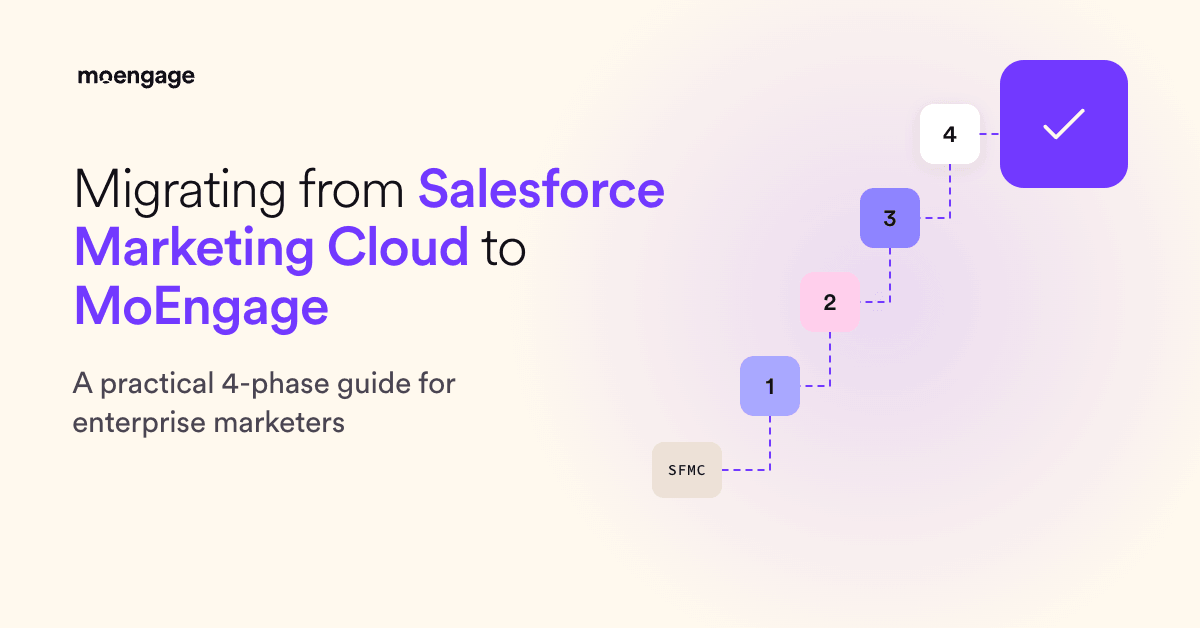
Migrating from Salesforce Marketing Cloud to MoEngage for enterprise customer engagement happens in these four phases.
| Phase | Timing | What Happens | What Protects You |
| 1. Data Model Mapping | Month 1 | Your SFMC schema is mapped to MoEngage’s data architecture. Planning and validation only, with no live traffic moved. | You get a documented data model and integration spec to review before anything is built. SFMC runs unchanged, with full rollback optionality. |
| 2. Pilot Environment | Months 2-3 | One channel goes live on MoEngage while SFMC keeps running everything else. | Dependencies and data model edge cases surface in production, with a single channel at stake. MoUpgrade credits cover the MoEngage license while SFMC is active. |
| 3. Channel Migration | Months 3-6 | Journeys, personalization blocks, and transactional alerts move channel by channel, low-dependency channels first. | Each channel is validated against agreed performance criteria before SFMC is wound down on it. Each migration is independently reversible, and peak trading periods are built into the schedule. |
| 4. Managed Dual Run | Until the SFMC contract expires | Both platforms stay operational while MoEngage progressively takes over. | SFMC winds down on its natural contract schedule, with no forced cutover and no big-bang risk. |
Before we get into the technical details, here’s a quick overview of how a migration from SFMC works.
The key point is that you don’t have to replace every SFMC program at once. A phased migration lets you validate the data model, move priority channels, and keep your existing campaigns running while MoEngage takes over.
Let’s take a closer look at these migration phases.
Phase 1: Data Model Mapping (Month 1)
The first phase is planning and validation. Your SFMC environment continues to run unchanged, so there’s no live traffic impact and no production commitment before your teams approve the design.
By the end of this phase, you should have an approved data model, integration specification, campaign inventory, and migration backlog.
Start by documenting your SFMC environment. Include Data Extensions, SQL queries, customer attributes, events, Journey Builder journeys, email and push templates, AMPscript, triggered sends, transactional messaging, consent data, suppression lists, Business Units, CRM connections, warehouse integrations, and reporting dependencies.
Then classify each asset based on whether you need to:
- Migrate it with minimal changes.
- Rebuild it in MoEngage.
- Rewrite its logic or personalization.
- Map it to a new operating model.
- Retire it if it’s stale, duplicated, or no longer useful.
This is where you decide what deserves to move. A five-year-old journey may still be active in SFMC, but that doesn’t mean it should become part of your future B2C customer engagement strategy.
Map the data model at the field level
For every important SFMC field, document its source, definition, format, update frequency, business purpose, and destination in MoEngage.
You’ll also need to decide whether each data point should become a customer attribute, event, event property, segment input, or warehouse record.
For example, a loyalty tier may belong on the customer profile. A product purchase is usually better represented as an event with properties such as product ID, category, price, and store location. Detailed historical transactions may remain in your warehouse while selected values are activated in MoEngage.
MoEngage can work with existing data infrastructure, including Snowflake, BigQuery, and Databricks. Migrating from SFMC doesn’t necessarily mean rebuilding your entire data layer.
Define identity and source-of-truth rules
Before moving data, agree on how customers will be identified across your CRM, warehouse, website, mobile app, and MoEngage.
Document your primary customer ID, email and mobile identifiers, anonymous-to-known identity rules, duplicate profile handling, consent ownership, and source-of-truth rules.
If identity resolution isn’t consistent, segmentation, personalization, attribution, and suppression can all be affected after launch.
Phase 2: Pilot Environment (Months 2-3)
In the pilot phase, one channel or focused customer use case goes live in MoEngage, while SFMC continues to run the rest of your program.
This is MoEngage’s MoUpgrade program, a controlled production deployment designed to expose real dependencies and edge cases before they become larger incidents.
Why pilot in production instead of a test environment, though? Because real dependencies only show up in the real world. Edge cases in your data model surface here, while the blast radius is a single channel, instead of later as incidents.
Choose a use case that matters to the business but doesn’t require every system in your stack to move at once. A welcome journey, abandoned-cart program, a Shopify post-purchase email flow, regional campaign, or mobile push program could be a good starting point.
The pilot should include the data, events, consent rules, campaign logic, integrations, reporting, and operational workflows required for that use case.
Phase 3: Channel Migration (Months 3-6)
Once the pilot is stable, migrate the remaining channels progressively.
This is a parallel run, not a single cutover. Customer journeys, personalization blocks, templates, and transactional alerts move channel by channel. Each channel is validated against agreed performance criteria before SFMC is wound down for that use case.
The right order depends on campaign complexity, revenue contribution, data dependencies, engineering effort, compliance requirements, and your peak trading calendar. Work arrives in batches sequenced by campaign complexity and dependency mapping, and your solutions engineer defines that sequence for your environment during the pilot.
You could start with lower-dependency use cases before moving into complex customer lifecycle marketing programs. If you have a major holiday period, product launch, or seasonal sales event approaching, build that into the migration schedule.
Your team shouldn’t be forced to migrate a high-value campaign simply because it’s next on a project plan.
Migrate complete use cases from SFMC to MoEngage, not isolated assets
Moving all your email templates first, then all your segments, then all your journeys may seem logical. But it doesn’t always reflect how customers experience your brand.
Consider migrating a complete abandoned-cart program instead, for instance. That could include product-view and cart events, audience criteria, email, push, SMS fallback, frequency rules, segmentation and personalization, conversion tracking, and reporting.
Why? Because moving the complete use case makes it easier to identify missing dependencies and confirm that the new architecture works in practice.
Phase 4: Managed Dual Run (Until the SFMC Contract Expires)
During the final phase, both platforms remain operational.
MoEngage progressively takes over validated channels while SFMC winds down on its natural contract schedule. There’s no forced big-bang cutover, and you don’t need to migrate every campaign on the same day.
For each campaign or channel, define the MoEngage activation date, SFMC pause date, audience ownership, consent rules, success criteria, monitoring requirements, rollback process, and final retirement date.
This gives your team time to compare performance, resolve data issues, train users, and confirm that reporting is reliable before Salesforce Marketing Cloud is fully retired.
How Long Does an SFMC Migration to MoEngage Actually Take?
Reviewers on G2 report an average go-live time of about 2 months for MoEngage, which is right where your pilot channel lands in Phase 2. In fact, several MoEngage migrations have ranged from 7 days to 12 weeks.
A card-linked offers and rewards app, Drop fully migrated and launched in just 7 days. At the other end, SoundCloud moved 200+ live campaigns for 100M+ users in 12 weeks.
What decides where you land between those two? The size of your campaign library, how many integrations you have to rebuild, and how much you’re willing to retire instead of copy. That’s why Phase 1 is where you win or lose your timeline.
Now for the part that makes people nervous: what exactly moves when you migrate from Salesforce Marketing Cloud, and what doesn’t.
SFMC-to-MoEngage Concept Map: What Migrates and What Gets Rebuilt
Here’s the golden rule: rebuild your logic for MoEngage’s architecture instead of copying SFMC one-for-one, and use the move to retire stale journeys, templates, and Data Extensions.
| SFMC Concept | In MoEngage | Effort |
| Data Extensions and SQL segments | User attributes and events in MoEngage’s profile-and-event data model. Segments are built with visual filters, or with SQL-based warehouse segments if your data lives in a warehouse like Snowflake or BigQuery | Rebuild |
| Journey Builder journeys | Flows, MoEngage’s cross-channel journey builder | Rebuild |
| AMPscript personalization | Jinja templating (Merlin AI’s Jinja Assistant can generate Jinja from plain-English descriptions) | Rewrite |
| Email and push templates | Native MoEngage templates. Designs carry over; the personalization logic inside them gets rewritten in Jinja | Rebuild / import |
| Subscribers, consent, suppression lists | User profiles with email opt-in status and subscription categories, loaded through CSV user import or the Track User API | Migrate |
| Triggered sends / transactional email | MoEngage Inform (the transactional messaging product), plus API-triggered campaigns | Rebuild |
| Business Units | Portfolio, which manages multiple apps and websites as separate projects in one workspace (or separate workspaces, decided in Phase 1) | Map |
| Integrations (CRM, warehouse, third parties) | Native Salesforce CRM integration, warehouse connections, and the MoEngage app marketplace | Rebuild |
Once the map is clear, there’s just one risk left that can quietly wreck a migration: your inbox placement.
How to Protect Deliverability and Consent
Your email sender reputation is tied to your sending infrastructure and domains, not to your logo. Move carelessly, and you can land in spam folders on day one. Here’s how to avoid that when you migrate from Salesforce Marketing Cloud.
- Warm up gradually: Start with your most engaged audiences and expand as your reputation builds. MoEngage doesn’t hand you pre-warmed IPs. Each sender is ramped up from scratch, with a dedicated email deliverability consultant analyzing your volume, sending pattern, and audience mix. The one exception: if you already have a warmed dedicated SendGrid IP, it can be migrated into your MoEngage account.
- Suppression and consent first: Load unsubscribes, bounces, and complaint lists before the first send, not after. A single email to someone who opted out in SFMC is both a deliverability problem and an email compliance problem. Map your SFMC subscription statuses to MoEngage subscription categories, then import them with a CSV user import or the Track User API.
- Authenticate your sending domains: Set up SPF, DKIM, and DMARC for every domain you’ll send from before any real volume goes out.
- Don’t migrate dead weight: Subscribers who haven’t engaged in 9 months or more are an email deliverability liability. MoEngage’s own sending-pattern guidance is to suppress them permanently instead of carrying them over.
- Keep the pipes warm: Once you’re ramped, send at least one campaign to active users every week, so your IPs and domains don’t cool off.
- Prevent duplicate messaging: When Salesforce Marketing Cloud and MoEngage operate in parallel, each campaign needs a clear sending owner. Maintain a migration register showing which platform owns each campaign, audience, channel, activation date, pause date, and rollback status. That helps prevent customers from receiving the same message from both platforms.
Now let’s talk money, because “We’d have to pay for two platforms” is the objection that kills most migration plans before they start.
How to Avoid Paying for Two Platforms During the Migration From Salesforce Marketing Cloud
Most enterprise SFMC contracts have months, sometimes years, left on the clock. Running a second platform on top feels like paying rent on two apartments.
That’s the exact problem MoEngage’s migration program was built to solve. The MoUpgrade Program makes a MoEngage migration effortless and reduces the friction and cost of moving to MoEngage from SFMC with three pieces:
- AI migration agents: Purpose-built automated agents handle the manual grind of moving customer and event data, segments, and campaigns into MoEngage-compatible formats.
- Managed migration: A dedicated team, including project managers and a certified agency partner, runs the project plan so your team isn’t doing it on top of their day jobs.
- MoUpgrade credits: Financial credits cover your MoEngage license cost while your Salesforce contract is still active, so you aren’t carrying a dual license cost. The W-Model deployment approach addresses operational risk by keeping both platforms active while MoEngage progressively takes over validated channels. Your campaigns can remain on Salesforce Marketing Cloud until their MoEngage replacements are ready. The credits are structured around the remaining term of your SFMC contract. For example, if you have 14 months left on a $1M annual license, the credit structure is built around exactly that.
The result is a transition that’s cost-neutral until your legacy contract expires, which is why the phased approach above works financially too, not just technically.
But that’s not all! Remember to review security, governance, and data residency before implementation begins.
Security and Compliance Requirements to Check Before You Migrate From SFMC to MoEngage
Your security team will have questions before they sign off on any of the top customer engagement platforms that you choose and that touches customer data, and they should. Here’s what to put in front of them when you migrate from Salesforce Marketing Cloud.
| Standard | MoEngage Status | What It Means for Engineering |
| ISO 27001 | Certified | Meets enterprise procurement security requirements |
| SOC 2 Type 2 | Compliant | Controls audited over time; report available for security review |
| GDPR / CCPA | Built-in controls | Data residency options, consent management, and deletion workflows included natively |
| SSO + 2FA | Included, no additional configuration | Works with your existing identity provider; no separate identity setup |
| Data Residency | Regional data centres available | Region-specific API endpoints; data sovereignty requirements are addressable |
| VPC Support | IP allowlisting documented | Content APIs and data pipelines work in VPC environments; IP ranges in help docs |
| AI Data Isolation | Customer data never reaches the LLM layer | Published, verifiable architecture in MoEngage’s AI policy documentation |
Your security and procurement teams should still review current certifications, reports, subprocessors, regional availability, retention policies, deletion workflows, API security, and contractual terms before approval.

Next, let’s look at teams that actually switched to MoEngage.
Real Results From Enterprise Teams That Migrated to MoEngage
Four enterprise brands, four different starting points. What they have in common is that nobody tried to rebuild everything on day one. Loblaws and SoundCloud moved in phases, while Kayak and Turo brought scattered email and push tools together on one platform.
Loblaws
Canada’s largest grocery retailer started small and smart. Instead of a full platform swap, Loblaws moved its transactional messaging first: the mission-critical order confirmations and delivery updates across business lines like PC Express, Joe Fresh, Loblaws Pharmacy, and Shoppers Drug Mart.
Using MoEngage Inform, Loblaws onboarded transactional messaging in 12 weeks, cut engineering effort by 70%, and got sends out in under 3 seconds.
SoundCloud
The world’s biggest independent audio platform, SoundCloud, had a scale problem and a change-management problem. Its team migrated 200+ live campaigns for 100M+ users in just 12 weeks, with MoEngage’s team providing custom support on SoundCloud’s toughest challenges.
The payoff included a 15% increase in engagement in music streams.

Kayak
Before MoEngage, Kayak’s email and push ran on separate platforms with customer insights scattered across systems, and even small changes could take up to a month. Now Kayak runs its price alerts, booking confirmations, trip updates, and gate-change notifications through MoEngage Inform, with lifecycle journeys in Flows across email and push.
The result: Kayak’s campaign launch time dropped from 30 days to 6 days, and hyper-segmented campaigns hit 50% open rates. Building the audience segments that used to take about a month now takes less than a week.
Turo
Turo’s CRM team ran into a different wall. Their previous platform kept email and push in separate tools, data didn’t flow smoothly between them, and they couldn’t send real-time messages based on what users were doing in the moment.
On MoEngage, the world’s largest car-sharing marketplace now runs cross-channel journeys from one place. Push and email work together, behavior triggers real-time engagement, and the team is launching programs they’d previously put on hold. They also measure true impact with incremental testing and a universal holdout group, so every new experiment is grounded in clear results.
Getting Started With Your Migration From Salesforce Marketing Cloud to MoEngage
Migrate from Salesforce Marketing Cloud to MoEngage by documenting your SFMC data model, campaigns, integrations, consent rules, security requirements, and peak trading periods.
Then explore the MoUpgrade migration program to see how the credits, agents, and managed team fit together for your contract timeline.
And if you’d rather talk it through, schedule a demo with a MoEngage migration expert who can map your SFMC environment to a realistic plan.