




What is Customer Engagement Automation? Tools & Examples
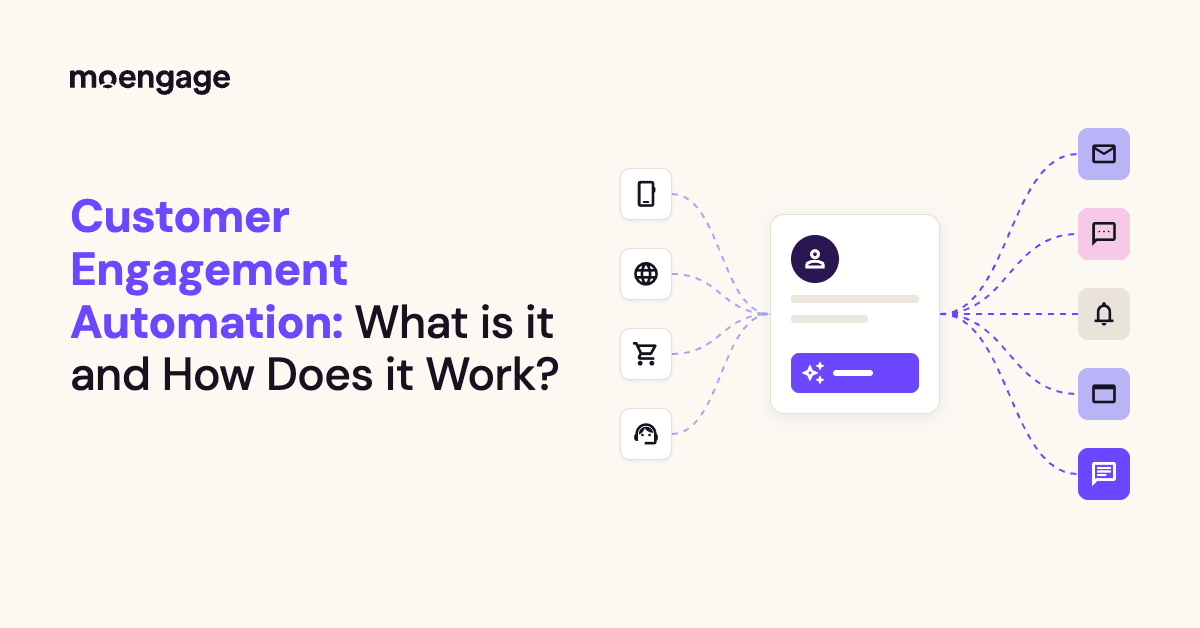
Customer engagement automation lets you send timely, personalized messages across email, push, SMS, and more without hand-sending each one. And the teams that do it well start small, measure honestly, and build from there.
Think of Spotify’s Discover Weekly. Nobody hand-picks your playlist, yet it shows up every Monday and feels like it was made just for you.
That’s the kind of personalized customer experience people now expect from your brand.
This guide covers how it works, a step-by-step plan, real examples, how to measure results, the trends shaping 2026, where AI fits, and which customer engagement automation tools suit your industry. Let’s go!
Key Takeaways
- Customer engagement automation turns customer behavior and lifecycle events into personalized messages, journeys, and support.
- The strongest use cases include onboarding, cart recovery, post-purchase engagement, loyalty, re-engagement, and churn prevention.
- AI can help predict customer intent, personalize content, choose channels and timing, and support customer conversations.
- The right customer engagement automation platform depends on your industry, customer data, channels, journey complexity, and compliance needs.
- Start with one high-impact journey, test it against a holdout group, and scale what creates measurable lift.

But first, let’s make sure we’re talking about the same thing. What is customer engagement automation, exactly?
What is Customer Engagement Automation?
Customer engagement automation is the use of software, customer data, and AI to deliver personalized messages, journeys, and support across channels automatically, triggered by real-time behavior and lifecycle stage instead of a manual send schedule.
Picture a lawn sprinkler on a timer. It runs at 6 a.m. whether it’s pouring rain or you’re in a drought. A smart sprinkler checks the weather first and acts only when it makes sense.
That’s the idea here: instead of blasting a schedule, you respond to what customers actually do.
In other words, automated customer engagement helps you respond to what your customers are doing, without manually managing every interaction. A sign-up, app session, purchase, period of inactivity, or support request can start a relevant experience.
Five building blocks make that work:
- Event triggers are the signals, like an abandoned cart, a finished sign-up, or a week of silence.
- Customer segmentation and personalization decide who gets what.
- AI decisioning picks the next move.
- Channels deliver it (push, in-app, email, SMS, WhatsApp, web, and conversational support), and measurement tells you whether it worked.
So, where does customer engagement automation fit compared with marketing automation? They overlap, but they aren’t the same thing.
Customer Engagement Automation vs. Marketing Automation
Customer engagement automation responds to what customers do across their whole lifecycle, while marketing automation runs scheduled campaigns and lead nurturing. The first is triggered by real-time behavior, and the second by schedules, lists, and form fills.
You may use both, especially if you manage a large B2C enterprise brand. But customer engagement automation typically connects more channels, customer signals, and post-acquisition interactions.
Think network TV vs. on-demand: both work, but they answer different questions.
| Dimension | Customer engagement automation | Marketing automation |
| Trigger | Real-time behavior and lifecycle events | Schedules, list membership, form fills |
| Scope | Whole lifecycle: acquisition through retention and win-back | Mostly campaigns and lead nurture |
| Channels | Orchestrated across push, in-app, email, SMS, WhatsApp, web | Often email-first, channels managed separately |
| Decisioning | Rules plus AI for timing, channel and content | Mostly rules |
| Goal | Retention, activation, lifetime value | Lead generation and campaign output |
In short, marketing automation handles lead nurture and campaigns, while customer engagement automation handles the real-time, cross-channel moments across the lifecycle.
So that’s the what. Next, let’s look at how automated customer engagement works, from the first customer signal to the final message, measurement, and learning loop.
How Does Automated Customer Engagement Work?
Automated customer engagement works by turning customer signals into timely, personalized interactions. Think of it as a well-organized spell: first, the system gathers the right ingredients; then it recognizes a trigger, chooses the best response, delivers it through the right channel, and learns from the result.
For a large B2C brand, this process needs to run continuously across millions of customers. Here’s how it works.
1. Unify Customer Data and Identity
The process starts by bringing customer information together in one usable profile. This can include behavioral events, customer attributes, purchase history, product usage, support conversations, and consent status.
That sounds simple. In practice, it’s often the biggest challenge.
A customer may appear as one profile in your mobile app, another on your website, and a third in your retail or subscription system. This creates fragmented customer profiles. Your marketing team may know that someone bought a product in-store, while your B2C customer engagement platform only sees that the same person browsed online. Without a unified identity, automated customer engagement can quickly become repetitive, inaccurate, or irrelevant.
An automated customer engagement platform like MoEngage helps teams connect these signals so that a customer’s activity can be understood across app, web, store, and other touchpoints. The goal is one consistent view of the customer, not three disconnected versions of Hermione arguing over whose notes are correct.
Once the system knows who the customer is and what they’ve already done, it can make better engagement decisions.
2. Detect Customer Triggers
Next, the system watches for events that indicate a customer may need or expect a response.
These triggers can come from customer behavior, lifecycle changes, or predictive signals. For example, a platform may detect that a customer has abandoned an action, become inactive, reached a usage milestone, changed subscription status, or started showing signs of churn risk.
The important point is that automated engagement doesn’t have to wait for a marketer to schedule a campaign. It can respond when something meaningful happens.
This is what separates behavior-based customer engagement automation from a traditional batch-and-blast campaign. Instead of sending the same message to everyone on Friday at 10 a.m., the system can recognize when an individual customer’s context changes and begin the appropriate customer journey.
In other words, the trigger is the owl delivering the letter. It tells the system that something has happened and that it may be time to act.
3. Use Rules and AI to Decide What Happens Next
After detecting a trigger, the platform decides how to respond.
This decision can be based on straightforward rules, AI-powered predictions, or a combination of both. The system may evaluate the customer’s audience, lifecycle stage, engagement history, preferences, consent status, and predicted intent before selecting:
- Who should receive the interaction
- Which channel to use
- What content or offer to show
- When to send it
- Whether to continue, pause, or end the journey
Rules provide structure. AI adds flexibility by identifying patterns and making predictions that would be difficult to manage manually at enterprise scale.
For example, AI may help predict which customers are likely to disengage, which channel a customer prefers, or when an individual is most likely to respond. The system can then adjust the journey instead of forcing every customer through the same path.
This is how 24/7 automated customer engagement platforms operate. They monitor customer signals and make decisions in real time, even when your marketing team is offline. No one has to stay awake at 3 a.m. waiting for the next event to fire, unless they’re preparing for a product launch, in which case, coffee is still recommended.
4. Orchestrate the Experience Across Channels
Once the system decides what should happen, it coordinates the interaction across the appropriate channels.
This is where omnichannel customer engagement automation becomes important. A customer may interact with your brand through email, SMS, push notifications, in-app messaging, a website, or customer support. These channels should work together rather than compete for attention.
A strong automated customer engagement workflow uses rules such as:
- Frequency caps to limit how often a customer receives messages
- Quiet hours to avoid sending notifications at inappropriate times
- Consent rules to respect channel preferences and regulations
- Suppression rules to stop irrelevant messages
- Channel fallback logic when a preferred channel is unavailable
- Journey exit conditions when a customer completes the intended action
Without this orchestration layer, customers can receive three reminders about the same thing from three different channels. That is less “personalized experience” and more “the marketing department has discovered copy and paste.”
With orchestration, each message builds on the previous interaction. An in-app message may replace an email after the customer completes an action. A push notification may be suppressed after the customer responds through SMS. A support conversation may pause promotional messaging until the issue is resolved.
The result is a more coordinated customer experience across channels.
5. Measure, Test, and Feed Results Back Into the System
Automated customer engagement isn’t a set-it-and-forget-it spell. The system needs to learn from what happens next.
Your marketing team can use A/B tests to compare different messages, timing, channels, or journey paths. Holdout groups can show whether an automated journey created incremental impact compared with sending no message. These tests help your team separate genuine improvement from activity that simply looks busy.
The results can then feed back into the decision-making process. If a channel consistently performs better for a particular audience, the system can prioritize it. If a message creates friction or low engagement, you can revise the workflow. If a predictive model becomes less accurate, the underlying audience rules or data sources may need attention.
This creates a continuous loop:
Trigger > Decision > Action > Measurement > Learning > Improved Decision
That loop is the heart of automated customer engagement. It allows enterprise marketing teams to move from static campaigns to responsive customer journeys that improve over time.
Why Use Automation for Customer Engagement? 5 Key Benefits
Customer engagement automation is about helping your brand make better decisions at scale. For a B2C business with millions of customers, manual outreach can’t keep up with every browse, purchase, session, and sign of disengagement.
Here are five reasons enterprise marketing teams use automation to improve customer engagement.
1. Personalization at Scale
Personalization at scale means making each interaction feel relevant without creating every message by hand. McKinsey found that 71% of consumers expect companies to deliver personalized interactions, while 76% become frustrated when they don’t. Additionally, companies that excel at personalization generate 40% more revenue than their slower-growing peers.
Customer engagement automation can use profile data, browsing behavior, purchase history, product usage, and preferences to tailor content for different customers automatically.
That matters because enterprise audiences aren’t one giant group. A streaming subscriber who watches thrillers every night shouldn’t receive the same recommendation as someone who only watches documentaries. Likewise, a Canva user who creates social posts needs different guidance from a team creating brand assets.
Automation lets marketers personalize the audience, message, offer, channel, and timing across millions of profiles. Your team sets the strategy once, then the platform applies it to each customer’s context.
2. Real-Time Responsiveness
Real-time responsiveness helps your brand engage customers when intent is highest. Twilio’s State of Customer Engagement research reported that 60% of brands said investing in digital customer engagement improved their ability to meet changing customer needs.
Instead of waiting for the next scheduled campaign, automated customer engagement can react to what a customer is doing right now.
A customer who abandons a cart, browses a product category, opens an app, or reaches a usage milestone may be more receptive to a relevant interaction in that moment. The message can arrive while the customer is still considering what to do next, rather than several days later when the opportunity has cooled off.
At enterprise scale, this timing is difficult to manage manually. A marketing team can’t monitor every customer event across every app, website, store, and subscription account. A real-time engagement platform can detect those signals and respond continuously, including outside business hours.
That’s the practical value of 24/7 automated customer engagement platforms. They don’t replace your team’s judgment. They make sure important customer signals don’t sit in a queue until Monday morning.
3. More Efficient Teams and Faster Campaign Launches
Automation in customer engagement gives marketing teams more time to focus on strategy, creative work, and experimentation. Instead of manually exporting audiences, checking customer attributes, scheduling separate messages, and updating campaign rules, teams can build reusable workflows that handle those steps automatically.
This efficiency becomes especially important when a brand operates across multiple markets, products, and customer segments. Without automation, each campaign can turn into a long chain of repetitive tasks. With the right customer engagement automation software, marketers can launch journeys faster, reuse proven logic, and test more ideas during each quarter.
The benefit isn’t simply saving a few clicks. Faster execution creates more room for learning. Your team can test different messages, channels, timing, and offers, instead of spending the entire quarter getting one campaign out the door. For example, Chick-fil-A went from campaign launches that took 4-6 weeks to launches that take just hours, using MoEngage’s automated customer engagement workflows.
4. Consistent Cross-Channel Engagement and Message Governance
Cross-channel automation helps every customer interaction follow the same rules. Customers may move between email, SMS, push notifications, in-app messages, websites, and support channels within the same journey. If those channels operate separately, customers can receive duplicate, outdated, or conflicting messages.
An omnichannel automated customer engagement platform can coordinate those interactions from a shared journey. It can apply frequency caps, quiet hours, consent requirements, suppression rules, and channel preferences before sending a message.
For example, if a customer completes a purchase after receiving a push notification, the platform can stop the abandoned-cart email. If a customer has opted out of SMS, the workflow can use an approved alternative channel. If a customer is already speaking with support about a problem, promotional messaging can be paused until the issue is resolved.
At enterprise scale, this governance protects both the customer experience and the brand. It also gives marketing, product, and customer service teams a shared framework for deciding when and how customers should be contacted.
5. Higher Retention and Customer Lifetime Value
Automation in customer engagement can help brands act on early signs of disengagement before they become churn. A customer may log in less often, stop purchasing, abandon a subscription change, or use fewer product features.
Individually, these signals may not look dramatic. Across millions of customers, they can reveal who may need support, education, or a relevant incentive.
Customer engagement automation can use these signals to trigger a timely response. That might mean sending a helpful product tip, recommending a relevant feature, offering a renewal reminder, or alerting a customer success team. The message should match the reason for disengagement. A generic discount won’t fix a confusing onboarding experience, just as another tutorial won’t help a customer who is waiting for a billing issue to be resolved.
The long-term goal is to increase customer lifetime value by helping more customers reach value, remain active, renew, and purchase again. In short, automated customer engagement helps your brand notice when a customer is drifting away and do something useful before they disappear.
Used well, automation connects customer data to timely action. It helps brands personalize at scale, respond in real time, move faster, coordinate channels, and protect long-term customer relationships. The trick is to automate the repetitive work while keeping the strategy, empathy, and judgment firmly in human hands.
What are Some Successful Examples of Customer Engagement Automation?
The best customer engagement automation reacts to what a customer just did, not to what day it is on your calendar. Every example below follows the same loop: something the customer does, a message that responds, and a result you can measure.
Let’s start where every customer relationship starts.
1. Automated Welcome and Onboarding Journeys
Stadium Goods learned that a welcome email is only as good as the data behind it. The New York sneaker and streetwear marketplace spent about 2 years on another CRM tool, and its custom-built inventory system kept tripping over catalog syncing with Shopify.
Once it moved to MoEngage’s native Shopify integration, the product data flowed cleanly. The team then fully automated a welcome journey that became the biggest revenue driver of the migration.
The payoff? Revenue from the welcome email series grew roughly 10x year over year, and triggered revenue across the program nearly doubled.
2. Abandoned Cart and Browse Abandonment Recovery
Ever left a cart full of items and wondered if anyone noticed? Cocomelody, a US bridalwear brand that has served thousands of brides and bridesmaids, noticed.
It was dealing with steep drop-offs and flat ad conversion, so the team used MoEngage Analytics to see who abandoned and which products they’d left behind or searched for.
Then it followed up with smart-triggered push, web push, SMS, and email through MoEngage Flows, and even created two new budget-friendly categories to keep shoppers from bouncing.
The results show up across the whole program: 30% more sales in its Try at Home category, a 27% jump in repurchase rate, and a 69% boost in return on ad spend.
3. Post-Purchase Engagement and Proactive Service
Have you ever waited on a prescription and wondered whether it’s ready? Loblaw, Canada’s food and pharmacy leader with about 2,500 stores, decided its customers shouldn’t have to wonder. Its teams had been spending serious time building and maintaining order messages across several SMS and email vendors, so they moved to MoEngage Inform.
Now order and pickup updates for PC Express and Joe Fresh, plus prescription refill alerts from digital pharmacy and Shoppers Drug Mart, run through one system.
That system comes with a 99.99% service-level guarantee and send times under 3 seconds. Loblaw onboarded it across five brands in 12 weeks and cut engineering bandwidth by 70%.
4. Automated Engagement Strategies for Customer Loyalty
Your regulars are your most valuable audience, so are you treating them that way? Skroutz, Greece’s largest online marketplace (often called the Amazon of Greece), sells more than 29 million products from thousands of merchants.
Before MoEngage, it juggled multiple platforms to build and track campaigns.
Now it runs automated welcome, churn-prevention, and retention journeys, and it pays special attention to its loyal customers.
The numbers speak for themselves: a 350% increase in conversions among loyal customers, plus a 300% jump in weekly campaign creation.
5. How to Automate Customer Re-Engagement via SMS and WhatsApp
What do you do about the customers who’ve gone quiet? Bella Vita Organic, a natural beauty and skincare brand, wanted to win back dormant buyers without leaning on its tech team. Its marketers started nudging those dormant users on WhatsApp, and conversion among them jumped 12x. The team also segmented customers by how recently, how often, and how much they buy, which lifted retention rates by 57%.
If your customers live in text messages instead of WhatsApp, the playbook works the same way on SMS.
6. Churn and Downgrade Prevention
Streaming and subscription brands know this fear well: one quiet month can become a canceled plan. ABS-CBN, a leading Philippine media and entertainment company, found its campaigns slow and impersonal, with some taking up to 2 weeks to execute. After it brought in MoEngage for segmentation, email, push, and journey orchestration, the team built a 360-degree view of its subscribers. It now runs 200+ campaigns across email, push, and on-site messages, using 450 ready-made segments.
The outcome: retention rose from about 80% to 92%, and churn dropped from 8.7% to 7.6% in its toughest months.
Notice the pattern? Every one of these starts with a trigger tied to real customer behavior, and every one ends with a number you can check.
Wondering how to prove that number belongs to your automation and not to luck? That’s what measuring incremental lift is for.
Next comes the practical question: which tools can run all six in real time without you stitching 5 platforms together?
What are the Best Tools to Increase Customer Engagement Through Automation?
The best tools to increase customer engagement through automation include MoEngage, Customer.io, HubSpot, Braze, Salesforce Marketing Cloud, Iterable, Klaviyo, and Intercom. Each one starts from a different place. Some begin with messages, some with your CRM, and some with conversations. Here’s the quick view; then we’ll take them one at a time.
| Tool | Best for | Key use cases | Standout strength | Pricing starts at |
| MoEngage | Enterprise B2C brands needing cross-channel orchestration with AI decisioning | Lifecycle journeys, personalization, re-engagement, churn prevention | One platform for journeys, data and AI decisions | Quote-based |
| Customer.io | Product-led and subscription teams with engineering support | Event-driven messaging, product lifecycle journeys | Developer-friendly, event-based messaging | $100/month |
| HubSpot | CRM-first teams that want marketing, sales and service in one record | Nurture, onboarding, CRM-linked workflows | Everything tied to one CRM record | About $800/month (Marketing Hub Professional, plus onboarding fee) |
| Braze | Large consumer apps with real-time, mobile-first journeys | Real-time Canvas journeys, push, in-app, email, SMS | Real-time, mobile-first orchestration | Quote-based |
| Salesforce Marketing Cloud | Enterprises already on Salesforce | Journey Builder, predictive engagement, CRM-linked campaigns | Deep Salesforce CRM connection | $1,500/month (Marketing Cloud Next Growth) |
| Iterable | Mid-market and enterprise lifecycle teams | Cross-channel orchestration, send-time and channel optimization | Flexible cross-channel workflows | Quote-based |
| Klaviyo | Ecommerce and DTC retail | Cart and browse flows, post-purchase, email and SMS segmentation | Storefront data and prebuilt ecommerce flows | Free plan; paid from $20/month |
| Intercom | Conversational and support-led engagement | AI agent resolution, in-app messaging, product tours | AI agent that resolves support conversations | Fin: $0.99 per resolution |
1. MoEngage
MoEngage is an agentic customer engagement platform built for enterprise B2C brands, and what makes it stand out is that journeys, customer data, AI decisions, and channels all live in one place. It’s the difference between juggling a drawer full of single-purpose apps and opening one that does the job. IDC even named it a Leader in its 2026 MarketScape for AI-enabled CDPs for B2C users.
How pricing works: MoEngage prices by Monthly Tracked Users (MTUs), and offers 2 plans – Growth and Enterprise.
Key features:
- MoEngage Flows, a visual customer journey builder inside Cross-Channel Marketing, lets you orchestrate 16+ channels from one platform, including email, push, SMS, WhatsApp, RCS, in-app messaging, on-site messaging, and Content Cards.
- Segments (including RFM segments, which group customers by how recently, how often, and how much they buy) and Analytics & Insights show you who’s engaging and why.
- Web & App Personalization changes what customers see in real time, and Real-Time Transactional Alerts (MoEngage Inform) handle order and account messages.
- On the technical side, you can also activate data straight from your warehouse, sync audiences to ad platforms, run A/B tests, and connect 300+ tools through MoEngage’s App Marketplace.
Best for: Retail, Ecommerce, financial services, telecom, food delivery, travel, and media brands that need to scale personalized engagement across channels.
Foxwoods Resort Casino moved email, SMS, and push onto MoEngage’s platform and saw campaigns launch 3x faster and email open rates rise 5 percentage points.
Top-rated US weather app, 1Weather, segmented users by location and behavior using MoEngage. As a result, they drove 25 million incremental app opens and a 10% lift in push click-through.
The tradeoff: MoEngage is built for consumer brands, so if you’re nurturing B2B leads or running account-based marketing, a CRM-first tool like HubSpot is the better fit.
2. Customer.io
Customer.io is a behavior-based messaging platform for product-led and subscription businesses. Think IKEA: the pieces are great, but you’re assembling them yourself. It sends email, SMS, push, and in-app messages, plus webhooks, triggered by customer events.
How pricing works: Customer.io prices by profiles, and Essentials starts at $100 a month for 5,000 profiles while Premium starts at $1,000 a month, billed yearly.
Key features:
- Event-driven journeys fire the moment a customer does (or doesn’t do) something in your product.
- Liquid-based personalization pulls customer data right into each message, and optional data pipelines move that data between your systems.
- Data Pipelines, its built-in customer data layer, can move data between your tools, and identity resolution merges duplicate profiles so one person stays one person.
Best for: Product and growth teams with developers on hand, especially for onboarding and product lifecycle messaging.
The tradeoff: Someone has to instrument the events first, and CRM and ad-platform integrations are thinner than at larger suites.
3. HubSpot
HubSpot is a CRM-first suite that connects marketing, sales, and service around a single customer record, and it’s known for being easy to pick up. If your engagement starts with a lead or a contact, that single record is a real advantage.
How pricing works: Marketing Hub is priced by tier and marketing contacts, and Professional lists at roughly $800 a month on annual billing plus a one-time onboarding fee.
Key features:
- CRM-native workflows handle lead nurture, onboarding sequences, and handoffs between teams, with email, forms, and landing pages built in.
- Marketing Hub covers email marketing, forms, landing pages, and contact lists for segmentation, while reporting dashboards show how campaigns tie back to leads and revenue.
- Because it shares one record with Sales Hub and Service Hub, your sales team’s notes and support tickets sit right next to the marketing history.
Best for: Teams whose engagement begins with CRM data and the lead lifecycle, rather than high-volume consumer messaging.
The tradeoff: Advanced multichannel orchestration trails specialist platforms, and costs climb with contacts and tier.
4. Braze
Braze is an engagement platform known for real-time journeys, which it builds in Canvas across email, push, SMS, and in-app messaging. It’s mobile-first, so it’s a natural fit for large consumer apps. Picture a sports car: fast and powerful, but you’ll want a skilled driver.
How pricing works: Braze contracts are custom quotes that scale with monthly active users, plus a pool of Action Credits.
Key features:
- Canvas lets teams build branching, real-time journeys triggered by what customers do in the moment.
- Content Cards put messages directly inside your app, and Liquid-based personalization fills each message with customer data.
- The Braze Data Platform unifies and activates customer data, segmentation targets the right audiences, and experimentation tools help you test what works.
Best for: Large consumer brands with big mobile audiences and teams that can manage a complex platform.
The tradeoff: Personalization in Braze runs on Liquid, a templating language, so pulling a customer’s name, last purchase, or loyalty tier into a message means writing small snippets of code. If your marketers don’t know Liquid, you’ll need a developer or a Braze specialist nearby. Otherwise, simple edits turn into tickets, which is one reason why lean teams often end up weighing the best Braze alternatives and competitors before they sign.
5. Salesforce Marketing Cloud
Salesforce Marketing Cloud is an enterprise marketing platform with Journey Builder for cross-channel journeys and Einstein AI for predictive insights, all connected to Salesforce CRM. Don’t confuse it with Marketing Cloud Account Engagement (formerly Pardot), which is built for B2B and isn’t the right fit here. It’s the aircraft carrier of this list: powerful, but it takes a large crew to run.
How pricing works: Salesforce lists Marketing Cloud Next Growth at $1,500 and Advanced at $3,250 per organization per month, billed annually, and other editions are quoted separately.
Key features:
- Journey Builder maps customer paths across channels, while CRM data flows straight into campaigns.
- Marketing Cloud Next adds drag-and-drop email builders, multi-channel journeys, forms and landing pages, segment creation, campaign analytics, and path experimentation.
Best for: Enterprises already running Salesforce, where CRM data is the center of gravity.
The tradeoff: Setup and administration are heavier than enterprise customer engagement platforms like MoEngage, so brands without Salesforce admins on staff often compare Salesforce Marketing Cloud alternatives and competitors that take less time to launch.
6. Iterable
Iterable is a cross-channel messaging platform for lifecycle teams, covering email, SMS, push, in-app, and web with its Studio workflow builder. It’s like a MasterChef kitchen: great equipment, but you need a chef who knows it.
How pricing works: Iterable doesn’t publish prices, and quotes depend on contacts, message volume, and channels.
Key features:
- Studio workflows branch customers through cross-channel journeys.
- Catalogs feed product and content data into each message for dynamic personalization, and real-time segmentation keeps audiences current as customers act.
Best for: Mid-market and enterprise lifecycle teams that want flexible orchestration.
The tradeoff: Implementation takes dedicated lifecycle and engineering resources. That’s why smaller teams, or those without engineers to spare, tend to shortlist Iterable alternatives with a faster path to launch.
7. Klaviyo
Klaviyo is an Ecommerce-focused platform that combines email and SMS with deep storefront data from Shopify and similar platforms. Think of a meal kit: everything’s prepped for online stores, from cart and browse flows to post-purchase and win-back journeys.
How pricing works: Klaviyo pricing is based on active profiles, with a free plan up to 250 profiles and paid Email plans starting at $20 a month (Email + SMS starts at $35).
Key features:
- Prebuilt flows cover abandoned carts, browse abandonment, post-purchase follow-ups, and winning back lapsed shoppers.
- Storefront data feeds segmentation directly, and predictive analytics add things like churn risk and customer lifetime value.
- Sign-up forms grow your list, and Klaviyo Reviews collects customer feedback.
Best for: Ecommerce and DTC retail brands that want fast setup around store data.
The tradeoff: It’s a limited fit for non-commerce and B2B use cases, and Klaviyo’s pricing rises with list size, including inactive and dormant profiles. Brands that outgrow a storefront-first setup, or watch their bill climb as the list grows, often start evaluating Klaviyo alternatives for Shopify.
8. Intercom
Intercom is a conversational engagement and support platform. Picture a friendly front-desk receptionist who answers visitors and walks them to the right spot. Its AI agent, Fin, resolves support conversations, while in-app messaging and product tours guide people through your product. In September 2026, Salesforce completed its acquisition of Fin, the company formerly known as Intercom.
How pricing works: Fin charges $0.99 per resolution, and helpdesk seats start around $29 a month on annual billing.
Key features:
- The Messenger puts live chat on your site and in your app, while in-app messages and product tours guide people through your product.
- A shared inbox and ticketing keep support organized, a help center lets customers find answers themselves, and workflows handle routing and assignment.
- Custom bots can walk visitors through guided steps before a person steps in.
Best for: Teams where engagement means conversations and proactive support, more than large-scale lifecycle marketing.
The tradeoff: It isn’t a full cross-channel lifecycle orchestration platform.
That’s the toolkit for messaging, data, and conversations. But one layer now sits on top of all of it and changes how teams work: AI. What can AI actually automate, and where should your team stay in the driver’s seat?
AI Customer Engagement Automation: What AI Can Automate
AI customer engagement automation helps you make faster, more relevant decisions across the customer lifecycle. It can review customer signals, identify patterns, recommend the next action, and support the execution of a journey.
But AI in customer engagement shouldn’t run without supervision. You still need people to define the goal, approve sensitive messages, protect the brand, and check whether the automation is creating real incremental value.
Think of AI as a very capable assistant. It can sort through millions of customer signals before your first coffee, but you still decide what your brand should say and where the line is.
How AI Improves Customer Engagement Automation
- Predictive audiences and churn or purchase scores work like a weather app’s “70% chance of rain.” AI scores how likely each customer is to buy, lapse, or cancel, so you can trigger a journey before they drift. The AI decides who lands in each audience, while your team decides what that audience gets and which score cutoffs are worth acting on.
- Send-time, channel, and frequency optimization is the “text your best friend, email your landlord” instinct at scale. AI learns each customer’s preferred hour and channel, and how many messages is too many. People still set the outer limits, like a weekly message cap and quiet hours.
- Content and offer personalization is Gmail’s Smart Compose for your campaigns: it finishes the sentence, but you still hit send. Generative AI drafts subject lines and copy, and recommendation models pick the products or articles each person sees. Your team owns the brand voice and approves every draft before it goes out.
- AI decisioning is the good waiter who suggests the next course based on what’s already on your table. AI weighs each customer’s history and picks the next message, channel, or offer from options you provide. You write the options and set the goal, and the AI only chooses among them.
- Conversational AI is the airline chat assistant that rebooks your flight, then passes you to a person when things get tangled. It answers common questions instantly from your help content, and your team handles the sensitive, high-value conversations.
- AI-assisted journey building and reporting is TurboTax for your campaigns: answer plain questions, let it fill in the forms, then review before you file. AI now builds journeys and segments from a plain-English prompt and explains why a campaign’s numbers moved. Your team checks the build before launch and decides what to do with the explanation.
None of this works without guardrails, so set them early: brand and compliance review, approval workflows, a human override, and a holdout group to prove the AI lift is real.
Good customer engagement automation platforms build some of this in. In MoEngage, for example, every message that Campaign Decisioning picks must still pass policy send limits and a global frequency cap before it’s sent.
Best AI Tools for Customer Engagement Automation
The best AI tools for customer engagement automation combine prediction, decisioning, and content in one platform, and most B2C teams shortlist these eight.
| Tool | AI capability |
| MoEngage | Merlin AI: predictive segments, best-time and best-channel selection, copy and design assistants, and decisioning agents that pick message, channel, and timing per customer |
| Braze | BrazeAI Decisioning Studio: decisioning agents that choose channel, message, offer, timing and frequency per customer |
| Salesforce Marketing Cloud | Einstein: engagement scoring, send-time optimization and engagement frequency, plus Agentforce for drafting content and campaigns |
| Iterable | Nova Intelligence: send-time, channel and frequency optimization, predictive goals, brand affinity and Nova Agent for building campaigns |
| Klaviyo | K:AI: Customer Agent for service chats, AI-drafted campaigns, subject-line generation, personalized send time and predictive analytics |
| Customer.io | AI agent that builds journeys and drafts content from plain-language prompts, plus AI workflow steps and segment building |
| HubSpot | Breeze AI agents: Content Agent, Customer Agent and Prospecting Agent |
| Intercom | Fin AI agent that resolves service conversations and hands off to human agents |
Of these 8 automated customer engagement platforms, MoEngage, Braze, Salesforce Marketing Cloud, Iterable, and Klaviyo apply AI to messaging journeys. Customer.io focuses on building journeys faster, and HubSpot and Intercom’s Fin lean toward content and service conversations. For pricing, channels, and fit, our full customer engagement automation tools comparison breaks each one down.
Here’s the catch, though: a tool that’s perfect for a streaming service can be a poor fit for a bank. So which of these should a retailer, a telecom, or a food-delivery brand put at the top of the list?
Customer Engagement Automation Tools by Industry
The automation loop is the same everywhere: collect data, spot a moment, send the right message, measure, repeat. What changes is the fuel and the road.
A bank can’t text you the way a pizza chain can. A cereal brand doesn’t even know who you are until you tell it. So which customer engagement automation tools work best for you depends on what data you have, which channels your customers actually answer, and what rules you play by.
Here’s how customer engagement automation works across four major B2C industries.
Ecommerce and Retail Customer Engagement Automation Tools
Ecommerce and retail customer engagement runs on timing. A “back in stock” message that lands after the item sold out again is worse than no message at all.
So the first thing to check in retail customer engagement automation tools is whether your triggers understand your catalog. Can a message fire when a price drops, when inventory runs low, or when a cart sits idle?
Next comes loyalty data. If someone has 900 points sitting in their account, that should shape what they see, whether they’re opening your app, your website, or walking into a store. That’s the second requirement, and the one most teams underestimate: one customer identity across all three. Otherwise, your best shopper gets a “Welcome, new customer!” email the day after buying in person.
Last, capacity. Your tool has to survive Black Friday marketing and Cyber Monday, when volume jumps several times over in a matter of hours.
So, which tool fits which retailer?
If you’re a DTC brand living mostly on Shopify, Klaviyo is the natural starting point, because its Shopify connection is quick to set up and hard to beat for small teams.
But if you run stores, an app, and a website, and loyalty is a big part of your business, you’ll want an enterprise automated customer engagement platform like MoEngage that’s built around a unified customer profile.
Want proof this works at scale? Poshmark sends 1.5 billion emails a month through MoEngage. The resale marketplace tested different versions of the same journey to nudge people who’d listed an item toward actually selling it. The result was open rates as high as 60% and a 30%+ lift in listings that turned into sales.
The takeaway: Retail customer engagement automation connects product, inventory, loyalty, purchase, and behavioral data to personalized messages across digital and physical customer touchpoints.
Before choosing among retail customer engagement automation tools, ask whether the platform can handle peak traffic, maintain a unified customer profile, respect channel consent, and prevent conflicting messages across app, web, store, email, SMS, and push.
How to Automate FMCG Customer Engagement With AI
FMCG brands have a unique challenge: Most of your sales happen at Walmart, Target, or Kroger, so you often don’t know who bought your product. No email. No phone number. Just a sales number on a spreadsheet.
That’s why direct channels matter so much. Loyalty programs, QR codes on packaging, rebate offers, and sweepstakes are how you earn first-party data. Once you have an ID, automation can go to work.
Start with replenishment. If someone buys a pack of coffee pods every 5 weeks, a reminder at week 4 feels helpful. Then add offers tied to that loyalty ID, so your best customers get a coupon on their favorite product instead of a blanket 20% off. Basket-based recommendations come next: someone who buys dog food might respond to a treat bundle, not a protein bar.
For reach, SMS is the workhorse, because almost everyone reads texts. If you sell globally, WhatsApp does the same job in markets where it’s the default way people message.
So where does AI actually help? It may identify likely replenishment windows, predict when a customer has lapsed, recommend the next-best offer, or determine which audience is most likely to respond to a promotion.
For example:
- A household-products brand could use purchase history and loyalty data to identify customers who may be approaching their typical repurchase window.
- A grocery brand could use basket data to connect related products with a relevant promotion.
- A beverage brand could use location, loyalty activity, and campaign engagement to decide whether an offer should be delivered through email, SMS, WhatsApp, or a mobile app.
MoEngage can support this type of automated customer engagement strategy by helping brands connect customer data, segmentation, personalization, and omnichannel customer journeys. Platforms like Salesforce Marketing Cloud may also fit larger consumer brands that need complex lifecycle orchestration and enterprise governance. Klaviyo can be a practical fit when the brand has a direct Ecommerce relationship and wants to focus on email and SMS engagement.
The right customer engagement automation tool for FMCG depends heavily on how much direct customer data the FMCG brand owns. If most purchases happen through retailers, the platform must help the brand make the most of loyalty identifiers, direct channels, campaign interactions, and consented customer behavior.
The takeaway: FMCG customer engagement automation uses loyalty, purchase, basket, and direct-channel data to predict replenishment, personalize offers, and reach consumers through channels such as SMS and WhatsApp.
When evaluating a platform, ask whether it can connect retail and direct-to-consumer signals, recognize repeat-purchase patterns, support next-best-offer decisions, and manage consent across high-volume campaigns.
Financial Services and Telecom
If you’ve ever signed up for a credit card and then heard nothing for 3 weeks, you know the problem. Customer onboarding is where banks and carriers win or lose. The messages that matter most are the ones that get someone to activate the card, make the first deposit, or set up their new phone plan.
After that, the game is lifecycle. Usage-based offers, like a data upgrade when someone keeps hitting their limit, work because they’re tied to real behavior. And downgrade or churn prevention matters more here than almost anywhere, since losing a customer means losing years of revenue. A nudge before someone calls to cancel beats a retention offer after.
Now the part that makes this industry different: rules. Every text needs documented consent. Every promotional message may need legal and compliance sign-off before it goes out. So look for customer engagement automation tools that build approvals and permissions into the workflow, because a fast tool that skips review is a liability.
For instance, Magenta Telekom, Deutsche Telekom’s Austrian arm, used MoEngage to grow app adoption 1.5x and lifted conversions on tariff-change offers by 140%. Add-on activations in the app rose 400%.
HubSpot can work for certain financial or telecom marketing teams focused on lead nurturing and CRM workflows, although teams should carefully assess whether it supports their compliance and operational requirements.
Customer.io may suit event-driven activation and product usage journeys when the organization can provide clean behavioral data.
The takeaway: In financial services and telecom, customer engagement automation connects account, usage, and lifecycle signals to compliant onboarding, activation, retention, and service journeys.
The key question is simple: can the platform help your team move quickly without bypassing compliance review? If the answer is “No,” the fanciest AI feature in the demo won’t save the project.
Travel, Food Delivery, Media and Entertainment
These industries live in the moment. Your customer is deciding right now: where to eat tonight, which flight to book, what to watch this weekend.
For travel, that means messaging that follows the whole trip: the booking confirmation, the “your gate changed” alert, the post-trip nudge for next time.
For fast food marketing, it’s reorder triggers. Someone who orders Thursday-night pizza for three weeks straight will probably respond to a reminder at 5:30 on week four. Location and time matter a lot here. A lunch coupon sent at 9 p.m. is wasted, and so is a hotel offer for a city someone just left.
Media and entertainment is about keeping people subscribed. Think of the cancel-then-return pattern we all know from streaming: finish a show, cancel, come back when the next season drops. Good automation spots the drop-off early, recommends the next thing to watch, and runs a win-back message when a favorite title returns. Brands like SoundCloud and Kayak use MoEngage for this kind of behavior-driven engagement.
KAYAK sends price alerts, booking confirmations, and gate-change notifications through MoEngage, and it cut campaign launch time from a month to under a week. And SoundCloud moved 200+ live campaigns serving 100M+ users to MoEngage in 12 weeks and saw a 15% increase in engagement with music streams.
Hotels see the same effect after booking, as Kayak did. Travelodge’s rebuilt post-booking emails lifted that revenue 354% year over year, worth £4.3 million in the first half of 2024.
As for other customer engagement automation software, Customer.io can work well for event-driven product and subscription journeys. Salesforce Marketing Cloud can support larger enterprises with complex data and governance needs.
The takeaway: Travel, food delivery, media, and entertainment brands use real-time customer engagement automation to respond to behavior, location, time, subscription status, and service context.
When comparing customer engagement automation tools, check whether they can process events quickly, coordinate multiple channels, support location- and time-aware messaging, and pause promotional journeys when a customer needs service instead. That combination helps brands turn customer engagement automation into a timely experience rather than another scheduled campaign.
How to Choose a Customer Engagement Automation Platform
Choosing a customer engagement platform for automation isn’t about picking the tool with the longest feature list. It’s about finding the platform that can respond to your customers’ behavior, connect your data, and help your team deliver relevant experiences across the channels your audience already uses.
Think of it like choosing a navigation app. You don’t need every possible feature. You need accurate directions, real-time updates, and a system that won’t send you down the same wrong turn three times.
The same logic applies to customer engagement automation. Before you compare engagement platforms, start with the customer journeys you need to improve.
1. Start With Your Most Important Automated Customer Engagement Goal
What are you trying to improve?
Maybe you want to increase trial activation, reduce churn, recover abandoned carts, improve repeat purchases, or help customers discover more content. Your goal should come before your tool shortlist.
If you run a streaming service, your priority may be subscription engagement and win-back journeys. If you run an Ecommerce brand, you may care more about browse recovery, replenishment, and Shopify post-purchase email messaging. If you manage a SaaS product, onboarding and feature adoption may matter most.
Write down the first one or two workflows you want to automate. Then ask whether each platform can support those workflows without forcing your team to build complicated workarounds.
A platform that’s perfect for retail customer engagement automation may not be the best option for a product-led SaaS company. And a tool that works well for Shopify personalized email campaigns may not be enough for real-time, omnichannel customer engagement.
2. Match the Customer Engagement Automation Platform to Your Customer Data
Your customer engagement automation is only as useful as the customer data behind it.
Can the platform connect customer profiles, purchases, product usage, website behavior, app activity, support history, and consent status? Can it recognize that the person browsing on your website is the same customer using your app or shopping in your store?
This matters because fragmented profiles lead to fragmented experiences. You may send a product recommendation for something the customer already purchased, or continue promoting a subscription after they’ve canceled it. That’s not personalization. That’s your systems losing the plot.
Look for an automated customer engagement platform that can collect and organize real-time behavioral data. MoEngage, for example, is designed to help brands use customer insights, segmentation, analytics, and engagement data to create more relevant journeys across channels.
You should also check how the platform handles identity resolution, data updates, event tracking, consent, and data quality. If your team has to manually upload lists every time you want to launch a campaign, you’re not getting the full value of automation.
3. Check the Channels Your Customers Actually Use
More channels don’t automatically mean better engagement. The important question is whether the platform supports the channels that matter to your customers and coordinates them properly.
Depending on your business, you may need email, SMS, push notifications, in-app messages, web personalization, WhatsApp, or chat. A media brand may rely heavily on push and in-app messaging. A retail brand may need email, SMS, loyalty, and mobile customer engagement. A customer support team may need chat, knowledge-base recommendations, and ticket updates.
Don’t assume that a platform’s “omnichannel” label means every channel works equally well. Ask how the system decides which channel to use, what happens when a customer doesn’t respond, and whether one action can suppress or change another message.
For example, if a customer completes a purchase after receiving a push notification, the platform should be able to stop the abandoned-cart email. Otherwise, your customer may receive a reminder to buy something they already bought. That’s the digital equivalent of receiving three delivery notifications for the same pizza.
4. Evaluate Real-Time Triggers and Journey Flexibility
The best customer engagement automation tools don’t just send messages on a schedule. They respond to customer behavior.
Can you trigger a journey when someone signs up, browses a product, abandons a cart, reaches a usage milestone, becomes inactive, or shows signs of churn? Can you create conditions that change the next step based on what the customer does?
Look for flexible journeys that support timing delays, branching paths, goals, exit conditions, frequency caps, and channel changes. You should be able to create a journey such as:
A customer signs up, receives an onboarding message, and then follows a different path depending on whether they complete setup. If they activate, you can introduce advanced features. If they stall, you can offer help. If they remain inactive, you can reduce message frequency or trigger a human follow-up.
That type of flexibility is especially important for 24/7 automated customer engagement platforms. Customers don’t behave according to your campaign calendar, and they certainly don’t all need the same message.
5. Look at the Platform’s AI Capabilities
AI can make customer engagement automation more useful, but you shouldn’t buy a platform just because it has an AI label on the homepage.
Ask what the AI actually does. Can it predict churn? Recommend products or content? Identify the best time to send an email, or the best channel for each customer? Personalize offers? Help you create audience segments? Improve customer support? Optimize a journey based on performance?
The strongest AI customer engagement automation combines prediction with action. It doesn’t just tell you that a customer may be disengaging. It helps you decide what to do next and enables you to act through the right channel.
You should also understand where human review is required. For sensitive industries such as financial services, AI-driven recommendations may need approval before a message goes live. Your platform should support permissions, audit trails, consent controls, and clear governance.
6. Compare Testing, Measurement, and Optimization
A customer engagement automation platform shouldn’t only help you launch campaigns. It should help you understand whether those campaigns worked.
Look for built-in A/B testing, holdout groups, journey reporting, conversion tracking, cohort retention analysis, and revenue measurement. You should be able to compare messages, timing, channels, and audience strategies without stitching together reports from five different systems.
Ask questions like these:
- Can you see which journey steps cause customers to drop off?
- Can you compare automated engagement with a control group?
- Can you measure customer engagement metrics like retention and revenue, not just opens and clicks?
- Can your team use those results to improve future campaigns?
If the answer is no, you may be automating customer engagement activity without learning anything useful from it.
7. Confirm Integrations and Implementation Requirements
Even a powerful automated customer engagement platform can create headaches if it doesn’t fit your existing technology stack.
Before you commit, confirm that the platform can connect with your CRM, Ecommerce platform, mobile app, website, data warehouse, helpdesk, analytics tools, and advertising platforms. Check whether integrations are native, require custom development, or depend on third-party connectors.
You should also ask how much work is required from your marketing operations and engineering teams. Can marketers create and update journeys themselves? How much technical support is needed to add new events? How easy is it to troubleshoot a broken workflow?
A short demo can make everything look effortless. Test a real customer journey instead. Follow the customer from the first event to the final message, then check how the platform handles an exception.
8. Calculate the Total Cost, Not Just the Starting Price
The advertised price is only one part of the budget.
Check whether costs increase based on contacts, active profiles, message volume, channels, seats, AI usage, data volume, or advanced features. Include implementation, onboarding, custom integrations, training, and required add-ons in your calculation.
A low-cost platform for customer engagement automation may work well for a small email list, but become expensive when you add SMS, push notifications, analytics, or more customer profiles. An enterprise customer engagement platform may cost more upfront but reduce the need to maintain several disconnected tools.
Model the cost over at least 12 to 18 months. Month-one pricing can look great. Your actual customer engagement program is what matters.
9. Run a Real-World Pilot Before You Commit
The best way to evaluate a customer engagement automation tool is to test one meaningful journey.
Choose a workflow such as onboarding, cart recovery, churn prevention, or subscription win-back. Use real data where appropriate, define the success criteria, and test the full process from trigger to measurement.
During the pilot, pay attention to more than the interface. Can your team launch quickly? Can you make changes without waiting weeks for technical support? Does the data update correctly? Are consent rules working? Can you understand the results?
If the platform helps you launch, learn, and improve without creating unnecessary complexity, you may have found the right fit.
Once you’ve selected your platform to automate customer engagement, the next step is turning those capabilities into a practical plan. In the next section, you’ll learn how to implement customer engagement automation, starting with your goals, data, workflows, testing process, and measurement strategy.
How Can You Effectively Automate Customer Engagement for Your Business?
The best way to automate customer engagement is to start with one business problem and build outward.
Don’t begin by buying every channel, turning on every AI feature, and creating 47 customer journeys before lunch. That’s how teams end up with complicated workflows, inconsistent messages, and a dashboard nobody trusts.
Instead, build your customer engagement automation in 8 practical steps. At the end of each step, you should have something concrete your team can use. Think of it as a road map, not a giant marketing maze. So let’s walk through it, one step at a time.
Step 1: Identify Your Primary Business Goal
Start with the result you want to change.
Do you want more customers to complete onboarding? More viewers to return to your streaming service? More shoppers to make a second purchase? Fewer subscribers to cancel? Faster responses to customer questions?
Choose one primary goal for your first customer engagement automation project. Make it specific enough that you can tell whether the workflow worked.
For example, “Increase engagement” is too broad. “Increase the number of new users who complete their first key action within 7 days” gives your team a clear direction.
If you manage engagement for a brand like Canva, your first goal might be helping new users create their first design. If you manage a service like HBO Max, it might be getting new subscribers to watch a second piece of content during their first week.
Your output for this step is a one-sentence goal: We want to help [audience] complete [action] within [time frame] so we can improve [business outcome].
This sentence becomes your filter. If a feature, message, or channel doesn’t support the goal, it can wait.
Step 2: Map Your Customer Lifecycle
A customer journey map is a simple picture of the stages people move through with your brand, from first hello to long-term fan (or goodbye).
Grab a whiteboard and sketch it out. A design app might use: signs up, makes a first project, builds a habit, goes quiet, leaves. A streaming service might use: starts a free trial, finishes a first show, subscribes, drifts off. Your customer journey mapping stages will look different, and that’s fine.
Now the important part: where do most people fall off? That drop-off point is where automation will pay you back fastest. Circle it.
Step 3: Connect Your Customer Data
Automation is only as smart as the information behind it. If your data lives in 5 places, your messages will feel like a group chat where everyone’s reading a different thread.
So pull the essentials into one customer profile: what people bought or watched, what they do in your app or on your site, and which channels they’ve agreed to hear from you on. That’s it for round one.
Will it be perfect? Nope. And that’s okay.
Connect what your first workflow needs, launch, and add more later. Waiting for perfect data is how projects die in a spreadsheet.
Step 4: Select Your Highest-Impact Triggers
You don’t need to automate every customer action. Start with the triggers closest to your business goal.
A useful trigger should be clear, timely, and connected to a decision. A vague trigger such as “Customer is interested” won’t help much. A specific event such as “Customer signed up but didn’t complete setup within 24 hours” gives you something actionable.
Choose the trigger that tells you the customer may need help, information, encouragement, or a next step. Then define when the system should act.
Timing matters here. A message sent 5 minutes after a customer needs help may be useful. The same message sent 5 days later may feel like your brand just woke up from a long nap.
You should also define what the trigger doesn’t mean. A customer who views a product once may not want a sales sequence. A customer who watches a trailer may not be ready for a subscription offer. Good automation uses enough context to avoid jumping to conclusions.
Your output is a trigger brief: When [specific event] happens, and [condition] is true, start [journey or action].
This keeps your customer engagement automation workflow focused and prevents every click from becoming a reason to send another message.
Step 5: Create Relevant Segments
Segments are groups of customers who share something that matters, and they’re what keep your messages from feeling like a mass flyer.
Remember the barista who knows your usual order? That’s the feeling you’re after.
Instead of splitting customers by age or zip code, split them by what they do: heavy users, casual users, and people who are drifting. Three or four groups is plenty to start, especially if you’re doing customer segmentation analysis.
For an enterprise B2C brand, a practical first version might include:
- New customers who need guidance
- Returning customers who need a faster next step
- Customers showing low engagement who may need help reactivating
The segment should determine something important, such as message content, offer, channel, timing, or whether the customer receives a message at all.
Your output is a segment plan that explains who enters each group and how the experience changes for that group.
A quick safeguard: Set a cap so nobody gets hit by two workflows on the same day. Nothing says “we’re not paying attention” like back-to-back messages from the same brand.
Step 6: Build and Test the Workflow
Now you can build the actual customer engagement automation workflow.
Keep the first version short. Give the customer one clear next step at a time. A workflow might include an initial message, a wait period, a check for the desired action, and a different follow-up depending on the result.
The key is to test the customer’s experience, not just the marketer’s setup.
Create test profiles that represent different situations:
- What happens if a customer completes the action immediately?
- What if they ignore the first message?
- What if they unsubscribe from a channel?
- What if they contact support halfway through the journey?
- What if the customer qualifies for 2 segments at once?
Check the basics, too. Are names and offers correct? Do links work? Are time zones handled properly? Does the workflow stop when it should? Is the message still relevant if the customer’s status changes?
MoEngage can support this process through customer segmentation, journey creation, experimentation, and omnichannel engagement capabilities. But the platform can’t rescue a workflow that hasn’t been thought through. That part still belongs to you and your team.
Your output is a tested workflow with a documented entry rule, message sequence, exit rule, and list of known edge cases.
Step 7: Add Human Handoffs
Automation in customer engagement should handle repeatable interactions. It shouldn’t force customers to deal with a machine when the situation requires judgment.
Decide when a person should take over. That may happen when a customer expresses frustration, asks a complex question, reports a billing problem, shows high purchase value, or reaches a sensitive stage of the journey.
A good handoff passes along context. Your support or customer success team shouldn’t have to ask the customer to explain everything again. The human should be able to see what happened, which messages were sent, and what the customer tried to do.
You should also pause related automation during the handoff. If a customer is speaking with support about a failed payment, continuing to send cheerful upgrade offers isn’t just awkward. It can damage trust.
Your output is a handoff policy that defines when automation pauses, which team receives the conversation, and what customer context gets passed along.
Step 8: Measure and Optimize
Finally, review whether the workflow is changing the outcome you selected in Step 1.
Don’t judge the entire program by one easy-to-find number. A message can generate clicks without improving activation. A discount can increase purchases while reducing margin. A chatbot can reduce ticket volume while frustrating customers who still need help.
Compare the automated journey with a suitable baseline or holdout group when possible. Then look for where customers move forward, pause, or exit. If the workflow isn’t working, change one meaningful variable at a time, such as the message, delay, audience, channel, or offer.
Set a review schedule. Your customer behavior will change, your product will change, and your business priorities will change. A workflow that worked during the holiday email marketing season may feel completely wrong in February.
Your output at this stage is an optimization plan that records what you tested, what changed, and what you’ll try next.
You’ve now got a plan: a goal, a map, clean data, sharp triggers, tidy segments, a tested workflow, human backup, and a way to keep score. But a plan on paper isn’t a plan in motion. What should you measure to ensure the automation is a success? That’s what we’ll tackle next, as we get into measuring customer engagement automation.
How Does Automation Impact Customer Engagement, and How Do You Measure It?
Automation can improve customer engagement, but you shouldn’t judge it by activity alone.
More opens and clicks, or a high customer engagement score, may look impressive, but they don’t always mean customers are getting more value. A customer might click an email and still never activate, purchase, renew, or return. That’s why you should measure automated customer engagement against business outcomes and incremental lift.
The key question is this: Did automation change customer behavior, or did those customers already plan to take action?
A holdout group helps you answer that question. You keep a small, comparable group of eligible customers out of the automated journey, then compare its results with the group that received the automation. The difference gives you a clearer estimate of incremental impact.
For example, if 10% of customers in the automated journey convert and 9% of customers in the holdout group convert, the journey may have created only a small lift. Without a holdout group, you might credit the entire 10% to automation. That’s like taking credit for a touchdown when you only carried the water bottles.
Customer Engagement Automation Measurement Framework
The table below connects common automation goals with a primary outcome metric and supporting signals. These are measurement categories, not industry benchmarks. Your baseline, audience, business model, and campaign design will determine what good performance looks like.
| Goal | Primary metric | Supporting metrics |
| Activation | Share of new users completing the key first action | Time to first value, onboarding step completion |
| Revenue | Incremental conversion or revenue per customer versus holdout | Revenue per message, recovered cart revenue |
| Retention | Retention or churn rate versus holdout | Repeat purchase rate, customer lifetime value |
| Re-engagement | Reactivation rate of lapsed customers | Time to reactivation, cost per reactivated customer |
| Efficiency | Campaign build time and campaigns launched per team | Hours saved, share of volume handled by automated journeys |
| Audience health | Unsubscribe and complaint rate | Opt-out rate by channel, message frequency per customer |
Notice the pattern. Each goal gets one primary metric, and the supporting metrics explain why that number moved. If revenue lift is flat, revenue per message might show you whether the offer or the timing is the problem.
One row deserves extra attention: audience health. A workflow that lifts sales while unsubscribes climb is like a gym that signs everyone to a membership and then pesters them until they cancel. You win this quarter and lose next year. Check this row every time you check revenue.
And don’t try to track all six at once. Go back to the goal you picked in Step 1 and start with that row.
To measure automated customer engagement accurately, compare eligible customers who received the journey with a comparable holdout group and evaluate changes in activation, revenue, retention, reactivation, efficiency, and audience health.
Once you know which outcomes matter and how to measure incremental lift, you can improve the program with confidence, instead of guessing.
But the scoreboard doesn’t sit still. Channels your customers barely used a few years ago are now where they do their shopping and chatting, and AI is taking over work your team did by hand last year. So what’s changing in customer engagement automation, and which of those shifts should change what you measure?
Customer Engagement Automation Trends for 2027
Customer engagement automation is moving beyond scheduled campaigns and basic if-then rules.
In 2027, you’ll see brands use AI to make more engagement decisions, messaging channels become more conversational, first-party data become even more important, and customer journeys respond faster to what people do in real time.
But don’t rush to automate everything. The brands that win will automate useful decisions while keeping privacy, brand standards, and human judgment in the loop.
1. AI Agents and Agentic Decisioning
Picture an executive assistant who books your whole trip after you say “Denver, Friday, under $400.” That’s agentic AI in marketing: software that picks the audience, channel, message, and timing, then keeps tuning itself within limits you set, like a spending cap on a company card.
Gartner predicts that by 2028, 60% of brands will use agentic AI for streamlined one-to-one interactions, which is why more teams are handing the busywork that used to fill their afternoons to AI agents for marketing.
What this means for you: Look for AI that can make useful decisions inside your customer engagement automation workflows, not just generate copy. The best systems will connect prediction, action, experimentation, and oversight.
2. Conversational and Messaging-First Engagement
Email isn’t going away. But it isn’t the only place your customers want to hear from you.
SMS, WhatsApp, push, and in-app messages are going two-way, so a reply like “Where’s my order?” gets answered right in the thread. WhatsApp is growing in the US, with Pew Research Center finding that 32% of US adults used it in 2025, up from 23% in 2021. One catch: Meta has paused marketing messages to US WhatsApp numbers since April 2025, so use it for order updates and support, and keep promotions on SMS, email, and push.
Imagine that you send a customer a WhatsApp update about a delivery. Instead of making them click through 5 pages to find an answer, they can reply directly and get the information they need. That’s a lot better than asking someone to hunt through an inbox like they’re looking for a missing charger in a kitchen drawer.
What this means for you: Treat SMS and WhatsApp as part of the customer experience, not just alternative broadcast channels. Your workflows should account for replies, opt-outs, human handoffs, and channel preferences.
3. First-Party Data and Privacy-Ready Engagement Automation
Mail addressed to “Current Resident” goes straight into the trash, and that’s how customers treat messages built on borrowed data. Google scrapped its plan to phase out third-party cookies in Chrome (and said in April 2025 it won’t add a new opt-in prompt), but Safari and Firefox already restrict them by default. That’s why brands are leaning on the data and consent they collect themselves, and the stakes are real: 78% of US consumers say they’d stop using a service after their data was misused, per Usercentrics’ State of Digital Trust 2026 report.
For example, if a customer permits you to receive SMS updates, that doesn’t mean you should send every offer by text. If someone watches a show on your streaming platform, that doesn’t mean you understand their entire taste profile. You need enough context to make the interaction useful.
A platform like MoEngage can help you use first-party customer data, behavioral signals, segmentation, and consented preferences to create more relevant engagement. The exact setup depends on your data sources and privacy requirements, but the principle is simple: use customer data to create value, not just more targeting.
What this means for you: Make data quality and consent part of your customer engagement strategy from the beginning. A smaller, reliable customer profile is more useful than a massive profile filled with outdated or questionable information.
4. Real-Time, Unified and Automated Customer Engagement Orchestration
Your maps app reroutes you the second traffic builds, and it’d be useless if it only updated overnight. That’s what batch data syncs do to customer messaging, because by the time the message goes out, the moment is gone.
It’s also where many teams get stuck: in MoEngage’s State of AI in Customer Engagement 2026 survey of 500 marketing leaders in the UAE and Saudi Arabia, 52% named data fragmentation and integration failures as their top barrier to scaling AI.
This matters because customer context changes quickly. A subscriber may watch a new show, cancel a plan, contact support, and return to your app all in the same afternoon. A retail customer may browse on mobile, make a purchase in-store, and open a loyalty offer before lunch.
If your systems don’t share those updates, you may send messages based on yesterday’s reality. That’s how customers receive a “Complete your purchase” reminder after they’ve already completed it. Your data didn’t exactly stick the landing.
In 2027, stronger customer engagement automation tools will increasingly connect live behavioral data with journey decisions, channel coordination, and measurement. The goal isn’t just faster delivery. It’s better context.
What this means for you: Evaluate whether your systems can react to meaningful customer events in real time. If your campaign decisions depend on stale data or manual file transfers, your customer experience will always be a step behind.
Automate Customer Engagement With MoEngage’s Customer Engagement Platform
Customer engagement automation works best when you start with one high-impact journey, clean data, and guardrails, and then measure it against a holdout group.
MoEngage’s customer engagement platform brings your journeys, data, and channels together, so you can launch that first journey without stitching tools together.
Want to see it with your own customer data? Book a demo today.


