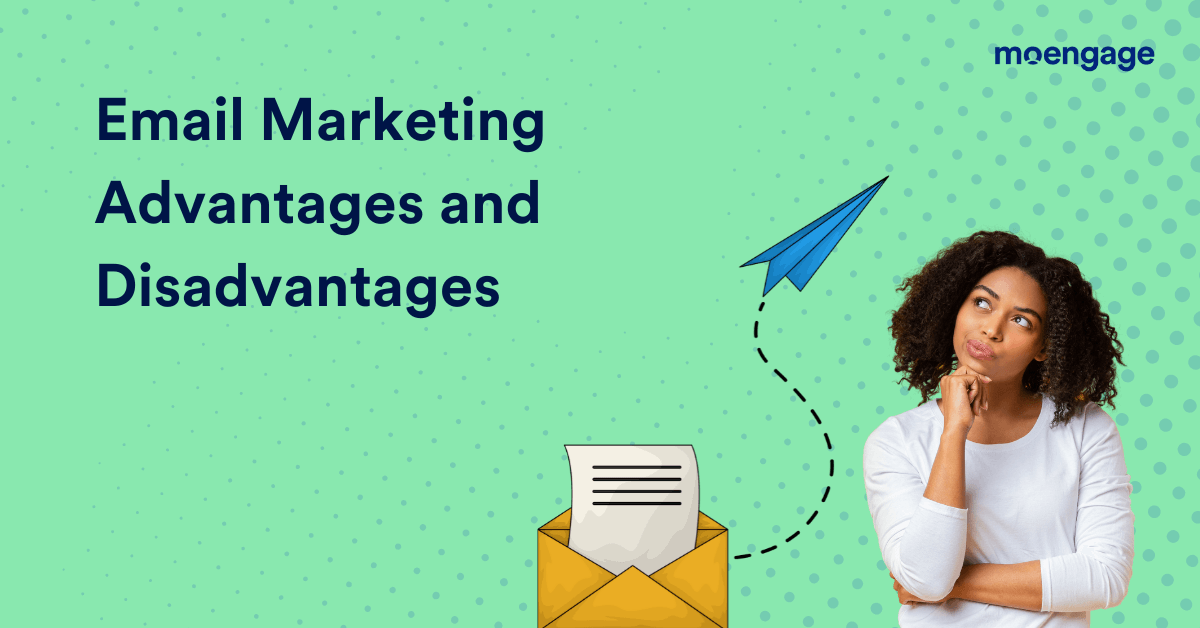
Email Marketing Advantages and Disadvantages

  • UPDATED: 20 March 2025
  • 5 minread
Email Marketing Advantages and Disadvantages
Reading Time: 5 minutes

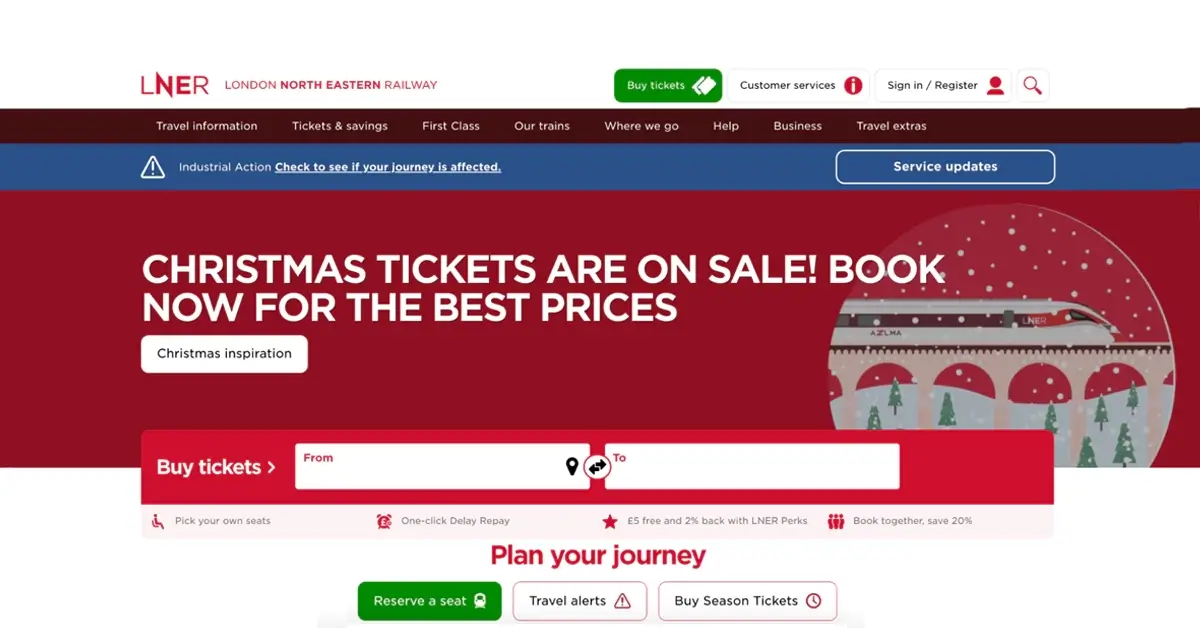
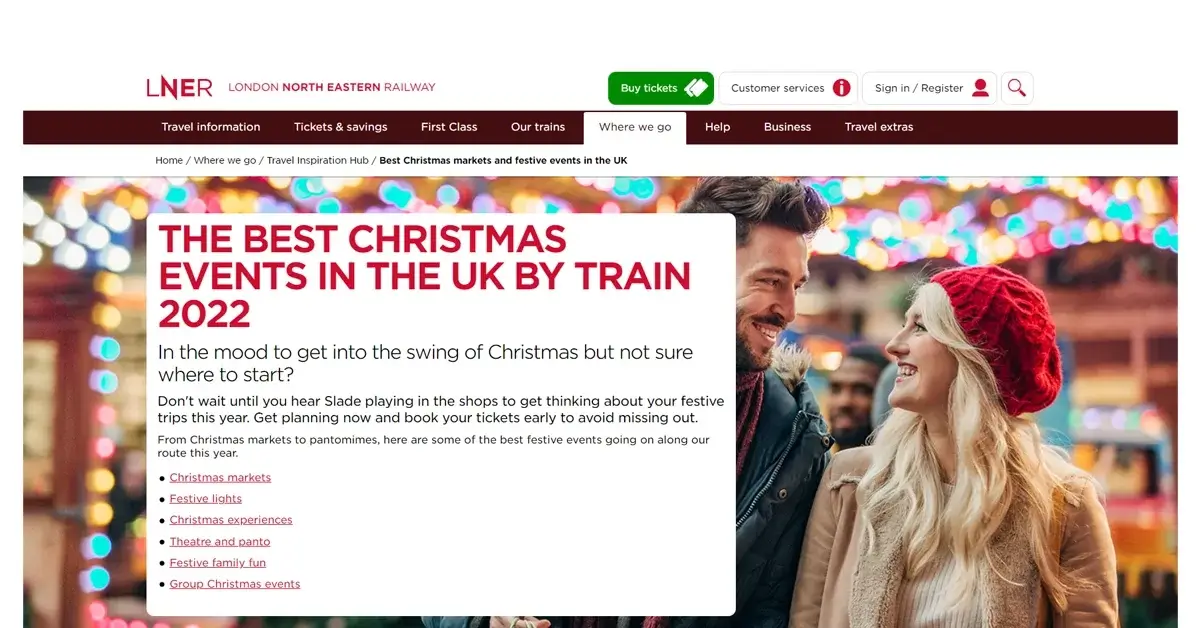
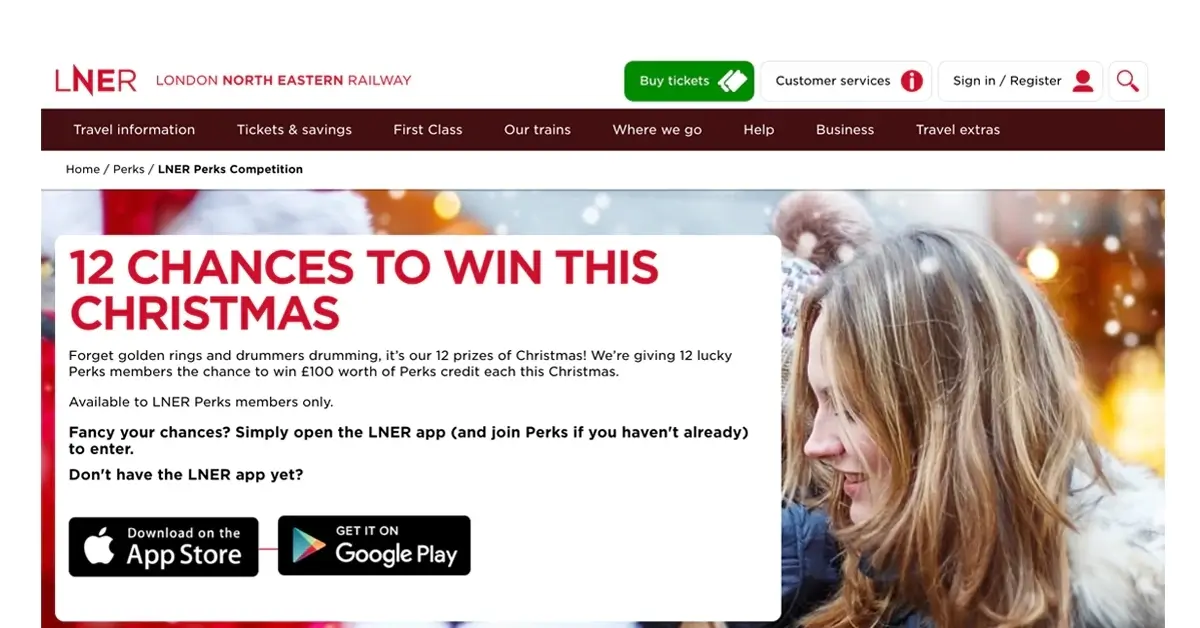
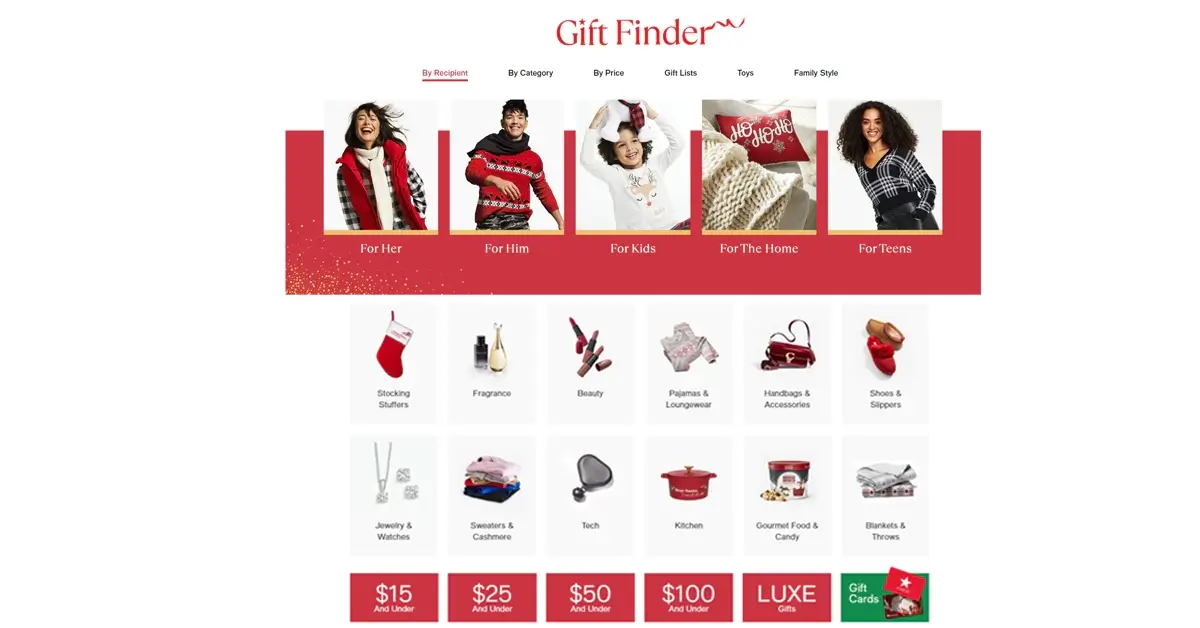
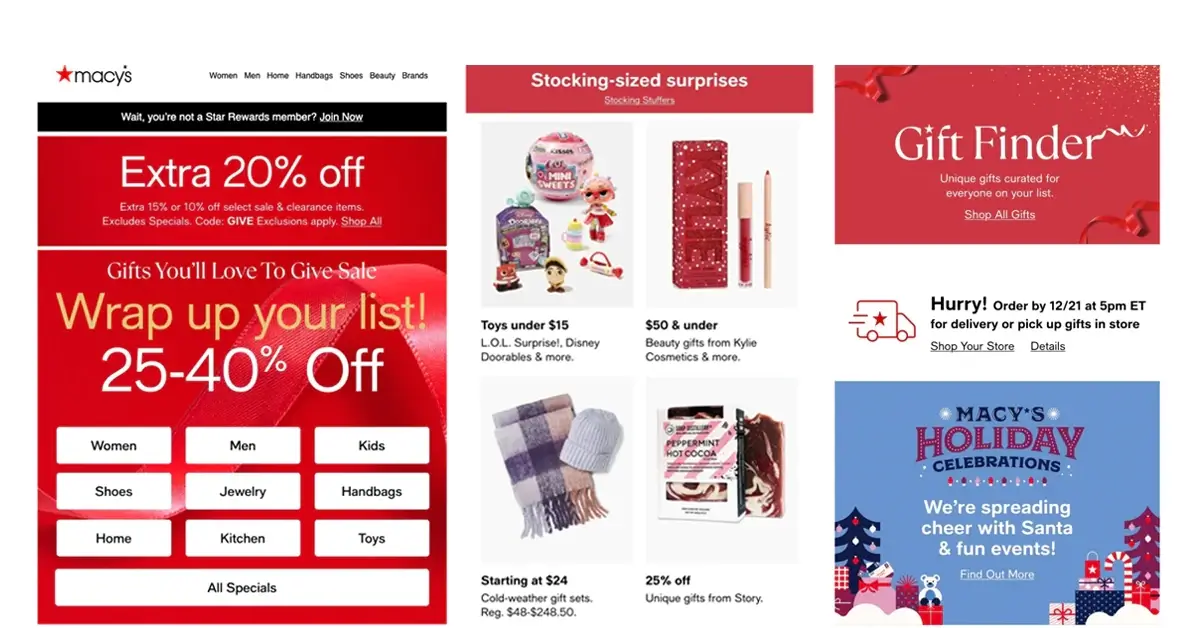
Email marketing is an excellent medium for directly engaging customers – we’re sure you know that. But what are the email marketing advantages and disadvantages? A small error in your campaigns can become a huge branding mistake. A popular retail brand, for example, once had to send an apology email to its list because it accidentally sent the same email multiple times. This became an embarrassing issue for the brand, and they had to cover up the chaos with an email apology.

In this article, we will explore the advantages and disadvantages of email marketing and the regulatory considerations surrounding it to help you create better overall campaigns.


Advantages of Email Marketing

This image shows the advantages of email marketing

Email marketing is one of the most popular marketing channels for a reason. Let’s examine the top email marketing advantages for B2C brands.

1. High ROI

Unlike traditional marketing channels such as TV, print, or radio advertising, email marketing is both efficient and cost-effective. It offers an unmatched return on investment. The average ROI for an email campaign is $36 for every $1 spent.

2. Journey-based Marketing

One of the top email marketing advantages is its ability to execute journey-based marketing. Journey-based marketing involves sending the right communications to customers at the right time. For this, you’ll have to analyze the customer’s journey and figure out the best communication for each point in the journey. Once this is done, you can set up automated customer journey-based emails to be sent at strategic times.

3. Hyper-Personalization

When you personalize your emails, you let your customers know you understand them and their needs. This has a direct impact on metrics such as open rates, click rates, and conversion rates. MoEngage’s latest Email Marketing Benchmarks Report shows that personalization causes a 16x increase in conversion rates. Hyper-personalized emails also drive 18 times more revenue than broadcast emails.

4. Segmentation

Personalization goes hand in hand with segmentation, which is another of the major email marketing advantages. Segment customers according to their purchase history, interests, demographics, and psychographics and send out personalized campaigns accordingly. According to our Email Benchmarks 2025 Report, behavior-based segmentation leads to a 9x increase in critical metrics such as open and conversion rates.


Disadvantages of Email Marketing

This image shows the disadvantages of email marketing

Now that we’ve looked at email marketing advantages, we also need to check out the potential risks associated with this channel. Here are the top email marketing disadvantages.

1. Deliverability Issues

The average bounce rate for an email marketing campaign is 10.4 percent. Emails can end up in the spam folder due to multiple reasons. Use of suspicious keywords like “make money”, “earn cash” and similar terms can increase the chances of being flagged as spam. Inadequate email authentication protocols like Sender Policy Framework (SPF) and DomainKeys Identified Mail (DKIM) can become another major factor that results in the emails ending up in the spam folder.

2. Privacy and Compliance Issues

Strict regulations like the General Data Protection Regulation (GDPR) in the European Union and the CAN-SPAM Act (Controlling the Assault of Non-Solicited Pornography And Marketing Act) in the United States require businesses to obtain prior consent from customers before sending them marketing emails. If a business fails to comply with the same, they will have to pay heavy penalties.

3. Irrelevant Email Lists

One of the biggest email marketing disadvantages is that it’s tedious to manually manage an email list of relevant customer emails and keep an eye on subscribers and unsubscribes. It’s best to automate and leave the details to a reliable email marketing platform for such things. You should also regularly clean out inactive and outdated email IDs from your email list.

4. Reputation Risk

A compliance issue, grammatical error, poor design, or similar mistakes in email marketing campaigns can quickly hamper your brand’s domain reputation. A damaged brand reputation can directly impact customer trust and company sales. To prevent this, make sure you double-check every aspect of your email before you send it out.

5. Device Compatibility

An email template that is compatible with your web browser may not give you an ideal viewing experience on your mobile phone. You must ensure that the emails are well-optimized for viewing on mobile devices because most email views come from mobile devices. If your subject lines are too long, they’ll get truncated, and your messaging experience won’t be as good as expected.

For example, an iPhone cuts off email subject lines over 32 characters. To make the iPhone customer engage with the email, the subject line should catch the reader’s interest within 32 characters. A poorly designed email can lead customers to lose interest in the brand and create a weak brand image.

6. Email Overload

Finally, another of the email marketing disadvantages is email overload or fatigue. Ever looked at your inbox and felt overwhelmed by the sheer number of emails flooding it? That’s what happens when customers get bombarded with emails daily. In such a scenario, making your emails stand out can be tough. And if you can’t do it, recipients might even delete your emails without reading them, for who’d want a cluttered inbox?


Email Benchmarks Report (EBR) - North America CTA

Overcoming the Challenges of Email Marketing

Now that you’ve understood email marketing advantages and disadvantages, here are some effective ways to overcome the challenges and kick-start your next campaign.

Clean and Maintain Your Email List

Sunsetting is a strategy that keeps email lists clean by removing inactive customers. Inactive customers decrease the deliverability ratio of emails and increase the risk of being marked as spam.

Brands should employ organic email collection methods instead of purchasing an email list. A high unsubscribe rate can also result in low email deliverability and increase the risk of being marked as spam.

Segment Your Audience

Segment your email audience based on their behavior, demographic information, browsing history, and more factors. Only then can you send them emails that they actually resonate with – emails based on their needs, preferences, and interests. For example, you can send emails recommending eyewear cases to customers who have recently bought glasses.

Optimize Your Campaigns

Studying the performance metrics of your past email marketing campaigns can provide solid insights into customer response. A low open rate, for example, can be due to a weak subject line that fails to capture interest. Performance metrics must be analyzed regularly, and email marketing campaigns should be optimized accordingly.


Email Marketing Advantages and Disadvantages: Wrapping Up

As you can see, understanding email marketing advantages and disadvantages is crucial for creating effective email campaigns. Email marketing is one of the most cost-effective ways to communicate directly with customers. The trick to ace this communication medium is to hyper-personalize emails, trigger emails in a systematic and non-spammy format, and incorporate engaging visuals and elements. By using these strategies, you can make your emails shine in crowded inboxes while generating an excellent return on investment.

To get the most out of this medium, you need a powerful email marketing platform like MoEngage. It allows you to effortlessly build no-code emails and automate your campaigns. Want to see how? Take a free demo.

Email Inbox Placement 101

  • UPDATED: 17 January 2025
  • 8 minread
Email Inbox Placement 101
Reading Time: 8 minutes

If you give an email marketer a choice between successful inbox placement and a free box of chocolates, guess which one they’d pick? Jokes aside, inbox placement is one of the biggest challenges when it comes to email marketing.

If your brand has good inbox placement rates, you can rest assured that most of your emails are landing inside a customer’s inbox folder. If not, then it means that your emails land in the spam folder more often than inside the inbox. This could happen due to a variety of reasons, such as an inability to pass spam filters, low deliverability, low domain reputation, or other issues identified by your email service provider.

In this article, we’ll cover basic and advanced strategies for better inbox placement so your emails land in the primary inbox instead of customers’ spam folders.

What Is Inbox Placement?

This is an image of the meaning of inbox placement

Inbox placement refers to the percentage of emails delivered to the inbox folder rather than the junk or spam folder.

Inbox placement rate is indicative of email deliverability. It shows whether an email is successfully delivered or marked as spam. Inbox placement rate (also known as inbox delivery rate) is a key aspect of measuring your email marketing campaigns’ success.

What Happens When Your Inbox Placement Rate Is Low?

Low inbox placement means that a high proportion of your email campaigns land in the trash or spam folder. This means that your customers don’t even get a chance to see your emails before they decide whether to open, trash, or click on them.

Spam is where emails go to die. They’re never again going to see the light of day, and will be permanently deleted in a short period of time after they land in the spam folder.

When Do Email Service Providers Reduce Inbox Placement?

Typically, emails that land in the primary inbox come from a sender with a good sender reputation, are properly warmed up, and are being sent at a consistent cadence. If your emails are going to the junk or spam folders, it could be because of:

  1. Lack of authentication
  2. Emails sent without proper domain or IP warmup
  3. Negative customer engagement like high spam complaints (>0.1%)
  4. Low customer engagement like opens and clicks
  5. A history of emails being sent to spam traps, invalid or purchased email addresses
  6. Spammy or irrelevant content. Even if your sender’s reputation is good or high, content could get flagged as spam, resulting in emails going to spam.
  7. Other reasons that caused mailbox providers to mark your email-sending behavior as spammy

This will directly impact your sender reputation and ensure that future emails also land in the spam folder. It’s a vicious cycle, so you should aim to fix your sender reputation on a priority basis to improve your inbox placement rates.

If your email-sending behavior is not optimal, emails will be sent to spam and will generate low engagement. This will lead to a drop in sender reputation, which will cause subsequent emails to go to spam and lower the inbox placement further.

How Do You Measure Inbox Placement?

Mailbox providers do not share inbox placement data directly. However, there are inbox placement tools and vendors like Inbox Monster, Validity, eDataSource, and so on who facilitate this by use of seed lists. Seed lists are email addresses created specifically to review inbox placement.

Seed lists can be taken as a sample. Based on the inbox placement of these sample addresses, inbox placement for the campaign can be predicted.

You can run inbox placement tests either before or during sending your email campaign to understand your inbox placement rate. You just need to find a suitable inbox placement tool to help you with the inbox placement tests.

Is Inbox Placement The Same As Sender Reputation?

No. Sender reputation is like a score (verdict?) given by ISPs (Internet Service Providers) to email domains and IPs to put a score on sending behavior. Gmail shares domain and IP reputation data in Google Postmaster, while Microsoft shares IP-filtered status in SNDS. You can also check domain reputation directly in MoEngage.

Sender reputation (specifically domain reputation) is shared by mailboxes directly, while inbox placement rate is deduced via tests through seed addresses.

Both inbox placement rate and sender reputation score provide insights on your email deliverability.

How to Increase Email Inbox Placement

This image lists out the ways in which you can increase placement in the inbox

Good inbox placement rate depends on a variety of factors like email authentication, trust, timing control, list maintenance, and relevance. Following best practices in all these categories will help you land in the recipient’s inbox, giving you more successfully delivered emails than spam complaints.

1. Email Authentication Protocols

Email authentication is a compliance requirement from mailbox providers. Customers also tend to react positively to emails from a source they trust, and this will help you pass the inbox placement test.

By authenticating your emails, you are letting mailbox providers know that your emails are legitimate. You can do so via the three key email authentication protocols: SPF (Sender Policy Framework), DKIM (DomainKeys Identified Mail), and DMARC (Domain-based Message Authentication, Reporting, and Conformance).

You can also use strict DMARC policies to prevent spammers from spoofing your domain.

Here are quick ways to ensure proper email authentication protocols so they don’t affect inbox placement:

  1. Comply with all authentication protocols and compliance requirements.
  2. Use an easily recognizable email address with a consistent sender name, crisp email subject line, clean formatting, and relevant content so that customers know the email is coming from a trusted brand
  3. Maintain a valid reply-to address so that recipients know they can reach out at any time
  4. Mention contact details in the email footer
  5. Use BIMI (Brand Indicators for Message Identification) to maintain visual sender identity.

Sending authentication emails increases the chances of your emails landing in the primary inbox instead of the spam or junk folder. Email providers use authentication mechanisms to filter out good senders from spammers.

It’s critical to comply with basic authentication protocols (SPF, DKIM, and DMARC) to achieve good email deliverability.

2. Effective List Management

List management is a key aspect of avoiding spam filters and ensuring good inbox placement rate. Email service providers also appreciate lists that are constantly cleaned and updated.

To maintain good list hygiene, follow these steps:

  1. Use clean list collection methods and provide double opt-in wherever possible
    • Don’t add email contacts without explicit permission from customers
    • Don’t scrape email addresses off of websites or any suspicious email program
  2. Never purchase a mailing list
  3. Periodically suppress inactive customers and email accounts

If you send emails to customers who haven’t explicitly consented to your emails, they will raise spam complaints, and this will impact your sender reputation.

If your audience list consistently includes high spam traps, outdated email addresses, invalid addresses, and unknown customers instead of a healthy mix of repeated and new customers, your sender score will drop, and your spam score will go up. Email service providers also look at your list quality to assess if you exhibit spammy behavior.

The email service provider will then lower your inbox placement rate, and your future email campaigns are more likely to be sent to spam and avoid the recipient’s inbox.

3. Segmentation and Personalization

Tailor your emails to suit individual needs and preferences instead of sending vague, generic emails. Analyze the customer’s journey and lifecycle stage, and personalize your email marketing campaigns accordingly.

At the same time, maintain proper sending patterns to ensure you are neither over-mailing (which can annoy your customers), nor under-mailing (which can lead to them forgetting about your brand). Use dynamic segmentations based on customer behavior and figure out the best timing to send emails on a personalized level. The number of emails you send to each customer should depend on their engagement levels.

A mailbox provider like Gmail will dynamically adjust inbox placement and primary inbox placement based on customer engagement.

Personalized emails perform much better than non-personalized ones and can increase the chances of your emails landing in the primary folder. Spam emails are usually non-personalized, so personalized emails automatically improve your inbox placement rates and don’t trigger spam filters too often. You can review our email benchmark report to understand the impact of personalization.

Also, be sure to always send a test email before publishing live campaigns. Sample customers can be used to test personalizations.

4. Email Relevance and Optimization

The most important aspect of a good email marketing campaign is its relevance. No matter how much you optimize your campaigns or how many are successfully delivered, your incoming emails need to be relevant to your customers.

Even if customers already have a high affinity towards your brand, if your emails are not engaging enough, they will react negatively to your delivered emails. To ensure that your brand gets all emails delivered to the inbox, you need to keep customer satisfaction high via positive reactions and engaging campaigns.

Be mindful about abruptly increasing the number of emails you send if your deliverability tools or inbox placement tools consistently show positive results.

Here are some ways to improve your email performance:

  1. Use an interesting subject line and preview text. You can use AI to generate subject lines and preview texts.
  2. Do not use misleading subject lines, as it results in losing trust.
  3. Create attention-grabbing email marketing content with attractive images and GIFs
  4. Keep your textual and visual language synonymous with your brand identity
  5. Leverage extensive A/B testing to figure out the right timing, content, different subject lines, and other preferences
  6. Keep up with email HTML basics: Make emails mobile-friendly, dark-mode friendly, make sure unsubscribe links and all other links are working, make the intent visible at first glance, and so on
  7. Monitor email traffic and email practices, experiment, and keep adjusting as per signals from your recipients
  8. Send regular test emails to your own email account often to get valuable insights into your email marketing program

How To Get Emails To Land In The Primary Folder In Gmail

Folders or Tabs are designed to suit the recipient’s needs. Not all consumers have tabs enabled for them. Also, tabs are exclusive to Gmail (and Microsoft to some extent, with ‘Focused’ and ‘Others’ tabs).

Emails are categorized based on the following:

  • Sender’s reputation
  • Usual customer interaction with the sender
  • Usual customer interaction with similar content
  • Individual recipient’s interaction with the sender
  • Individual recipient’s interaction with similar content
  • Settings saved by each individual

Promotional/Updates tabs are also part of the inbox. Promotional emails are supposed to land only in the promotional tab — where customers who read them will be in the proper mindset to interact with that type of content.

Forcing emails to primary folders is not a good practice as it could have negative repercussions like high unsubscribes, high spam complaints, and customers moving the email from the primary folder to another folder.

Usually, emails with interactive content, fewer or no images, links, lots of text, and detailed brand descriptions, which are sent to very active engagers over a period of time, tend to go to the Primary folder.

Similarly, even password reset instructions, if clubbed with promotional email content, can go to the promotions tab.

An inbox placement tool that shows email inbox placement and other sender benchmarks typically also gives insights on folder placement and email traffic. Inbox placement testing will give you all these results at once.

Keep in mind: If your promotional emails are going to the updates or primary inbox, do not change your sending patterns (like increasing the number of emails sent, changing the email content to include more promotional/marketing content, etc.) as this might risk penalization.

Wrapping Up

Inbox placement rate is a crucial metric for email marketers. This metric is indicative of the percentage of emails landing in the inbox and the number of emails with poor inbox placement.

Email marketers need to ensure good email delivery and inbox placement rate via best practices like email authentication, email verification, compliance with email provider standards, maintaining a legitimate email account, segmentation, and personalization. An inbox placement tool can prove to be valuable here.

Inbox placement goes hand-in-hand with email delivery and email deliverability, and a good email marketing platform should have inbuilt email deliverability tools available to help email marketers achieve a high inbox placement rate.

If you’re looking for a good email marketing platform, check out MoEngage Email.

Email Benchmarks Report (EBR) - North America CTA

8 Successful Email Marketing Examples to Inspire Your Next Campaign

  • UPDATED: 12 August 2024
  • 7 minread
8 Successful Email Marketing Examples to Inspire Your Next Campaign
Reading Time: 7 minutes

As an email marketer, your core challenge lies not in sending emails but in ensuring they reach the right audience to captivate their attention and interest. Creating winning email marketing campaigns requires combining strategy, timing, creativity, and audience segmentation. In this article, we will explore outstanding email marketing campaigns from companies like Medium, Venmo, Hulu, Netflix, and more that will help you brainstorm for your next winning campaign. The end goal is to make your messages land where they matter most.

How To Create Winning Email Marketing Campaigns

A study by Gartner presented that the top 3 reasons consumers choose to unsubscribe from an email list are too many emails (53.5%), too repetitive or redundant emails (46.5%), or misaligned subject lines with email content (30.4%). Here are a few strategies you should consider before crafting your next email marketing campaign.

  1. Segment your customer: The most crucial strategy in an email marketing campaign is to segment your customers based on demographics, behavior, and psychographic profiles. Each segment has a different conversion trigger. A conversion trigger that might work for a millennial audience may not work for GenZ.
  2. Craft compelling subject lines: A compelling subject line can directly drive up email open rates. It is the first line of text recipients see. A good subject line grabs the reader’s attention and instills a sense of urgency to open the email.
  3. Don’t just sell; provide value: Promotional emails are essential to boost revenue, but they must be balanced with value-driven emails to keep customer interest intact. Brands must balance informational and promotional emails to maximize their Return on Investment (ROI).
  4. Structure your email: Emails should maintain a clean structure with attention-grabbing headlines, consistent brand colors, clear CTAs, high-quality graphics, and links to the brand’s social media handles. These elements work together to enhance engagement and reinforce brand identity effectively.

Define your Email Marketing Strategy

First, pick which of the following email types you wish to send to your audience.

1. Newsletter Campaign

51% of consumers like receiving weekly branded email content. A good newsletter imparts the correct information by recognizing its ideal customer segment’s pain points or interests while creating brand recall.

Newsletter campaigns play an important role in nurturing customer relationships. These emails are primarily informational and focus on adding value more than selling. Newsletters provide essential information about the industry and organization as well as valuable tips and techniques. The purpose of newsletters is to build long-lasting customer relationships, trust, and credibility.

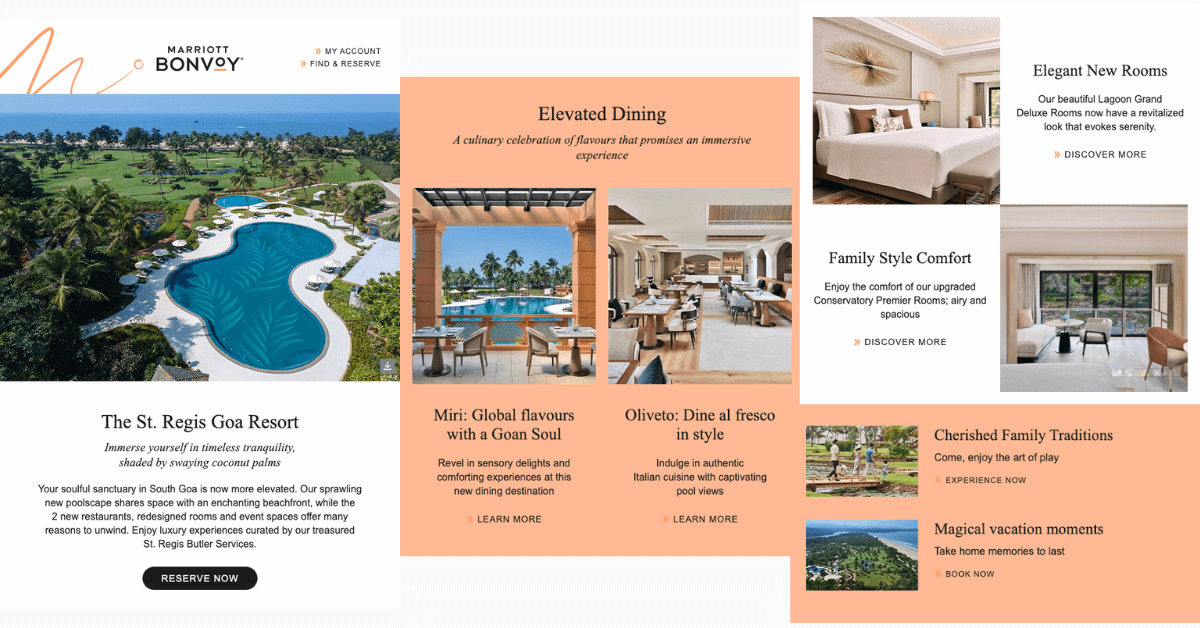
Here’s an example of a newsletter from Marriott Hotels. The key elements that make the newsletter stand out include hyper-personalization, catchy graphics, and enticing subject lines. Marriott sends out personalized recommendations based on customer’s viewing patterns and interests. It also focuses on adding a personal touch to the email content. The blend of high-quality graphics and a brief description of each proposition creates an engaging newsletter campaign. Notice how they’ve also added valuable tips around cherished family traditions and magical vacation moments.

This is an image of a newsletter email from Marriot Hotel Group

2. Promotional Email

Promotional emails inform customers about upcoming offers and deals that they can grab. These emails are triggered to drive sales by creating a sense of urgency using time-bound offers.

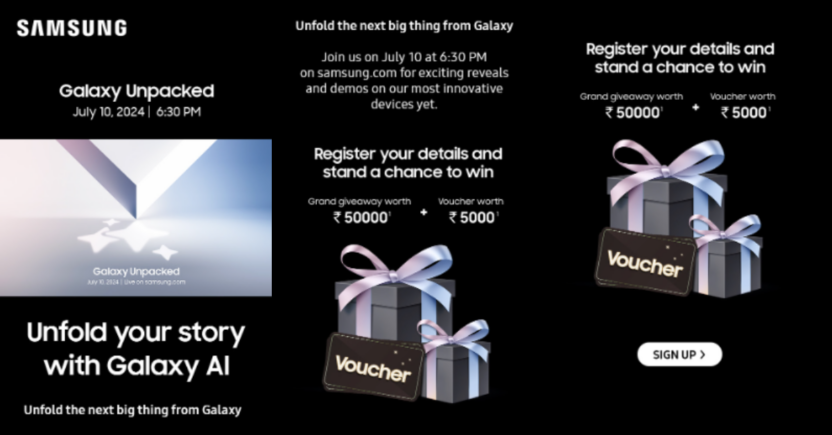
Here’s an example of an effective promotional email from Samsung. This email aims to create pre-launch buzz for Galaxy AI’s launch. An enticing offer is presented to trigger potential customers to sign up. A strong CTA paired with fantastic visuals and a specific date and time creates a winning promotional campaign for Samsung Galaxy AI.

This is an example of an email marketing campaign from Samsung

An effective promotional email marketing campaign presents a compelling offer, creates a sense of urgency, highlights the offer’s benefits, and incorporates a clear Call to Action (CTA).

3. Welcome Email

The most important communication between the brand and the customer is the welcome email. Welcome emails have up to three times the transaction rates of regular promotional emails, and subscribers who receive welcome emails show 33 percent more engagement with the brand.

The welcome email must explain what your brand does and create excitement among your potential customers. You can always add a welcome offer in the email to sweeten the deal and increase your chances of conversion.

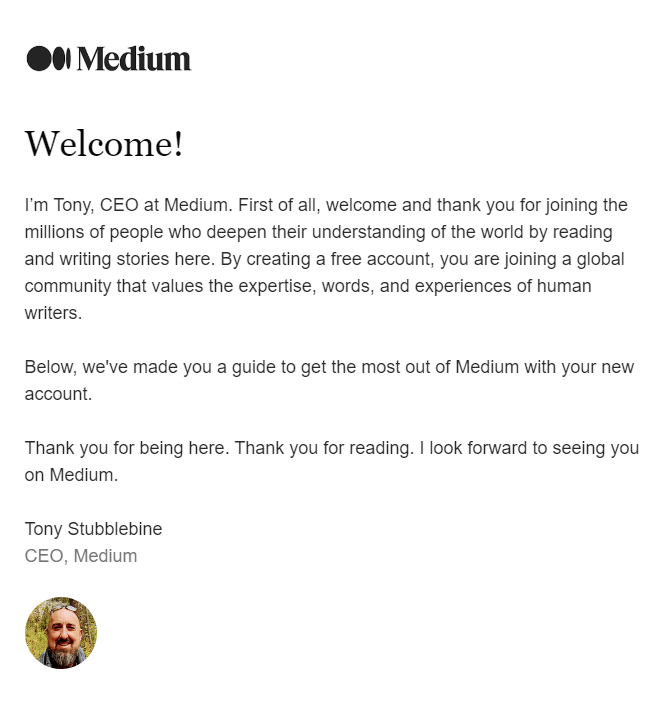
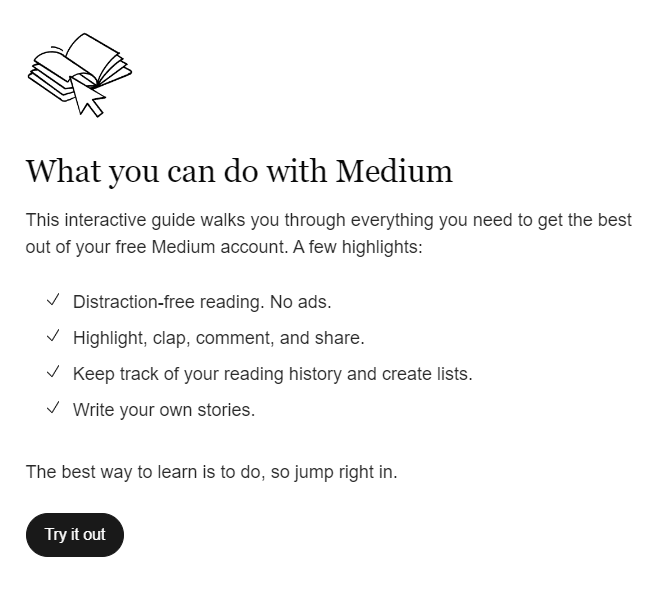
Here is an example of a welcome email from Medium. The first part of the email is a warm welcome message from the CEO of Medium thanking them for joining the platform. The message makes the customer feel valued by the company.

This example shows how Medium sends email marketing campaigns

The second part of the welcome email communicates what customers can expect from the platform. This email section ends with a CTA directing the customers to Medium’s main website.

This example shows how Medium sends email campaigns

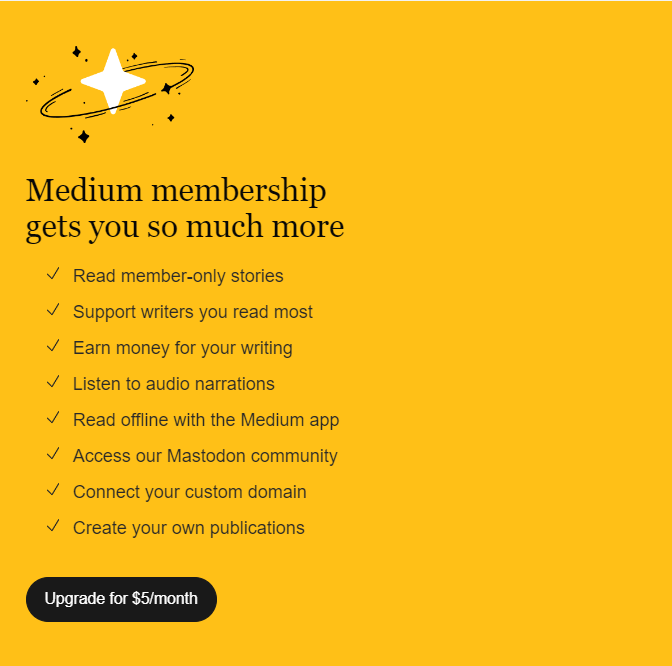
The third and final section of the welcome email highlights the benefits of upgrading to a premium subscription. The benefits of the premium subscription are clearly explained using bullet pointers along with a CTA that mentions the price of the subscription.

This image shows how Medium sends emails

An effective welcome email makes new customers feel valued, clearly communicates the company’s purpose, and presents an attractive offer in an approachable, non-promotional manner.

4. Re-engagement Email

Converting an inactive subscriber to a customer is five times cheaper than acquiring a new customer. Re-engagement campaigns play a vital role in bringing back lost customers. An excellent re-engagement campaign leverages personalization by segmenting customers and potential customers based on their interests, engagement patterns, previous purchases, and other key factors influencing their relationship with your brand.

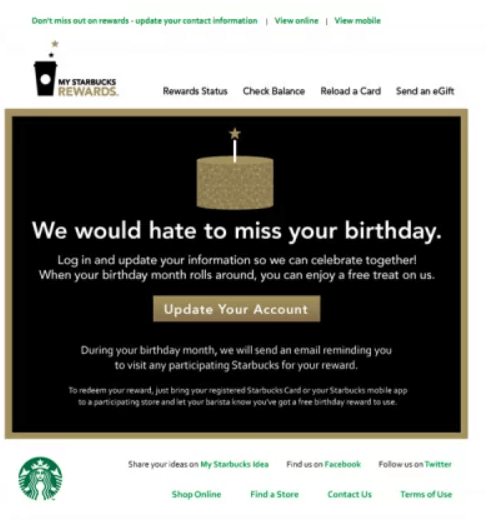
Here is an example of Starbucks’ re-engagement campaign. Starbucks sends birthday reward emails to enhance their customer’s loyalty. This Starbucks email collects customer birthdate data by offering birthday rewards. This birthdate data will help Starbucks create customer loyalty with birthday offers and micro-segment customers based on their birthdate information.

This is an example email from Starbucks

5. Seasonal and Event-Driven Campaigns

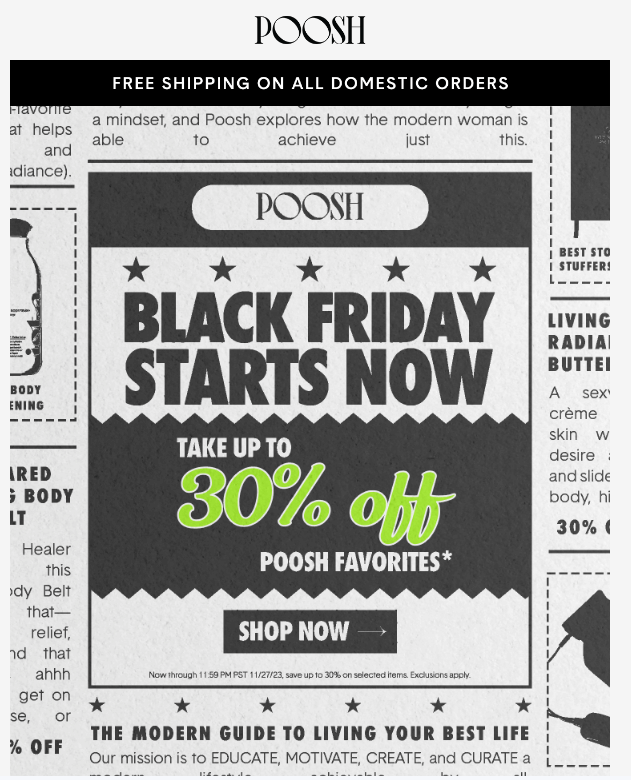
Seasonal and event-driven campaigns leverage real-time occasions to generate awareness and sales. Seasonal ad event-driven campaigns tap into customers’ natural purchase rhythms to boost company sales. For example, Christmas and Black Friday are significant events that seasonal campaigns can tap into to boost sales.


This is an email example from PooshA winning seasonal or event-driven campaign has strategic timing, targeted messaging, and a compelling offer.

6. Transactional Emails

Transactional emails communicate customer-specific information, such as password changes, login notifications, and other similar updates. They are not meant to drive engagement or sales, but they play a crucial role in improving customer experience and long-term brand loyalty.

This is an example of a transactional email from Notion

8 Successful Email Marketing Examples

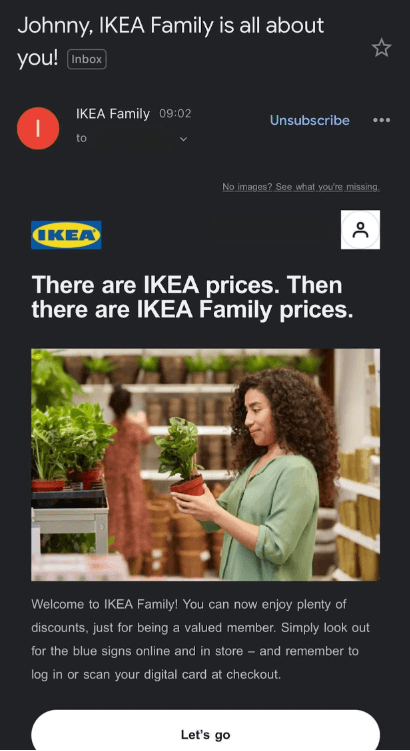
1. Ikea: Welcome Email Example

Ikea’s welcome email starts with a catchy headline and promises to provide great deals to the Ikea community. Customers instantly feel valued and welcomed. The email is accompanied by a pleasant graphic, brief welcome text, and a CTA that leads to Ikea’s home page.

Welcome emails must make the new subscriber feel valued and create good brand recall.

This is an email marketing example from Ikea

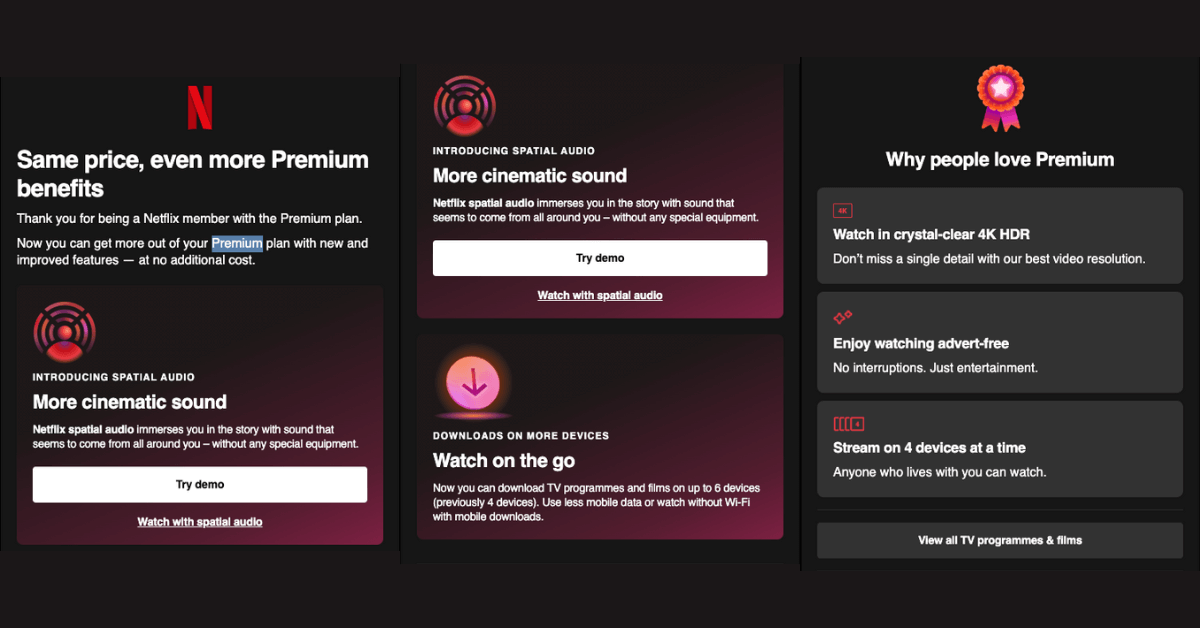
2. Netflix: Promotional Email Example

Netflix’s promotional email campaign communicates the benefits of the premium plan to viewers in enticing language. Notice how they’ve added multiple CTAs for different purposes, convincing viewers of the different benefits of the premium plan they’ve just signed up for.

This is an example of Netflix's promotional email campaigns


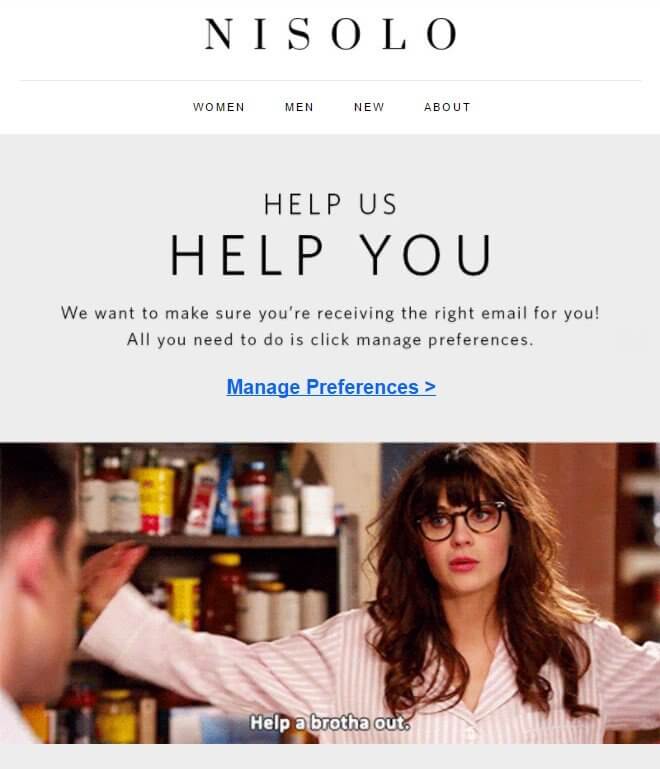
3. Nisolo: Re-engagement Email Example

Nisolo is a popular shoe company. It takes an out-of-the-box approach to re-engage with their lost customers by directly asking them about their interests and preferences. This data would help Nisolo send out hyper-personalized emails tailored to their customer’s interests. They use a meme and a bold headline, “Help us Help you,” to grab readers’ eyeballs.

This is an example of an email from Nisolo

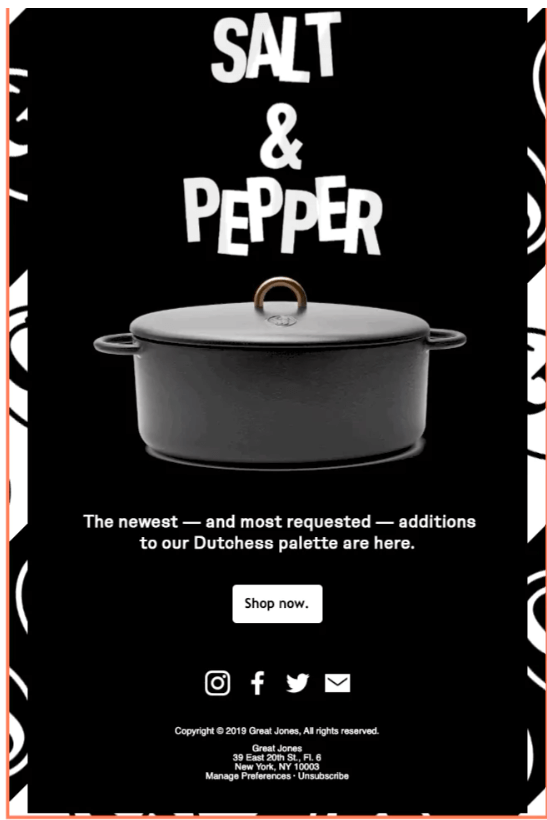
4. Great Jones: Seasonal Email Example

Great Jones is a stoneware and bakeware brand. It launched its new collection, “Salt and Pepper,” with a visually striking email marketing campaign. They used a black and white design symbolizing their “Salt and Pepper” collection. The microcopy, striking visuals, and the CTA communicate more in fewer words.

This is an email marketing campaign example from Salt and Pepper

5. Medium: Newsletter Example

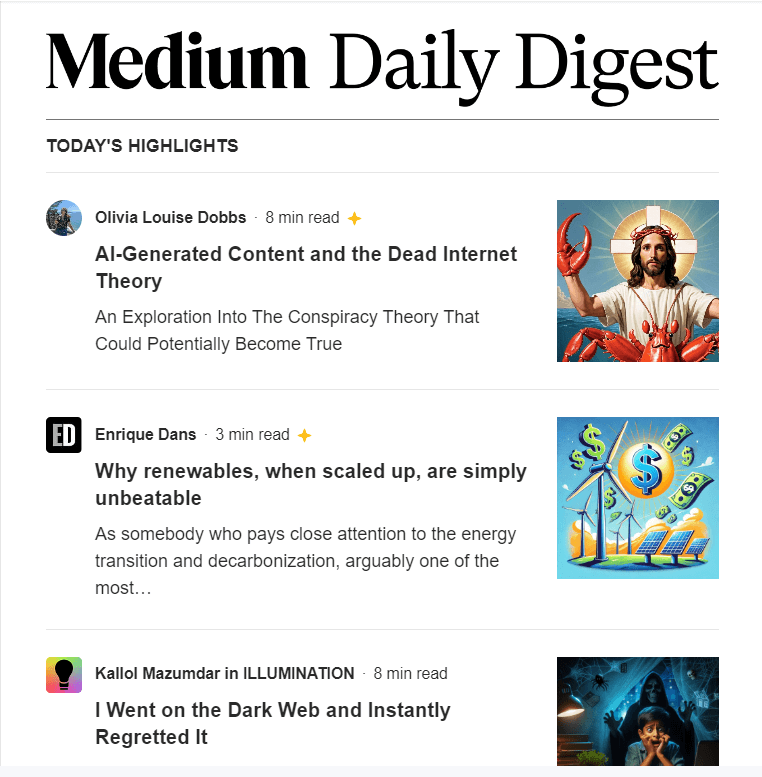
Medium sends out a daily newsletter with articles personalized to readers’ interests. The newsletter follows a consistent template with a bold headline, “Medium Daily Digest,” which creates brand recall. Each article’s title is supported by a one-line description to pique reader interest. The personal touch, combined with a consistent format and frequency, helps ensure high audience engagement.

This is an email marketing example from Medium

6. Uber Eats: Transactional Email Example

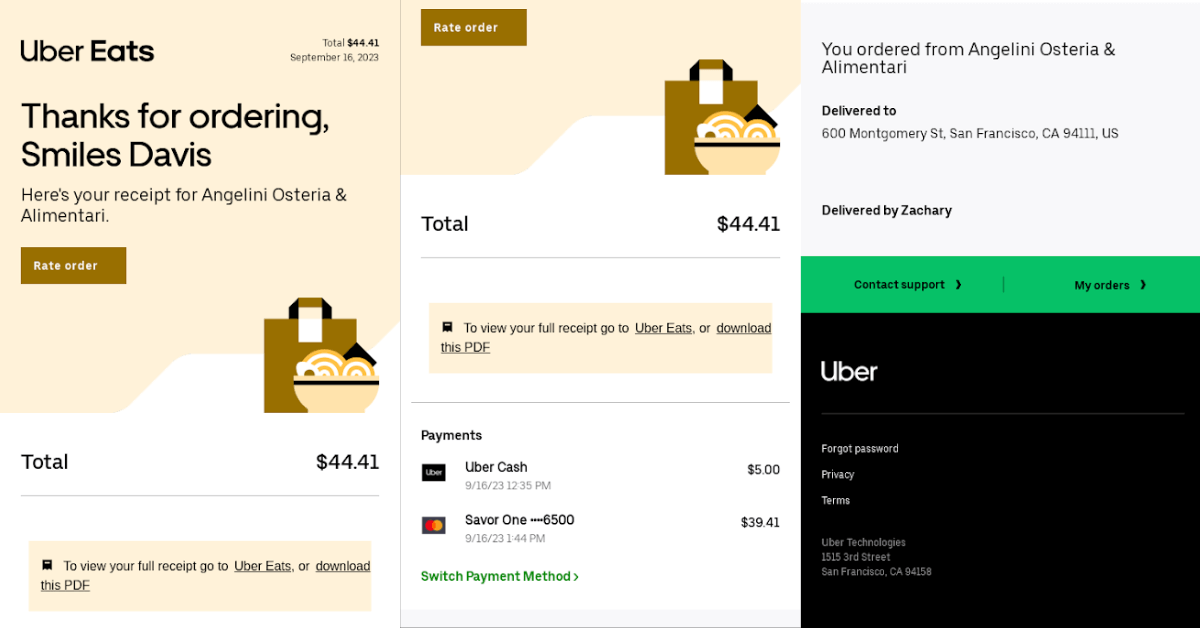
Transactional emails should contain all essential information about the interaction with the company. In this example, Uber Eats mentions the transaction date, order value, mode of payment, and the restaurant the customer ordered from. The purpose of transactional emails is to communicate critical information directly and create credibility.

This is an example email from Uber

7. Hulu: Re-engagement Email Example

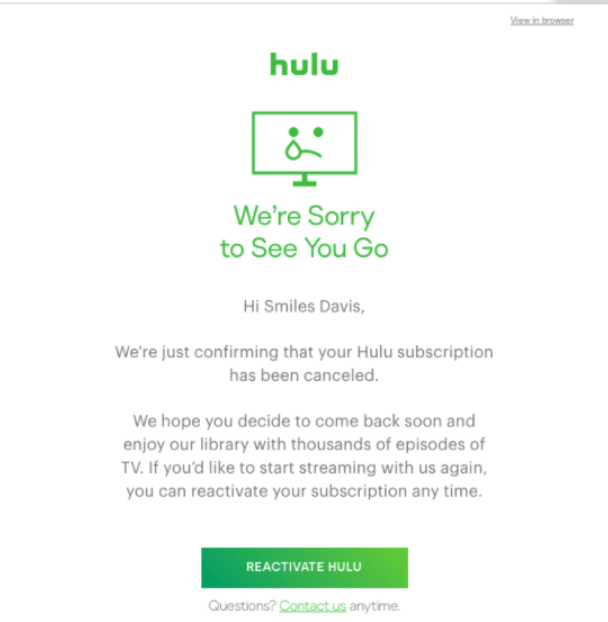
Hulu sends a catchy, thoughtful email whenever a customer unsubscribes from Hulu’s subscription service. The email communicates that Hulu appreciates and values each customer. It is designed to make the customers rethink their decision with a Call to Action (CTA) that guides them towards reactivating their subscription.


8. Venmo: Promotional Email Example

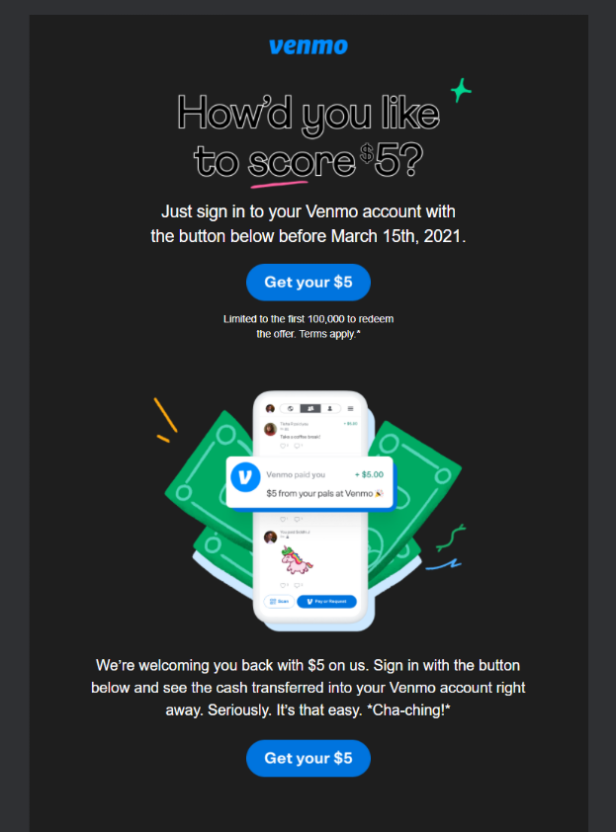
Venmo uses a friendly tone and bold graphics in its promotional email marketing campaign. They provide an enticing offer with a dual call to action (CTA) mentioning the offer to encourage prompt customer action. The email has visually appealing graphics and minimal text that takes off the cognitive load from the reader.

This is an example of Venmo emails

Conclusion

As an email marketer, your task is to make your campaign shine among the spam that fills each inbox. Eye-grabbing subject lines, visually striking graphics, and strategically placed calls-to-action (CTAs) are important elements that can elevate your email engagement. It is also important to segment your customers and ensure that the emails are triggered at a suitable time. By implementing these strategies, you can make your email marketing campaigns stand out while significantly enhancing your return on investment.

How to Check and Improve Your Email Domain Reputation

  • UPDATED: 11 March 2025
  • 7 minread
How to Check and Improve Your Email Domain Reputation
Reading Time: 7 minutes

Just as a consumer’s reputation shapes their interactions with others, a domain’s reputation influences how the Email Service Provider (ESP) treats emails from that domain. Email domain reputation directly impacts email deliverability, which is why it’s crucial to understand and manage the reputation in a healthy manner. 

In this article, we’ll uncover the significance of this reputation in the email universe, explore common reputation issues, and provide strategies to improve domain reputation. 

But before you start fixing it, you should understand what it means. 

What is Email Domain Reputation?

This image explains the meaning of email domain reputation

Email Domain Reputation is a universal metric that defines the trustworthiness of an email domain. This reputation is built on a domain’s sending behavior and patterns and dictates how future emails from the domain and IP are treated. 

If an Email Service Provider (ESP) perceives your emails as “spam,” your sender reputation will suffer, and future emails will automatically be sent to the spam folder.


Why Does Email Domain Reputation Matter?

How would your mailbox provider know where to direct your emails? Should your emails land in recipients’ inboxes, or in spam folders?

This is where your email domain reputation comes in. It improves as more and more recipients engage with your emails, instructing ESPs to direct your emails in recipients’ inboxes in future. Conversely, if your domain is disreputable for spoofing or phishing attacks, ESPs will discard your emails and direct them to the spam folder.

Now, let’s look at how one of the most popular ESPs evaluates your domain.


What is Gmail Domain Reputation?

Gmail domain reputation reflects how Gmail “sees” you. This, in turn, is decided based on the emails coming from your domain and how customers react to them over time.

This data comes directly from Gmail. It means:

  1. It’s accurate for Gmail customers.
  2. It does not apply to other ISPs.

This is how Gmail perceives your email domain reputation:

Reputation Perception Consequence
Bad A history of sending an enormously high volume of spam. Mail coming from this entity will almost always be rejected at SMPT or marked as spam.
Low Known to send a considerable volume of spam regularly. Mail from this sender will likely be marked as spam.
Medium/Fair Known to send good mail but has occasionally sent a low volume of spam. Most emails from this entity will have a fair deliverability rate, except when there’s a notable increase in spam levels.
High Has a good track record of a very low spam rate and complies with Gmail’s sender guidelines. Mail will rarely be marked by the spam filter.


Factors Affecting Email Domain Reputation

This image displays how email domain reputation is influenced

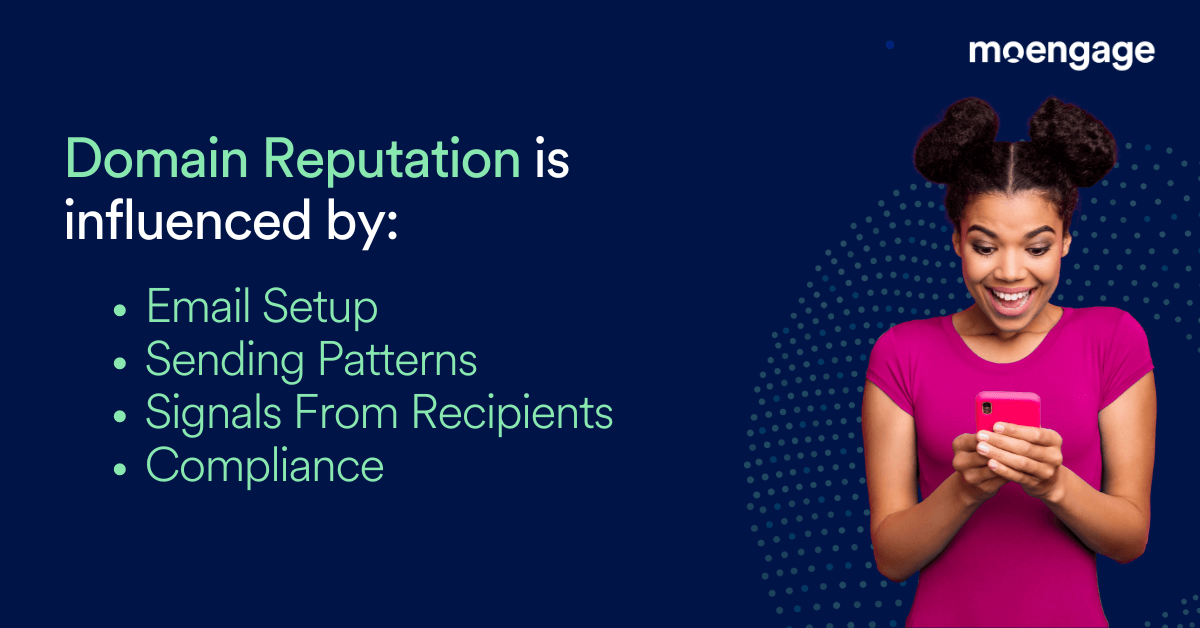
Email domain reputation is influenced by several factors, including:

1. Sudden increases in email volumes

If you suddenly increase the volume of emails you’re sending, ESPs will flag and penalize your domain.

2. Emails sent to unengaged customers from a new domain

Gmail, like all other Mailbox Providers, limits the emails from a new IP and does not accept higher volumes from a new domain or IP. 

You need domain warm-up for a good reputation. You can do this by slowly increasing volume limits and acceptance rates. Start by sending highly relevant content to a small batch of engaged customers at a slow pace (low RPM).

3. Emails sent despite declining open/clicks or uptick of spam complaints/unsubscribes

If you ignore negative signals from recipients, Gmail and other ESPs will mark your emails as spam to protect other customers from future spam.

4. A gap in sending patterns followed by the high volume of emails sent

IPs and domains tend to cool off after three weeks of inactivity. So they will slowly lose their reputation and ramped-up state. Any inactivity must be followed by a smaller send to the most engaged customers and a gradual volume increase.

5. Fixed sending patterns that don’t account for engagement

If you’re sending the same fixed number of emails over a long period, it shows ESPs that you’re not reading your customers’ engagement signals. This will cause your domain to be penalized because ESPs want domains to keep customer engagement at the forefront of every email campaign.

6. A lack of suppression for inactive customers

This one’s also closely tied to signals from end customers. If customers are not interacting with your emails, you need to change something about your strategy. You should either stop reaching out to them or change your sending patterns. If your changed strategy still doesn’t elicit a positive response, you should suppress them permanently.

7. Emails sent to purchased lists or customers who did not explicitly sign up to receive emails.

This violates all the basic rules of email list management, and your domain will be heavily penalized if you do this.


How to Check Your Email Domain Reputation Data

Customer engagement platforms like MoEngage display your domain reputation information in the dashboard so you can understand your domain’s health and its impact on the performance of your email campaigns. Email domain reputation is indicated as High, Medium, Low, or Bad.

You can see the domain reputation on the following pages:


5 Domain Reputation Checking Tools

Each of the tools listed below uses a different algorithm to determine your domain reputation. But they’re all capable of pointing out any issues affecting your brand’s email deliverability.

1. Spamhaus Project

The Spamhaus Project allows you to track spam, malware, phishing, and other cybersecurity threats. ISPs and email servers filter out unwanted and harmful content using Spamhaus’s DNS-based blocklists (DNSBLs).

2. Sender Score

Developed by Validity, Sender Score is a free domain reputation measurement tool that grades your domain on a score of 0 to 100. The higher your domain’s score (between 85 and 100), the greater your email domain reputation. The tool basically scans your domain to search for SSL certificates and to identify the owner.

3. MxToolbox

You can use MxToolbox to check if your domain is mentioned on any email blocklists. It scans your domain for mail servers, DNS records, web servers, and any problems.

4. Google Postmaster Tools (PMT)

This tool from Google helps you understand how Gmail users are interacting with your high-volume emails. Apart from your domain reputation, you can gain insights on delivery errors and feedback loops.

5. Barracuda Central

Barracuda Central comes with a massive real-time database you can access to check if your domain is blocklisted or not. Your domain’s IP score on this tool will tell you whether or not your emails are being marked as ‘spam’.


How to Improve Your Email Domain Reputation

This image shows you how to fix your email domain reputation

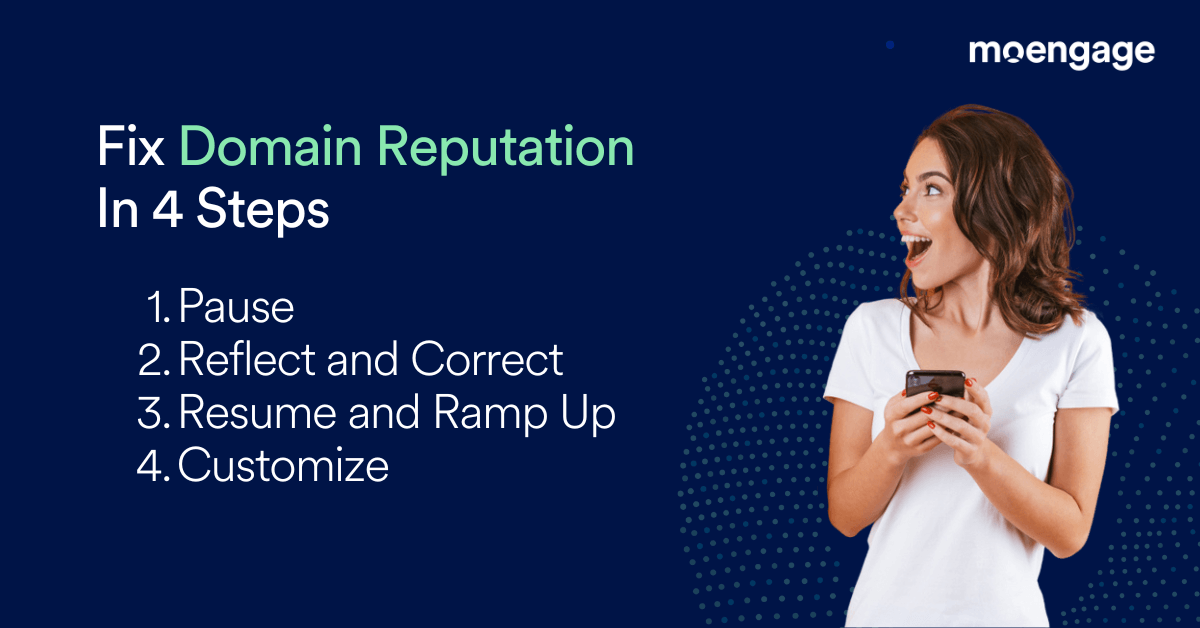
Here’s a quick checklist of steps to resolve your email domain reputation issues.

1. Pause Violating Campaigns

  • Identify all vendors from where you are sending emails through the “Mail: From Domain.”
  • Pause all emails (one-time, event triggered, transactional) sent through this. Ideally, you should not send transactional and non-transactional emails from the same domain (domain/IP set). If the compliance requirements are met, there is no need to pause transactional emails. However, you should pause all one-time emails.

2. Reflect and Correct

  • Identify the root cause behind the drop in reputation.
  • Fix all relevant issues.
  • Make sure you check all the right boxes. Take this as a cue to clean your email setup and follow all the email compliance and best practice recommendations.
  • Have checkpoints to detect issues immediately so you can always stay on top.
  • Raise a ticket to Gmail explaining the cause behind the reputation issues, your changes, and the next steps you plan to follow.
  • Set frequency capping to limit the number of emails sent to customers per day/week. Start slow before gradually increasing frequency.
  • Use delivery controls to maintain a good email experience.
  • Set lower RPM so emails are spread out each minute rather than sending high volumes simultaneously.

 3. Resume and Ramp Up

  • Resume your transactional emails first. To reiterate, do not send transactional and promotional emails from the same domains and IPs. If they are, separate them while correcting your email setup.
  • Next, resume your personalized event-triggered campaigns.
  • Then, slowly send one-time campaigns to email openers and clickers (such as emails that have been opened 5 times in the last 60 days). Send at a lower RPM and send only 2-3 campaigns per week.
  • Slowly ramp up the sending frequency and volume after the email domain reputation improves (it could take 6-8 weeks). Be sure you are not emailing customers too frequently. Be cautious as you open up the emails to non-engaged customers. Ramp up slowly.

4. Customize Your Sending Patterns

  • Learn from the past errors.
  • Customize your sending behavior to keep up with the customer’s changing interests. Create lifecycle campaigns to engage your customers. Use dynamic segments, so inactive customers get dropped off automatically. Implement personalization across every aspect of your email.
  • Monitor the engagement and reputation regularly, including campaign analytics to review campaign performance. Create dashboards to monitor trends. 
  • Take a step back when you spot issues. Resolve, resume, ramp-up.


Maintaining Email Domain Reputation with MoEngage

Managing email domain reputation is crucial for ensuring email deliverability and maintaining a healthy sender reputation. Changing domains or IPs to fix reputation issues is not enough, as this is only a temporary solution that can harm your brand’s overall reputation in the long run. 

Instead, it’s essential to address the underlying issues and follow best practices for email setup, sending patterns, compliance, and customer engagement. By taking these steps and continuously monitoring and adjusting your sending behavior, you can improve domain reputation and enhance the performance of your email campaigns.

To do all this, you’ll need an all-in-one email marketing platform like MoEngage. It’s designed to help you achieve high email deliverability rates, even while sending over 1 billion emails a month. With MoEngage, you can stay on top of how your emails are delivered and received to ensure your email campaign succeeds. See MoEngage in action today.

Email Benchmarks Report (EBR) - North America CTA

Effective Email List Management Strategies for Marketing Success

  • UPDATED: 10 March 2025
  • 7 minread
Effective Email List Management Strategies for Marketing Success
Reading Time: 7 minutes

List management is a key pillar of your email marketing strategy because it can influence your sender reputation and brand image. Effective email list management ensures that you engage with the right audiences interested in your products or services. It also helps you optimize your email marketing budget by ensuring that you reach customers most likely to respond positively.

From a compliance perspective, list management is essential for global data protection and privacy regulations such as the GDPR or the CAN-SPAM Act in the US.

In this article, we’ll cover the importance of email list management, strategies for building clean email lists, maintaining list hygiene, and best practices such as sunsetting.

Is Email List Management the Same As List Cleaning?

No! List cleaning is a way to scrub out invalid users from your list. Third-party services can clean your list and remove most invalid addresses.

Email list management, however, is more than just scrubbing your list. It encompasses the entire practice of managing an email list, from acquiring email addresses to dealing with customers who have become non-responsive.

Why Email List Management Matters

Email list management can help you outperform your competitors by generating an outstanding ROI on your email marketing campaigns.

Moreover, managing your email list can help you:

  • Better understand your audience, including the key subscribers who bring in the most value for your business.
  • Ensure your emails land in the inbox instead of the recipient’s spam folder.
  • Keep your list healthy, steering clear of fake and unwanted email addresses like spam traps.
  • Lower your email marketing costs, as most email providers’ fees depend on the size of your email list.

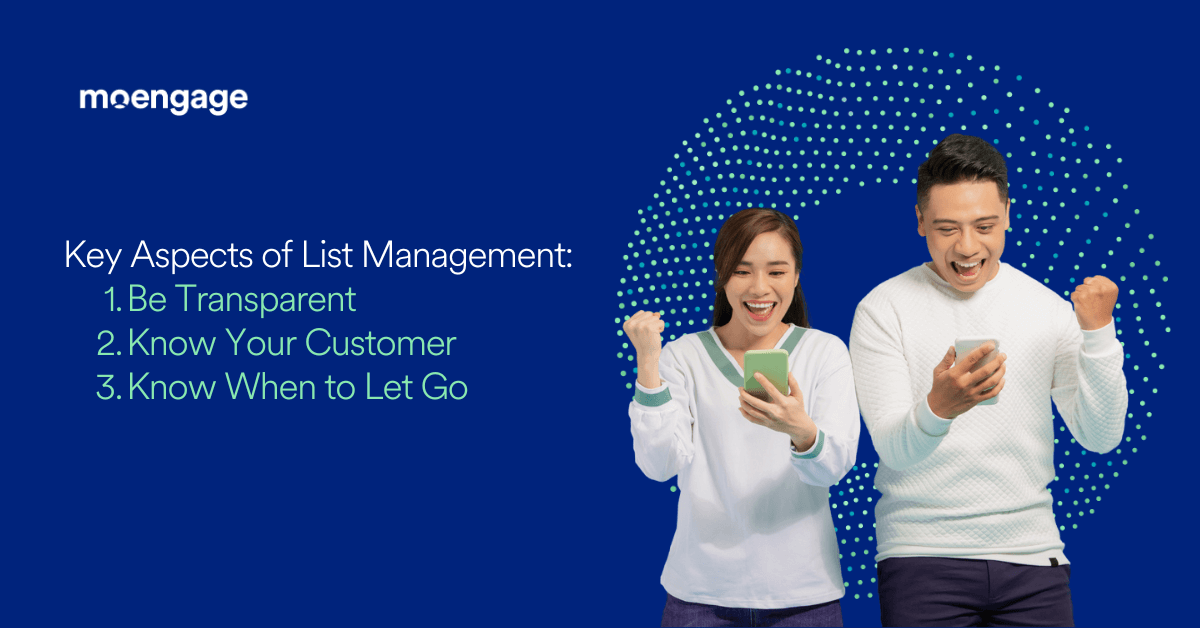
Key Aspects of Email List Management

This is an image of the key aspects of list management

Here’s a quick checklist to help you get the email list management basics right.

1. Be Transparent

  • Use clean and clear list collection methods
  • Comply with regional and global data collection and privacy laws
  • Set the right expectations from your customers

2. Know Your Customer

  • Who is “safe” to reach based on your mailing requirements without hurting your reputation and email deliverability?
  • Whom can you reach infrequently so that they remain your customer without being annoyed and opting out?

Whom should you engage only during peak seasonal mailings or major sale events to drive some conversions from them without affecting your deliverability?

3. Know When to Let Go

An extended period of non-response is as good (or bad) as a negative response. It will hurt your email deliverability in the long run.

Now, let’s dive into each of these in detail.

Email List Collection

This is an image about transparent email collection

Each country has established stringent local laws regarding collecting and handling sensitive customer data. Before you start with email list management, ensure that your data collection methods are clean and ethical.

The goal of collecting email addresses to build your email list is to engage with customers in a meaningful manner. If your emails aren’t perceived as “relevant” or meaningful by your recipients, you risk getting marked as spam or sent to the trash folder. When this happens, your domain and sender reputation take a direct hit. It also gets difficult to establish affinity towards your brand while keeping email engagement metrics low. Needless to say, such a list will not generate substantial revenue.

Here’s how you can ensure that your email list collection is clean and ethical:

  • Let your customers choose if they want to receive your marketing emails
    • Do not auto-check “Subscribe to marketing emails” while collecting email addresses
    • Try sending a double-opt-in campaign to be sure of their consent
  • Tell customers upfront what you would do with their email address
    • Be clear about how often customers will be hearing from you
    • Describe what kind of emails you plan on sending
  • Outline your data protection and privacy practices
    • Explain how you store your email data, the time frame for storage, and whether customers can request data deletion at any time
    • Mention if your customer’s data will be shared with other brands
  • Never purchase an email list
    • Purchased email lists only create deliverability and domain reputation issues
💡MoEngage Pro Tip 💡

When you’re running brand awareness campaigns, you should direct customers to your website before encouraging direct sign-ups. This double opt-in ensures that customers know what they’re signing up for. It might seem like an additional step that creates friction and could result in losing invaluable customers, but the benefits of consensual email collection far outweigh the costs.

Maintaining List Hygiene

This is an image about maintaining list hygiene

Once you’ve ensured your list collection is clean, the next step is maintaining email list hygiene.

This is important because customers could subscribe to a brand and then quickly lose interest, change priorities, or simply get bored. Marketers need to understand these changing needs and have strategies to address them. Dynamic segments that constantly look at changing customer behavior and patterns (such as engagement history and brand affinity) can help your brand here.

Ideally, for effective email list management, you should organize your customer database into the following:

1. New Customers:

An onboarding flow is a great way to acquaint these customers with your brand and send patterns.

2. Active/Inactive customers:

  • “Active” here means being active with your emails and brand.
  • Your sending patterns should address customers’ increasing or waning interest levels.
  • Remember not to send generic emails to customers whose interests are waning. Otherwise, they will soon opt out.

3. Seasonal Customers:

You only meet some friends once a year, during holidays, and never hear from them throughout the year. Some customers treat their brand relationships the same way. Identify those and cater to them accordingly.

4. Suppression:

  • Some customers express disinterest explicitly through unsubscribes and spam complaints. They should immediately be suppressed from all non-transactional emails.
  • It’s also a compliance requirement that these be suppressed within two days.
  • Hard bounces, i.e., email addresses that don’t exist, should be suppressed instantly.
  • While these are only temporary failures, consistent soft bounces should also be suppressed. For example, if a customer has a full mailbox, you can’t email them every week and wait for them to clean their mailbox, receive it, and be interested in it. These are very unlikely scenarios and aren’t worth dipping your delivery rates every day.

Next, let’s take a look at email sunsetting.

What is Sunsetting in Email Marketing and Why Is It Important?

Sunsetting is a strategic activity that lets you identify inactive email recipients and stop emailing them. Sunsetting helps you keep your email list clean, while also ensuring that you get higher ROI from emailing engaged customers. Moreover, if you don’t practice sunsetting, your customer’s mailbox or ESP will automatically disable your brand’s email address.


Email List Management Best Practices

This image talks about best practices for list management

To help you get started, we’ve listed some best practices for email list management:

Data Collection

1. Collect email IDs only from customers who have explicitly consented to do so.

You can do this via:

  • Double opt-ins: When a customer signs up with your brand, send them an email and ask them to click on the verification link before you start emailing them
  • Single opt-ins with a captcha: Captchas are useful because they prevent bot signups. You can either ask customers to enter a captcha or re-enter their email address (to avoid typos). You can also integrate with a real-time list validation service to verify emails at the sign-up stage.

2. Be transparent and set the right expectations with your customers.

  • Mention why you are collecting their email addresses and other data
  • Cover what you intend to do with the collected data
  • Mention if the data be shared with other brands
  • List out the types of communications you plan on sending and how frequently you will engage with them

3. Don’t auto-check the “Send me promotions” checkbox.

Don’t automatically check the “send me marketing/promotional/newsletters/etc.” checkbox when customers need to input an email address for any transaction.

4. Do not purchase lists.

Don’t buy contact lists or scrape email addresses — i.e., do not send emails to consumers who have not explicitly consented to receive them.

5. Always be compliant

You must comply with the data collection, protection, and privacy laws in your country:

  • US Digital Service Act (DSA) & Digital Market Act (DMA) from 2024
  • General Data Protection Regulation (GDPR, May 25, 2018)
  • California Consumer Privacy Act (CCPA, January 1, 2020)
  • Controlling the Assault of Non-Solicited Pornography And Marketing (CAN-SPAM, 2003)
  • Canada’s anti-spam legislation (CASL, 2014)
  • Vietnam’s marketing and advertising laws, updated on 15 September 2021
  • Australia’s Spam Act 2003

Hygiene in Email List Management

Identify the best time to send emails for each customer or cohort at an individual level and schedule emails accordingly. Tailor your send frequency to customer engagement levels. Here’s a quick example of how this might look:

  • Most active: 3-4 emails a week
  • Less active: 1 email a week
  • Seasonal customers: Once a month
  • New customers: As per the onboarding flow
  • Inactive customers: Send retargeting emails once a month. Retire if they remain unengaged even after retargeting efforts.

List Suppression

  • Hard bounces, unsubscribes (both from in-email unsubscribe and list unsubscribe), and spam complaints should be suppressed immediately.
  • MoEngage automatically suppresses BUC (Hard Bounce, Unsubscribe, Complaints) customers from all non-transactional emails.
  • If a customer has consistent soft bounces, barring IP/Domains blocks, for more than 30 days, suppress them as well.

Sunsetting

Identify customers who display a continued lack of activity and sunset them.

Use Email List Management and Marketing Software Like MoEngage

In conclusion, effective email list management is crucial for email marketing success. It ensures engagement with the right audience, delivers greater ROI, and ensures compliance with data protection and privacy regulations.

Looking for the best email marketing platform? MoEngage helps you boost your email delivery by 30%, ensuring the emails land straight in the recipient’s inbox. Our deliverability consultants can help you fine-tune your email strategy to achieve 95% inbox placement rates.

Impressed already? Get a demo of MoEngage today.

Email Benchmarks Report (EBR) - North America CTA

Email Personalization: Creating Marketing Emails That Customers Love

  • UPDATED: 05 March 2025
  • 13 minread
Email Personalization: Creating Marketing Emails That Customers Love
Reading Time: 13 minutes

According to the State of Cross-Channel Marketing report, email is the most commonly used channel for marketing, with over 80% of B2C marketers saying they use it. Even more importantly, the majority said that email was their organization’s most effective engagement channel.

But to get real value from your email marketing efforts in today’s age, you need to make sure they are personalized to your customers.

Email personalization is non-negotiable for marketers who have any intention of remaining relevant. In a sea of generic messaging, audiences want content that speaks to them. 

This article discusses what makes email personalization so critical in modern marketing, how to go about personalizing marketing emails, and provides concrete, real-life examples for brands to consider.


What is Email Personalization?

Email personalization is a marketing strategy that involves sending customized emails to the recipient, based on their demographics, location, preferences, interests, behaviors, and journey stage.

A truly personalized email goes beyond first name personalization and makes the content feel intended for the specific reader. This greatly impacts email marketing metrics such as click-through rates and conversions, as can be seen in MoEngage’s Customer Engagement Benchmarks 2024 – North America Edition.  

However, many marketers still admit that creating effective instances of personalized marketing a challenge. This blog is intended to help with that.

What is the difference between email segmentation and personalization?

Segmentation is the process of defining customer profiles based on customer demographics, location, behavior, and interests, and then using that information to determine what messages are relevant to different customer groups.

Personalization is the opportunity presented by that process. Insights derived from segmentation allow you to deliver a unique, seemingly bespoke experience to each customer through use of these segmented profiles. The insights from segmentation ensure that the marketing communication you send is delivered at the right time and is impactful, further improving email metrics such as open rates, click-through rates, and overall engagement. Essentially, personalization empowers you to speak to each particular segment individually.

More simply, segmentation tells who you should and shouldn’t send a particular email to; while personalization helps you define what you send to each person. 

Why is Email Personalization Critical in Marketing?

Each email presents a multitude of opportunities to personalize from the subject to the signature. Few marketing opportunities give you as many touch points tied up in the same convenient package. Overall, email personalization helps to:

  • Improve open and click-to-open rates: Catching the customer’s attention with a catchy and personalized subject line and preview message makes them more likely to not only open the email, but also click the intended link/attachment.
  • Ensure customer engagement: Keep customers actively engaged and in-the-loop with updates on recent orders and transactions, news of the latest offers, loyalty rewards benefits, and other brand communication. 
  • Enable orchestrated omnichannel customer journeys: Email personalization empowers teams to connect with customers on an additional channel touchpoint that can be incorporated into an omnichannel flow. This provides greater brand visibility and pushes users further down the conversion funnel.
  • Increase conversions: Personalized recommendations and offers sent via emails are far more enticing, eliciting greater clicks, engagement, and — ultimately — sales. Personalized emails can also result in customers opting in to communicate via other channels (like SMS) or get them to download your mobile app.
  • Reactivate (potentially) dormant customers: Timely, personalized email campaigns can be used to reach and engage customers that have a high propensity to become inactive or churn or reactivate those that have already become dormant or churned. 
  • Enhance the customer experience: Personalized emails that deliver relevant recommendations, promotions, and communication to customers enhances their experience with — and impression of — your brand. This impacts customer retention. 

Below we provide key statistics surrounding email personalization and email marketing benchmarks that can be achieved through different types of personalization.

Email Personalization Statistics and Benchmarks

Personalized experiences are no longer optional; customers expect them from the brands they use regularly.

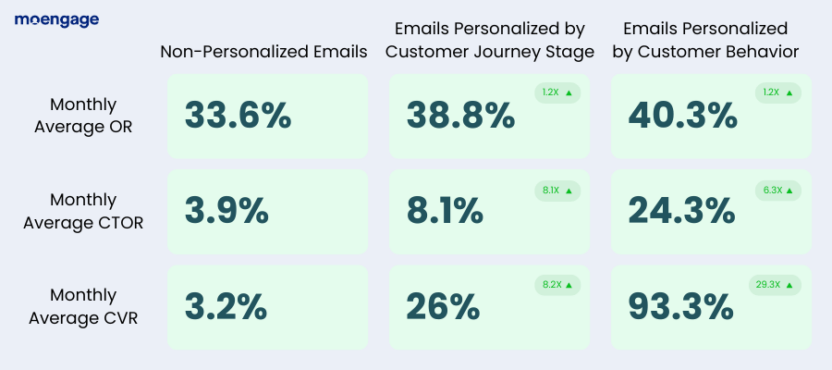
According to our Customer Engagement Benchmarks 2024 report, different types of email personalization help brands significantly increase open rates (OR), click-to-open rates (CTOR), and conversion rates (CVR).

The impact of personalization on email performance

These benchmarks provide the following insights:

  • Customers are 1.2X more likely to open emails personalized according to their journey stage as compared to generic messages.
  • Customers are 1.2X more likely to open emails personalized according to their behavior as compared to generic messages.
  • Customers are 2.1X more likely to click emails personalized according to their journey stage as compared to generic messages.
  • Customers are 6.3X more likely to click emails personalized according to their behavior as compared to generic messages.
  • Brands can experience 8.2X higher CVR when they use customer journey insights to personalize email communication instead of sending generic messages.
  • Brands can experience 29.3X higher CVR when they use customer behavior insights to personalize email communication instead of sending generic messages.

There’s no doubt that personalized emails perform better than non-personalized emails, with behavior-based personalization impacting performance most. Not only do they get a lot more eyes on your emails, but they drastically increase CTOR and CVR, showing they resonate with customers far more than generic emails.

What to Personalize in a Marketing Email

We’ve already established that email personalization is important but there’s more to it than customizing the email on the basis of first name. 

Personalization isn’t just about knowing basic demographic details like your customer’s name and age, it’s about understanding where they are in the customer journey, their preferences, and their actual behavior. Are they in the middle of the flow of the sales funnel and need a reminder to re-engage? Have they recently made a purchase and you want to incite positive feedback?

There are so many different components to an email that can be personalized. Below, we look at what you can — and should — personalize in your emails.

Subject Lines

An email subject line is the first thing the customer is going to engage with, and it can be the difference between them opening or deleting the message. Subject lines need to be direct and to the point, communicating as much information as possible while still enticing customers to click. 

Preview Snippet 

Notifications on both web and mobile often display email previews before they are opened. Craft personalized content for this preview and make sure it’s tailored to entice customers to open the email.

Main Copy

This is the segment of the email where you need to drive impact home while still getting to the point. Storytelling is important, but your customer’s time is precious. While your email needs to be crisp and engaging throughout, you need to avoid the need for scrolling too much (unless you are certain you can keep the customer’s attention).

Ensure the copy has highly relevant and contextual recommendations that are aligned to your customers’ behavior, buying patterns, and usage trends. Furthermore, adding personalized deals that are relevant to the customers helps to set your brand apart, incentivize active engagement, and leads to conversions. 

Dynamic Content

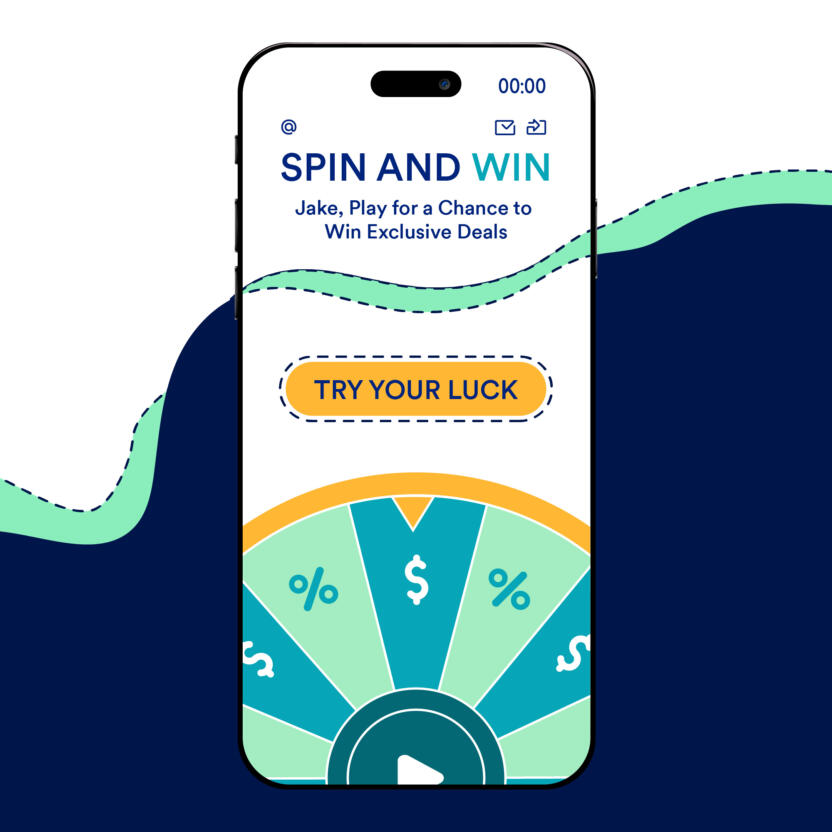
Grab customers attention and motivate engagement with dynamic content like images, videos, and gamified elements like scratch cards and spin-the-wheels. These elements can be differentiated based on the email use case, e.g. cart abandonment or search drop off. But make sure this is not a heavy file and will load and display properly on different browsers and mobile devices.

Call-to-action (CTA)

Your email also needs to have at least 1 personalized CTA that can be tracked. For example, download our app, sign up for SMS, continue shopping, read this asset etc.

Timing

Email scheduling is just as important as the content itself. Sending emails at irrelevant timings can lead to the customer overlooking them or cause frustration. Make sure you are hitting your customers when the data indicates they are prone to engage. Leverage AI to help you find the best time and day to send messages to individual customers. 

Frequency

How often a customer receives communication can be the difference between active, consistent engagement and someone opting out of email campaigns altogether. Effective customer segmentation enables brands to perfect the frequency of campaigns to maximize engagement and keep customers happy. For e.g. price-conscious customers can be sent more emails during sale time to promote the attractive offers and get them to convert. 

AI enables you to conduct automatic A/B testing and figure out the best frequency for different customers and segments. Either way adding a frequency capping is essential to ensure customers don’t feel spammed.

For best results, B2C marketers will want to personalize all of these elements, optimizing each component over time to improve traction and engage customers more effectively.

Email Personalization Best Practices: Strategies for Success

Best practices for email personalization

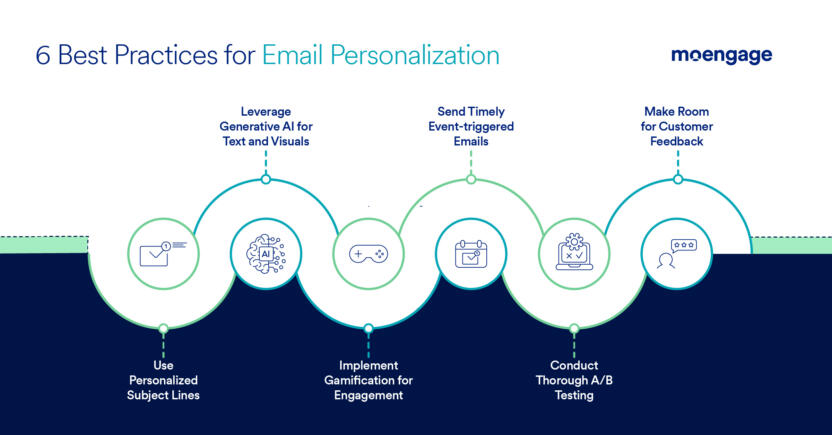
There are lots of ways to incorporate personalization in email marketing, so we’ve compiled a list of strong strategies to get you started.

1. Use personalized subject lines that grab your customers attention

The subject line is the first thing the customer sees. If it doesn’t make an impression, you stand to lose the customer within seconds. Personalization starts with communication that feels human to human.

However, since the character count is limited, you need to be crisp and precise in conveying your message and personalizing the subject line.

Give recipients an idea of the content and context of your emails by conveying whether the email is informative, promotional, or transactional directly in the subject line. 

You can even use subject lines to create a sense of urgency on time-sensitive campaigns, encouraging prompt engagement.

Customized subject lines are a great way to cater emails for special occasions, like a customer’s birthday. Instead of adding a generic subject line, grab your customer’s attention by addressing them directly and offering them a personalized reward. 

Emojis are another great way to not only lighten the tone of your emails and catch your audience’s attention, but also to convey ideas and tone in a short amount of characters, which is great for subject lines as they have strict limits on character length.

2. Leverage generative AI to create enticing email copy and visuals

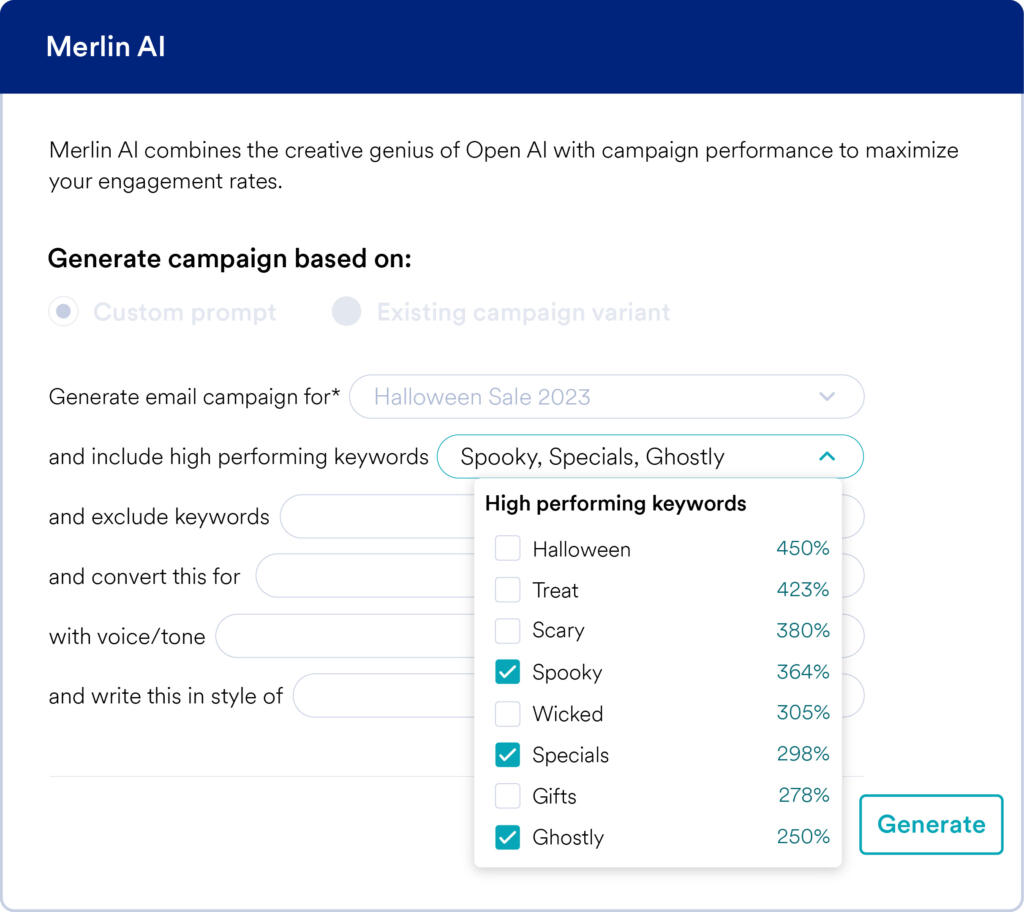
Save your organization significant time managing your email marketing campaigns with generative AI that can create high-performing copy and visuals for subject lines, preview snippets, and the main copy.

Generative AI can analyze past campaign performance, understand context based on your particular audience and use case, and consider the positive and negative connotations and reactions to your email campaign copy. 

Based on campaign performance, it can then help you personalize and optimize your email copy over time to improve performance and build successful campaigns.

Merlin AI generates and optimizes copy
MoEngage’s Generative AI Tool

3. Implement gamification to supercharge email engagement

Gamifying elements in your marketing communication is a great way to both enhance and encourage engagement with your brand and drive conversions.

Gamify emails to increase engagement

Add interactive elements (like a live sale timer) and games (like “spin-the-wheel” and “scratch cards”) that entice customers to participate in promotional offers. This is a great way to get customers to actively engage with your emails, ensuring they click-through to perform other actions, such as taking advantage of the offer they get.

Not only that, these gamified rewards incentivize customers to open future emails so they can play again and win attractive offers. For this reason, gamification is not only great at driving immediate engagement, but it’s also a valuable tool in evoking consistent engagement with your emails, as customers will be waiting for monthly, weekly, or even daily scratch cards or wheel spins.

4. Send event-triggered emails that arrive at precisely the right time

Timing is everything when it comes to email engagement. If your email doesn’t come at the right time, it will remain unopened or will be deleted months later when they clear out their junk mail.

To make sure you always send your emails at the right time and with the right context, set up event-trigger based marketing campaigns that automatically trigger when a customer takes a particular action. These events can be pre-determined and set up in your customer engagement platform’s dashboard, automatically triggering when a customer completes onboarding, completes a purchase, abandons their cart, or when their membership is about to expire in a week.

This ensures they receive messaging in a timely fashion, while it’s still relevant, drastically increasing open and engagement rates.

5. Conduct thorough A/B testing to make data-driven improvements

It’s not easy to perfect the content, timing, and frequency of your email marketing campaigns. It takes trial and testing to learn what works and what doesn’t. And even then, it can be difficult to identify the difference between a smash hit and an absolute flop.

B2C brands that use AI-based, dynamic A/B testing are able to get reliable insights into what is — and isn’t — working so they can optimize their email marketing campaigns to increase OR, CTOR, and CVR.

6. Give customers the ability to provide feedback

Customers should be given the power to decide the frequency of emails they receive and be able to give feedback on the content they are receiving. 

For this, you can add a CTA at the bottom of your emails asking them to leave feedback or even send periodic feedback request emails. But make sure you respond quickly to such feedback, make improvements, and communicate those back again to your customers or you could risk churn.

5 Best Email Personalization Examples From Top B2C Brands

Knowing the strategies to implement and executing them effectively are two different things. Let’s look at some real-life examples of personalized email marketing campaigns to see how leading brands drive engagement, conversion, and retention.

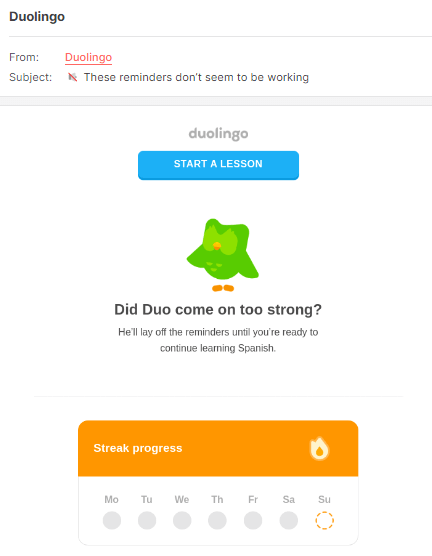
1. Duolingo reactivates customers with humor

An example of a personalized email from Duolingo
Source

Duolingo is known for its content game and tongue-in-cheek marketing campaigns that often tease customers for lapsing in their language studies. This personable and conversational style goes a long way to bridge the gap between the brand and customers who have become disengaged.

But Duo isn’t just an adorable green bird, it’s a savvy marketer using customer segmentation to target — and reactivate — inactive customers and reduce the potential for customer churn. 

They use creative, fun email campaigns to remind customers of their streak progress when they’re falling behind on their courses, encouraging them to get back to learning and keep them on pace.

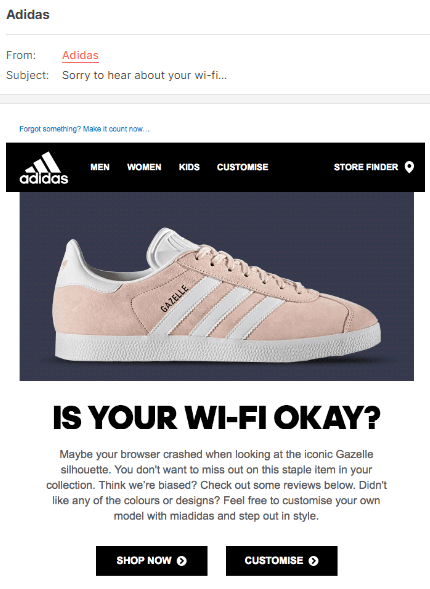
2. Adidas mitigates cart abandonment with event-triggered emails

An example of a personalized email from Adidas
Source

Adidas also uses a tongue-in-cheek communication for certain campaigns which imply that customers that left a checkout incomplete must have had a technical error. This is a light-hearted way of alerting customers of an abandoned cart and is extremely effective at increasing conversions.

Such unique, quirky, and contextually relevant email campaigns resonate well with customers and help you deliver an optimal experience at the exact times customers abandon their cart.

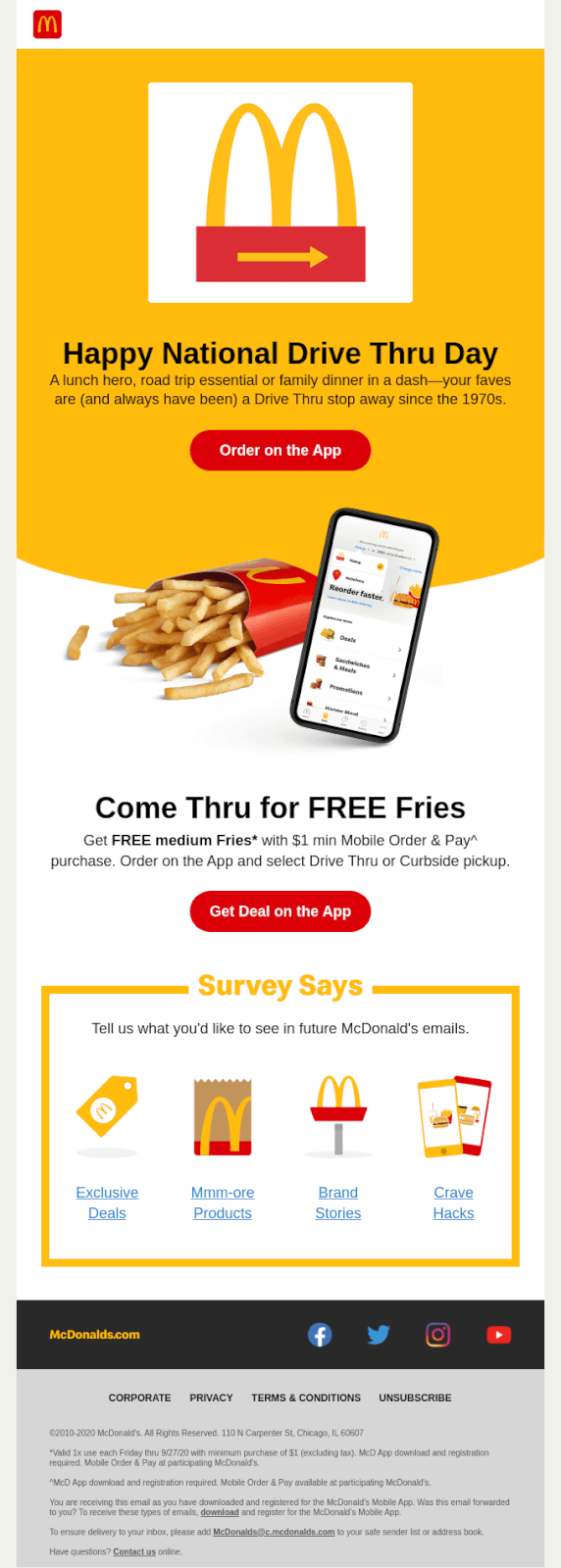
3. McDonald’s motivates customers to convert with personalized offers

An example of a personalized email campaign from McDonald’s
Source

McDonald’s sends regular emails to its customers to keep them engaged. Often the intent of these is to entice them with attractive offers that’ll get them to open the app and place an order.

They also collect customer feedback using surveys to help them engage customers more effectively in the future, attempting to understand what types of content customers want from their future emails.

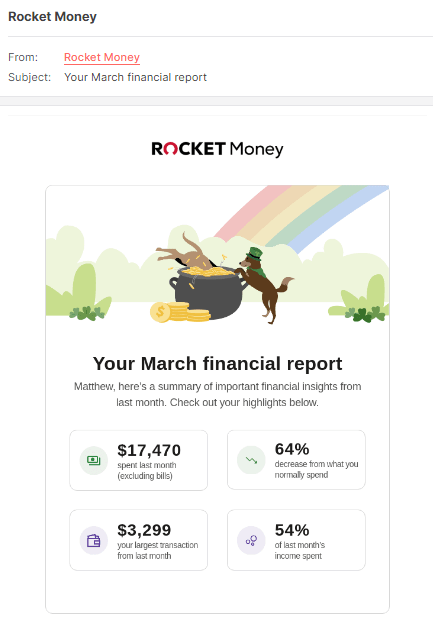
4. Rocket Money sends customized financial updates to improve customer satisfaction

Rocket Money uses personalized emails to provide financial updates
Source

Email marketing isn’t always about direct sales, it’s also about sending crucial information to your customers that enhances their experience.

Rocket Money sends customized financial reports via emails to their customers that summarize their monthly activity. These emails contain deep insights into their spending habits and help customers with personal financial management.

Providing customers such helpful, personalized, and relevant emails drastically increases engagement with email campaigns, from OR to CTOR. 

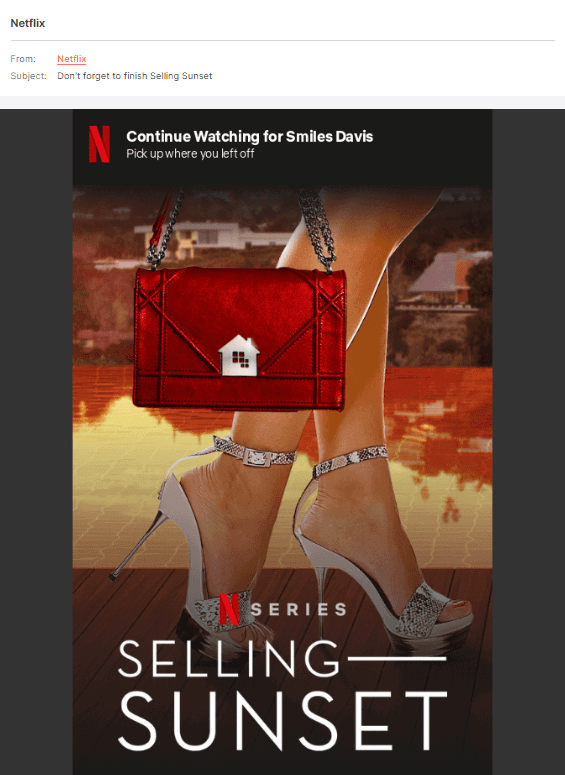
5. Netflix reactivates customers with targeted emails

An example of a personalized email from Netflix
Source

Netflix analyzes every single interaction their customers make with the platform so they can understand their preferences better. Then they leverage the wealth of information — like in-app activity and watch history — to deliver hyper-personalized recommendations that keep customers engaged and reactivate customers that have gone dormant. 

For example, the above email from Netflix is providing a fully personalized recommendation based on the individual customer’s recent activity, reminding them to return to the app and continue watching their favorite series. 

Keen on driving engagement and conversions with campaigns like those above? Personalizing your emails gets a lot easier and more scalable with the right email personalization software.

How to Choose the Right Email Personalization Tool

You can’t make your audience feel special unless personalization is done right. Here are some features to look for when comparing email personalization tools:

1. Customizable Templates

The tool should let you create dynamic emails using templates you can customize as per the recipients’ needs. It includes changing colors, adding images, and using the right CTA buttons. Does it also allow you to drag and drop different elements in your email without using any code? Even better!

2. Customer Segmentation

You should be able to segment your customers and prospects into different groups like inactive customers, loyal customers, cart abandonments, and more. Such segmentation makes it easier to send hyper-personalized emails in real-time, like product recommendations, based on the group the recipient belongs to.

3. Email Automation

From scheduling reminders and sending nurture emails to new subscribers, to sending coupons and subscription renewal emails, the tool should automate it all. Email marketing automation ensures that a personalized email is sent to the right audience whenever customers trigger the desired action. For example, an order confirmation email should be automatically sent to a customer who completes a transaction.

4. Analytics

Another consideration when choosing email personalization tools is email analytics. Select a tool that allows you to analyze email open rates, bounce rates, and other key metrics that can help you understand whether your email personalization strategy is working or not.

5. Ease of Use

Finally, the email personalization tool you pick should be easy to use. Not just for you, but for the rest of your team, too! Because if the tool comes with a steep learning curve, you don’t want the ROI to decline due to associated training costs, right?

Send Highly Personalized Emails That Your Customers Will Love —With MoEngage

Email is one of the most commonly used marketing channels. Because of this, modern consumers receive an abundance of emails that never get opened. For your emails to stick, you need to be giving customers hyper-personalized emails that speak directly to their needs, preferences, and where they are in the customer lifecycle.

MoEngage’s Customer Engagement Platform (CEP) can help you personalize the content, timing, and frequency of your emails so you can deliver communication that resonates with your customers. 

With MoEngage’s generative AI engine — Merlin AI — you can automate copy creation and campaign optimization, freeing up time to develop future campaigns. 

Use Sherpa AI to A/B test your email campaigns and find out things like ‘best time to send’ to hone in on what’s most effective, allowing you to increase engagement.

Whether you’re a retailer, a quick service restaurant (QSR), a bank or financial institution, or a media & entertainment company, we can help you deliver engaging marketing emails that drastically increase OR, CTOR, and CVR. 

Schedule a demo today to find out more about how we can help you execute a flawless email marketing campaign at scale.

Email Compliance in 2026: Requirements, Checklist, and Tools

  • UPDATED: 03 September 2026
  • 27 minread
Email Compliance in 2026: Requirements, Checklist, and Tools
Reading Time: 27 minutes

Remember the $650,000 penalty that Experian Consumer Services faced for email violations in 2023? Yeah, ouch. The moral of the story? Email compliance is a legal, financial, and brand-saving necessity.

When you hit “send” on an automated email marketing campaign, are you sure you’re following the rules? If you’re not, you’re playing with fire. Whether you’re sending a friendly newsletter or customer onboarding instructions, failing to meet email compliance regulations could damage your reputation, land you in legal trouble, or even get your emails flagged as spam.

But there’s no need to panic, folks! This guide will untangle email compliance once and for all, cutting through the jargon (like SPF, DKIM, and GDPR) so you can focus on what actually matters: delivering value to your audience.

Let’s dive in.


Email Compliance: Key Takeaways

  • U.S. email compliance starts with CAN-SPAM. Use accurate sender information, honest subject lines, a valid physical address, and a clear unsubscribe option.
  • GDPR, UK GDPR/PECR, and CASL generally need stronger consent and proof of permission than U.S. CAN-SPAM does.
  • CCPA/CPRA and state privacy laws can apply to segmentation, personalization, tracking, data sharing, and consumer rights.
  • SPF, DKIM, DMARC, TLS, encryption, access controls, and audit logs help protect data and sender reputation.
  • Healthcare, financial services, pharmacy, insurance, and other high-risk sectors may need additional approvals, disclosures, vendor checks, or record-keeping.


What is Email Compliance in Marketing?

Email marketing compliance is the process of ensuring all marketing emails adhere to privacy laws, industry standards, and regulations, such as the Controlling the Assault of Non-Solicited Pornography and Marketing Act of 2003 (CAN-SPAM Act) in the US and the General Data Protection Regulation (GDPR) in the EU. It ensures that your email marketing campaigns respect customer privacy, promote transparency, and avoid deceptive practices, allowing your brand to build credibility.

Email compliance doesn’t just revolve around local rules. You’re expected to follow regulations wherever your recipients live. For example, you might be a US-based marketer, but with all those subscribers from London? Yeah, you need to abide by GDPR. 

When your recipients can trust you to respect their choices (opt-ins, preferences, and unsubscriptions), your emails are far more likely to land in inboxes and stay there.

Why is Email Marketing Compliance Important?

Email inboxes are sacred ground. Customers don’t hand over their email addresses so they can be spammed relentlessly or misled by shady marketing tactics. Email compliance laws like GDPR and CAN-SPAM exist for exactly that reason. Compliance is how you earn trust, avoid penalties, and grow an engaged audience.

When email campaigns play with compliance, domains get flagged. Internet Service Providers (ISPs) start questioning your sender reputation, spam complaints skyrocket, and suddenly, even your most loyal subscribers stop seeing your emails altogether. It’s digital banishment, plain and simple.

But it’s not all doom and gloom. Nail email compliance, and it becomes one of your greatest assets. Beyond email deliverability, complying with regulations helps you build a positive brand reputation. When subscribers know their privacy is respected and they have control over their email preferences, they are more likely to engage with your content and remain loyal customers. 

It’s a win-win: you avoid legal headaches and cultivate a more engaged, trusting audience. The consequences of not following email compliance regulations include damaged reputation, decreased deliverability rates, and possibly even lawsuits from recipients who feel their data or consent rights were violated. Oh, and good luck explaining all that to your C-suite team while you scramble to fix it.

In short, ignoring email compliance regulations is a reckless move. The trust your customers lose is even harder to recover once your name is dragged through the mud for privacy violations.

For B2C brands, email compliance starts with knowing which rules apply to your audience. Your company may be based in the United States, but your subscribers’ locations can pull UK, Canadian, California, or other privacy laws into the picture.


Major Email Marketing Laws and Regulations You Should Know

Email compliance would be a lot easier if every country agreed on one simple rulebook.

Sadly, no such luck.

For B2C brands, the CAN-SPAM Act is usually the starting point. But the moment you manage your email list to include subscribers in California, Canada, the UK, or the EU, your compliance picture gets a lot more interesting. And by ‘interesting’, we mean “Please don’t wing this.”

Here are the major email marketing laws and regulations your marketing team should understand before your next campaign goes live.

1. PECR and GDPR Email Compliance for Marketing Campaigns (UK)

If your US-based brand sends marketing emails to people in the UK, you may need to follow both the UK GDPR and PECR.

The UK GDPR governs how businesses collect, use, store, and process personal data. Since email addresses count as personal data, your email marketing database falls within its scope.

PECR, or the Privacy and Electronic Communications Regulations, deals more directly with electronic marketing communications, including email marketing.

In simple terms, UK GDPR answers: “Can we collect and use this person’s data?”

While PECR answers, “Can we send this person marketing emails?”

For B2C marketing emails, UK rules generally expect a high standard of permission. In most cases, you need clear consent before sending unsolicited marketing emails to individual subscribers.

That consent should be freely given, specific, informed, unambiguous, and based on a clear affirmative action.

So, no pre-checked boxes. No vague consent language. No “By browsing our website, you agree to receive emails forever” energy.

UK GDPR also gives customers rights over their personal data, including the right to access, correct, delete, restrict, or object to certain processing. So if a UK subscriber asks what data you hold or asks to have it deleted, your marketing team needs a process to route and honor that request.

For PECR violations involving unsolicited electronic marketing, the UK Information Commissioner’s Office can issue monetary penalties of up to £500,000. This regulation takes things up a notch with fines reaching up to €20 million or 4% of a company’s total revenue the previous year, whichever is higher (yes, you read that right). Amazon’s €746 million ($812 million) fine for breaking GDPR’s rules was a mic drop.

2. CAN-SPAM Act and Email Compliance in the United States

The CAN-SPAM Act is the main federal law governing commercial email in the United States.

Unlike GDPR or CASL (explained below), CAN-SPAM generally doesn’t require someone to opt in before you send them a commercial email. Instead, it follows an opt-out model.

CAN-SPAM also distinguishes between commercial emails and transactional or relationship emails.

Commercial emails promote a product, service, offer, sale, event, or other commercial activity. Transactional emails, like order confirmations, shipping notices, password resets, and account updates, are treated differently. However, even transactional emails cannot use false or misleading routing information.

The messy part comes when brands blend transactional and promotional content. If an order confirmation turns into a giant discount blast, regulators may look at the email’s primary purpose to decide whether it should be treated as commercial.

So yes, you can include helpful brand elements in lifecycle marketing emails. But don’t try to hide a marketing campaign inside a receipt and call it ‘transactional’. That’s not clever; that’s risky.

And under the CAN-SPAM Act, fines can reach up to $53,088 per separate offending email. Repeat offenders can quickly rack up millions, especially when dealing with bulk campaigns.

Want an example? In 2024, security camera vendor Verkada faced $2.95 million in CAN-SPAM penalties for—wait for it—sending a barrage of marketing emails without the option to unsubscribe or opt out.

3. CCPA and CPRA Email Privacy Compliance for California Consumers

The California Consumer Privacy Act (CCPA) and the California Privacy Rights Act of 2020 or CPRA aren’t email marketing laws in the same way CAN-SPAM or CASL are.

They don’t mainly tell you what must go in your email footer. Instead, they govern how qualifying businesses collect, use, disclose, sell, share, retain, and protect personal information about California consumers.

And your email marketing program almost definitely uses personal information. That can include email addresses, names, purchase history, website behavior, email engagement data, loyalty program data, product preferences, location information, customer segments, predictive attributes, and data shared with advertising or analytics partners.

For B2C email teams, the biggest CCPA/CPRA issue is usually the data plumbing behind the campaign.

For example, if your team syncs subscriber lists to ad platforms, builds segments from browsing behavior, uses purchase data for personalization, or shares engagement data with third-party tools, your privacy disclosures and consumer rights processes need to account for that.

Penalties here scale with intent. In the US, the maximum penalty for unintentionally violating the CCPA is $2,663 per breach. For violating it intentionally, brands may face penalties of up to $7,988 per breach.

4. Canadian Anti-Spam Laws (CASL) and Email Marketing Compliance

Canada’s Anti-Spam Legislation, better known as CASL, is one of the strictest anti-spam laws in the world.

If your brand sends commercial electronic messages to people in Canada, CASL may apply, even if your business is based in the United States.
CASL applies to Commercial Electronic Messages, or CEMs. That includes more than traditional promotional emails. A CEM can include promotional emails, sales announcements, product launch emails, commercial newsletters, discount campaigns, event invitations, and certain SMS or direct electronic messages.

The biggest difference between CASL and CAN-SPAM is consent. CAN-SPAM is generally opt-out based. CASL is much more opt-in focused. Under CASL, marketers generally need consent before sending a commercial electronic message. This consent can be either express consent or implied consent.

Express consent is the cleaner and safer standard because it is easier to prove and does not expire unless the subscriber unsubscribes.

Implied consent comes from an existing relationship, like a past purchase or inquiry, but it’s on a timer: typically 2 years for a purchase and 6 months for a general inquiry. For example, consent based on a purchase or inquiry may only last for a limited period. That means your team needs to know not just whether someone is on your list, but why they are on your list and when that permission expires.

CASL also requires commercial electronic messages to clearly identify the sender, along with valid contact information that stays active for at least 60 days.

The unsubscribe rules are strict too. Under CASL, the unsubscribe mechanism must be easy to use, free, and functional for at least 60 days after the message is sent. Unsubscribe requests must be processed without delay and no later than 10 business days.

The penalties are where CASL really flexes. Individuals can be fined up to $1 million, and businesses can face penalties up to $10 million per violation. Directors and officers can even be held personally liable if they were involved in the violation.

For B2C brands with Canadian email subscribers, CASL usually means you need stronger consent tracking than what CAN-SPAM alone requires.
Those laws create the baseline for most email marketing programs. But some industries have extra obligations layered on top.


Email Compliance for Regulated Industries

If your brand touches health data, financial information, or anything else regulators consider ‘sensitive’, congratulations: your email compliance homework just got a lot longer. On top of GDPR, CAN-SPAM, CCPA, and CASL, regulated industries have their own rulebooks layered on top, and the fines for getting it wrong tend to make CAN-SPAM penalties look like pocket change.

Here’s what email marketing teams in regulated industries need to know.

HIPAA Email Compliance for Healthcare, Telehealth, Wellness, and Pharmacy Brands

The Health Insurance Portability and Accountability Act of 1996 (HIPAA) email compliance matters when a brand is a HIPAA-covered entity or business associate, and its emails involve protected health information, or PHI.

This can apply to organizations such as healthcare providers, health plans, pharmacies, telehealth platforms, healthcare clearinghouses, and vendors that handle PHI for covered entities

But not every wellness brand is automatically covered by HIPAA.

A meditation app, fitness brand, supplement company, or wellness newsletter may collect health-related information without being a HIPAA-covered entity. But if the brand provides healthcare services, processes prescription information, works on behalf of covered entities, or handles PHI in a regulated context, HIPAA may apply.

HIPAA and marketing emails

HIPAA has specific rules around marketing communications. In many cases, a covered entity needs an individual’s written authorization before using PHI to send marketing messages, especially if the communication promotes a product or service and does not fit within a HIPAA exception.

Some communications might not be treated as HIPAA ‘marketing’, such as certain messages about treatment, care coordination, case management, or health-related products and services provided by the covered entity. But this is exactly where marketing teams should avoid guessing.

The table below summarizes common HIPAA-related email scenarios that should be reviewed before launch. These examples aren’t a substitute for legal advice, but they show where healthcare, telehealth, wellness, and pharmacy teams are most likely to encounter PHI-related marketing risk.

HIPAA Email Scenario Why It Needs Review
A pharmacy sends refill reminders Might involve prescription-related PHI and healthcare operations rules
A provider recommends a third-party product Might trigger HIPAA marketing authorization questions
A campaign uses diagnosis or treatment history High-risk use of PHI for targeting or personalization
A wellness brand segments users by symptom data Might create privacy and consent concerns, even outside HIPAA
A telehealth brand promotes a condition-specific service Could reveal or imply sensitive health information

The safest move? If the campaign uses PHI to decide who gets the email, what the email says, or which offer appears, route it through legal, privacy, or compliance review before launch.

HIPAA email content risks

For healthcare and pharmacy brands, the email body isn’t the only thing that matters.

Subject lines, preview text, dynamic fields, push-style inbox notifications, and even segmentation logic can expose sensitive information.
A subject line like “Your prescription refill is ready” might be acceptable in one context and risky in another. But a subject line like “Your anxiety medication refill is overdue” is far more sensitive because it may reveal a condition, treatment, or medication to anyone who sees the screen.

As a rule of thumb, HIPAA-regulated email programs should avoid putting sensitive PHI in places that are easily visible, forwarded, screenshotted, or displayed on locked devices.

BAAs and healthcare email vendors

HIPAA also affects vendor relationships. If an email platform, customer engagement tool, analytics provider, or agency creates, receives, maintains, or transmits PHI on behalf of a covered entity, it may need to sign a Business Associate Agreement (BAA).

That doesn’t mean every healthcare-adjacent email tool needs a BAA in every situation. But if PHI is involved, vendor status should be reviewed before campaign data flows into the platform.

In short, HIPAA email compliance is about “What data is being used, why is it being used, and is this communication allowed under HIPAA?”

FINRA and Financial Services Email Rules

If your organization is a broker-dealer, investment platform, wealth management firm, insurance provider, lender, bank, fintech, or financial services brand, your emails may be subject to rules from regulators such as the Financial Industry Regulatory Authority (FINRA), the SEC, the CFPB, the FTC, state insurance regulators, or banking regulators.

For broker-dealers, one of the big names is FINRA Rule 2210, which governs communications with the public.

That includes many types of customer-facing messages, such as promotional emails, product announcements, investment newsletters, educational campaigns, advisor communications, market commentary, event invitations, and performance-related messaging.

The core idea of financial services email compliance is that financial communications must be fair, balanced, and not misleading.

Financial services claims and disclosures

Financial email campaigns need special care around claims. Marketing teams should be cautious with language around returns, guarantees, risk, approval odds, fees, rates, performance history, testimonials, rankings, projections, and financial product comparisons.

Phrases like “guaranteed returns,” “risk-free investment,” “instant approval,” or “best rate available” might sound like conversion gold. The problem is, they might also be compliance dynamite.

For financial services brands, disclosures are often part of what keeps a message from becoming misleading. That means financial email compliance depends on whether the email is balanced, substantiated, and properly disclosed.

Compliance Needs for High-Risk Data Sectors

If your brand handles biometric data, children’s information, government IDs, or other data regulators consider especially sensitive, you’re operating in high-risk territory too.

These industries may trigger rules under laws such as GLBA, FCRA, COPPA, state privacy laws, state insurance laws, advertising laws, age-gating rules, or sector-specific guidance.

The exact rules depend on what your brand does, where your customers are located, and what data your campaigns use.

What makes email data high risk?

High-risk data is data that could create real harm, embarrassment, discrimination, fraud risk, or regulatory exposure if used carelessly.

The table below highlights common high-risk data categories and why they matter for email campaigns.

High-Risk Data Category Why It Matters in Email Marketing Compliance
Financial status or credit data Can expose income, debt, eligibility, or hardship
Location data Can reveal routines, visits, or sensitive places
Insurance data Can imply health, financial, family, or risk status
Age-restricted product interest May require age-gating or jurisdiction-specific controls
Health or condition-related data Can reveal sensitive personal circumstances
Children’s data May trigger stricter consent and parental notice rules
Biometric or identity data Often subject to heightened legal protections
Education data May involve student privacy rules

The thread connecting HIPAA, FINRA, and every other high-risk data rule is that regulators don’t just want you to avoid mistakes. They want documented proof that you built a system designed to prevent them before one ever happens.

At the end of the day, industry rules tell you what risks to watch for. Security controls help you reduce those risks in the systems that store, process, and send your emails.


5 Email Security Compliance and Data Protection Requirements in 2026

Email marketing compliance isn’t exactly one-size-fits-all. Depending on where you operate (and where your recipients live), different jurisdictions have different rules.

Here are 5 must-follow requirements to help your email marketing campaigns stay both effective and lawful:

1. Authenticate Your Email with SPF, DKIM, and DMARC

Sender Policy Framework (SPF), DomainKeys Identified Mail (DKIM), and Domain-based Message Authentication, Reporting, and Conformance (DMARC) are like the Holy Trinity of email authentication. They’re technical protocols that prevent scammers from impersonating your domain and using it to spam or phish your audience.

The thing is, email providers like Gmail and Outlook aren’t playing around when it comes to identifying sender legitimacy. If your emails aren’t properly authenticated, they might never even make it to the inbox.

To fix this, get access to your domain’s DNS settings. You’ll need to configure SPF to list all the servers allowed to send emails on your behalf, DKIM to digitally “sign” your emails to prove they came from you, and DMARC to lay down the anti-spoofing law. Most email platforms, like Google Workspace or your ESP (email service provider), have guides for this. Yes, it’s technical, but it’s also table stakes.

Work with your IT team or email service provider (ESP), or hire help if necessary, because without these protocols, your email compliance is just a house built on sand. Regularly monitor your DMARC reports to identify any authentication failures or potential spoofing attempts.

2. Have a Valid DNS Record

A DNS (Domain Name System) record is essentially the Internet’s phonebook. For email, specifically, it translates your domain name (e.g., yourcompany.com) into an IP address that email servers can understand. A valid DNS record is fundamental for email deliverability because it proves that your domain exists and is authorized to send emails. Without it, email servers can’t verify your sender identity, leading to emails being rejected or marked as spam.

Marketers often mistakenly assume that having a functioning domain automatically guarantees proper DNS configuration. Spoiler alert: it doesn’t. You need to actively check this.

Coordinate with your IT team (or whoever manages your domain hosting) to ensure that your DNS is set up correctly. Tools like MXToolbox can quickly check your DNS health, identify potential issues, and confirm that you’re sending emails from a verified source.

3. Use a TLS Connection for Transmitting Emails

TLS (Transport Layer Security) is an encryption protocol that secures communications over a network, including email transmission. When emails are sent via a TLS connection, the content is encrypted, preventing unauthorized parties from intercepting and reading your messages.

This is crucial for protecting sensitive data, maintaining privacy, and enhancing the security of your email communications, which is a growing expectation from ISPs and recipients alike.

Most reputable email service providers offer TLS encryption as a default setting, but you’ll want to confirm that it’s enabled for both outgoing and incoming emails. If you manage your own mail server, configure it to enforce TLS.

4. Don’t Impersonate Gmail and Yahoo Headers

Impersonating email headers of major email providers like Gmail or Yahoo involves forging the “From” address to make it appear as if an email originated from one of their domains (e.g., using [email protected] as your sender address when you’re not Google). It’s not only deceptive, but it’s also a red flag to spam filters, who will happily blacklist you for this stunt.

Instead, focus on establishing trust by using your own verified email domain and ensuring your IP reputation is spotless. Never attempt to spoof or imitate well-known email providers, and let proper authentication (SPF, DKIM, and DMARC again) do the heavy lifting.

5. Comply with RFC 5321 and RFC 5322

These may sound like robot names from a sci-fi film, but hear us out.

RFC 5321 (Simple Mail Transfer Protocol or SMTP) and RFC 5322 (Internet Message Format or IMF) are technical standards that define how email messages are structured and transmitted. RFC 5321 specifies the protocol for sending emails between servers, while RFC 5322 details the format of the email message itself (headers, body, etc.).

Email compliance with these RFCs ensures that your emails are technically well-formed and can be correctly processed by mail servers worldwide.

The simplest way to comply with these standards is to use a trusted email service provider. Reputable platforms already have these RFC frameworks baked into their infrastructure, so you don’t have to sweat the tiny details. Still, it doesn’t hurt to have a checklist in place to test for formatting issues before hitting send.


Email Compliance Checklist for Marketing Teams

An email compliance checklist helps marketing teams verify that every campaign meets core legal, privacy, security, and deliverability requirements before sending. For B2C brands, the most important checks for customer relationship emails are consent status, recipient location, sender identity, unsubscribe functionality, data use, email authentication, and suppression handling.

Your Checklist for Email Compliance

  • Confirm the recipient has the right consent, relationship status, or legal basis to receive the message.
  • Map subscribers to applicable rules such as CAN-SPAM, UK GDPR/PECR, CASL, CCPA/CPRA, or other state privacy laws.
  • Make sure the “From” name, reply-to address, and sending domain accurately identify your brand.
  • Confirm the subject line reflects the actual content of the email and is not misleading.
  • Include your valid physical postal address, unsubscribe link, and privacy policy link where appropriate.
  • Test that the unsubscribe link works and that opt-outs are suppressed automatically.
  • Store opt-in source, timestamp, form language, subscriber preferences, and consent changes.
  • Confirm personalization, tracking, and segmentation match your privacy notice and customer expectations.
  • Verify SPF, DKIM, and DMARC are configured for your sending domain.
  • Confirm MFA, role-based access, encryption, and data controls are in place.
  • Review ESPs, CDPs, agencies, and data partners for applicable contracts and privacy obligations.
  • Monitor bounce rates, spam complaints, unsubscribes, and deliverability issues after each campaign.

In short, a compliant email campaign should be legally permitted, technically authenticated, transparent to the recipient, easy to opt out of, and supported by accurate consent and suppression records.
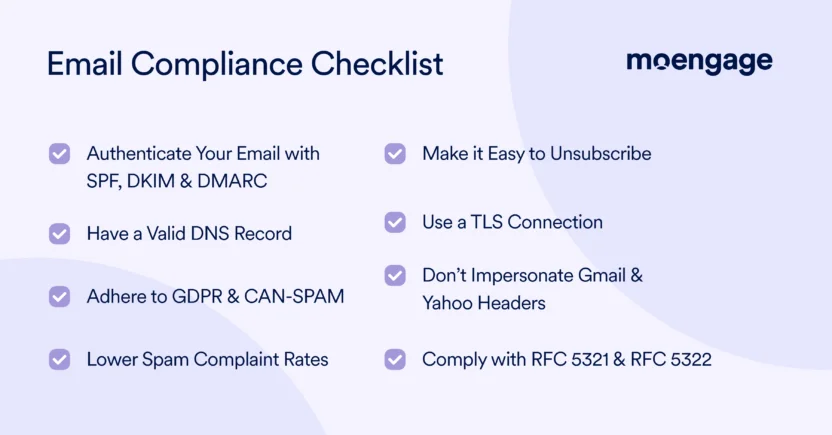
To ensure email compliance, you need to authenticate your emails with protocols like SPF and DKIM, have a valid DNS record, adhere to regulations like GDPR, reduce spam complaints, use a TLS connection, make it easy to unsubscribe, and comply with RFC 5321 and 5322

To make compliance scalable, however, B2C brands need governance: ownership, workflows, training, and periodic audits.


4 Email Governance Best Practices for Marketing Teams

Email governance turns compliance from a last-minute legal review into a repeatable operating process. It helps marketing, lifecycle, CRM, legal, privacy, and data teams work from the same playbook.

If you’re serious about maximizing the success of your campaigns while staying compliant (as you should be), here are 4 email compliance best practices to follow, now and forever.

1. Set and Follow Compliance Procedures

You can’t enforce email compliance by winging it. What you need is a set of concrete procedures (a playbook, really) that dictate how your campaigns are created, sent, and monitored. This should include clear rules for collecting consent, managing subscriber data, and including legally required elements like opt-out links.

Take Meta as a cautionary tale. Back in 2019, Facebook was slapped with a $5 billion fine from the FTC for mishandling consumer privacy, largely because they failed to follow internal data handling procedures. While it wasn’t an email-specific case, the lesson applies all the same: don’t assume good intentions are enough.

The key here is consistency. Every campaign, whether it’s a one-off promo email or a long-term drip series, should undergo the same checks and balances. And yes, that means training your team (more on that next).

2. Train Marketing, CRM, and Lifecycle Teams

Your brand’s greatest compliance risk isn’t your email marketing automation software; it’s your recipients. The folks building those campaigns, importing email lists, and making split-second decisions on subject lines need to understand that email compliance isn’t optional.

Case in point: remember when Uber got raked over the coals for a massive data breach in 2016? Turns out, their employees didn’t use multifactor authentication to protect sensitive information on GitHub (oops). While this case wasn’t tied to email campaigns, it underscores the importance of training: even well-meaning mistakes can lead to PR disasters and skyrocketing fines.

Empower your team by regularly educating them on email laws, phishing risks, and consent practices. Host workshops, circulate guides, and make sure compliance training isn’t treated like a one-time thing. When your entire marketing staff knows what they can or can’t do, the odds of missteps drop dramatically.

3. Run Quarterly Email Compliance Audits

Spam complaints, broken unsubscribe links, or accidental non-compliance can snowball into major issues if you’re not paying attention. Regularly reviewing email performance and keeping an eagle eye on compliance indicators is how savvy marketers stay ahead of potential disasters.

Start with the basics: monitor your bounce rates, track customer response to unsubscribe requests, and keep tabs on spam complaints. If you’re working with an ESP, confirm that their compliance tracking tools are active and integrated into your workflow. Periodic audits of your campaigns, both live and historical, can also help you catch errors before they slip through the cracks.

Think of it as spring cleaning for your email campaigns. Only, instead of Marie Kondo-ing your sock drawer, you’re scrubbing your lists, updating outdated consent data, and assessing whether your campaigns still align with today’s laws.

4. Use a Compliant Email Marketing Platform

Sure, you could just rely on an ESP like Gmail or Yahoo. Or use an email compliance tool. Why not get the best of both worlds?

Cue: Get an email marketing platform with built-in compliance features. We’re talking automated consent management, advanced data encryption, and built-in SPF/DKIM/DMARC authentication. From tracking opt-in statuses to securing message delivery, you need a platform that’s designed to give you 100% peace of mind.


In 2026, email compliance laws are changing, inbox providers are tightening standards, and customers are becoming much more aware of how brands use their data. Let’s take a look at the email marketing compliance trends worth watching.

1. More U.S. State Privacy Laws

More states in the United States are passing comprehensive privacy laws that affect how brands collect, use, disclose, sell, share, retain, and protect consumer data. For B2C email teams, this matters because email marketing rarely uses ‘just an email address’ anymore.

The table below summarizes three state privacy laws — Indiana, Kentucky, and Rhode Island— that took effect in 2026, and why they matter for email marketing teams.

State Privacy Law Effective in 2026 Why It Matters for Email Marketing Teams
Rhode Island Data Transparency and Privacy Protection Act Has lower applicability thresholds than Indiana and Kentucky and adds a notable transparency requirement around disclosing specific third parties that receive personal data. This matters for brands sharing email audience data with ad platforms, analytics vendors, or other partners.
Indiana Consumer Data Protection Act Applies to certain brands processing personal data at scale. It gives consumers rights to access, correct, delete, and opt out of targeted advertising, data sales, and certain profiling. It also requires opt-in consent for sensitive data processing and data protection impact assessments for high-risk processing.
Kentucky Consumer Data Protection Act Similar to Indiana’s law, but with a strong emphasis on data minimization and purpose limitation. For email teams, this means personal data used for segmentation or personalization should be relevant, necessary, and tied to stated purposes.

Indiana and Kentucky both include enforcement by the state Attorney General, potential penalties of up to $7,500 per violation, and a 30-day cure period. Rhode Island is especially worth watching because it doesn’t provide the same cure-period cushion, which means businesses may have less room to fix issues after the fact.

That doesn’t mean your marketing team needs to memorize every state law. Please don’t do that to yourself.

The real takeaway is that email compliance is becoming more data-governance driven.

If your lifecycle campaigns depend on targeted advertising audiences, profiling, sensitive data, behavioral triggers, or third-party data sharing, your privacy, legal, and marketing operations teams need to be in the same room before those workflows scale.

2. Greater Scrutiny of Tracking Pixels and Behavioral Data

Open rates used to feel harmless. Click tracking felt standard. Behavioral triggers felt like smart marketing.

Now? Regulators, privacy teams, inbox providers, and consumers are paying much closer attention.

Tracking pixels, link tracking, website behavior, purchase history, app activity, and engagement scores can all shape email personalization. That makes them useful. It also makes them sensitive.

The email compliance concern is whether the customer understands how their behavior is being observed and used.

For example, a campaign triggered by a cart abandonment event is familiar to most shoppers. But a campaign triggered by visits to sensitive pages, like health, debt, family, insurance, medication, identity verification, or other private topics, can feel invasive fast.

3. AI Personalization is Increasing Data Governance Expectations

AI is quickly becoming part of email marketing, from subject line testing and send-time optimization to product recommendations, churn prediction, journey orchestration, and audience segmentation.

That’s exciting, but it also creates new email marketing compliance questions.

If AI decisioning helps decide who receives an offer, what product is recommended, or which message a customer sees, brands need to understand what data the model uses and whether that use matches customer expectations, privacy notices, and internal policies.

This is especially important as state privacy laws increasingly focus on profiling, targeted advertising, sensitive data, and high-risk processing. Some laws require data protection impact assessments for activities that may present heightened risks to consumers.

That’s why AI-powered email marketing needs stronger data governance, clearer vendor controls, and more explainable personalization.

Regulatory watchdogs don’t tend to give a free pass just because a law is new. You’re still expected to follow it. Subscribing to newsletters from legal and marketing advisory platforms can help you stay informed of email marketing compliance trends.

Now, let’s look at a few practical ways brands make compliance visible in the actual email experience.


3 Email Marketing Compliance Examples and Templates for Your Campaigns

Seeing email compliance in action can make all the difference. These real-world examples showcase how brands gracefully integrate compliance requirements into their email campaigns, maintaining trust and a professional image.

1. Casper | Easy to Unsubscribe
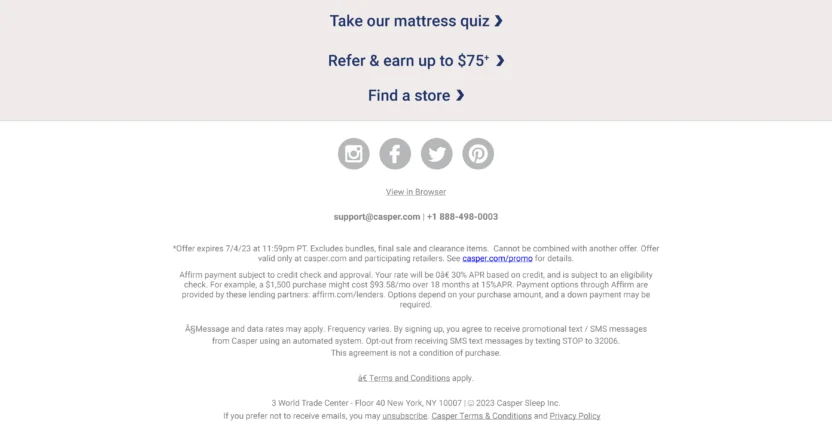
Casper's email includes a clear unsubscribe link

Source: https://reallygoodemails.com/emails/subscriber-exclusive-25-off-mattresses-our-best-july-4th-offer

Casper, the mattress company, makes it incredibly easy for subscribers to opt out. In the footer of every email, they include a prominent “Unsubscribe” link.

This simple, single-click process is a prime example of adhering to CAN-SPAM and GDPR requirements for easy unsubscribe. They also include their physical mailing address, as mandated by CAN-SPAM. Such transparency builds trust and reduces the likelihood of spam complaints, even from those who choose to leave.

2. Google Maps | Updating Email Preferences
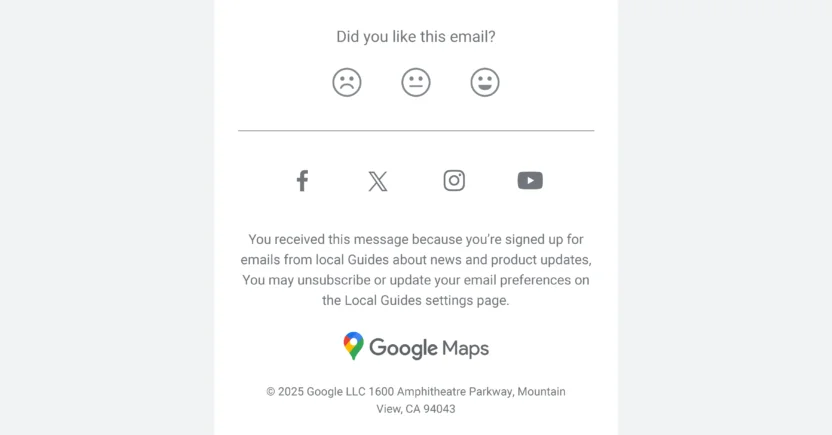
Google Maps ensures email compliance by allowing subscribers to update their email preferences

Source: https://reallygoodemails.com/emails/working-together-to-keep-maps-trustworthy

Google Maps goes beyond just a simple unsubscribe. While they provide an easy opt-out, they also offer an “Update your email preferences” link. Clicking that link lets recipients dictate exactly what kind of messages they want to receive (like traffic alerts, new feature updates, or local guides). This transparency doesn’t just comply with GDPR; it actively turns their email preferences into a self-serve buffet.

Why is this a genius move? Because Google Maps understands that compliance goes hand-in-hand with engagement. By letting subscribers tailor their inbox experience, they create lasting loyalty. Plus, fewer irrelevant emails equal fewer complaints.

3. National Geographic | Reason for Receiving Email
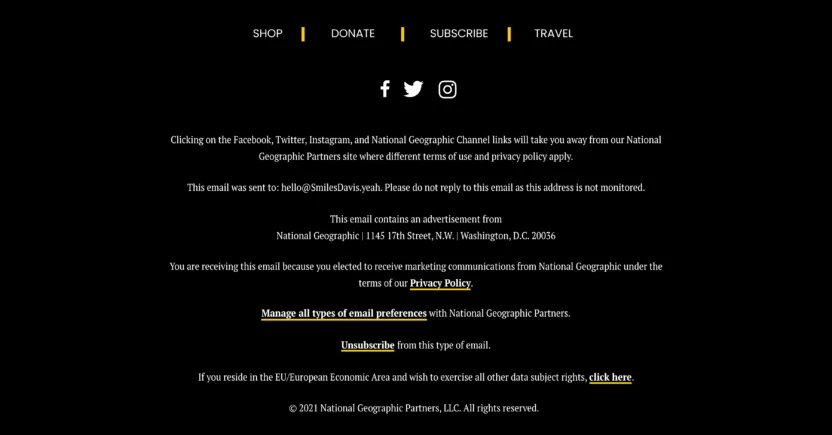
An email from National Geographic that states the reason why the customer is receiving the email

Source: https://reallygoodemails.com/emails/experience-the-nat-geo-app-today-free-to-download-%2B-get-unlimited-access-when-you-subscribe

Ever opened an email and wondered, “Wait, why am I even getting this?” That’s what National Geographic proactively avoids in their campaigns.

With every email they send, they clearly explain why a recipient is on the list. It’s usually in the footer, written in plain language like, “You’re receiving this email because you elected to receive marketing communications from National Geographic under the terms of our Privacy Policy.”

This move satisfies GDPR and CAN-SPAM transparency requirements in style. It’s subtle but effective, baking trust into their email structure without making the message feel overly legalistic. Subscribers instantly understand how they got there (and how to get out, if needed).


5 Automated Email Compliance Tool Features to Look For

Email compliance involves keeping up with ever-changing regulations, protecting customer data, and somehow still crafting emails that recipients actually want to open.

Sure, you could manage all of this manually, painstakingly auditing your lists, encrypting your emails, and constantly monitoring opt-in statuses. But c’mon, who has time for that?

That’s where great email marketing automation software comes in. The right tool streamlines your campaigns and automatically ensures compliance with minimal effort on your part.

To save you from the endless sales pitches, we’ve broken it down into five must-have email compliance features to look for.

1. Email Authentication

No one likes an email impostor. We’ve said this before, but if your marketing emails aren’t authenticated, service providers like Gmail will assume you’re either spamming your audience or plotting a phishing scam. And your meticulously crafted offer will never even touch the inbox. In fact, it’ll likely crash and burn in the spam folder.

Enter email authentication: the SPF, DKIM, and DMARC trifecta that verifies you are who you say you are. Think of SPF as the guest list, DKIM as the signature on your invite, and DMARC as the bouncer ensuring no one gets in under a fake name.

Having an email automation tool that simplifies authentication is necessary. It eliminates the guesswork of configuring DNS settings, ensures that your emails don’t get flagged, and protects your brand’s reputation. Without authentication, even the best campaigns won’t reach your audience.

2. Email Masking

Imagine handing out invitations to a party, but hiding your home address. That’s kind of what email masking does. It anonymizes the sender’s real address by providing an alias, ensuring your identity and customer data stay protected.

This feature can be a lifesaver in highly regulated industries like healthcare or finance, where sending sensitive data via email is a compliance minefield. Masked emails create an extra layer of privacy, reducing risk in the unlikely event your messages are intercepted.

Not only does masking help meet email compliance requirements, but it also builds trust by showing customers that you prioritize their privacy. As a result, recipients are less likely to mark your emails as spam. Bonus: it’s one less thing to worry about when juggling complex data workflows.

3. Data Encryption

Data encryption ensures that the content of your emails is scrambled and unreadable to anyone except the intended recipient. Without it, sending emails is basically like shouting private information across a crowded room.

Why is this a big deal? Because hackers don’t rest. Unsecured emails are an invitation for the bad guys to swoop in and steal, especially if you’re handling customer data like names, addresses, or payment information.

A reliable email automation tool will ensure that encryption happens both at rest (where emails are stored) and in transit (when they’re being sent). This isn’t just a nice-to-have feature anymore. It’s table stakes in a world of increasing privacy regulations.

4. Tokenized Sending

Here’s a fun fact: even if your email system is breached, tokenized sending ensures the damage is minimal.

Tokenization replaces sensitive customer data (think names, emails, and any other personal identifiers) with randomized strings of characters (tokens) that are meaningless to hackers. It allows your email platform to use unique, temporary tokens for certain actions or links within emails (e.g., unsubscribe links or personalized content). These tokens are specific to each recipient and session, enhancing security.

This process drastically reduces compliance risks because the actual data is stored securely elsewhere. If bad actors do manage to grab a token, they’ll find themselves holding a digital bag of…nothing!

Tokenized sending is particularly handy for industries dealing in high-risk data and makes compliance with GDPR, CCPA, and beyond infinitely easier. When choosing an email automation tool, confirm that tokenization is baked into the platform’s DNA.

Without consent, you’re walking into a legal minefield. If you’re still holding on to the hope that pre-checked boxes or vague sign-up forms will cut it, hate to break it to you: that ship sailed years ago. Regulators are cracking down hard on vague or deceptive consent practices, especially with email compliance laws like GDPR and CCPA in full swing.

True consent management isn’t just about tracking opt-ins; it’s about tracking specific consent preferences. Does this subscriber want weekly newsletters? Just product updates? Promotional offers only?

Keeping a detailed record of what each recipient agrees to receive (and updating it in real-time when they change preferences) is essential. And there’s no way you can do that manually at scale.

A good email automation tool takes this off your plate. It should come with built-in consent tracking and preference management workflows that ensure you’re always compliant without lifting a finger. Plus, dynamic opt-ins can build trust with subscribers, showing them that their preferences matter to you.

But the right email compliance solution depends on your business size, risk level, industry, and campaign complexity. So how do you choose one?


Email Compliance Software and Solutions for Businesses

Email compliance software helps businesses manage the operational side of compliant email marketing. The right solution can help teams centralize subscriber preferences, enforce suppression rules, segment audiences by consent status, document campaign activity, and reduce the risk of human error.

But not every brand needs the same email compliance setup. A 5-person DTC startup and a 500-person healthcare marketing team are playing very different games, with very different budgets, risk levels, and legal exposure.

So instead of a one-size-fits-all shopping list, let’s break down what actually matters at each stage of your business.

Email Compliance Tools for Small Businesses

If you’re a small business sending simple campaigns to a permission-based list, you probably need a reliable email marketing platform that helps prevent avoidable mistakes before they happen.

At this stage, prioritize:

  • Built-in authentication setup: Look for a platform that walks you through SPF, DKIM, and DMARC configuration instead of leaving you to Google your way through DNS settings at midnight.
  • Simple, automatic unsubscribe handling: You want a tool where the unsubscribe link is baked in by default, not something you have to manually code into every template.
  • Pre-built email compliance templates: Many entry-level ESPs include footer templates with the physical address and opt-out language already formatted correctly, so you’re not reinventing CAN-SPAM compliance from scratch every campaign.
  • Affordable list hygiene features: Automatic bounce handling and basic list cleaning keep your spam complaint rate low without needing a separate tool.

The table below lists email compliance tools commonly used by small businesses that need simple email sending, signup forms, unsubscribe handling, and basic list management.

Email Compliance Solution Best Fit
Mailchimp Small businesses that need email templates, signup forms, unsubscribe handling, and basic audience management
Constant Contact Small businesses and local brands that want simple email campaign tools and list management
Campaign Monitor Small marketing teams that want email campaign creation, list management, and basic compliance-friendly sending features

The best email compliance tools for small businesses are easy to set up, easy to audit, and hard to misuse. If your team has to open six tabs and message three people just to confirm whether a subscriber should receive a campaign, the tool isn’t doing its job.

Email Compliance Solutions for Growing B2C Brands

As your audience grows, your email compliance solution needs to support more than basic email sends. It should help marketing, lifecycle, CRM, legal, and data teams stay aligned across customer journeys.

Look for email compliance software that offers:

  • Segmentation-aware consent tracking: As your list grows across regions, you need to know who’s covered by GDPR, who’s covered by CASL, and who’s just a plain old CAN-SPAM situation, without manually tagging every contact.
  • Preference centers, not just unsubscribe links: Letting subscribers dial down frequency instead of leaving entirely (like Google Maps does) keeps your list healthier and your spam complaints lower.
  • Cross-channel compliance: If you’re emailing and texting the same subscribers, you need a platform that applies consent and opt-out logic consistently across both channels, not two disconnected systems that quietly contradict each other.
  • Automated re-permission workflows: As your email list ages, tools built to flag and re-engage (or safely sunset) inactive subscribers help you avoid the compliance and deliverability risks of emailing people who forgot they ever signed up.

The table below compares email compliance solutions for growing B2C brands that need lifecycle automation, segmentation, preference management, and cross-channel customer engagement.

Email Compliance Solution Best Fit 
MoEngage Growth-stage B2C brands that need customer engagement, lifecycle orchestration, segmentation, preference-based campaigns, and omnichannel journeys
Klaviyo Ecommerce and retail brands that need email/SMS marketing, signup forms, segmentation, and automated flows
Braze Mobile-first and app-led consumer brands running cross-channel lifecycle campaigns

These tools are built for brands managing multiple channels and growing lists, with consent and preference management that scales as your subscriber base gets more complex, not just a bigger version of the same signup form.

Enterprise Email Compliance Solutions for Regulated Teams

If you’re operating in healthcare, financial services, or any other regulated industry, or you’re simply managing email compliance across a large marketing org, off-the-shelf tools built for small business needs won’t cut it. You need infrastructure built for audits, not just campaigns.

At this level, prioritize:

  • BAA-ready platforms: If PHI is anywhere near your email program, your platform needs to be willing and able to sign a Business Associate Agreement. Non-negotiable, no exceptions.
  • Granular audit trails: You need a system that logs who sent what, when, to whom, and what consent record backs it up, retrievable on demand if a regulator or legal team comes asking.
  • Role-based access controls and approval workflows: Enterprise compliance means multiple people touch a campaign before it sends, and your platform should enforce sign-off steps rather than relying on someone remembering to loop in legal.
  • Multi-jurisdictional consent management at scale: When you’re emailing subscribers across the US, EU, UK, and Canada simultaneously, you need a system that automatically applies the right consent rules per region, not a spreadsheet someone updates quarterly.

The table below highlights enterprise email compliance solutions for teams that need customer data governance, secure personalization, privacy workflows, regulated communication support, or advanced campaign controls.

Email Compliance Solution Best Fit 
MoEngage Enterprise B2C brands that need customer engagement, CDP capabilities, secure personalization, PII tokenized sending, data masking, encryption, preference-aware segmentation, and omnichannel lifecycle campaigns
OneTrust Enterprises that need privacy management, consent workflows, data rights handling, vendor governance, and privacy documentation
Adobe Journey Optimizer Enterprise teams that need real-time journey orchestration and Adobe ecosystem integration
Smarsh Financial services and regulated teams that need communications archiving, supervision, and recordkeeping support
Paubox Healthcare organizations that need HIPAA-oriented secure email communication workflows

Enterprise solutions should make compliance evidence easier to produce. Not because audits are fun. They aren’t. But because regulated teams can’t afford to rebuild the story of a campaign after the fact using Slack messages, old screenshots, and someone named Tyler’s memory from 6 months ago.

The takeaway? Compliance doesn’t have to slow down customer engagement. With the right processes and platform controls, it can become the system that lets your team scale safely.


Email Compliance in a Nutshell: Conclusion

Email compliance is the last thing marketers dream about when brainstorming brilliant campaigns. Ironically, it’s the invisible foundation that allows those campaigns to succeed.

Now, the question is, could better tools have prevented the breaches we’ve mentioned above?

Absolutely.

So if you don’t want to join those brands with real-life horror stories of bungling email compliance, you need an email marketing platform designed with compliance at its core. An email platform like MoEngage, with robust features that can help you automate compliance and elevate your customer engagement strategies.

Ready to ensure your email campaigns are compliant and impactful? See MoEngage in action today.

Insights from CIMB, Chope & Ruparupa from the recent #GROWTH Masterclass on the new email sending mandates

  • UPDATED: 26 March 2026
  • 7 minread
Insights from CIMB, Chope & Ruparupa from the recent #GROWTH Masterclass on the new email sending mandates
Reading Time: 7 minutes

Ah, the good old email!

One of the earliest sources of digital communication that is still super relevant to businesses and people all over the world, email is the channel of choice for business communication, corporate news, marketing and promotions, and, of course, spam.

Our good friends at Google and Yahoo understand the importance of email, and the annoyance brought on by spam, unsolicited communications, and email fraud. To mitigate that, new policy updates are brought on to ensure your inboxes (and ours) remain as clean as we keep our houses when guests are visiting.

In this context, the latest Google and Yahoo email-sending mandates for 2024 are game-changing. These digital leaders who host most email inboxes in the world are tightening the noose around spammers and other bad actors in the email industry. Still, even well-meaning companies could bear the brunt of having their emails partially or completely junked if they aren’t careful.

So, what are these guidelines, and what should companies do to ensure 100% compliance?

The Guidelines

The new guidelines for emails by Yahoo and Google could be summarized as the below commandments:

The new email sending guidelines issued by google & yahoo

  1. Thou shalt authenticate all thy emails using SPIF, DKIM, and DMARC: This helps the receivers rest assured that emails coming from you are truly yours and not some spammer.
  2. Thou shalt make unsubscribing easy: If your recipients feel spammed, they should be able to unsubscribe easily or one-click unsubscribe whenever they want.
  3. Thou shalt adhere to the spam-rate threshold at all times: Your domain’s spam complaint rate should remain below 0.3%, proving that you send emails only to your intended audiences and are not spamming people.

What is the most important thing to do when a new law is enforced? Ensure that you’re compliant with it, of course. With the new email guidelines, the good news is that brands that uphold the highest standards of email marketing and communications are already compliant.

But brands that haven’t been compliant in the past have the chance to kill two birds with one stone – not making Google and Yahoo penalize them whilst also improving the quality and outcomes of their email marketing strategy.

In our recent #GROWTH Masterclass on Feb 29, 2024, we asked email marketing professionals what concerned them the most about the new email-sending guidelines. Their top picks were as follows:

Primary Concerns for Marketers with the new email sending mandates of Google & Yahoo

Now, let’s look at what our expert panelists had to say about how you can address the above concerns despite the new guidelines set by Google and Yahoo.

Understanding The Mandate & Its Impact

According to Baradhwaj (Brad), Director of Marketing at MoEngage, the mandate necessitates stronger authentication, full IP lookup, a one-click unsubscribe feature, and ensuring spam complaints are below the threshold of 0.3%. The ramifications for non-compliance seem substantial; non-compliant email traffic will start experiencing issues from February 2024, and by June 2024, all non-compliant emails will be rejected outright – a drastic measure that’s understandably causing marketers worldwide some sleepless nights.

Steps to comply with Google and Yahoo's new email sending mandates

Adapting To The Mandate & Risks

Francis, Head of Digital Marketing at CIMB, equates this abrupt move to unexpected changes in road traffic rules – and the first step to adaptation is reducing speed and understanding the changes. He explains how digital marketing has always been about learning, adapting, keeping up, and innovating – and the need for marketers to have the agility to continuously learn and adapt, not just in content and channels, but with compliance as well.

He advises businesses to enhance their email authentication with SPF, DKIM, and DMARC records while also focusing on increasing content personalization to drive up engagement rates – not just because email platforms are mandating it, but simply because it’s the secure thing to do. 

The Role of Advanced Tech in Compliance and Efficiency

Jessica Natania, a Senior Customer Specialist at Ruparupa, praises technology as the co-pilot, easing navigation through the turbulent storm of compliance regulations. Adopting advanced email marketing tools allows businesses to automate compliance checks, manage subscription preferences, ensure authentication standards are met, and perform automatic spam checks. Moreover, using tech to understand customer behavior helps businesses personalize email content to gain better engagement and reduce unsubscribes.

Control Spam Rates

Hyper-Personalization and Segmentation For Customer Engagement

Francis also shed light on the significance of understanding customer behavior trends and the importance of segmentation in industries such as banking. Personalization and Segmentation can lead to substantial improvements in engagement rates while simultaneously maintaining compliance. He likens outdated email marketing tactics to fashion faux pas, emphasizing the importance of staying updated and adopting techniques such as Google’s recently introduced BIMI (Brand Indicators for Message Identification) standard to raise brand visibility in inboxes.

Engagement Strategy for Dormant Subscribers

To revive dormant customer engagement, Mervelle, Regional Marketing Manager at Chope, recommends strategies likened to rekindling old friendships. For example, campaigns highlighting missed content paired with exclusive incentives, or leveraging humor to spark curiosity, can crank up customer interest and re-ignite customer engagement. Mervelle also highlights that it’s okay to talk to your customers less frequently, but when you do, make it count!

Addressing Complaints and Bounces

In line with a digital hospitality analogy, Jessica suggests handling email complaints and bounces gracefully, as a good host would at a party. She compares spam to someone not liking your party, and email deliverability to someone not being invited to your party. As a good host, you would want to understand why they didn’t receive the invite in the first place or don’t like coming to your party and rectify it for them and for the benefit of your other guests. It’s critical to use feedback loops promptly to resolve complaints and maintain a clean list by removing bounced emails.

Providing Easy Unsubscription Options

Ensuring Authentication and Avoiding Non-Compliance

To avoid non-compliance, Brad advocates for businesses to work on building a solid online reputation, following a steady email schedule, avoiding spam traps and blacklists, crafting accurate and relevant content, amongst others. Brad also emphasizes email authentication and suggests selecting a proper infrastructure for the task.

How to ensure proper email authentication

Content That Captivates Subscribers

Mervelle discussed the importance of creativity in email content, with storytelling being an essential tool for engagement. She suggests leveraging AI-powered insights from customer engagement platforms to build resonating narratives and highlights the importance of quirky and interesting subject lines to boost email open rates.

She gives the example of Chope, and how something as physical as dining needs to feel personalized to customers over an online channel like email. She highlights how they understand customer’s cuisine or location preferences based on their past dining experiences, past bookings or browsing behavior, and from there they tailor the recommendations. At the same time, they are also aware that customers would always be open to new experiences, so they also sprinkle sections of ‘people with similar interests as you have also tried out’ across the email. 

Mervelle highlights that while this level of personalization is a must, it may take time to achieve, especially at scale. Which is why she advocates using an AI-powered engagement platform like MoEngage to help tailor these recommendations for different segments of their customers, in a scalable manner! 

Establishing Optimal Sending Frequency

Mervelle maintains that managing email frequency is like tuning a musical instrument—it must be ‘just right.’ This could be achieved by offering frequency choice options at the point of subscription, using AI to predict optimum sending times, or analyzing subscriber engagement metrics to understand preferences.

Importance of sending engaged and relevant emails

A/B Testing For Superior Insights

Though a 2024 party may seem a long way off, Francis illustrated the necessity of aggressive A/B testing to ensure quality email engagement. Recounting a CIMB testing experience, he shared how he wanted a more sophisticated route, while his team wanted to go for the more humorous, casual type of material. Guess which material performed better? The latter!  Francis highlighted that our job as marketers is not to be right but to deliver results!

He also shared two key A/B Testing methods that he has used. One involves A/B testing one of your campaigns, learning from the results, and applying them to subsequent campaigns. Making A/B Testing a way of life is something he swears by as an always-on marketing strategy. He recommends not just doing it for a single campaign but for every campaign that you plan on executing—this paves the way for continuous refining and redefining. 

Key Fixes For Better Email Deliverability

Brad demonstrated a simple hack to check if your domain authentication to achieve better deliverability of emails. He reiterated the importance of the different authentication protocols and if they are not set, he recommended talking to your email service provider. He added the implications of shared IP addresses by legacy systems and how they can be a huge gamble based on whether the other party is adhering to all the rules and regulations. 

Additionally, he advised to, segment like your life depended on it, send emails only to intended recipients, make unsubscribing easy, stick to a consistent schedule, and craft personalized content. Brad also showcased how you can track spam rates in real-time using the MoEngage platform. 

Brad also emphasized the need for your audience to choose the kind of emails they would still like to receive rather than unsubscribing the domain, which impacts receiving transactional emails. You can use that opportunity to understand if sending frequency is the problem—if yes, you can get input from the customer on how frequently they would like to be contacted. 

You can watch the complete masterclass here:

Conclusion

And there you have it: actionable insights to ace these new email standards and turn potential challenges into opportunities! Special thanks to our expert panelists for their insights and advice. With careful planning, strategy realignment, and technological implementation, complying with the new rules needn’t seem like a daunting task. Armed with these insights, businesses can navigate seamlessly through this disruption to emerge with optimized email marketing campaigns and improved customer engagement in this new era. Don’t underestimate the humble email; it’s still one of the most powerful tools in your marketing kit.

How Do Upcoming Gmail and Yahoo Email Deliverability Changes Affect You?

  • UPDATED: 11 December 2023
  • 4 minread
How Do Upcoming Gmail and Yahoo Email Deliverability Changes Affect You?
Reading Time: 4 minutes

Google and Yahoo have recently announced new updates related to Email deliverability with the intention to tackle SPAM. They have also released revised guidelines for brands. You can read Google’s guidelines here and Yahoo’s guidelines here.

Starting February 2024, these guidelines will be enforced upon by Google and Yahoo to ensure your emails are not spammy and get delivered to your customer’s inbox.

We have compiled a summary of the changes that you need to make for your Email marketing campaigns to remain compliant.

Summarizing The New Guidelines And Update

1. Ensure Appropriate Email Authentication and Infrastructure Setup

  • DKIM and SPF records are required for all email senders. Additionally, if  your daily sending volume is greater than 5,000 emails, you will also need to set up a DMARC policy for each of your sending domains. Click here to learn more about how these records help you.
  • Ensuring your DMARC checks pass. This essentially translates to your “from” addresses belonging to the domains for which DKIM and SPF setup is done properly.
  • Valid forward and reverse DNS/PTR records are required for your email sending domains and IPs.
    If you are using MoEngage’s Email Delivery system:

    ✅ As a part of your onboarding onto MoEngage Email, our team has shared and verified all of the DKIM, SPF, DMARC and A records. If all of your “from addresses” belong to the domains that MoEngage set up for you, you don’t need to do anything.

    ⚠️ If you have added any “from address” from your end, please review the email headers and reach out to your CSM if authentications are failing.

    To do so, you can send a test email to your gmail address and check if your authentication is up to date based on the screenshot below.


    ✅ PTR records for all of the IPs assigned to your account would’ve been done as part of the onboarding and doesn’t require any action from your side.

NOTE: If you use your own ESP (SG/SES/Custom SMTP connector, or more), please contact your ESP support/account team to assist you with the readiness and compliance for these changes.

2. Provide Easy Unsubscription Options For Your Recipients

The availability of a clear and visible option to unsubscribe, a single click unsubscription at that, and honoring such requests within 2 days of request would be required.

Irrespective of whether you’re on MoEngage Email Delivery or are using your own ESP (SG/SES/Custom SMTP connector etc.), check your configuration by following the below steps:

  • Login into your dashboard and navigate to the settings module.
  • Choose the Email connector, under Email settings-> Connector & view the value of the field “Unsubscribe settings”
✅ If the “SendGrid” unsubscribe option is selected on your dashboard, no additional action is needed from you. As a part of your onboarding onto MoEngage Email, we would’ve set this up.

⚠️ If you are using your own Sendgrid, make sure Subscription tracking is enabled in Sendgrid and the webhook is configured to send the unsubscribe events back to MOE in real time.

✅ In case “MoEngage” unsubscribe option is selected on your dashboard, we include a one-click unsubscribe link in the email by default. We will enhance this by building and enabling auto-addition of the “List Unsubscribe” option to all your non-transactional emails, before these guidelines take effect. We will intimate you when this is live but no action will be needed from you.

⚠️ If you have changed the settings from MOE tracking to any other available option, verify if unsubscribe functionality is working as expected.

❓ If “None” is selected, ensure that you are managing the unsubscribe functionality from your end and sending the data to MoEngage in real time so that the reachability is up to date. We will also cover for the “List Unsubscribe” option to be added in all of your non-transactional emails by default once the aforementioned feature goes live. 👏💆

NOTE: If you are on MoEngage or Sendgrid unsubscribe tracking, the reachability gets updated in real time. If you are managing your own unsubscribe lists, make sure to pass the events back to MoEngage in real time.

3. Control SPAM Rates

Ensure that SPAM rate is below 0.10% and avoid ever reaching a SPAM rate of 0.30% or higher.

You can do this by:

  • Ensuring opt-in and sending periodic emails to confirm consent.
  • Automatically suppressing unengaged users.
  • Keeping the sending patterns dynamic based on the customer’s interest.

You can also go through the Gmail and Yahoo blog posts for more details. In case of any questions, do reach out to your CSM for guidance.

We highly recommend you to start aligning your Email delivery system to adhere to the aforementioned guidelines to ensure maximum inbox placement and effectiveness of your Email engagement strategy.

If you have any questions or you need any help, do reach out to your MoEngage Account Manager and we would be more than happy to assist you!

5 Brands That’ll Inspire Your Christmas Marketing Campaigns to Ring Jingles of Success

  • UPDATED: 11 November 2025
  • 9 minread
5 Brands That’ll Inspire Your Christmas Marketing Campaigns to Ring Jingles of Success
Reading Time: 9 minutes

It’s the most exciting time of the year with streets bustling with holiday shoppers scampering to get their hands on the best deals and online shoppers finally ticking off items on their wishlists. But with your Christmas marketing campaign plans already in motion, have you stopped to think about how you can re-optimize them? If not, then it’s time you do because the clock’s ticking!

To get you started, we pulled together the top five most inspirational holiday marketing campaigns running this season. But before we begin, it’s worth understanding what the current holiday shopping landscape looks like. 

Current Landscape of Christmas and Holiday Shopping

A recent research by J.P. Morgan has indicated plummeting consumer confidence in the U.K., with  48% of shoppers feeling unnerved about their finances due to the rising costs of living. US shoppers echo a similar sentiment, showcasing concerns about inflation. 

Regardless, it doesn’t mean you dim your holiday marketing campaigns. ‘Tis the season to be jolly! Almost four years after COVID-19 and the resultant restrictions, consumers are excited to go all out and celebrate the seasonal festivities. This is supported by a recent survey by McKinsey that found 55% of Americans were excited about holiday shopping, with 56% of them starting their shopping in October itself.

So despite the recessionary landscape, consumers are still planning to shop – albeit with tightened purse strings. This means that they’re going to be looking for value and convenience from brands. So it’s time you tighten up your sleigh belts and ring the Christmas marketing bells!

Read on to deconstruct some of the top recent holiday marketing campaigns and get inspiration for revamping your own.  

Top Christmas Marketing Campaigns of the Festive Season

   i) LEGO

Campaign Name: Build a Playful Holiday.

In 2022, the LEGO Group launched its ‘biggest and most playful’ holiday campaign, across TV, digital, and Lego stores in 35 markets. Featuring Katy Perry, the commercial is entirely driven by children showcasing what the holidays mean for them. 

The aim behind the campaign is to “inspire [consumers] of all ages to prioritize play over perfection and unleash a childlike joy this Holiday season,” according to Julia Goldin, Chief Product and Marketing Officer at the LEGO Group.

To align with this theme, LEGO’s social handles have posted various holiday-themed content, such as #LEGOtakeover (where kids takeover LEGO’s Instagram page), LEGO’s new collections for gift giving, LEGO creations made by fans, and numerous video segments with Katy Perry.

Additionally, there is a Holiday Gifts page on LEGO’s website that is dedicated to Christmas shopping. This page is a one-stop shop with information about limited-time holiday deals, inspirational holiday DIY content, user-generated content in the form of holiday photos shared by customers playing with LEGO, and personalized recommendations of LEGO toys to purchase.

Take inspiration from LEGO for christmas campaign ideas for you holiday campaigns 2022 planning.

Lastly, LEGO’s emails to its subscribers cover similar line items such as gifting ideas, seasonal deals, LEGO creations by the community, benefits of LEGO VIP (its loyalty program), and other key information to inspire them to shop with LEGO.

Check out LEGO for best christmas email marketing campaigns inspiration.

🔍 Key Takeaways:

  • One of the highlights of LEGO’s campaign is the “seasonal builds from our Lego community section,” which includes holiday creations by LEGO’s customers. These are featured on LEGO’s website, newsletters, and social media. Leveraging user-generated content is the most cost-effective strategy to expand the reach and awareness of your brand. It gives your brand a human touch, adds variety to the usual content, and helps build a sense of community among your audience. And when better to do this than during the holiday season? 
  • As brands compete for a larger share of the customer’s shopping list, incorporating insights-led personalization in your engagement strategy should be your priority. This will guarantee higher conversions. LEGO does this well by offering personalized recommendations to customers on what they can purchase for gifting purposes, based on their preferences and buying behavior on the website.

   ii) Casper  

Key Messaging: Escape the holiday woes by entering Slumberland. 

Instead of purely focusing on the Christmas celebrations, Casper launched a full holiday marketing campaign. 

To connect with holiday shoppers, it partnered with Netflix to screen the “Slumberland” film via regional ticketed screenings and virtually, calling it the “The World’s Largest Slumber Party.”  Families and children of all ages were welcome and encouraged to wear their coziest pajamas. Snacks, refreshments, and surprise giveaways from Casper and Netflix were also provided. 

This initiative aimed to give shoppers an escape from holiday woes.

“As a brand that designs innovative products and experiences to help the world sleep better, we’re thrilled to team up with Netflix to help families relax and unwind this holiday season while escaping to Slumberland,” said Chesen Schwethelm, CMO at Casper. 

This messaging resonated in Casper’s emails and text messages, which featured sleep tips, early access to information on sales, new product announcements, and more.

Casper does one of the best christmas email marketing campaigns

Similarly, Casper launched a Holiday Sleeptacular hub on its website, which has all the information related to its recommended products, along with seasonal discounts. 

Look at Casper's christmas digital marketing campaign for christmas marketing ideas

This page aligns with Casper’s holiday campaign messaging and highlights Casper’s customer-friendly policy, i.e. 100-night trial on mattresses, speedy and free shipping, no-contact delivery, free returns, and a 10-year limited warranty.

🔍 Key Takeaway:

  • This shopping season, consumers’ shopping behavior is expected to be fickle, as they search for the best value. While playing on price is a tricky business, especially when every other brand is giving items at discounted prices, what you can do is focus on building the consumer’s trust by offering purchase flexibility. Casper’s risk-free trial policy is a great example of how you can build the consumer’s trust and encourage them to buy from you over others.

   iii) London North Eastern Railway

Key Messaging: Get value for money, convenience, and enjoyment on your holiday travels.

Ushering in the festive spirit, London North Eastern Railway (LNER), acclaimed as the ‘Best UK Domestic Train Service’ in 2022, announced a ticket sale for customers traveling between 21st December 2022 and 6th January 2023 on the East Coast route.

London North Eastern Railway (LNER) is a good inspiration for christmas marketing campaign ideas

There is no booking fee, and customers can receive live journey alerts, select their preferred seat, and receive a £5 free plus 2% credit back on all future bookings after signing up for LNER’s loyalty program – LNER Perks. 

A special festive menu was also introduced onboard LNER for Standard and First Class passengers, which will run all-through December.  And to help cost-conscious customers get the best value fares, LNER allows them to sign-up for ticket alert notifications via the LNER website and app to know when tickets are released for sale.

The objective is to provide the best experience to customers traveling to see loved ones over the holiday period as living costs in the UK continue to rise.

To add to this, LNER updated its website and social media handles with inspirational travel content for this Christmas. It even changed its logo and banners on all its social media handles to showcase the festive spirit.

London North Eastern Railway (LNER) is a good inspiration for creative christmas marketing campaigns

Lastly, LNER launched a holiday special giveaway with 12 Christmas prizes for 12 lucky Perks members who’ll get a chance to win £100 worth of Perks credit each. 

the best christmas marketing campaigns of 2022 include London North Eastern Railway

🔍 Key Takeaway:

  • Christmas time is about celebrating and having fun. Hence it is a good opportunity for you to integrate your loyalty programs into your seasonal campaigns. A great way to do this is to incentivize consumers through extra discounts and exclusive competitions for loyalty members, just like LNER did.

   iv) Macy’s

Campaign Name: Give Love. Give Style.

If you’re looking for inspirational Christmas marketing campaigns, you surely can’t miss checking out Macy’s. This year Macy’s launched a series of commercials to promote how you can find joy for everyone on your gifting list with Macy’s Gift Finder. 

True to its campaign, Macy’s has one of the most comprehensive gift finders hosted on its website. Customers can filter out the perfect gifts for their needs, based on gender, age, product category, budget, and more.

The best christmas advertising examples include Macy's Gift Finder

Also, to improve the customers’ holiday shopping experience Macy’s is providing the following:

  • Daily inspirational live streams with styling and beauty tips
  • Free access to a personal stylist
  • Extended store hours
  • Macy’s app for easy shopping and viewing the latest deals and rewards collected
  • Facility to buy online and pick up at their store 
  • Same-day delivery option  

Additionally, there is a Holiday Celebrations Hub on Macy’s website and app dedicated to celebrating the holiday season with Macy’s. It includes the latest deals, upcoming event details, decoration tips, images of Christmas-themed displays at Macy’s stores, ideas for stocking stuffers, and more.

To engage customers during the holiday season, Macy’s’ social media handles and emails feature updates on the latest deals, fun trivia and prizes, and information about Macy’s customer-friendly policies to support holiday shoppers. 

Macy's christmas email marketing campaigns have many christmas marketing ideas for retailers

Furthermore, Macy’s leveraged SMS marketing to update customers about the latest offers and create the urgency to shop in time. 

Your christmas marketing campaigns should include SMS marketing to engage the customers

Continuing the over 160-year tradition, Macy’s is also hosting in-store visits with Santa across November and December via prior reservations. Those who can’t attend in-person can create an account on Macy’s Santaland at Home to unlock an immersive virtual reality experience. This is an online hub where children can meet the Elves and St. Nick, take selfies with Santa, engage with magical holiday scenes, and play fun games. 

🔍 Takeaway:

  • When planning your Christmas marketing campaigns, having an omnichannel strategy is key to ensuring that you’re at the top of your customer’s minds. Also, there must be consistency in the messaging of all the channels otherwise, your marketing communication can be offputting. For example, Macy’s has a well-integrated online and offline engagement strategy, and it makes sure to highlight its customer-friendly policy everywhere.

   v) TUI UK

Key Messaging: Jet off to escape the freeze with TUI’s last-minute holiday deals.

For its Christmas marketing campaign, TUI UK launched numerous deals on bookings made on the platform. Customers can save up to £150 for travel over the Christmas break, with prices starting from £80pp a night on all-inclusive holidays. 

TUI shared this information with its customers via its website and regular e-mails to its subscribers. Along with the special holiday deals, TUI’s emails also share recommended places for travel over the Christmas break and the reasons to choose TUI. 

TUI UK has one of best best christmas email marketing campaigns for 2022

TUI’s main landing page encourages customers to travel with confidence owing to TUI’s Holiday Promise, which includes:

  • Package refund guarantee: Money back within 14 days if TUI cancels a booking and ABTA and ATOL protection for all bookings to ensure financial protection
  • Flexible payment options: Manage your payments in a way that suits you and leverage free kids’ places.
  • TUI service secured: 1,000s of Travel Experts and reps available to help you 24/7 

Take christmas marketing campaign ideas from TUI UK for your own christmas marketing campaigns

To add to the Christmas excitement, TUI launched the ‘12 Vacays of Christmas’ giveaway on its website where people can submit their details into the windows of the TUI advent calendar and get a chance to win a holiday every day from the 1st to the 12th of December. This was promoted heavily on TUI’s social handles and emails.  

🔍 Takeaway:

  • Inflation is rising, and so is the cost of living. It’s more important than ever to show your customers that you’re always there to support them. Having customer-friendly policies and offering financial protection, are some of the ways in which you can win their trust.

Conclusion 

The above campaigns demonstrate that there’s truly no limit to the extent of creativity when you’re planning your Christmas marketing campaigns. 

And even though customer loyalty at this point seems questionable, brands that really make an effort to understand their customers and showcase the value customers can gain from them will shine through. 

If you liked this content, check out our other thematic pieces: