Adapt or Die: How the Resilient Marketer Survives 2026
Read Report
close-icon

MoEngage + Apxor: Create Persuasive Campaigns for Onboarding and Adoption
  • UPDATED: 21 November 2023
  • 3 minread
MoEngage + Apxor: Create Persuasive Campaigns for Onboarding and Adoption
Reading Time: 3 minutes

We’re excited to announce that we’re partnering with Apxor, the world’s first no-code app adoption and growth platform. This strategic partnership will help you create more persuasive campaigns by tying your onboarding and adoption activities to in-product messaging.

What is Apxor?

Apxor helps product managers and growth marketers set up and run product experiments easily without creating a dependency on release cycles. You can create, monitor, and analyze campaigns to figure out what works best for your product users. Apxor helps you set up smart nudges like tooltips, coach marks, spotlights, and more. With this, you can create onboarding walkthroughs, personalized product tours, and contextual new feature discovery nudges.

How to use Apxor with MoEngage for onboarding and adoption

Use MoEngage to bring people to your app via push, email, SMS, or social, and Apxor to guide them through the optimal conversion path via nudges, tutorials, and more. Analyze campaign data across MoEngage and Apxor to optimize your onboarding and adoption activities. Here are some examples of this partnership in use:

Create personalized onboarding journeys

Find out how many users have downloaded your app but not opened it using MoEngage. Create a custom segment and send out personalized push notifications to encourage users to open your app.

Once they’re inside, use Apxor to launch onboarding tutorials that showcase your key functionalities and help users understand your value proposition.

Take, for example, a food delivery app that has used MoEngage segmentation to identify users who dropped off without placing a food order. This app can send out personalized push notifications (via MoEngage) to bring users back to the app, and then use Apxor to launch onboarding tutorials, taking them through the most exciting food items.

Move users down the funnel

Use MoEngage’s user path analysis to find out where your users are dropping off the most, indicating that your users could need some extra information at this stage to proceed forward. Acting on this insight, use Apxor to fill the gap by placing contextual nudges that give information to your users, incentivizing them to move to the next step.

Take, for example, a retail app that notices high drop-offs at the checkout stage using MoEngage’s user path analysis. The app could then show users a contextualized nudge using Apxor, saying ‘No Shipping Charges for your area,’ incentivizing them to check out.
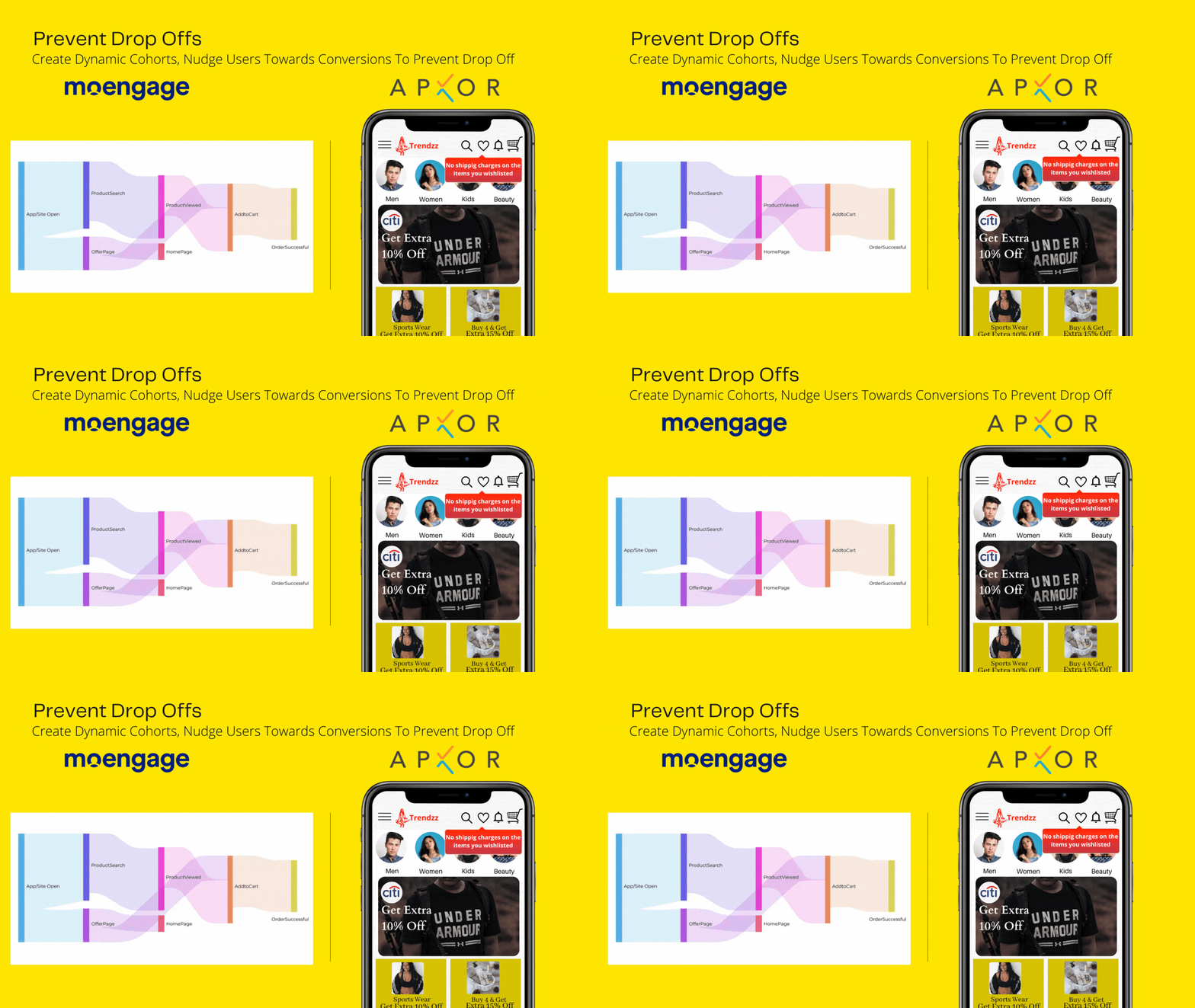
Move users down the funnel
Identify drop-offs and onboard them with contextual campaigns

Convert and retain users likely to churn

Use MoEngage’s predictive segmentation to identify users who’ve been hibernating for too long and are most likely to churn. Send them an email or SMS announcing new features, the latest arrivals, or changes in subscription plans. Then use Apxor’s in-product tooltips or coach marks to introduce them to the latest updates.

Take, for example, an EdTech app that uses MoEngage’s predictive segmentation to identify students who haven’t attended a course in a while. This app can send out an email announcing an exciting new course and then set up coach marks using Apxor to introduce them to the new courses.

Upsell and cross-sell with targeted recommendations

Analyze your user’s behavior with MoEngage to identify purchase trends and champion customers. Personalize your messages with MoEngage, and use Apxor to deliver them at the right moment, encouraging them to discover upsell or cross-sell benefits.

A BFSI app, for example, could use MoEngage’s behavioral analysis to identify those users most likely to invest in mutual funds. Send these users contextualized recommendations via Apxor, encouraging them to start investing instantly.
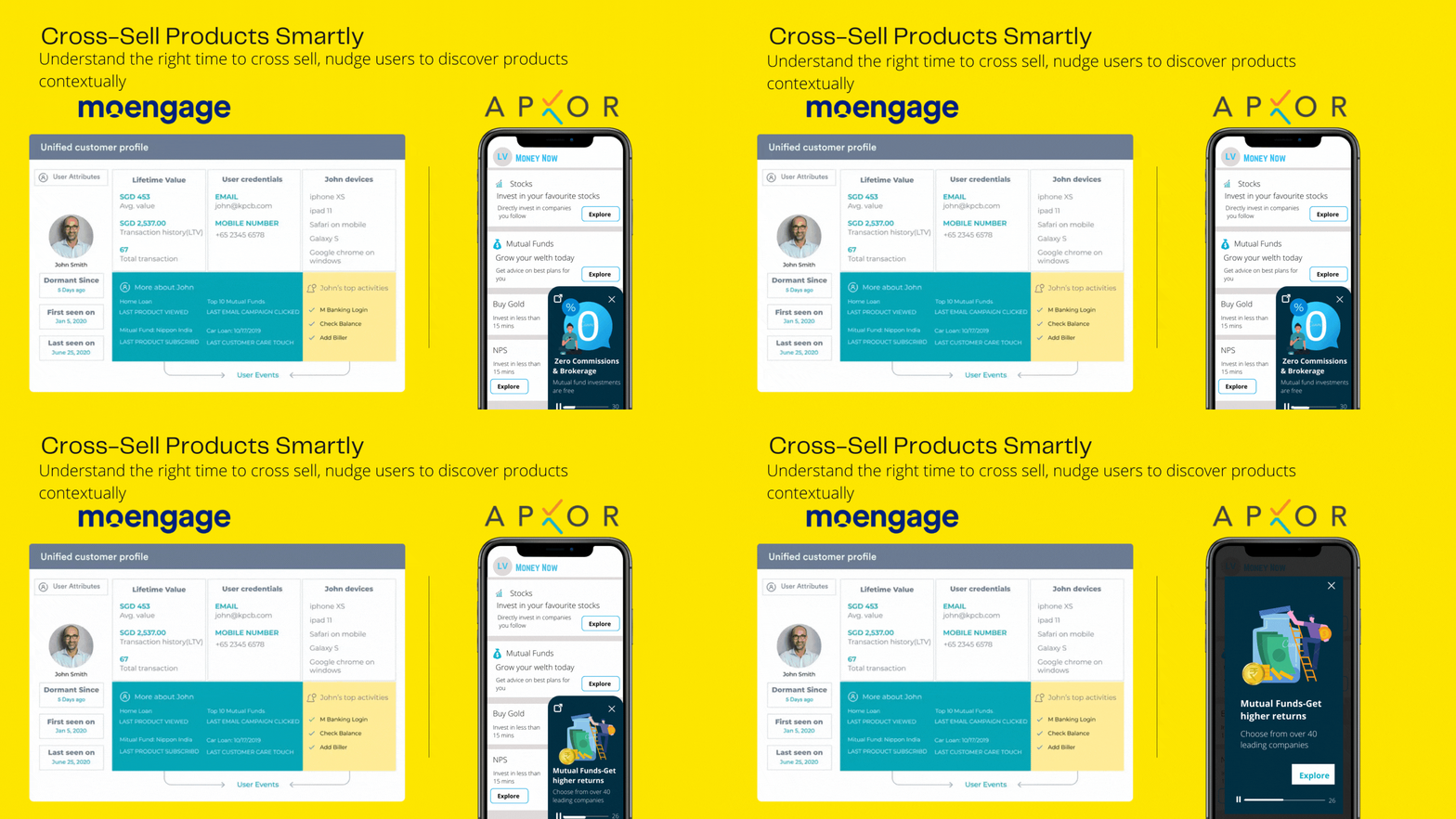
Upsell or cross-sell for greater adoption
Create adoption campaigns to upsell or cross-sell to your loyal customers

How to enable the MoEngage-Apxor integration

This is an exciting partnership that will help you create persuasive campaigns for contextualized onboarding and adoption. Use MoEngage to analyze user behavior or preferences and send out campaigns via email, push, SMS, or other channels, bringing them to the app. Then, incentivize engagement and retention using Apxor’s contextual nudges, tooltips, onboarding workflows, and more.

To enable this integration, you can contact us or schedule a demo.

GET A DEMO TODAY


Further Reading

  1. Achieve Real-time Website Personalization With Intelligent Marketing Automation
  2. An Intelligent Path Optimizer to A/B test your Flows
  3. Ayopop brings back 55% of dropped-off users using Sherpa
  4. Engage your users better via email

MoEngage and Pique.ai Announce Strategic Partnership to Help Marketers Personalize Email Recommendations

  • UPDATED: 11 July 2023
  • 3 minread
MoEngage and Pique.ai Announce Strategic Partnership to Help Marketers Personalize Email Recommendations
Reading Time: 3 minutes

How do you think brands like Netflix and Spotify won everyone’s hearts and loyalties? Both deliver sophisticated recommendations unique to people’s personalities. Consumers of today, even the most privacy-conscious ones, expect personalization at every interaction, and brands need to keep up. To help you with this, we are excited to announce a partnership with Pique.ai, an intelligent recommendation engine for real-time, personalized email interactions.

How does the MoEngage-Pique integration benefit marketers?

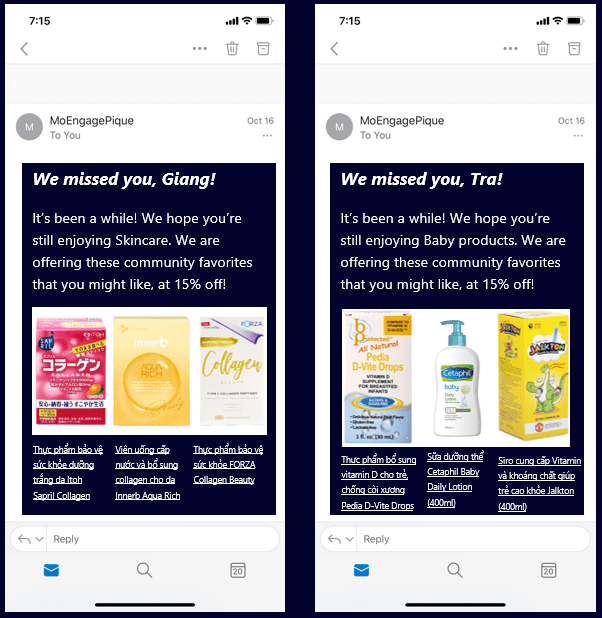
This strategic partnership will empower you to deliver contextual emails to the right people at the right time. Recommendations are based on a user’s past behavior (searches, clicks, cart events, and email engagement)—not just on browsing history. Each email is personalized to such an extent that no two end-users receive the same content.

How the partnership benefits marketers
Send contextual emails to the right people at the right time

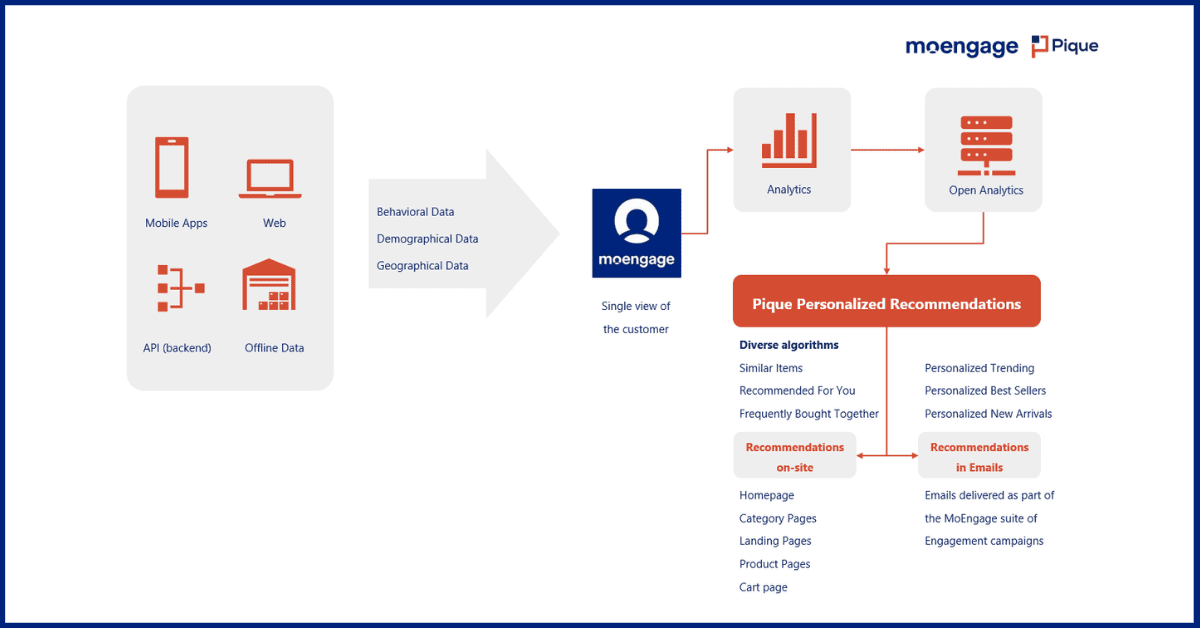
MoEngage combines behavioral, demographic, and geographic data to create a single view of the customer. Pique leverages this information, along with its AI-powered recommendation algorithms, to deliver unique emails via an API call.

By personalizing emails, you can drive product discovery/rediscovery, purchase/repurchase, and open up multiple avenues for bringing users back to the funnel, driving them towards deal closure. You get access to a variety of algorithms that serve different segments and converting scenarios. Here are some use cases detailing the benefits of this integration:

Onboarding: Drive first-purchase with personalized emails

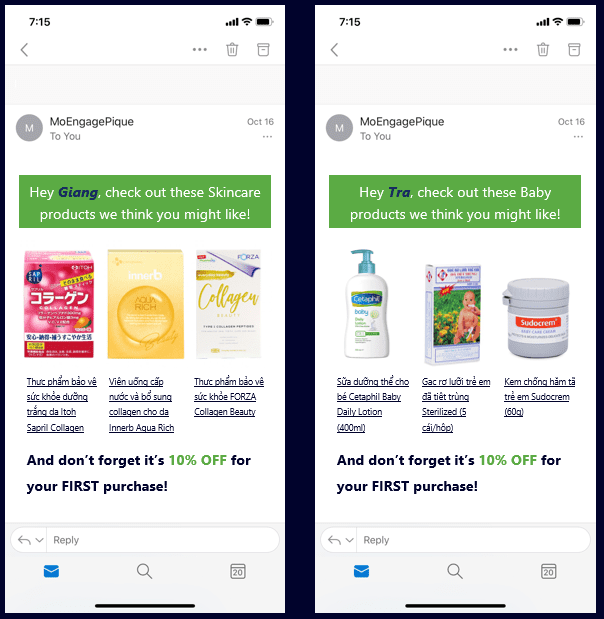
You can create a segment within MoEngage to isolate users who have viewed products but not purchased them. Through this integration, you can deliver tailored recommendations to each user, listing similar items and a discount, incentivizing them to finish their first purchase.

Drive first purchase with personalized emails
Send the right recommendations to drive first purchase

Adoption: Retarget cart abandonments with product recommendations

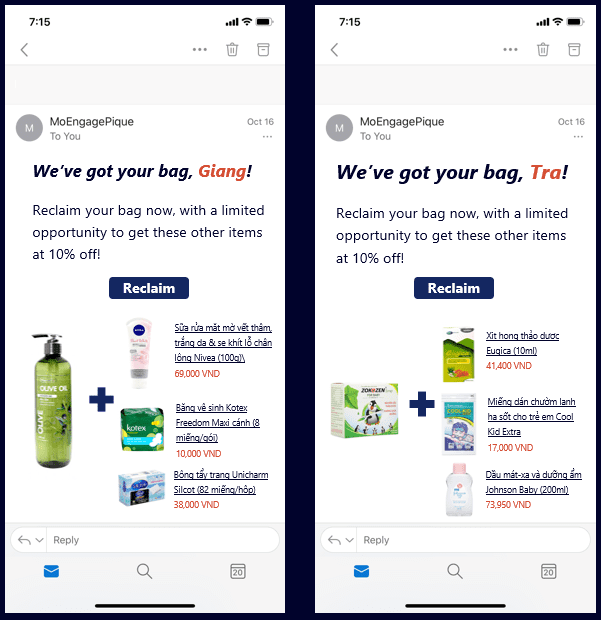
You can create a segment isolating users who have added items to their cart but not completed the purchase. Using this integration, you can send them a personalized email listing the exact products left in their carts, and also ‘frequently bought together’ items.

Retarget cart abandonments
Incentivize users to complete the purchase

Retention: Engage dormant users before they churn

Using MoEngage’s RFM Analysis, you can isolate users at churn risk, and then use this integration to send them individual emails recommending their favorite items at a special price.

Personalize emails to engage dormant users and prevent churn
Keep your users engaged to prevent churn

Conclusion: Personalized emails for happy customers

The digital consumer expects personalized experiences at every interaction. Companies like Landmark Group, which observed a 56% uplift in purchases, and Blibli, which increased repeat purchase rate by 43%, were able to do so by deploying personalization in their marketing. Users want to be recommended the products or content they’re looking for.

We hope that this partnership with Pique.ai helps you up your personalization game by delivering the right email recommendations, forging an emotional connection between your users and your brand. We’re excited to see what you’re going to achieve with this—so go ahead, give it a try, and let us know what you think!


GET A DEMO NOW


Related reading

  1. 5 ways AI is redefining e-commerce customer engagement
  2. 13 marketing campaigns and push notification templates for e-commerce apps
  3. MoEngage and Mixpanel: A recipe for delightful customer experiences
  4. 3 marketing automation tactics to improve your e-commerce customer experience

Introducing MoEngage Report Builder: Spend Less Time Reporting, More Time Engaging

  • UPDATED: 14 June 2023
  • 3 minread
Introducing MoEngage Report Builder: Spend Less Time Reporting, More Time Engaging
Reading Time: 3 minutes

Peter Drucker once stated, “if you can’t measure it, you can’t improve it”–and he couldn’t be more right. To know if you are successful, you first need to define success and track it—with reporting. While the importance of reporting in marketing cannot be stressed enough, every marketer also knows that the struggle around reporting is real. To help make reporting easier for you, our team has been hard at work designing a solution that lets you build customized reports in a jiffy!

Introducing MoEngage Report Builder

MoEngage’s Report Builder allows you to compile campaign performance data into annual, monthly, weekly, or daily reports. You’ll get critical insights into your customers’ activities and behavior within the product, to help you make data-driven decisions.

Here’s what sets MoEngage’s Report Builder apart from others:


Flexibility in reporting

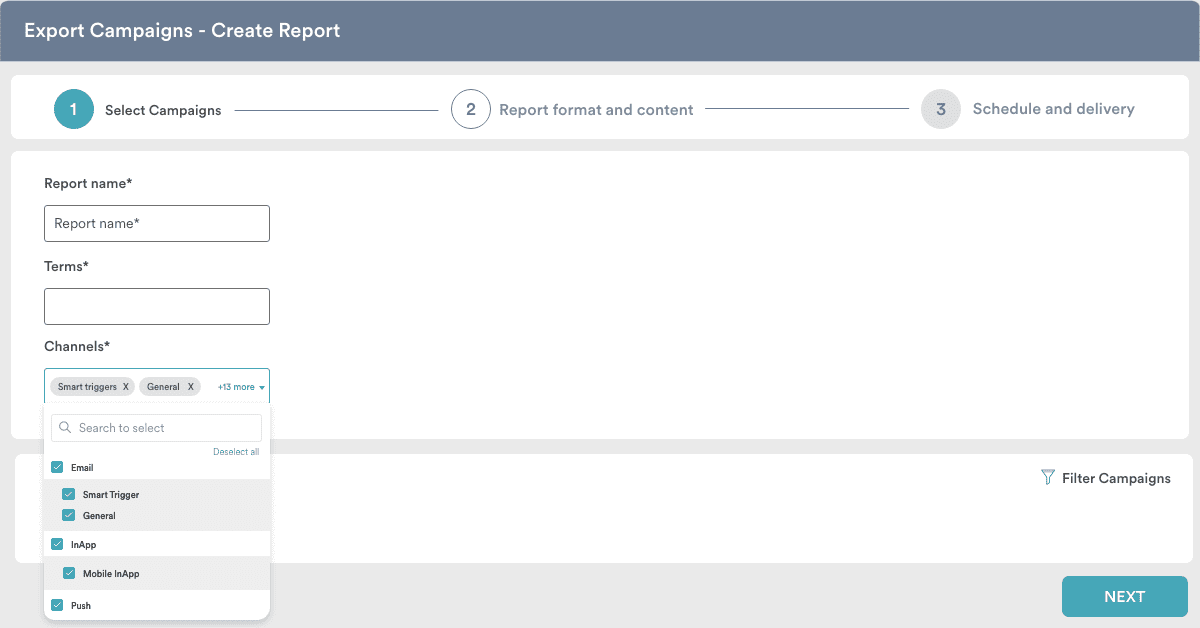
Create reports with extreme flexibility across any channel, campaign type, or campaign (including archived campaigns).

Flexibility
Create reports the way you want to

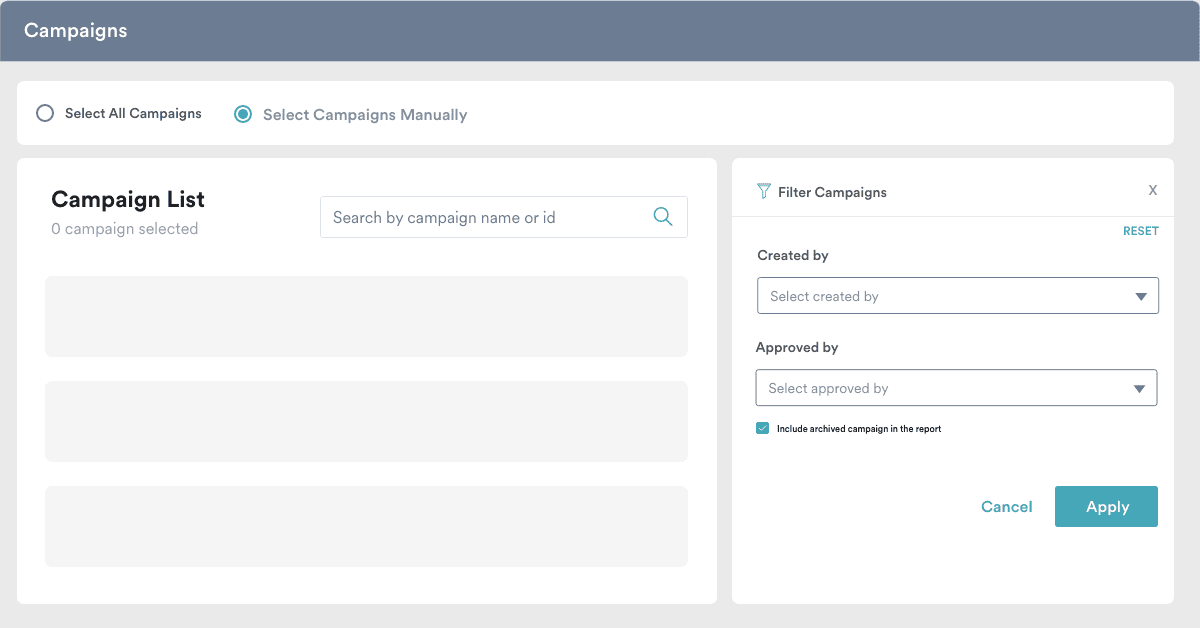
You can specifically select which campaigns you want to create reports for, or generate reports for all campaigns. You can quickly narrow down campaign selection by using the ‘Created by’ and ‘Approved by’ filters!

Campaigns for report builder
Select the campaigns of your choice

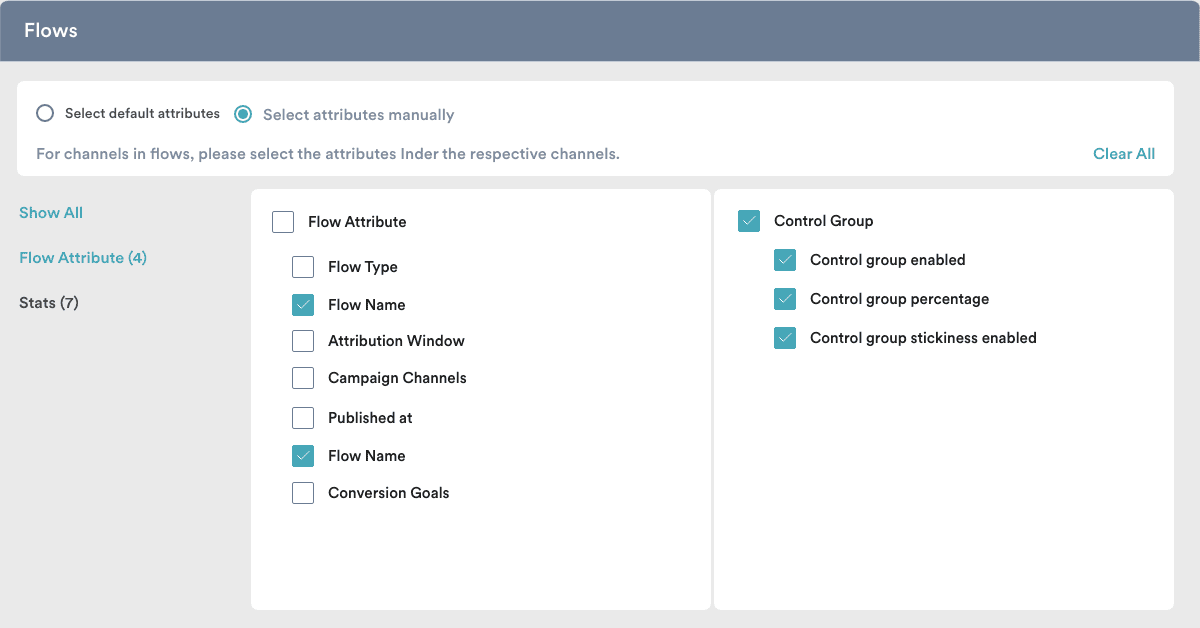
Furthermore, we understand that you work with hundreds of attributes, so we’ve made it easy for you to select only the required attributes for your reports.

Flows
Select the attributes you need

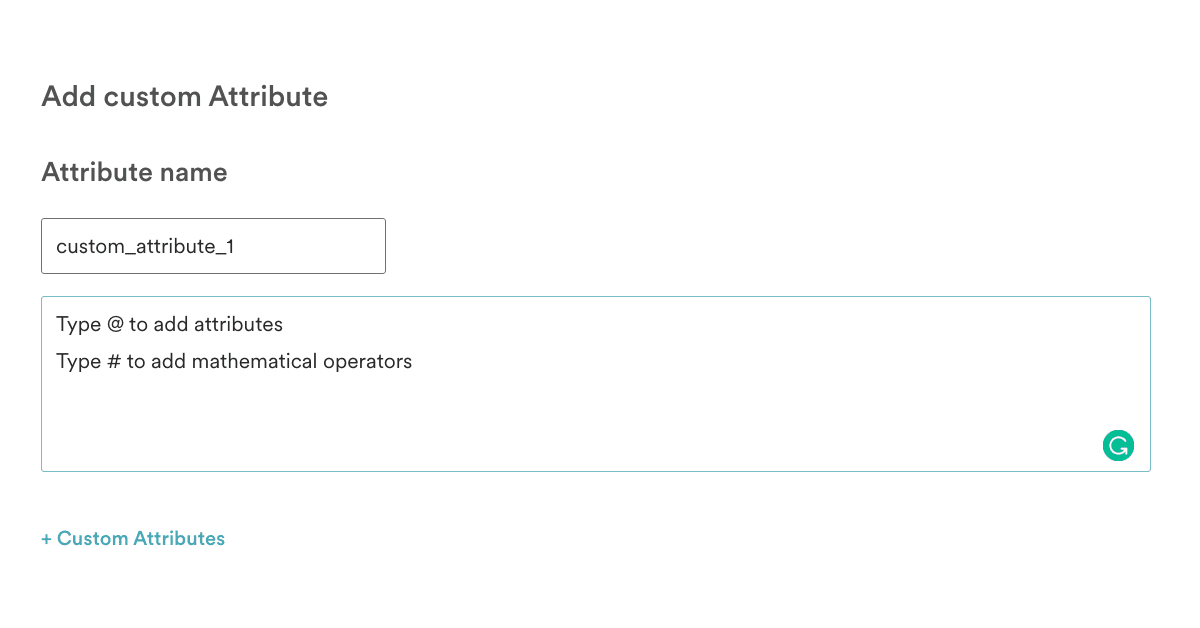
You can also use the Report Builder to configure custom attributes using mathematical formulas on the go. For example, if you want to calculate CTR, you can configure it by dividing clicks and impressions.

Custom attributes
Add custom attributes

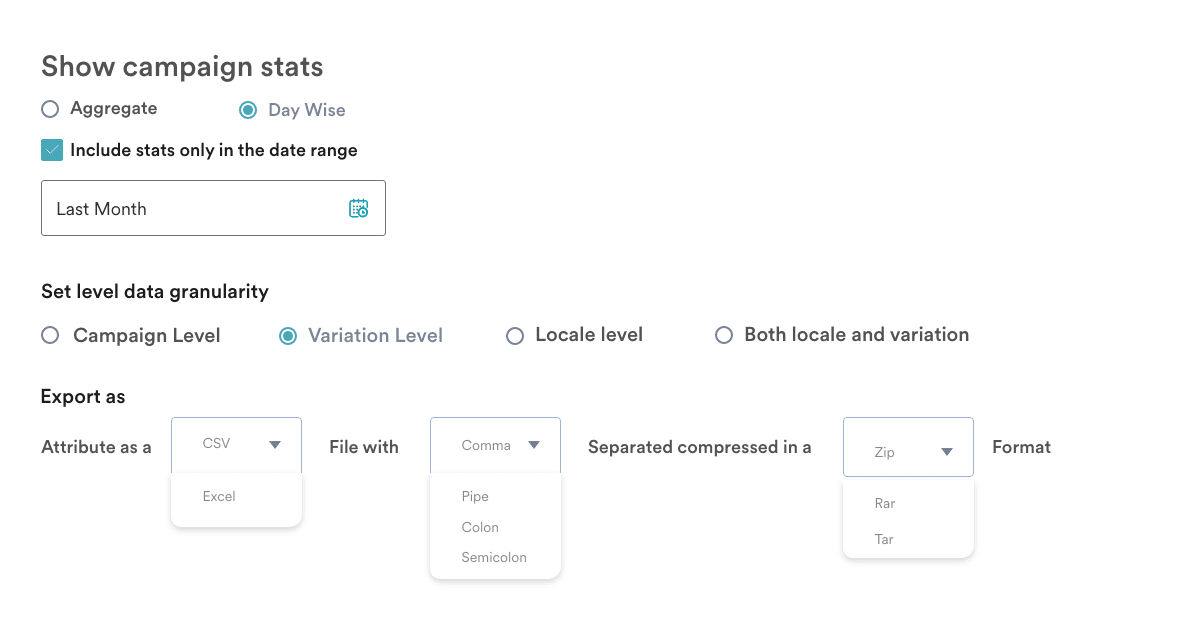
Report Builder also offers you the flexibility to select the format of the reports you’d like to export—it could be CSV/Excel file type, select compression type, delimiter selection, or more.

Increased granularity

Drill down on the details of each marketing channel or campaign with increased granularity and assess its efficacy, efficiency, and overall ROI. You can choose between extracting aggregate stats to analyze aggregate performance over the lifetime of the campaign, and day-wise stats, used to analyze the day-wise campaign performance. Additionally, if you create campaigns with multiple variations or locales (or both), you can add this data to the report with the click of a button.

Granularity


Easy scheduling of reports

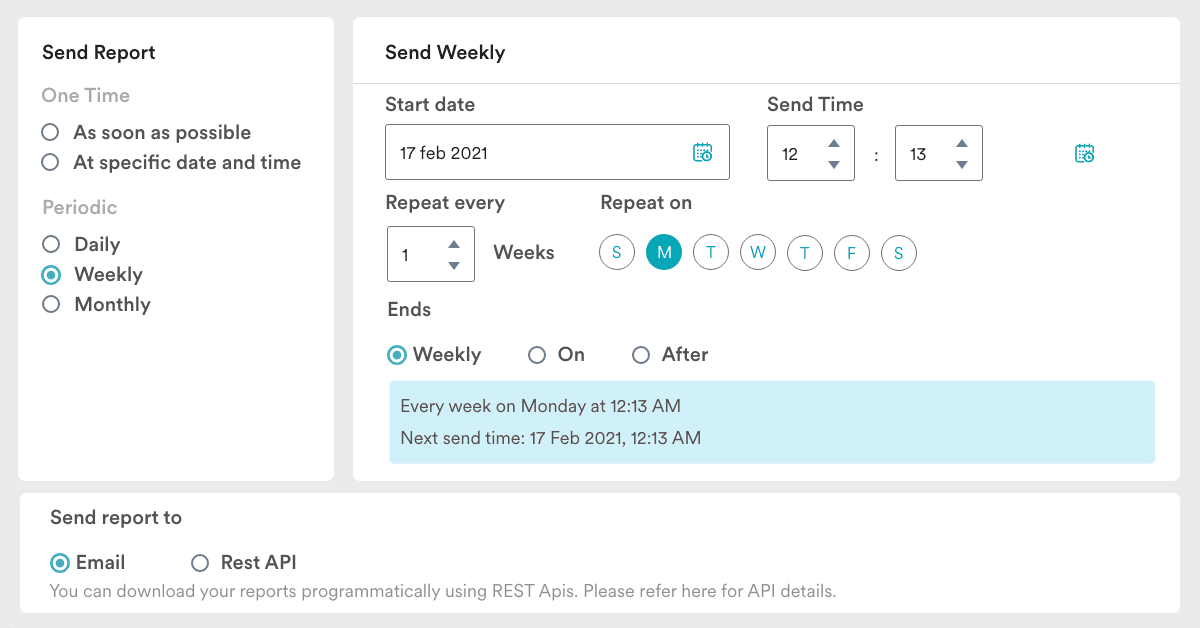
From scheduling reports to be sent at a specific date and time of your choice to setting up periodic reports for specific days, MoEngage’s Report Builder has it all.

Additionally, apart from sending reports to an email of your choice, you can also programmatically download the reports through REST APIs.

Easy scheduling with report builder
Select the time and frequency of report delivery

Security

Keep your data safe by restricting report access to MoEngage IDs. Define access levels for each report you create and only allow report views after users log in and request a report via the dashboard.

With MoEngage’s Report Builder, you are all set to start slicing, dicing, and analyzing data seamlessly, while connecting the dots between campaign performance and the goals you’ve set out to achieve.


TRY IT NOW     REQUEST DEMO


A quick note for you

We’re excited to launch this and more at MoEngage Next, a customer-connect event about product launches. Check it out!

Here’s what you can read next:

  1. Measure marketing ROI with Global Control Groups
  2. A/B test your Flows with Intelligent Path Optimizer
  3. Engage with your customer over more channels

An Intelligent Path Optimizer To A/B Test Your Customer Journey Workflows [New Feature]

  • UPDATED: 17 November 2025
  • 4 minread
An Intelligent Path Optimizer To A/B Test Your Customer Journey Workflows [New Feature]
Reading Time: 4 minutes

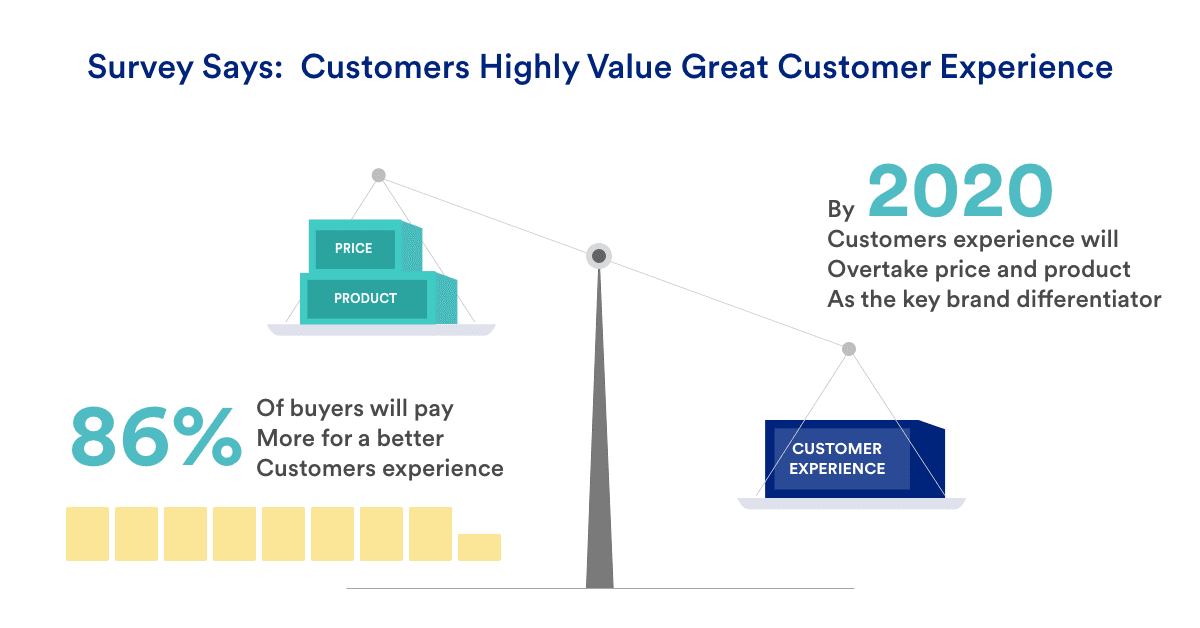
Today’s consumers interact with brands in ways that are tricky to pin down. A recent study shows that 86% of buyers are willing to pay more for a great customer experience. To intelligently build, optimize, and scale a good customer journey that doesn’t oversell but builds authentic relationships with your customers, you need to truly understand them.

Good customer experiences are important
Customers value great customer experiences

You may wonder why a customer spends so long browsing your catalogs and adding products to their cart, just to close the tab at the end, or why it takes them several steps to get from Point A to Point B (when it should only take one).

So how do you design the most engaging journey for your customer?

Until now, you’d either guess what could be the most engaging journey for your customers or test out multiple journeys to arrive at the answer. Well, it can be easier than this. We at MoEngage have been hard at work to make this easy for you!

Introducing Intelligent Path Optimizer

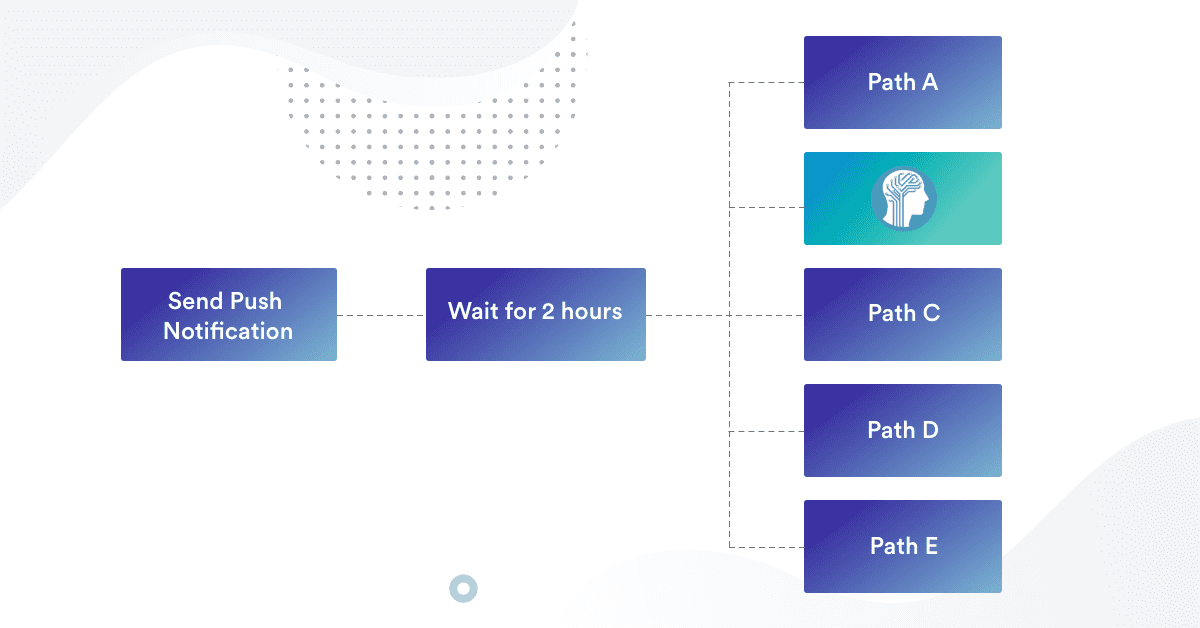
With A/B testing in Flows, you can experiment with multiple customer journeys within a single Flow instead of creating different flows for all possible customer journeys. Better yet, with Intelligent Path Optimizer, you can leverage MoEngage’s AI-powered recommendation engine, Merlin, to automatically (and intelligently) identify the best journey for your customers!
With these new updates to Flows, you can now effortlessly identify:

  • The best performing channel to increase engagement or conversions. For example, do emails work better than push notifications to convey exciting offers?
The best performing channel
Test which medium works best with Intelligent Path Optimizer
  • The best messaging frequency. For example, should you send the first cart recovery email in 30 mins or after 2 hours?
The best messaging frequency
How long should you wait before you send the next campaign?
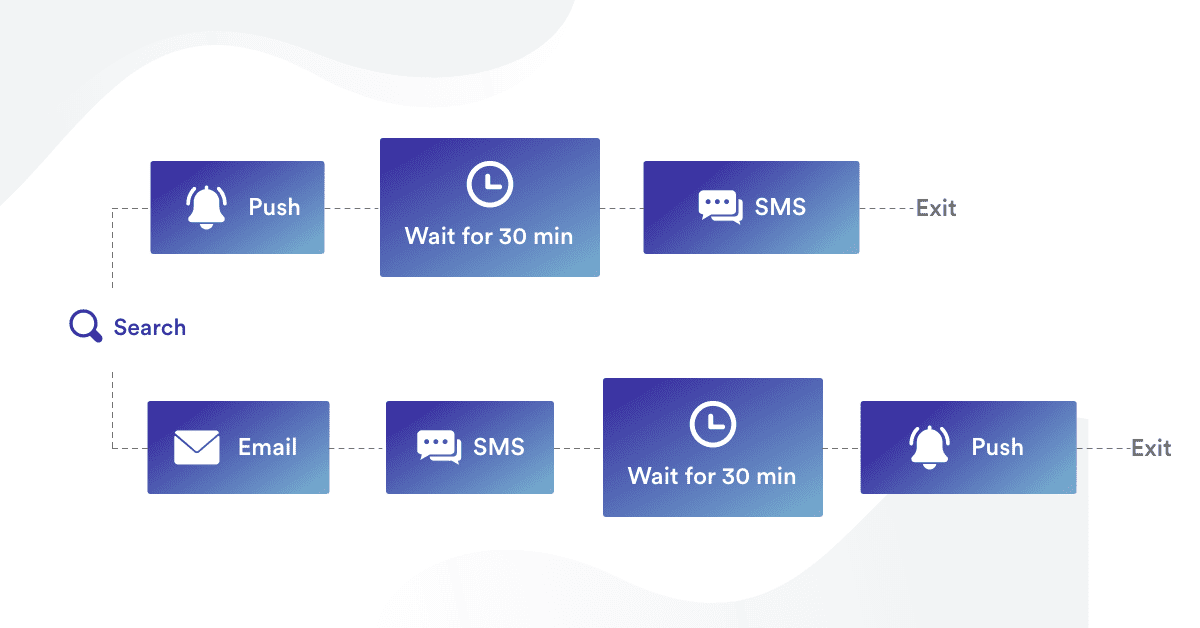
  • The best messaging sequence. For example, should we start with Push and then move to Email in a browse abandonment series, or do the opposite?
The best messaging sequence
Test which sequence of campaigns works best with Intelligent Path Optimizer

This way, when you create customer journeys that best resonate with your target audience, the opportunity to convert every customer experience into a great one is immeasurable!

Bonus Content:

What you can test with this feature

Here are a few revenue-driving customer experiences you might want to get to testing right off the bat:

  • Create better onboarding experiences
    Getting your onboarding right is key to kicking off loyal customer relationships. Set up different onboarding or sign-up Flows and test how many emails it takes to convert, what types of offers work best, or what recommendations resonate with your customers the most.
  • Reduce cart or content abandonments
    Never let another customer slip away from your cart or content. Test out different abandonment Flows and figure out the most effective ways to recapture abandoned carts or readers. Understand which combination of multi-channel communication helps retrieve customers and revenue.
  • Improve conversion rates
    While it’s great to have people poking around your website, how do you get them to make the purchase? It is critical to keep the conversation going even after they click away from the page. Start testing campaigns, from the inbox to Instagram, and find out which path turns more window shoppers into customers.
  • Drive long-term retention
    The customer experience doesn’t end when a customer’s signed up. You need to stay in their mind space to drive long-term retention and loyalty. Figure out the best way to do so by testing things like thank-you campaigns, next-sell ad campaigns, product recommendations in emails, and periodic check-ins.

Are you ready to intelligently A/B test the experiences you give your customers?

TRY IT NOW             REQUEST DEMO


A quick note for you

We’re excited to launch this and more at MoEngage Next, a customer-connect event about product launches. Check it out!

Here’s What You Can Read Next – 

Introducing Global Control Groups: Measure Marketing and Engagement ROI

  • UPDATED: 21 July 2023
  • 4 minread
Introducing Global Control Groups: Measure Marketing and Engagement ROI
Reading Time: 4 minutes

What’s the best way to measure the efficacy of a marketing campaign? How do you know when your campaign has worked, and when it hasn’t? Sure, you can track conversions, CTRs, and email opens, but do you know what those numbers would look like if you didn’t send out the campaign?

Control groups are great for such questions because they tell you what the conversions, CTRs, and email opens would be if you hadn’t sent out that campaign. They help you check how effective your campaigns are and measure the ROI of your marketing efforts.

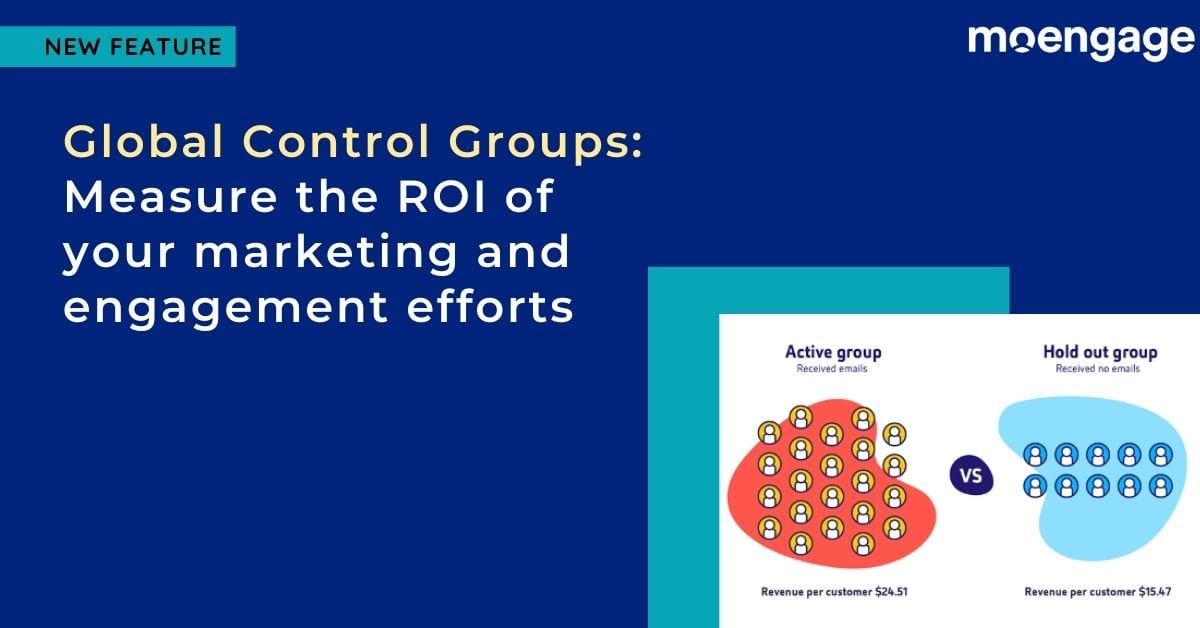
For example, in the image above, the control group, i.e., the ‘Hold-out group’ hasn’t received any emails, and the revenue per customer in this group is about $15. Meanwhile, the revenue per customer in the ‘Active group,’ which has received email campaigns, is $24—so we can definitively deduce that sending emails increases average revenue per customer.


Control groups create reliable baselines

Until now, you could create Campaign-level control groups on MoEngage, which would allow you to measure the success of specific campaigns, like:

  1. Are app installs higher when you’re sending emails to users, or are they the same when you don’t send emails?
  2. Does average revenue per user increase because of push notifications, or does it remain the same even without notifications?
  3. Do users spend more time consuming content when you send them recommendations, or does this not make a difference?

Taking it a step further, we are now launching a feature to help you measure the ROI of all your marketing efforts.


Introducing Global Control Groups

Attribute conversions to your marketing campaigns
Global Control Groups help measure the ROI of your marketing efforts

We’re excited to announce the launch of Global Control Groups (GCG), a solution designed to help you measure Marketing ROI. With GCG, you can create a control group on your entire user base, to help you:

  1. Measure the overall impact of your marketing campaigns when you’re running multiple campaigns, each with different goals (like onboarding, retention, or conversion).
  2. Identify any external factors contributing to your marketing metrics by minimizing the effect of all variables other than the independent variable (which, in our case, is the campaign you’re running).
  3. Manage multiple control groups more effectively, even when you’re sending out several campaigns. Be sure that no user is part of a control group in one campaign but not in another.


How to use GCG for different use-cases

Retail: Do your web campaigns help increase cart value?

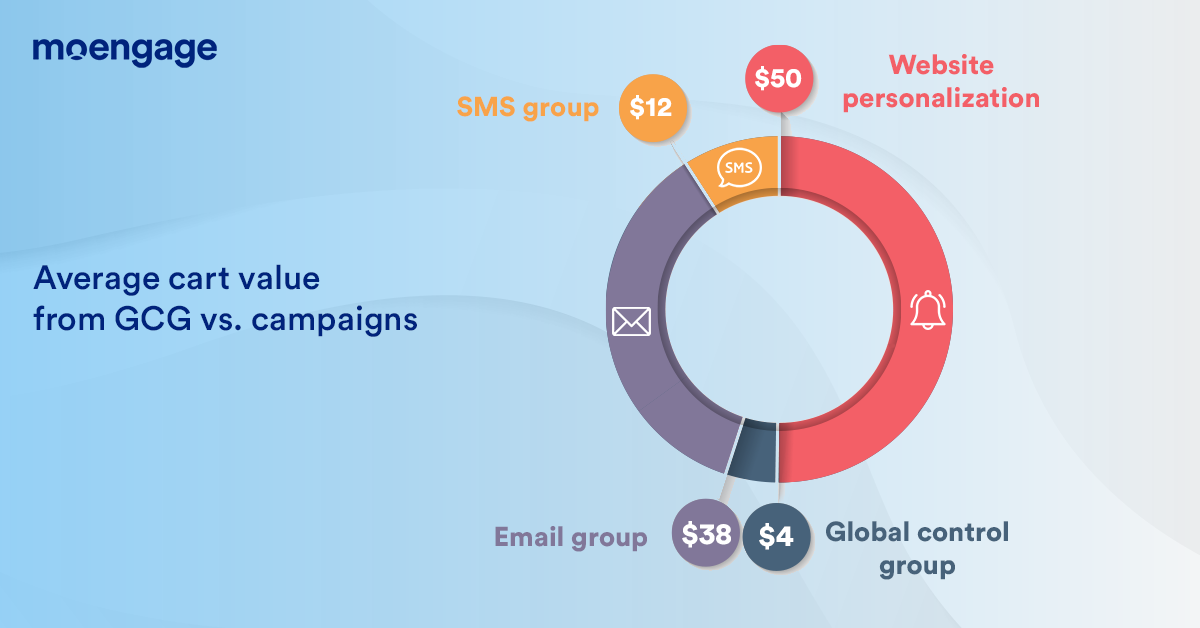
If there’s a Black Friday Sale coming up, you can send out targeted campaigns to your users on your website, one with a discount code via SMS, one via email, and another via website personalization. Using GCG, you can check whether these campaigns helped improve your users’ cart value.

Global Control Groups help measure campaign efficacy
Global Control Groups help measure cart value

Media and entertainment: Is your holiday content campaign effective?

Imagine a media and entertainment app that’s sending out a targeted advertising campaign about new content you can watch during the upcoming holiday. By creating a Global Control Group, you can get insights into whether your social and email campaigns were effective in increasing view-time.

EdTech: Can your engagement help improve attendance?

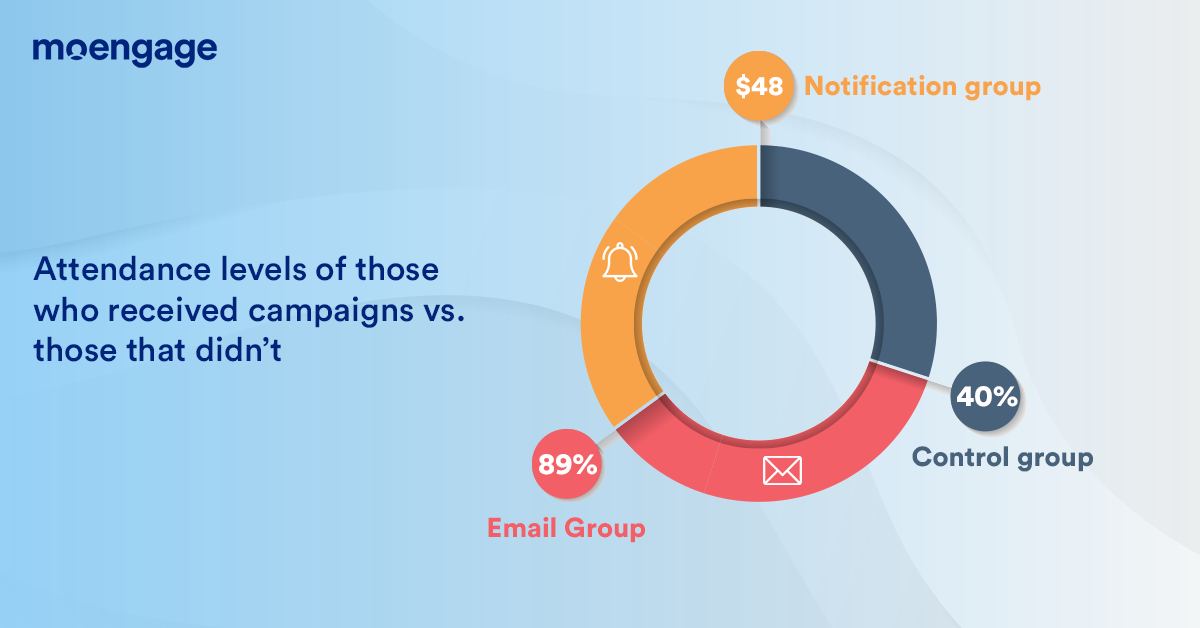
For EdTech apps, it’s all about retention. Teams that send out different campaigns can check if the campaigns affect attendance or not—and if they do, which campaigns work better and which ones don’t, by comparing attendance numbers for each campaign against that of the Global Control Group.

Check if attendance levels are affected by emails or notifications
Attendance levels are higher from groups that received marketing campaigns

How to allocate audiences to GCGs

How to allocate audiences to control groups
Allocating audiences to Global Control Groups

Global Control Groups are applicable across channels and campaign types, and you can only create one per account. At MoEngage, we give you the flexibility to add the audience to the Global Control Groups manually or automatically.

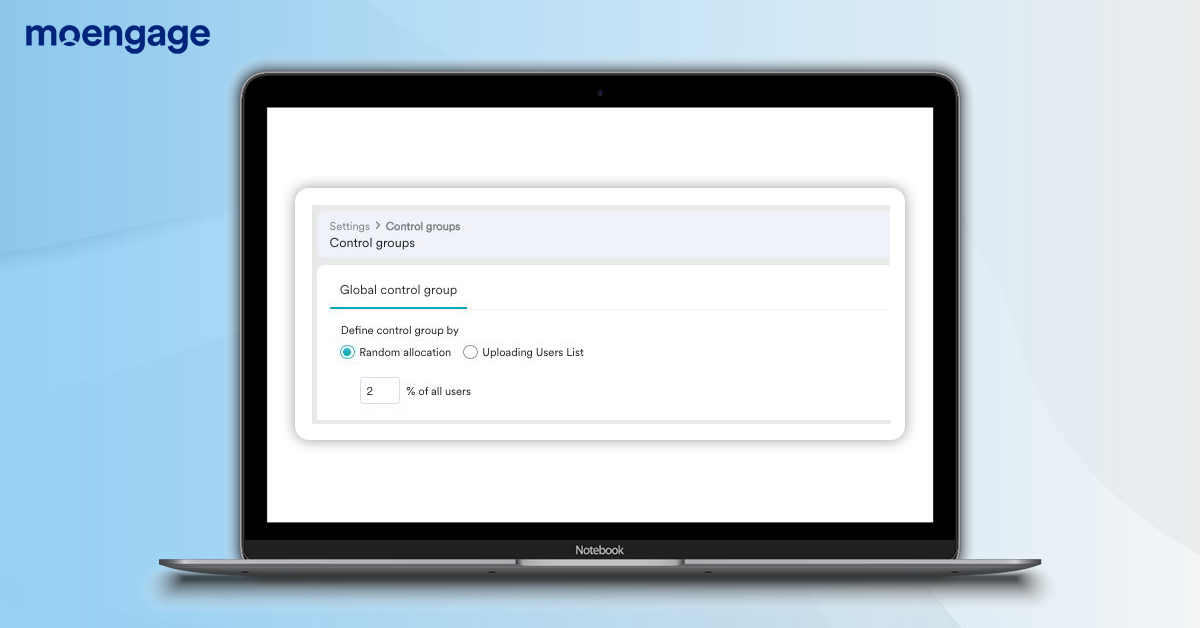
In automatic control group selection, members of your audience are assigned to the control group at random, based on a percentage specified by you. For example, for a customer base of 10,000 users, if you set control group allocation percentage to 2%, 200 users will be assigned to the Global Control Group randomly.

Alternatively, in manual control group selection, you can upload a custom list of users and set this entire list as the Global Control Group. These users will be excluded from every campaign you create on MoEngage.


Conclusion

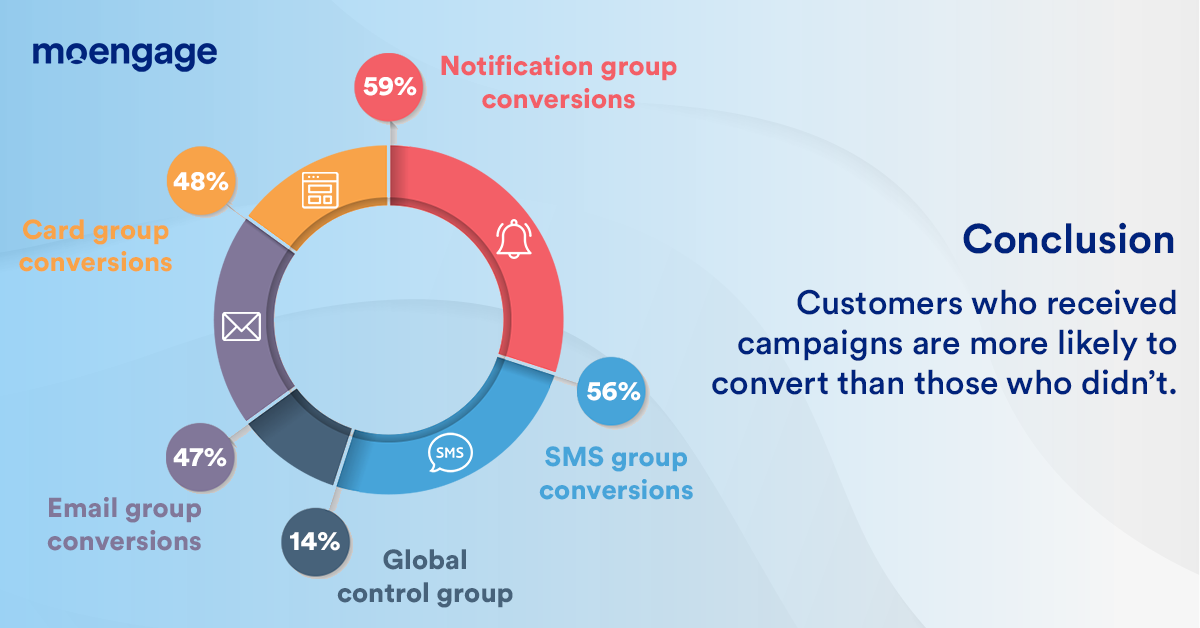
Using Global Control Groups, you can measure the ROI of all your marketing and engagement activities. You can check whether specific campaigns drive users further down the conversion funnel—and if they do, which campaigns are more effective than the others.


TRY IT NOW     REQUEST DEMO


A quick note for you

We’re excited to launch this and more at MoEngage Next, a customer-connect event about product launches. Check it out!

Here’s a list of our other updates:

  1. A/B test your Flows with Intelligent Path Optimizer
  2. Create customized reports with Report Builder
  3. Engage with your customer over more channels

[New Feature] More Channels to Engage and Connect With Your Customers

  • UPDATED: 18 July 2023
  • 4 minread
[New Feature] More Channels to Engage and Connect With Your Customers
Reading Time: 4 minutes

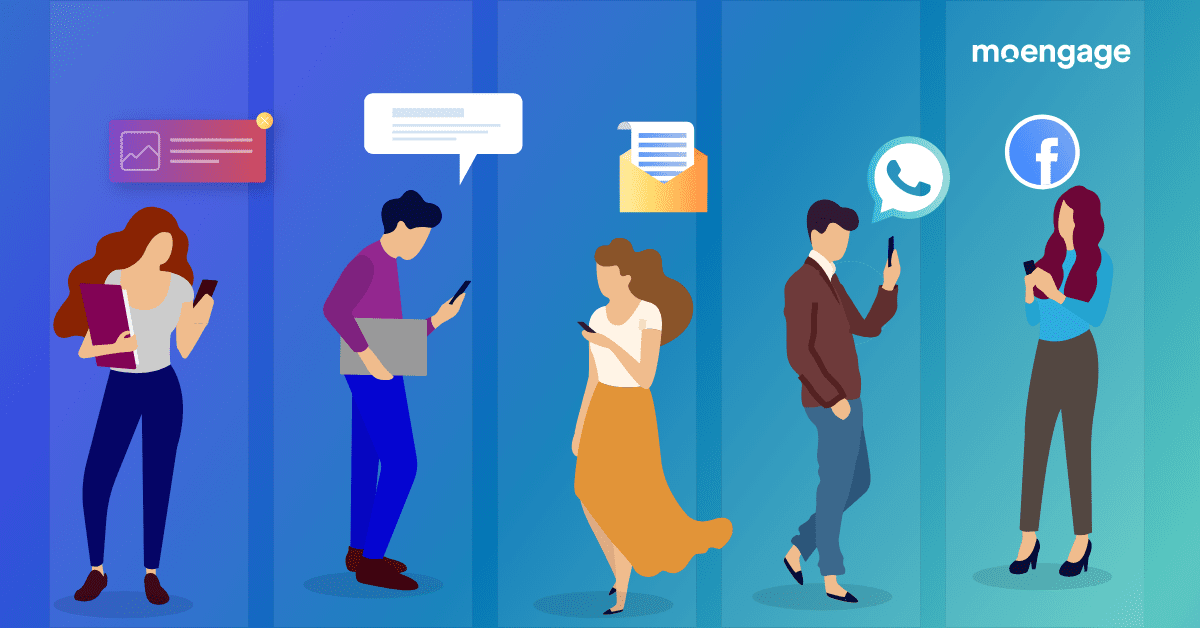
The 21-st century consumer expects a seamless, connected experience over multiple channels, personalized down to the tee. Brands that send tailored communication to consumers across relevant channels score higher on their radar than those that don’t.

To help you keep up with this level of engagement across different channels tailored to your customers, we’re excited to announce two key features: Inbound Channels in MoEngage Flows and a seamless way to engage your customers on Facebook, Facebook Audience.

Inbound Channels in MoEngage Flows

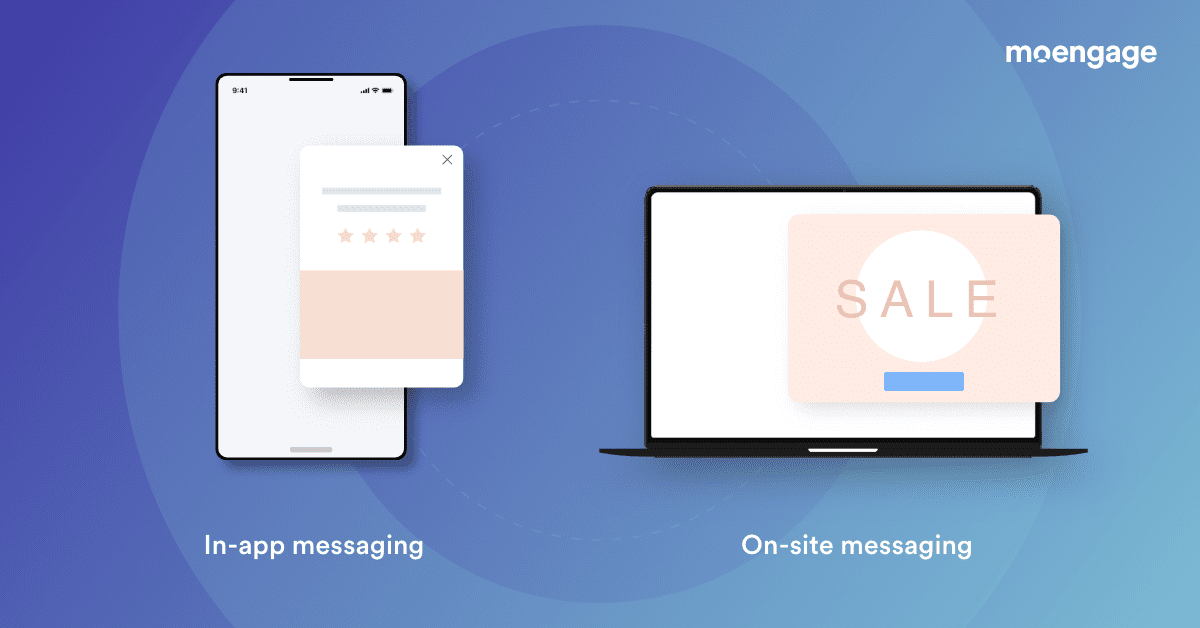
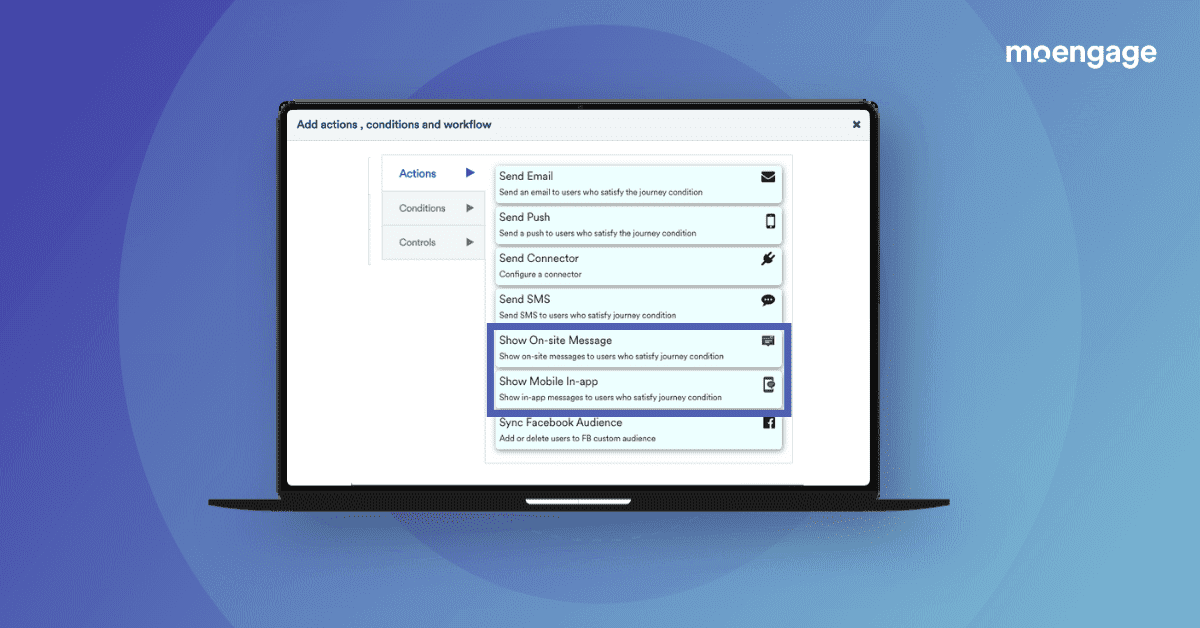
MoEngage Flows lets you string together complex multi-step customer journeys and communicate with your customers across channels. With our latest update, you can also engage your users on Inbound Channels (in-app and on-site) through Flows and provide personalized user journeys that nudge customers towards the next stage of their lifecycle.

What is in-app and on-site messaging
Send your customers any message across the medium of your choice

By personalizing the in-app and on-site experience, you can make the whole user journey seamless, both before and after users interact with your digital platform. Once you’ve optimized the user journey, you can guide customers towards the appropriate conversion funnels. Here are some examples of how best to utilize this update:

  1. Orchestrate better onboarding and activation
    Personalize the entire onboarding journey and change the way users engage with your app. For example, in an Ed-Tech app, you can engage your users with offers or courses to sign up for through in-app messages as soon as they sign up on your app and increase activations significantly.
  2. Turn abandonments around
    For e-commerce and media apps, you can reduce cart or content abandonment by driving consistent messaging across channels. Show your users the same abandonment reminder messages across in-apps or an exit intent pop-up on your website.
  3. Minimize exit intent in your user journeys
    Capture user preferences right when your users display exit intent, with a timely pop-up or in-app message. For example, in a banking app, you can show users a message incentivizing investments right when your users display exit intent.
TRY IT NOW
On site and in app messaging
Send customers messages over the channel of your choice

Facebook Audience

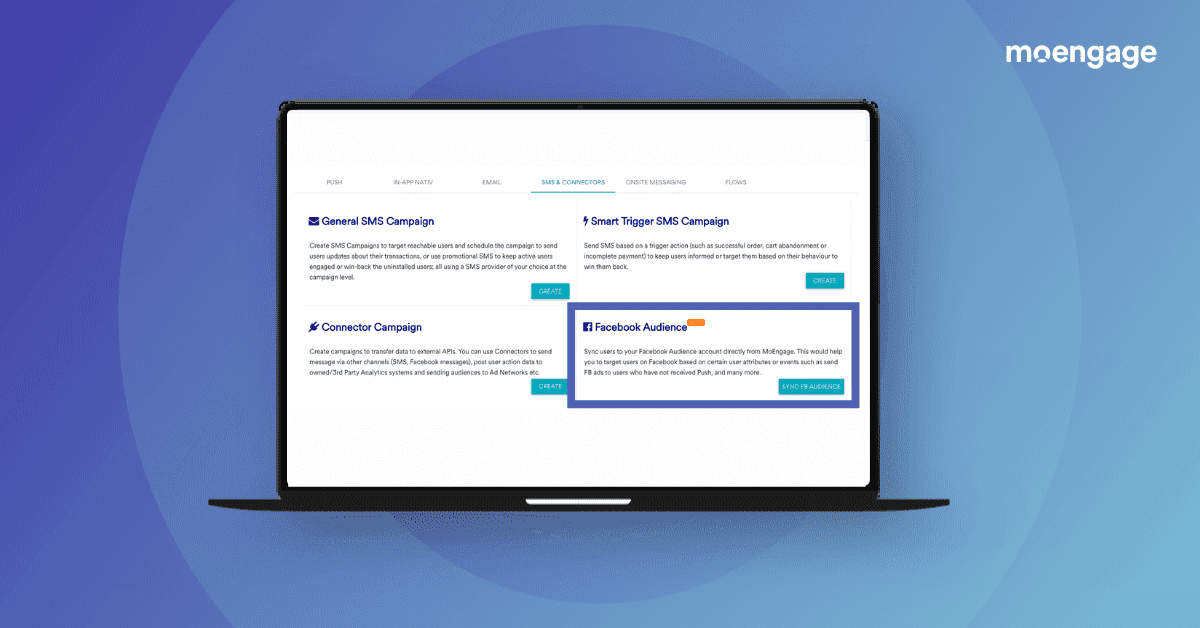
Advertising on Facebook (a social media platform with a high forecast return on equity) is critical for brand awareness—the social media platform is still relevant for advertisers. Keeping this in mind, we’re excited to announce that you can now add, update, or delete Facebook Custom Audiences right from your MoEngage dashboard. With a one-time setup, you can create Facebook Audience campaigns on the go and receive Facebook leads.

Create Facebook Audience
Create Facebook Custom Audience right from the dashboard

With this update, you can use MoEngage data for more customized retargeting on Facebook. It will also be easier to maintain your campaigns since you can manage your data and create Facebook Audiences from the same place. You can also:

  1. Reopen the dialogue with churned users
    You can create a custom Facebook Audience that targets all users who haven’t received a push notification or email in the last three months and send them targeted content that brings your brand back into their mind-space.
  2. Nudge users towards a purchase
    Create a custom Facebook Audience of users who have added products to their carts but haven’t made a purchase yet, even after receiving a push notification, and nudge these users towards fulfilling their transactions.
  3. Drive targeted advertising
    You can delete those users from your Facebook Audience who have already purchased a product in the past thirty days, to ensure that your advertising remains relevant and doesn’t cause any negative impact.

Engage with a broader audience using MoEngage

Customers have come to expect a certain level of sophistication in their interactions with brands. By creating customer journeys that reach users over multiple channels, like Facebook and in-app or on-site messaging, brands can foster engagement and create happy customer experiences.

TRY IT NOW                      REQUEST DEMO

We’re excited about this and more at MoEngage Next, a customer-connect event about product launches. Check it out!


Here’s What You Can Read Next

Introducing MoEngage Cards: Conveniently Engage 100% of Your Customers

  • UPDATED: 15 August 2024
  • 5 minread
Introducing MoEngage Cards: Conveniently Engage 100% of Your Customers
Reading Time: 5 minutes
Bonus Content:

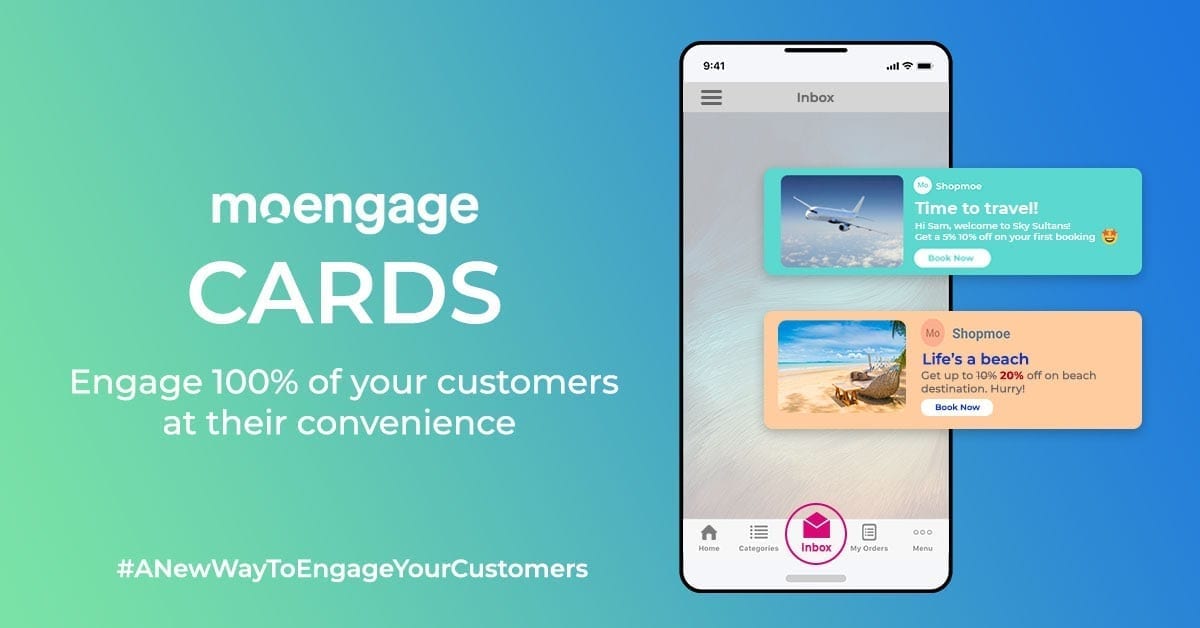
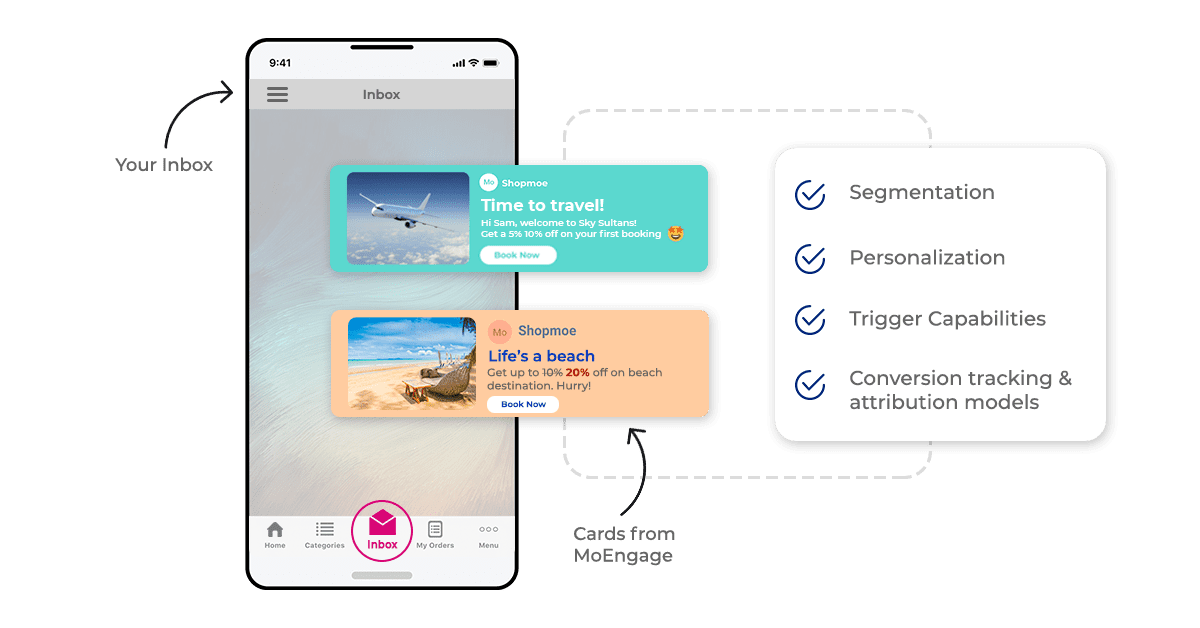
We are excited to introduce another highly flexible channel- MoEngage Cards – that allows your brand to persistently communicate with your customers. Send personalized campaigns, offers, recommendations, and more straight to your customers’ app inbox or news feed, without interrupting their browsing behavior.

  • Reach 100% of your customers – even the ones, who have opted out of other channels 
  • Be non-intrusive with your notifications: Give your customers the choice to interact with your brand whenever they prefer to.
  • Notifications that stick around: Send important updates or alerts that your customers should not miss or accidentally dismiss.

An example of MoEngage cards being used in a mobile-app to promote a discount offer

A recent survey shows that mobile users receive an average of 63.5 notifications per day, and nearly half of the respondents considered them to be interruptions.

Notifications can be overwhelming and chaotic, if not done right.

While push notifications and emails are the obvious choices in building engagement,  they pose certain challenges. For instance, low opt-in rates (40-60%), receiving too many notifications, receiving notifications at the wrong time, and so on. All these challenges inadvertently lead to a drop in engagement rate or bad user experience for your app.

But don’t worry, we’ve got you covered!

MoEngage Cards: Relevancy to your notifications – in a non-pushy manner!

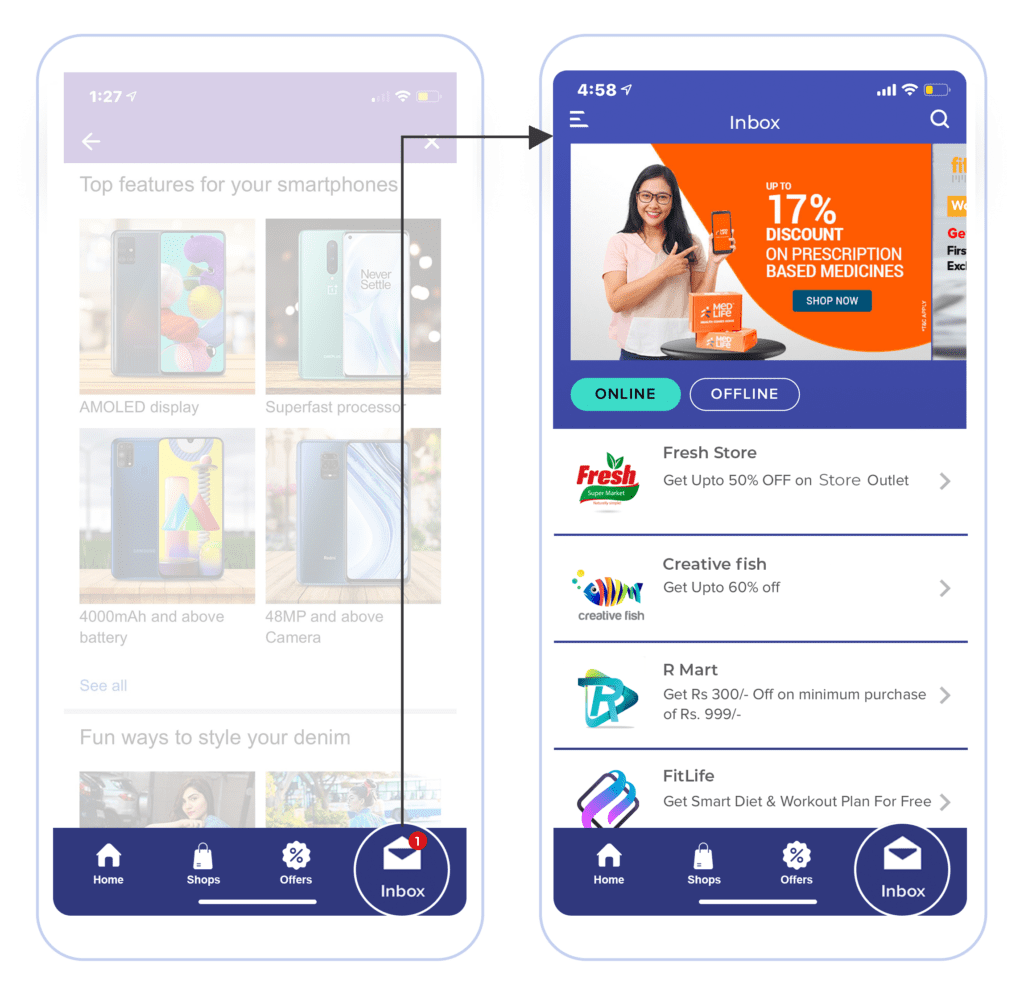
Unlike in-app or push notifications that users can swipe away or dismiss once they’ve interacted with them, MoEngage Cards ensure your messages stick around in a non-pushy way. So your customers can choose to interact with your message at any time they’d like to. It is also a great way for brands to reach customers who have opted out of push notifications and/or emails.

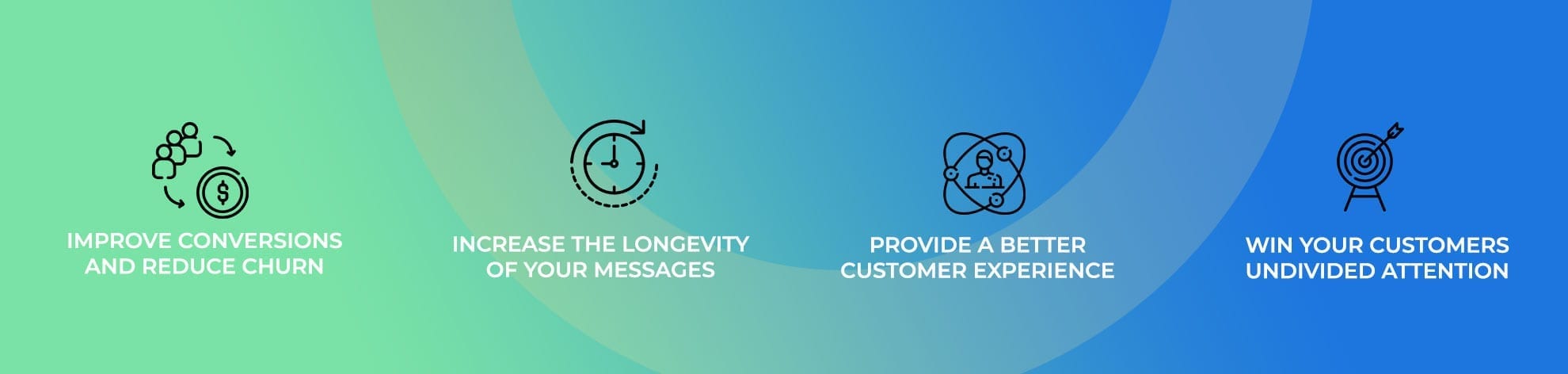
A designed image listing four core benefits of using MoEngage cards

  • Improve conversion and reduce churn: Cards reach 100% of your customers, unlike push notifications or email. Moreover, your customers are more likely to act when they’re already on the app – making Cards a perfect “in-the-moment” channel.
  • Increase the longevity of your messages: Some of your communication is meant to be sticky and relevant over a period of time. Don’t let an accidental swipe leave your customers wondering what they missed.
  • Provide a better customer experience: Be less intrusive with your in-app notifications while your customers are browsing your app, and instead create a stream of notifications that they can get to with Cards!
  • Win your customers undivided attention: Both push notifications and email compete for your customers’ attention against tens of other brands. You can use Cards smartly with other channels to make customers more receptive to your push, email, and in-app messages.

Here’s how Cards can help marketers boost conversion metrics

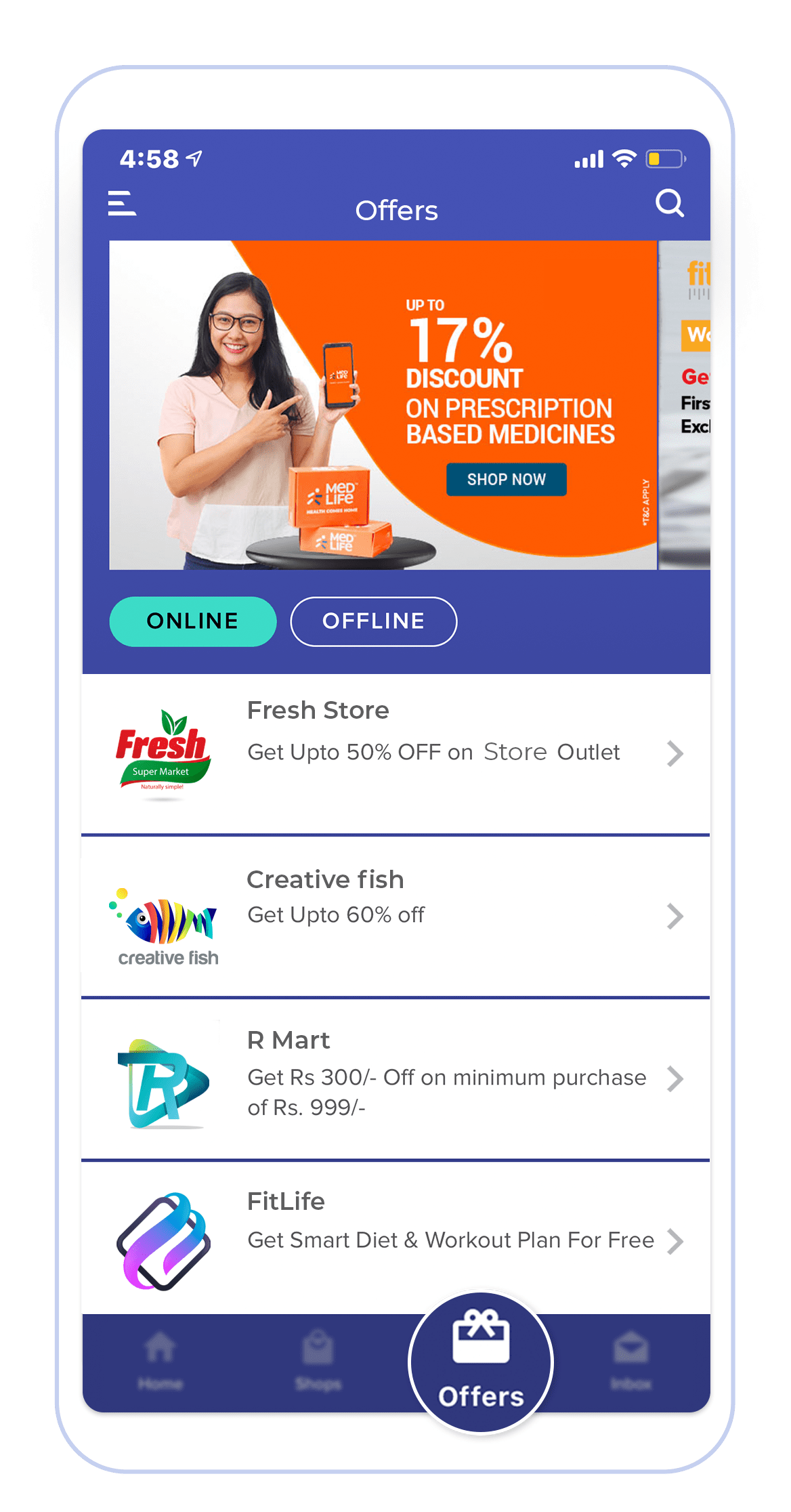
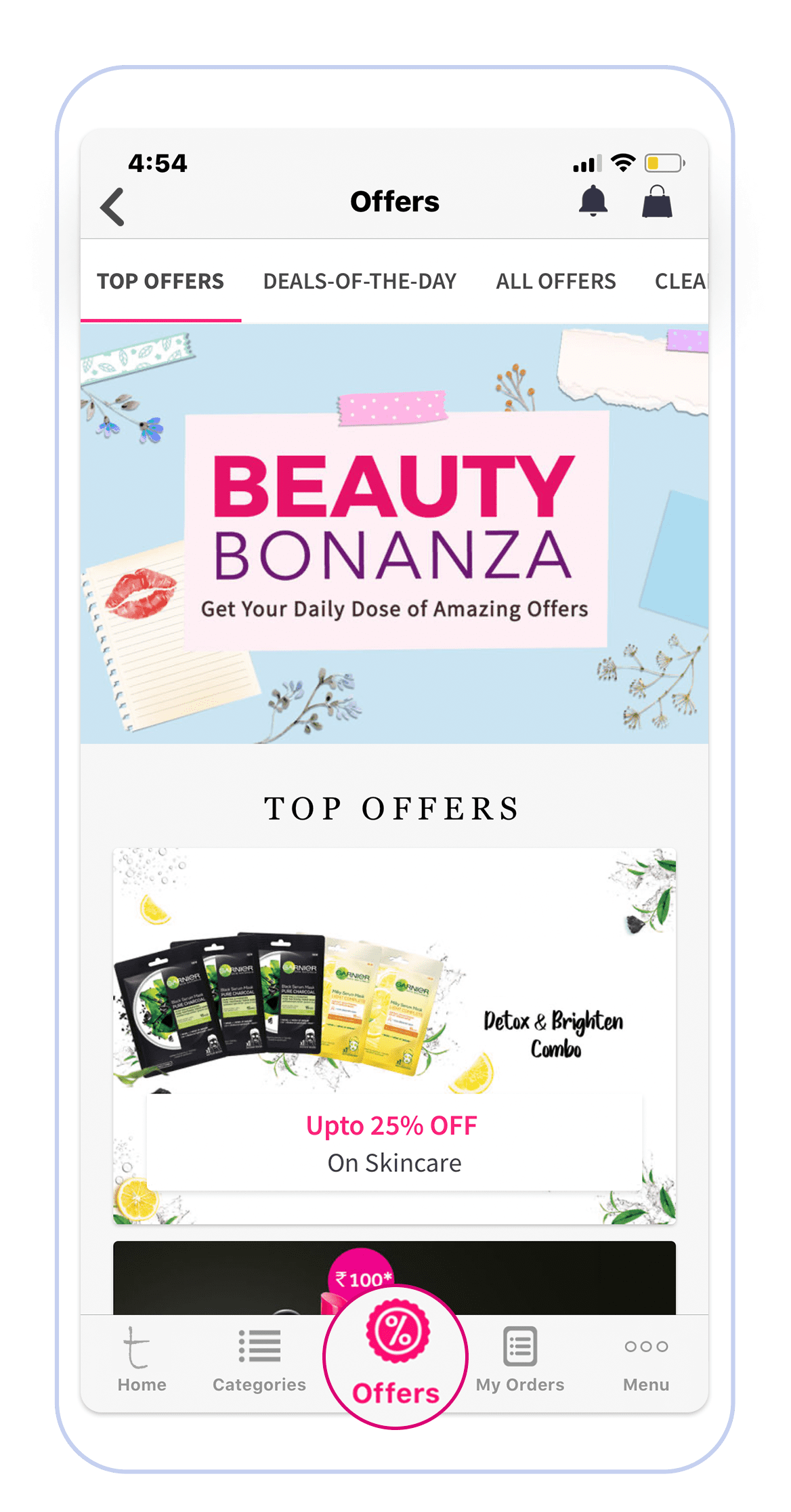
  • An offer zone – Engage your customers with relevant offers and promotions, especially the ones who opted out of Push Notifications, Emails, or SMSes too!
    An example of an offers zone within a mobile app where customers can access all available offersAn example of an offers zone on Beauty Bonanza
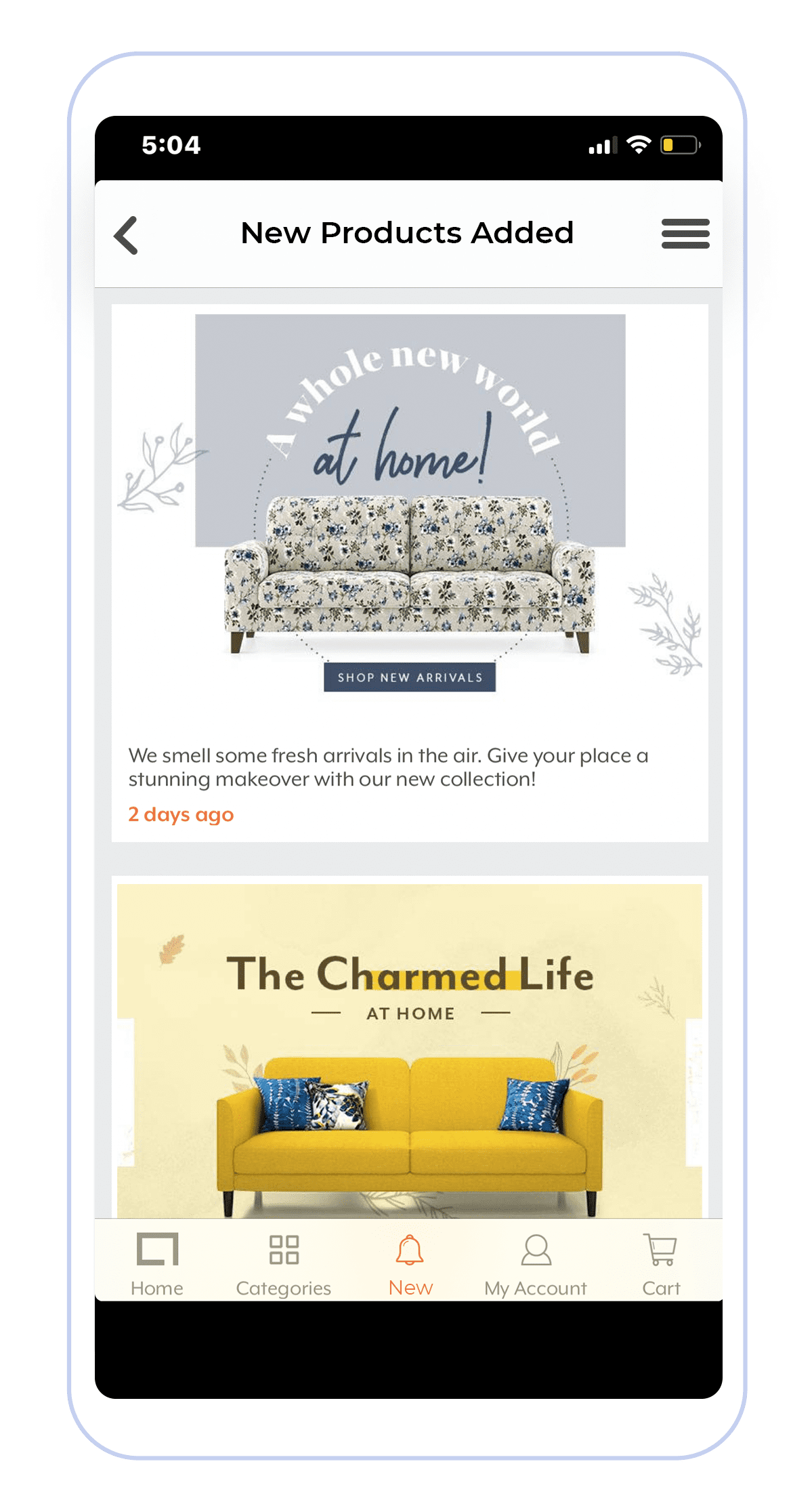
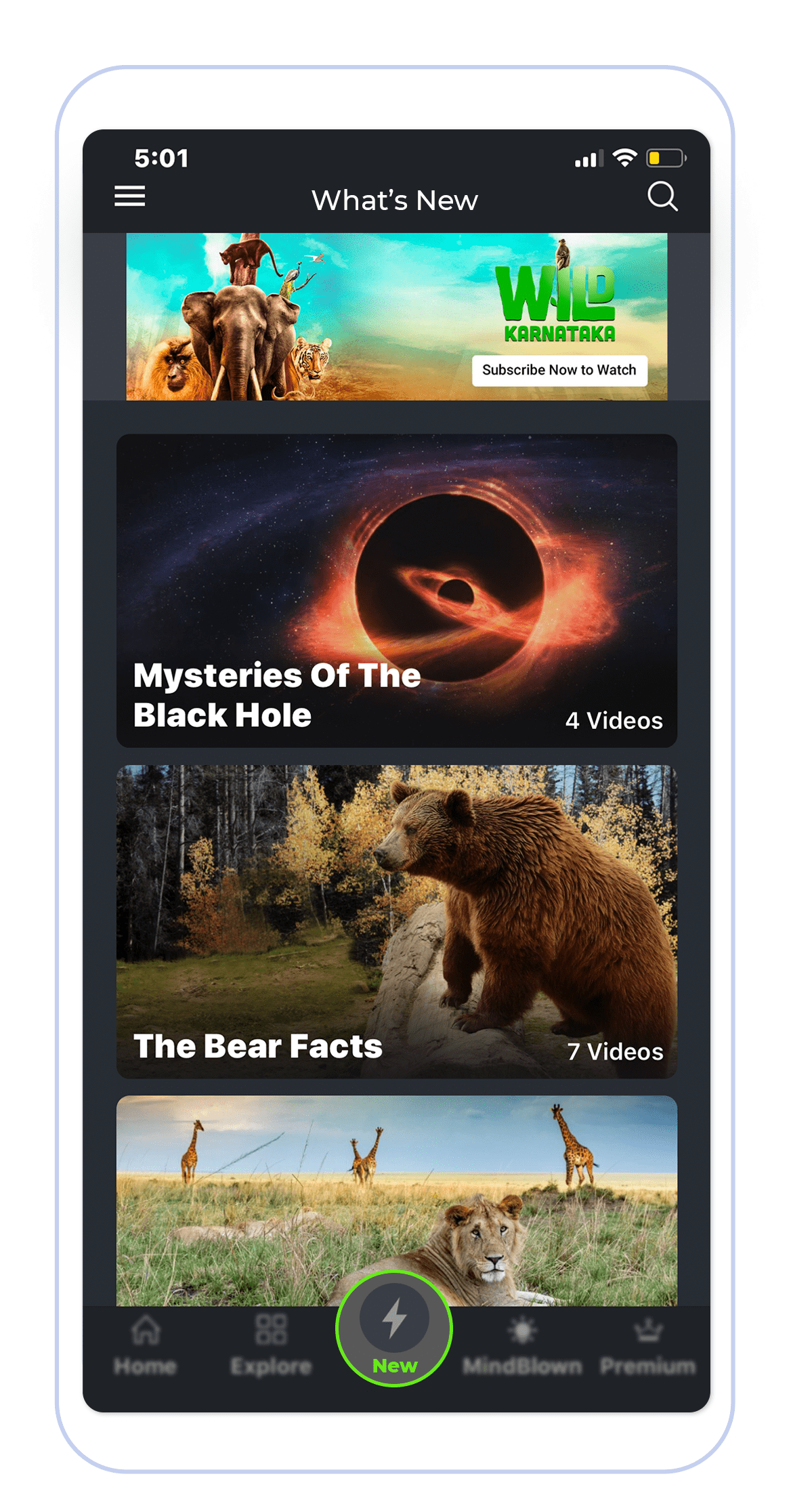
  • A ‘What’s New’ section?
    Have new updates or products that have been launched? Maintain a category of updates or showcase the new products or content launched through cards!
    An example of a What’s New section an ecommerce business would use within a mobile appAn example of a What’s New section a media and entertainment business would use within a mobile app
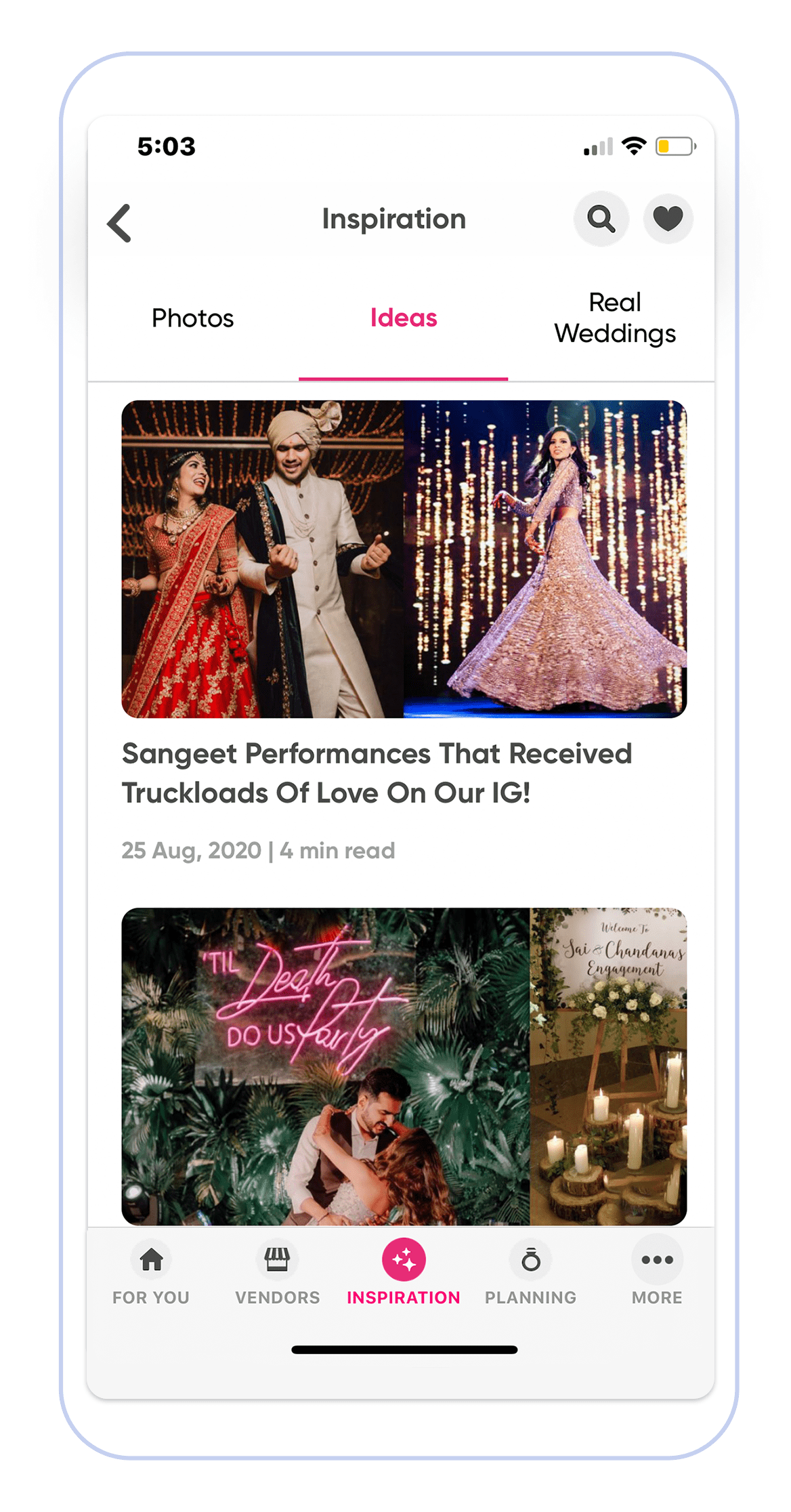
  • An inspiration zone:
    If you have some inspiring content to share or advocate ideas, then have this block on your app.

An example of inspiration section within a mobile app where customers can search for ideas

  • Transactional Messages: Leverage Cards to share updates on customers’ orders or bookings.

An example of a transactional message confirming a recent booking

  • Leverage the power of Cards in your Omni-channel strategy
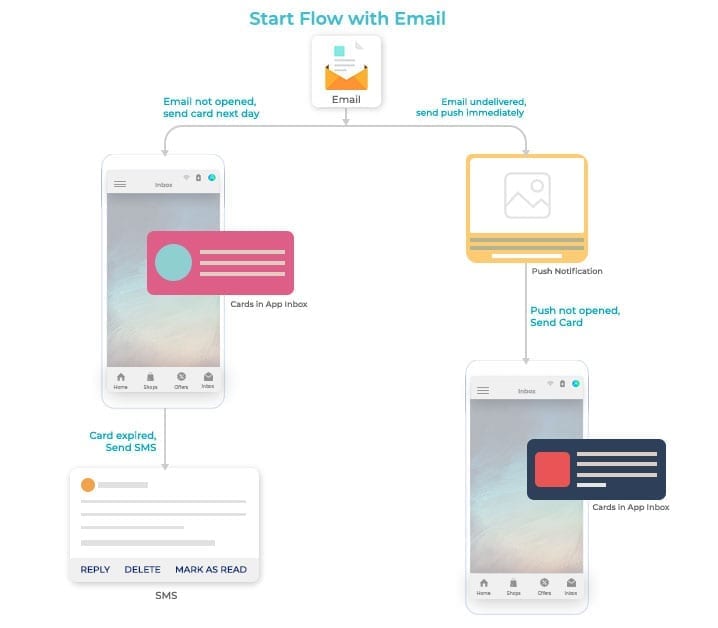
    Running a sale? Send an Email to alert your users. What if the user has missed it—or did not have time to act on it? Next, send a push notification to highlight the offer again. What if he or she has unsubscribed and missed your compelling offer? With Cards, when your customers are back on the app, show them a card in their promotions feed to highlight your offer!

An diagram of an example of an email flow

Cards power-packed with MoEngage capabilities.

MoEngage Cards improve conversions and reduce churn, by providing a non-intrusive and sticky communication channel with your customers.

An example of MoEngage’s cards being used to send personalized messages to a customer’s inbox

  • All your customer data is already deeply integrated into MoEngage, so you can utilize segmentation and targeting capabilities on MoEngage to craft a highly engaging card.
  • Not to forget, you can leverage the power of MoEngage’s dynamic product recommendations to personalize cards with products your customers have interacted with before.
  • You can gain deep insights into the performance of each card campaign with the conversion tracking & attribution models that are pre-built on MoEngage.

As notifications evolve, we at MoEngage hope to evolve with them, giving marketers the best way to communicate and engage a loyal customer. So here we are, launching yet another channel that allows you to engage your customers without interrupting their day!

Want to be one of the first to try MoEngage Cards?

If you’re an existing MoEngage user and would like to try Cards on your dashboard, get in touch with our team.

GET IN TOUCH

If you’re new to MoEngage, we are happy to give you a personalized walkthrough of the platform and also explain the benefits of using MoEngage. We can also show how you can use Cards for your business.

REQUEST DEMO

Here’s What You Can Read Next:

MoEngage and Mixpanel Integration: A Recipe for Delightful Customer Experiences

  • UPDATED: 18 July 2023
  • 4 minread
MoEngage and Mixpanel Integration: A Recipe for Delightful Customer Experiences
Reading Time: 4 minutes

On January 13, 2021, Mixpanel announced the sunsetting of messaging and mobile A/B testing in order to double down on product analytics. MoEngage has partnered with Mixpanel to help you seamlessly transition to our AI-powered Engagement platform. Here’s what you’ll get:

  1. Complete support from implementation to onboarding – and a waiver of all associated fees.
  2. Two months of free services from the date of completion of MoEngage implementation.
  3. If you sign up before June 30, 2021, you’ll get a 20% discount on the standard price for applicable services.


At MoEngage, we believe that today’s mobile-first customers expect brands to understand them and deliver personalized customer experiences across their lifecycle.

A critical factor in delighting your customers is to understand them deeply. The way they interact with your product can tell you all about what they want, when they want it, and when they need you to tell them about it. Unfortunately, marketing and product teams struggle to meet these expectations as the tools for product analytics and personalized messaging live in silos.

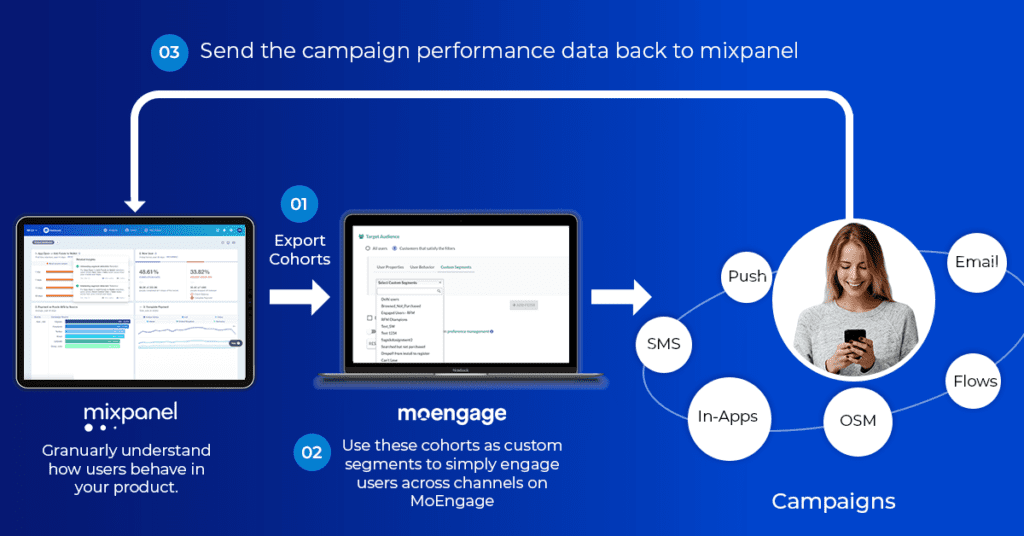
To break down these silos, we’ve combined powerful analytics capabilities with an intelligent customer engagement engine – through our partnership with Mixpanel. We believe that this partnership aligns perfectly with our goal of providing an insights-led engagement platform for brands around the globe.


Why MoEngage + Mixpanel

Mixpanel is a leader in the product analytics space, helping brands innovate faster by providing deep insights into customer behavior. With MoEngage’s AI-powered customer journey orchestration and personalization capabilities, brands can now translate these insights into moments of “wow” for their customers.

With this integration, we’re bringing to you the best of both worlds.

mixpanel moengage data flow

Let’s talk about how it works

Here’s a quick overview of a common use case – improving retention for new users:

Mixpanel can give you a wealth of data and analysis options that can tell you everything you need to know. Let us dive deeper into the same week-2 retention example from the video.

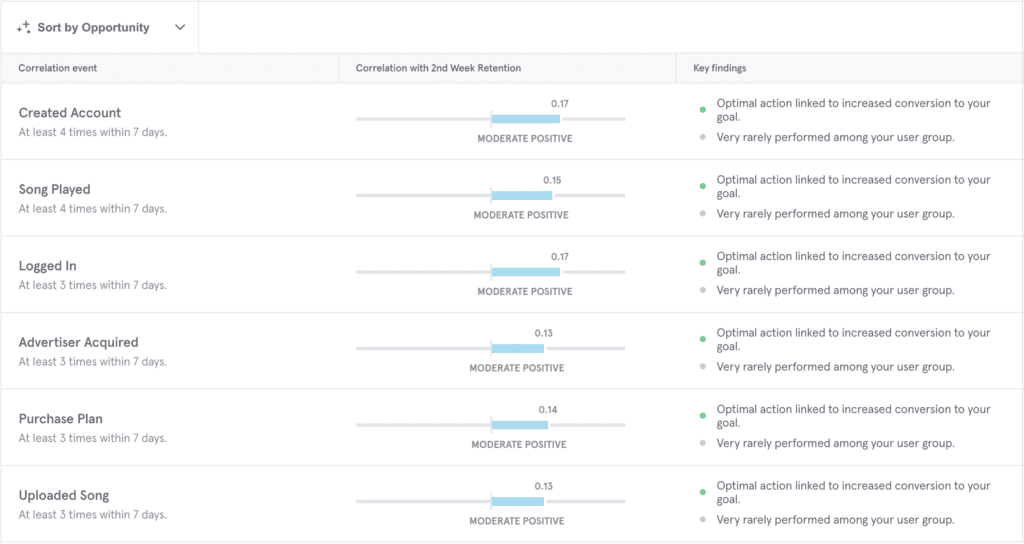
First off, let’s understand what the experience was like for users who did return beyond the first 7 days. Mixpanel Signal is a powerful place to start. It can help you understand the “aha” moment of these users without spending hours crunching numbers.

This gives you the events that correlated with high week-2 retention as well as the degree of correlation. Here’s what we found.

Now, assuming that you’re already doing all you can to drive account creation and login for new users, one action to focus on next would be “Song Played”.

For your app, this could be money added to the digital wallet or first transaction depending on your industry. If you see a clear and consistent correlation with high retention and a specific set of actions the users performed in the initial days, that’s the “aha” moment of your product. Make that your onboarding goal.

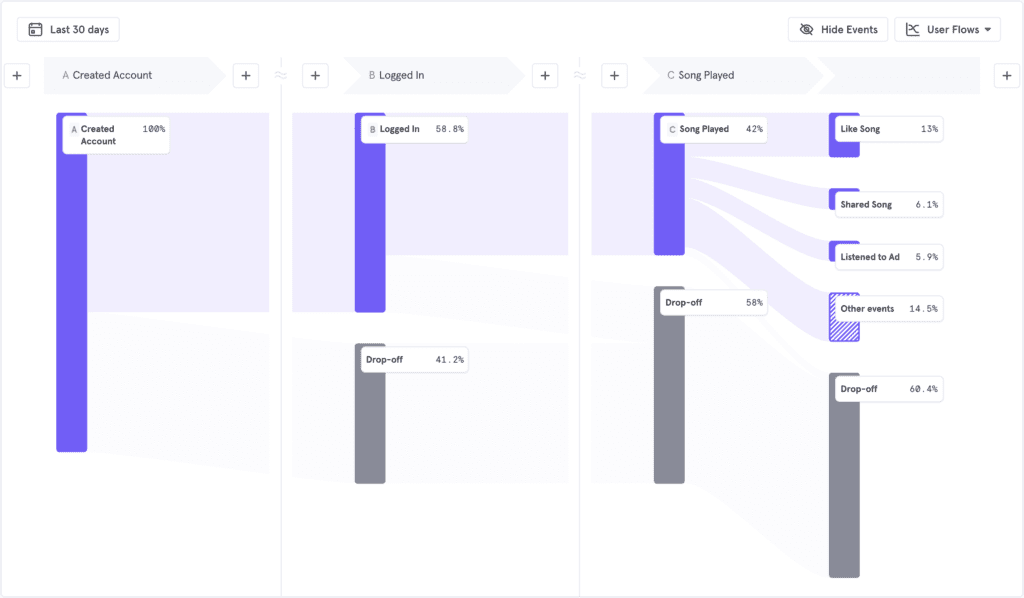
Now, let’s measure what new users are doing, how many are completing your onboarding goal. More importantly, how many users are dropping off at each step.

User drop offs after 30 days

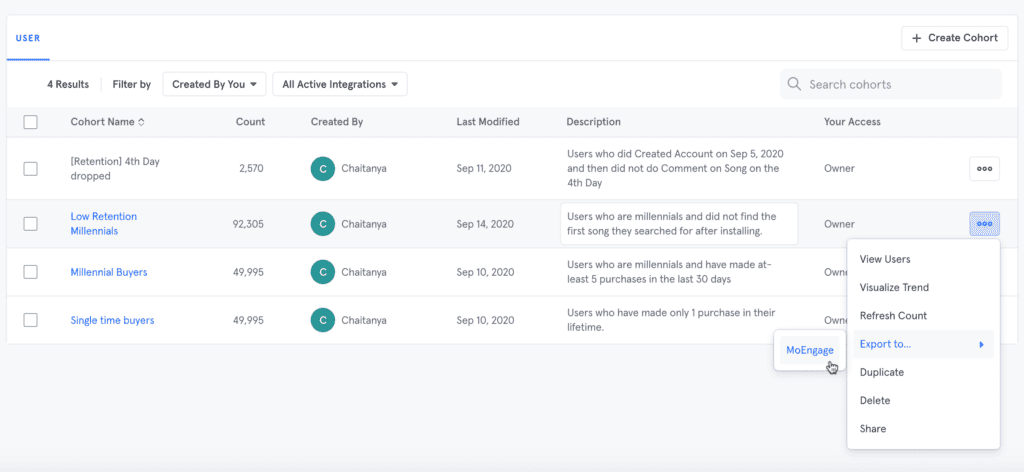
Break it down further into your core user cohorts and you’ll generally see a pattern, either a certain city or demographic etc. Create a cohort with these details factored in.

This is where MoEngage comes in. Sending the cohort to MoEngage is as easy as exporting it and having it sync dynamically for recurring campaigns.

Moengage cohorts

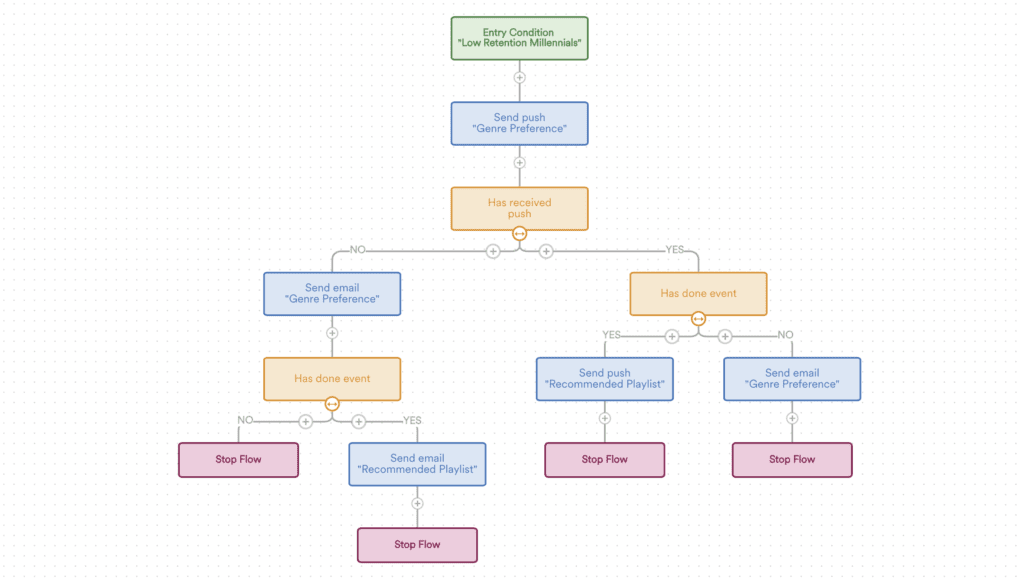
You can then leverage MoEngage’s intelligent engagement suite to set up a workflow automation to engage these users early on. You can set up an elaborate journey for reaching out to the user across multiple touchpoints in a gradual progression.

For high-value events such as paid subscription, you can use retargeting ads in case none of the other channels work. This approach helps you avoid overwhelming your customers by sending them a blast message across all channels just because they’re free. It also optimizes your spends on the paid channels.

Workflow automation chart

Now a big chunk of your target users you were losing, will go through a journey orchestrated by you. You can continually measure the impact with Mixpanel Impacts and Experiments and make the journey tighter based on the results.


Closing thoughts

That’s just one use case and we’re only scratching the surface. Once you set up the integration, the possibilities for rapid experimentation and learning are endless. The MoEngage–Mixpanel integration will allow product managers and growth marketers to be more agile and data-informed in their approach.

Since this close integration will accelerate the time to market, it also allows you to focus on the next innovative campaign, rather than grappling with siloed tools and inconsistent data.


How to get started?

If you’re a MoEngage + Mixpanel customer looking to leverage this integration, here’s a quick guide to help you get started.

If you’re a Mixpanel customer and would like to explore MoEngage for customer engagement, we’ll be happy to give you a personalized tour.

Get In Touch

Here’s what you can read next:


User Path Analysis: Taking the Guesswork Out of Data Analysis

  • UPDATED: 13 July 2023
  • 5 minread
User Path Analysis: Taking the Guesswork Out of Data Analysis
Reading Time: 5 minutes
Bonus Content

Walk a mile in your customers’ shoes. At scale.

The world just went through a turmoil which, according to experts, is far from over.

One thing that’s gained popularity during the crisis, especially with marketers and product managers, is certainty. Staying on top of changing trends in customer behavior, comes a close second.

In a normal world, predictive models would do a reasonable job of the former. In the current context though, the latter becomes a much more pragmatic option.

So how do you keep up with trends that change before you can even test a new tactic and establish a conclusion? You might say, “data”, and you wouldn’t be wrong. But it’s not that simple.

Introducing MoEngage User Paths

When you’re looking at hundreds of millions of data points, where do you even start? How do you avoid getting overwhelmed? And how do you not succumb to tunnel vision and go off on a wild goose chase based on a hunch (or its more popular cousin, “hypothesis”)?

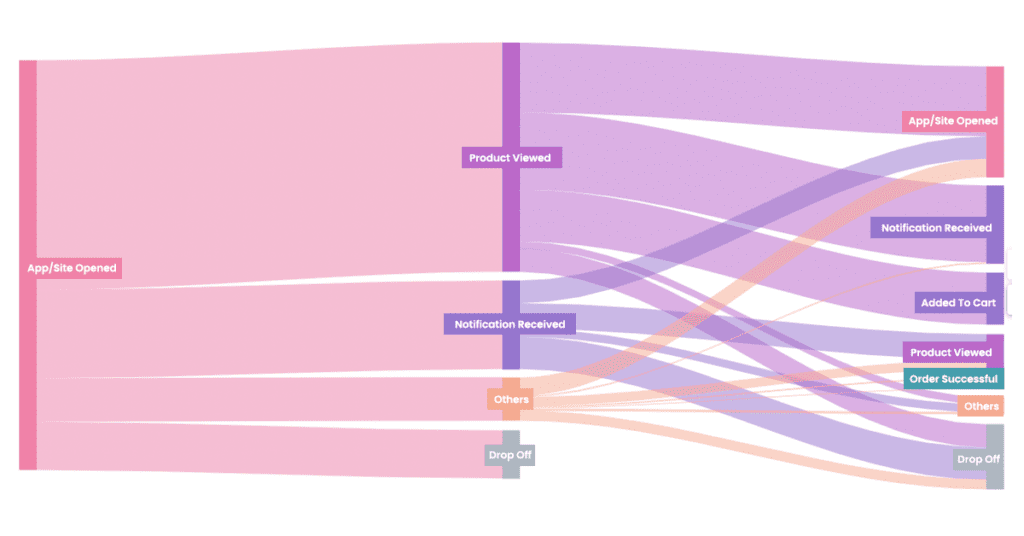
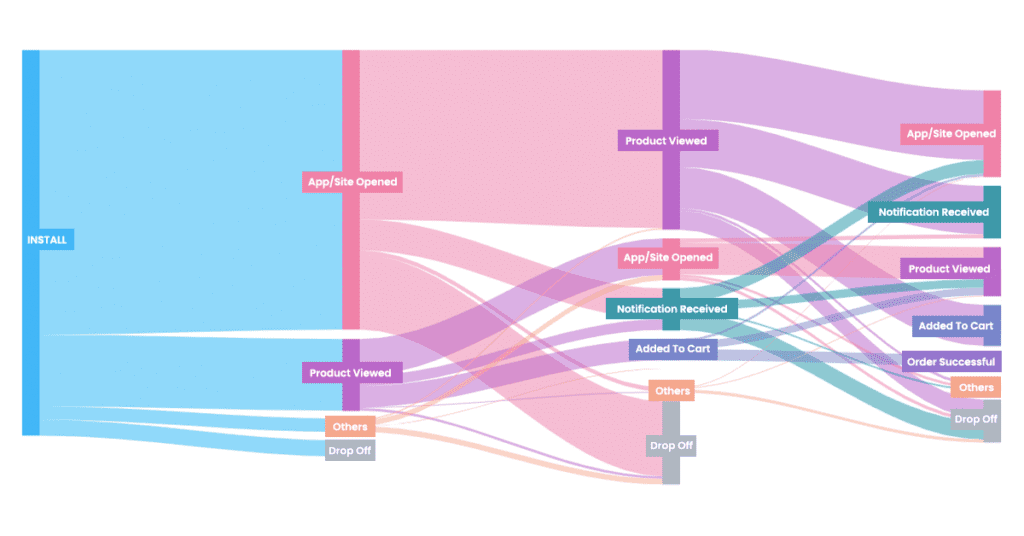
We’re bringing the ability to visualize the paths your users take while navigating your app and website. It consumes the behavioral data and distils it into clean sankey charts, so you can make sense of it.

MoEngage User Paths

Take the guesswork out of data analysis

Data analysis is a great way to take the guesswork out of customer engagement. But data analysis itself involves guesswork.

User Paths can give you the clarity you need to make the most of data. It can help you answer open-ended questions such as:

  • What are my users doing right after installing? Or right after opening the app?
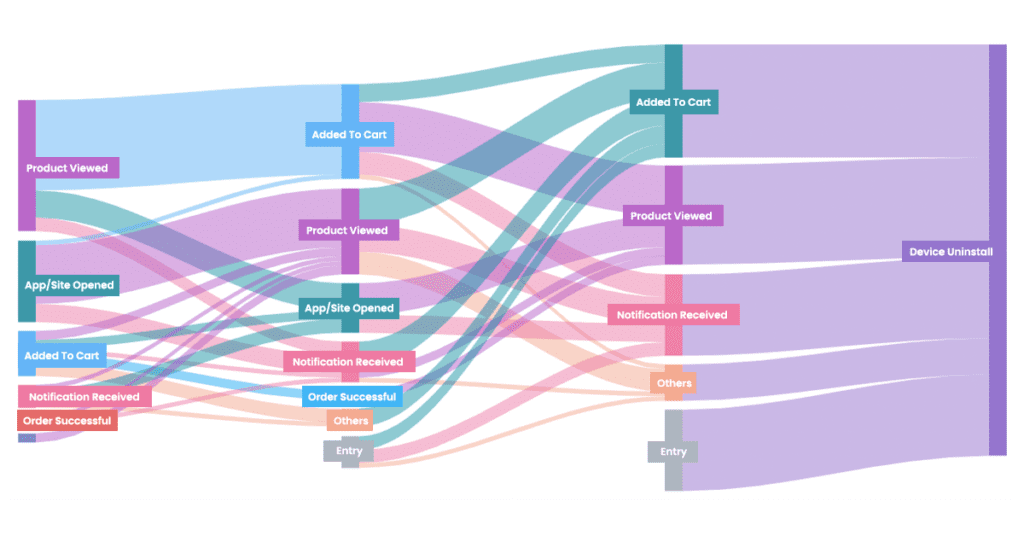
  • What do users do right before making a purchase? Or, more importantly, right before uninstalling the app?
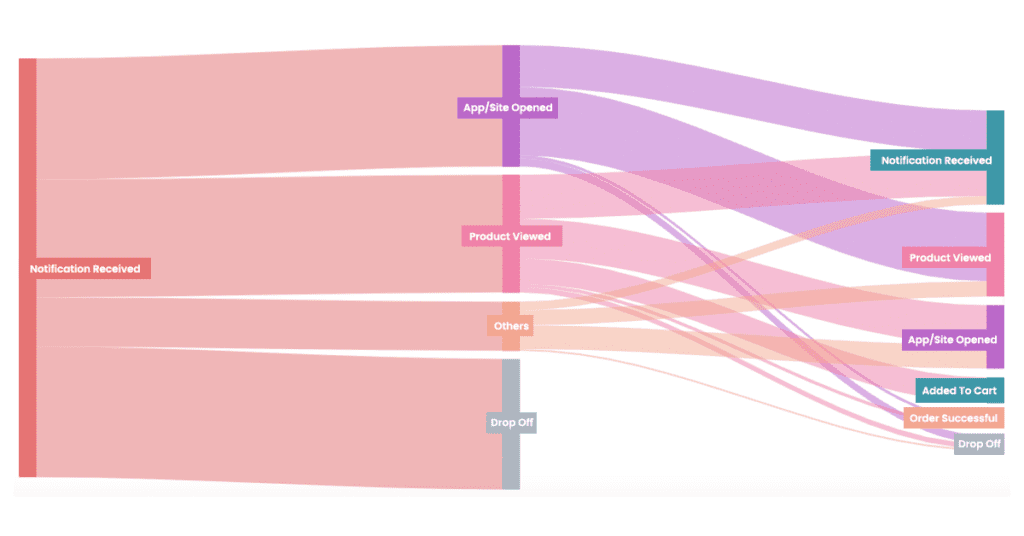
  • What paths do users follow between receiving a notification and completing a purchase?

Once you have a high-level understanding of your user behavior, you can develop informed hypotheses. This lets you ask the right questions when you dive into the data and get more out of it. Let’s look at a couple of common examples:

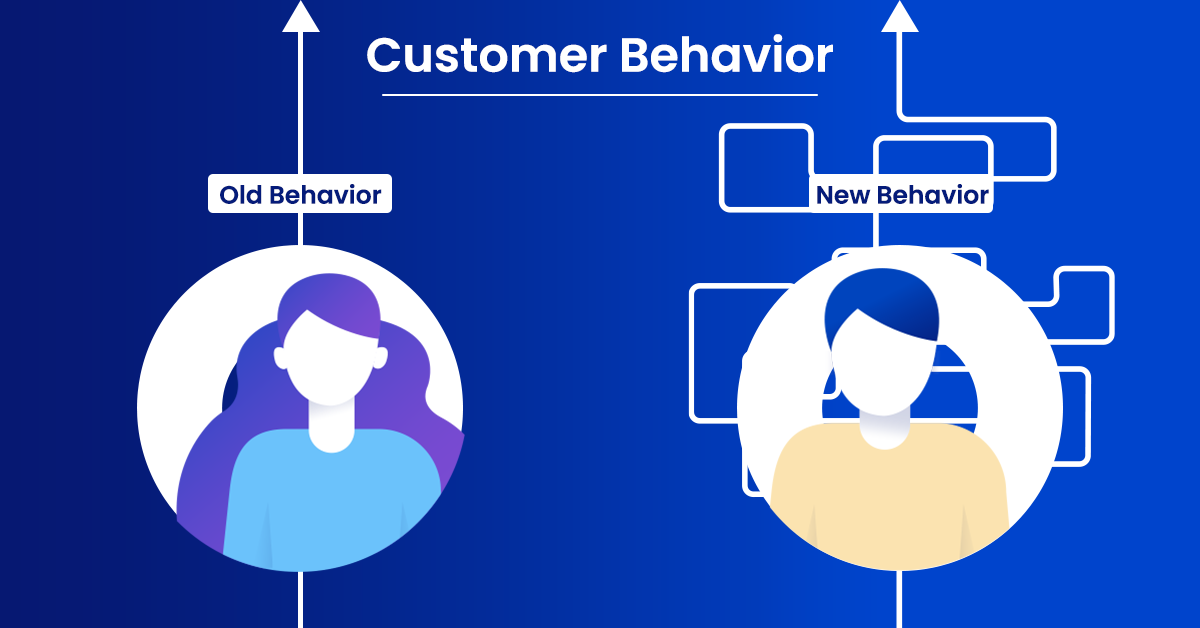
  • Before user behavior analysis, you can see if there is a polarizing split in how two personas or user segments use your app – rather than treating it as the average behavior of all your users.
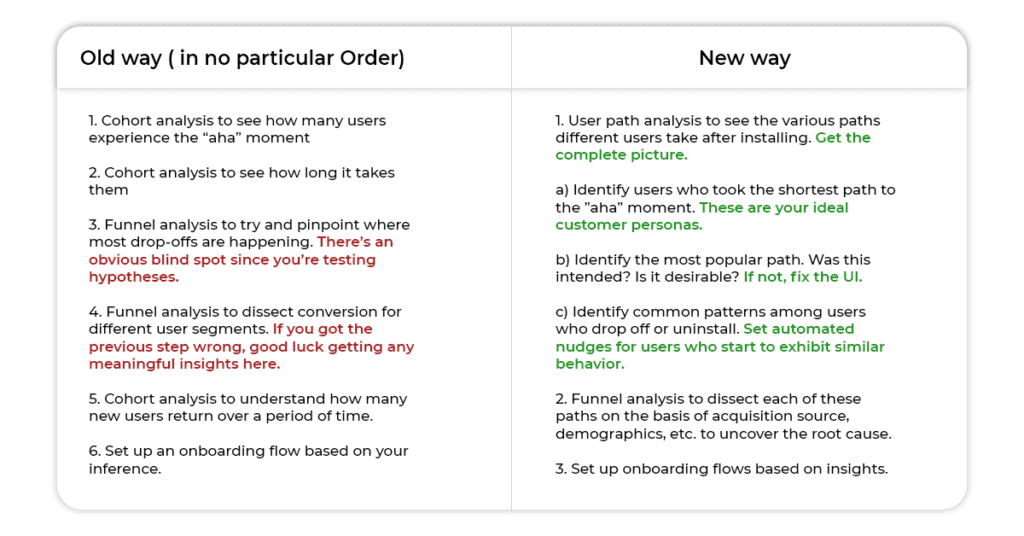
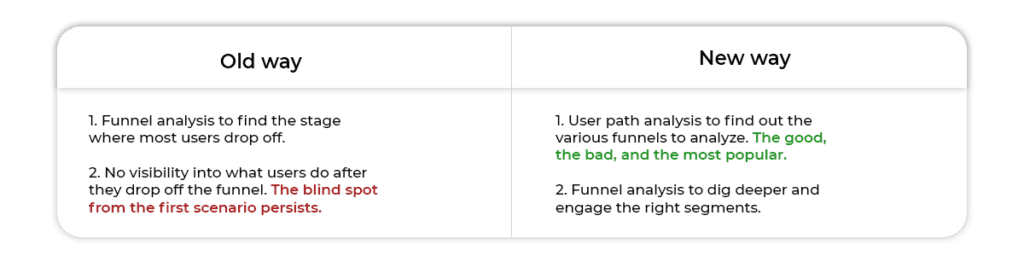
  • Before conversion funnel analysis, you can start with User Paths to get the big picture and then narrow your focus with Funnels.

That may sound like common sense once you’ve spent enough time working on your current product. If you’re still trying to get a grasp on your product’s strengths (or weak spots), user personas, or how their behaviour is changing, user path analysis is where I recommend you start. It would also test, and eventually train your intuition for making better decisions.

Fix UX issues and improve your product/marketing strategy

Consider these scenarios:

SCENARIO 1: You’re tasked with fixing the onboarding experience of your app/website

SCENARIO 2: You’re responsible for improving conversion rates of your marketing campaigns

SCENARIO 3: You need to reduce your app uninstalls and improve retention

If you’re a MoEngage customer, these are problems that you’re actually trying to solve. User path analysis not only makes it easier. It drives a BIGGER IMPACT.

SCENARIO 1: Fixing the onboarding experience

User path analysis MoEngage

Here’s what the analysis would look like:

User path analysis MoEngage

Let’s boil down SCENARIO 2 to its essence.

SCENARIO 2: Improving conversion rates

In this case, the user path analysis will look somewhat like this:

User path analysis MoEngage

SCENARIO 3: Reducing app uninstalls

Well, reducing app uninstalls is complicated since it involves a lot of moving parts. You need a good understanding of your product’s “aha” moment and its “uh-oh” moment.

There are tactical things you can do like setting up a deliberate onboarding flow, since the bulk of your users typically leave in the first few days. You can track churned users and retarget them through other channels like email and SMS. But by that time, it’s generally too late and they’ve likely moved to a competitor. Someone who just took that call is extremely hard to win back.

You could use predictive algorithms to see which customers are at risk, but to you, the rationale will always stay fuzzy. It’s like a black box made of tinted glasses.

What if you could see the last five things a user did before uninstalling? Now imagine you can also track system events and campaign events in addition to user action.

User path analysis MoEngage

So, if they received five notifications over a couple of days and then uninstalled, you don’t need complex data crunching to tell you what went wrong.

The verdict

We’ve been testing out User Paths with a closed group of customers. Here are the results they’re seeing.

For Kutuki the challenge is in building a delicate balance between a fun & engaging Kids App and a comprehensive parenting tool. User Paths has enabled us to validate our strategy for improving the app experience. It has also helped us fine-tune the attribution for purchases by understanding the different paths that lead to a purchase.

Gurupad Badithe
Head of Growth, Kutuki

At EWar games, we help gamers compete at the same level as the big sports. For us, the user experience is everything. We needed to answer questions like what users were doing after certain events, like adding money to their account. User Paths gave us that clarity. An interesting thing we found was that a small subset of users were doing nothing after their first deposit. Once we increased the number of tournaments, we got them to become more active.

Chetan Raithatha
Business Manager, EWar Games

We were waiting for User Path Analysis with high expectations, which have been met.
It’s given us a deeper look into things we couldn’t see before regarding the user journey on the app. We had to see Funnels separately before and we couldn’t get the bigger picture. User Paths combines funnels to give us a complete picture.

Vinicius Bazan
Head of Mobile Applications, Empiricus


If you’re a MoEngage customer, tell us what insights you were able to discover through user path analysis.

If you’re not, and you’ve grappled with questions like ‘What are users doing before they uninstall?’, give User Paths a try.

Here’s What You Can Read Next

Explore New Engagement Avenues With Latest Additions to MoEngage’s Push Notification Template Library

Explore new templates added to MoEngage's Push Notification Template Library, opening up a world of new use-cases to explore – all without code!

  • UPDATED: 21 July 2023
  • 5 minread
Explore New Engagement Avenues With Latest Additions to MoEngage’s Push Notification Template Library
Reading Time: 5 minutes
Bonus Content:

Latest Update: We’ve added the following new templates to our Push Notification Template Library –

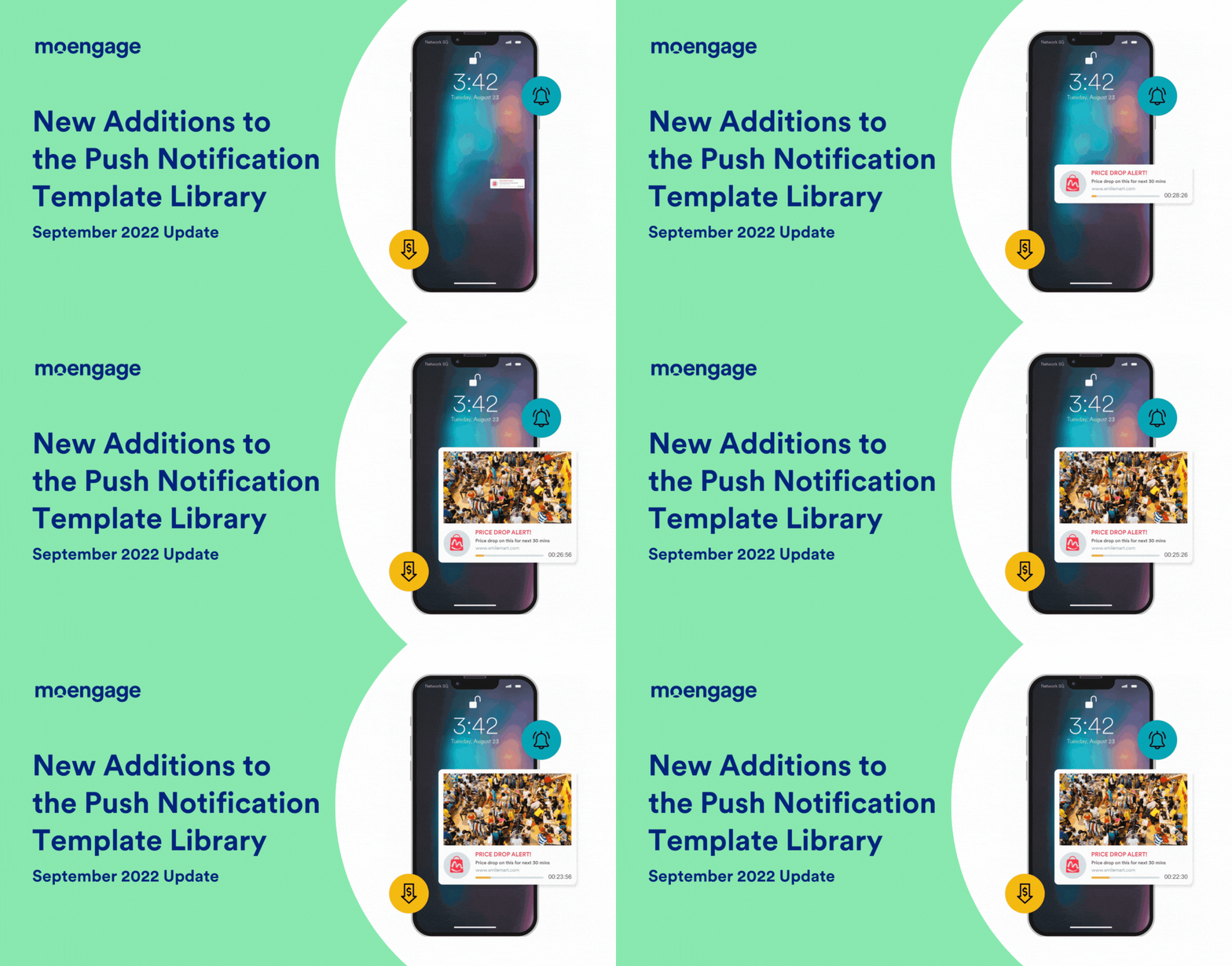
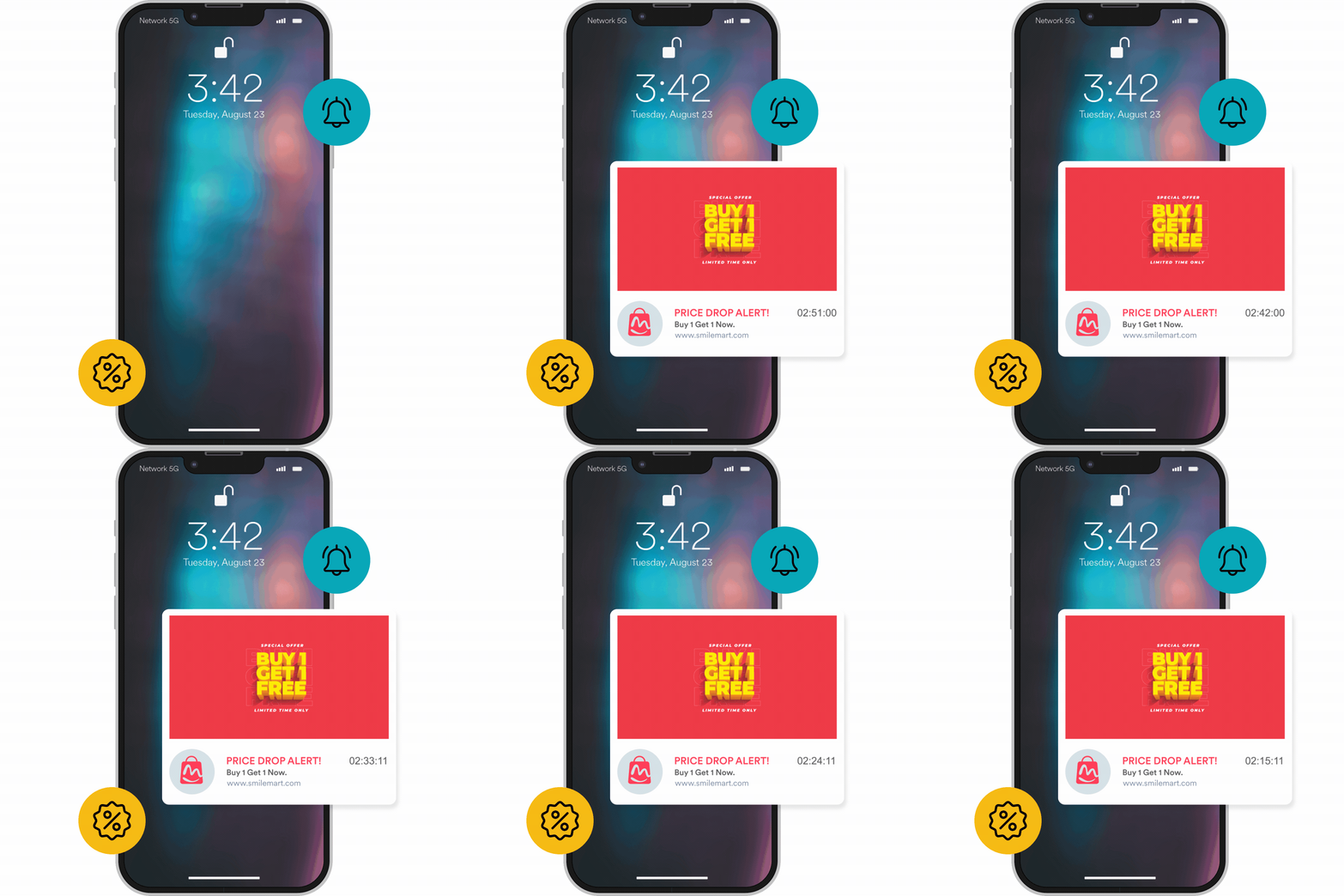
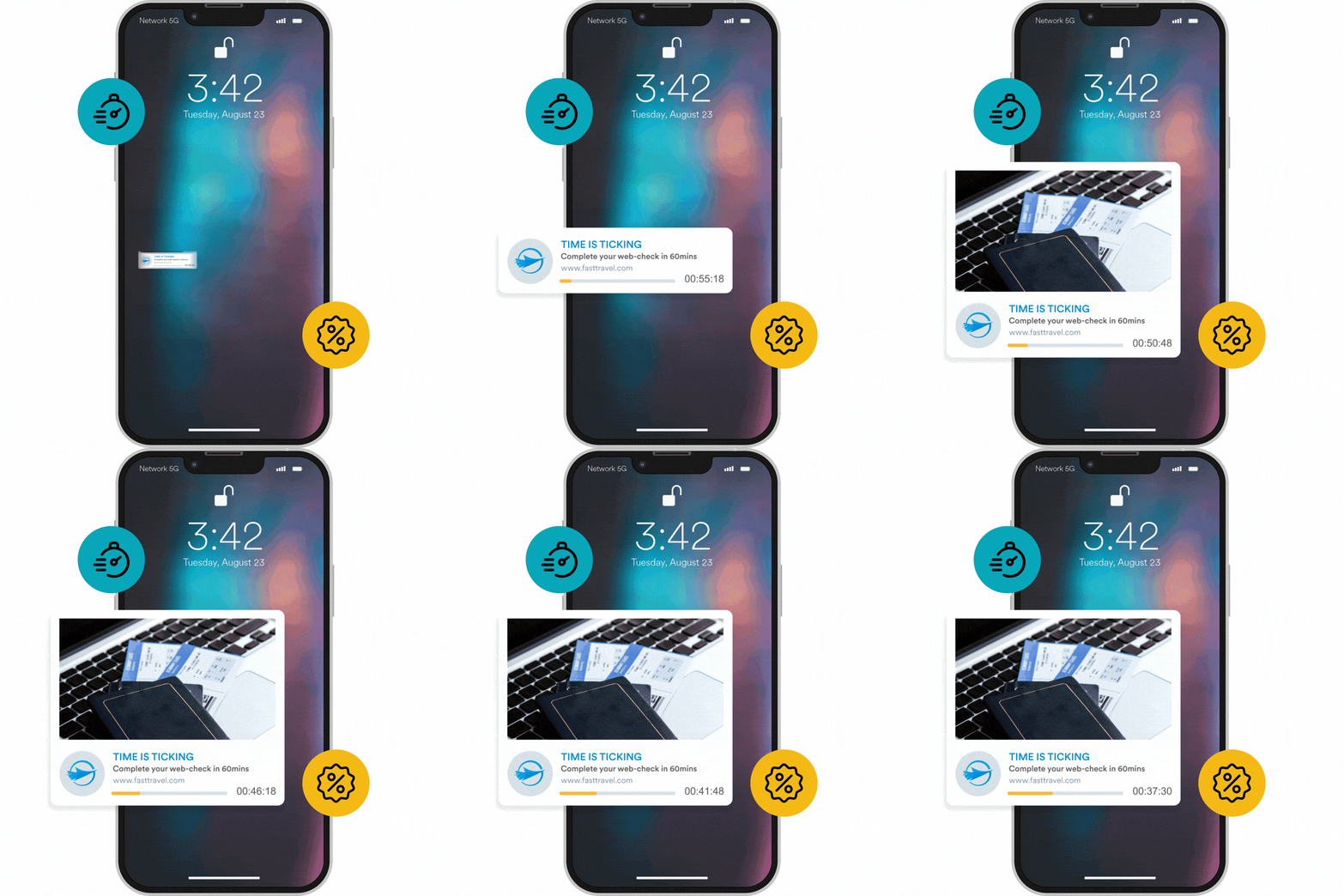
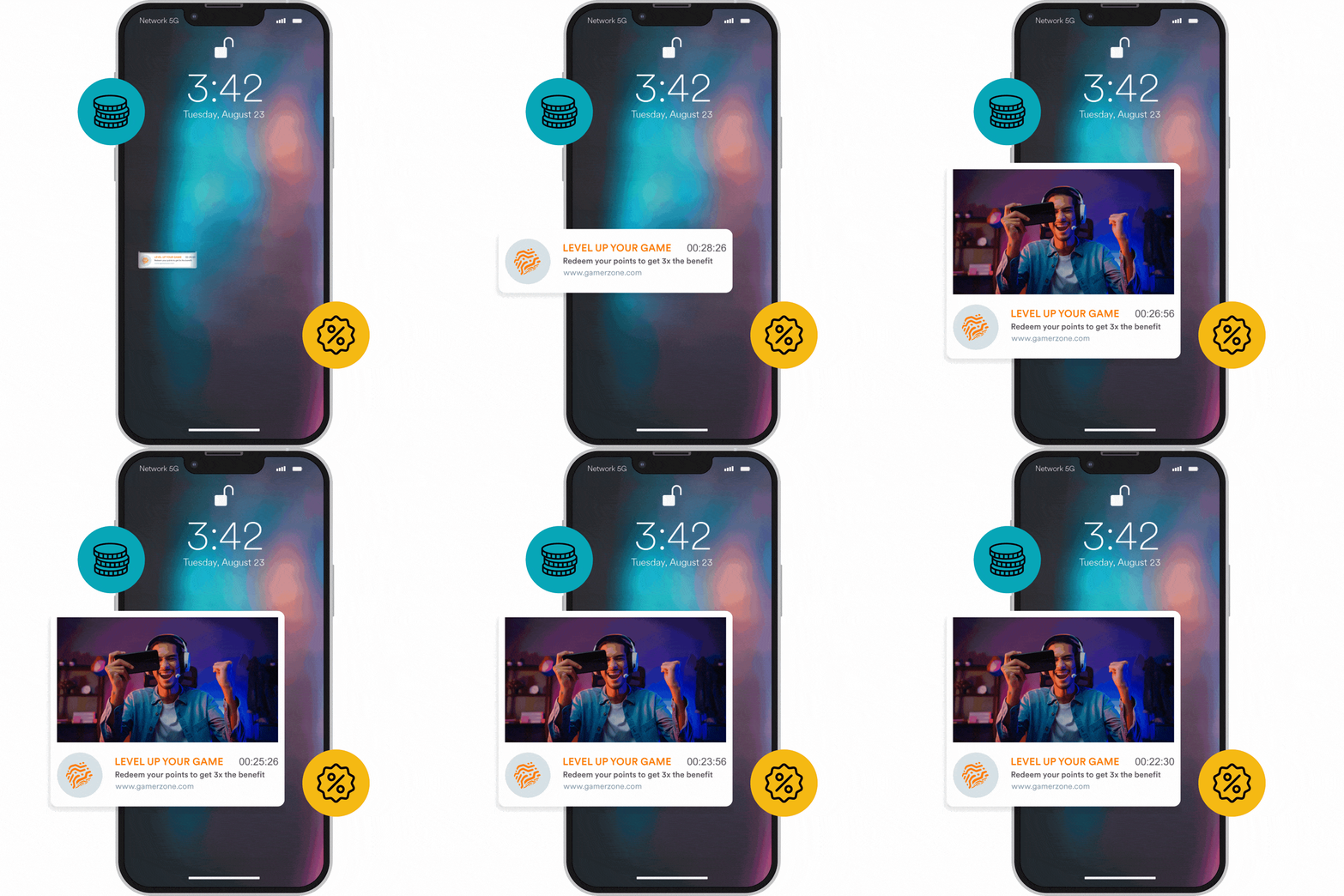
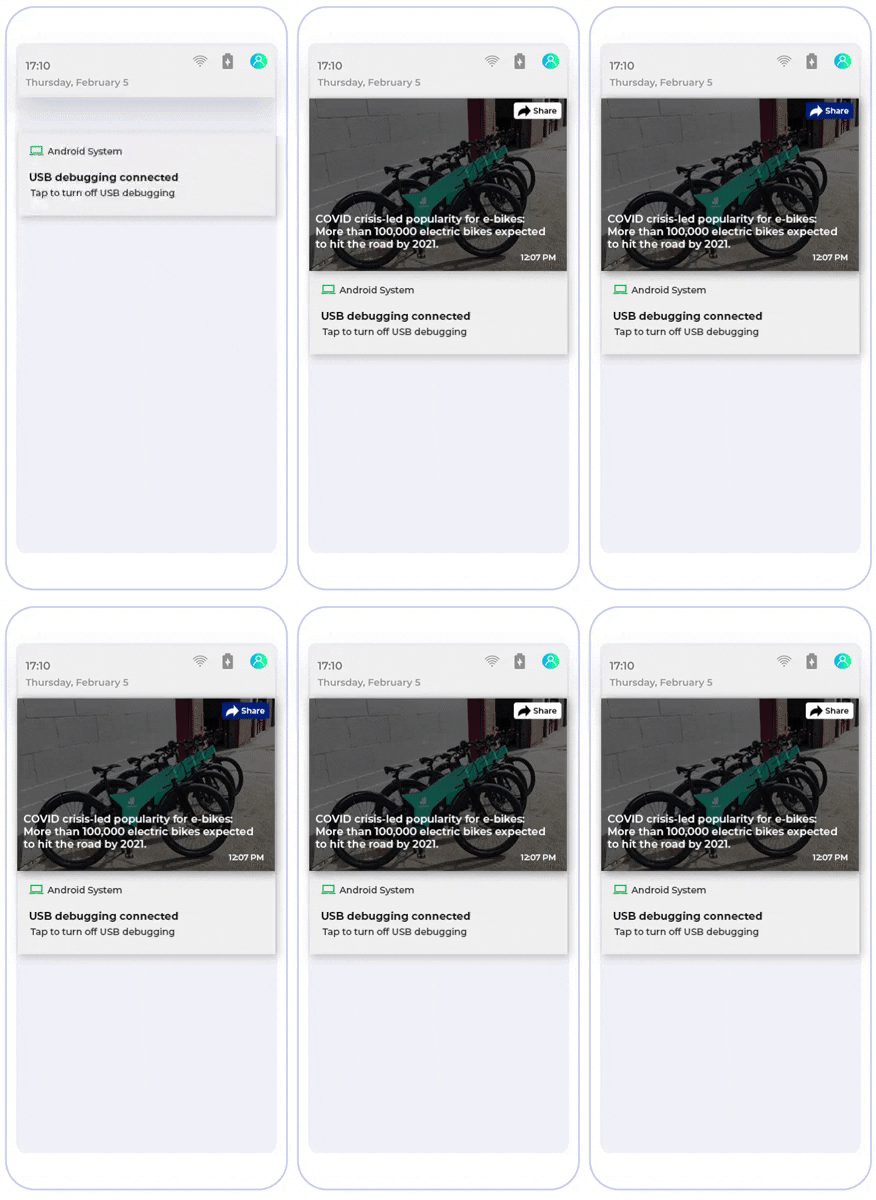
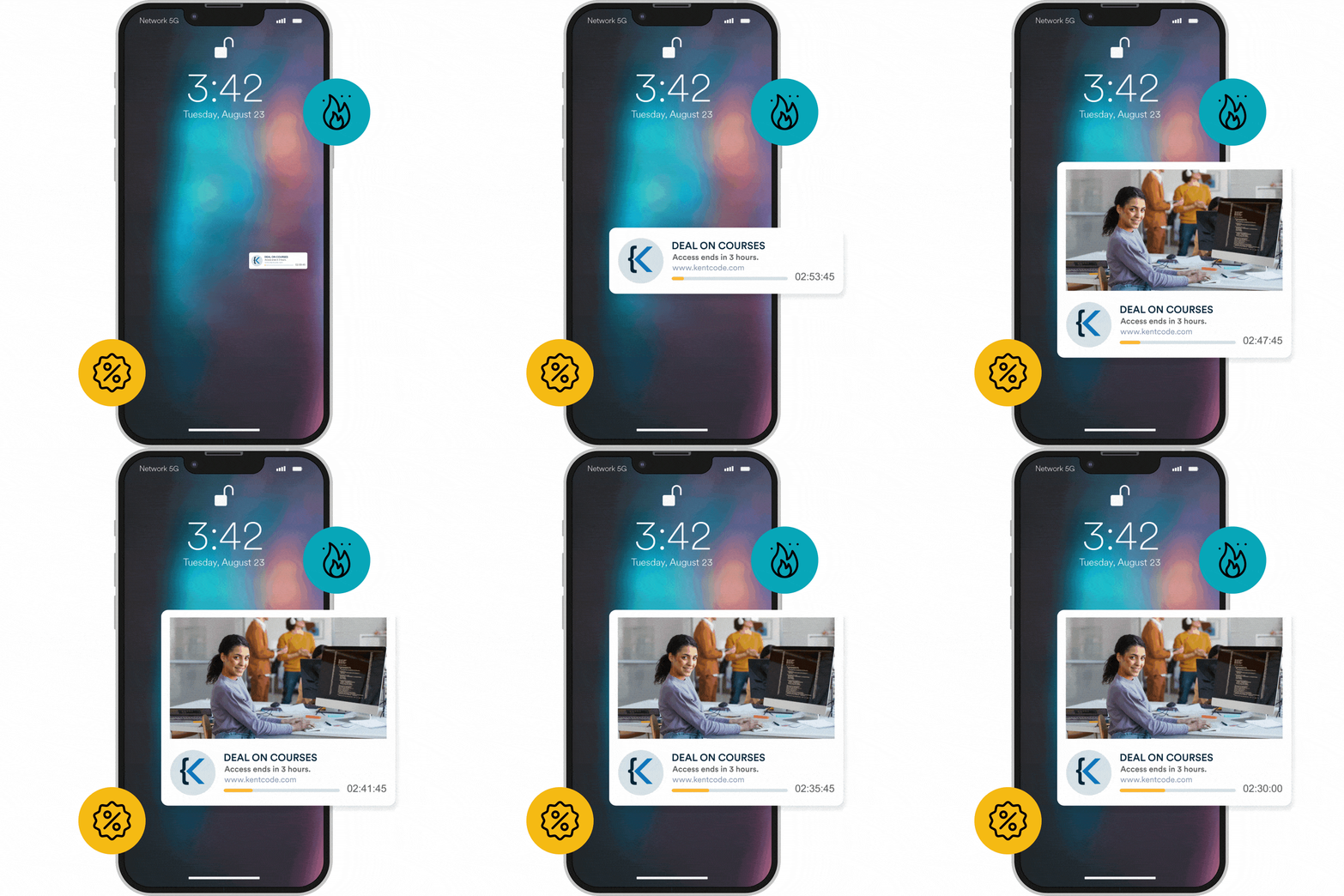
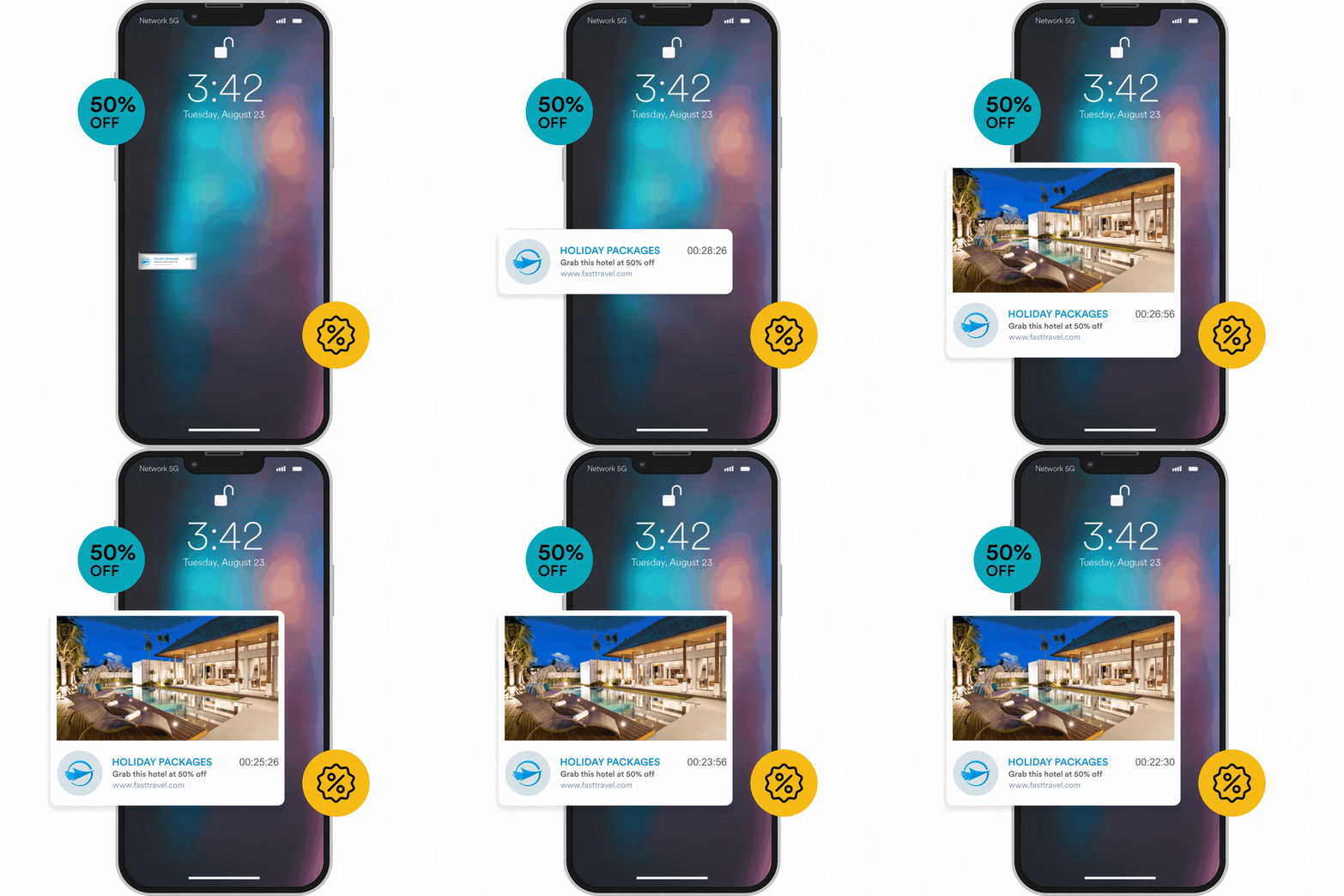
  • Timer/Progress Bar to create push notifications with a timer and a message
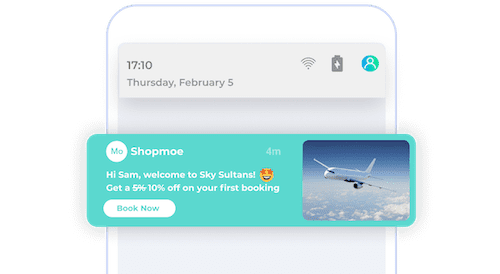
  • Image Banner with Text Overlay to make push notifications with a large banner image covering the entire notification area and overlay text on top of the image

Data from the recent Customer Engagement Benchmarks Report has shown that engagement for push notifications is on a steady rise. Moreover, push-enabled customers continue to engage and retain better when compared with push-disabled customers. This goes on to show that push notifications will continue to remain a mainstay in every mobile marketer’s arsenal.

But with more marketers jumping on the push notification bandwagon, the competition for a spot on the customer’s device is heating up. To give you some perspective, the average customer receives over 65 notifications in a day – which translates to roughly about one notification every 15 minutes during the customer’s waking hours!

This led us to believe that if marketers wish to win the battle of notifications, they need to find a way to make their notifications stand out and grab attention.

Bonus Content

👉 Latest Push Notification Benchmarks, 2022

👉 Boost Customer Engagement By Maximizing Push Notification Delivery Rates [Download Whitepaper]

👉[Customer Spotlight] How Airtel Used Stylized Push Templates to Uplift Their CTR

What’s New With MoEngage Push Templates: Zero Code; WYSIWG Editor?

Push templates enable you to craft beautiful notifications within minutes without any coding. Deliver an optimal push experience with rich and personalized notifications that are more expressive, exciting, and engaging, so that your notifications stand out in the overcrowded notification tray. Using push templates, marketers can give their push notifications the creative edge to stand out and engage more customers.

Send rich notifications that grab attention and drive action

No more ‘getting lost’ in the notification tray. Stand out with personalized and rich push notifications that are hard to miss.

Rich notifications that grab attention and drive action - push templates

Create a sense of urgency and the ‘fear of missing out’ (FOMO)

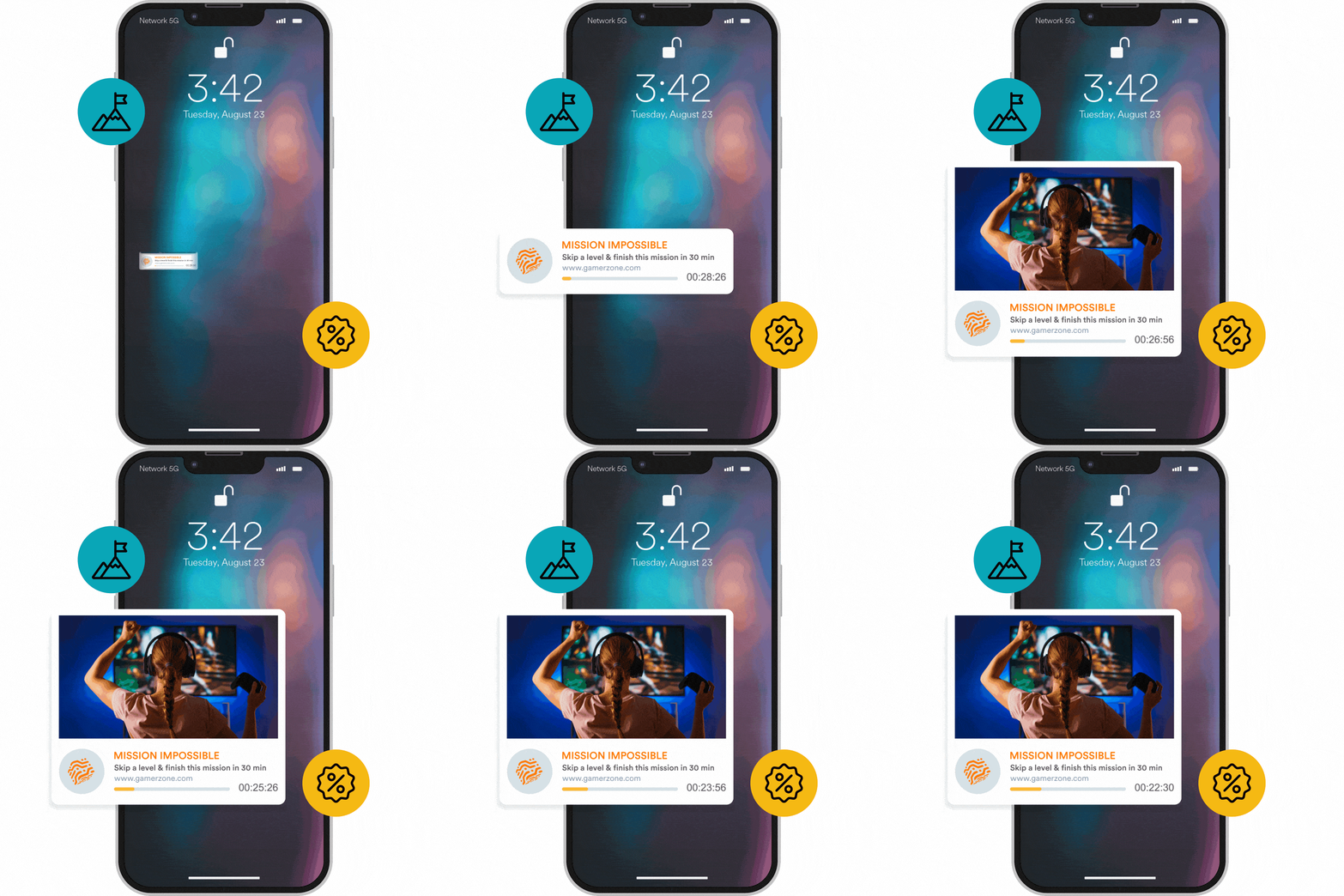
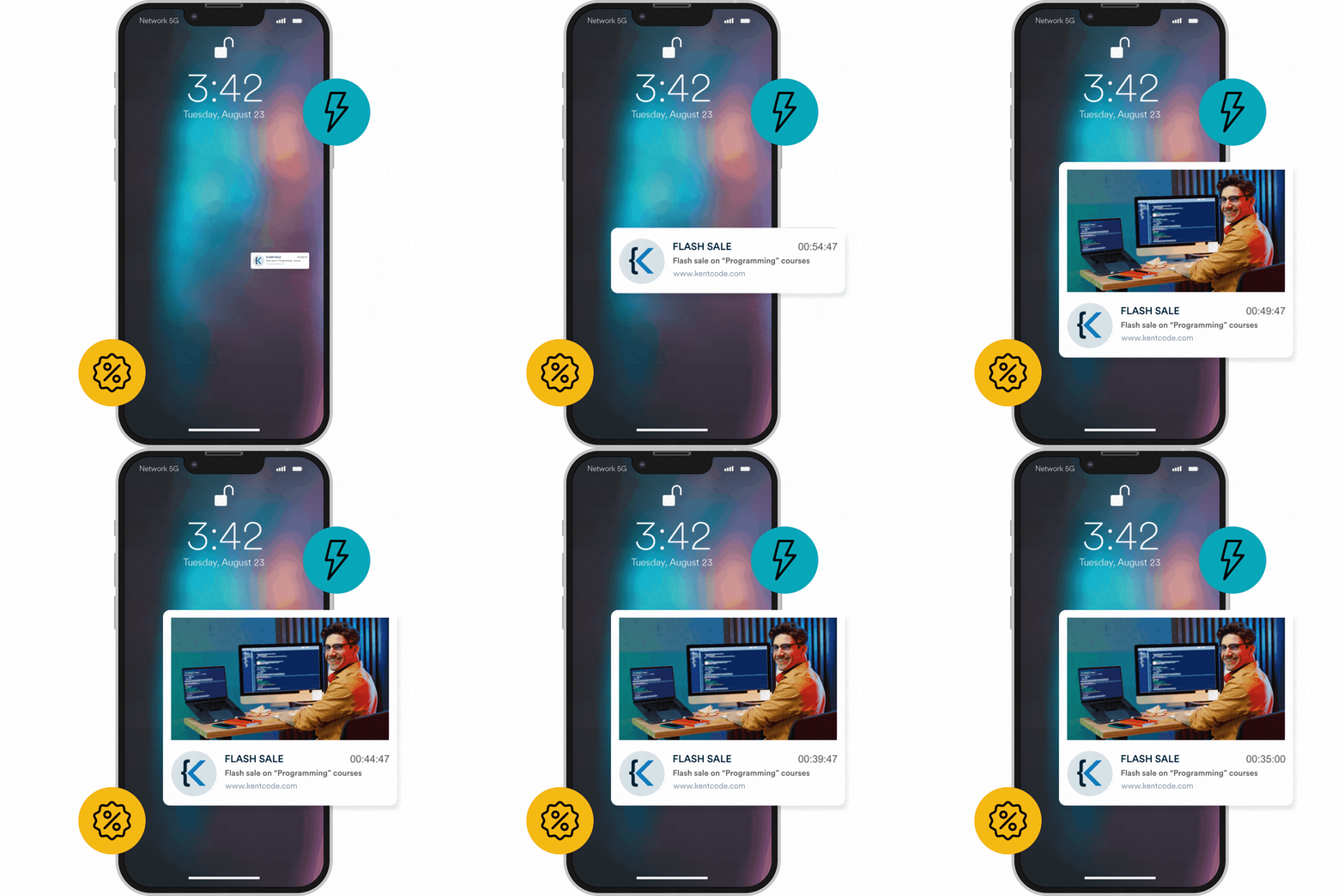
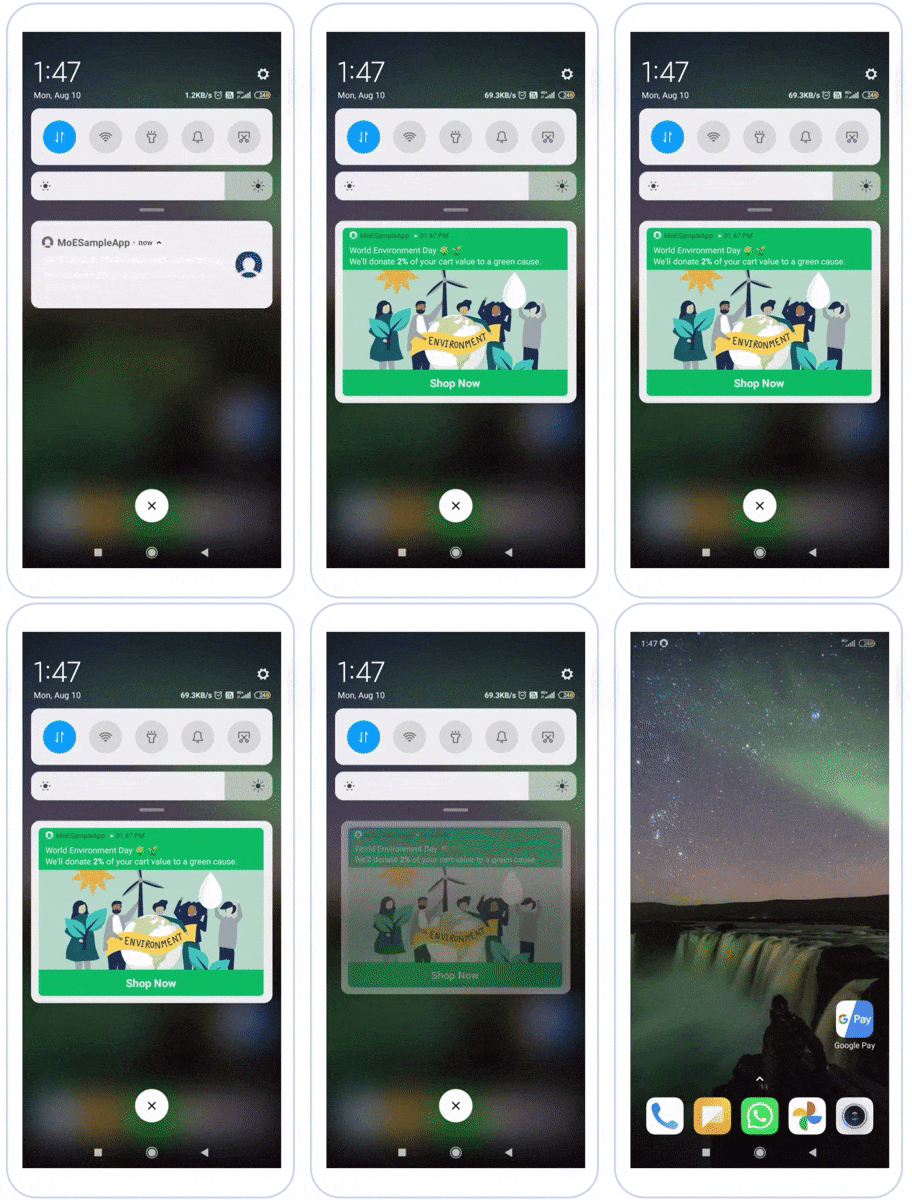
Create push notifications with a timer and a message. Such notifications can be used to display the countdown for flash sales or sales/offers that are time bound.

Ensure brand consistency across all push notifications

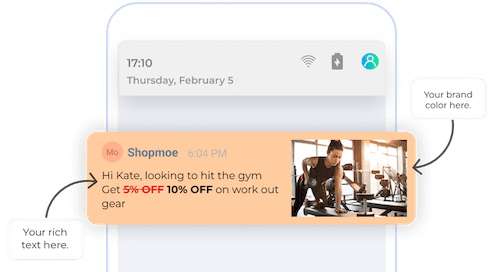
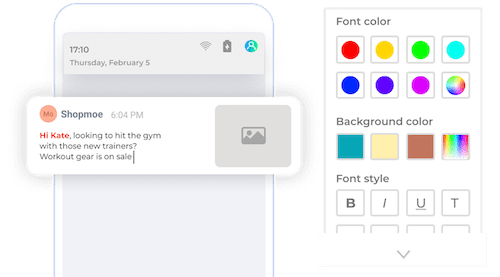
Active, adorable, adventurous, whatever your brand style, extend it to your notifications. Craft rich-looking notifications using colors and rich text that instantly ‘connect’ with customers.

Make notifications your own - push templates

Build rich, interactive experiences

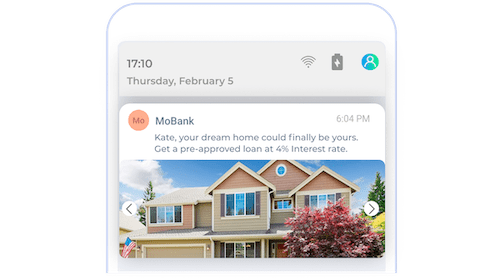
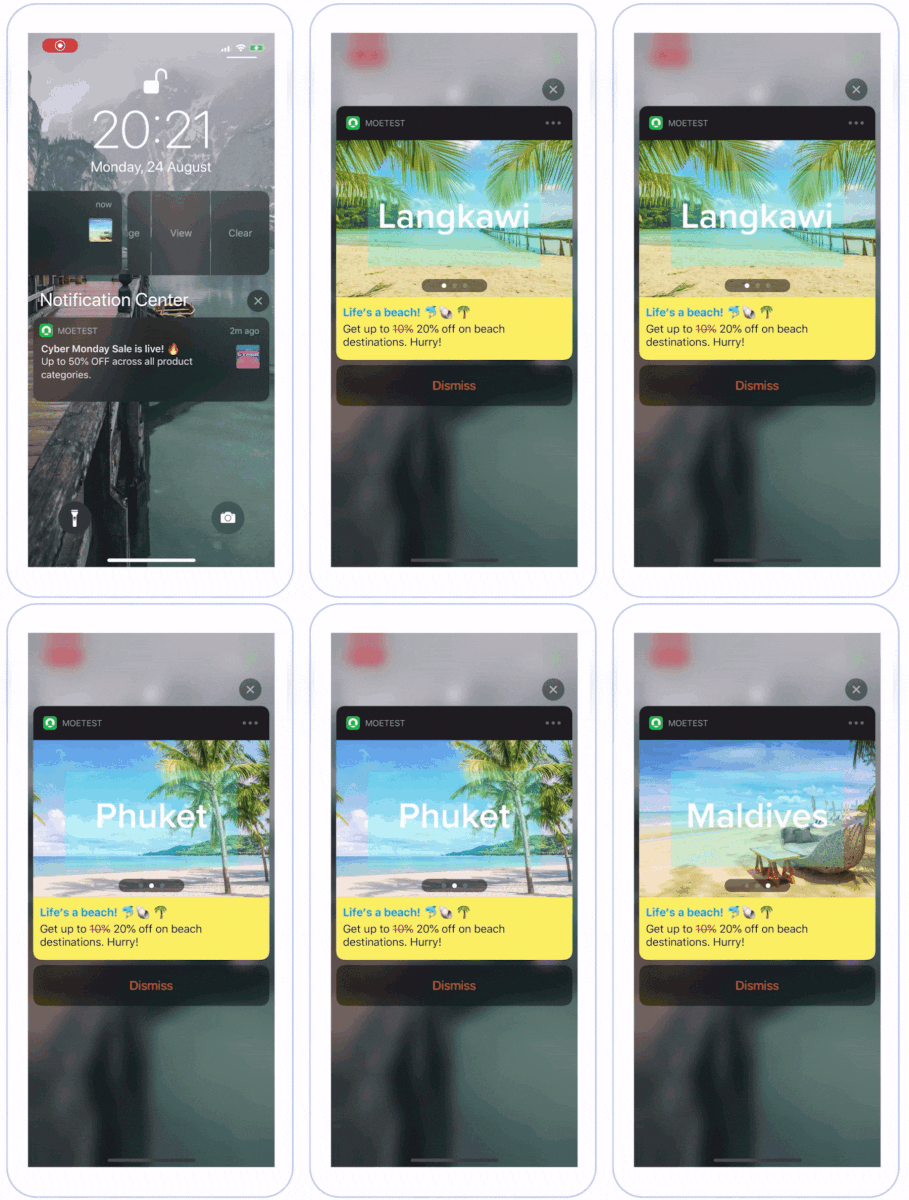
Up your image notifications game to turn them into rich, interactive experiences. Add carousels to your notifications to make them more interactive and exciting. Add automatic or manual carousel functions to give your notifications the right feel.

Rich interactive experiences - push templates

No code, no complexity

Be effortlessly stylish. Do it all from a single-window, marketer-friendly dashboard. No coding or programming knowledge is required.

No code, no complexity - push templates

Simply put, push templates can be highly engaging, easy to create, and by far, the most exciting feature we have built at MoEngage so far. With push templates, we believe marketers can deliver notifications that are not just differentiated but are also easy to create and deploy.

Show progress bars to drive interactions


How Can You Use Push Notification Templates to Engage Customers?

1. Flash sales that are about to start or end


2. Thematic content like climate change, health awareness, or special occasions

Use colors to show you care - push templates

3. Web check-in completion reminders and alerts

3. Travel destination showcase via rich media carousels

Breathe life into your notifications - push templates

4. Game tournaments or player progression seasons with enhanced rewards


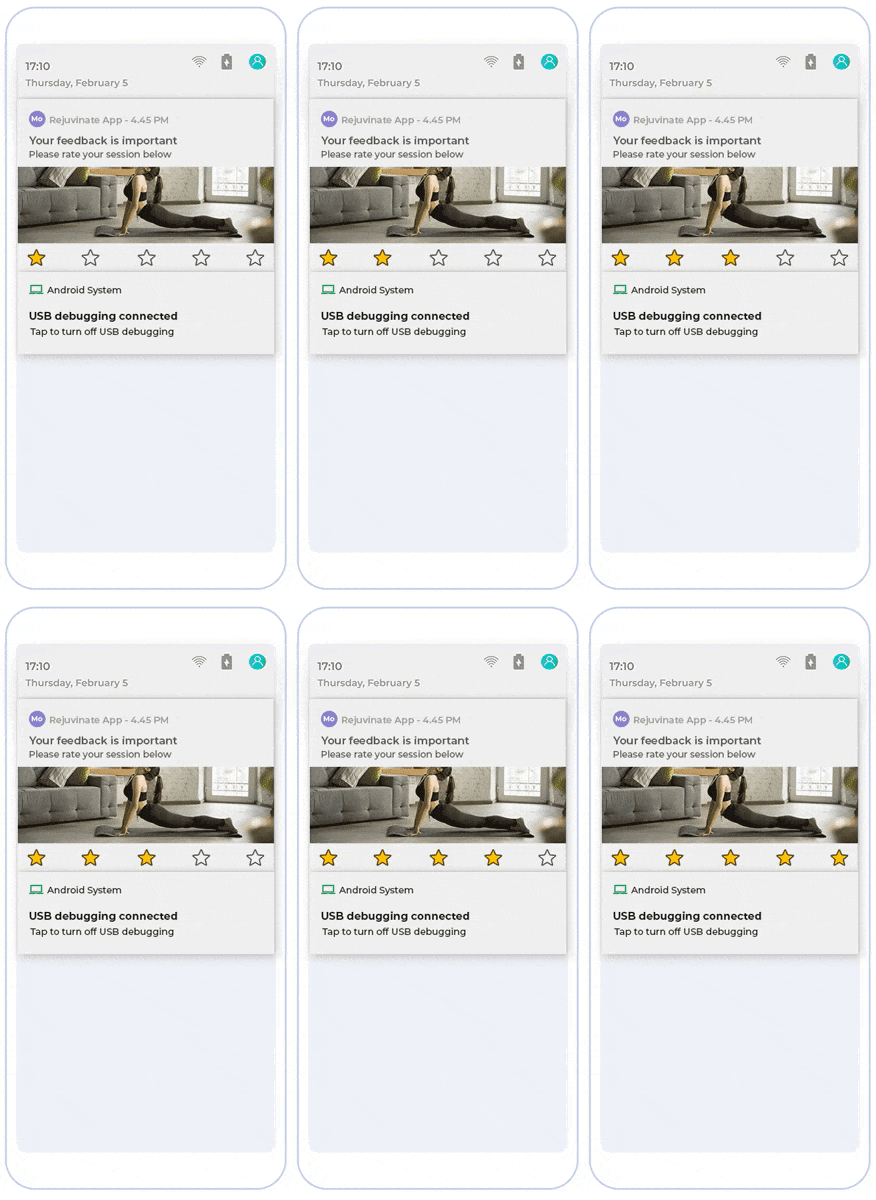
5. Instant feedback on your product or service

push templates

6. Breaking news and alerts with text overlays

push templates

7. Sales and discounts on educational courses


8. Time-sensitive holiday packages

Success Story: How Airtel Used Stylized Push Templates to Improve Click-through Rates

Airtel uses stylized push templates to uplift CTR

  1. Stylized Push Templates: Airtel observed a 20% uplift in the overall CTR after using MoEngage’s Stylized Push Templates! After an Airtel customer successfully recharged their plan through the mobile app, stylized image-only push notifications were sent to educate customers about the extra benefits and to drive the adoption of Airtel XStream.
  2. Carousel Push Notifications: Airtel used MoEngage’s Carousel Push Notifications prompt customers to sign up for Airtel Cloud Storage, recharge plans, drive Airtel UPI adoption, and access offers post-registration– all using one push notification only. With carousel notifications, the brand witnessed an uplift of over 42% in the CTR!

You can read more about their success here.

Conclusion

Above are just a few examples of the many creative ways for marketers to engage customers using push templates. The possibilities are endless, and we are excited to see what marketers do with push notification templates.

We have been testing Push Templates with a closed group of customers and here is what Gurupad Badithe, the Head of Growth at Kutuki had to say:

Push templates give us a way to stand out in the clutter of the notification tray. The ability to add color and carousel images to push notifications is exciting for us and helps us create a unique brand identity at every touch point. The fact that all of this can be done within a few clicks on the MoEngage dashboard is a boon for our marketing team.

Would you like to try push notification templates for your app? Drop us a line.

If you’re an existing MoEngage customer and would like to try Push Templates, get in touch with our team.

Here’s what you can read next:

MoEngage

© Copyright 2026 MoEngage. All Rights Reserved.